

A touchpad is useful until a long document, crowded spreadsheet, or precise selection turns every small movement into a chore. The right wireless mouse makes Windows 11 feel faster without adding another cable to your desk.
Our Best Mouse for Windows 11 picks cover compact travel models, full-size ergonomic designs, quiet Bluetooth options, and mice with adjustable sensitivity. The Logitech M550 L is the one we'd keep for most larger hands, while the Logitech M185 is the simplest compact option and the Logitech M705 is the specialist for long battery life and rapid scrolling.
Comparison table
| # | Product | Award | Connection | Tracking or DPI | Battery | Best for |
|---|---|---|---|---|---|---|
| 1 | Logitech M550 L | Best overall | Bluetooth or Logi Bolt USB | SmartWheel scrolling | Up to 24 months, 1 AA | Larger hands and quiet offices |
| 2 | Logitech M185 | Best compact | 2.4 GHz USB receiver | Optical tracking | Up to 1 year, 1 AA | Small hands and travel |
| 3 | Logitech M510 | Best for shortcuts | 2.4 GHz Unifying receiver | Side-to-side scrolling | Up to 2 years | Office multitasking |
| 4 | HP X3000 G3 | Best multi-surface | 2.4 GHz USB receiver | 1600 DPI optical | Up to 15 months, 1 AA | Mixed desks and everyday work |
| 5 | Acer 1600 DPI Mouse | Best adjustable basic model | 2.4 GHz USB receiver | 800, 1200, or 1600 DPI | Not specified | Medium to large hands |
| 6 | wegear WL300 | Best quiet Bluetooth option | Bluetooth 5.0 | 800, 1200, or 1600 DPI | Up to 24 months, 1 AA | Shared rooms and silent work |
| 7 | wegear USB Mouse | Best DPI range | 2.4 GHz USB receiver | 800 to 4000 DPI, 5 levels | Up to 24 months, 1 AA | Browsing and detailed cursor work |
| 8 | Logitech M705 | Best battery life | 2.4 GHz Unifying receiver | Laser-grade tracking | Up to 3 years | Long documents and desktops |
| 9 | Lenovo WL310 | Best receiver-free travel mouse | Bluetooth 5.0 | 1000, 1200, or 1600 DPI | Not specified | Windows laptops without spare USB ports |
| 10 | Acer 4000 DPI Mouse | Best high-sensitivity control | 2.4 GHz USB receiver | 800 to 4000 DPI, 5 levels | Not specified | Large hands and detailed work |
1. Logitech M550 L: Best Overall
Pros
- Full-size shape suits larger hands
- Quiet clicks reduce office noise
- SmartWheel switches between precise and fast scrolling
- Bluetooth and Logi Bolt USB connectivity
- Up to 24 months from one AA battery
Cons
- Large shape is not ideal for small hands
- Requires a separate receiver if you do not use Bluetooth
- Does not offer adjustable DPI settings
Best for: larger-handed Windows 11 users who want quiet, comfortable control.
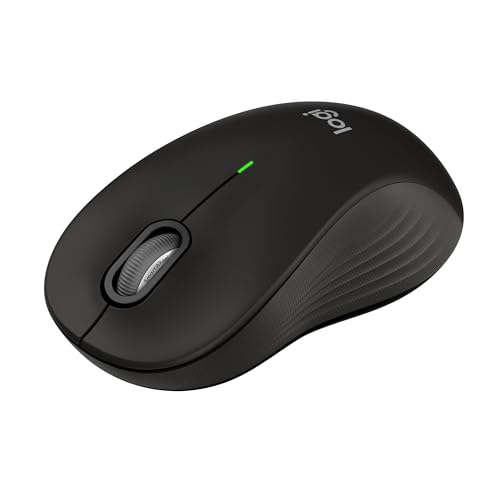
The Logitech M550 L is the most polished everyday mouse here because it gets the quiet, unglamorous details right. The large shell gives your palm somewhere to rest, the rubber side grips keep your hand from sliding, and the soft thumb area makes long sessions feel less cramped than they do on compact mice. It is a particularly sensible choice for a desktop running Windows 11, where the mouse may spend hours moving through folders, browser tabs, and office documents.
Its SmartWheel is the standout control. A light flick provides fast scrolling through a long page, while a slower touch gives line-by-line precision when you are positioning a cursor in a document. That makes it more versatile than the simpler wheel on the Logitech M185. Logitech also includes both Bluetooth Low Energy and a Logi Bolt USB receiver, so you can avoid occupying a USB port when your Windows 11 laptop already has limited connections.
The M550 L is rated for up to 24 months on its included AA battery, and Logitech lists compatibility with Windows 11 along with macOS, Linux, Chrome OS, iPadOS, and Android. The broad compatibility is useful if this mouse moves between a home PC and a laptop. Its advertised SilentTouch design cuts click noise by 90 percent, a meaningful advantage in a shared office, library, or room where someone else is concentrating.
There is no DPI switch, so users who want to change pointer sensitivity from the mouse itself should look at the wegear USB Mouse or one of the Acer models. The large body can also feel unwieldy in a small hand, and the M550 L is not ambidextrous. The Logitech M705 offers more aggressive scrolling and laser-grade tracking, but the M550 L is quieter and gives you the choice of Bluetooth.
Choose this one if your priority is a comfortable full-size shape, quiet buttons, and flexible Windows 11 connectivity. It is the strongest all-rounder in the group, provided your hand actually benefits from a large mouse.
2. Logitech M185: Best Compact

Pros
- Compact ambidextrous design
- Simple plug-and-play USB connection
- Works with Windows and Mac computers
- Nano receiver stores conveniently
- Up to one year from the included AA battery
Cons
- Small shape is less comfortable for large hands
- Three-button layout lacks side controls
- Uses a USB receiver rather than Bluetooth
Best for: travel, small to medium hands, and simple Windows 11 laptop setups.
The Logitech M185 is the mouse to buy when you want to stop using a touchpad without thinking about the change. Its compact, contoured body works in either hand and slips easily into a laptop bag. At 3.89 inches wide, 2.36 inches high, and 1.54 inches long according to the listed dimensions, it takes up very little room beside a keyboard.
Setup is deliberately plain. Insert the tiny 2.4 GHz nano receiver and Windows should recognize the mouse without software or a pairing process. Logitech quotes a range of up to 33 feet, or 10 meters, which is more than enough for a desk or a presentation setup. The line-by-line scroll wheel is predictable rather than flashy, and that is exactly what makes the M185 easy to hand to someone who does not want a lesson in mouse features.
Battery life is rated at up to one year from the included AA battery, with smart sleep mode helping conserve power. The M185 also carries a three-year limited hardware warranty, and its plastic includes certified post-consumer recycled content. Those details do not change how the pointer moves, but they make this basic model feel more considered than a disposable office accessory.
The compromises are clear. There are only the standard left and right buttons plus the scroll wheel, so there are no browser back and forward controls. The small frame can also force a large hand into a claw grip, where the Logitech M550 L or Logitech M510 feels much more relaxed. This is a USB-A mouse, too, so some thin laptops may need an adapter or a hub.
The M185 is still the cleanest compact pick. It beats the Lenovo WL310 on simplicity and ambidextrous use, while the Lenovo avoids a receiver entirely. Pick the M185 when low fuss, portability, and a two-hand-friendly shape matter more than advanced controls.
3. Logitech M510: Best for Shortcuts

Pros
- Broad palm support and soft rubber grips
- Back and forward buttons
- Side-to-side scrolling and zoom support
- Two-year battery rating
- Unifying receiver can support compatible devices
Cons
- Extra functions require Logitech software
- Full-size body is less portable
- Not as quiet as the M550 L
Best for: Windows 11 users who navigate documents, web pages, and applications with frequent shortcuts.
The Logitech M510 feels designed for someone who keeps several windows open and dislikes reaching for the keyboard to move around them. Its contoured body has a broad palm area and soft rubber grips, making it more supportive than the M185 during a full workday. The shape is ambidextrous, although the side controls are naturally easier to reach with the right hand.
The extra buttons are the reason to choose it. Alongside the three standard controls, it has Back and Forward buttons that can be configured for tasks such as switching applications or going full screen. It also supports side-to-side scrolling and zooming. Logitech requires SetPoint on Windows for some of these functions, so this is not as immediate as the M185, but the added control can save a surprising number of keyboard shortcuts once configured.
The tiny Logitech Unifying receiver stays connected to a laptop and can also support compatible Logitech mice and keyboards. That is useful for a desk where one receiver needs to handle more than one peripheral. Battery life is rated at up to two years, with an on and off switch, smart sleep mode, and an indicator light intended to prevent unexpected battery failure.
The M510 is not the smallest or quietest mouse in this roundup. The Logitech M550 L is a better fit for someone who wants reduced click noise, and the Logitech M705 scrolls through very long pages more dramatically. The M510's side controls also depend on software for their more advanced assignments, which may not appeal to a locked-down work computer.
For Windows 11 productivity, though, its layout remains compelling. Choose it over the M185 if browser navigation and application switching are part of your daily routine. Choose it over the M550 L if configurable buttons matter more than silent clicking.
4. HP X3000 G3: Best Multi-Surface

Pros
- 1600 DPI optical sensor
- Designed for movement across many surfaces
- Contoured design works in either hand
- USB receiver stores inside the mouse
- Up to 15 months from one AA battery
Cons
- Only three buttons
- Uses USB-A connectivity
- No Bluetooth or sensitivity switch
Best for: mixed work surfaces and users who want dependable everyday tracking.
The HP X3000 G3 is a straightforward office mouse with one useful distinction: its LED multi-surface technology is intended to keep movement smooth across wood, fabric, paper, and other common surfaces. That makes it a practical choice for a laptop that moves between a desk, a kitchen table, and a meeting room. It is contoured for either hand and has side grips that make it easier to control than a completely flat travel mouse.
Its 1600 DPI optical sensor gives the pointer a useful level of speed and precision for ordinary Windows 11 work. HP says the sensor can be customized to suit working style, although the dataset does not specify a physical DPI button or the adjustment method. The 2.4 GHz USB-A connection reaches up to 30 feet, and the nano receiver stores inside the mouse, which helps prevent it from disappearing in a laptop bag.
Power is handled by one AA battery, with HP quoting up to 15 months of use. That sits between the Logitech M185 and the Logitech M550 L on paper. The three-button layout keeps operation simple, but it also means you do not get the browser controls found on the Logitech M510, wegear USB Mouse, or Acer models.
The X3000 G3 is not a Bluetooth mouse, and the USB-A receiver may be inconvenient on a modern laptop without a full-size USB port. It also lacks the quiet-click design of the M550 L and the rapid scroll wheel of the M705. Users who regularly tune pointer speed should choose a model with clearly specified DPI steps instead.
HP's strength here is balance. It is more adaptable to changing surfaces than the basic Logitech M185 and more immediately conventional than a mouse with six buttons. Pick it for a mixed-surface Windows 11 setup where dependable movement matters more than customization.
5. Acer 1600 DPI Mouse: Best Adjustable Basic Model

Pros
- Three selectable DPI levels
- Forward and backward buttons
- Receiver stores in the battery compartment
- Indicator shows DPI and low battery status
- Rated for 10 million clicks
Cons
- AAA batteries are not included
- Side button does not work on Mac
- Requires a USB-A receiver
Best for: medium to large hands that need simple sensitivity adjustment.
The Acer 1600 DPI Mouse is a practical step up from a basic three-button design. It is intended for medium to large hands, and its listed 5.1 by 3.2 inch footprint gives it a substantial presence on a desk. The shape should feel more natural to a relaxed palm grip than the compact Logitech M185, though it will take more room in a travel bag.
The physical DPI control cycles through 800, 1200, and 1600 DPI. At 800, the pointer moves more deliberately, which can help when selecting small interface elements. At 1600, it crosses a larger screen with less hand movement. A visible red indicator flashes once, twice, or three times to show the selected setting, while also warning when the battery falls below 10 percent.
Two side buttons provide forward and backward navigation for web pages and files. The listing specifically says the side button does not work on Mac, but that limitation does not affect its stated Windows 11 use. Connectivity is plug and play through a 2.4 GHz USB-A receiver, with a quoted range of up to 32 feet. The receiver hides in the battery compartment, which is useful for transport.
The power arrangement needs attention. The mouse uses AAA batteries, and they are not included. Acer also says it sleeps after 10 minutes of inactivity and wakes with two or three clicks. That wake behavior can be slightly less immediate than a mouse that wakes with movement, and the data does not provide a battery-life estimate.
This Acer is more configurable than the HP X3000 G3, while the wegear USB Mouse offers two additional DPI levels and a stated 4000 DPI maximum. The Acer's simpler range is easier to understand and should be enough for normal Windows 11 work. Choose it when a larger body, side buttons, and a visible three-step sensitivity switch matter.
6. wegear WL300: Best Quiet Bluetooth Option

Pros
- Bluetooth 5.0 and Microsoft Swift Pair
- Silent left, right, and scroll buttons
- Three DPI settings
- Six-button layout with navigation controls
- Up to 24 months from one AA battery
Cons
- AA battery is not included
- Forward and backward buttons are not recognized on Mac
- No USB receiver option is specified
Best for: quiet Bluetooth work in shared spaces.
The wegear WL300 is aimed at the person who wants a quiet mouse without giving up useful controls. Its sculpted grip is intended for extended use, and the silent left, right, and scroll buttons are a real advantage in a shared office or late-night workspace. The medium size should be easier to carry than a full desktop mouse while still offering more support than a tiny travel model.
Bluetooth 5.0 is the main reason to pick it over the Acer 1600 DPI Mouse or the wegear USB Mouse. There is no USB-A receiver to lose or occupy a port, and Microsoft Swift Pair is included for easier pairing on compatible Windows systems. It also works with Windows 8, 10, and 11, as well as macOS, Chrome OS, and Android.
The WL300 has six buttons, including forward and backward controls for browser navigation. Its DPI button cycles through 800, 1200, and 1600 DPI, giving you a slower setting for detailed selections and a faster one for broad screen movement. The mouse enters sleep mode after 30 seconds of inactivity and wakes when moved, while the listed battery rating reaches up to 24 months from one AA battery.
The trade-off is platform-specific behavior. The forward and backward buttons are not recognized on Mac, and the battery is not included. The listing also does not describe a USB receiver fallback, so a Windows 11 desktop without Bluetooth may need a separate adapter. The Logitech M550 L is quieter in a more refined package, but the WL300 gives you a DPI button and six-button layout.
If a quiet click matters more than premium scrolling, the WL300 is an easy pick. It is particularly well suited to a Windows 11 laptop used in bedrooms, libraries, and shared work areas where ordinary click noise becomes distracting.
7. wegear USB Mouse: Best DPI Range

Pros
- Five DPI levels from 800 to 4000
- Forward and backward buttons
- Up to 24 months from one AA battery
- Receiver stores in the mouse
- Rated for 5 million clicks
Cons
- AA battery is not included
- Side buttons are not recognized on Mac
- USB-A receiver is required
Best for: Windows 11 users who want a wide range of pointer sensitivity.
The wegear USB Mouse is the most adjustable model in this group without moving into a gaming-specific design. Its five DPI levels run from 800 through 1200, 1600, 2400, and 4000. That spread lets you slow the pointer for detailed work or increase speed when moving across a large display, though most office users will probably settle on one middle setting.
The 2.4 GHz connection reaches up to 33 feet and uses a USB receiver stored at the bottom of the mouse. Setup is plug and play, with no drivers needed for the stated Windows 11 compatibility. Six buttons add forward and backward navigation, and the listing says the mouse is tuned for accuracy on most surfaces. On a Mac, those side buttons are not recognized, so the feature set is more attractive for Windows users.
Power comes from one AA battery, which is not included, and the claimed battery life reaches up to 24 months. The mouse enters sleep mode after eight minutes of inactivity and wakes with any button click. A red LED warns when the battery is low. The buttons have been tested for 5 million clicks, a durability figure that gives the hardware a clearer long-term target than the unspecified endurance of some other entries.
The Acer 4000 DPI Mouse offers the same maximum sensitivity and five levels, so the choice between them comes down to the details supplied. Acer lists a 10 million click rating and a DPI indicator that flashes a different number of times for each level. The wegear model gives a longer stated wireless range than the Acer 1600 DPI Mouse and includes a 24-month battery estimate, but neither is a Bluetooth option.
This is the strongest fit for someone who genuinely changes pointer speed between tasks. If you only browse, write, and manage files, the Logitech M550 L is quieter and more comfortable. Pick the wegear USB Mouse when a Windows 11 workflow benefits from five clearly separated sensitivity settings and shortcut buttons.
8. Logitech M705: Best Battery Life

Pros
- Up to three years between battery changes
- Hyper-fast metal scroll wheel
- Right-hand sculpted shape
- Two customizable thumb buttons
- Laser-grade tracking on difficult surfaces
Cons
- Not ambidextrous
- Right-hand shape is less portable
- Uses a Unifying receiver rather than Bluetooth
Best for: right-handed desktop users who scroll through long documents.
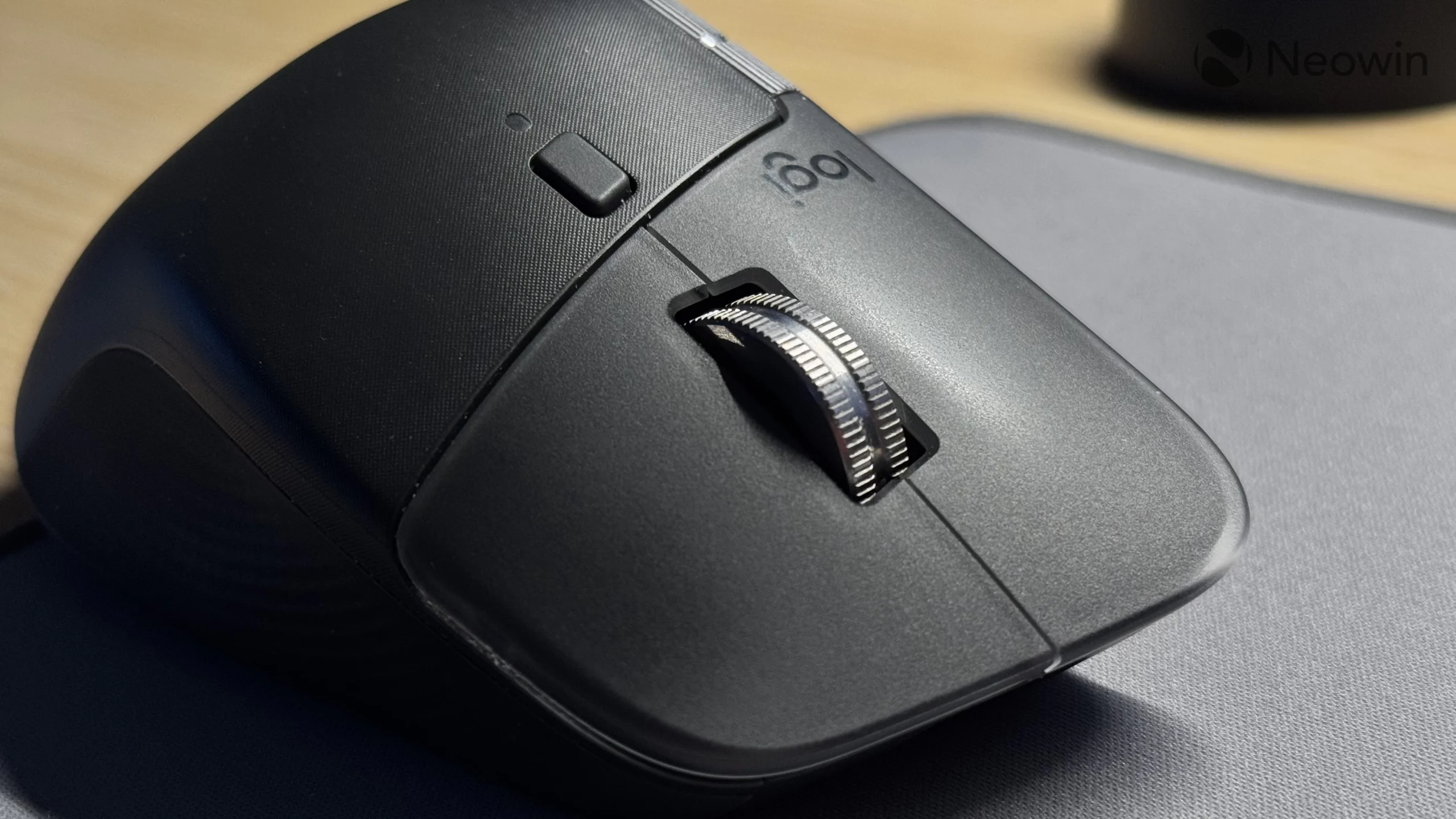
The Logitech M705 is a specialist, and its specialty is clear from the first long web page or spreadsheet. The nearly frictionless metal wheel can switch into hyper-fast scrolling, letting you move through large documents with a single spin. It is more purposeful than the ordinary wheel on the Logitech M510 and more useful for heavy scrolling than the SmartWheel on the M550 L if you regularly work with long pages.
Its sculpted body is made for the right hand, with two thumb buttons positioned for quick movement between web pages. The shape guides the hand into a natural position and leaves the customizable controls close to the thumb. That makes it comfortable for a stationary desk, but it also means left-handed users and people who need a mouse for several different workstations should look elsewhere.
The M705 uses a Logitech Unifying receiver that can remain in a laptop and support compatible Logitech keyboards and mice. Its laser-grade tracking is intended to stay responsive on surfaces that can challenge standard optical mice, including polished or wood-grain tables. That flexibility is useful when a mouse pad is not always available.
Battery life is the headline feature, with Logitech quoting up to three years between battery changes. The dataset does not specify the battery type or quantity, so that detail should not be assumed. Like the M510, the M705 is not presented as a Bluetooth mouse, and it lacks the silent-click approach of the M550 L.
Choose the M705 if your work involves long documents, large web pages, or a surface where ordinary optical tracking can be inconsistent. The M550 L is the better generalist, but the M705's scroll wheel and battery endurance make it the more distinctive tool for a right-handed desk.
9. Lenovo WL310: Best Receiver-Free Travel Mouse

Pros
- Bluetooth 5.0 needs no USB receiver
- Silent clicks
- Three adjustable DPI settings
- Compact, lightweight design
- Works with Windows, Mac, and Chromebook
Cons
- Battery life is not specified
- No side buttons are listed
- Bluetooth is the only stated connection
Best for: portable Windows 11 setups with limited USB ports.
The Lenovo WL310 makes the most sense alongside a thin Windows 11 laptop. Its Bluetooth connection means there is no small receiver to lose and no USB-A port to occupy. At a listed 4.2 by 2.5 inches and 0.15 pounds, it is compact and light enough to leave in a laptop bag without adding much bulk.
Clicks are designed to be silent, which puts it in the same useful category as the wegear WL300 and Logitech M550 L. The Lenovo's 1000, 1200, and 1600 DPI settings are changed through adjustable sensitivity control, giving you a modest but practical range for browsing, text selection, and ordinary desktop work. It is not intended to compete with the wegear USB Mouse or Acer 4000 DPI Mouse for very high sensitivity.
Bluetooth 5.0 is listed as stable and lag-free across Windows PCs, MacBooks, Chromebooks, and Lenovo laptops. That broad compatibility is helpful if you move between systems. The product description calls the design ergonomic and says it is intended to reduce wrist strain during extended use, although it does not provide a detailed grip measurement beyond the listed dimensions.
The main omission is battery information. Unlike the Logitech M550 L and wegear WL300, the WL310 does not provide a stated battery-life figure in the supplied data. The listing also does not mention thumb buttons, receiver connectivity, or a scroll-wheel feature beyond the general mouse description. Users who need extra navigation controls should choose the WL300, while users who need a receiver should choose the M185 or HP X3000 G3.
For a Windows 11 laptop with Bluetooth and limited ports, the WL310 is a neat travel companion. It is quieter than the M185 and more convenient to pack than the M550 L, as long as its basic controls and unspecified battery life meet your needs.
10. Acer 4000 DPI Mouse: Best High-Sensitivity Control

Pros
- Five DPI settings up to 4000
- Forward and backward buttons
- Indicator shows sensitivity and low battery
- Rated for 10 million clicks
- Receiver stores inside the mouse
Cons
- AA battery is not included
- USB-A receiver is required
- Battery-life estimate is not specified
Best for: medium to large hands that need fast or finely controlled cursor movement.
The Acer 4000 DPI Mouse is the larger, more sensitive companion to the Acer 1600 DPI Mouse. It is designed for medium to large hands and measures a listed 4.9 by 2.7 inches, giving the palm more room than the compact Logitech M185. That makes it better suited to a desk than a pocket, especially for users who prefer to move the mouse with the whole hand.
Its five sensitivity levels are 800, 1200, 2400, 3200, and 4000 DPI. The step from 1600 to 2400 and above is useful when a high-resolution or wide display requires less physical movement, while 800 DPI gives more controlled cursor travel. A red indicator flashes from one to five times to show the current setting, and it also warns when the battery drops below 10 percent.
The mouse connects through a 2.4 GHz USB-A receiver with a stated range of up to 33 feet. The receiver stores inside the mouse, which prevents it from becoming a separate loose accessory during travel. Forward and backward buttons speed up browser and file navigation, and Acer rates the buttons and scroll wheel for up to 10 million clicks.
Acer does not specify battery life, and the AA battery is not included. The mouse also sleeps after 10 minutes of inactivity and wakes with two or three clicks, so it may not feel as immediate as a motion-wake design. The wegear USB Mouse offers the same five-level range and a stated battery rating, while the Acer has the clearer 10 million click endurance figure.
This is a sensible choice for larger hands and users who actively use high DPI settings. For normal Windows 11 office work, the Logitech M550 L has a more refined shape and quieter controls. Pick the Acer 4000 DPI Mouse when sensitivity range and durability matter more than Bluetooth or silent operation.
How to choose best mouse for windows 11
The Best Mouse for Windows 11 should match your hand, desk, and connection needs before you worry about extra buttons or maximum sensitivity.
Connection type
A 2.4 GHz mouse uses a USB receiver and usually pairs with a computer as soon as the receiver is inserted. That is convenient on a desktop or laptop with an available USB-A port, but it can require an adapter on a thin machine. The Logitech M185, HP X3000 G3, and Acer models take this approach.
Bluetooth keeps a port free and is the better fit for a laptop that has few connections. The Logitech M550 L, wegear WL300, and Lenovo WL310 offer Bluetooth, while the M550 L also includes a Logi Bolt receiver. For more guidance on the trade-offs, what changes when you move from wired to wireless control is useful context.
Hand size and shape
Small mice travel well but can make a large hand curl tightly around the body. The Logitech M185 is compact and ambidextrous, while the HP X3000 G3 also supports either hand. Larger users should look at the Logitech M550 L, Logitech M510, Acer 1600 DPI Mouse, or Acer 4000 DPI Mouse.
A right-handed sculpted shape can provide stronger palm and thumb support, as seen on the Logitech M705. That design is less flexible for shared desks, so decide whether comfort for one user matters more than a shape that works for either hand.
A mouse that fits your hand will improve control more reliably than a higher DPI number.
Tracking sensitivity
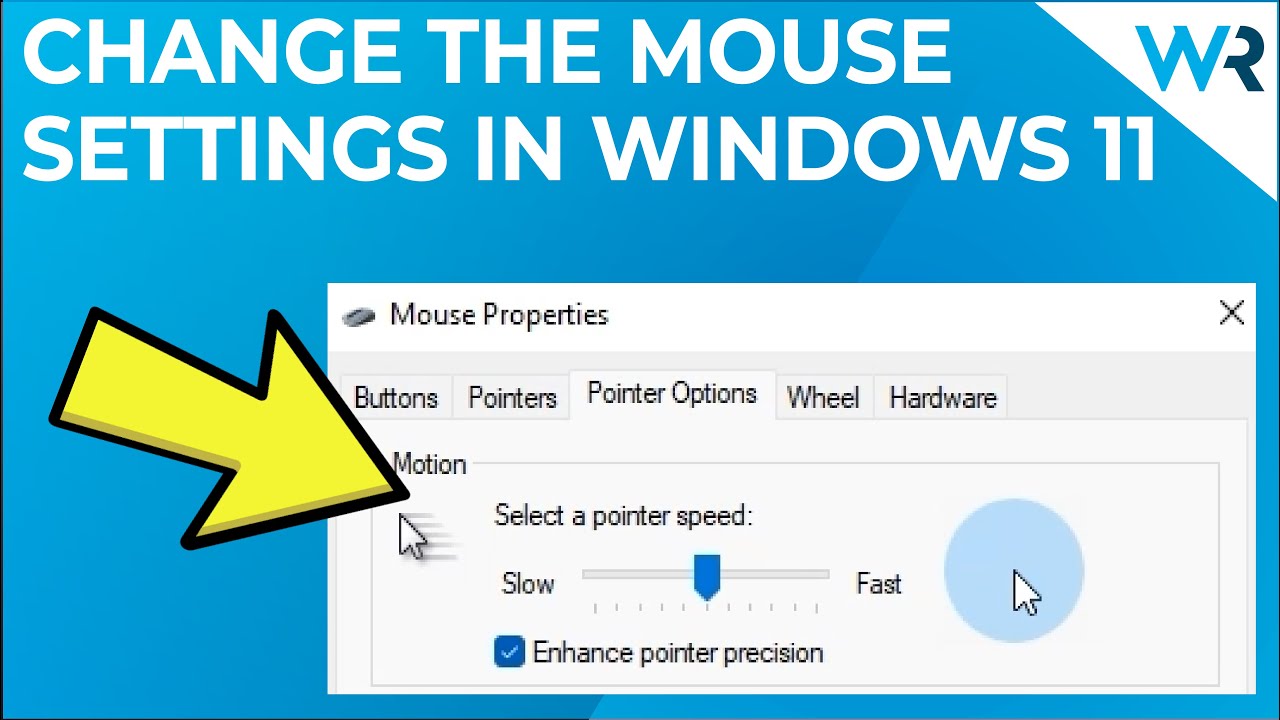
DPI changes how far the pointer moves for a given physical movement. Lower settings favor deliberate selections, while higher settings move across a wide screen with less hand travel. The Lenovo WL310 and wegear WL300 offer three settings, the Acer 1600 DPI Mouse offers 800, 1200, and 1600 DPI, and the wegear USB Mouse plus Acer 4000 DPI Mouse offer five levels up to 4000 DPI.
Most Windows 11 office users do not need the highest setting. Choose a wide DPI range when you work across different displays, perform detailed design tasks, or have a strong preference for fast cursor movement.
Buttons and scrolling
Side buttons are useful for browser history, file navigation, and application shortcuts. The Logitech M510, Acer models, wegear mice, and WL300 include forward and backward controls. The Logitech M705 adds two customizable thumb buttons, while the M550 L focuses on its SmartWheel rather than a large button count.
For long documents, the M705's hyper-fast wheel is the most specialized option. The M550 L's SmartWheel is more balanced, switching between fast and line-by-line scrolling. A simple wheel, like the M185's, is enough if you mainly work in short documents and standard web pages.
Noise and battery management
Silent buttons matter in shared offices, libraries, bedrooms, and conference rooms. The M550 L, wegear WL300, and Lenovo WL310 specifically emphasize quiet clicking. The other mice are more conventional and may be better suited to a private desk.
Battery estimates vary widely, and some products do not specify one. Logitech lists up to one year for the M185, two years for the M510 and M550 L, and three years for the M705. The WL300 and wegear USB Mouse list up to 24 months. Check whether the required AA or AAA battery is included, since the Acer models and WL300 do not include the stated battery.
Frequently asked questions
Do these mice work with Windows 11?
Yes. The supplied product details identify Windows compatibility for all ten models, and the Logitech M550 L is described as fully compatible with Windows 11. USB receiver models need a compatible USB port, while Bluetooth models need Bluetooth support on the computer.
Is Bluetooth better than a USB receiver for a Windows 11 laptop?
Bluetooth is more convenient when you want to keep USB ports free, especially on a thin laptop. A USB receiver is usually simpler on a desktop and can work without navigating Bluetooth settings. The Logitech M550 L is the most flexible option because it supports both Bluetooth and a Logi Bolt receiver.
What DPI should I use for normal Windows 11 work?
A setting around 800 to 1600 DPI is sufficient for browsing, documents, and file management for many users. Higher settings can reduce hand movement across large screens, but they may feel too fast for precise selections. Mice such as the Acer 1600 DPI Mouse and Lenovo WL310 let you change sensitivity when your tasks vary.
Which mouse is quietest?
The Logitech M550 L, wegear WL300, and Lenovo WL310 specifically include quiet or silent click features. The M550 L also applies quiet operation to an otherwise full-size, comfortable design. The WL300 adds side buttons and DPI adjustment, while the Lenovo WL310 is the more travel-oriented option.
Do all of these mice work with a left hand?
No. The Logitech M185, Logitech M510, and HP X3000 G3 are described as ambidextrous or suitable for either hand. The Logitech M705 is specifically sculpted for the right hand, and the larger models may not feel equally comfortable when used left-handed.
Which mouse is easiest to travel with?
The Logitech M185 and Lenovo WL310 are the most travel-friendly choices for different reasons. The M185 is compact and uses a small USB receiver, while the WL310 is light and uses Bluetooth without a receiver. The HP X3000 G3 also stores its nano receiver inside the mouse.
The bottom line
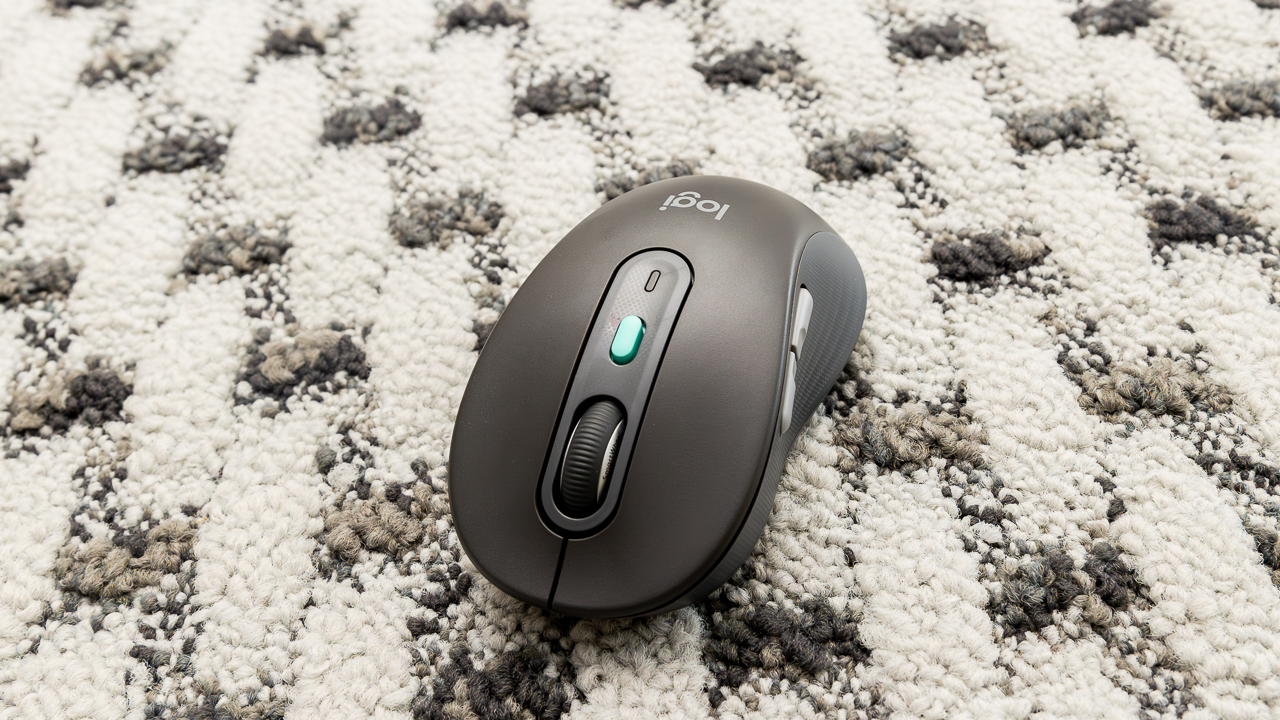
The Best Mouse for Windows 11 for most people is the Logitech M550 L. Its large comfortable shape, quiet clicks, SmartWheel, and Bluetooth or Logi Bolt connectivity cover the needs of a typical Windows 11 desktop or laptop user. Smaller hands should choose the Logitech M185, which is easier to carry and works in either hand.
Choose the Logitech M705 if long documents and battery life matter most, or the wegear USB Mouse if you need five sensitivity levels and browser shortcut buttons. The Lenovo WL310 is the cleanest choice for a quiet, receiver-free laptop setup.
If you are undecided, start with the Logitech M550 L for larger hands or the Logitech M185 for a compact ambidextrous design.
As an Amazon Associate we earn from qualifying purchases.