
A router can look fast on the box and still leave a bedroom struggling with video calls. The important questions are less glamorous: does it include a modem, how many wired devices can it handle, and does its coverage claim fit the layout of your home?
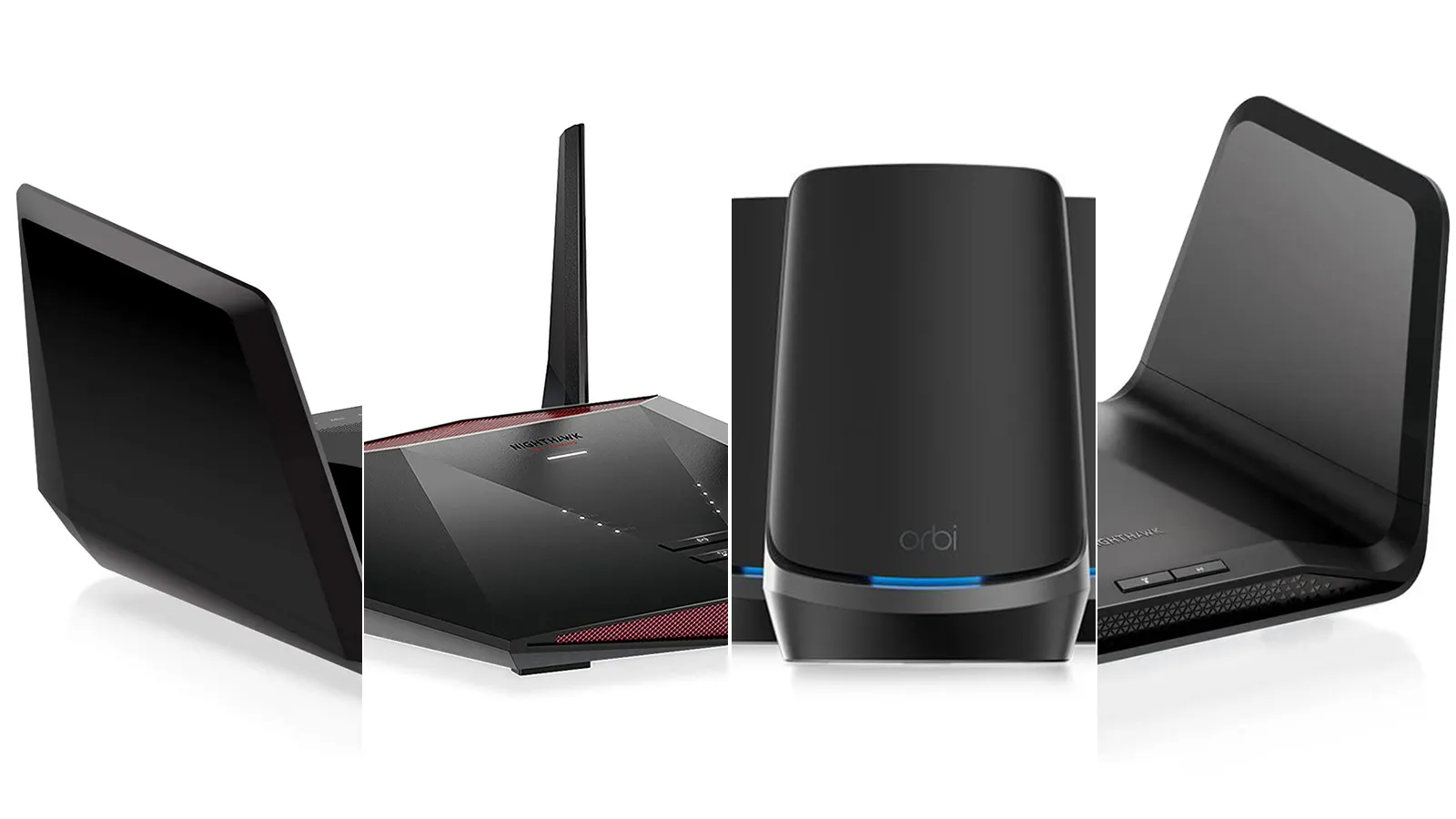
Our Best best netgear router picks range from compact WiFi 6 hardware to tri-band WiFi 7 models built for multi-gig connections. The NETGEAR Nighthawk RS90 is the best starting point for most households, while the RS700S and RS300 make sense for larger homes and faster wired networks.
Comparison table
| # | Product | Award | Wireless speed | Coverage | Wired connections | Best for |
|---|---|---|---|---|---|---|
| 1 | NETGEAR Nighthawk RS90 | Best overall | WiFi 7, up to 3.6 Gbps | Up to 2, 000 sq. ft. | 2.5 Gig WAN, four Gigabit LAN | Most homes |
| 2 | NETGEAR Nighthawk RS200 | Best for busy homes | WiFi 7, up to 6.5 Gbps | Up to 2, 500 sq. ft. | 2.5 Gig WAN and LAN, three Gigabit LAN | Many connected devices |
| 3 | NETGEAR Nighthawk CAX30 | Best modem-router combo | WiFi 6, up to 2.7 Gbps | Up to 2, 000 sq. ft. | Four Gigabit LAN, USB 3.0 | Cable internet |
| 4 | NETGEAR Nighthawk RAX36 | Best WiFi 6 upgrade | WiFi 6, up to 3 Gbps | Up to 2, 000 sq. ft. | Four Gigabit LAN | Existing modem owners |
| 5 | NETGEAR Nighthawk RS140 | Best compact WiFi 7 | WiFi 7, up to 5.0 Gbps | Up to 2, 250 sq. ft. | 2.5 Gig WAN, three Gigabit LAN | Streamers and gamers |
| 6 | NETGEAR R6700AX | Best for smaller homes | WiFi 6, up to 1.8 Gbps | Up to 1, 500 sq. ft. | Four Gigabit LAN | Smaller households |
| 7 | NETGEAR Nighthawk RS150 | Best simple WiFi 7 | WiFi 7, up to 5.0 Gbps | Up to 2, 250 sq. ft. | 2.5 Gig WAN | Multi-gig internet |
| 8 | NETGEAR Nighthawk RS700S | Best for large homes | WiFi 7, up to 19 Gbps | Up to 3, 500 sq. ft. | 10 Gig, four Gigabit LAN | Large homes and advanced networks |
| 9 | NETGEAR Nighthawk RAX30 | Best renewed WiFi 6 | WiFi 6, up to 2.4 Gbps | Up to 2, 000 sq. ft. | Four Gigabit LAN | Basic home networks |
| 10 | NETGEAR Nighthawk RS300 | Best refurbished WiFi 7 | WiFi 7, up to 9.3 Gbps | Up to 2, 500 sq. ft. | Two 2.5 Gig, two Gigabit LAN | Fast wired connections |
1. NETGEAR Nighthawk RS90: Best Overall

Pros
- WiFi 7 support without an oversized feature set
- 2.5 Gig WAN port for multi-gig service
- Four Gigabit LAN ports
- Coverage claim suits many medium homes
- Nighthawk app and browser setup
Cons
- Requires a separate modem or ISP gateway
- No multi-gig LAN port for a wired client
- Armor protection continues beyond its trial period only with a subscription
Best for: households that want a modern WiFi 7 router without jumping to a large tri-band model.
The NETGEAR Nighthawk RS90 is the one we would start with for a typical home that has an existing modem. It has the right balance of current wireless technology, sensible wired connectivity, and a coverage claim that does not assume every reader lives in a sprawling house. It is a router only, so it connects to a cable, fiber, DSL, or satellite modem through Ethernet rather than coax.
Its dual-band WiFi 7 system is rated for up to 3.6 Gbps across the 2.4 GHz and 5 GHz bands. That figure is not a promise that one phone will see 3.6 Gbps, but it gives the router room for several active devices, including 4K streaming, gaming, video calls, and smart-home traffic. The quad-core 2.0 GHz processor is a useful detail here because the router has to manage those simultaneous connections, not just broadcast a fast signal.
The 2.5 Gig port is the WAN input, while four Gigabit LAN ports serve wired computers, consoles, televisions, or storage devices. That arrangement is easy to understand, though it limits a wired desktop to Gigabit Ethernet. The RS200 goes further with a 2.5 Gig LAN port, and the RS700S is in another class entirely for wired capacity. For most homes, though, four Gigabit ports are more useful than a single extreme-speed connection.
NETGEAR includes WPA3, a firewall, automatic firmware updates, Smart Connect, and guest WiFi. The included Armor trial adds broader protection, but it should not be treated as a permanent included service. Setup works through the Nighthawk app or a web browser, and the advertised 2, 000 square feet applies to open layouts. Thick walls and multiple floors can change that quickly.
Skip the RS90 if you need a built-in modem or several multi-gig wired connections. For everyone else, it is the clearest all-purpose pick in this group, especially for a household that wants WiFi 7 without paying for a router built around extreme network hardware.
2. NETGEAR Nighthawk RS200: Best for Busy Homes

Pros
- Up to 6.5 Gbps of combined WiFi 7 capacity
- Supports up to 80 devices
- 2.5 Gig WAN and LAN ports
- Coverage up to 2, 500 square feet
- Advanced router protection and automatic updates
Cons
- Requires a separate modem
- Only three additional Gigabit LAN ports
- Larger and heavier than the RS90
Best for: connected households with fast internet service and a long list of active devices.
The NETGEAR Nighthawk RS200 is the step up when a home has outgrown the basic dual-band router. It keeps the same broad compatibility with cable, fiber, DSL, and satellite setups, provided the existing modem or gateway offers an RJ45 Ethernet connection. Its advertised coverage rises to 2, 500 square feet, and the device capacity rises to 80 connected devices.
WiFi 7 is rated for up to 6.5 Gbps across the two bands. That extra headroom matters more in a crowded home than it does for a single laptop. Several people can stream, join video calls, play games, and use smart-home equipment at the same time without the router having to operate as close to its limits. WiFi 6 and earlier devices can still connect, so upgrading does not require replacing every client.
The port layout is one of the RS200's strongest distinctions. It has a 2.5 Gig Ethernet WAN port for the internet connection and one 2.5 Gig LAN port for a compatible wired computer, network storage device, or other fast client. Three Gigabit LAN ports handle ordinary wired equipment. That is more flexible than the RS90, although the RS90 gives you one more Gigabit LAN port.
The Nighthawk app handles setup and network management, and browser setup is available too. Security features are enabled out of the box, with automatic firmware updates and Advanced Router Protection. Armor is included as a 30-day trial, after which continued use requires a separate subscription. The device is also substantially heavier than the RS90, which is not a performance issue but may matter on a crowded shelf.
The RS200 is the better match for a busy home with multi-gig service, especially if one wired client needs more than Gigabit Ethernet. It is less compelling for a small household with a modest internet connection. Readers still deciding how much wired capacity they need can compare the practical differences between ordinary and multi-gig home connections before choosing.
3. NETGEAR Nighthawk CAX30: Best Modem-Router Combo

Pros
- Combines a DOCSIS 3.1 modem and WiFi 6 router
- Four Gigabit Ethernet ports
- USB 3.0 port
- Supports port aggregation
- Works with Xfinity, Spectrum, Cox, and other compatible cable services
Cons
- Not compatible with fiber, DSL, or bundled voice service
- No WiFi 7
- Coverage is limited to up to 2, 000 square feet
Best for: cable subscribers who want one box instead of separate modem and router hardware.
The NETGEAR Nighthawk CAX30 solves a different problem from the other picks. It is not merely a WiFi router. Its DOCSIS 3.1 cable modem and dual-band WiFi 6 router live in the same enclosure, so cable subscribers can replace two pieces of equipment with one. That makes installation cleaner and eliminates one separate power adapter.
The modem uses 32 by 8 channel bonding, while the wireless side is rated at up to 2.7 Gbps. It covers up to 2, 000 square feet and supports up to 25 concurrent devices. Those numbers make it a reasonable fit for a medium cable-connected home with streaming, gaming, video calls, and ordinary smart-home equipment. The RS90 has newer WiFi 7 hardware and supports more devices, but it still needs a separate modem.
Four Gigabit Ethernet ports connect wired computers, consoles, streaming players, or other equipment. The ports support aggregation, and the USB 3.0 port provides another connection option for a storage drive or compatible peripheral. This is a more useful wired layout than the RS140, which has three Gigabit LAN ports, though neither is designed around a 10 Gigabit network.
Compatibility is the major qualification. The CAX30 works with major cable providers including Xfinity, Spectrum, and Cox, but it is not compatible with Verizon, AT&T, CenturyLink, DSL services, DirecTV, DISH, or bundled voice service. It also does not make sense for a fiber connection that terminates in an Ethernet gateway. Confirming the service type matters more here than chasing a newer wireless standard.
The Nighthawk app makes setup and management straightforward, and NETGEAR includes built-in security features plus an Armor trial. Choose the CAX30 when the modem function is genuinely useful. Skip it if your provider uses fiber or DSL, or if you expect to move to a multi-gig WiFi 7 setup soon.
4. NETGEAR Nighthawk RAX36: Best WiFi 6 Upgrade

Pros
- Up to 3 Gbps AX3000 wireless capacity
- Covers up to 2, 000 square feet
- Four Gigabit Ethernet ports
- USB 3.0 port
- Built-in VPN feature
Cons
- Requires a separate modem
- No multi-gig Ethernet port
- Supports up to 25 devices
Best for: users replacing an older router while keeping an existing modem and Gigabit service.
The NETGEAR Nighthawk RAX36 is a straightforward WiFi 6 router for someone who does not need WiFi 7 yet. It connects to an existing cable modem or ISP gateway and supports cable, satellite, fiber, and DSL connections up to 1 Gbps. The lack of a built-in modem is important, but so is the fact that it does not lock you to one type of internet service.
Its AX3000 rating reaches up to 3 Gbps across the two bands. That is enough room for high-definition streaming, web conferencing, gaming, and a collection of phones and laptops. The stated coverage is up to 2, 000 square feet for up to 25 devices, putting it ahead of the R6700AX in both range and device capacity. The RS90 remains the more future-facing choice because it adds WiFi 7 and a 2.5 Gig WAN port.
Four Gigabit Ethernet ports give wired devices a stable connection, while the USB 3.0 port adds support for compatible storage or peripherals. The product information also highlights a built-in VPN feature, which gives it a more specific appeal than the simpler RAX30. There is no multi-gig Ethernet here, so it is best paired with service and devices that fit within Gigabit networking.
The RAX36 is not trying to be a whole-home mesh system. Its 2, 000-square-foot claim assumes an open layout, and walls, floors, and interference can reduce the usable range. Setup replaces an existing router rather than a modem, and the router works with the Nighthawk app or browser-based controls.
Choose the RAX36 if you want a capable WiFi 6 replacement with a USB port and VPN support. Move to the RS90 if your internet service is faster than Gigabit or you want a clearer path to newer WiFi 7 clients.
5. NETGEAR Nighthawk RS140: Best Compact WiFi 7

Pros
- Up to 5.0 Gbps WiFi 7 capacity
- Coverage up to 2, 250 square feet
- 2.5 Gig WAN port
- Supports up to 80 devices
- Works with most major ISP types
Cons
- No multi-gig LAN port
- Only three Gigabit LAN ports
- Requires a separate modem or gateway
Best for: households wanting WiFi 7 coverage beyond the RS90 without needing advanced wired networking.
The NETGEAR Nighthawk RS140 occupies a useful middle position. It has the same basic dual-band WiFi 7 approach as the RS90, but its wireless rating rises to 5.0 Gbps and its coverage claim reaches 2, 250 square feet. It also supports up to 80 devices, a substantial increase over the RS90's stated capacity.
The RS140 connects to a separate modem or ISP gateway through its 2.5 Gig WAN port. It works with cable, fiber, DSL, and satellite service when the gateway provides Ethernet. WiFi 7 clients can take advantage of the newer wireless design, while older WiFi 6 devices remain compatible. The combined speed figure is best understood as shared capacity across the network, not a guaranteed speed for each client.
Wired connectivity is more restrained. Three Gigabit LAN ports serve consoles, televisions, computers, and storage devices, but there is no 2.5 Gig LAN port for a fast wired client. The RS200 is the better option if you want multi-gig connectivity on both sides of the router. The RS140 makes more sense when wireless performance and broad device support matter more than a high-speed desktop connection.
Setup uses the Nighthawk app or a web browser, and the security package includes automatic updates and Advanced Router Protection. Armor is supplied as a 30-day trial, with a separate subscription required after that period. The open-layout coverage estimate should not be treated as a guarantee for a tall or heavily partitioned home.
The RS140 is an attractive fit for a busy home that wants WiFi 7 and more coverage than the RS90 provides. Skip it if you have only Gigabit service and a small number of devices, where the extra wireless headroom will be difficult to use.
6. NETGEAR R6700AX: Best for Smaller Homes

Pros
- Four-stream WiFi 6 design
- Four Gigabit LAN ports
- Supports cable, fiber, DSL, and satellite connections
- Nighthawk app and browser setup
- WPA3 and automatic updates
Cons
- Coverage is limited to up to 1, 500 square feet
- Supports up to 20 devices
- No USB port or multi-gig Ethernet
Best for: smaller homes with a moderate number of connected devices.
The NETGEAR R6700AX is the sensible small-home option in this list. Its dual-band WiFi 6 system is rated for up to 1.8 Gbps and is designed for up to 20 devices across up to 1, 500 square feet. That is a more honest match for a compact home than buying an oversized router whose coverage potential the layout cannot use.
The router works with an existing modem or ISP gateway and supports cable, fiber, DSL, and satellite service through an Ethernet connection. Four Gigabit LAN ports cover the usual wired equipment, including a computer, game console, television, or streaming player. There is no coax input, so it cannot replace a cable modem.
The 1.8 Gbps wireless rating gives enough shared capacity for streaming, gaming, video calls, and smart-home devices. It is below the RAX36's 3 Gbps rating and well below the WiFi 7 models, but that difference only matters when the service, client devices, and household traffic can use it. A smaller home with 20 or fewer devices may not benefit from the extra overhead of the RS200.
Security includes WPA3 encryption, automatic firmware updates, and built-in protective features. NETGEAR Armor is optional after its trial period. Setup can happen through the free Nighthawk app or a web browser, and the router does not require the app to operate.
The weakness is limited expansion. A growing household could run into the 20-device design target, and a 1, 500-square-foot home with thick walls may need a mesh system. For a compact layout with ordinary internet service, the R6700AX keeps the network uncomplicated.
7. NETGEAR Nighthawk RS150: Best Simple WiFi 7

Pros
- Up to 5.0 Gbps WiFi 7 capacity
- Coverage up to 2, 250 square feet
- 2.5 Gig internet port
- Supports up to 80 devices
- Smaller-footprint design
Cons
- No built-in modem
- No 2.5 Gig LAN port
- Only three Gigabit LAN ports
Best for: people who want a modern dual-band WiFi 7 router with a simple wired layout.
The NETGEAR Nighthawk RS150 is close to the RS140 on paper, with up to 5.0 Gbps WiFi 7 capacity, coverage up to 2, 250 square feet, and support for up to 80 devices. Its smaller-footprint body makes it a practical choice when the router has to sit on a shelf or desk rather than in a dedicated network cabinet.
It is a router only, and the 2.5 Gig port connects to a separate modem or gateway. The product information says it works with the latest cable or fiber services, though some installations may require a separate compatible modem. Older WiFi 6 and earlier devices can connect as well, so the router does not force an all-at-once upgrade.
The port arrangement is straightforward: the 2.5 Gig connection is for the internet input, while three Gigabit LAN ports serve wired equipment. That makes the RS150 less attractive than the RS200 for a workstation or network storage setup that needs a 2.5 Gig wired link. It is also a little less versatile than the RS90 if four Gigabit LAN ports would be useful.
The Nighthawk app supports setup and management, while security features and automatic updates are enabled from the start. NETGEAR Armor has a 30-day trial and requires a separate subscription to continue. As with every router here, the 2, 250-square-foot figure is an open-layout estimate, not a guarantee through dense walls.
Choose the RS150 when wireless WiFi 7 capacity is the priority and three wired LAN ports are enough. The RS140 offers a similar capability profile, so the decision between them should follow the available configuration and the particular listing rather than an assumed difference in wireless performance.
8. NETGEAR Nighthawk RS700S: Best for Large Homes

Pros
- Tri-band WiFi 7 design
- Up to 19 Gbps combined wireless capacity
- 10 Gig internet port
- Coverage up to 3, 500 square feet
- Four Gigabit LAN ports and one-year Armor trial
Cons
- Requires a separate modem
- Most home internet connections cannot use its full capacity
- Large performance gap versus ordinary dual-band models
Best for: large homes with high-speed service and demanding wired or wireless clients.
The NETGEAR Nighthawk RS700S is the specialist pick. Its tri-band WiFi 7 design is rated for up to 19 Gbps, and its coverage claim reaches 3, 500 square feet. That combination is aimed at a large home with many simultaneous connections, not a small apartment where the signal has only a short distance to travel.
The 10 Gig internet port is the headline feature for wired networking. It can connect to a compatible modem or gateway and leaves room for faster internet service than the 2.5 Gig ports on the RS90, RS140, RS150, and RS200. Four additional Gigabit LAN ports handle ordinary wired devices. The router is not a cable modem, so the separate modem requirement remains.
Tri-band architecture gives the RS700S more wireless capacity to divide among clients. That helps when several people are streaming, gaming, video conferencing, or using demanding AR and VR equipment at the same time. The up-to-19-Gbps figure is shared across the network, and compatible client devices plus a suitably fast internet connection are needed to approach the hardware's potential.
Its 360-degree antenna design and stated coverage are useful for an open, sizable home, but no single router can erase every obstacle. Floors, concrete, metal, and interference can still create weak areas. A mesh system may be the better shape for a long or multi-story house, even when the main router is powerful. Readers comparing layouts should consider when separate access points make more sense than one powerful router.
The RS700S is excessive for a basic connection, but it is the most capable option here for a large home that already has or expects very fast internet. Choose it for its tri-band design and 10 Gig port, not simply because the headline wireless number is larger.
9. NETGEAR Nighthawk RAX30: Best Renewed WiFi 6

Pros
- WiFi 6 with up to 2.4 Gbps wireless capacity
- Coverage up to 2, 000 square feet
- Four Gigabit Ethernet ports
- Compatible with any ISP up to 1 Gbps
- Supports up to 20 devices
Cons
- Renewed condition
- No USB port or multi-gig Ethernet
- Requires a separate modem
Best for: a basic home network where a renewed WiFi 6 router is acceptable.
The NETGEAR Nighthawk RAX30 is the uncomplicated renewed option. It uses a five-stream, dual-band WiFi 6 design with an AX2400 rating of up to 2.4 Gbps. Coverage reaches up to 2, 000 square feet for up to 20 devices, which puts it in the same general home-size class as the RAX36 but with a smaller device target.
It connects to an existing cable modem and works with cable, satellite, fiber, and DSL providers up to 1 Gbps. Four Gigabit Ethernet ports provide stable connections for a console, television, desktop, or streaming player. The router does not include a modem, USB port, or multi-gig Ethernet, so its role is clearly defined.
The wireless capacity is appropriate for streaming, HD gaming, web conferencing, and ordinary home use. The RAX36 is the stronger WiFi 6 alternative for buyers who need a USB 3.0 port, a built-in VPN feature, or support for up to 25 devices. The RAX30 remains a reasonable fit when those features are not needed.
NETGEAR includes automatic firmware updates and Advanced Router Protection. Because this listing is certified renewed, buyers should pay closer attention to the condition and included accessories than they would with a new unit. The coverage claim also assumes an open layout, and a multi-story home may still need additional network hardware.
The RAX30 is best for a small household that wants WiFi 6 and four wired ports without moving into the newer WiFi 7 range. Skip it if you need the reassurance of new hardware, a USB connection, or room for a larger device count.
10. NETGEAR Nighthawk RS300: Best Refurbished WiFi 7
Pros
- Tri-band WiFi 7 design
- Up to 9.3 Gbps wireless capacity
- Two 2.5 Gig LAN ports
- Coverage up to 2, 500 square feet
- Works with any ISP
Cons
- Certified refurbished condition
- Requires a separate modem
- Wireless capacity is below the RS700S
Best for: users who want tri-band WiFi 7 and multiple multi-gig wired ports in a refurbished unit.
The NETGEAR Nighthawk RS300 is the most interesting alternative to the RS700S. It uses tri-band WiFi 7 and is rated for up to 9.3 Gbps, with coverage up to 2, 500 square feet. Its certified refurbished condition sets it apart from the new routers in this list, so it should be considered by buyers who are comfortable with that qualification.
The RS300 works with any ISP, but it is a router rather than a modem. A separate modem or gateway is required, and cable or fiber users may need one capable of supporting multi-gig service. The product information also highlights a smaller footprint and high-performance antennas, though the actual range still depends on the structure of the home.
Its wired layout is unusually useful. Two 2.5 Gig LAN ports can serve a workstation and network storage device at higher-than-Gigabit speeds, while two Gigabit LAN ports cover standard equipment. The RS700S has a 10 Gig port and greater wireless capacity, but the RS300 may be a better fit for a household whose demanding devices connect locally rather than through a 10 Gig internet service.
Security features include automatic updates and Advanced Router Protection. The stated 2, 500-square-foot coverage is an open-layout estimate, and a large multi-story property may need a mesh arrangement. It is also important to check the refurbished condition and included hardware before installation.
Choose the RS300 when tri-band WiFi 7 and two 2.5 Gig LAN ports matter more than having the maximum wireless capacity. If you want new hardware and the widest coverage claim, the RS700S is the more ambitious option.
How to choose best netgear router
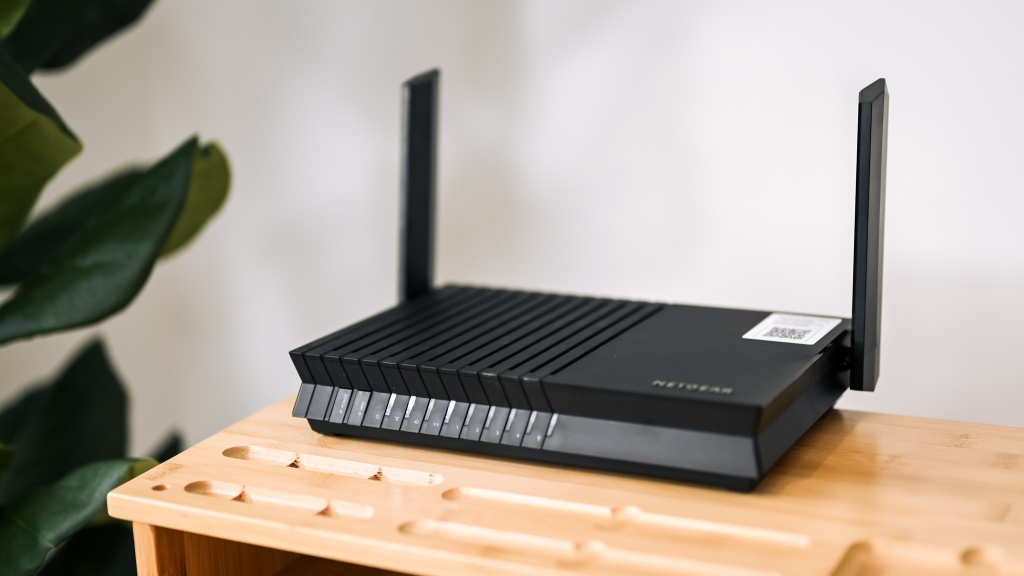
Start with the type of internet connection you have, then match the router's wireless generation, wired ports, and coverage to the devices in your home.
Modem compatibility
A router-only model needs a separate modem or ISP gateway with an Ethernet output. The RS90, RS200, RS140, RS150, RS700S, and RS300 all fall into this group, as do the RAX36, R6700AX, and RAX30. The CAX30 is different because it includes a DOCSIS 3.1 cable modem.
Cable subscribers should confirm that a combo model supports their provider. The CAX30 supports Xfinity, Spectrum, Cox, and other compatible cable services, but it does not support fiber, DSL, or bundled voice service. A router cannot compensate for an incompatible modem standard.
WiFi generation and band count
WiFi 6 remains capable for streaming, gaming, and video calls, especially when the home uses Gigabit service or less. WiFi 7 gives newer phones, laptops, and other clients more room to operate, but the benefits depend on those clients supporting the standard.
Dual-band models such as the RS90 and RS200 use 2.4 GHz and 5 GHz bands. Tri-band models such as the RS700S and RS300 add another wireless band, which helps separate busy traffic in a crowded network. Band count is often more meaningful for simultaneous use than a large combined speed number.
Choose tri-band for sustained household traffic, not just for a larger number on the box.
Wireless capacity
The listed Gbps figure describes combined wireless capacity under appropriate conditions. It is not the speed a single device will always receive. The RS90 is rated up to 3.6 Gbps, the RS200 up to 6.5 Gbps, and the RS700S up to 19 Gbps, but the real result depends on client hardware, distance, interference, and the internet plan.
For a small household, the R6700AX's up-to-1.8-Gbps rating may be sufficient. A home with many active users should look toward the RS200, RS140, RS150, RS700S, or RS300.
Wired ports
Count the ports you will actually use. Four Gigabit LAN ports, as found on the RS90, CAX30, RAX36, R6700AX, RAX30, and RS700S, are convenient for several wired devices. The RS200 and RS300 are more useful when one or more clients need multi-gig Ethernet.
The RS700S has a 10 Gig port, while the RS300 has two 2.5 Gig LAN ports. Those connections matter for fast local file transfers and compatible internet service. They do not make a Gigabit internet plan run faster.
Coverage and device count
Coverage claims assume open layouts. Walls, floors, building materials, and interference can reduce range, so a router rated for 2, 500 square feet may not cover a tall home as effectively as a mesh system. The RS700S has the largest stated coverage at up to 3, 500 square feet.
Device capacity is also a useful guide. The R6700AX and RAX30 are designed for up to 20 devices, while the RS200, RS140, and RS150 list support for up to 80. Count cameras, plugs, televisions, and smart speakers, not just phones and computers.
Frequently asked questions
Do NETGEAR routers include a modem?
Most of the routers in this roundup do not include a modem. They connect to an existing modem or ISP gateway through Ethernet. The CAX30 is the exception because it combines a DOCSIS 3.1 cable modem with a WiFi 6 router.
Can these routers work with fiber internet?
The router-only models can work with fiber when the provider supplies an Ethernet gateway or an appropriate optical network terminal. The exact setup may require bridge mode or other ISP configuration. The CAX30 is designed for compatible cable service rather than fiber.
Is WiFi 7 necessary for streaming and gaming?
No. WiFi 6 models such as the RAX36 can handle streaming, gaming, and video calls. WiFi 7 becomes more useful when newer client devices, fast internet service, and several simultaneous users place greater demands on the network.
Does a faster router increase internet speed?
A router cannot increase the speed supplied by your internet plan. A newer model can improve wireless efficiency, reduce congestion, and provide faster local wired connections when the modem, service, and client devices support those capabilities.
Should I choose a tri-band router?
Choose tri-band when many devices will be active at once or when you need additional wireless capacity across a large home. A dual-band router is often sufficient for a smaller household with fewer simultaneous demands. Coverage problems caused by floors or thick walls may call for mesh hardware instead.
Can I use one of these routers with an ISP gateway?
Yes, a router-only model can connect to an ISP gateway through Ethernet. Some gateways work best in bridge or passthrough mode to avoid two routing layers. The exact steps depend on the ISP gateway.
Are renewed or refurbished routers safe to buy?
A renewed or certified refurbished router can be appropriate when its condition, return terms, and included accessories are clear. The RAX30 is renewed and the RS300 is certified refurbished, so they should be evaluated separately from the new units. Update the firmware and change the default administrator credentials during setup.

The bottom line
The NETGEAR Nighthawk RS90 is the best all-around answer for most households that already have a modem. It combines WiFi 7, a 2.5 Gig WAN port, four Gigabit LAN ports, and coverage for up to 2, 000 square feet without making the network harder to understand. The RS200 is the better pick for a busier home with more devices and a need for one 2.5 Gig wired client.
Large homes and advanced connections should look at the NETGEAR Nighthawk RS700S, while cable subscribers who want a single box should choose the NETGEAR Nighthawk CAX30. For an undecided reader, start with the RS90 unless your modem, floor plan, or wired equipment clearly points to another model.
As an Amazon Associate we earn from qualifying purchases.