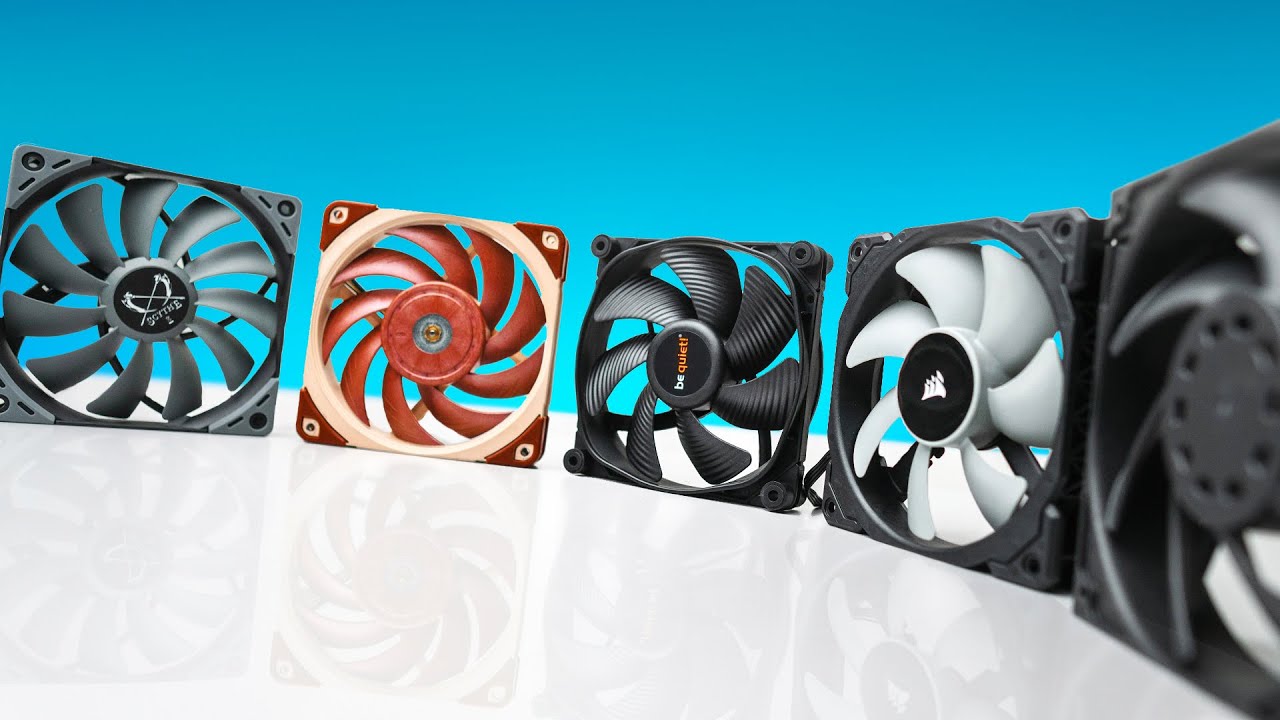

A hot graphics card, rising CPU temperatures, and a case full of stagnant air usually point to one overlooked component: the fans. The right 120mm fan can improve airflow without turning a desktop into a constant mechanical hum.
The Best pc case fans range from focused, high-pressure models to simple three-packs and colorful ARGB systems. We compared the cooling figures, controls, bearings, connectors, and included features to separate the genuinely useful options from fans that mainly look good in a product photo.
Noctua NF-P12 redux-1700 PWM is the best pick for most builds. The list covers quiet single fans, radiator-friendly options, straightforward three-packs, and ARGB kits with daisy-chain wiring.
| # | Product | Award | Speed | Airflow or pressure | Connection | Best for |
|---|---|---|---|---|---|---|
| 1 | Noctua NF-P12 redux-1700 PWM | Best overall | Up to 1, 700 RPM | Pressure-optimized design | 4-pin PWM | Quiet, demanding builds |
| 2 | Corsair RS120 ARGB | Best for radiators | Up to 2, 100 RPM | 72.8 CFM, 2.8mm-H2O | 4-pin PWM, 5V ARGB | Radiators and tidy wiring |
| 3 | Thermalright TL-C12C-S 5-Pack | Best five-pack | Up to 1, 550 RPM | 66.17 CFM, 1.53mm-H2O | 4-pin PWM, ARGB | Filling a large case |
| 4 | Thermalright TL-C12C-S ARGB 3-Pack | Best ARGB three-pack | Up to 1, 550 RPM | 66.17 CFM, 1.53mm-H2O | 4-pin PWM, ARGB | Synchronized lighting |
| 5 | Thermalright TL-C12C 3-Pack | Best simple three-pack | Up to 1, 550 RPM | 66.17 CFM, 1.53mm-H2O | 4-pin PWM | Basic case ventilation |
| 6 | be quiet! Pure Wings 3 Triple Pack | Best refined triple pack | PWM controlled | Airflow-optimized blades | 4-pin PWM | Quiet, clean builds |
| 7 | DARKROCK 3-Pack | Best basic pack | Up to 1, 200 RPM | Nine-blade design | 3-pin | Simple upgrades |
| 8 | AsiaHorse COSMIQ 3-Pack | Best lighting system | 800 to 2, 000 RPM | 68.5 CFM, 2.05mm-H2O | PWM, 5V 3-pin ARGB | Showpiece builds |
| 9 | be quiet! Pure Wings 3 Single Fan | Best single replacement | PWM controlled | Maximum-airflow frame | 4-pin PWM | Replacing one fan |
1. Noctua NF-P12 redux-1700 PWM: Best Overall

Pros
- Strong airflow and static pressure balance
- Automatic motherboard speed control
- Pressure-optimized design suits cases and radiators
- Long 150, 000-hour MTTF rating
Cons
- Only one fan is included
- No ARGB lighting
- The gray redux styling is less neutral than plain black fans
Best for: builders who want one dependable 120mm fan for a case, CPU cooler, or radiator.
The Noctua NF-P12 redux-1700 PWM is the fan we would install first when cooling performance and low noise matter more than lighting. It has the composed, purposeful feel of a component designed to work rather than decorate a build. The 120 by 120 by 25mm frame fits the standard 120mm mounting pattern, while the 4-pin PWM connector lets the motherboard reduce speed when the system is cool and increase it when the CPU or graphics card is working hard.
Its ceiling of 1, 700 RPM is high enough for serious case ventilation without chasing the extreme speed of the Corsair RS120 ARGB. Noctua also gives this model a pressure-optimized blade design, which matters when air has to pass through a restrictive front panel, a heatsink, or a radiator. The published maximum noise figure is 25.1 dB(A), and the fan is rated for more than 150, 000 hours MTTF. Those details explain why it is a more flexible choice than a basic exhaust fan.
The redux model also benefits from Noctua's unusually broad accessory ecosystem. Optional anti-vibration mounts, SATA adapters, Y-splitters, and extension cables make it easier to adapt the fan to a less convenient case layout. The tradeoff is that this is a single-fan purchase, so a full multi-fan build needs several units. The gray finish is distinctive too. It is not an obvious match for every black-and-RGB interior.
Compared with the be quiet! Pure Wings 3 Single Fan, the Noctua has the more explicitly pressure-focused design and the higher stated durability figure. The Corsair RS120 ARGB moves more air at its maximum speed and includes lighting, but it can be more fan than a quiet office PC needs. Skip the Noctua if you want synchronized illumination or several fans in one package. For a builder who wants a fan that can move between a case, cooler, and radiator over the life of a system, this is the safest recommendation.
2. Corsair RS120 ARGB: Best for Radiators

Pros
- Three fans connect through one PWM lead and one ARGB lead
- Up to 2, 100 RPM
- 72.8 CFM airflow
- 2.8mm-H2O static pressure
- Eight LEDs per fan
Cons
- Requires a compatible 5V ARGB motherboard connection
- Maximum-speed operation is not aimed at silent computing
- Lighting adds wiring and configuration considerations
Best for: gaming PCs with a radiator or restrictive intake that also need coordinated lighting.
The Corsair RS120 ARGB is the most complete match for a high-performance gaming build in this group. It is a three-fan kit, but the useful feature is not simply the number of fans. The fans can be daisy-chained so the group runs from one 4-pin PWM connector and one 5V ARGB connector. That can make a crowded motherboard header area much easier to manage.
The performance figures are also stronger than those of the Thermalright packs. Each fan can reach 2, 100 RPM, with airflow rated up to 72.8 CFM and static pressure up to 2.8mm-H2O. Static pressure is the important number when a fan has to push through a radiator or a dense filter. Corsair's AirGuide vanes narrow and direct the airflow, making the RS120 a more convincing radiator choice than an inexpensive open-case fan.
Eight LEDs per fan provide customizable illumination through a compatible motherboard's ARGB control. This is a 5V ARGB system, not a generic 12V RGB setup, so the connector on the motherboard needs to match before installation. The daisy-chain arrangement reduces the number of individual leads, but it does not remove the need to plan where the lighting and PWM cables will travel.
The AsiaHorse COSMIQ 3-Pack has more dramatic infinity-mirror styling and a wider stated speed range, but the Corsair has the clearer performance case for a radiator. The Noctua NF-P12 redux-1700 PWM is the better fit for a restrained, non-illuminated system. The RS120's weakness is that its high-speed capability can be unnecessary for a quiet desktop, and ARGB compatibility is not universal. Choose it when cooling a radiator, front filter, or other restriction is central to the build.
3. Thermalright TL-C12C-S 5-Pack: Best Five-Pack

Pros
- Five 120mm fans cover a large case
- 66.17 CFM airflow per fan
- S-FDB bearings
- 4-pin PWM control
- ARGB lighting with up to 17 modes
Cons
- Five fans can exceed the available motherboard headers
- 1.53mm-H2O pressure is below the Corsair RS120
- Cable planning takes time in smaller cases
Best for: a full-size case that needs several intake and exhaust fans installed at once.
The Thermalright TL-C12C-S 5-Pack is aimed at the builder who has more mounting positions than fans in the parts box. Five standard 120 by 120 by 25mm fans can populate a large chassis with front intake, top exhaust, rear exhaust, and a remaining spare. That makes this kit particularly practical for a new build where the airflow plan is still being assembled.
Each fan reaches up to 1, 550 RPM and is rated for 66.17 CFM airflow. Its 1.53mm-H2O air pressure is respectable for ordinary case ventilation, though it does not have the radiator-focused pressure rating of the Corsair RS120 ARGB. The 4-pin PWM cable allows the motherboard to vary speed according to temperature. Thermalright also specifies cables up to 55cm long, which helps in a large case where headers are not close to every mounting position.
S-FDB bearings are used to reduce blade shake and keep operation smoother. The fan is rated at no more than 25.6 dBA, with a stated current of 0.20A. ARGB blades support motherboard synchronization and up to 17 lighting modes, giving the pack more visual flexibility than the plain Thermalright TL-C12C 3-Pack.
The catch is installation complexity. Five PWM leads and five lighting leads can create a considerable bundle unless the case or motherboard provides a sensible way to route them. Before choosing it, check how many fans a practical airflow layout really needs rather than filling every available slot automatically. The Thermalright TL-C12C-S ARGB 3-Pack is easier to manage, while the DARKROCK 3-Pack is simpler still. Pick this pack for a large chassis or a build that needs broad coverage more than maximum radiator pressure.
4. Thermalright TL-C12C-S ARGB 3-Pack: Best ARGB Three-Pack

Pros
- Three PWM fans with ARGB lighting
- 66.17 CFM airflow
- S-FDB bearings
- 17 lighting modes
- Long 55cm PWM cables
Cons
- Modest static pressure for radiator use
- Lighting requires a compatible ARGB header
- Similar hardware to the five-pack with fewer fans
Best for: builders who need three synchronized ARGB fans for a standard-size case.
The Thermalright TL-C12C-S ARGB 3-Pack is the sensible middle ground in Thermalright's group. Three fans are enough for many cases without creating the cable surplus that comes with the five-pack. It also gives a build consistent lighting rather than mixing a single illuminated intake with plain exhaust fans.
The core specification is familiar: 120 by 120 by 25mm fans, up to 1, 550 RPM, 66.17 CFM airflow, and 1.53mm-H2O air pressure. The 4-pin PWM connection lets the motherboard adjust speed automatically. That combination is well suited to front intake and rear or top exhaust positions. It can also serve on a CPU cooler, although a radiator-focused fan such as the Corsair RS120 ARGB has more pressure on paper.
The S-FDB bearing design is intended to limit wobble and maintain smooth rotation. Thermalright lists a maximum noise figure of 25.6 dBA and a current draw of 0.20A. The fan blades use high-brightness ARGB illumination with up to 17 modes, and the motherboard can synchronize the color when it has a compatible ARGB header. The longer cables are useful for routing around a full ATX case.
The Thermalright TL-C12C-S 5-Pack makes more sense when five positions need filling, while the non-ARGB Thermalright TL-C12C 3-Pack avoids lighting setup entirely. This three-pack is the better fit for a builder who wants a coordinated look without moving to the more elaborate AsiaHorse controller system. Skip it if the case has no 5V ARGB support or if radiator pressure is the main concern.
5. Thermalright TL-C12C 3-Pack: Best Simple Three-Pack
Pros
- Three fans for intake and exhaust
- 66.17 CFM airflow
- 4-pin PWM control
- S-FDB bearings
- Silicone corner pads reduce vibration
Cons
- No ARGB lighting
- 25.6 dBA stated noise figure
- Lower pressure than the Corsair RS120
Best for: a straightforward case refresh where lighting is not part of the plan.
The Thermalright TL-C12C 3-Pack is the plain version of the same general formula. It gives a case three 120mm fans, PWM speed control, and a bearing design intended for steady operation, without adding ARGB leads or lighting software to the build. That simplicity is its main appeal.
The fans run at up to 1, 550 RPM and are rated for 66.17 CFM airflow. Thermalright lists 1.53mm-H2O air pressure, 25.6 dBA noise, and 0.20A current per fan. Those figures point toward general case ventilation rather than pushing through a thick radiator. A 4-pin PWM connector lets the motherboard reduce the fans to a lower speed at idle and raise them under load.
Four silicone corner pads on each fan help absorb vibration where the frame meets the case. The S-FDB bearings are designed to support smoother rotation and lower mechanical noise. The fans can also be used around a CPU cooler or radiator, but their more natural role is moving air through an open front or rear vent.
This is easier to live with than the ARGB Thermalright packs if you prefer a dark, distraction-free interior. The DARKROCK 3-Pack is slower and uses 3-pin connections, while the be quiet! Pure Wings 3 Single Fan has a more refined individual-fan design but does not cover three mounting positions in one pack. If you are planning a complete case refresh, this Thermalright kit is a clean, uncomplicated starting point.
6. be quiet! Pure Wings 3 Triple Pack: Best Refined Triple Pack

Pros
- Three PWM fans included
- Seven airflow-optimized blades
- Frame designed to reduce air leaks
- Rifle bearing rated for 80, 000 hours
- Suitable for demanding case configurations
Cons
- No ARGB lighting
- Airflow figures are not specified in the supplied data
- Less pressure-focused detail than Noctua or Corsair
Best for: a quiet black build that needs three well-designed PWM fans without lighting.
The be quiet! Pure Wings 3 Triple Pack takes a restrained approach. There are no lighting effects or unusual connectors to configure, just three 120mm PWM fans with a frame and blade design focused on moving air cleanly. It is the pack to consider when the inside of the case should look deliberate rather than illuminated.
The seven airflow-optimized blades are shaped to reduce turbulence while maintaining performance in demanding configurations. The frame outlet is designed to minimize air leaks, a detail that matters most when the fan sits against a radiator or another surface where stray gaps waste part of the airflow. The supplied information does not give a CFM or RPM maximum, so it would be misleading to rank this fan by a number it does not publish here.
The rifle bearing is rated for an average lifespan of 80, 000 hours. PWM control lets the motherboard run the fans slowly during light work and increase them as temperatures rise. That is a better arrangement than the fixed-speed behavior associated with the DARKROCK pack, especially in a desktop that spends much of its time browsing or working rather than gaming.
The Noctua NF-P12 redux-1700 PWM offers more explicit pressure and acoustic figures, while the Thermalright TL-C12C 3-Pack gives more published airflow detail and ARGB versions are available in the same broad category. The Pure Wings 3 Triple Pack is the quieter-looking, less complicated alternative. Choose it for a dark system where the fan frame, blade design, and PWM control matter more than headline numbers.
7. DARKROCK 3-Pack: Best Basic Pack

Pros
- Three standard 120mm fans
- Nine-blade design
- Silicone vibration cushions
- Hydraulic bearings
- Simple 3-pin installation
Cons
- 3-pin connection does not provide the same control as PWM
- Maximum speed is 1, 200 RPM
- Stated noise is 32.1 dBA
Best for: replacing several basic case fans in a system with straightforward motherboard connections.
The DARKROCK 3-Pack is a no-frills way to add three fans to a case. Its 120mm size fits the most common mounting positions, and the nine-blade design is intended to provide useful ventilation at a maximum 1, 200 RPM. It is a practical choice for an older system that has worn or noisy fans and does not need lighting or elaborate control.
Four silicone cushions on every fan help isolate the frame from the case and reduce vibration. The hydraulic bearing is designed for stable rotation and is rated for an average 30, 000 hours. DARKROCK also specifies PBT material with insulation and heat resistance, which is a reassuring construction detail for a component that may run continuously.
The main limitation is the 3-pin connector. Unlike a 4-pin PWM fan, it does not offer the same direct speed-control approach from a PWM motherboard header. The listed maximum noise is 32.1 dBA, and 1, 200 RPM leaves less headroom than the Thermalright models at 1, 550 RPM or the Corsair at 2, 100 RPM. That does not make it unsuitable, but it makes the fan less adaptable to demanding cooling jobs.
The Thermalright TL-C12C 3-Pack is the stronger choice for a new build because it adds PWM control, higher speed, and higher stated airflow. The DARKROCK pack remains useful for a basic case with open ventilation and existing 3-pin headers. Skip it for a restrictive radiator or a system where automatic, fine-grained fan curves are important.
8. AsiaHorse COSMIQ 3-Pack: Best Lighting System

Pros
- Infinity-mirror ARGB lighting
- Daisy-chain wiring
- 800 to 2, 000 RPM range
- 68.5 CFM airflow
- Dedicated lighting controller included
Cons
- Lighting system is more involved than plain PWM fans
- Requires 5V 3-pin ARGB support for motherboard synchronization
- Reverse-fan design needs careful orientation planning
Best for: a highly visible build where lighting and cable organization are major priorities.
The AsiaHorse COSMIQ 3-Pack is the visual standout. Its infinity-mirror design creates layered lighting around each fan, and the reverse-fan layout is intended to make the visible side work naturally in selected intake positions. It is aimed at a showcase case rather than a hidden office tower.
The fans support PWM adjustment from 800 to 2, 000 RPM. AsiaHorse lists maximum airflow of 68.5 CFM and static pressure of 2.05mm-H2O, which gives the kit enough range for ordinary case airflow and some more restrictive placements. The FDB bearing is designed for smooth operation, and the stated maximum noise is 29.2 dB(A) even at the 2, 000 RPM ceiling.
Cable management is a real strength. The interlocking daisy-chain design reduces the loose wiring that can make an ARGB build difficult to clean up. A dedicated controller handles the lighting independently, while a compatible 5V 3-pin motherboard header enables synchronization. The system also includes sound-reactive lighting modes, so the fan presentation can respond to music or ambient sound.
The Corsair RS120 ARGB is the more convincing performance-first kit for a radiator, with 72.8 CFM airflow and 2.8mm-H2O pressure. The Thermalright TL-C12C-S ARGB 3-Pack is less elaborate and easier to justify in a standard gaming case. Choose AsiaHorse when the infinity-mirror effect and neat daisy-chain wiring are central to the build. If the PC sits under a desk and lighting is irrelevant, this is more system than you need.
9. be quiet! Pure Wings 3 Single Fan: Best Single Replacement

Pros
- Single 120mm PWM replacement
- Seven airflow-optimized blades
- Very low minimum RPM operation
- Radiator-friendly frame outlet
- 80, 000-hour rifle bearing life
Cons
- Only one fan is included
- No published airflow or maximum-speed figure in the supplied data
- No ARGB lighting
Best for: replacing one failed or noisy 120mm fan without changing the rest of the system.
The be quiet! Pure Wings 3 Single Fan makes sense when a build needs one specific replacement rather than a complete airflow overhaul. It has the same quiet, black, practical character as the triple pack, but a single-fan format avoids leaving two unused fans in a drawer. That is useful for a rear exhaust position or a single intake that has started to rattle.
Its seven blades are optimized for airflow while reducing noise-generating turbulence. The frame outlet is shaped for peak performance on radiators, so this is not limited to open case ventilation. The supplied information does not state a maximum RPM, airflow, or static-pressure number, but it does identify very low minimum RPM operation, which is valuable for a computer that should remain unobtrusive at idle.
The rifle bearing is rated for an operating lifetime of 80, 000 hours. PWM control gives the motherboard a straightforward way to set a fan curve, keeping the fan slow during light work and increasing speed when temperatures demand it. This is more flexible than the DARKROCK 3-Pack's 3-pin design, though the DARKROCK includes three fans for a broader replacement job.
The Noctua NF-P12 redux-1700 PWM is the stronger choice when you need published pressure and acoustic figures or want one fan for several types of cooling duty. The Pure Wings 3 Single Fan is the cleaner pick for a quiet, dark system where one matching replacement is all that is needed. Choose it when consistency and low minimum speed matter more than lighting or a large bundle.
How to choose best pc case fans
The right case fan depends less on the largest headline number than on where it will sit, how it connects, and how much restriction it has to overcome.
Fan size and mounting space
All nine products here use the common 120mm format, but a 120mm mounting position does not guarantee that every case layout is identical. Check the case manual for compatible positions, radiator clearance, and whether a front bracket supports three fans or only two. A standard 25mm-thick fan also needs room for its cable and nearby components.
A larger fan can move air at a lower rotational speed in cases that support it, but these products are all designed around 120mm mounts. The practical decision is therefore placement: front intake, rear exhaust, top exhaust, CPU cooler, or radiator.
PWM control
A 4-pin PWM connection lets the motherboard adjust fan speed through a temperature curve. That means the system can stay quiet during browsing and respond quickly when the processor or graphics card generates heat. The Noctua, Corsair, Thermalright, and be quiet! models use PWM connections.
The DARKROCK pack uses 3-pin connections, which can still work with compatible motherboard headers but does not offer the same direct PWM control. Check the headers on the motherboard before buying a multi-fan kit.
A fan that can slow down intelligently is usually more pleasant than one that is merely quiet at one advertised speed.
Airflow and static pressure
Airflow describes the volume of air a fan can move, while static pressure indicates how effectively it can push through resistance. Open mesh panels and relatively clear exhaust positions favor airflow. Radiators, dense filters, heatsinks, and restrictive front panels benefit more from pressure.
The Corsair RS120 lists 72.8 CFM and 2.8mm-H2O, making its purpose clear. The Thermalright packs list 66.17 CFM and 1.53mm-H2O. Noctua's pressure-optimized design is another reason it works in both case and cooling-system positions. For a deeper explanation of how enclosure design changes fan performance, see the case features that shape internal airflow.
Bearings and durability
Bearing type affects smoothness, noise, and expected operating life. Noctua lists more than 150, 000 hours MTTF for the NF-P12 redux. The be quiet! models use rifle bearings rated for 80, 000 hours, while Thermalright and AsiaHorse use FDB designs intended to reduce vibration and support smoother rotation. DARKROCK uses hydraulic bearings with a stated 30, 000-hour average life.
These figures are not a guarantee of how long a fan will last in a dusty or hot case. They are useful for understanding the intended design and comparing like-for-like construction.
Lighting and cable management
ARGB can make a build look cohesive, but it adds another connection and requires the correct header. The Thermalright ARGB packs and Corsair use 5V ARGB connections. AsiaHorse adds a dedicated controller, sound-reactive modes, and daisy-chain wiring.
Daisy-chaining can reduce clutter, but it does not remove the need to plan power and lighting routes. If the case is already crowded, a plain PWM pack may be easier to install and maintain. For broader enclosure planning, the case dimensions that affect component clearance are worth checking before ordering fans.

Frequently asked questions
Are 120mm fans compatible with every PC case?
No. Many cases support 120mm fans, but the number and location of mounting points vary. Check the case specifications for front, rear, top, and radiator support before buying a multi-pack.
Is PWM better than a 3-pin fan connection?
PWM gives the motherboard more direct control over fan speed through a 4-pin connector. A 3-pin fan can still provide useful cooling, but it may offer less precise or less widely supported speed control depending on the motherboard.
Should case fans have high airflow or high static pressure?
Use high airflow for open mesh panels and unobstructed exhaust positions. Choose stronger static pressure for radiators, dense filters, heatsinks, or restrictive front panels. A pressure-optimized model is often the more versatile choice when the installation location may change later.
Can ARGB fans work without an ARGB motherboard header?
Some can, if they include a compatible controller. AsiaHorse includes a dedicated controller for lighting control, while motherboard synchronization requires a compatible 5V 3-pin ARGB connection. Never connect a 5V ARGB plug to a 12V RGB header.
How many case fans does a gaming PC need?
The correct number depends on the case, components, and available mounting positions. Three fans can establish a useful intake and exhaust pattern in many systems, while a larger case may benefit from five or more. Filling every mount is not automatically better if it creates unnecessary noise or cable clutter.
Can these case fans be used on a radiator?
Several can, but pressure matters more on a radiator than it does on an open case panel. The Corsair RS120 is especially suited to that job because it lists 2.8mm-H2O static pressure and includes AirGuide vanes. Noctua's pressure-optimized design and be quiet!'s radiator-focused frame are also suitable candidates.

The bottom line
The Best pc case fans choice for most people is the Noctua NF-P12 redux-1700 PWM. Its pressure-optimized design, 4-pin PWM control, 1, 700 RPM ceiling, and long stated MTTF make it the most adaptable single fan here. For a radiator-focused or illuminated build, the Corsair RS120 ARGB is the stronger alternative because it combines 72.8 CFM airflow, 2.8mm-H2O pressure, and daisy-chain connections in a three-pack.
The Thermalright TL-C12C-S ARGB 3-Pack is the straightforward choice for three synchronized ARGB fans, while the be quiet! Pure Wings 3 Triple Pack suits a dark build where low minimum speed and simple wiring matter more than lighting. The DARKROCK pack is best reserved for basic 3-pin replacements.
If you are undecided, choose the Noctua for one versatile fan, Corsair for radiator performance and lighting, or Thermalright for a full three-fan ARGB setup.
As an Amazon Associate we earn from qualifying purchases.