

A hot case does not always need a more powerful cooler. Often, the real problem is a single tired fan, tangled wiring, or airflow that points nowhere useful. The Best PC Fans make the difference with controllable speeds, sensible bearings, and a frame that moves air through the part that needs it.
This group covers quiet air cooling, radiator duty, high airflow, ARGB lighting, and simple multi-fan upgrades. Corsair is the strongest all-rounder, Noctua remains the clean choice for low-noise builds, and Thermalright gives builders an easy way to populate several mounts at once.
Our top pick is the Corsair RS120 ARGB, with the Noctua NF-P12 redux and Thermalright TL-C12C-S X5 close behind for quieter and larger installations.
Comparison table
| # | Product | Award | Speed | Airflow | Best for |
|---|---|---|---|---|---|
| 1 | Corsair RS120 ARGB | Best overall | Up to 2, 100 RPM | Up to 72.8 CFM | ARGB case or radiator builds |
| 2 | Noctua NF-P12 redux | Best quiet fan | Up to 1, 700 RPM | Not stated | Quiet CPU coolers and radiators |
| 3 | Thermalright TL-C12C-S X5 | Best five-fan kit | Up to 1, 550 RPM | Up to 66.17 CFM | Filling a case with PWM ARGB fans |
| 4 | AsiaHorse COSMIQ | Best reverse-flow RGB fan | Up to 2, 000 RPM | Up to 68.5 CFM | Showcase cases and intake mounts |
| 5 | DARKROCK F120 | Best compact RGB kit | 800 to 1, 600 RPM | Not stated | Basic ARGB case upgrades |
| 6 | Corsair RS120 | Best non-RGB Corsair kit | Up to 2, 100 RPM | Up to 72.8 CFM | High-pressure cooling without lighting |
| 7 | Thermalright TL-C12C-S X3 | Best three-fan ARGB kit | Up to 1, 550 RPM | Up to 66.17 CFM | Smaller multi-fan builds |
| 8 | DARKROCK 120mm 3-Pack | Best basic fan kit | Up to 1, 200 RPM | Not stated | Simple 3-pin ventilation |
| 9 | Lian Li SL-Infinity 120 | Best integrated lighting | Not stated | Not stated | Premium synchronized RGB builds |
1. Corsair RS120 ARGB: Best Overall

Pros
- Strong airflow and static pressure
- Daisy-chain control reduces cable clutter
- Eight ARGB LEDs per fan
- Useful on both cases and radiators
Cons
- Requires a compatible 5V ARGB motherboard connection
- More wiring than the non-RGB version
- No controller is listed
Best for: builders who want one fan kit that can handle case ventilation, radiators, and coordinated lighting.
The Corsair RS120 ARGB is the easiest recommendation in this group because it does not force you to choose between airflow and presentation. The three 120mm fans can serve as ordinary case intake and exhaust, but their 2, 100 RPM ceiling and AirGuide vanes also make them credible radiator fans. That flexibility matters when a build changes later. A fan set that works in the front of a case today can move to an all-in-one cooler tomorrow.
Its headline figures are useful rather than decorative. Corsair rates the fan for up to 72.8 CFM of airflow and 2.8mm-H2O static pressure. Airflow helps move a large volume of warm air through an open case, while static pressure matters when the fan has to push through a radiator or a restrictive dust filter. The anti-vortex vanes concentrate the stream instead of allowing it to spread immediately, which is why this model makes more sense on a heatsink than a generic low-pressure case fan.
The wiring is a major part of the appeal. Multiple fans can be daisy-chained through one 4-pin PWM connection and one 5V ARGB connection. That leaves fewer loose leads around the motherboard and makes speed control much easier than connecting every fan separately. The eight LEDs in each fan support customizable motherboard lighting, but the motherboard must support compatible ARGB control. There is no controller listed here, so buyers without the right header should plan around that limitation.
Compared with the Corsair RS120, this version adds lighting but has a lower listed static pressure of 2.8mm-H2O versus 4.15mm-H2O for the non-RGB model. The Noctua NF-P12 redux is the quieter-looking choice for a restrained workstation, while the RS120 ARGB is more versatile for a visible gaming build. The real weakness is that the lighting adds compatibility work without adding cooling capacity, and the top speed will be audible when it is allowed to run flat out.
Choose it when you want a tidy three-fan installation, strong cooling potential, and ARGB that can follow the rest of the system. Skip it if your case has no 5V ARGB header or if lighting has no place in the build.
2. Noctua NF-P12 redux: Best Quiet Fan

Pros
- Pressure-optimized blade design
- PWM control for automatic speed adjustment
- Rated noise level of 25.1 dB(A)
- Suitable for coolers, radiators, and cases
Cons
- Single fan
- No ARGB lighting
- Optional accessories are separate
Best for: quiet desktops where dependable airflow matters more than lighting or a bundled multi-fan installation.
The Noctua NF-P12 redux is the fan to buy when the computer should disappear into the room. It has none of the visual drama of the AsiaHorse COSMIQ or Lian Li SL-Infinity 120, and it arrives as a single fan rather than a complete case refresh. Its appeal is simpler: a familiar 120mm frame, a pressure-optimized blade design, and PWM control that lets the motherboard slow it down when the system is idle.
Noctua lists a maximum speed of 1, 700 RPM and a maximum noise level of 25.1 dB(A). Those figures place it below the faster Corsair models on the speed scale, but speed is not the only measure that matters. A pressure-optimized fan is designed to keep pushing when it meets resistance, which makes the NF-P12 redux suitable for air-based CPU coolers, water-cooling radiators, and chassis ventilation. The 4-pin PWM connector lets the motherboard increase speed with temperature instead of leaving the fan at one constant output.
The 120x120x25mm size is the standard format used by many cases and coolers, so installation is straightforward when the mounting pattern matches. The listed weight is 0.2756 pounds, light enough that it should not complicate a normal case installation. Noctua also lists a mean time to failure of more than 150, 000 hours. That is a manufacturer durability figure rather than a promise about every system, but it reflects the intended role of this model as a long-term component rather than a decorative add-on.
The trade-off is obvious beside the Corsair RS120 ARGB. Corsair gives you three fans, higher peak airflow, and lighting, while Noctua gives you a quieter, less distracting approach and a more restrained speed ceiling. The Thermalright TL-C12C-S X5 makes more sense when five mounts need filling, but its 25.6 dBA rating is slightly higher and its 1.53mm-H2O pressure rating is lower. The Noctua is not the right pick for someone building a showpiece, and a single fan may not be enough for a larger case.
Its weakness is not performance so much as scope. You will need more than one if the build needs several intake and exhaust positions, and the gray redux appearance may not suit a carefully color-matched interior. Buyers who want quiet PWM control, radiator compatibility, and no lighting software should start here.
3. Thermalright TL-C12C-S X5: Best Five-Fan Kit

Pros
- Five 120mm fans in one kit
- 4-pin PWM control
- Soft ARGB illumination with up to 17 modes
- Long cables support series control
- S-FDB bearings
Cons
- Lower maximum speed than the Corsair RS120 range
- Lighting needs a compatible ARGB connection
- Large kit may exceed the needs of a small case
Best for: builders who need to populate several 120mm mounts with PWM and ARGB fans in one installation.
The Thermalright TL-C12C-S X5 solves a practical problem: many cases have room for more fans than a typical single or three-pack covers. This kit supplies five 120mm fans, making it a sensible choice for a full front, top, and rear airflow layout. It is not the most refined model here, but it gives a builder consistent hardware across the case instead of mixing several fan families.
Each fan tops out at 1, 550 RPM and is rated for up to 66.17 CFM of airflow. Thermalright also lists 1.53mm-H2O air pressure and a maximum noise level of 25.6 dBA. That combination points toward general case ventilation and lighter cooler duty rather than the most restrictive radiator installation. PWM control allows the motherboard to vary speed according to temperature, so the fans do not need to run at their maximum whenever the desktop is doing ordinary work.
The S-FDB bearings are intended to reduce blade shake and keep operation smooth. Thermalright supplies cables up to 55cm long for PWM series control, which is useful in a tall case or when several fans are spread across the front and roof. The blades use atomizing ARGB treatment to soften the light, and the listed lighting support includes up to 17 modes through a compatible motherboard connection. This is a motherboard-centered setup rather than a kit with a listed independent controller.
The five-fan layout is the reason to choose this over the Thermalright TL-C12C-S X3. The X3 is easier to justify in a smaller case, while the X5 is ready for a more complete airflow plan. The Corsair RS120 ARGB is the more convincing radiator option because it lists higher static pressure and a faster top speed, but Corsair does not cover as many mounts in this configuration. The five-fan kit's weakness is that the 1.53mm-H2O pressure rating is modest for dense radiators, and five fans can create unnecessary turbulence if the case does not need them.
Before buying, count the actual 120mm positions and check the motherboard's PWM and 5V ARGB headers. A well-planned three-fan arrangement is better than filling every open mount by habit. For a spacious case that needs coordinated lighting and broad ventilation, this is the most convenient kit in the roundup.
4. AsiaHorse COSMIQ: Best Reverse-Flow RGB Fan

Pros
- Reverse fan design for cleaner intake presentation
- Infinity mirror lighting
- Daisy-chain connections
- Included small controller
- High airflow and static pressure figures
Cons
- 5V 3-pin ARGB compatibility still matters
- Sound pickup lighting may not suit every build
- Maximum-speed operation is not silent
Best for: showcase cases where intake fans need to look good from the visible side without giving up strong airflow.
The AsiaHorse COSMIQ is aimed at the part of a PC build that ordinary fans often overlook: the visible intake side. Its reverse fan design and infinity mirror frame are meant to keep the presentation clean when the fans are mounted to show the front of the blades inside a glass-panel case. That makes it more visually purposeful than simply adding lights to a conventional fan.
The technical figures are substantial. The 120mm fans adjust from 800 to 2, 000 RPM, with up to 68.5 CFM of airflow and 2.05mm-H2O static pressure. That gives the COSMIQ enough range for everyday ventilation and enough pressure for more demanding intake positions, though the Corsair RS120 models have stronger listed pressure figures for radiator work. The FDB bearing is designed for smoother operation, and AsiaHorse lists noise within 29.2 dB(A) even at the maximum speed.
Cable management is another strong point. The fans use an interlocking daisy-chain design, and the kit includes a small controller for independent lighting control. The fans support a 5V 3-pin motherboard ARGB connection, while the lighting system also includes eight music-reactive modes using a sound pickup module. That is a lot of lighting functionality, but it also means there are more settings and compatibility details to consider than with a plain PWM fan.
Compared with the DARKROCK F120, the COSMIQ offers higher speed, more airflow information, reverse-flow positioning, and a controller. The Lian Li SL-Infinity 120 has a more elaborate integrated lighting system, including lighting on the axis and inner frame, but the AsiaHorse kit gives clearer cooling figures and a more flexible reverse-flow concept. The real downside is that the 29.2 dB(A) maximum noise figure will not sound especially quiet when the fans are pushed hard, and the lighting features may be wasted in a closed case.
This is the right pick for a glass-sided system where intake presentation matters as much as airflow. If the computer sits under a desk, the quieter Noctua or more pressure-focused Corsair RS120 is easier to justify.
5. DARKROCK F120: Best Compact RGB Kit

Pros
- Three 120mm fans
- Infinity mirror design
- Adjustable ARGB lighting
- PWM speed range from 800 to 1, 600 RPM
- Eight rubber pads for vibration control
Cons
- Airflow and static pressure are not stated
- Lower top speed than the Corsair and AsiaHorse kits
- Compatibility details are less complete
Best for: a straightforward three-fan ARGB refresh where appearance and basic PWM control are the priorities.
The DARKROCK F120 is a visual upgrade first and a performance statement second. Its infinity mirror design puts layered effects around the center and sides of the fan, while ARGB illumination covers the blades and frame. In a case with a glass side panel, that can make a basic interior look much more finished without requiring a five-fan installation.
DARKROCK gives the fan a PWM range from 800 to 1, 600 RPM, with a stated tolerance of plus or minus 10 percent. That range is broad enough for ordinary case control, allowing a lower setting during light work and more airflow when temperatures rise. The nine-blade design is intended to support cooling, but the product information does not state airflow or static pressure figures. That makes it harder to compare directly with Corsair, AsiaHorse, or Thermalright when radiator duty is the main concern.
The hydraulic bearing is paired with eight rubber pads on each fan. Those pads are meant to reduce vibration transfer into the case, while the bearing supports smoother rotation. The 120mm format is compatible with most common case, air cooler, and water-cooling mounts, although the mounting position still needs to match the case. The lighting is adjustable, but the available data does not list a controller or a specific connector arrangement beyond the ARGB feature.
That missing performance information is the key distinction from the Thermalright TL-C12C-S X3. Thermalright states airflow, pressure, noise, and a 4-pin PWM connector, while DARKROCK leaves those figures unstated. The AsiaHorse COSMIQ is a better fit for reverse-flow intake presentation and higher-speed airflow. DARKROCK's advantage is a simpler three-fan visual package with vibration pads and a moderate speed range.
Skip this kit if you need measured pressure guidance for a thick radiator or want the clearest motherboard wiring plan. Pick it for a conventional case refresh where three matching fans and infinity lighting matter more than squeezing out the last bit of cooling performance.
6. Corsair RS120: Best Non-RGB Corsair Kit

Pros
- High 4.15mm-H2O static pressure rating
- Up to 72.8 CFM airflow
- Daisy-chain PWM connection
- AirGuide vanes focus airflow
- Magnetic Dome bearing
Cons
- No lighting
- Three fans still need suitable motherboard control
- Maximum-speed operation will be audible
Best for: performance-focused case and radiator installations that do not need ARGB lighting.
The Corsair RS120 is the understated sibling of the RS120 ARGB. It removes the lighting and keeps the parts that matter for cooling: a 2, 100 RPM maximum speed, up to 72.8 CFM airflow, AirGuide vanes, and a magnetic dome bearing. For a blacked-out workstation or a build where the side panel is not a display, that is a sensible trade.
Its strongest specification is the listed 4.15mm-H2O static pressure. That is higher than the RS120 ARGB's 2.8mm-H2O figure and gives this version a clearer case for radiator or heatsink use. Static pressure is particularly important when air has to pass through a dense fin stack, a radiator, or a restrictive filter. The 72.8 CFM airflow rating still makes it capable as a standard intake or exhaust fan, but its pressure figure is what separates it from ordinary case ventilation.
The magnetic dome bearing is designed to reduce friction and noise while supporting long-term operation. Corsair also uses AirGuide anti-vortex vanes to direct air toward hot components rather than letting the stream spread immediately. The fans can be connected together and controlled through a single 4-pin PWM connection, which makes a three-fan installation neater than three separate runs to the motherboard.
Against the Corsair RS120 ARGB, the RS120 gives up eight LEDs per fan but lists higher static pressure. The Noctua NF-P12 redux is the more natural quiet-build choice, with a lower maximum noise specification, while this Corsair kit is better when radiator performance and concentrated airflow are the priority. Its limitation is obvious for anyone who wants a synchronized interior: there is no ARGB lighting to coordinate.
Choose this version for a practical cooling loop, a CPU radiator, or a case where every component is meant to work rather than glow. It is the Corsair kit to buy when the lighting version's extra hardware would serve no purpose.
7. Thermalright TL-C12C-S X3: Best Three-Fan ARGB Kit

Pros
- Three 120mm PWM fans
- Up to 66.17 CFM airflow
- S-FDB bearings
- Up to 17 ARGB lighting modes
- Up to 55cm PWM cables
Cons
- Static pressure is lower than the Corsair RS120
- Requires a compatible ARGB motherboard connection
- Maximum speed is limited to 1, 550 RPM
Best for: smaller cases that need three matching PWM ARGB fans for intake and exhaust.
The Thermalright TL-C12C-S X3 is the more focused version of the five-fan kit. Three fans are enough for many mid-size cases, especially when one is used at the rear and two are mounted at the front or top. The set keeps the same basic character: soft ARGB illumination, PWM speed control, and a bearing intended to reduce wobble and noise.
Thermalright rates the fans at up to 1, 550 RPM and 66.17 CFM, with a listed noise ceiling of 25.6 dBA. The 1.53mm-H2O pressure rating points to useful general-purpose cooling, though the fans are not as compelling as the Corsair RS120 for a restrictive radiator. PWM control lets the motherboard choose the speed based on temperature, and the long cables, listed at up to 55cm, provide more freedom when the three mounting positions are not close together.
The S-FDB bearings are intended to keep the blades stable and reduce noise during operation. The fan blades use an atomizing ARGB treatment that diffuses the light rather than producing a harsh point source. Up to 17 modes are listed, with motherboard synchronization available through a compatible ARGB port. That gives this kit a softer appearance than a simple illuminated frame, but it also makes the motherboard header an important part of the installation plan.
The Thermalright TL-C12C-S X5 is the better match for a large case with five available mounts, while the X3 avoids unused fans in a smaller chassis. The DARKROCK F120 offers a more elaborate infinity mirror appearance, but Thermalright provides clearer cooling figures and connector information. The weakness is its modest pressure rating, so buyers should not mistake the ARGB styling for radiator-focused performance.
This is a good fit for a compact or mid-size case with a compatible 5V ARGB header and three open 120mm positions. It is also a sensible way to keep the fan model consistent across a build without adding more hardware than the case needs.
8. DARKROCK 120mm 3-Pack: Best Basic Fan Kit

Pros
- Three 120mm fans
- Simple 3-pin motherboard connection
- Hydraulic bearings
- Silicone cushions reduce vibration
- Nine-blade design
Cons
- No PWM speed control
- Maximum speed is 1, 200 RPM
- No airflow figure is stated
Best for: basic case ventilation where a simple 3-pin connection is all the motherboard requires.
The DARKROCK 120mm 3-Pack is the uncomplicated option. It does not add ARGB, daisy-chain hardware, or a complicated lighting system. Instead, it supplies three standard 120mm fans with a 3-pin motherboard connection, which is useful when an older board or a plain case does not offer modern PWM or ARGB headers.
The fans use nine blades and reach a maximum of 1, 200 RPM. DARKROCK lists a maximum noise level of 32.1 dBA, so this is not the quietest entry here, but the lower speed ceiling should make its operating behavior predictable. The product information does not state airflow or static pressure, which limits how confidently it can be assigned to radiator duty. It is best understood as a case ventilation kit rather than a high-pressure cooler fan.
Each fan uses a hydraulic bearing and four soft silicone cushions. The bearing is intended to improve rotational stability and service life, while the cushions help stop vibration from transferring into the chassis. DARKROCK also describes the material as PBT with insulation and heat-resistance properties. The 120mm size should fit common case mounts, but the case and motherboard still need enough room and available headers for three separate connections.
The DARKROCK F120 is the more attractive choice if ARGB lighting and PWM control matter. The Thermalright TL-C12C-S X3 moves more air on paper and offers a faster maximum speed, while the DARKROCK 3-Pack is easier to understand and less dependent on modern headers. Its real weakness is limited control: a 3-pin fan may be regulated by voltage on some motherboards, but that behavior depends on the board and its settings.
Choose this kit for a straightforward airflow replacement in an older or non-RGB system. Skip it if the case has a dense front panel, a radiator, or a motherboard where you specifically want temperature-based PWM control.
9. Lian Li SL-Infinity 120: Best Integrated Lighting

Pros
- Slide-in interlocking installation
- Controller included
- Infinity mirror lighting on the axis and sides
- Individual light control
- Three-fan configuration
Cons
- Cooling specifications are not stated
- More focused on presentation than measurable airflow
- Controller adds another component to plan around
Best for: premium showcase builds where coordinated lighting and clean fan installation are central goals.
The Lian Li SL-Infinity 120 is the most design-led product in this roundup. Its defining feature is not a stated airflow number or a maximum RPM figure. It is the way the fan becomes part of the case's visual architecture, with infinity mirror lighting on the axis and the sides, illuminated rims, and a glowing Lian Li logo on the rear.
Installation is built around a slide-in, pin-to-pin interlocking mechanism. That arrangement can make a three-fan group much cleaner than three independent fan frames with separate cables. The product includes a controller, and each fan has individual light control. Those features make the kit attractive in a system where the lighting pattern needs to look deliberate from several angles.
The 120mm format suits many ordinary case and radiator mounts, but the available product information does not state maximum speed, airflow, static pressure, or noise. That matters. It means this kit cannot be compared directly with the Corsair RS120 ARGB, which provides clear airflow and pressure figures, or the Noctua NF-P12 redux, which gives a stated noise specification. The Lian Li should therefore be selected for its installation and lighting system rather than on an assumption about cooling performance.
The AsiaHorse COSMIQ is the more informative alternative for a visible intake because it states speed, airflow, pressure, and noise while also offering reverse-flow fans. Lian Li's advantage is the more integrated lighting presentation and the included controller. The weakness is that buyers who care primarily about temperatures have less information on which to base the decision.
Pick this kit when the computer is a showcase and the lighting needs to be as carefully designed as the airflow path. If the goal is simply to move air quietly, the Noctua or Corsair options are safer choices.

How to choose best pc fans
The right fan depends on the restriction in front of it, the headers on the motherboard, and how many mounting positions the case actually has.
Fan size and mounting space
All nine products here use the familiar 120mm format, with the standard fan depth listed as 25mm for the Noctua and Thermalright models. That size fits many cases, air coolers, and radiators, but the case manual remains the final authority. Check whether the front, top, rear, and radiator mounts accept 120mm fans and whether a thick radiator or front panel leaves enough clearance.
A three-fan kit suits many mid-size cases. A five-fan kit makes sense only when the case has enough useful positions and the airflow plan supports them. More fans do not automatically mean better cooling if intake and exhaust paths fight each other.
PWM control
A 4-pin PWM connection allows the motherboard to adjust fan speed according to temperature. Corsair, Noctua, and Thermalright use PWM in the products listed here, which makes them easier to tune for quiet idle operation and stronger cooling under load.
The DARKROCK 120mm 3-Pack uses a 3-pin connection. That can work well in a compatible system, but speed control may depend on voltage regulation and motherboard support. Check the available headers before choosing a kit, especially if several fans will be installed.
Airflow and static pressure
Airflow describes how much air a fan can move in an open path, while static pressure describes how well it can push through resistance. Open case intake positions favor strong airflow. Radiators, heatsinks, mesh filters, and restrictive front panels make pressure more important.
Corsair gives the RS120 ARGB up to 72.8 CFM and 2.8mm-H2O static pressure. The non-RGB RS120 lists the same airflow and a higher 4.15mm-H2O pressure figure. Thermalright lists 66.17 CFM and 1.53mm-H2O for both the X3 and X5. Those figures are more useful than choosing by RPM alone.
A fan's maximum RPM tells you how fast it can spin, not how effectively it will push air through your radiator or front panel.
For a clearer plan, the way fan positions change airflow through a PC case is more useful than simply filling every available mount.
Bearing and noise
Bearing design affects smoothness, vibration, and long-term operation. Noctua lists a maximum noise level of 25.1 dB(A), while Thermalright lists 25.6 dBA for its TL-C12C-S models. AsiaHorse lists 29.2 dB(A) even at its maximum 2, 000 RPM speed, and DARKROCK lists 32.1 dBA for its basic three-pack.
Those numbers are manufacturer ratings, not a guarantee of how every case will sound. A fan mounted against a vibrating panel can be louder than the same fan on a rubber mount. The DARKROCK F120's eight rubber pads and the basic DARKROCK pack's silicone cushions are useful details because they address vibration at the frame.
Lighting and cable management
ARGB fans need a compatible 5V 3-pin connection, and a motherboard-controlled setup is different from a kit with its own controller. The Corsair RS120 ARGB uses one PWM and one ARGB connection for a daisy-chained group. AsiaHorse includes a small controller, while Lian Li includes a controller and uses a pin-to-pin interlocking installation.
Do not confuse 5V 3-pin ARGB with older 12V 4-pin RGB. They are not interchangeable. If the motherboard lacks the correct header, choose a model with the necessary controller or leave lighting out of the build.
If cable organization is a major concern, the features that make a fan controller easier to manage can help you plan the installation before buying.

Frequently asked questions
Are 120mm fans compatible with most PC cases?
120mm fans are among the most widely supported sizes for PC cases, CPU coolers, and liquid-cooling radiators. The case may still have different mounting options at the front, top, or rear, so check its manual before ordering. Clearance around the motherboard, radiator, and graphics card can also affect which positions are usable.
Is PWM better than a 3-pin PC fan?
PWM is usually easier to control because the motherboard can vary the fan speed with a 4-pin signal. A 3-pin fan can still work well, but speed adjustment depends on whether the motherboard supports voltage control for that header. The Thermalright, Noctua, and Corsair models here use 4-pin PWM, while the basic DARKROCK three-pack uses 3-pin connections.
Do higher RPM fans cool a PC better?
Higher RPM gives a fan more potential airflow, but it does not guarantee better cooling. Blade design, static pressure, radiator resistance, case layout, and noise all matter. A 1, 700 RPM pressure-optimized fan can be more useful on a radiator than a faster fan designed mainly for open case airflow.
Can these fans be used on a radiator?
Several are suitable for radiator use according to their listed features. The Corsair RS120 ARGB and Corsair RS120 specifically mention radiator or heatsink use, while Noctua describes the NF-P12 redux as suitable for water-cooling radiators and CPU coolers. Thermalright also lists its TL-C12C-S models for radiators and CPU coolers, though their pressure ratings are lower than Corsair's.
Do ARGB fans need a special motherboard header?
Yes. ARGB lighting normally uses a 5V 3-pin connection, and the motherboard must support compatible control. A 5V ARGB header should not be confused with a 12V 4-pin RGB header. Kits with a controller may provide another way to manage lighting, but the exact setup depends on the product.
Should intake fans be reverse-flow fans?
Reverse-flow fans can be useful when the visible side of an intake fan needs to face into the case while still presenting the preferred blade and lighting orientation. The AsiaHorse COSMIQ is designed for that type of showcase installation. A conventional fan is still perfectly suitable when appearance from the intake side is not important.
How many case fans does a PC need?
That depends on the case, components, and airflow path. Three fans can provide a sensible starting layout in many systems, such as front intake and rear or top exhaust. A five-fan kit is appropriate when the case has enough mounts and the extra positions improve the path from cool intake air to warm exhaust air.
The bottom line
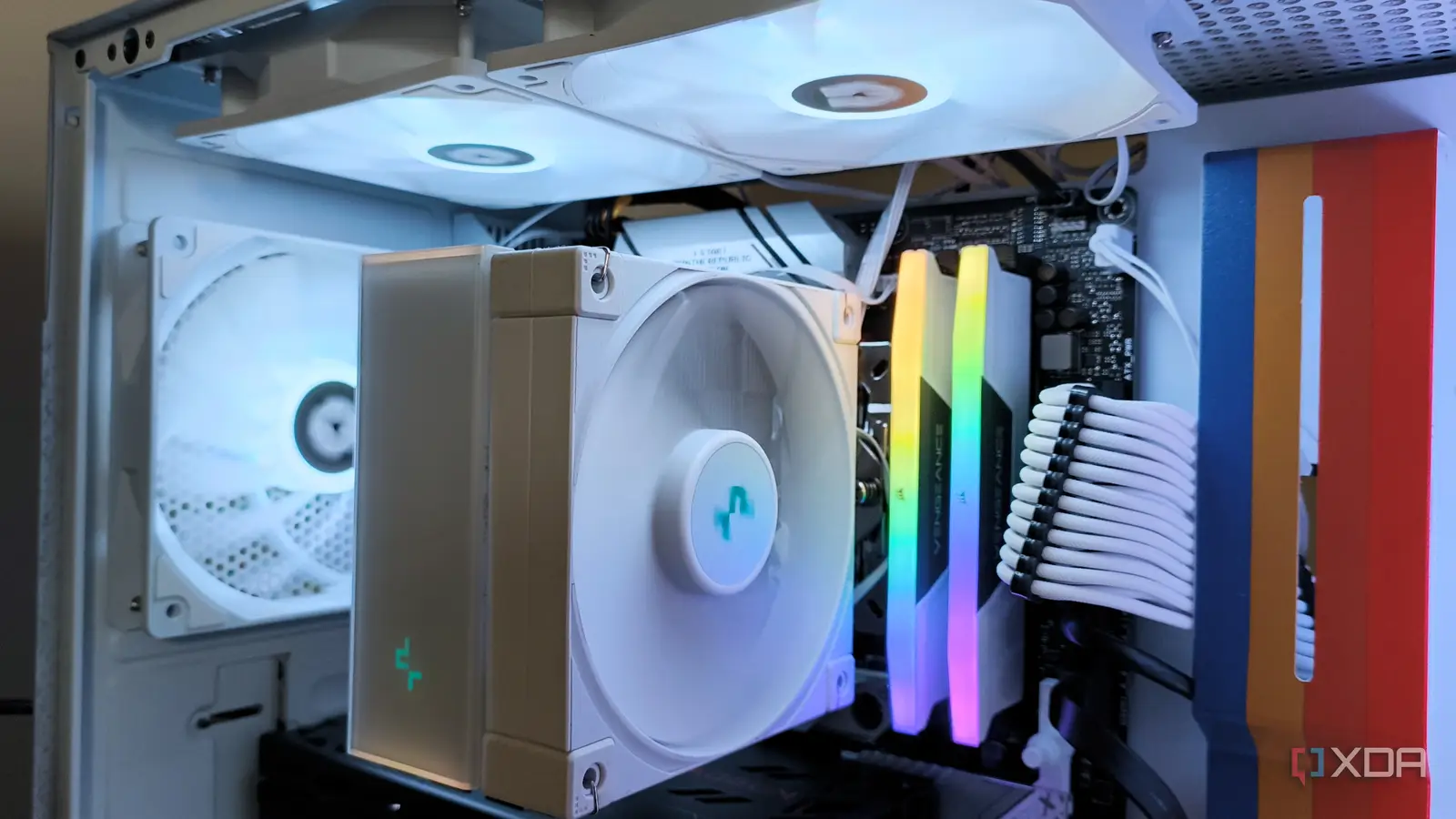
The Best PC Fans pick is the Corsair RS120 ARGB because it combines up to 72.8 CFM airflow, useful static pressure, AirGuide vanes, PWM control, and tidy daisy-chain wiring. It suits a visible case, a radiator installation, or a builder who wants one kit that can move between roles.
For a quieter and more restrained system, choose the Noctua NF-P12 redux. The Corsair RS120 is the better alternative when radiator pressure matters and lighting does not. Builders filling a larger case should choose the Thermalright TL-C12C-S X5, while the AsiaHorse COSMIQ is the standout for reverse-flow presentation.
If you are undecided, check the motherboard headers and the case mounting positions first, then buy the fan whose airflow type matches the restriction in front of it.
As an Amazon Associate we earn from qualifying purchases.