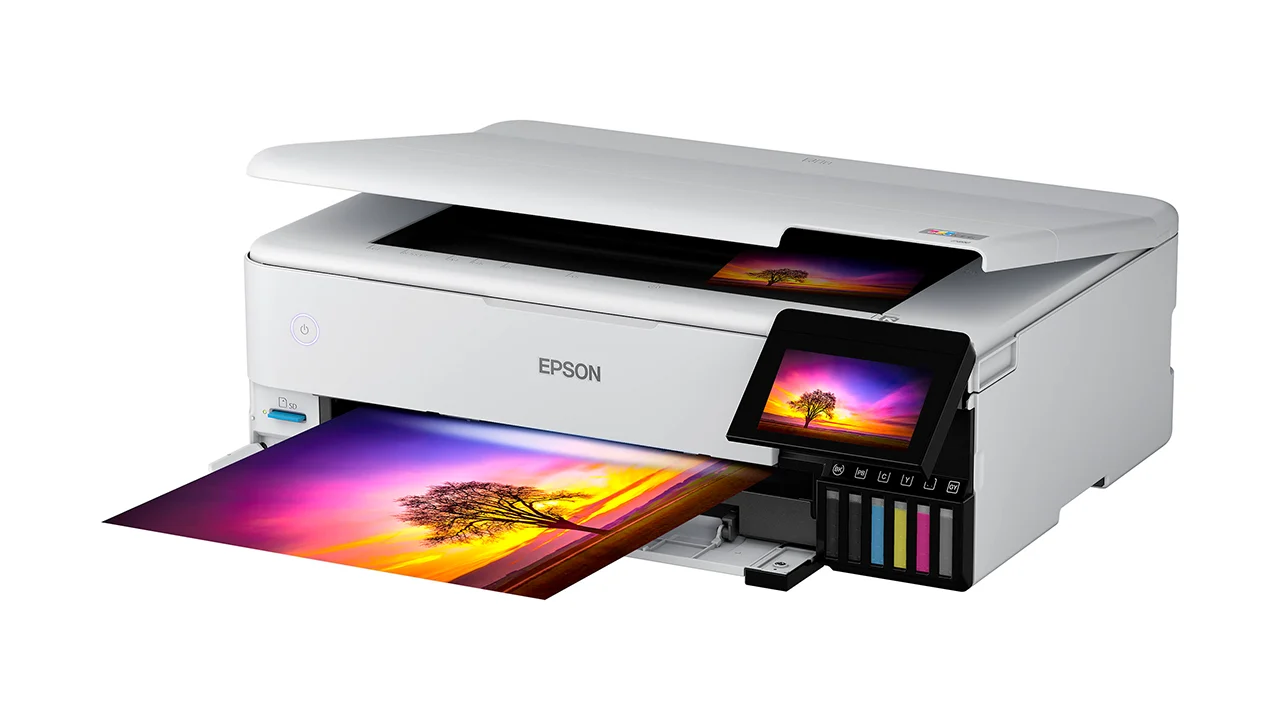

A photo printer has to do more than put color on paper. It needs to preserve skin tones, hold detail in shadows, handle the paper size you actually use, and avoid turning every print into a maintenance project. The right choice changes dramatically between a photographer making exhibition-size work and a family printing 4x6 snapshots from a phone.
Our Best photo printer for photographers picks range from compact dye-sublimation machines to wide-format inkjets with dedicated photo ink systems. The Canon imagePROGRAF PRO-310 is the strongest choice for photographers who care most about durable, gallery-style prints, while the Epson ET-8550 is the more flexible option for mixed photo and creative work.
Comparison
| # | Product | Award | Print system | Maximum stated size | Wireless or mobile features | Best for |
|---|---|---|---|---|---|---|
| 1 | Canon PRO-310 | Best for gallery prints | 9-color pigment ink with Chroma Optimizer | 13-inch class | Wireless, 3.0-inch color LCD | Photographers who want long-lasting fine-art output |
| 2 | Epson ET-8550 | Best wide-format all-rounder | Six-color Claria ET Premium ink tank | Wide-format | Wireless | Large photo prints and creative projects |
| 3 | Canon PIXMA PRO-200S | Best dye-ink enthusiast printer | 8-color dye ink | 13 by 19 inches | Wireless, 3.0-inch color LCD | Vivid color prints at larger sizes |
| 4 | Canon Selphy CP1500 | Best compact dye-sub printer | Dye sublimation | 4x6 photos | Wireless | Albums, events, and portable printing |
| 5 | Liene M100 | Best simple 4x6 printer | Thermal dye sublimation | 4x6 inches | Built-in Wi-Fi hotspot, app | Phone photos and shared home printing |
| 6 | HP Envy Photo 7975 | Best multifunction home printer | Color inkjet | Borderless photo printing | Wireless, mobile printing | Homes that also need scanning and copying |
| 7 | Liene Amber M110 | Best for mixed small formats | Thermal dye sublimation | 4x6 and 3x3 inches | Bluetooth, app | Stickers, small prints, and travel |
| 8 | KODAK Dock Plus | Best phone docking printer | 4PASS dye sublimation | 4x6 inches | Bluetooth, smartphone dock | Straightforward desktop snapshots |
1. Canon PRO-310: Best for Gallery Prints

Pros
- Nine-color pigment-based ink system
- Chroma Optimizer improves gloss uniformity
- Matte black ink supports dense dark areas
- Anti-clogging system and skew correction
- Wireless operation and color LCD
Cons
- Large 31.6-pound desktop footprint
- More printer than casual 4x6 users need
- The supplied data does not state a maximum paper size
Best for: photographers making archival-looking prints and demanding strong black reproduction.
The Canon PRO-310 is the serious photographic printer in this group. It is a substantial desktop machine, not something to slide onto a narrow shelf after each session, but its purpose is clear. The LUCIA PRO II system uses nine pigment-based colors plus Chroma Optimizer, a combination aimed at gallery-quality output, improved gloss uniformity, and better scratch resistance.
The ink design matters most when a print contains difficult dark areas or a mixture of matte and glossy surfaces. Canon specifically calls out matte black ink for enhanced black density and wider reproduction of dark areas. That gives the PRO-310 a more convincing reason to exist than simply adding another color tank. It is the pick for photographers who spend time refining black-and-white images, portraits with deep clothing tones, or landscapes with layered shadows.
A 3.0-inch color LCD keeps ink levels, printer status, and settings visible from the front. Wireless connectivity makes it easier to place the printer where the large chassis fits, and the anti-clogging system is a welcome feature for owners who may print in bursts rather than every day. Skew correction also helps reduce the small alignment frustrations that become especially annoying with larger sheets.
The Epson ET-8550 is a more versatile alternative for photographers who also print documents and creative projects. The Canon PIXMA PRO-200S is the livelier dye-ink rival, with a stated borderless range from 3.5 by 3.5 inches to 13 by 19 inches. The PRO-310 makes more sense when longevity, dark tonal range, and surface consistency matter more than quick casual output.
Its weakness is physical and practical. At 28.7 inches long, 18.6 inches wide, 14.04 inches high, and 31.6 pounds, it demands a dedicated workspace. The product details supplied here do not state a maximum paper size, so buyers should confirm that their preferred media is supported before ordering. Skip it if you mainly print phone snapshots. Keep it in contention if your photographs deserve a printer built around exhibition-style output.
2. Epson ET-8550: Best Wide-Format All-Rounder

Pros
- Six-color Claria ET Premium ink system
- Cartridge-free ink tank design
- Scanner and copier built in
- Ink bottles need less frequent replacement than cartridges
- Wireless printing
Cons
- Very large 24.5-pound body
- Ink tank workflow is less compact than dye-sub printing
- The supplied data does not state its exact maximum photo dimensions
Best for: photographers who want wide-format photos plus scanning, copying, and creative project support.
The Epson ET-8550 is the most adaptable printer here. It combines photo printing with scanning and copying, but the important distinction is its six-color Claria ET Premium ink system and wide-format design. That makes it a better fit for a photographer who prints large images, artwork, contact sheets, and documents from the same desk.
Epson uses an ink tank rather than conventional cartridges. The supplied information says the printer can produce up to 6, 200 color pages and includes enough ink for up to two years of printing, though real photo workloads will vary. The useful point is not the headline estimate. It is that the tank system is designed around longer intervals between ink replacements, which suits photographers who dislike stopping in the middle of a project to change small cartridges.
The ET-8550 also has a practical advantage over the Canon PRO-310 and PIXMA PRO-200S: it is an all-in-one. A photographer can scan an old print, copy a document, or produce creative projects without adding another machine. That flexibility is why it earns the wide-format all-rounder award, even though the Canon PRO-310 has a more specialized pigment system for gallery work.
The body is imposing. It measures 29.8 inches long, 20.6 inches wide, and 16.9 inches high, with a listed weight of 24.5 pounds. This is not a portable printer and should not be treated like one. Before choosing it, make sure the desk has room for the printer and the paper path around it.
The ET-8550's main weakness is that its broad skill set can be less important to a photographer who only wants the deepest blacks and the most durable finished prints. The PRO-310 is the more focused tool, while the PIXMA PRO-200S offers an eight-color dye system and clearly stated output up to 13 by 19 inches. Choose the Epson when one printer must cover photography, scanning, copying, and wide creative work.
3. Canon PIXMA PRO-200S: Best Dye-Ink Enthusiast Printer

Pros
- Eight-color dye-based ink system
- Borderless printing from 3.5 by 3.5 inches to 13 by 19 inches
- Wireless connectivity
- 3.0-inch color LCD
- Fast stated 8 by 10 and A3+ print times
Cons
- 32-pound footprint needs dedicated desk space
- Dye ink is a different longevity choice from the PRO-310's pigment ink
- No scanning or copying functions are listed
Best for: photographers who want vivid, wide-format color prints and a dedicated photo printer.
The Canon PIXMA PRO-200S is built for photographers who want a dedicated photo printer without moving to the PRO-310's pigment-focused approach. Its eight-color dye-based ink system is designed for vibrant output, and its stated borderless range starts at 3.5 by 3.5 inches and extends to 13 by 19 inches. That range gives it room for small creative prints as well as large wall-ready work.
The speed claims are unusually concrete. Canon lists a bordered 8 by 10 print at 53 seconds and a bordered A3+ print at 90 seconds. Those figures do not tell us everything about image complexity or print settings, but they do show that this is intended for photographers who want to produce a run of finished images without waiting indefinitely between sheets.
A 3.0-inch color LCD provides a convenient way to check ink levels, printer status, and settings. Wireless connectivity keeps the printer usable from a workstation without requiring a direct cable connection. The machine is still large, measuring 28.7 inches long, 18.6 inches wide, and 14.04 inches high, and its 32-pound weight puts it alongside the PRO-310 as a dedicated piece of studio equipment.
Compared with the Epson ET-8550, the PIXMA PRO-200S gives up the scanner, copier, and tank design in favor of a more explicitly photo-first setup. Compared with the PRO-310, it uses dye rather than pigment ink. That makes the choice less about a simple feature hierarchy and more about the type of print you want. The PRO-310 is the safer direction for photographers prioritizing pigment longevity and dark-area reproduction. The PRO-200S is compelling for vivid color and broad borderless sizes.
The weakness is the commitment involved. This is too much printer for someone who mostly wants snapshots, and the supplied product information does not list multifunction features. Photographers who need documents scanned at the same desk should look at the Epson ET-8550 or HP Envy Photo 7975. For a dedicated wide-format color workflow, the PIXMA PRO-200S is the sharper fit.
4. Canon Selphy CP1500: Best Compact Dye-Sub Printer

Pros
- Compact wireless dye-sublimation design
- 4x6 output
- Water-resistant and fingerprint-resistant prints
- Includes paper and three color ink cartridges
- Works with smartphones, tablets, and computers
Cons
- Limited to the 4x6 format described here
- Bundle includes a cleaning cloth that does not expand printing capability
- Less suitable for large exhibition prints
Best for: photographers who want dependable small prints for albums, events, and travel.
The Canon Selphy CP1500 is the easy recommendation for photographers who have no need for large-format work. It uses dye-sublimation printing to make 4x6 photos with a finish described as water-resistant, fingerprint-resistant, and long-lasting. That is a useful combination for albums, journals, family events, and prints that will be handled often.
The bundle pairs the printer with KP-108 paper, three full-size color ink cartridges, and a Tudak microfiber cleaning cloth. Pre-matched paper and ink reduce the chance of choosing incompatible supplies, which makes the CP1500 especially approachable for occasional users. Wireless printing from a smartphone, tablet, or computer keeps it useful beyond a single phone.
The Selphy is a better portable-style companion than the large Canon PRO-200S or PRO-310. It can sit on a desk, shelf, or travel surface without taking over the workspace. It also avoids the more involved inkjet workflow that comes with maintaining a wide-format photo printer. For a photographer who wants a physical print while traveling or at an event, that simplicity counts.
Its limitation is equally clear. The CP1500 is a 4x6 specialist in this bundle, so it cannot replace a 13-inch printer for portfolio pieces or large wall prints. The Liene M100 offers a similar 4x6 focus with a built-in Wi-Fi hotspot and app editing, while the KODAK Dock Plus adds a smartphone docking station. The Selphy stands out through its complete wireless dye-sub kit and straightforward supply pairing.
Choose it when small finished prints are the goal. Skip it if your camera work is intended for large presentation prints, where the Epson ET-8550, Canon PIXMA PRO-200S, or Canon PRO-310 is a better match.
5. Liene M100: Best Simple 4x6 Printer

Pros
- Thermal dye-sublimation printing
- Laminated prints resist water, scratches, fingerprints, and fading
- Built-in Wi-Fi hotspot
- Supports up to five simultaneous connections
- App includes filters, borders, and image adjustments
Cons
- Limited to 4x6 output
- Requires the cartridge to click fully into place
- Print-head cleaning may be needed if smudges appear
Best for: families and photographers who mainly print phone images in the standard 4x6 format.
The Liene M100 is a compact 4x6 printer designed to make phone printing feel less like a computer task. Its built-in hotspot lets a phone connect directly to the printer without relying on another network, and the Liene app handles simple adjustments such as borders, filters, contrast, and brightness.
Its thermal dye-sublimation process lays color into the paper and finishes the print with a laminated surface. The supplied features describe that surface as resistant to water, scratches, fingerprints, and fading. For family albums or prints passed around at a gathering, that protection is more useful than a long list of advanced settings.
The M100 supports up to five simultaneous connections, which gives it a social advantage over a printer intended for one workstation. It also comes with 100 sheets of 4x6 paper and three color cartridges. The bundled supplies make the printer ready for a substantial first batch of prints, although the format remains fixed at 4x6.
The Liene Amber M110 is the more interesting option if you want 3x3 sticker paper as well as 4x6 sheets. The KODAK Dock Plus is another easy alternative, particularly for users who prefer placing a phone directly onto a dock. The M100's built-in hotspot is the reason to choose it over both: it is better suited to several phones sharing one printer.
There are small ownership details to respect. Liene says the cartridge must click into place before printing, and the print head should be cleaned promptly if smudges appear. The M100 is not a replacement for the Epson ET-8550 or Canon PRO-310 when the source files deserve large, carefully controlled output. It is the right choice for a photographer who wants quick, protected 4x6 memories from mobile images.
For photographers also considering document handling, a printer that can manage family photos and everyday paperwork may be a better fit than a dedicated snapshot machine.
6. HP Envy Photo 7975: Best Multifunction Home Printer

Pros
- Print, scan, and copy functions
- Automatic two-sided printing
- Separate photo tray and automatic document feeder
- Wireless and mobile printing
- Large color touchscreen
Cons
- Less specialized for fine-art output than the Canon PRO-310
- The supplied data does not state an ink color count
- Larger than a dedicated portable photo printer
Best for: households where photo printing shares space with documents, scans, and copies.
The HP Envy Photo 7975 is the practical home-office choice in this group. It is not built as a fine-art machine, but it covers the tasks that often surround photography: printing images, scanning old documents, copying paperwork, and handling everyday color output. A separate photo tray keeps photo media from being an afterthought.
Its feature set is broad. Automatic two-sided printing reduces manual page handling, the automatic document feeder helps with multipage jobs, and a large color touchscreen makes the printer easier to operate from the machine itself. Wireless and mobile printing also mean a photographer can send a finished image from a phone or computer without moving the printer next to the workstation.
HP lists speeds up to 10 color pages per minute and 15 black pages per minute. Those figures concern document printing rather than photographic output, but they show where the Envy's priorities lie. It is designed to move between family photos, schoolwork, office documents, and creative projects rather than spend its entire life making carefully managed portfolio prints.
That distinction puts it below the Epson ET-8550 for photographers who need wide-format output and below both Canon professional models for dedicated photo work. It is more capable than the Liene M100, Canon Selphy CP1500, and KODAK Dock Plus when scanning and copying matter. Readers comparing it with other household machines may also want to consider how a shared printer handles photos, documents, and routine home tasks.
The HP's weakness is specialization. The supplied details do not state an ink color count, maximum photo size, or a professional ink system, so it cannot be judged as a direct rival to the PRO-310. It also measures 18.11 inches wide, 15.08 inches long, and 9.17 inches high, making it a substantial home printer rather than a travel accessory. Choose it when photography is one of several jobs, not the only job.
7. Liene Amber M110: Best for Mixed Small Formats

Pros
- Handles both 4x6 and 3x3 paper
- Dual paper tray
- Thermal dye-sublimation printing
- Bluetooth pairing in about 13 seconds
- App offers borders, filters, and image adjustments
Cons
- Small formats are not suitable for large photo presentation
- Bluetooth is less direct than the M100's built-in hotspot
- Supplied dimensions are unusually compact and should be checked before setup
Best for: photographers who want standard snapshots and small square stickers from one portable printer.
The Amber M110 earns its place by doing something the other compact printers do not. Its dual tray supports both 4x6 photo paper and 3x3 sticky-backed paper, so one printer can make conventional snapshots and small square stickers without committing to a single media type.
Bluetooth pairing is described as taking about 13 seconds, and the printer works through the Liene app. The app can add a Polaroid-style border, apply filters, adjust contrast and brightness, and prepare images for 4x6 or 3x3 output. That makes the M110 more of a small creative station than a basic one-button printer.
The thermal dye-sublimation process produces laminated prints described as resistant to water, scratches, fingerprints, and fading. The supplied bundle includes 60 sheets of 4x6 paper, 20 sheets of 3x3 sticker paper, and two cartridges. Those formats are useful for journals, scrapbooks, labels, and casual sharing, but they do not serve the same purpose as a large print from the Canon PIXMA PRO-200S.
Compared with the Liene M100, the M110 adds format flexibility but uses Bluetooth rather than the M100's built-in Wi-Fi hotspot. The Canon Selphy CP1500 is the cleaner choice for a focused 4x6 workflow, while the KODAK Dock Plus is appealing to anyone who wants to dock a smartphone. Choose the M110 when the square sticker tray is the feature you will actually use.
The supplied product dimensions are listed as about 3.18 inches long, 1.37 inches wide, and 2.12 inches high, with a listed weight of 2.87 pounds. Those measurements are unusually compact for a paper-handling printer, so buyers should verify the physical setup requirements before placing it in a travel bag or on a crowded desk. It is a niche pick, but a useful one for small-format creativity.
8. KODAK Dock Plus: Best Phone Docking Printer

Pros
- Integrated smartphone docking station
- 4PASS dye-sublimation printing
- Prints in about 55 seconds according to the supplied feature
- Laminated output resists fingerprints, water, and fading
- Bluetooth app supports cropping and customization
Cons
- Designed around 4x6 prints
- Requires a power outlet for desktop use
- Docking is less flexible than a printer intended mainly for wireless sharing
Best for: first-time users who want a simple phone-to-4x6 workflow.
The KODAK Dock Plus makes the physical act of printing unusually clear. Place a compatible smartphone on the integrated docking station, connect through the KODAK Photo Printer app, and print a 4x6 image. The dock can charge the phone during printing, which makes the setup feel more like a small home photo station than a generic wireless peripheral.
Its 4PASS dye-sublimation system builds the image in three color layers and adds a clear protective lamination layer. The supplied feature says a print takes approximately 55 seconds and is designed to resist fingerprints, water, and fading. Those characteristics suit photo albums, framed snapshots, and event tables where people will handle prints immediately.
Bluetooth pairing and the app cover the essentials, including cropping and other customization. The printer is intended for stable desktop use and connects to a power outlet, so it is portable in the sense of being compact rather than battery-powered. The Liene M100 is a better fit for several phones connecting to a direct hotspot, while the Canon Selphy CP1500 is the more flexible compact dye-sub alternative for smartphones, tablets, and computers.
The KODAK's main limitation is its narrow format and fixed desktop role. It is not for photographers who need large prints, archival pigment ink, or a scanner. The Epson ET-8550, Canon PIXMA PRO-200S, and Canon PRO-310 all serve much more demanding output workflows.
Choose the Dock Plus when ease matters more than advanced control. Its docking station gives a family or first-time user an obvious starting point, and the laminated 4x6 output is ready for an album or frame. If your camera work is meant for serious presentation, move up to one of the wide-format Canon or Epson models.
How to choose best photo printer for photographers
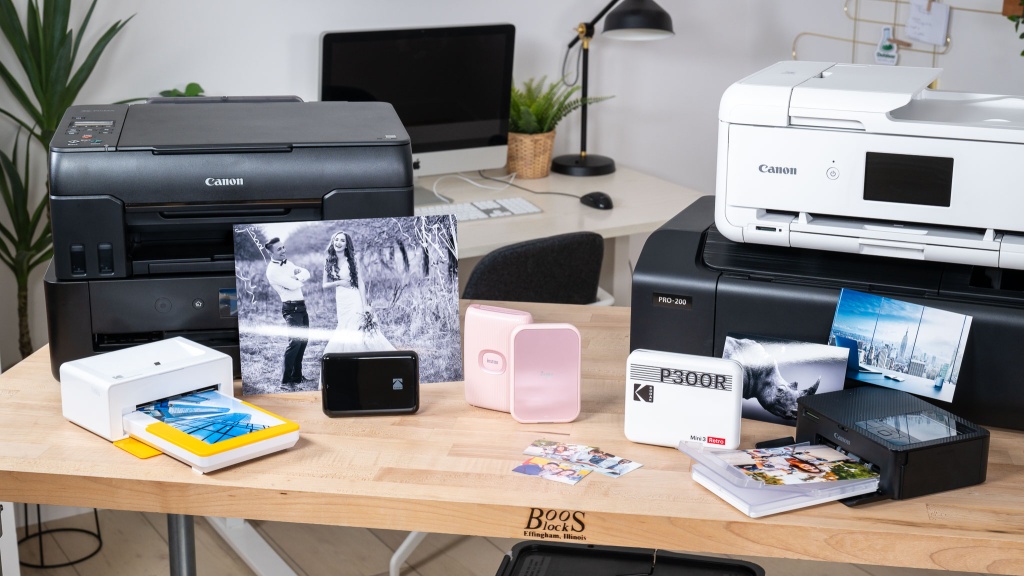
The right printer depends on the size, durability, and editing workflow behind your images. Start with the print system, then consider paper handling, connection methods, workspace, and whether the machine must do more than print photos.
Ink technology
Dye-sublimation printers such as the Canon Selphy CP1500, Liene M100, Liene Amber M110, and KODAK Dock Plus are built around small finished prints with laminated surfaces. They are convenient for albums and events. Inkjet models offer a wider path into large photographic work, with the Canon PRO-310 using pigment-based ink and the PIXMA PRO-200S using dye-based ink.
Pigment ink is the more relevant feature when print longevity and dark-area reproduction are central. Dye ink can be a strong fit for vivid color and broad photo output, but buyers should distinguish the Canon PRO-200S from the pigment-based PRO-310 rather than treating both as interchangeable.
Print size
A 4x6 printer is convenient, but it cannot make a portfolio print. The Canon PIXMA PRO-200S explicitly supports borderless sizes from 3.5 by 3.5 inches to 13 by 19 inches. The Epson ET-8550 is also a wide-format machine, while the compact Liene, KODAK, and Selphy models focus on smaller output.
Choose the largest format you will genuinely display, not the largest format that sounds impressive.
Color system
More ink colors do not automatically guarantee a better photograph, but the system tells you how specialized the printer is. The ET-8550 uses six-color Claria ET Premium ink, the PIXMA PRO-200S uses eight-color dye ink, and the PRO-310 uses nine-color pigment ink with Chroma Optimizer. Canon also highlights matte black ink on the PRO-310 for denser dark areas.
For phone snapshots, a compact dye-sub printer may be the more sensible design. For carefully edited camera files, the dedicated color systems in the larger Canon and Epson models provide more room for tonal and color control.
Paper handling
Paper compatibility affects the entire workflow. The Liene Amber M110 is unusual here because its dual tray accepts both 4x6 and 3x3 sticker paper. The Liene M100 focuses on 4x6 paper, while the Selphy CP1500 bundle pairs its printer with matching KP-108 media.
Wide-format printers need more physical clearance around the paper path and a permanent workspace. Check the supported media before buying, especially when your work depends on a particular finish or size not stated in the product details.
Connectivity and controls
Wireless printing is useful when the printer sits away from the editing computer. The PRO-310, PIXMA PRO-200S, ET-8550, and Selphy CP1500 all include wireless features. The M100 creates its own Wi-Fi hotspot, the M110 uses Bluetooth, and the KODAK Dock Plus combines Bluetooth with a physical phone dock.
A screen can also simplify setup. The two professional Canon printers include 3.0-inch color LCD monitors for checking status and ink levels. The HP Envy Photo 7975 uses a large color touchscreen and adds mobile printing, scanning, copying, and an automatic document feeder.
Frequently asked questions
What is the best photo printer for photographers making large prints?
The Canon PRO-310 is the strongest fit for photographers who prioritize pigment-based output, dark-area reproduction, and print durability features. The Epson ET-8550 and Canon PIXMA PRO-200S are better choices when wide-format versatility and color output are more important than the PRO-310's specialized pigment system.
Are dye-sublimation printers good for professional photography?
They are good for small finished photographs, albums, events, and prints that need a protective laminated surface. The Canon Selphy CP1500, Liene M100, Liene Amber M110, and KODAK Dock Plus are not substitutes for a wide-format printer when you need large presentation prints.
Is the Epson ET-8550 suitable for more than photographs?
Yes. It is an all-in-one printer with scanning and copying functions, and its ink tank design is intended to reduce how often ink needs replacing. It is a strong fit for a photographer whose desk also handles documents and creative projects.
What is the difference between the Canon PRO-310 and PIXMA PRO-200S?
The PRO-310 uses a nine-color pigment-based ink system with Chroma Optimizer and highlights matte black ink for dark-area reproduction. The PIXMA PRO-200S uses an eight-color dye-based system and explicitly supports borderless printing from 3.5 by 3.5 inches to 13 by 19 inches.
Which compact printer supports square sticker paper?
The Liene Amber M110 supports both 4x6 paper and 3x3 sticky-backed paper through its dual tray. Its app also provides borders, filters, contrast adjustments, and brightness controls.
Can these printers print directly from a phone?
Yes, though the connection differs. The Liene M100 uses a built-in Wi-Fi hotspot, the Liene Amber M110 and KODAK Dock Plus use Bluetooth, and the Canon Selphy CP1500 supports wireless printing from smartphones and tablets. The HP Envy Photo 7975 also supports mobile and wireless printing.
Do photographers need a multifunction printer?
Not always. A dedicated model such as the Canon PRO-310 or PIXMA PRO-200S is more appropriate when photo output is the main purpose, while the Epson ET-8550 and HP Envy Photo 7975 make more sense when scanning, copying, and document printing are part of the same workflow. For help with document-heavy setups, consider the features that matter when scanning paperwork at home.
The bottom line
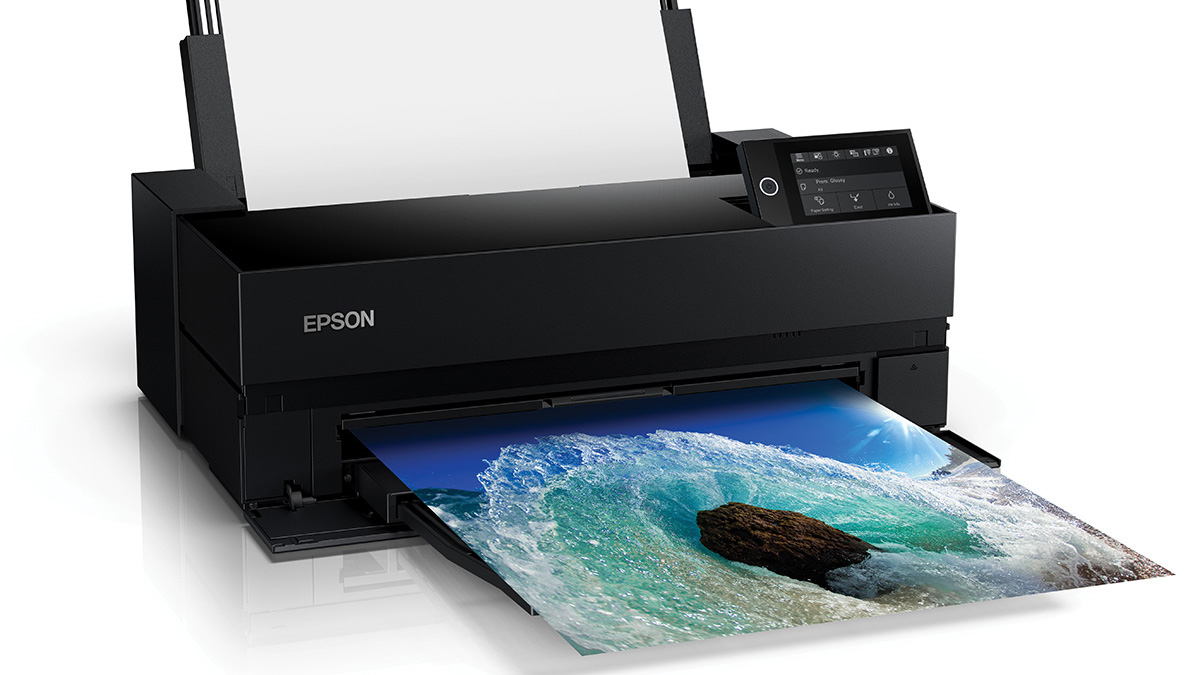
The Canon PRO-310 is the Best photo printer for photographers who want a dedicated machine built around durable pigment output, strong dark areas, and a nine-color system with Chroma Optimizer. The Epson ET-8550 is the better all-rounder for photographers who need wide-format printing alongside scanning, copying, and creative projects.
For small prints, the Canon Selphy CP1500 is the easiest compact choice, while the Liene M100 is a smart fit for several phones sharing a 4x6 printer. The Liene Amber M110 earns consideration when 3x3 stickers matter, and the HP Envy Photo 7975 is the sensible household option when photos share the desk with documents.
If you are undecided, choose the Canon PRO-310 for serious photographic output, the Epson ET-8550 for mixed creative work, or the Selphy CP1500 for simple 4x6 prints.
As an Amazon Associate we earn from qualifying purchases.