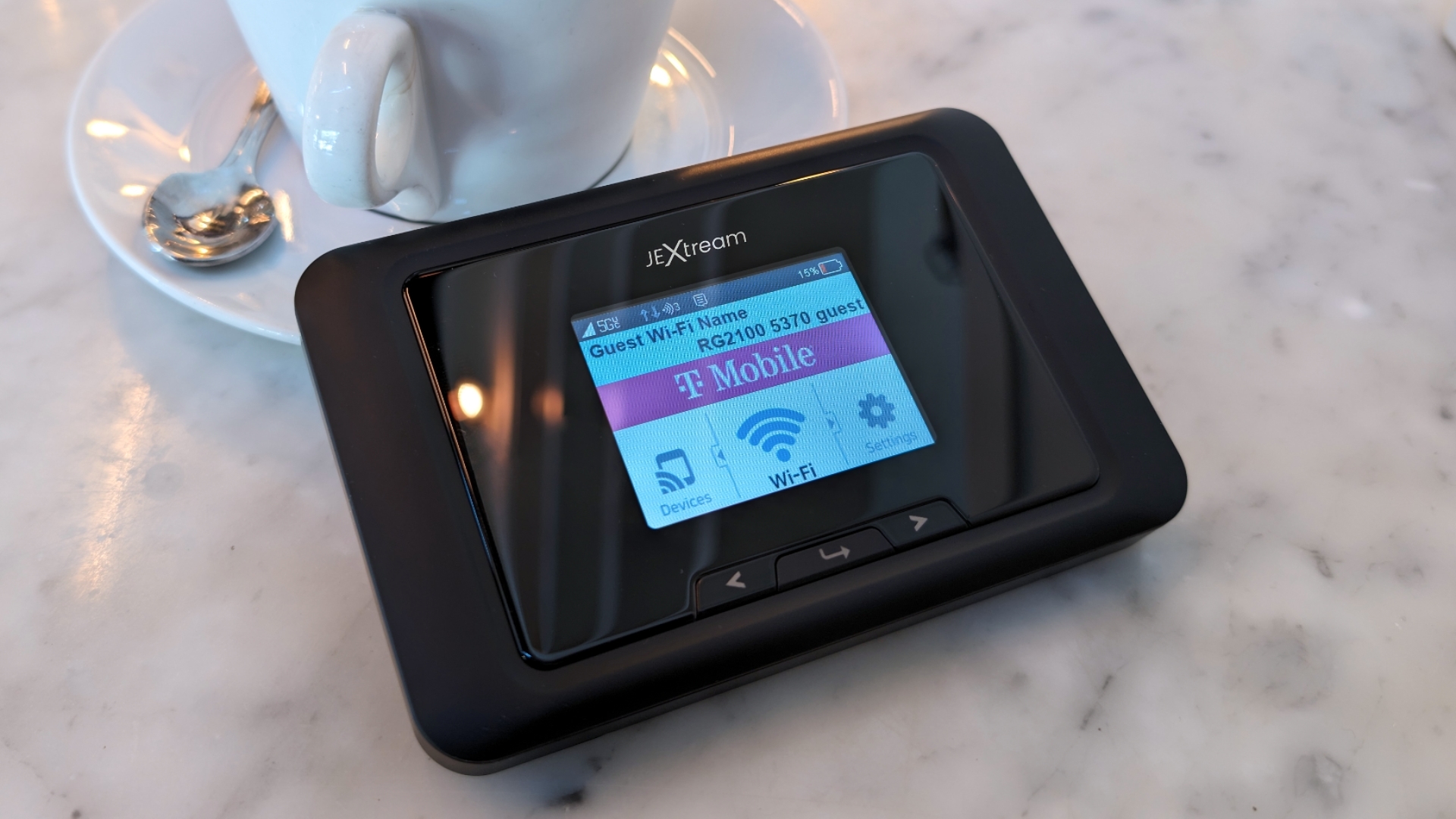

Hotel Wi-Fi is often fast enough for one laptop and awkward for everything else. A travel router fixes that by turning a single hotel, airport, or phone connection into a private network for your laptop, tablet, streaming stick, and work gear. Cellular hotspots solve a different problem by bringing the internet with you when there is no usable Wi-Fi.
The Best portable wifi picks here range from simple dual-band travel routers to unlocked 5G hotspots with built-in data options. Some prioritize VPN control and OpenWrt customization, while others are designed to be switched on and used immediately.
TP-Link Roam 6 AX1500 is the best pick for most travelers, with the GL.iNet Beryl AX close behind for anyone who wants deeper VPN and network control. The rest cover Wi-Fi 7 performance, touchscreen management, global cellular access, and compact backup connectivity.
Comparison table
| # | Product | Award | Wireless capability | Wired or cellular connection | Best for |
|---|---|---|---|---|---|
| 1 | TP-Link Roam 6 AX1500 | Best overall | Wi-Fi 6, up to 1, 201 Mbps at 5 GHz and 300 Mbps at 2.4 GHz | 1 Gbps WAN/LAN and 1 Gbps LAN | Most hotel and public Wi-Fi setups |
| 2 | GL.iNet Beryl AX | Best for VPN control | Wi-Fi 6, up to 2, 402 Mbps at 5 GHz and 574 Mbps at 2.4 GHz | 2.5G WAN, 1G LAN, USB 3.0 | VPN users and network enthusiasts |
| 3 | TP-Link Roam 7 BE3600 | Best Wi-Fi 7 travel router | Wi-Fi 7, up to 2, 882 Mbps at 5 GHz and 688 Mbps at 2.4 GHz | 2.5 Gbps WAN and 1 Gbps LAN | Many connected devices |
| 4 | GL.iNet Slate 7 | Best touchscreen controls | Wi-Fi 7, up to 2, 882 Mbps at 5 GHz and 688 Mbps at 2.4 GHz | Two 2.5G Ethernet ports and USB 3.0 | Hands-on network management |
| 5 | Netgear Nighthawk M7 | Best 5G hotspot | Wi-Fi 7, up to 3.6 Gbps | 5G or 4G LTE, eSIM or SIM | Cellular travel connectivity |
| 6 | TP-Link Roam 6 | Best simple travel router | Wi-Fi 6, up to 1, 201 Mbps at 5 GHz and 300 Mbps at 2.4 GHz | USB tethering and Ethernet | Straightforward public Wi-Fi sharing |
| 7 | GlocalMe Numen Air | Best global 5G hotspot | Dual-band 2.4 GHz and 5 GHz | CloudSIM or unlocked SIM slot | International travel |
| 8 | RoamWiFi Mobile Hotspot | Best no-setup hotspot | Automatic carrier selection | Built-in data service, no SIM required | Quick regional connectivity |
| 9 | TP-Link AC750 Nano Router | Best compact backup | Dual-band AC750 | Ethernet, Micro USB, USB 2.0 | Basic travel networking |
1. TP-Link Roam 6 AX1500: Best Overall

Pros
- Creates a private network from public Wi-Fi
- Wi-Fi 6 performance suits several everyday devices
- Supports OpenVPN and WireGuard
- Can run from a USB-C power bank
- One-step captive portal authentication
Cons
- Does not support OpenWrt
- Requires an external internet source
- Wired ports top out at 1 Gbps
Best for: travelers who want a capable private network from hotel or public Wi-Fi without cellular service.
The TP-Link Roam 6 AX1500 is the travel router we would pack first because it handles the common hotel-room problem without asking you to become a network administrator. Connect it to public Wi-Fi, Ethernet, or a phone over USB tethering, then let your devices join one private network. That means fewer repeated captive-portal logins and a much cleaner setup for a laptop, tablet, phone, and streaming device.
Its dual-band Wi-Fi 6 hardware is rated for up to 1, 201 Mbps on 5 GHz and 300 Mbps on 2.4 GHz. Those are link-rate ceilings rather than a promise of hotel internet speed, but the split makes sense on the road. Use 5 GHz for nearby laptops and phones that need more throughput, while 2.4 GHz can help with older devices or a room where the signal has to pass through obstacles. TP-Link says it supports up to 60 devices, although a typical traveler will run out of usable hotel bandwidth first.
The two wired connections are also practical. The router has a 1 Gbps WAN/LAN port and a separate 1 Gbps LAN port, so you can feed it a wired connection and still attach one device by cable. Its USB-C port accepts the included adapter or a 5V/3A PD source such as a power bank. At 4.09 by 3.54 by 1.10 inches and 0.42 pounds, it is small enough to leave in a travel pouch without becoming another bulky charger.
Security is the reason to choose this over a basic repeater. Roam 6 supports OpenVPN and WireGuard, and its Tether App handles setup, firmware updates, and one-step public-network authentication. The weakness is just as clear: it does not support OpenWrt. The GL.iNet Beryl AX is the better pick for plug-ins, VPN cascading, and granular controls, while the newer TP-Link Roam 7 BE3600 has stronger wireless hardware. For ordinary hotel Wi-Fi, though, Roam 6 is easier to recommend because its features are focused and its modes cover router, access point, repeater, and client use.
2. GL.iNet Beryl AX: Best for VPN Control

Pros
- OpenWrt 21.02 supports extensive customization
- 2.5G WAN port gives it more wired headroom
- VPN client and server can run together
- WPA3 and encrypted DNS support
- Physical switch can control selected features
Cons
- Setup is more involved than a basic travel router
- VPN throughput is below the headline Wi-Fi rate
- Its firmware is not the newest OpenWrt release in this group
Best for: technically minded travelers who want VPN and network features beyond the usual hotel-router basics.
The GL.iNet Beryl AX is the most compelling choice when a travel router is part of a deliberate privacy and network setup rather than a device you want to forget in your bag. It still works as a compact hotel router, but its real appeal is the control underneath. OpenWrt 21.02 and a no-code interface give experienced users access to more than 5, 000 ready-made plug-ins.
Wireless performance is substantial for the size. Beryl AX combines a 2.4 GHz rate of up to 574 Mbps with up to 2, 402 Mbps on 5 GHz. The 2.5G WAN port is the standout physical connection, especially if you are using fast Ethernet in an apartment, office, or hotel rather than depending on an unpredictable public wireless link. A separate 1G LAN port and USB 3.0 add useful flexibility for wired equipment and shared storage or tethering tasks.
VPN support is more sophisticated than what you get from the TP-Link Roam 6 AX1500. OpenVPN and WireGuard are pre-installed, and GL.iNet lists maximum local-network VPN speeds of 150 Mbps for OpenVPN and 300 Mbps for WireGuard. Actual performance depends on the connection and VPN service, but those figures explain why this model suits secure remote work and multi-device travel better than a generic repeater. It can also host a VPN server and run a VPN client at the same time, a feature aimed at people who understand why they need both.
The physical toggle is a nice touch once configured, though it is not ready to do anything by default. WPA3, DNS over HTTPS, DNS over TLS, and IPv6 add a stronger security foundation. At about 4.7 by 3.2 by 1.3 inches and roughly 0.43 pounds, it remains highly portable. The tradeoff is a steeper learning curve. If you want to connect quickly and never adjust a setting, TP-Link Roam 6 is friendlier. If you want a router you can keep refining, Beryl AX is the one to choose. Travelers comparing this with a full home setup may also want to consider how wired ports change a router's usefulness on the road.
3. TP-Link Roam 7 BE3600: Best Wi-Fi 7 Travel Router

Pros
- Wi-Fi 7 wireless hardware
- Up to 90 connected devices
- 2.5 Gbps WAN port
- Supports MLO and multiple operating modes
- OpenVPN and WireGuard client and server support
Cons
- Does not support the 6 GHz band
- Does not support OpenWrt
- Its performance still depends on the source connection
Best for: families, teams, and travelers carrying many modern Wi-Fi devices.
The TP-Link Roam 7 BE3600 is the obvious step up for travelers who expect a single room network to serve a crowd. It supports up to 90 devices, which is far beyond what most hotel rooms need, but the extra capacity is useful for a family with phones, tablets, game systems, cameras, and work computers. It can take public Wi-Fi, Ethernet, or USB phone tethering and distribute that connection through one private network.
The BE3600 rating combines up to 2, 882 Mbps on 5 GHz and 688 Mbps on 2.4 GHz. This is a dual-band Wi-Fi 7 router, not a tri-band model, and the product specifically does not support the 6 GHz band. That matters if you are buying Wi-Fi 7 for the newest band, but it does not erase the benefit of the newer wireless platform. Multi-Link Operation can combine frequency bands to improve throughput, latency, and connection stability when compatible devices and network conditions allow it.
Its wired layout is unusually useful in a portable chassis. A 2.5 Gbps WAN port can accept a fast wired source, while a separate 1 Gbps LAN port gives you a cable connection for a console, work computer, or other device. USB-C power means a suitable power bank can handle travel duty. The router is 4.96 by 3.68 by 1.5 inches and weighs 0.55 pounds, so it is still portable, although it takes more room than the Roam 6 AX1500.
The catch is that the extra wireless capability cannot make a slow hotel connection fast. The router also lacks OpenWrt, so the GL.iNet Beryl AX remains more attractive for custom firmware and advanced VPN work. Roam 7 instead wins for modern device density and its 2.5G WAN port. It supports OpenVPN, WireGuard, PPTP, and L2TP, plus router, hotspot, access point, repeater, and client modes. Choose it when several people need one private network, not simply because the Wi-Fi 7 label sounds newer.
4. GL.iNet Slate 7: Best Touchscreen Controls

Pros
- Touchscreen provides live network controls
- OpenWrt 23.05 firmware
- Two 2.5G Ethernet ports
- WireGuard and OpenVPN client and server support
- Can switch between network modes from the display
Cons
- Heavier and larger than simpler travel routers
- Touchscreen adds another component to protect
- Advanced setup still takes time
Best for: travelers who want visible network status and direct control without opening a phone app.
The GL.iNet Slate 7 takes the Beryl AX idea and makes the controls much easier to see. Its touchscreen can scan QR codes for Wi-Fi, show network speed, toggle a VPN, and switch providers from the device itself. Color-coded indicators cover Ethernet, tethering, repeater, and cellular modes. That is useful in a hotel room where you want to know what the router is doing without opening a browser or searching through an app.
Its Wi-Fi 7 radio reaches up to 2, 882 Mbps on 5 GHz and 688 Mbps on 2.4 GHz. Like the Roam 7 BE3600, it is dual-band and does not provide a 6 GHz band. The wireless numbers matter most when the source network has enough capacity to use them, but the newer platform and Multi-Link style improvements make it a strong fit for newer laptops and phones.
The physical connections are a major advantage. Slate 7 has two 2.5G Ethernet ports, one WAN and one LAN, plus USB 3.0. That gives it more wired flexibility than Roam 7, whose LAN port is limited to 1 Gbps. OpenWrt 23.05 and 512MB of storage leave room for customization and plug-ins. GL.iNet also lists local-network VPN speeds of up to 100 Mbps with OpenVPN and 540 Mbps with WireGuard, while real-world results will depend on the network and configuration.
At 5.1 by 3.5 by 1.3 inches and about 0.66 pounds, Slate 7 is not the smallest option. It is also more device than a casual traveler needs. The TP-Link Roam 7 BE3600 is simpler and lighter, while the Slate 7 is the better tool for someone who wants to monitor and alter the network from the router itself. Its touchscreen is not merely decoration, but the purchase makes sense only if those controls will actually be used.
5. Netgear Nighthawk M7: Best 5G Hotspot

Pros
- 5G and 4G LTE cellular connectivity
- eSIM or physical SIM support
- Up to 32 connected devices
- Claimed battery life of up to 10 hours
- Works with compatible AT&T and T-Mobile service
Cons
- Cellular service and data activation are separate considerations
- Carrier coverage controls real-world speed
- Ethernet requires a separately sold adapter
Best for: travelers who need their own cellular connection instead of a router that depends on hotel Wi-Fi.
The Netgear Nighthawk M7 is a different kind of portable Wi-Fi product from the first four picks. It does not need a hotel network or a phone tether to get online. The M7 uses 5G or 4G LTE, with either an eSIM or physical SIM, and Netgear says its eSIM service supports data plans in more than 140 countries. In the United States, it is certified for AT&T and T-Mobile and is unlocked for compatible carrier use.
Its Wi-Fi 7 connection is rated up to 3.6 Gbps, but that figure is tied to the cellular source, signal strength, location, carrier, and connected devices. The practical advantage is independence. You can bring one hotspot into a rental car, hotel, train station, or work site and connect up to 32 devices without draining your phone. That makes it a better fit than the TP-Link routers for locations where public Wi-Fi is absent or unreliable.
The built-in 3, 850mAh battery is rated for up to 10 hours on one charge, with actual endurance changing according to signal conditions and how many devices are active. USB-C handles wired connections at speeds up to 2 Gbps and can charge other devices. Ethernet is possible through an adapter sold separately. The Netgear app handles setup, data tracking, connected-device management, and remote controls, while firewall protection, WPA3, and automatic firmware updates address the security basics.
The limitation is not the hardware alone. You need a compatible cellular plan, and the best results depend on the carrier available where you are. The GlocalMe Numen Air offers broader stated international coverage and its own CloudSIM approach, while the M7 is stronger for US carrier flexibility, battery operation, and a larger connected-device count. Pick the M7 when independent 5G access is the priority. For a hotel with usable Wi-Fi, the much smaller TP-Link Roam 6 AX1500 is the more sensible type of device.
6. TP-Link Roam 6: Best Simple Travel Router

Pros
- Compact 4.09 by 3.54 by 1.10-inch design
- Supports public Wi-Fi sharing and phone tethering
- Multiple operating modes
- USB-C power from a 5V/3A PD source
- VPN support for OpenVPN and WireGuard
Cons
- Not a cellular hotspot
- Does not support OpenWrt
- Uses 1 Gbps wired connections
Best for: travelers who want a small private network with a short, uncomplicated setup process.
The TP-Link Roam 6 is the straightforward member of this list. It is not a Mi-Fi device and does not create internet service by itself. Instead, it takes an existing public Wi-Fi, Ethernet, or phone USB tether connection and shares it privately. That distinction is important because it keeps the device simple, but it also means it cannot replace the Netgear Nighthawk M7 or GlocalMe Numen Air when there is no source network.
Wireless hardware is familiar and capable. Roam 6 supports Wi-Fi 6 with up to 1, 201 Mbps on 5 GHz and 300 Mbps on 2.4 GHz. TP-Link positions it for streaming, downloads, and online gaming across multiple devices, though the available internet bandwidth will usually be the limiting factor in a hotel. Router, hotspot, access point, repeater, and client modes let it move beyond travel use into small home or office jobs.
The size is its strongest practical detail. At 4.09 by 3.54 by 1.10 inches and 0.34 pounds, it is lighter than the newer Roam 6 AX1500 listed first. It runs through USB-C with the included adapter or a 5V/3A PD source, including a power bank. The security feature set includes OpenVPN and WireGuard, and the product supports private networking on public Wi-Fi rather than simply repeating that network into the room.
The difference between this and TP-Link Roam 6 AX1500 is subtle because they share the same family and wireless class. This version is the lighter, simpler entry, while the first-place model emphasizes a broader management package and a separate 1 Gbps LAN connection in its listed configuration. Both lack OpenWrt, so GL.iNet Beryl AX remains the choice for customization. Choose this Roam 6 if a compact router for hotels, RVs, and phone tethering is all you need.
7. GlocalMe Numen Air: Best Global 5G Hotspot

Pros
- CloudSIM access without requiring a SIM card
- Supports more than 200 countries through data plans
- 2.4-inch LCD touchscreen
- Accepts an unlocked physical SIM
- Supports up to 16 devices
Cons
- Data service depends on available plans and local networks
- Larger than a basic travel router
- Cellular performance varies substantially by location
Best for: international travelers who want an integrated hotspot with network selection and on-device controls.
The GlocalMe Numen Air is built around the hassle that cellular travel usually creates: finding a compatible SIM, locating a local plan, and figuring out which network works after landing. Its CloudSIM technology selects among available operator networks, and GlocalMe says its plans cover more than 200 countries. You can buy service by day, month, region, or gigabyte rather than committing to one roaming arrangement.
The hotspot supports 5G across more than 90 commercialized 5G countries and more than 390 operator networks according to its product information. It also supports both 2.4 GHz and 5 GHz Wi-Fi, with a stated speed of up to 2.5 Gbps. That speed is dependent on the local cellular network, signal, and plan, but dual-band support gives connected devices a better chance of avoiding congestion than a single-band hotspot.
A 2.4-inch LCD touchscreen shows data use, signal strength, connected devices, and network settings. That is more useful than relying entirely on a companion app when you are moving between countries. The Numen Air can share its connection with up to 16 devices and doubles as a power bank. It also has a physical SIM slot and is unlocked for using a SIM of your choice, which gives experienced travelers an alternative to CloudSIM plans.
The stated dimensions are 152.4 by 68.6 by 15.2 millimeters, giving it a slim pocketable shape, although the product information includes an unusually small listed weight that is not useful for judging how it feels to carry. The main drawback is the service model. Hardware capability does not guarantee a strong signal or a suitable plan in every destination. Netgear Nighthawk M7 is better for US carrier compatibility and up to 32 devices, while Numen Air is the more travel-oriented choice for broad international coverage and on-device controls.
8. RoamWiFi Mobile Hotspot: Best No-Setup Hotspot

Pros
- No SIM card or contract required
- Automatic network selection
- Supports up to 10 devices
- Built-in regional and global data options
- Slim pocket-friendly design
Cons
- Requires the provider's data service
- Fewer controls than the touchscreen hotspots
- Lower device capacity than the Numen Air and Nighthawk M7
Best for: travelers who want to turn on a pocket hotspot and avoid SIM changes.
The RoamWiFi Mobile Hotspot aims for the least complicated cellular experience in this group. There is no SIM card to install and no contract to manage. Turn it on, and its network selection technology looks for an available carrier. That makes it a particularly approachable option for travelers who do not want to compare local SIM formats before every trip.
It supports up to 10 devices, including phones, tablets, laptops, and game consoles. That is enough for one person or a small travel group, although it is less generous than the 16-device limit of GlocalMe Numen Air and the 32-device capacity of Netgear Nighthawk M7. RoamWiFi says it works across more than 170 countries and offers data plans for short trips and longer stays.
The included data setup is specific rather than unlimited. The product information describes 50GB of local data across the United States, Canada, and Mexico, plus 1GB of global data, with both valid for 60 days after activation. That can be convenient for a defined trip, but buyers should pay attention to the plan terms and destination before relying on it for extended international use. The device is about 4.96 by 2.68 by 0.57 inches and weighs roughly 0.40 pounds, so it has a slim profile for a hotspot with its own battery.
RoamWiFi is less configurable than the Numen Air because it does not offer the same touchscreen information or a clearly described physical SIM alternative. That simplicity is its point. It is a better fit than a travel router when you need independent cellular access, and an easier choice than a fully managed 5G hotspot when you want automatic network selection. For people who already have a suitable local SIM, the unlocked option in Numen Air is more flexible.
9. TP-Link AC750 Nano Router: Best Compact Backup

Pros
- Very compact travel design
- Dual-band AC750 wireless
- Multiple operating modes
- Micro USB power from a charger, laptop, or battery
- Two-year warranty and 24/7 technical support
Cons
- Older Wi-Fi 5 generation
- Uses Micro USB rather than USB-C
- No cellular modem
Best for: occasional travelers who need a basic wired-to-wireless connection and repeater functions.
The TP-Link AC750 Nano Router remains useful because it does not try to be more complicated than it needs to be. This is a small wired travel router for hotel rooms, home use, and road trips. It can create a Wi-Fi network through Ethernet, operate as a hotspot or bridge, extend an existing network, work as an access point, or connect a wired client to wireless service.
Its dual-band AC750 Wi-Fi is older than the Wi-Fi 6 and Wi-Fi 7 hardware above. TP-Link describes it as suitable for HD streaming, but the actual experience depends on the source connection, distance, obstacles, and the number of devices using it. For a single laptop, tablet, or phone in a hotel room, that may be enough. For a family carrying several newer devices, the newer Roam 6 models have more headroom.
The power arrangement is also from an earlier generation. A Micro USB port lets you use an adapter, portable charger, or laptop, while the single USB 2.0 port adds limited peripheral flexibility. The unit measures 2.64 by 2.91 by 0.87 inches, though its listed weight is about 0.60 pounds, which is heavier than its dimensions suggest. A physical switch changes between its multiple modes, keeping the device approachable for occasional use.
This is not the right choice for cellular travel, advanced VPN routing, or fast multi-device networking. TP-Link Roam 6 is a better everyday travel router, and GL.iNet Beryl AX is far more capable for security customization. The AC750 Nano Router earns its place as a basic backup for someone who values a small form factor, broad operating modes, and Micro USB compatibility with an older travel kit.
How to choose best portable wifi
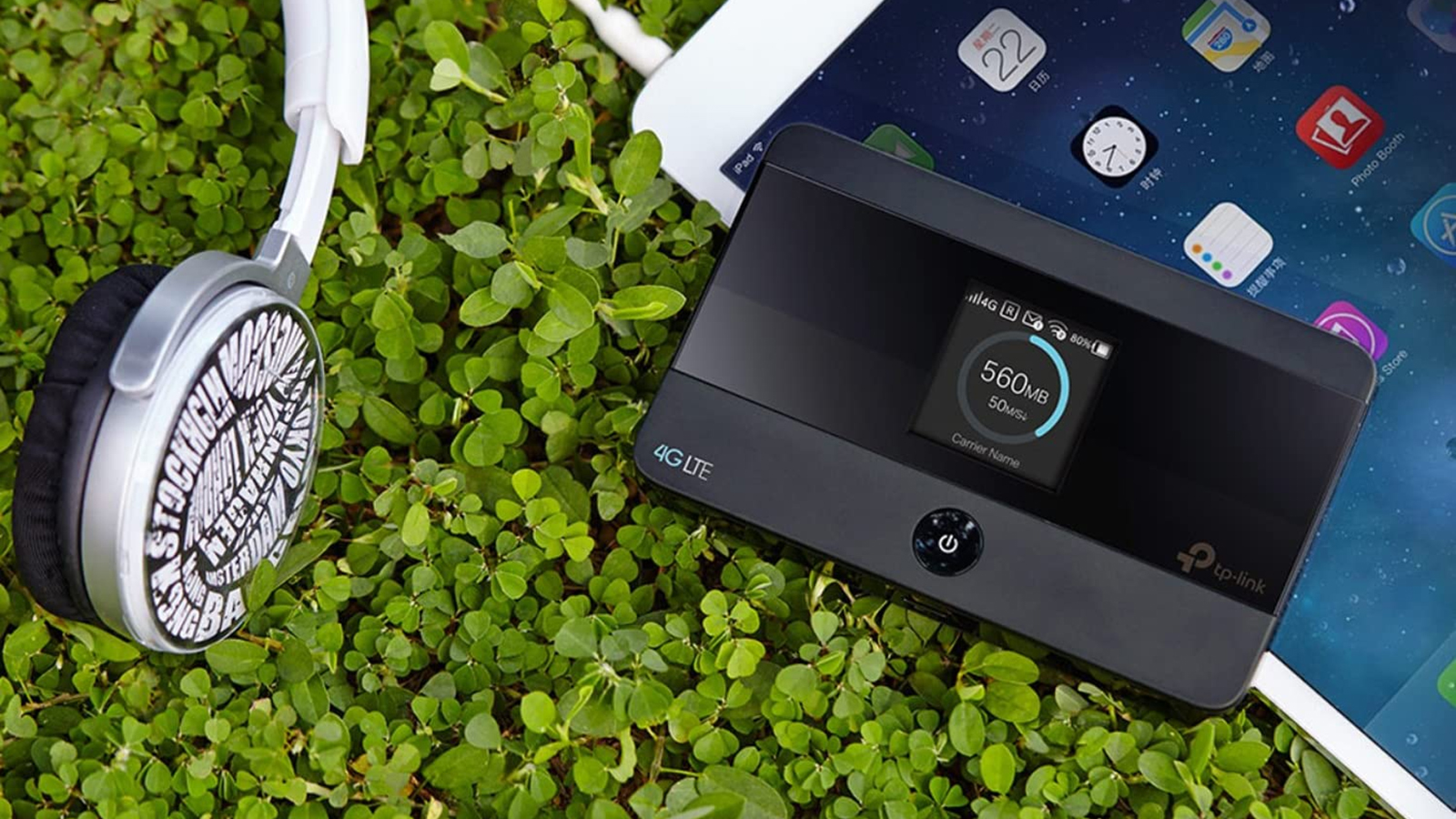
The right portable Wi-Fi device depends first on where the internet comes from, then on how much control and capacity you need after it arrives.
Source connection
Travel routers such as TP-Link Roam 6 AX1500, GL.iNet Beryl AX, and TP-Link AC750 Nano Router do not provide cellular service. They connect to hotel Wi-Fi, Ethernet, or a phone tether and create a separate network for your devices. This is useful when you want one login, one password, and a private network.
Cellular hotspots such as Netgear Nighthawk M7, GlocalMe Numen Air, and RoamWiFi Mobile Hotspot work without hotel Wi-Fi, but they depend on carrier coverage and a data plan. Before choosing one, decide if you need independent internet access or simply a better way to share an existing connection.
Wireless generation and bands
Wi-Fi 6 is more than adequate for ordinary hotel rooms, especially when the incoming connection is modest. Wi-Fi 7 models such as TP-Link Roam 7 BE3600 and GL.iNet Slate 7 provide newer wireless capabilities and higher stated link rates, but both are dual-band products here and do not include a 6 GHz band.
A strong 5 GHz connection is usually the priority for nearby laptops and phones. The 2.4 GHz band reaches farther and works with older devices, though it can be more congested. Do not treat the wireless headline as a cellular or hotel-internet speed guarantee.
Ethernet ports
A WAN port accepts the incoming wired connection, while a LAN port lets you attach a device by cable. A 2.5G WAN port on GL.iNet Beryl AX, TP-Link Roam 7 BE3600, and GL.iNet Slate 7 gives them more room on fast wired networks. Slate 7 goes further with two 2.5G Ethernet ports.
For a hotel room with only wireless service, port speed matters less than easy setup and stable Wi-Fi. For RV use, office travel, or a wired apartment connection, the extra Ethernet capability is more meaningful. Readers setting up a permanent connection should also compare how much wired connectivity a home network really needs.
VPN and firmware control
OpenVPN and WireGuard support can route the traffic from every connected device through one VPN connection. That is more convenient than configuring a VPN separately on a laptop, phone, tablet, and streaming device. GL.iNet Beryl AX and GL.iNet Slate 7 stand out because they run OpenWrt and support VPN client and server functions.
TP-Link's Roam models support VPN functions but do not support OpenWrt. That makes them easier to approach but less suitable for plug-ins, custom rules, and advanced network projects.
Choose a cellular hotspot for internet independence, and choose a travel router for control over an internet connection you already have.
Size, power, and battery
Travel routers usually need USB power, so a power bank can keep them running but they do not operate independently. USB-C is more convenient for current travel kits, as used by the Roam models and newer GL.iNet devices. The older TP-Link AC750 Nano Router uses Micro USB.
Cellular hotspots have built-in batteries, which makes them more useful while moving between locations. The Nighthawk M7 lists up to 10 hours from its 3, 850mAh battery, while the Numen Air and RoamWiFi models are designed for pocket use. Battery life changes with signal quality, connected devices, and network activity.
Frequently asked questions
Do portable Wi-Fi routers provide internet by themselves?
Travel routers do not. Models such as TP-Link Roam 6 AX1500 and GL.iNet Beryl AX need public Wi-Fi, Ethernet, or phone USB tethering as their source. Cellular hotspots such as Netgear Nighthawk M7 and GlocalMe Numen Air can provide internet through a mobile network and data plan.
Is a portable Wi-Fi router safer than hotel Wi-Fi?
A travel router can create a separate private network and keep your devices from connecting individually to the hotel network. VPN support can also route connected-device traffic through a VPN service. It still cannot make an untrusted source connection inherently safe, so use strong passwords and keep the router firmware updated.
Can these devices connect to a phone?
The TP-Link Roam 6 models support phone USB tethering. The travel routers can also use public Wi-Fi or Ethernet, depending on the mode. Cellular hotspots do not need a phone connection because they use their own cellular service.
Which portable Wi-Fi device is best for international travel?
GlocalMe Numen Air is designed for broad international use through CloudSIM plans and supports a physical SIM as well. RoamWiFi Mobile Hotspot also uses automatic network selection without requiring a SIM. Netgear Nighthawk M7 is a stronger choice when you want a dedicated 5G hotspot and compatible carrier or eSIM service in your destinations.
Does Wi-Fi 7 make a travel router faster than hotel internet?
Not necessarily. Wi-Fi 7 can improve the connection between your devices and the router, but the incoming hotel or cellular connection remains the main limit. Wi-Fi 7 is most useful when the source network is fast and several newer devices are sharing it.
Can a travel router connect many devices?
Yes. TP-Link Roam 7 BE3600 lists support for up to 90 devices, while Netgear Nighthawk M7 supports up to 32 and GlocalMe Numen Air supports up to 16. The practical limit is often the available internet bandwidth rather than the maximum device count.
What is the difference between a travel router and a mobile hotspot?
A travel router shares an existing internet connection and usually needs USB power. A mobile hotspot has a cellular modem and battery, so it can get online through a mobile network with a compatible plan. The former is better for consolidating hotel Wi-Fi, while the latter is better when you need internet away from Wi-Fi.
The bottom line
The Best portable wifi choice for most hotel rooms, public networks, and phone-tethered setups is TP-Link Roam 6 AX1500. It combines Wi-Fi 6, useful operating modes, USB-C power, VPN support, and simple captive-portal handling without the complexity of an enthusiast router. GL.iNet Beryl AX is the stronger alternative for VPN cascading, OpenWrt plug-ins, and detailed network control.
For internet that does not depend on hotel Wi-Fi, choose Netgear Nighthawk M7 for US carrier flexibility, battery operation, and a larger device limit. Choose GlocalMe Numen Air when broad international coverage and touchscreen controls matter more.
If you are undecided, choose a travel router when you already have internet to share, and choose a cellular hotspot when you need to bring the connection with you.
As an Amazon Associate we earn from qualifying purchases.