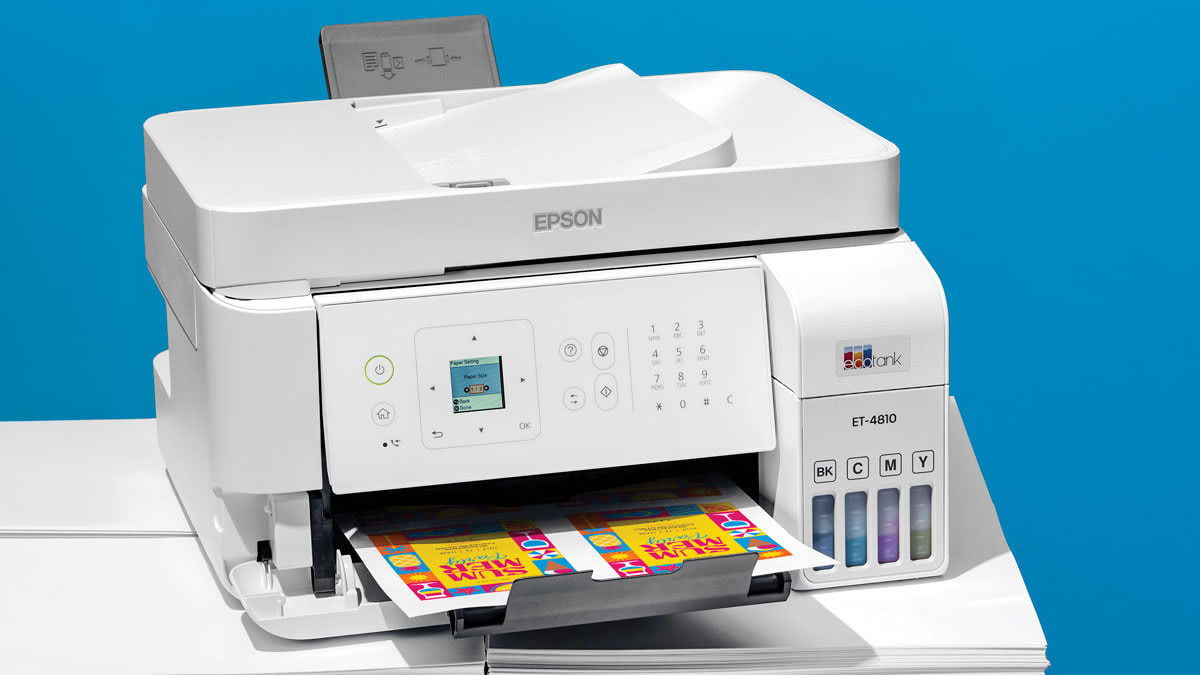

A home printer has to handle more than a few black-and-white pages. School forms, shipping labels, recipes, family photos, scanned paperwork, and the occasional multipage document all expose different weaknesses. Some models are compact and simple, while others are built for regular home-office workloads.
Our Best printer for home picks include cartridge models, refillable ink-tank printers, automatic document feeders, fax-equipped all-in-ones, and machines with automatic two-sided printing. The Canon PIXMA TS6520 is the strongest all-around choice, with the Epson EcoTank ET-2800, HP OfficeJet Pro 8139, and Brother Work Smart 1360 covering heavier or more specialized use.
Comparison table
| # | Product | Award | Duplex printing | ADF | Paper capacity | Display | Best for |
|---|---|---|---|---|---|---|---|
| 1 | Canon PIXMA TS6520 | Best overall | Automatic | Not specified | Not specified | 1.42-inch monochrome OLED | Everyday home printing and photos |
| 2 | HP OfficeJet Pro 8139 | Best home-office workhorse | Automatic | Yes | 225 sheets | 2.7-inch color touchscreen | Reports and frequent document printing |
| 3 | Canon PIXMA TS4320 | Best compact Canon alternative | Automatic | Not specified | Not specified | Not specified | Simple printing, scanning, and copying |
| 4 | HP DeskJet 2955 | Best basic printer | Not specified | No | 60 sheets | Icon LCD | Occasional household documents |
| 5 | Brother Work Smart 1360 | Best for mixed home-office tasks | Automatic | 20 sheets | 150 sheets | 1.8-inch color display | Duplex documents and cloud workflows |
| 6 | Epson EcoTank ET-2800 | Best ink-tank printer | Not specified | Not specified | Not specified | Not specified | High-volume color printing |
| 7 | HP OfficeJet Pro 8125e | Best streamlined office model | Automatic | Yes | 225 sheets | Not specified | Home-office printing without fax |
| 8 | HP Smart Tank 5003 | Best refillable HP | Not specified | Not specified | Not specified | Not specified | Cartridge-free household printing |
| 9 | Canon PIXMA TR4720 | Best home fax printer | Automatic | Yes | 100 sheets | Not specified | Scanning, copying, and faxing |
| 10 | HP Envy 6155 | Best for color-focused homes | Automatic | No | 100 sheets | 2.4-inch color touchscreen | Homework and borderless photos |
1. Canon PIXMA TS6520: Best Overall

Pros
- Automatic two-sided printing
- Sharp text and vivid color output
- Dual-band Wi-Fi supports 2.4GHz and 5GHz networks
- Compact body with scanning and copying
- Useful OLED status display
Cons
- Uses a two-cartridge hybrid ink system
- No automatic document feeder is listed
- Monochrome display is smaller than the HP touchscreens
Best for: households that want one compact machine for documents, photos, scanning, and copying.
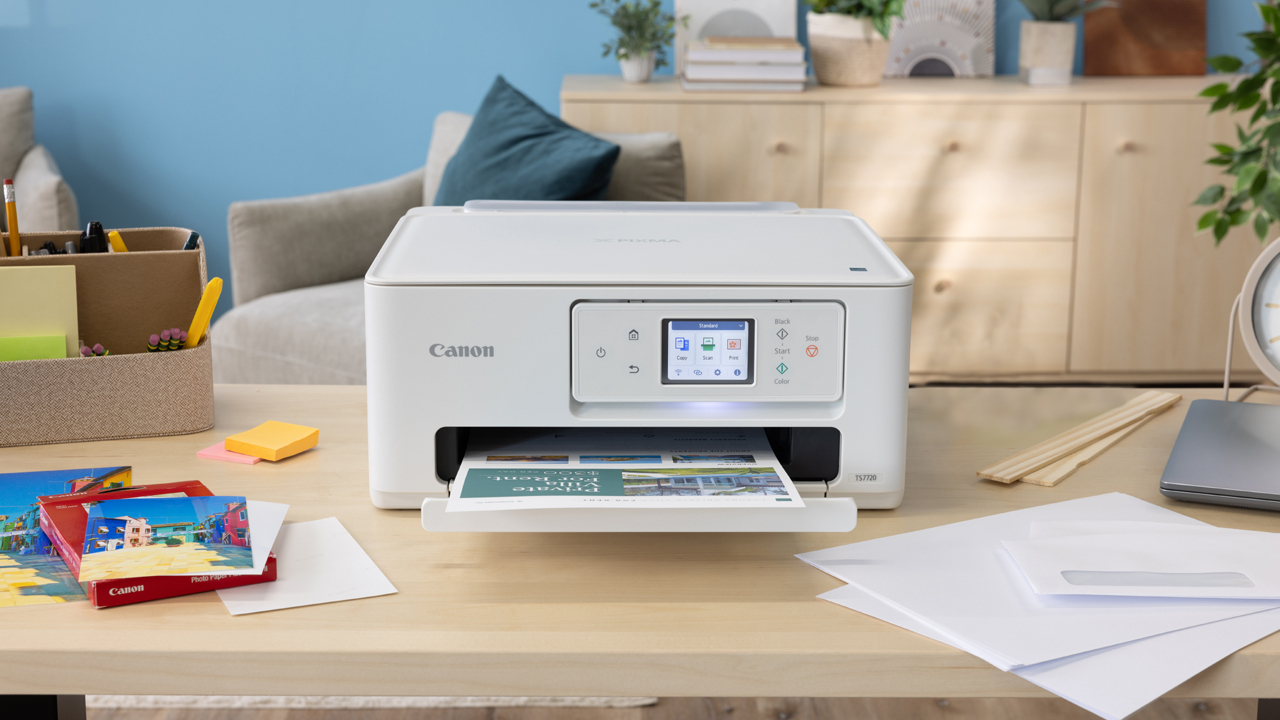
The Canon PIXMA TS6520 is the printer we would put in the most homes. It avoids the stripped-down feel of a basic printer while staying compact enough for a desk, shelf, or shared workspace. The combination of printing, scanning, copying, wireless connectivity, and automatic two-sided printing covers the tasks most households actually send to a printer.
Canon uses a two-cartridge hybrid ink system here. That setup is aimed at producing sharp text and vivid color, which makes the TS6520 more versatile than a document-only machine. It can print documents and photos up to 8.5 by 11 inches, with or without borders. Automatic duplexing also matters more than it sounds. It keeps routine schoolwork and forms from becoming a manual page-turning exercise.
The 1.42-inch monochrome OLED display is small, but it shows ink levels and printer status clearly and gives you a direct way to adjust settings. The TS6520 also supports dual-band Wi-Fi, so it can connect over either 2.4GHz or 5GHz. Canon PRINT, Apple AirPrint, and Mopria Print Service cover the main phone and tablet workflows without requiring a computer for every job.
At 14.8 inches long, 14 inches wide, and 6.7 inches high, this is one of the easier models here to fit into a crowded home workspace. The main limitation is the lack of a listed ADF, so scanning or copying a stack of pages means handling each sheet yourself. The HP OfficeJet Pro 8139 is a better document machine, and the Epson EcoTank ET-2800 is better suited to sustained color volume, but the TS6520 has the most balanced feature set for ordinary home use.
If you want one printer for homework, occasional photos, forms, and everyday copies, the Canon PIXMA TS6520 is the sensible starting point. It is also a good fit for readers comparing the sizes that still work in tight spaces before choosing a permanent spot.
2. HP OfficeJet Pro 8139: Best Home-Office Workhorse

Pros
- Automatic document feeder
- Automatic two-sided printing
- 225-sheet input tray
- Up to 20 pages per minute in black and 10 in color
- Fax, scan, copy, and print functions
Cons
- Larger and heavier than the compact Canon models
- Uses original HP cartridge chips or circuitry
- Its extra office features are unnecessary for light printing
Best for: home offices that regularly print reports, presentations, forms, and multipage documents.
The HP OfficeJet Pro 8139 is the clear choice when “home printer” really means “small office printer in a spare room.” Its automatic document feeder and 225-sheet input tray reduce the small interruptions that make a lightweight all-in-one frustrating during a busy workday. It can print, scan, copy, and fax, so it is prepared for paperwork that extends beyond a single page.
HP rates it for speeds up to 20 pages per minute in black and 10 pages per minute in color. Those figures give this model a meaningful advantage over the slower household machines in this roundup when you have a report or packet to produce. Automatic two-sided printing helps keep longer documents manageable, while the ADF can take over when scanning or copying multiple sheets.
The 2.7-inch color touchscreen is much easier to navigate than a minimal icon panel. Its dual-band Wi-Fi is designed to detect and resolve connection issues, and the HP app handles printing, scanning, copying, and faxing from a phone. HP also includes a formatting feature that can remove unwanted content from web pages and emails, which is useful when a page has banners or awkward spacing.
This is a substantial printer at 18.12 inches wide, 13.29 inches long, 9.17 inches high, and 17.6 pounds. It needs a proper home rather than a temporary corner of the dining table. HP also states that the printer is intended to work only with cartridges using original HP chips or circuitry, a restriction buyers should understand before committing. The Canon PIXMA TS6520 is easier to place and simpler for casual use, but the OfficeJet Pro 8139 is the better tool for steady paperwork.
Choose it if your home printing includes invoices, school packets, business documents, or recurring forms. It is the strongest pick for anyone who needs an all-in-one to behave like office equipment without moving to a much larger printer.
3. Canon PIXMA TS4320: Best Compact Canon Alternative

Pros
- Automatic two-sided printing
- Wireless printing over 2.4GHz or 5GHz
- Scans, copies, and prints photos
- Compact 14.8-by-14-by-6.7-inch body
- Supports borderless printing up to 8.5 by 11 inches
Cons
- No ADF is listed
- No display specification is provided
- Two-cartridge ink system is less convenient for sustained volume
Best for: people who want a straightforward compact all-in-one for occasional documents and photos.
The Canon PIXMA TS4320 is built around the same practical idea as the TS6520: a compact wireless printer that also scans and copies. It is easy to recommend for a bedroom desk, dorm room, or household that prints often enough to need a real all-in-one but not often enough to justify office-oriented hardware.
Its two-cartridge hybrid ink system is designed for sharp text and vivid colors. The TS4320 can print documents and photos up to 8.5 by 11 inches, including borderless output. Automatic two-sided printing is the important productivity feature, since it makes school assignments and household forms less wasteful and avoids manually feeding every reverse side.
Setup is intended to be simple from a smartphone or computer. Dual-band Wi-Fi supports both 2.4GHz and 5GHz connections, and Canon PRINT, Apple AirPrint, and Mopria provide familiar routes from phones and tablets. The printer also carries EPEAT Silver and ENERGY STAR certifications, details that may matter to households trying to reduce unnecessary energy use and waste.
The TS4320 measures 14.8 inches long, 14 inches wide, and 6.7 inches high, with a listed weight of 14.8 pounds. That is a little lighter than the TS6520, though the two models occupy the same basic footprint. The TS6520 has the more informative OLED display and earns the higher position here, while the TS4320 makes sense when you want the same broad Canon workflow with fewer interface features.
Skip it if you routinely scan stacks of paperwork or need a large input tray. For occasional family printing, basic copying, and borderless photos from a phone, it remains an uncomplicated choice.
4. HP DeskJet 2955: Best Basic Printer

Pros
- Prints, scans, and copies
- Compact design
- Dual-band wireless connectivity
- Phone printing through the HP app
- Made with at least 70% recycled plastics
Cons
- Slowest listed print speeds in this roundup
- 60-sheet input tray
- No automatic duplexing or ADF is listed
Best for: occasional printing of recipes, letters, lists, forms, and basic color documents.
The HP DeskJet 2955 is for a household that wants printing available without dedicating much space to it. It handles color printing, scanning, and copying, and its compact shape is easier to live with than the larger office machines. It is a basic tool, and its appeal comes from not pretending to be anything else.
HP lists speeds up to 7.5 pages per minute in black and 5.5 pages per minute in color. That is sufficient for a recipe, short letter, or a few homework pages, but it will feel slow when a document grows into a packet. The 60-sheet input tray reinforces that limitation. You can leave it ready for ordinary tasks, but it is not designed around a large queue of pages.
The icon LCD keeps the control panel simple. Wireless printing works over dual-band Wi-Fi, and the HP app can send print, scan, and copy jobs from a smartphone. HP’s formatting feature is intended to clean up web pages and emails before printing, which can help when the source material is cluttered.
At 11.97 inches long, 16.73 inches wide, and 6.06 inches high, the DeskJet 2955 is compact in height but fairly wide. It weighs 7.55 pounds, making it the easiest model here to move when needed. The Canon PIXMA TS4320 is a stronger fit for users who care about automatic two-sided printing and photos, while the DeskJet 2955 is better for light, basic tasks.
Do not choose this one for a home office or frequent multipage printing. It works best for readers who print intermittently and want a small scanner and copier alongside a simple color printer.
5. Brother Work Smart 1360: Best for Mixed Home-Office Tasks

Pros
- Automatic duplex printing
- 20-sheet single-sided ADF
- 150-sheet paper tray
- Up to 16 pages per minute in black and 9 in color
- USB and wireless connections
Cons
- ADF is limited to single-sided feeding
- Larger than the compact entry-level models
- Uses LC501 series inks
Best for: households that combine schoolwork, paperwork, cloud documents, and moderate home-office printing.
The Brother Work Smart 1360 sits in a useful middle ground. It is not as office-focused as the HP OfficeJet Pro 8139, but it has more productive hardware than the compact Canon and HP entry models. Automatic duplex printing, a paper tray that holds 150 sheets, and a 20-sheet ADF make it well suited to the uneven mix of tasks found in many homes.
Brother lists speeds up to 16 pages per minute in black and 9 pages per minute in color. That is quick enough to make a stack of forms feel manageable, while the ADF removes much of the repetitive work from copying and scanning. The feeder is single-sided, so it cannot process both sides of a double-sided original automatically, but it is still a meaningful step up from a flatbed-only machine.
The 1.8-inch color display supports printing and scanning to cloud services such as Google Drive, Dropbox, Box, and OneDrive. Brother’s Mobile Connect app adds control from a phone and includes Page Gauge for monitoring ink usage. Connection options include wireless networking and USB, which gives this printer a useful fallback when a wireless setup is inconvenient.
The printer measures 15.4 inches wide, 13.5 inches long, and 7.2 inches high, and weighs 16.8 pounds. It is not a small printer, but its footprint is reasonable for the features. The HP OfficeJet Pro 8139 is faster and has a larger tray, while the Canon PIXMA TS6520 is easier to place. The Brother makes its case through the combination of ADF access, cloud support, duplexing, and moderate speed.
This is the one to choose when your printer has to serve both a family and a home office. It is especially compelling if cloud scanning and a physical USB connection matter as much as wireless printing.
6. Epson EcoTank ET-2800: Best Ink-Tank Printer

Pros
- Cartridge-free refillable ink tanks
- Up to 4, 500 black or 7, 500 color pages listed
- Up to two years of ink included
- Micro Piezo Heat-Free technology
- Scanner and copier included
Cons
- Listed speed is 10 ISO pages per minute
- No ADF or duplex specification is provided
- Epson recommends genuine ink for performance and warranty support
Best for: households that print a steady stream of color pages and want to avoid frequent cartridge changes.
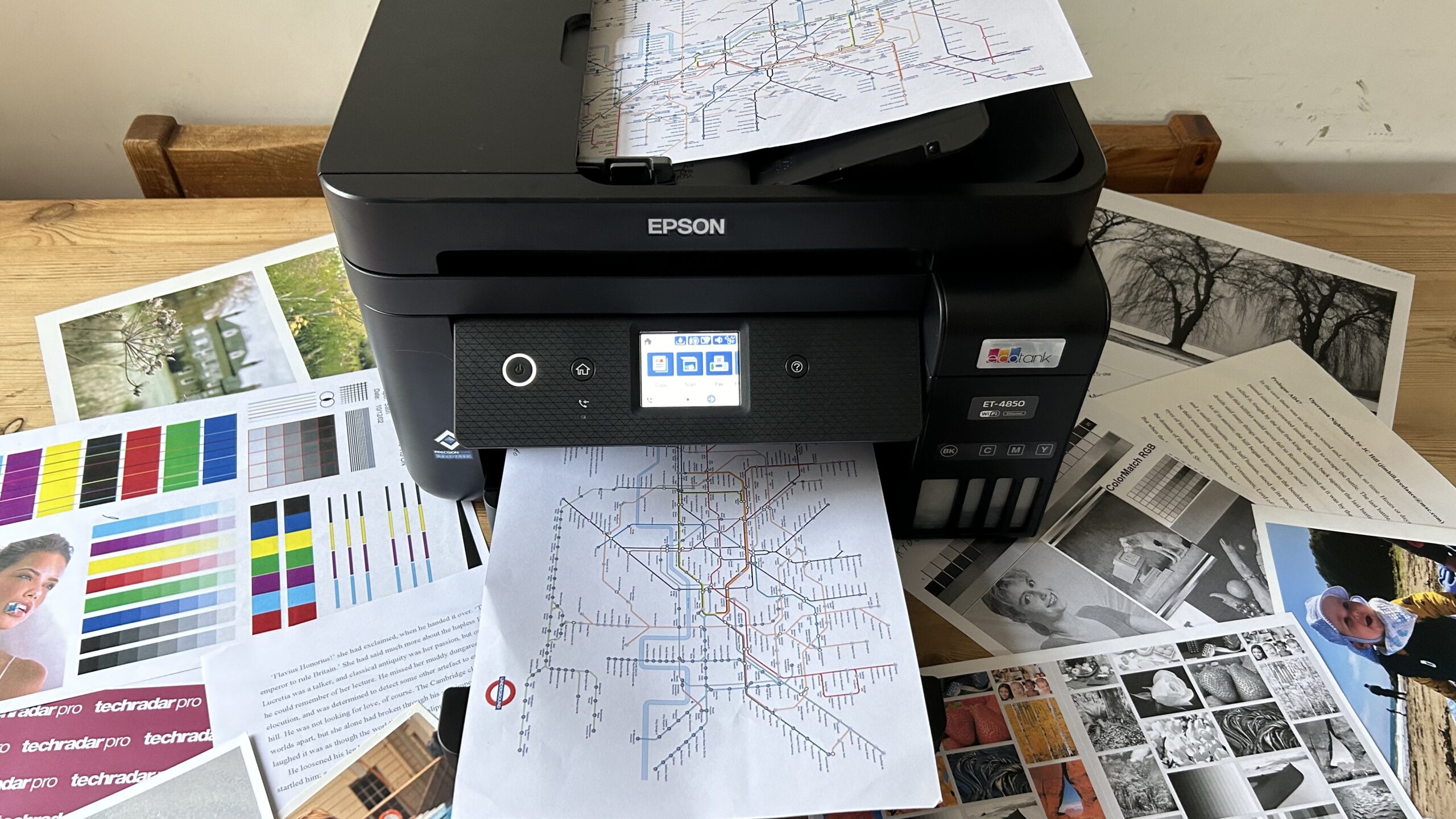
The Epson EcoTank ET-2800 changes the ownership experience by replacing small cartridges with refillable tanks. That is its defining advantage. Instead of keeping several spare cartridges nearby, you fill the visible reservoirs and monitor the ink level directly. For a household that prints regularly, that can make the printer feel far less demanding.
Epson says the included ink can cover up to two years, and lists yields of up to 4, 500 black pages or 7, 500 color pages. Those are large capacity figures, not a promise that every household will reach them, but they explain why the ET-2800 is a better match for sustained printing than the Canon PIXMA TS6520 or HP DeskJet 2955. It uses Micro Piezo Heat-Free technology and is designed to produce vivid, detailed documents and photos.
The trade-off is speed and automation. Epson lists up to 10 ISO pages per minute, and the supplied information does not specify an ADF or automatic duplex printing. The ET-2800 is a print, scan, and copy machine, but users handling lots of double-sided originals or multipage scans will find the Brother Work Smart 1360 or HP OfficeJet Pro 8139 more efficient.
The printer measures approximately 17 inches long, 16 inches wide, and 9.3 inches high, with a listed weight of 11.4 pounds. Epson strongly recommends genuine ink and warns that non-genuine ink could damage the printer in a way not covered by its limited warranty. That guidance is important for anyone attracted to the refillable design but considering unsupported ink.
Choose the ET-2800 when ink capacity matters more than fast office workflows. It is a particularly good fit for families printing frequent color worksheets, documents, and photos who would rather refill tanks than replace cartridges.
7. HP OfficeJet Pro 8125e: Best Streamlined Office Model

Pros
- Automatic two-sided printing
- Automatic document feeder
- 225-sheet input tray
- Up to 20 pages per minute in black and 10 in color
- Dual-band Wi-Fi and mobile app support
Cons
- Large 18.11-inch width
- No fax function is listed
- Uses original HP cartridge chips or circuitry
Best for: home offices that need fast printing, scanning, and copying without a fax requirement.
The HP OfficeJet Pro 8125e is closely related in purpose to the 8139, but its feature set is a little more focused. It includes print, scan, copy, automatic two-sided printing, an ADF, and a 225-sheet input tray. That is the right collection for a home office where the printer handles regular paperwork but faxing is not part of the routine.
Its listed speeds reach 20 pages per minute in black and 10 pages per minute in color. Those figures put it well ahead of the HP DeskJet 2955 and make it a more comfortable choice for reports, presentations, and flyers. The ADF also means you can copy or scan multiple pages without placing each original on the glass.
HP’s dual-band wireless connection is designed to detect and resolve connection problems, while the HP app supports printing, scanning, and copying from a phone, computer, or tablet. HP also describes an AI-enabled formatting feature for removing unwanted web-page and email content. It is a practical feature when online material would otherwise spill across extra pages.
At 18.11 inches wide, 13.29 inches long, and 9.17 inches high, this printer needs more desk space than the Brother Work Smart 1360. It weighs 17.64 pounds, so moving it frequently is not especially appealing. HP also says it is intended to work only with cartridges using original HP chips or circuitry. The OfficeJet Pro 8139 adds fax and a 2.7-inch touchscreen, but the 8125e is the better match when those extras are not needed.
Pick it for a dedicated home office with regular document volume. It is overqualified for occasional recipes and lists, but its tray, ADF, duplexing, and speed make sense when paperwork is part of every week.
8. HP Smart Tank 5003: Best Refillable HP

Pros
- Cartridge-free refillable ink system
- Up to 6, 000 black or color pages listed
- Up to three years of ink included
- Borderless printing
- Print, scan, and copy functions
Cons
- No ADF or automatic duplex specification is provided
- Larger footprint than the compact Canon models
- Best suited to users comfortable with ink-tank maintenance
Best for: homes that print frequently and want a refillable HP system for documents and color output.
The HP Smart Tank 5003 is the most direct HP alternative to the Epson EcoTank ET-2800. Its cartridge-free design uses accessible tanks, and HP describes the refill process as mess-free: plug in the bottle and let the ink drain without squeezing. That makes it a strong option for people who print often enough to dislike cartridge replacement.
HP lists up to 6, 000 black or color pages from the included ink and says the box can contain up to three years of ink. Those figures give the Smart Tank 5003 a very different operating profile from the cartridge-based HP Envy 6155 or DeskJet 2955. It supports borderless prints as well as ordinary print, copy, and scan jobs.
The printer is intended to be set up once and used with minimal complicated maintenance. Its wireless and mobile-printing features cover standard household workflows, though the supplied product information does not specify an ADF, automatic duplex printing, or a display. That makes it less convenient than the Brother Work Smart 1360 for multipage paperwork.
The body measures 17.11 inches wide, 14.23 inches long, and 6.19 inches high, with a listed weight of 11.09 pounds. It is relatively light for an ink-tank all-in-one, but its width still deserves attention before it goes on a shelf. The Epson EcoTank ET-2800 provides similar cartridge-free logic and explicitly lists black and color yields, while the Smart Tank 5003 is the better fit for someone already comfortable with HP’s app and refill system.
Choose it when frequent color printing and long refill intervals matter more than office automation. Skip it if you need an ADF or automatic duplexing for regular document workflows.
9. Canon PIXMA TR4720: Best Home Fax Printer

Pros
- Print, copy, scan, and fax functions
- Automatic document feeder
- Automatic two-sided printing
- 100-sheet paper capacity
- Borderless output up to 8.5 by 11 inches
Cons
- Listed speed is 8.8 ipm in black and 4.4 ipm in color
- Smaller paper tray than the office-oriented HP models
- Older design than several newer entries here
Best for: households that still need faxing alongside ordinary printing, scanning, and copying.
The Canon PIXMA TR4720 earns its place through a feature many home printers omit: a built-in fax. It is a four-in-one machine with print, copy, scan, and fax functions, so it can handle forms and administrative tasks without relying on a separate device. The automatic document feeder and automatic two-sided printing make it more capable than its basic appearance suggests.
Canon lists a black document speed of approximately 8.8 images per minute and a color document speed of approximately 4.4 images per minute. A borderless 4-by-6-inch photo takes approximately 65 seconds according to the supplied details. Those figures are not aimed at a busy office, but they are adequate for household paperwork and occasional photos.
The TR4720 has a 100-sheet capacity and supports borderless prints up to 8.5 by 11 inches. Wireless and mobile printing cover the usual phone and computer needs, while Alexa can provide low-ink notifications and smart reordering if the user enrolls. Canon also lists a one-year limited warranty and ENERGY STAR certification.
Its body measures 17.2 inches wide, 11.7 inches long, and 7.5 inches high, with a listed weight of 12.7 pounds. The HP OfficeJet Pro 8139 is much better for speed and larger document batches, but it is also a larger office-style machine. The TR4720 is the more sensible choice when faxing is essential and printing volume remains moderate.
Buy this one for a home that actually sends or receives faxes. If faxing is irrelevant, the Canon PIXMA TS6520 offers a cleaner everyday balance, while the Brother Work Smart 1360 is more attractive for cloud-connected documents.
10. HP Envy 6155: Best for Color-Focused Homes

Pros
- Automatic two-sided printing
- 2.4-inch color touchscreen
- Borderless photo support
- Dual-band Wi-Fi
- Print, scan, and copy functions
Cons
- No ADF is listed
- 100-sheet input tray
- Uses original HP cartridge chips or circuitry
Best for: households that care about colorful homework, everyday documents, and borderless photos.
The HP Envy 6155 is designed around the home rather than the home office. It prints, scans, and copies, adds automatic two-sided printing, and puts a 2.4-inch color touchscreen on the front. That combination makes it more pleasant for daily family use than a printer that expects every job to begin in an app.
HP lists speeds up to 10 pages per minute in black and 7 pages per minute in color. It supports everyday color documents, homework, and borderless photos, with HP’s P3 technology intended to make documents and photos look vibrant relative to the source screen. The 100-sheet input tray is appropriate for household use, though not for a large work queue.
Dual-band Wi-Fi supports wireless printing, and the HP app handles print, scan, copy, and fax commands from a smartphone, although fax hardware is not listed among the printer’s core features. HP’s formatting feature can remove unwanted web-page and email content before printing. That is useful for recipes, school resources, and online forms that were not designed for clean paper output.
The supplied dimensions are unusual in their orientation, listing the body at 17.05 inches long, 5.35 inches wide, and 14.21 inches high, with a weight of 11.2 pounds. Check the intended placement carefully because the printer is not as low-profile as the height figure alone might suggest. HP also states that original HP cartridge chips or circuitry are required, and firmware updates maintain that restriction.
The Canon PIXMA TS6520 is the stronger all-round recommendation, while the HP Envy 6155 is a better fit for families who prioritize a color touchscreen and photo-friendly output. Choose it when the printer will mainly serve homework, recipes, forms, and colorful household documents.
How to choose best printer for home
The right printer depends less on a long feature list than on the kind of work it will repeat every week.
Ink system
Cartridge printers such as the Canon PIXMA TS6520 and HP Envy 6155 are straightforward for intermittent use. Refillable models such as the Epson EcoTank ET-2800 and HP Smart Tank 5003 are built around larger ink reserves and make more sense when a household prints color pages frequently.
Look for clearly stated page yields if volume is a priority. Remember that ink-tank designs still need a suitable refill routine, and Epson recommends genuine ink for the ET-2800.
Automatic duplex printing
Automatic duplex printing turns a two-sided document into a normal print job instead of a manual exercise. It is especially useful for school packets, forms, and reports. The Canon PIXMA TS6520, Canon PIXMA TS4320, Brother Work Smart 1360, HP OfficeJet Pro 8139, HP OfficeJet Pro 8125e, Canon PIXMA TR4720, and HP Envy 6155 list this feature.
Do not assume every all-in-one has it. The HP DeskJet 2955, Epson EcoTank ET-2800, and HP Smart Tank 5003 do not list automatic duplex printing in the supplied details.
Automatic document feeder
An ADF matters when you scan or copy several pages at a time. The HP OfficeJet Pro 8139, HP OfficeJet Pro 8125e, Brother Work Smart 1360, and Canon PIXMA TR4720 include one. The Brother feeder holds 20 sheets and is single-sided, while the HP OfficeJet Pro models pair their feeders with 225-sheet input trays.
A flatbed scanner is enough for a passport, photograph, or one-page form. Choose an ADF when multipage paperwork is routine.
A printer without an ADF is fine for photos and single forms, but it becomes tedious the moment paperwork arrives in a stack.
Print speed and paper capacity
Speed matters when printing more than a few pages, but the tray determines how often you need to reload. The HP OfficeJet Pro 8139 and 8125e list speeds up to 20 black pages per minute, with 225-sheet trays. The Brother Work Smart 1360 lists up to 16 black pages per minute and a 150-sheet tray.
The HP DeskJet 2955 lists 7.5 black pages per minute and has a 60-sheet tray. That is suitable for occasional home jobs, not regular office batches. The Canon PIXMA TR4720 lists approximately 8.8 black images per minute and has a 100-sheet capacity.
Size and controls
Measure the shelf before ordering. The compact Canon PIXMA TS6520 and TS4320 share a footprint of 14.8 inches long by 14 inches wide and stand 6.7 inches high. The HP OfficeJet Pro 8139 and 8125e are considerably wider, while the HP DeskJet 2955 is light enough to move easily.
A touchscreen is useful when several people will operate the printer directly. The HP OfficeJet Pro 8139 has a 2.7-inch color touchscreen, and the HP Envy 6155 has a 2.4-inch color touchscreen. Canon’s TS6520 uses a smaller monochrome OLED display, while Brother provides a 1.8-inch color display.
Frequently asked questions
What is the best printer for home use?
The Canon PIXMA TS6520 is the best general-purpose pick in this group. It combines printing, scanning, copying, automatic two-sided output, dual-band Wi-Fi, and photo support in a compact body.
Are ink-tank printers better for frequent home printing?
They can be. The Epson EcoTank ET-2800 and HP Smart Tank 5003 use refillable tanks and list substantially larger ink capacities than the cartridge models. They are better suited to households that print color documents regularly, though they lack some of the office automation found on the Brother and HP OfficeJet Pro models.
Which printer is best for a home office?
The HP OfficeJet Pro 8139 is the strongest home-office pick because it combines a 225-sheet tray, ADF, automatic duplex printing, fax, and listed speeds up to 20 black pages per minute. The HP OfficeJet Pro 8125e has a similar office-oriented design without a listed fax function.
Do all of these printers support two-sided printing?
No. Automatic duplex printing is listed for the Canon PIXMA TS6520, Canon PIXMA TS4320, Brother Work Smart 1360, HP OfficeJet Pro 8139, HP OfficeJet Pro 8125e, Canon PIXMA TR4720, and HP Envy 6155. It is not listed for the HP DeskJet 2955, Epson EcoTank ET-2800, or HP Smart Tank 5003.
Which models can scan a stack of pages automatically?
The HP OfficeJet Pro 8139, HP OfficeJet Pro 8125e, Brother Work Smart 1360, and Canon PIXMA TR4720 include automatic document feeders. The Brother model lists a 20-sheet single-sided feeder, while the HP OfficeJet Pro models list ADF support without specifying the feeder capacity.
Which home printer is best for photos?
The Canon PIXMA TS6520 and Canon PIXMA TS4320 support photos up to 8.5 by 11 inches, with or without borders. The HP Envy 6155 is also aimed at colorful documents and borderless photos, while the Canon PIXMA TR4720 lists borderless printing and a specific 4-by-6-inch photo mode.
Do I need a fax in a home printer?
Only if you regularly send or receive faxes. The Canon PIXMA TR4720 and HP OfficeJet Pro 8139 list fax functionality, while the other models focus on printing, scanning, and copying. For most households, an ADF and automatic duplex printing are more useful daily features.
The bottom line
The Best printer for home in this group is the Canon PIXMA TS6520. It covers everyday documents, photos, scanning, copying, wireless printing, and automatic two-sided output without taking over the workspace. The HP OfficeJet Pro 8139 is the better choice for a home office, while the Epson EcoTank ET-2800 is the smarter fit for frequent color printing with refillable tanks.
If you are still undecided, choose the Canon PIXMA TS6520 for mixed household use, the HP OfficeJet Pro 8139 for paperwork, or the Epson EcoTank ET-2800 for sustained color volume.
As an Amazon Associate we earn from qualifying purchases.