
Fiber internet can put a faster connection into your home than an older router can distribute. The result is a familiar frustration: the service is upgraded, but Wi-Fi still stalls in the back bedroom, wired devices remain capped at gigabit speeds, or the ISP gateway becomes the weakest link. The Best router for fiber internet needs the right Ethernet port, enough wireless capacity, and sensible coverage for the actual home.
This list includes single routers for apartments and houses, plus a three-unit mesh system for larger spaces. Wi-Fi 7 leads the group, but Wi-Fi 6E and mature Wi-Fi 6 models still make sense when your devices, layout, or wired network do not need the newest standard.
Our top pick is the TP-Link BE6500, with options ranging from the compact TP-Link Archer BE230 to the whole-home NETGEAR Orbi 370.
| # | Product | Award | Wireless class | Wired ports | Best for |
|---|---|---|---|---|---|
| 1 | TP-Link Archer BE400 | Best overall | Dual-band Wi-Fi 7, 6.5 Gbps total | 2.5 Gbps WAN/LAN, 2.5 Gbps LAN, 3x 1 Gbps LAN | Most fiber households |
| 2 | TP-Link Archer AX21 | Best simple Wi-Fi 6 router | Dual-band Wi-Fi 6, 1.8 Gbps total | Not specified | Smaller homes and basic setups |
| 3 | NETGEAR Nighthawk RS90 | Best entry Wi-Fi 7 Nighthawk | Dual-band Wi-Fi 7, 3.6 Gbps | 2.5 Gbps WAN, 4x 1 Gbps LAN | Multi-gig fiber with a few wired devices |
| 4 | NETGEAR Nighthawk RS140 | Best Nighthawk upgrade | Dual-band Wi-Fi 7, 5.0 Gbps | 2.5 Gbps WAN, 3x 1 Gbps LAN | Larger single-router homes |
| 5 | TP-Link Archer BE230 | Best compact Wi-Fi 7 router | Dual-band Wi-Fi 7, 3.6 Gbps | 2.5 Gbps WAN/LAN, 2.5 Gbps LAN, 3x 1 Gbps LAN | Smaller homes needing multi-gig ports |
| 6 | TP-Link Archer AX55 | Best feature-rich Wi-Fi 6 router | Dual-band Wi-Fi 6, 3.0 Gbps total | USB 3.0 | Home networks with VPN and storage needs |
| 7 | TP-Link Archer AX73 | Best long-range Wi-Fi 6 router | Dual-band Wi-Fi 6, 5.4 Gbps | USB 3.0 | Larger homes with demanding Wi-Fi |
| 8 | TP-Link Archer AXE75 | Best 6 GHz option | Tri-band Wi-Fi 6E, 5.4 Gbps | 2.5 Gbps WAN | Homes with newer 6 GHz devices |
| 9 | NETGEAR Orbi 370 | Best whole-home coverage | Dual-band Wi-Fi 7, 5.0 Gbps | Not specified | Multi-floor homes and dead zones |
| 10 | GL.iNet Flint 2 | Best for advanced users | Wi-Fi 6, up to 6 Gbps | Dual 2.5 Gbps ports | Gaming, VPN, and network tinkering |
1. TP-Link Archer BE400: Best Overall

Pros
- Wi-Fi 7 features including Multi-Link Operation
- Two 2.5 Gbps ports for fast fiber and local networking
- Coverage claim reaches up to 2, 400 square feet
- EasyMesh and VPN client and server support
Cons
- Dual-band design has no 6 GHz band
- Most devices cannot use its full wireless capability yet
- Fiber service may still require ISP gateway configuration
Best for: households that want a modern single router with room for multi-gig fiber upgrades.
The TP-Link Archer BE400 is the easiest router here to recommend because it balances current wireless features with unusually useful wired connectivity. It does not try to be a mesh system or bury the setup in specialist controls. It is a straightforward home router that gives a fiber connection a faster path to both Wi-Fi devices and a wired network.
Its dual-band Wi-Fi 7 system has six streams and a claimed 6.5 Gbps of combined bandwidth. The 5 GHz band is rated up to 5, 764 Mbps and the 2.4 GHz band up to 688 Mbps. Those figures are link-rate ceilings, not a promise that a phone will download at those speeds, but the generous 5 GHz capacity gives compatible laptops and newer phones more headroom. Multi-Link Operation can transfer data across bands at the same time, which is meant to improve throughput, latency, and reliability when supported devices are connected.
The port arrangement is especially well suited to fiber. There is a 2.5 Gbps WAN/LAN port, a second 2.5 Gbps LAN port, and three 1 Gbps LAN ports. That leaves room for a multi-gig fiber handoff, a fast desktop or NAS, and several conventional wired devices without immediately running into a one-gig ceiling. TP-Link also claims coverage up to 2, 400 square feet and support for up to 90 devices, with six high-performance antennas and beamforming helping direct the signal.
Compared with the TP-Link Archer BE230, the BE400 has substantially more 5 GHz capacity and a larger stated device and coverage envelope. The NETGEAR Nighthawk RS140 offers a higher combined Wi-Fi 7 rating, but it has only one 2.5 Gbps input and fewer gigabit LAN ports. The BE400's weakness is its lack of 6 GHz, so buyers with many Wi-Fi 6E devices should look at the TP-Link Archer AXE75 instead. For everyone else, this is the cleanest fit for a fast fiber plan and a mixed collection of old and new devices.
2. TP-Link Archer AX21: Best Simple Wi-Fi 6 Router

Pros
- Familiar Wi-Fi 6 design
- OFDMA helps multiple devices share wireless capacity
- Four high-gain antennas and beamforming
- OpenVPN and PPTP VPN server support
Cons
- No 6 GHz band
- 1.8 Gbps combined wireless rating is modest for faster fiber plans
- A separate modem or compatible ISP equipment is required
Best for: smaller homes with ordinary Wi-Fi needs and a fiber plan that does not demand multi-gig networking.
The TP-Link Archer AX21 is the least ambitious router in this roundup, and that is precisely why it remains useful. It has the familiar shape and feature set of a mainstream Wi-Fi 6 router, without asking a household full of older phones, TVs, and smart-home devices to make a sudden leap to Wi-Fi 7.
Its AX1800 wireless class combines up to 1, 200 Mbps on 5 GHz with up to 574 Mbps on 2.4 GHz. That is enough for ordinary streaming, browsing, video calls, and several connected devices, but it leaves less overhead than the TP-Link Archer AX55 or TP-Link Archer AX73. OFDMA helps the router communicate with several devices more efficiently, which matters when a home has phones, smart speakers, cameras, and televisions competing for airtime.
Coverage comes from four high-gain antennas, beamforming, and an advanced front-end module. The data does not specify a square-foot coverage figure, so it would be wrong to treat this as a large-home router. In a smaller layout, the design should be perfectly sensible. In a long or multi-floor house, a mesh-capable upgrade or a dedicated extender may make more sense. Our guide to handling dead zones without relocating the main router covers the layout problem in more detail.
The Archer AX21 also supports OpenVPN and PPTP VPN servers, a useful feature for remote access that is not universal at this level. Compared with the newer TP-Link Archer BE230, it gives up Wi-Fi 7 and multi-gig ports. It is also less capable than the TP-Link Archer AX55 for a busy network. Skip it if your fiber service exceeds what its wired connections and wireless class can comfortably support. It is the sensible pick for a modest home where reliability and uncomplicated setup matter more than future-facing specifications.
3. NETGEAR Nighthawk RS90: Best Entry Wi-Fi 7 Nighthawk

Pros
- Wi-Fi 7 on both 2.4 GHz and 5 GHz bands
- 2.5 Gbps WAN port
- Four gigabit LAN ports
- Quad-core 2.0 GHz processor
- Nighthawk app and browser setup
Cons
- No 6 GHz band
- The 2.5 Gbps port is WAN only
- Fiber gateway setup may require bridge mode or extra configuration
Best for: fiber users who want a Nighthawk interface and a 2.5 Gbps internet input without moving to mesh.
The NETGEAR Nighthawk RS90 is a practical bridge between older Wi-Fi 6 routers and the more elaborate models here. It is a standalone router, not a modem, and it expects an existing fiber gateway or other Ethernet handoff. Once that distinction is clear, the setup path is fairly conventional through the Nighthawk app or a web browser.
Its dual-band Wi-Fi 7 system is rated up to 3.6 Gbps, with the manufacturer describing it as up to 1.2 times faster than Wi-Fi 6. The quad-core 2.0 GHz processor is intended to keep gaming, 4K streaming, video calls, and smart-home traffic moving together. Those claims depend on compatible clients and a suitable internet plan, but the architecture gives newer devices a more modern wireless foundation than the TP-Link Archer AX21.
For a fiber connection, the key feature is the 2.5 Gbps WAN port. The four LAN ports are gigabit, so the RS90 can take a multi-gig connection from the ISP while still providing plenty of ports for consoles, televisions, computers, and storage drives. It cannot pass a multi-gig wired connection to those LAN devices, however. That makes it less flexible than the TP-Link Archer BE400, which has a second 2.5 Gbps port for the local network.
NETGEAR includes WPA3, a SPI firewall, automatic firmware updates, guest Wi-Fi, and Smart Connect. NETGEAR Armor is included as a 30-day trial, so buyers should understand that continued access requires a separate subscription. The claimed coverage is up to 2, 000 square feet in an open layout, with walls and floors reducing that figure. Choose the RS90 over the NETGEAR Nighthawk RS140 when four gigabit LAN ports are more useful than a higher wireless class. Skip it for a large multi-floor home or a wired setup built around several multi-gig devices.
4. NETGEAR Nighthawk RS140: Best Nighthawk Upgrade

Pros
- Up to 5.0 Gbps of combined Wi-Fi 7 capacity
- Coverage claim reaches 2, 250 square feet
- 2.5 Gbps WAN port
- Automatic firmware updates and Advanced Router Protection
- Nighthawk app management
Cons
- Only three 1 Gbps LAN ports
- No 6 GHz band
- NETGEAR Armor becomes a separate subscription after the trial
Best for: a medium-size home that wants a stronger dual-band Nighthawk router and does not need multiple multi-gig LAN ports.
The NETGEAR Nighthawk RS140 is the more capable single-router Nighthawk, but its advantages are specific. It raises the combined wireless rating to 5.0 Gbps and increases the stated open-layout coverage to 2, 250 square feet. That makes it a better fit than the RS90 when the home is somewhat larger or several newer wireless clients will be active at once.
The router remains dual-band, using 2.4 GHz and 5 GHz rather than adding 6 GHz. It is backward compatible with Wi-Fi 6 and earlier devices, so there is no need to replace every phone or laptop before using it. The headline 5.0 Gbps figure is shared across bands and devices, not delivered to one client, but it provides more aggregate capacity for simultaneous streaming, gaming, calls, and smart-home activity.
The 2.5 Gbps port is the WAN input only. Three gigabit Ethernet LAN ports handle wired devices, which is enough for a desktop, game console, and television but less generous than the four LAN ports on the NETGEAR Nighthawk RS90. The TP-Link Archer BE400 is the better choice for a home that needs two multi-gig wired connections. The RS140 is more appealing when most devices use Wi-Fi and the extra wireless capacity matters more than port count.
Setup runs through the Nighthawk app or a browser, and an active modem or ISP gateway connection is required before configuration. Some fiber installations may need bridge mode or additional ISP-specific steps. Security features include automatic firmware updates, WPA3, and Advanced Router Protection, while NETGEAR Armor includes a 30-day trial. The real weakness is the same dual-band limitation shared by the RS90. If you want a clean 6 GHz lane for newer devices, choose the TP-Link Archer AXE75. Pick the RS140 for a strong, app-managed single router in a medium-size home.
5. TP-Link Archer BE230: Best Compact Wi-Fi 7 Router

Pros
- Wi-Fi 7 with Multi-Link Operation and 4K-QAM
- Two 2.5 Gbps ports
- Four total internal antennas with beamforming
- EasyMesh support
- Tether app setup
Cons
- Dual-band design has no 6 GHz band
- Coverage claim is smaller than the Archer BE400
- A separate modem is required for most providers
Best for: compact homes that want Wi-Fi 7 and flexible multi-gig wiring without a large router.
The TP-Link Archer BE230 is the compact alternative to the Archer BE400. It keeps the most useful Wi-Fi 7 idea, along with two 2.5 Gbps ports, but reduces the wireless ceiling and stated coverage. It is an appealing shape of router for an apartment, townhouse, or smaller house where a large high-capacity unit would be unnecessary.
The BE230 is rated up to 2, 882 Mbps on 5 GHz and 688 Mbps on 2.4 GHz, for a BE3600 class system. Multi-Link Operation, Multi-RUs, and 4K-QAM are intended to improve throughput, efficiency, and reliability with compatible Wi-Fi 7 devices. The dual-band layout does not include 6 GHz, so it cannot provide the uncongested third band available from the TP-Link Archer AXE75.
Its wired layout is stronger than the wireless class suggests. One 2.5 Gbps WAN/LAN port, one 2.5 Gbps LAN port, and three gigabit LAN ports let a fiber connection move beyond a one-gig wired limit. The 2.0 GHz quad-core processor is designed to manage high throughput, and TP-Link claims coverage up to 2, 000 square feet for up to 60 devices. Four internal antennas and beamforming help focus the signal, though layout and building materials remain decisive.
Compared with the TP-Link Archer BE400, the BE230 gives up 5 GHz capacity and some coverage headroom. It is still more flexible than the NETGEAR Nighthawk RS90 for wired networking because it has a second 2.5 Gbps port. EasyMesh lets it pair with compatible routers and extenders, and the Tether app handles setup and management. The weakness is that its compact design is not a substitute for a mesh system in a large or awkward home. Choose it when the room is modest, the fiber handoff is fast, and you want useful ports in a smaller chassis.
6. TP-Link Archer AX55: Best Feature-Rich Wi-Fi 6 Router

Pros
- Strong AX3000 wireless capacity
- OFDMA and MU-MIMO for busy homes
- VPN client and server support
- EasyMesh compatibility
- USB 3.0 port for network sharing
Cons
- No Wi-Fi 7 or 6 GHz band
- No 2.5 Gbps port is specified
- Most ISP setups still require a modem or gateway
Best for: households that want mature Wi-Fi 6 features, VPN tools, and USB sharing in one router.
The TP-Link Archer AX55 is the sensible middle ground in TP-Link's older Wi-Fi 6 range. It has more wireless capacity and more useful software features than the Archer AX21, without the larger wireless claims and extra antenna hardware of the Archer AX73. For a home with a mixture of laptops, phones, televisions, and smart devices, it is an easy router to understand.
Its 5 GHz band is rated up to 2, 402 Mbps and 2.4 GHz up to 574 Mbps. OFDMA lets multiple clients share a band more efficiently, while MU-MIMO helps the router communicate with several compatible devices at once. That combination is more relevant to a busy household than the combined number printed on the box. The larger heat sink and redesigned case are intended to keep the system cool under sustained use.
The Archer AX55 also brings functions that the newer TP-Link Archer BE230 does not emphasize in the supplied specifications. It supports VPN clients and servers, includes EasyMesh compatibility, and has a USB 3.0 port for sharing storage or media across the network. HomeShield provides basic network security, IoT identification, parental controls, quality of service, and periodic reports. Those features make it more versatile for a household that wants control rather than a purely automatic setup.
The important limitation for fiber is its wired ceiling. The supplied information does not specify a 2.5 Gbps port, so buyers with multi-gig fiber should choose a newer model such as the TP-Link Archer BE400 or TP-Link Archer BE230. Coverage comes from four high-gain external antennas and beamforming, but no square-foot figure is provided. Choose the AX55 when Wi-Fi 6 is enough and VPN, USB sharing, and network controls matter more than Wi-Fi 7.
7. TP-Link Archer AX73: Best Long-Range Wi-Fi 6 Router

Pros
- Up to 5.4 Gbps combined Wi-Fi 6 capacity
- Six antennas and high-power front-end module
- 4T4R and HE160 on 5 GHz
- USB 3.0 media and storage sharing
- MU-MIMO and OFDMA
Cons
- No Wi-Fi 7 or 6 GHz band
- Wired port speed details are not specified
- No mesh satellite is included
Best for: larger single-floor homes that need stronger Wi-Fi 6 coverage from one router.
The TP-Link Archer AX73 is the single-router coverage specialist among the conventional TP-Link models here. Its six antennas, high-power front-end module, beamforming, and 4T4R structure are all aimed at maintaining a stable connection as devices move farther from the router. That does not eliminate walls or interference, but it gives the AX73 a stronger hardware case for a larger home than the Archer AX21.
Its AX5400 class combines up to 4, 804 Mbps on 5 GHz with 574 Mbps on 2.4 GHz. The 5 GHz side uses HE160, which can create wider channels for compatible devices. Phones and laptops that do not support the relevant channel width will not receive the full benefit, but newer clients can make better use of the available wireless capacity. MU-MIMO and OFDMA help when several devices are active at once.
The router includes a USB 3.0 port for media sharing and private cloud storage, a useful difference from the simpler TP-Link Archer AX21. HomeShield adds basic network security, IoT device identification, parental controls, quality of service, and network reports. The vented enclosure is designed to move heat away from the hardware during sustained use.
The AX73's weakness is that it belongs to the gigabit-era Wi-Fi 6 group. The supplied specifications do not identify a 2.5 Gbps port, and there is no 6 GHz band. For a new multi-gig fiber installation, the TP-Link Archer BE400 is more forward-looking. For a large home with a conventional connection, the AX73 makes more sense than chasing a newer wireless label that your current devices cannot use. It is the pick for reach, USB sharing, and high-capacity Wi-Fi 6 from one unit.
8. TP-Link Archer AXE75: Best 6 GHz Option

Pros
- Dedicated 6 GHz band
- Tri-band Wi-Fi 6E design
- 2.5 Gbps WAN port
- VPN server and client support
- EasyMesh compatibility
Cons
- 6 GHz range can be more limited through walls
- Older devices cannot use the newest band
- No multi-gig LAN port is specified
Best for: homes with several Wi-Fi 6E devices that need a cleaner wireless band for fast local connections.
The TP-Link Archer AXE75 earns its place by doing something the newer dual-band Wi-Fi 7 routers in this list do not: it adds a dedicated 6 GHz band. That band is the reason to choose this router. It can give compatible laptops, phones, and headsets a less crowded connection, particularly when the 2.4 GHz and 5 GHz bands are busy.
The tri-band AXE5400 system is divided into 2, 402 Mbps on 6 GHz, 2, 402 Mbps on 5 GHz, and 574 Mbps on 2.4 GHz. The 6 GHz band is best treated as a nearby, high-capacity lane because walls and distance can reduce its usefulness faster than they do on lower frequencies. Devices that support only Wi-Fi 5 or Wi-Fi 6 on 5 GHz will not suddenly gain access to 6 GHz, so the benefit depends heavily on the household's client mix.
A 2.5 Gbps WAN port makes the AXE75 a reasonable match for a fast fiber handoff. The router also supports EasyMesh, VPN server and client functions, and HomeShield's basic network security, parental controls, quality of service, and reports. A 1.0 GHz dual-core processor and 512 MB of memory are specified, while the housing is designed to dissipate heat. The supplied information does not specify a multi-gig LAN port, which limits how far that faster internet connection can travel over Ethernet.
The TP-Link Archer BE400 is a better all-purpose choice for a mixed household because its Wi-Fi 7 features work across newer generations and its wired layout is more flexible. The AXE75 is the sharper choice when 6 GHz clients are the priority. Its main weakness is the short reach of that band and the fact that many existing devices cannot use it. Put it near the rooms where compatible devices are used, rather than assuming 6 GHz will cover an entire house.
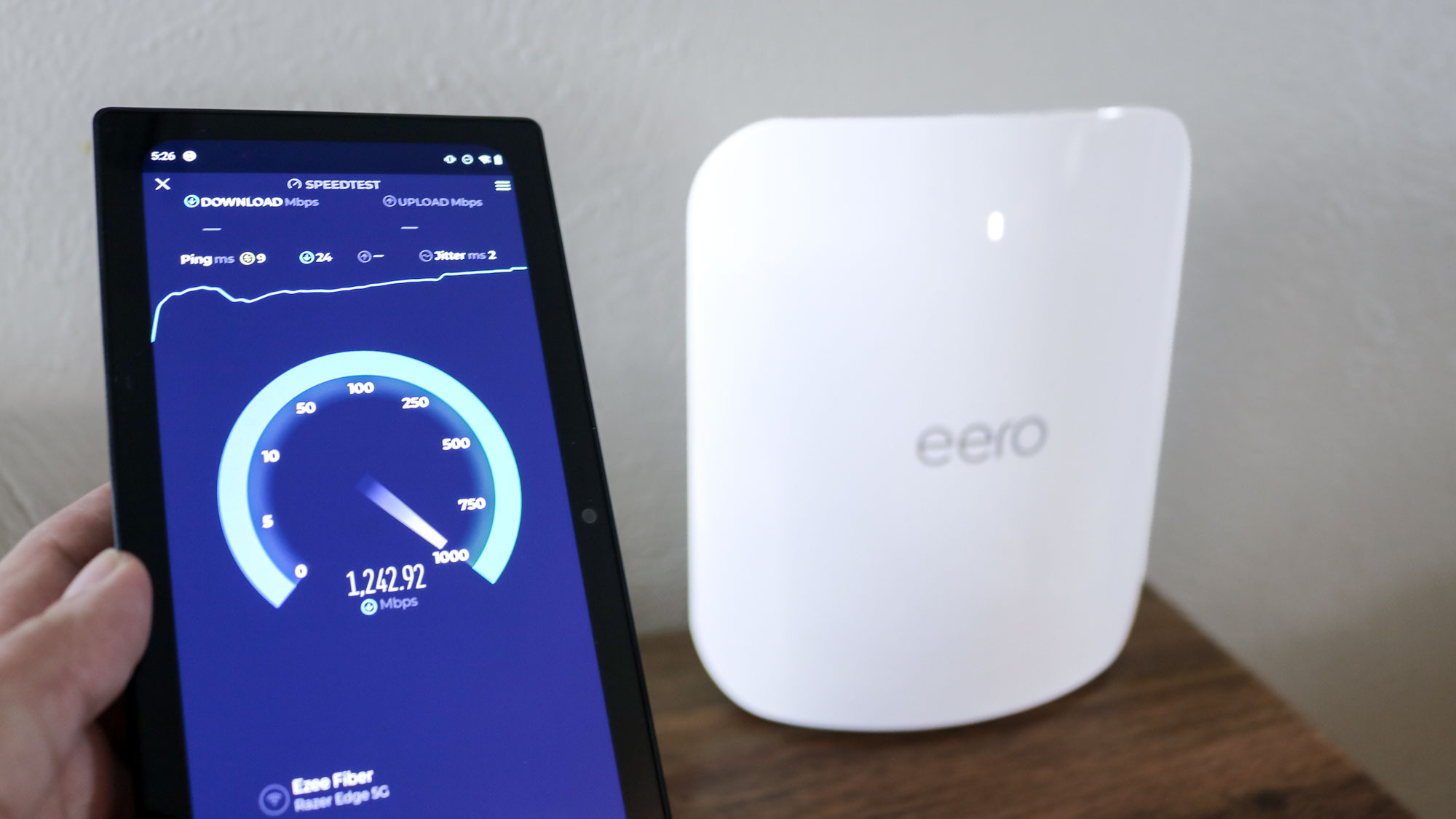
9. NETGEAR Orbi 370: Best Whole-Home Coverage

Pros
- Three-unit Wi-Fi 7 mesh system
- Coverage claim reaches up to 6, 000 square feet
- Enhanced Backhaul for steadier movement between units
- Supports up to 70 devices
- Easy setup through the Orbi app
Cons
- Dual-band system has no 6 GHz band
- Mesh is unnecessary for smaller homes
- Wired port details are not specified
Best for: large or multi-floor homes where one router cannot provide consistent coverage.
The NETGEAR Orbi 370 addresses the problem that no single router can solve elegantly: a large home with rooms separated by floors, thick walls, or long distances. This is a three-pack, so the recommendation is about placing multiple units rather than expecting one central box to reach every corner. NETGEAR claims up to 6, 000 square feet of coverage and describes the system as suitable for homes with Wi-Fi 7, 4K streaming, video calls, and everyday gaming.
The dual-band BE5000 system uses 2.4 GHz and 5 GHz. It does not add 6 GHz, but Wi-Fi 7 still provides a newer wireless foundation for compatible clients. Enhanced Backhaul is intended to keep the connection steady as devices move between the units. That roaming behavior is the important difference between Orbi and a single router such as the NETGEAR Nighthawk RS140.
NETGEAR says the three-pack can connect up to 70 devices, including smart-home equipment, phones, and televisions. The Orbi app guides setup and lets owners manage the system remotely. It works with cable or fiber providers and replaces an existing router, although fiber service can still have ISP-specific requirements. NETGEAR Armor includes a 30-day trial, with enhanced protection after that requiring a separate subscription.
The Orbi 370 is not the right answer for an apartment or compact house where one well-placed router will cover the rooms. The supplied specifications also do not identify the Ethernet port arrangement, so buyers with a carefully planned multi-gig wired network should investigate that detail before choosing it. For everyone dealing with dead zones on multiple floors, the TP-Link Archer BE400 cannot match the Orbi's physical coverage strategy. Choose Orbi when consistency from room to room matters more than maximum single-router throughput.
10. GL.iNet Flint 2: Best for Advanced Users

Pros
- Dual 2.5 Gbps ports
- Eight-stream Wi-Fi 6
- WireGuard and OpenVPN support
- AdGuard Home support
- 1 GB DDR4 memory and 8 GB eMMC storage
Cons
- Initial firmware update is strongly recommended
- Setup is more hands-on than app-first competitors
- Wi-Fi 6 rather than Wi-Fi 7
Best for: technically confident users who want VPN control, ad filtering, and multi-gig wired networking.
The GL.iNet Flint 2 is the outlier in this roundup. It is less focused on a polished mainstream setup and more interested in giving an experienced owner control over the network. That makes it a particularly interesting fiber router for gaming households, remote workers, and anyone who wants to configure VPN services or DNS filtering without adding another appliance.
Its eight-stream Wi-Fi 6 system is advertised at up to 6 Gbps, while the dual 2.5 Gbps ports give a fast fiber connection and a local wired device room to operate beyond gigabit speeds. The hardware includes 1 GB of DDR4 memory and 8 GB of eMMC storage. Those resources are useful in context because Flint 2 supports additional plugins and is designed to handle more than a basic router firmware environment.
VPN performance is a major selling point. GL.iNet lists WireGuard speeds up to 900 Mbps and OpenVPN speeds up to 880 Mbps, while warning that actual results depend on the ISP, network conditions, VPN server, and service provider. AdGuard Home support adds a web interface for blocking selected digital advertisements and unwanted tracking. The supplied details also describe connectivity for more than 100 devices, though the actual experience will depend on traffic and configuration.
The weakness is the learning curve. The initial instructions specifically recommend updating the firmware, and setup uses a computer connected by Ethernet to reach the web administration panel. That is a different experience from the guided Nighthawk app or Orbi app. The TP-Link Archer AXE75 is easier for a typical household and adds 6 GHz, while the GL.iNet Flint 2 is more capable for a user who wants VPN and DNS control. Choose Flint 2 when network flexibility matters more than a simple appliance experience.
How to choose best router for fiber internet
Fiber service does not automatically require Wi-Fi 7. The right choice depends on the Ethernet handoff from the ISP, the devices in the home, the layout, and how much control you want over the network.
WAN and LAN ports
The WAN port connects the router to the fiber provider's optical network terminal or gateway. A 2.5 Gbps WAN port gives a router room to accept a connection faster than gigabit, but that does not mean every LAN port can pass the same speed.
Look for a second 2.5 Gbps port if you have a multi-gig desktop, NAS, or switch. The Archer BE400 and Archer BE230 are stronger choices for that arrangement. A router with a 2.5 Gbps WAN port and only gigabit LAN ports can still be useful, but the extra internet capacity will mainly benefit wireless devices.
A fast fiber plan is only as useful as the slowest port between the ONT, router, and device.
Wi-Fi generation
Wi-Fi 7 adds features such as Multi-Link Operation, Multi-RUs, and 4K-QAM. These can improve throughput and reliability with compatible clients, but older devices will continue to use their own Wi-Fi generation. Wi-Fi 6 remains capable for streaming, calls, gaming, and smart-home traffic.
Wi-Fi 6E adds a 6 GHz band rather than the newer Wi-Fi 7 feature set. The Archer AXE75 is the only pick here with that band. It can be excellent for nearby compatible devices, but 6 GHz generally has less reach through walls than lower bands.
Coverage and layout
Antennas and beamforming help a single router direct wireless energy, but they cannot remove thick floors or distant rooms. A single router is easiest to manage and usually works well in a compact or open home. A three-unit system such as the Orbi 370 is better when coverage problems are caused by distance and floor plans.
Place the main router in a central, elevated location with open space around it. Do not hide it inside a cabinet or leave it beside large metal objects. If the home has multiple dead zones, adding mesh nodes is usually more effective than repeatedly replacing one central router.
Device capacity
Wireless capacity is shared. A household with several 4K streams, work calls, consoles, cameras, and smart-home devices needs more overhead than a home with a few phones and one television. OFDMA and MU-MIMO help compatible devices share airtime, while higher-capacity Wi-Fi 7 and tri-band systems give busy networks more room.
Manufacturer device counts are useful as broad guides, not guarantees. Walls, interference, client hardware, and traffic patterns matter just as much. For a broader look at choosing a central router around household size and layout, the features that matter in a typical home network are a useful comparison point.
Management and security
App-based setup is convenient for most households. The Tether, Nighthawk, and Orbi apps guide installation and provide straightforward network management. Advanced users may prefer the Flint 2's web administration, VPN controls, and AdGuard Home support.
Check what security features are included and what requires an ongoing subscription. TP-Link HomeShield lists basic security, IoT identification, parental controls, quality of service, and reports. NETGEAR Armor includes a 30-day trial in the products listed here, with continued enhanced protection requiring a separate subscription.
Frequently asked questions
Do I need a modem with a fiber router?
Fiber installations commonly use an optical network terminal or an ISP gateway rather than a cable modem. The router still needs an Ethernet connection from that equipment, and some providers require bridge mode or additional configuration. The NETGEAR Nighthawk models specifically state that they need an existing modem or ISP gateway with an RJ45 Ethernet port.
Can any router work with fiber internet?
A router can work with fiber when the provider supplies a compatible Ethernet handoff and the router supports the required configuration. Provider equipment may use bridge mode, VLAN settings, or other account-specific requirements. Check the ISP's router compatibility instructions before replacing its gateway.
Is Wi-Fi 7 necessary for a fiber connection?
No. Wi-Fi 6 can handle many fast home connections and remains suitable for most phones, laptops, televisions, and smart-home devices. Wi-Fi 7 becomes more compelling when you have compatible clients, a busy network, or a fiber plan that can benefit from newer wireless capacity.
What does a 2.5 Gbps WAN port do?
The WAN port accepts the internet connection from the ISP. A 2.5 Gbps WAN port allows the router to receive more than a gigabit when the fiber plan and upstream equipment support it. You also need a suitable LAN port or wireless clients capable of using that extra capacity.
Is a mesh system better than one router?
A mesh system is better when one router cannot cover the home consistently. It uses multiple units to spread coverage across rooms and floors, while a single router is simpler and often performs better in a compact layout. The Orbi 370 is the dedicated mesh option in this roundup.
Does 6 GHz reach farther than 5 GHz?
Usually, no. The 6 GHz band can offer a cleaner connection and more bandwidth nearby, but walls and floors reduce its range more quickly. The Archer AXE75 makes the most sense when compatible devices are close enough to use that band effectively.
Can I use a router with my ISP gateway?
Often, yes, but the setup depends on the ISP gateway. Bridge mode can pass the connection to your router and avoid two devices both performing routing. Some fiber providers need extra configuration, so follow the provider's instructions rather than assuming every gateway uses the same settings.
The bottom line
The Best router for fiber internet in this group is the TP-Link Archer BE400. It combines Wi-Fi 7, two 2.5 Gbps ports, broad stated coverage, EasyMesh, and VPN support without forcing the household into a mesh system. The TP-Link Archer BE230 is the better fit for a smaller home that wants similar wired flexibility in a more compact design.
Choose the NETGEAR Orbi 370 when the real problem is coverage across multiple rooms or floors. Choose the TP-Link Archer AXE75 for a household built around 6 GHz devices, and the GL.iNet Flint 2 when VPN, ad filtering, and advanced network controls matter more than a simple setup.
If you are undecided, match the router to your Ethernet ports and home layout first, then choose the newest wireless standard your devices can actually use.
As an Amazon Associate we earn from qualifying purchases.