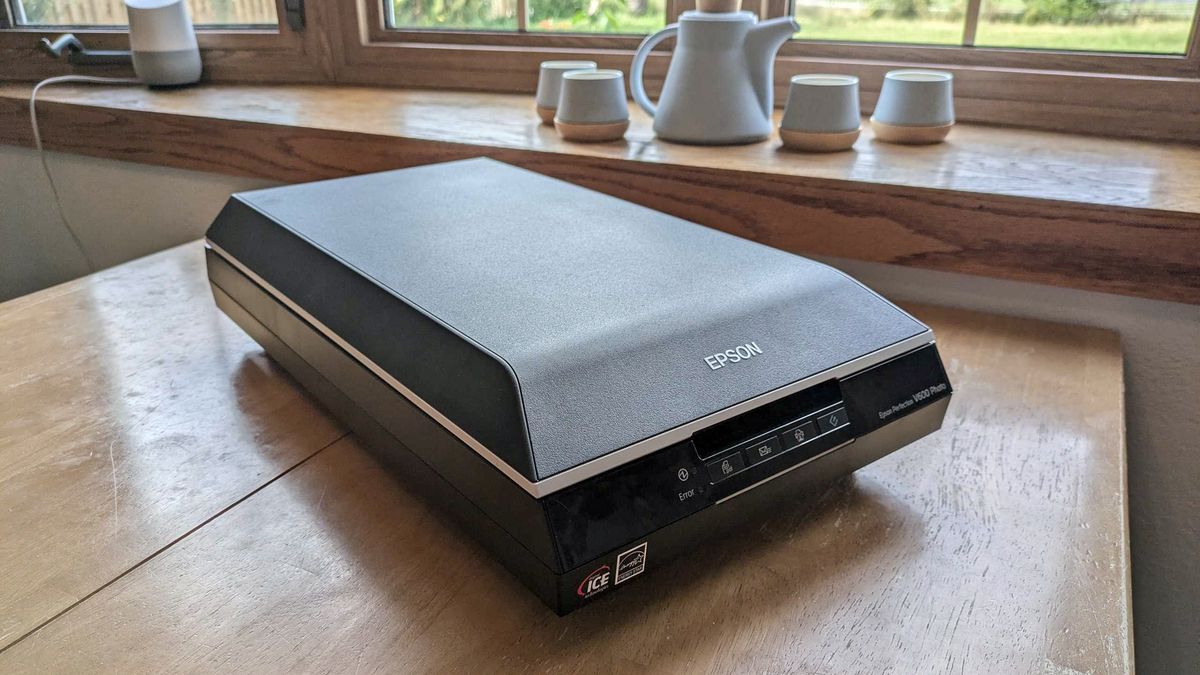

Old photo boxes create a particular kind of scanning problem. You may have a pile of 4x6 prints, a few oversized portraits, fragile albums, handwritten notes on the backs, and perhaps some negatives or slides mixed in. A scanner that is excellent for documents is not automatically the right tool for those memories.
The Best scanner for old photos depends on how many prints you have and how carefully you need to preserve them. Some models feed stacks quickly, while others make more sense for delicate prints, albums, enlargements, or film. We compared all 10 products below, from dedicated photo feeders to compact flatbeds and standalone film scanners.
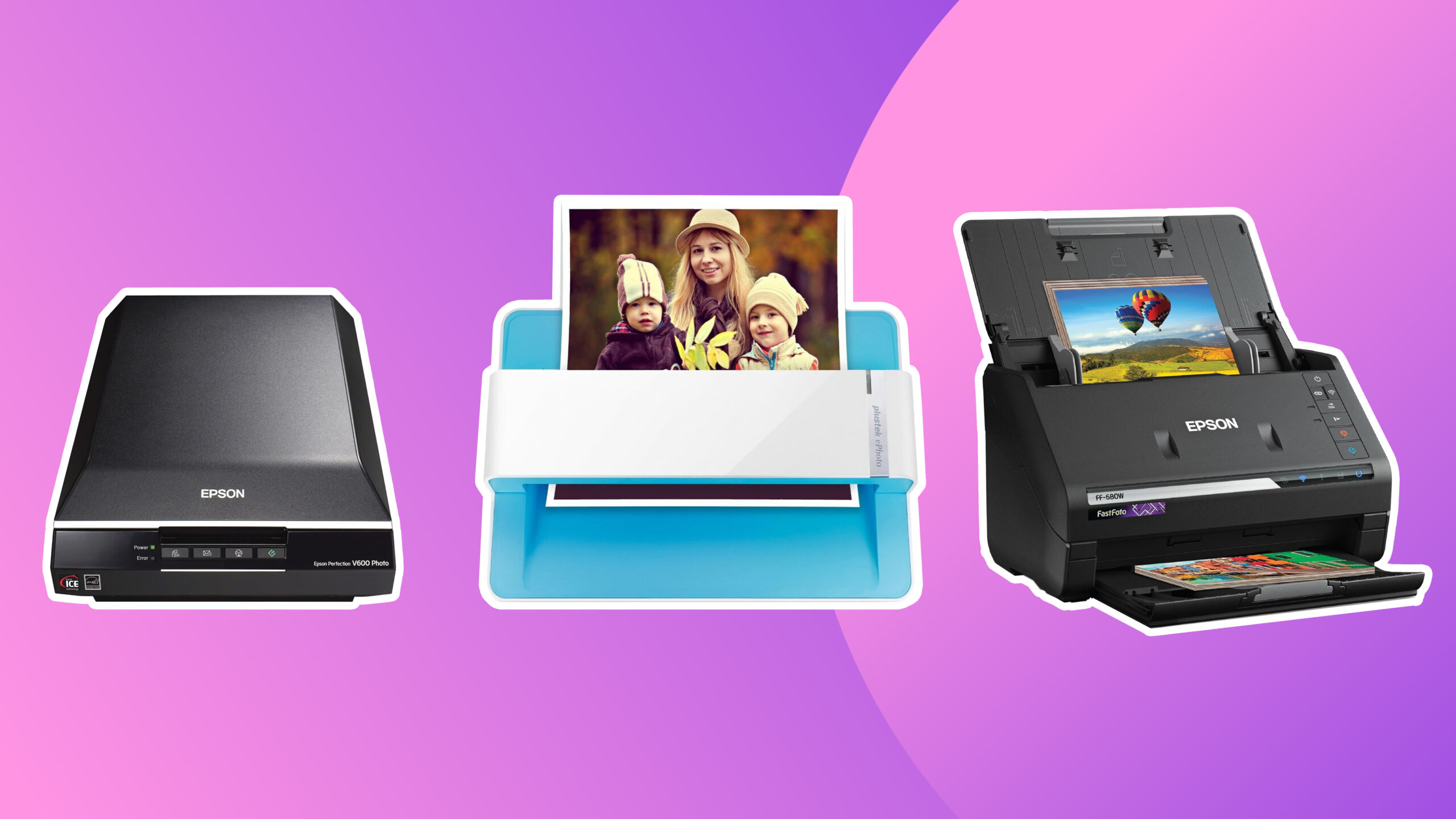
Our top pick is the Plustek ePhoto Z300, but the Epson FastFoto FF-680W, ScanSnap iX2500 Photo Edition, and several flatbed models make strong alternatives for different collections.
| # | Product | Award | Resolution or capture | Feed or media support | Connectivity | Best for |
|---|---|---|---|---|---|---|
| 1 | Plustek ePhoto Z300 | Best overall | Up to 600 dpi | 3x5 to 8x10 photos | Mac and PC | Fast home photo digitizing |
| 2 | Epson FastFoto FF-680W | Best for large collections | Up to 1200 dpi | Up to 36 photos per batch | USB and Wi-Fi | Thousands of prints and notes |
| 3 | ScanSnap iX2500 Photo Edition | Best connected photo feeder | Up to 100 photos per minute | Up to 36 photos | Wi-Fi 6 and USB-C | Photo and document workflows |
| 4 | Epson Perfection V19 II | Best compact flatbed | 4800 dpi optical | Flatbed, albums, books | USB | Detailed individual scans |
| 5 | KODAK Slide N Scan | Best for film and slides | 22MP | 135, 110, 126 film and slides | SD, USB-C, HDMI | Film collections with a screen |
| 6 | Epson Perfection V39 II | Best for restoration features | 4800 dpi optical | Flatbed, books, artwork | USB | Faded prints and oversized pages |
| 7 | Canon imageFORMULA RS40 | Best mixed-size feeder | Up to 40 items per minute | Photos, Polaroids, cards, documents | USB | Varied household archives |
| 8 | Canon CanoScan LiDE 300 | Best simple flatbed | Not specified | Documents and images | USB | Straightforward occasional scans |
| 9 | ScanSnap iX2500 | Best document-first feeder | 45 ppm double-sided | 100-sheet document feeder | Wi-Fi 6 and USB-C | Photos alongside paperwork |
| 10 | ClearClick QuickConvert 2.0 | Best computer-free option | 14MP, 22MP interpolated | 4x6 photos and film | SD card, rechargeable battery | Portable, standalone scanning |
1. Plustek ePhoto Z300: Best Overall

Pros
- Scans a 4x6 photo in about two seconds
- Handles 3x5, 4x6, 5x7, and 8x10 photos
- Auto crop and deskew simplify large batches
- Includes enhancement tools for faded images
Cons
- Photos must be inserted one at a time
- Maximum optical resolution is 600 dpi
- It is not designed for slides or negatives
Best for: families digitizing boxes of printed photographs without needing a full document-feeder system.
The Plustek ePhoto Z300 gets the central task right without making photo archiving feel like office work. You feed each print through the front, and the scanner automatically crops and straightens it. That matters when you are moving through years of snapshots and do not want to spend every few minutes correcting crooked borders or excess white space.
Its headline speed is about two seconds for a 4x6 photo at 300 dpi, with an 8x10 taking about five seconds at that setting. It supports 3x5, 4x6, 5x7, and 8x10 prints, plus letter and A4 paper. The choice between 300 dpi and 600 dpi gives you a sensible split: 300 dpi is practical for sharing and ordinary family albums, while 600 dpi preserves more detail for cropping or making a larger print later.
The included image-enhancement functions are a useful match for old photographs. A faded print can receive a quick restoration pass rather than requiring separate editing software before it is ready to share. The CCD sensor and automatic correction features make this a more purpose-built photo tool than the Canon CanoScan LiDE 300, while the simple feed design keeps it less involved than the Epson FastFoto FF-680W.
There are limits. The Z300 takes prints one at a time, so the Epson FastFoto FF-680W is the better tool for a collection numbering in the thousands when unattended batch feeding matters. Its 600 dpi ceiling also makes it less suitable for aggressive enlargement than the 4800 dpi Epson flatbeds. It cannot scan film, and the physical unit is not especially tiny despite its straightforward design.
For most households with stacks of printed photos, those compromises are easy to understand. The Z300 is fast, supports the sizes people actually tend to keep, works with Windows and Mac, and adds automatic cleanup without burying the user in settings. It is the one we would choose when the priority is getting a large print collection safely into organized digital files.
2. Epson FastFoto FF-680W: Best for Large Collections

Pros
- Scans up to 36 photos in one batch
- Captures both sides of a photo in one pass
- Offers automatic crop, rotate, de-skew, and red-eye reduction
- Supports wireless and USB connections
- Handles prints up to 8x10
Cons
- Heavier and more substantial than a flatbed
- Batch feeding requires careful preparation
- The highest available photo setting is slower
Best for: people with thousands of prints, handwritten notes, and mixed photo sizes to preserve.
The Epson FastFoto FF-680W is built around one idea: old photo projects become manageable when you can feed a stack instead of placing every print individually. Its feeder accepts up to 36 photos at a time, and Epson rates it for scanning as quickly as one photo per second at 300 dpi. That makes it a natural choice for a family archive that has outgrown the patience required by the Plustek ePhoto Z300.
The more unusual feature is duplex photo scanning. The FF-680W can capture the front of a photo and handwritten information on the back in one scan. Names, dates, locations, and family notes are often as important as the picture itself, so this is a meaningful advantage for archival work. It supports Polaroid photos, panoramas, postcards, and photographs up to 8x10, with multiple sizes handled in a batch.
Resolution settings are practical rather than excessive. Epson lists 300 dpi for sharing, 600 dpi TIFF for archiving, and 1200 dpi for enlargements. The scanner also applies auto enhancement, color restoration, red-eye reduction, de-skew, crop, and rotate functions. Epson FastFoto software can add voice and text to images, create slideshows, and back up files to Dropbox or Google Drive. Those tools make this more than a capture device, particularly for a family project involving several people.
It also earns its place as a document scanner. Epson ScanSmart includes OCR and can scan documents up to 240 inches, with document performance up to 45 pages per minute and 90 images per minute. The USB and wireless connections make placement easier, though the unit weighs 8.2 pounds and takes more room than the compact flatbeds. The included carrier sheet and microfiber cloth are reassuring when you are handling delicate prints, but a feeder still demands more care than placing a single photograph on glass.
Choose the FF-680W over the Plustek when batch throughput and back-of-photo information matter more than the simplest possible setup. Choose the Plustek when the collection is smaller or you want a more direct one-photo-at-a-time process. For a serious family archive with prints, documents, and handwritten memories all mixed together, the Epson is the stronger long-haul tool.
3. ScanSnap iX2500 Photo Edition: Best Connected Photo Feeder

Pros
- Includes three photo carrier sheets
- Feeds up to 36 photos or 100 documents
- Large touchscreen supports custom profiles
- Wi-Fi 6 and USB-C connectivity
- Automatically names, sorts, and optimizes scans
Cons
- More document-oriented than a flatbed
- Its photo workflow is less specialized than FastFoto
- Does not list an optical photo resolution in the supplied data
Best for: a connected home office where photographs and documents share the same scanning workflow.
The ScanSnap iX2500 Photo Edition is the most modern-feeling feeder here. Its large touchscreen lets you select personalized profiles without repeatedly returning to a computer, and the scanner can send files to a PC, Mac, mobile device, or cloud service. For someone who wants the photo archive to fit into an existing digital filing system, that convenience is more important than a long list of image settings.
The Photo Edition includes three photo carrier sheets for delicate prints and instructions for creating photo scanning profiles. Its automatic document feeder holds up to 100 documents or up to 36 photos, and ScanSnap lists a rate of up to 100 photos per minute. That is a substantial distinction from the Plustek ePhoto Z300, which remains a one-at-a-time scanner, though the Plustek is more explicitly designed around printed photographs.
Automatic optimization, naming, and sorting can reduce the tedious work after a scanning session. The iX2500 also supports cloud services, and its Quick Menu is intended to move scans directly into familiar computer applications. Built-in Wi-Fi 6 provides a wireless connection, while USB-C offers a direct route when you want fewer variables. If you are also organizing receipts, business cards, and paperwork, the same system can handle those jobs.
The weakness is its lack of a stated optical photo resolution in the supplied specifications. That does not make it unsuitable for ordinary family prints, but it means buyers seeking a clearly documented enlargement workflow may prefer the Epson Perfection V19 II or V39 II. The Epson flatbeds also let you position an individual print or album page on glass, which is gentler and more flexible for unusual originals.
Compared with the standard ScanSnap iX2500, this Photo Edition is the more logical choice for a print archive because it includes photo carrier sheets and supports up to 36 photos rather than focusing only on the document feeder. It is still not as photo-specific as the Epson FastFoto FF-680W, which offers back-side capture and photo-oriented restoration tools. Pick the iX2500 Photo Edition when wireless filing, touchscreen profiles, and mixed household scanning matter most.
If your computer setup includes several people or devices, how wireless connections change a scanner workflow is a useful issue to settle before choosing a feeder.
4. Epson Perfection V19 II: Best Compact Flatbed

Pros
- 4800 dpi optical resolution
- Removable high-rise lid works with albums and books
- One-click Easy Photo Fix restoration
- USB powered and relatively light
- Built-in kickstand allows vertical storage
Cons
- Flatbed scanning is slower for large piles
- No automatic feeder
- Uses USB rather than wireless connectivity
Best for: careful scans of individual photos, artwork, books, and album pages.
The Epson Perfection V19 II is the model to choose when the original matters more than speed. You place each photograph on the glass, close the lid, and get a stable surface for prints that are curled, delicate, or still attached to an album page. It asks for more attention than a feeder, but that can be exactly what a fragile family archive needs.
Its 4800 dpi optical resolution gives it much more capture headroom than the Plustek ePhoto Z300. You do not need to scan every 4x6 print at the maximum setting, but the extra resolution is useful when a small original needs cropping or a larger reproduction. Epson also includes Easy Photo Fix, which restores color to faded images with one click. That is a welcome first pass for old prints without requiring a separate editing program.
The removable high-rise lid is the feature that separates it from many basic flatbeds. It can accommodate books, albums, and thicker originals more comfortably than a fixed low lid. The V19 II is also USB powered, weighs 3.1 pounds, and has a kickstand for vertical storage. It is 14.4 inches long and 9.9 inches wide, so it is slim but still needs a desk or shelf with enough length.
The trade-off is obvious when compared with the Epson FastFoto FF-680W. The V19 II cannot take a stack of 36 photos, and each scan requires opening the lid and positioning the next original. It also lacks wireless connectivity. In exchange, the glass bed gives you more control over placement, and the 4800 dpi optical resolution is better suited to detailed individual scans than the Z300's 600 dpi maximum.
It can scan documents, create searchable PDFs, and use OCR to make editable Word, Excel, and PowerPoint files, so it is not limited to photographs. Still, skip it if your project involves several thousand loose prints and a deadline. For album pages, treasured originals, artwork, and photos that deserve careful framing, the V19 II is a clean, compact choice.
5. KODAK Slide N Scan: Best for Film and Slides

Pros
- Supports 135, 110, and 126 film formats
- Includes a 5-inch LCD display
- Saves scans directly to SD or SDHC cards
- Includes a 50mm slide holder and film adapters
- Offers HDMI and USB-C connections
Cons
- Designed around film and slides rather than ordinary prints
- SD card is not included
- Requires manual film loading
Best for: people with negatives and slides who want a standalone preview and storage workflow.
The KODAK Slide N Scan belongs in this roundup because many boxes of old photos also contain the film originals that made those prints. It is not a conventional flatbed or photo feeder. Instead, it is a compact film scanner with a 5-inch LCD screen, direct memory card storage, and adapters for 135, 110, and 126 film plus 50mm slides.
The 22MP capture specification gives the scanner enough detail for a useful digital copy of a slide or negative, while the screen lets you preview and edit without first connecting a computer. The controls cover film type, color, brightness, and date and time assignment. A single scan button and quick-feed tray keep the process approachable, particularly for someone who does not want to learn a full desktop scanning application.
Its standalone design is the key advantage. Scans save to SD or SDHC cards up to 32GB, though the card is not included. USB-C computer connectivity and HDMI output offer other ways to view or transfer images. The gallery mode can also show the captured images on the 5-inch display, which is convenient when several people are sorting through a film collection together.
The limitation is that it is not the right answer for a pile of ordinary 4x6 prints. The Plustek ePhoto Z300 and Epson FastFoto FF-680W are better suited to printed photographs, while the KODAK is clearly aimed at film formats. It also relies on manual loading, so a large roll of negatives still requires patience. Its one-pound body is easy to move, but the compact design does not replace the flexibility of a flatbed.
For film owners, the KODAK's screen and card-based workflow remove much of the friction from the process. For a mixed archive, use it alongside a print scanner rather than expecting one device to handle everything. It is the specialist pick here, and its value comes from supporting media that the other nine products cannot scan.
6. Epson Perfection V39 II: Best for Restoration Features

Pros
- 4800 dpi optical resolution
- One-click Easy Photo Fix color restoration
- Removable high-rise lid handles books and albums
- Supports oversized image stitching
- USB powered
Cons
- No automatic photo feeder
- Wired USB connection only
- Individual scanning takes time
Best for: restoring faded photos and scanning albums, artwork, and documents on a flatbed.
The Epson Perfection V39 II is very close in spirit to the V19 II, but its software features make it particularly appealing for old and faded photographs. This is a flatbed scanner, so it will never match the throughput of the FF-680W or the photo feeder in the ScanSnap iX2500 Photo Edition. Its strength is control over each individual original.
Epson gives it 4800 dpi optical resolution, which leaves room for enlargements and careful crops. Easy Photo Fix restores color to faded photos with one click, a useful starting point when a print has lost saturation over time. The high-rise removable lid is designed for thicker originals such as books and albums, and Epson ScanSmart can stitch oversized images together when a page does not fit in one pass.
The V39 II also scans artwork, illustrations, and documents, with one-touch buttons that reduce the number of steps for routine work. A letter-sized document can be scanned in as quickly as 10 seconds according to the supplied feature information. USB power keeps the setup simple and portable, though it means the scanner needs to remain connected to a computer rather than working wirelessly.
The V19 II is the closer comparison. Both have the same listed 4800 dpi optical resolution, dimensions, weight, USB power, and album-friendly lid. The V39 II stands out because its feature set specifically calls out cloud storage and oversized-image stitching, making it the better fit for mixed creative and archival work. Neither is a good choice for a mountain of loose prints that should be fed automatically.
Its 3.1-pound body and built-in storage approach make it easy to keep nearby, but the 14.4-inch length still deserves a proper shelf or desk. Choose it over the Canon CanoScan LiDE 300 when faded-photo restoration and high-resolution capture matter. Skip it if your main goal is unattended batch scanning. For a careful scan of a few important images, album pages, or artwork, it offers the right combination of resolution and control.
The choice between this flatbed and a multifunction setup can also depend on the rest of your desk, especially if scanning, copying, and printing in one home setup sounds more useful than a dedicated scanner.
7. Canon imageFORMULA RS40: Best Mixed-Size Feeder

Pros
- Scans both sides of photos and documents
- Handles photos in varying sizes
- Supports Polaroids, receipts, cards, and licenses
- Includes photo enhancement and red-eye correction tools
- Works with Windows and Mac
Cons
- USB only
- Less photo-focused than the Epson FastFoto
- Feeder-based scanning needs sensible preparation
Best for: households digitizing photos, cards, receipts, and documents through one automatic feeder.
The Canon imageFORMULA RS40 makes sense when old photos are only one part of a broader paper archive. Its automatic feeder can scan photos and documents at up to 40 items per minute, and it captures both sides at the same time. That duplex ability is useful for photographs with handwritten dates or notes, as well as forms and paperwork that need both sides preserved.
Canon lists support for Polaroids, receipts, cards, driver licenses, and tax documents in various sizes. That flexibility gives it a wider remit than the Plustek ePhoto Z300, which is more focused on standard photo and paper sizes. It also saves to formats including JPG, TIF, BMP, PNG, PDF, and PPTX, so it can serve a mixed archive without constant format changes.
The bundled software includes photo enhancement, red-eye correction, and digital face smoothing, along with tools for scanning, creating, converting, and editing documents. A TWAIN driver is included, and the scanner works with both Windows and Mac. The supplied data does not specify an optical resolution, so buyers who need a clearly documented high-resolution enlargement workflow should look at the Epson V19 II or V39 II instead.
The FF-680W remains the stronger photo-first feeder because it handles up to 36 photos in a batch, supports 300, 600, and 1200 dpi photo modes, and adds automatic color restoration, crop, rotate, and de-skew. The RS40 counters with its broad media flexibility and a straightforward focus on both sides of mixed documents. It is less specialized, but that can be an advantage in a home office.
This Canon is a 6.6-pound desktop machine with a USB interface and a footprint that grows when the feed trays are open. It is not the model for someone who wants a small flatbed or wireless scanning from a phone. Choose it when the same scanner will handle photographs, cards, and household paperwork. Skip it when the only project is restoring individual album pages.
8. Canon CanoScan LiDE 300: Best Simple Flatbed

Pros
- Compact flatbed design
- Auto Scan Mode detects the original
- USB connectivity keeps setup simple
- Scans documents and images
- Built-in copy and send functions
Cons
- No automatic feeder
- Supplied data does not specify optical resolution
- Not intended for slides or negatives
Best for: occasional scans of photographs and documents with minimal setup.
The Canon CanoScan LiDE 300 is the uncomplicated option in this group. It uses a flatbed, connects over USB, and includes Auto Scan Mode to detect what you have placed on the glass. That makes it a sensible tool for occasional family photos, school artwork, and documents when you do not need a feeder or a standalone screen.
Canon describes it as a document scanner that digitizes documents and images. The supplied features do not provide a resolution figure, photo restoration mode, album lid, or film support. Those omissions matter when compared with the Epson Perfection V19 II, which clearly lists 4800 dpi optical resolution, Easy Photo Fix, and a removable high-rise lid.
The LiDE 300 is 14.5 inches long, 9.9 inches wide, and 1.7 inches high, with a listed weight of 3.6 pounds. It is slim enough to store on a shelf, though its long footprint is similar to the Epson flatbeds. USB connectivity means one cable handles the connection, but there is no wireless workflow or direct memory-card storage.
It is also the least suitable choice for a major archive. There is no automatic photo feeder, so each print must be placed and removed manually. The Plustek ePhoto Z300 is dramatically better suited to a large set of standard prints, while the KODAK Slide N Scan is the obvious choice for negatives and slides. The LiDE 300 is for someone who values a basic scan button more than specialized archival features.
For ordinary occasional scanning, that simplicity is its main appeal. It can copy and send as well as scan, and Auto Scan Mode reduces decisions. Choose it when your collection is modest and your needs are general. Skip it if you need documented high-resolution output, fading correction, automatic batch feeding, or film conversion.
9. ScanSnap iX2500: Best Document-First Feeder

Pros
- 45 pages per minute double-sided scanning
- 100-sheet document feeder
- Wi-Fi 6 and USB-C
- Large touchscreen and customizable profiles
- Multi-feed and skew detection
Cons
- More focused on documents than photos
- Supplied data does not specify a photo resolution
- No photo carrier sheets listed
Best for: document-heavy homes that also need to digitize a smaller photo collection.
The standard ScanSnap iX2500 is a document scanner first, and that distinction should guide the purchase. Its 100-sheet feeder, 45 pages per minute double-sided speed, and automatic file organization are aimed at paperwork. It can scan photos, receipts, and business cards, but its strongest case is a home office where photographs are part of a larger flow.
Wireless connectivity is a major strength. Built-in Wi-Fi 6 supports connections to smart devices and cloud services without a computer, while USB-C provides a direct alternative. The touchscreen supports personalized profiles, and the Quick Menu can send scans to favorite computer applications. Automatic optimization, naming, and sorting can make a mixed digital archive much easier to maintain.
The feed system includes a brake roller, multi-feed sensor, and skew detection. Those features are primarily about preventing paper jams, damage, and lost information. They are reassuring for documents, but they do not turn the iX2500 into a dedicated photo machine. Unlike the Photo Edition, this version does not list photo carrier sheets or a 36-photo feeder capacity in the supplied data.
That makes the comparison with the iX2500 Photo Edition straightforward. The Photo Edition is the better choice for a photo-heavy project because its listed features specifically address delicate prints and photo profiles. The standard model is preferable when paperwork dominates and the photo collection is secondary. For individual prints that need the most control, the Epson Perfection V19 II remains the better fit.
At 7.7 pounds, the iX2500 is a substantial desktop scanner, though its 11.5-inch width and 6.34-inch height are manageable beside a computer. It is not the choice for film, album pages, or high-resolution photo enlargement based on the supplied information. Choose it when you want a polished wireless document workflow that can also handle occasional photos.
10. ClearClick QuickConvert 2.0: Best Computer-Free Option

Pros
- Works without a computer or drivers
- Scans photos, slides, and negatives
- Built-in rechargeable battery
- Includes a 5-inch preview LCD
- Saves JPEG files to an SD card
Cons
- No automatic feeder
- Does not support 5x7 photos
- 22MP figure is interpolated
Best for: portable scanning of small photos and film when a computer-free setup matters.
The ClearClick QuickConvert 2.0 takes a different route from the flatbeds and desktop feeders. It has a built-in rechargeable battery, a 5-inch preview LCD, and does not require a computer or drivers. Turn it on, load an original, and save the resulting JPEG to an SD card. That is appealing when the photos are stored away from the computer or when several family members want to scan without setting up software.
It scans 4x6 photos or smaller, slides, and 35mm, 110, and 126 film. ClearClick says a photo, slide, or negative can take about two to three seconds, but each original must be loaded manually because there is no autofeeder. The scanner can also scan photos without removing them from some albums or mounts, which may help when taking a print out would risk damage.
The capture specification needs careful reading. It scans at 14MP, while the 22MP figure is interpolated, and the stated scanning quality is about 3824 by 2512 pixels. That can be sufficient for sharing and ordinary digital storage, but the Epson Perfection V19 II and V39 II are stronger choices when optical resolution and enlargement flexibility are the priority.
The lack of 5x7 support is the most important physical limitation for print owners. The Plustek ePhoto Z300 handles 5x7 and 8x10, while the ClearClick stops at 4x6 for photographs. It also saves to an SD card rather than offering the connected organization tools of the ScanSnap models. On the other hand, it covers film formats that the Plustek and Epson flatbeds do not specifically support.
Choose the ClearClick when portability and independence from a computer outweigh maximum detail or batch speed. Its two-year warranty and US-based technical support are useful extras for a standalone device. Skip it for a large print archive, 5x7 originals, or work that will be enlarged substantially. For a small mixed collection of prints, slides, and negatives, it is the most flexible grab-and-go option here.
How to choose best scanner for old photos
The right scanner depends on the originals in your boxes, the size of the project, and how much correction you want the hardware to handle.
Feed design
Flatbeds are best for fragile photographs, album pages, books, artwork, and originals that need careful positioning. Feeders are much faster for loose prints, but they require photographs to be reasonably flat and free of anything that could catch or jam. The Plustek ePhoto Z300 uses a single-photo feed, while the Epson FastFoto FF-680W and Canon RS40 are designed for automatic batches.
Optical resolution
Resolution determines how much detail the scanner captures and how much room you have to crop or enlarge the result. A 300 dpi scan is generally practical for sharing, while 600 dpi gives more flexibility for archiving ordinary prints. The Epson V19 II and V39 II list 4800 dpi optical resolution, while the Plustek Z300 lists up to 600 dpi. Interpolated megapixels, such as the ClearClick's 22MP figure, should not be treated as the same thing as optical resolution.
Photo restoration
Old prints often have faded color, red-eye, crooked edges, or uneven borders. Automatic crop, deskew, color restoration, and red-eye correction can save substantial editing time. Epson's Easy Photo Fix is aimed at faded photos, while the Plustek and FastFoto models include broader enhancement features.
A fast scanner is only useful if its feed system can handle the originals without risking the memories you are trying to preserve.
Size and media support
Check the largest print size in your collection before choosing a feeder. The Plustek supports photos through 8x10, Epson FastFoto handles photos up to 8x10, and ClearClick supports 4x6 photos or smaller but not 5x7. If you have slides or negatives, choose a model specifically built for film, such as the KODAK Slide N Scan or ClearClick QuickConvert 2.0.
Connectivity and storage
USB is simple and dependable, but wireless models make it easier to scan to computers, phones, and cloud services. The ScanSnap iX2500 models use Wi-Fi 6 and USB-C, while the Epson FastFoto offers USB and Wi-Fi. Standalone models such as the KODAK and ClearClick save to SD cards, which can be useful when scanning away from a desk.
Frequently asked questions
What is the best scanner for old photos in large batches?
The Epson FastFoto FF-680W is the strongest fit for large collections because it can batch up to 36 photos and scan both sides in one pass. The Plustek ePhoto Z300 is also quick, but it requires one photo at a time.
Should old photos be scanned at 300 dpi or 600 dpi?
Use 300 dpi when the goal is ordinary sharing and 600 dpi when you want more room to crop, archive, or make a larger reproduction. The Epson FastFoto also offers a 1200 dpi setting for enlargements. Higher settings take more storage and scanning time.
Can these scanners scan photo albums?
Flatbeds are the safest choice for album pages. The Epson Perfection V19 II and V39 II have removable high-rise lids designed to accommodate books and albums, while the ClearClick can scan some photos without removing them from albums or mounts.
Which scanner handles slides and negatives?
The KODAK Slide N Scan is designed for 135, 110, and 126 film and includes a 50mm slide holder. The ClearClick QuickConvert 2.0 also handles 35mm, 110, and 126 film, along with 4x6 photos or smaller.
Is a feeder safe for old photographs?
A feeder can work well with clean, flat prints, but delicate, curled, cracked, or especially important photographs deserve more caution. Carrier sheets can add protection, and the Epson FastFoto includes one. A flatbed is the safer approach when the original is fragile or difficult to replace.
Do any of these scanners work without a computer?
The KODAK Slide N Scan and ClearClick QuickConvert 2.0 can operate without a computer. The KODAK saves to an SD or SDHC card, while the ClearClick saves JPEG files to an SD card and has a rechargeable battery.
What should I use if I also scan documents?
The ScanSnap iX2500, ScanSnap iX2500 Photo Edition, Epson FastFoto FF-680W, and Canon imageFORMULA RS40 all have substantial document-scanning features. The ScanSnap models are especially suited to wireless filing, while the Canon RS40 handles varied paper sizes and duplex scanning.
The bottom line
The Best scanner for old photos is the Plustek ePhoto Z300 for most households. It is fast with common print sizes, automatically crops and straightens images, supports Windows and Mac, and includes tools for faded photographs. Its one-at-a-time feed and 600 dpi ceiling are real limitations, but they are easier to live with than a complicated workflow for ordinary family prints.
Choose the Epson FastFoto FF-680W when the collection is large or the backs of photographs contain important notes. For album pages and individual originals, the Epson Perfection V19 II or V39 II gives you more control and 4800 dpi optical resolution. Film owners should choose the KODAK Slide N Scan instead.
If you are undecided, choose the Plustek for loose prints, the Epson FastFoto for a large archive, and a flatbed for fragile or album-bound originals.
As an Amazon Associate we earn from qualifying purchases.