
Old family albums are easy to ignore until a print begins to fade, curl, or stick to its sleeve. The right scanner turns that paper archive into files you can back up, share, edit, and revisit without handling the originals every time. The Best scanner for photos depends heavily on whether you have a drawer of loose prints, a box of negatives, or a mixed pile of photos and documents.
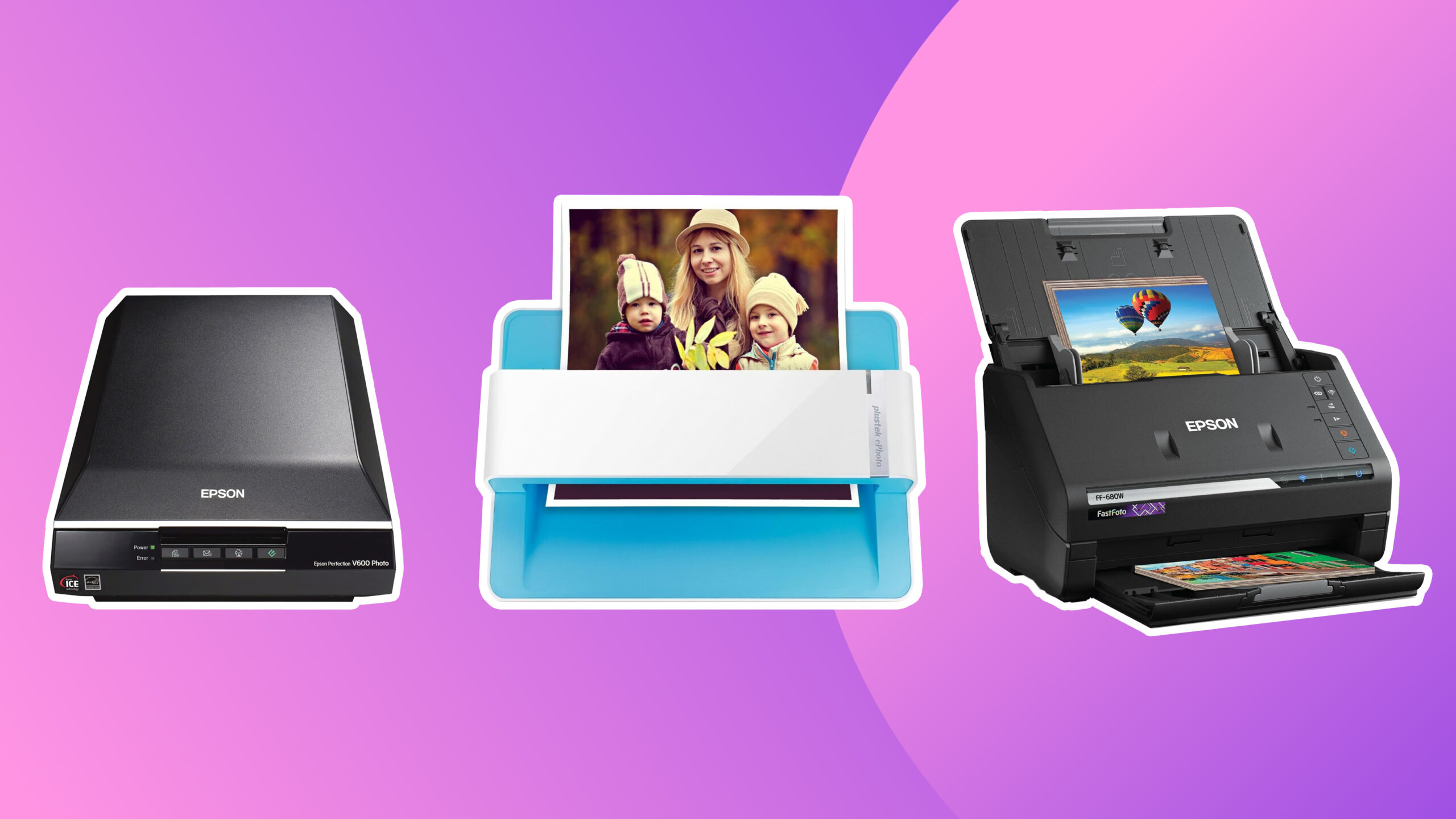
We compared flatbeds, photo feeders, film scanners, and high-speed document models. The Epson FastFoto FF-680W is the strongest all-round pick for a large photo collection, while the Plustek ePhoto Z300 is the simpler choice for people who want fast, straightforward print scanning. The rest of the range covers detailed flatbed scans, wireless workflows, delicate originals, and film.
Comparison table
| # | Product | Award | Resolution or speed | Connectivity | Best for |
|---|---|---|---|---|---|
| 1 | Epson FastFoto FF-680W | Best overall | 1 photo per second at 300 dpi | Wi-Fi, USB | Large photo collections |
| 2 | Plustek ePhoto Z300 | Best for simple photo batches | 4x6 in 2 seconds | USB | Quick print scanning |
| 3 | Epson Perfection V19 II | Best compact flatbed | 4800 dpi optical | USB | Enlargements and albums |
| 4 | ScanSnap iX2500 Photo Edition | Best wireless workflow | Up to 100 photos per minute | Wi-Fi 6, USB-C | Connected photo organization |
| 5 | Canon imageFORMULA RS40 | Best mixed-size feeder | Up to 40 items per minute | USB | Photos and paperwork |
| 6 | Canon CanoScan LiDE 300 | Best basic flatbed | Auto Scan mode | USB | Occasional home scans |
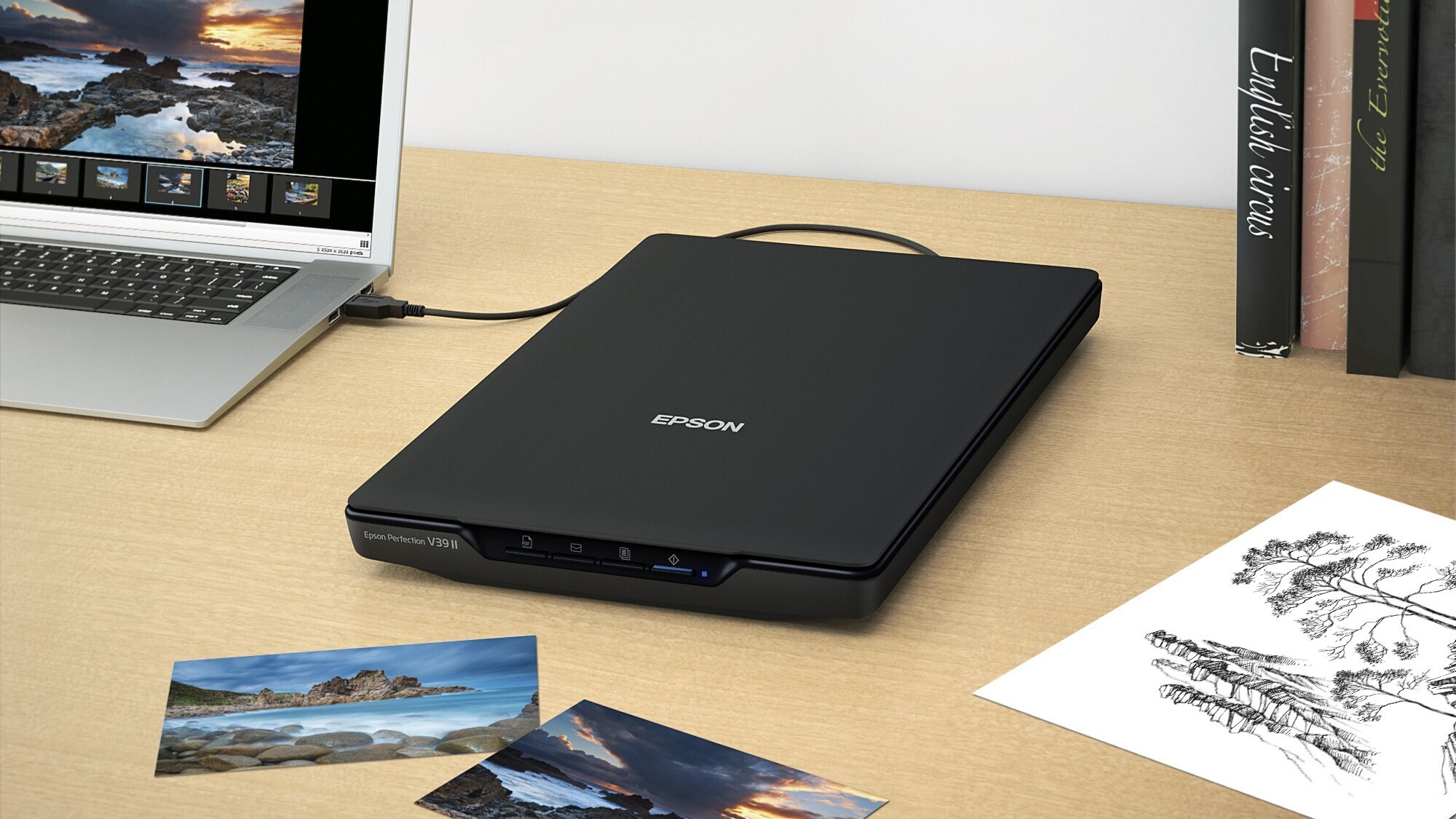
| 7 | Epson Perfection V39 II | Best for faded prints | 4800 dpi optical | USB | Photo restoration |
| 8 | ScanSnap iX2500 | Best document-first model | 45 ppm duplex | Wi-Fi 6, USB-C | Documents with occasional photos |
| 9 | AMBIR Photo Scanner | Best photo-care bundle | 300 or 600 dpi | USB | Small and delicate prints |
| 10 | KODAK Slide N Scan | Best for film | 22MP, 5-inch LCD | USB, SD or SDHC | Slides and negatives |
1. Epson FastFoto FF-680W: Best Overall

Pros
- Batch-scans up to 36 photos
- Captures both sides in one pass
- Automatic enhancement and red-eye reduction
- Wi-Fi and USB connections
- Handles photos up to 8 x 10 inches
Cons
- Much larger and heavier than a flatbed
- Feeder-based design needs care with fragile originals
- Its strength is volume, not individual art scans
Best for: families digitizing hundreds or thousands of printed photos.
The FF-680W is the scanner we would choose when the job is not a handful of treasured prints but an entire family archive. Its defining advantage is that it accepts up to 36 photos in a batch, then works through them at up to one photo per second at 300 dpi. That changes the project from a slow weekend ritual into a manageable workflow. The Epson is a substantial 8.2-pound unit, but the size is justified by the feeder and the controls built around repeated scanning.
The resolution options are sensibly divided by purpose. Use 300 dpi for files that are easy to share, 600 dpi TIFF for archiving, and up to 1200 dpi when you need room to enlarge an image. It can handle Polaroid photos, panoramas, postcards, and prints up to 8 x 10 inches, so the collection does not have to be perfectly uniform. The automatic crop, rotate, de-skew, color restoration, image enhancement, and red-eye reduction can save considerable editing time after the scan.
A particularly useful feature is duplex scanning. The FF-680W can capture a photo and handwritten notes on its back in one pass, preserving dates, names, and family annotations that would otherwise be easy to lose. It also works as a document scanner, with Epson ScanSmart software and optical character recognition, and reaches up to 45 pages per minute or 90 images per minute for documents. Dropbox and Google Drive backup options add a practical way to keep the files from living on one computer.
The weakness is the same feature that makes it fast. A feeder is less reassuring for cracked, curled, brittle, or unusually delicate photographs than a flatbed. Epson includes a carrier sheet and microfiber cloth, and its SafeTouch technology is intended to reduce handling concerns, but a truly irreplaceable print may still deserve slower treatment. The Plustek ePhoto Z300 is easier to approach for smaller batches, while the FF-680W wins decisively once volume becomes the problem.
Choose this Epson if you want a serious archive workflow with flexible file formats, wireless operation, and useful automatic corrections. If you are also deciding how to handle particularly fragile family pictures, the practical differences between scanning old prints can help you decide when a feeder is appropriate.
2. Plustek ePhoto Z300: Best for Simple Photo Batches

Pros
- Scans a 4x6 photo in 2 seconds
- Supports several common print sizes
- Automatic crop and deskew
- Works with Mac and PC
- Includes image enhancement tools
Cons
- Photos must be inserted one at a time
- Maximum optical resolution is 600 dpi
- USB connection is less flexible than wireless models
Best for: someone who wants quick print scanning without a full document-feeder workflow.
The ePhoto Z300 takes a refreshingly narrow approach. It is built around feeding printed photos through the scanner one at a time, and that simplicity is its appeal. A 4x6 photo takes about two seconds, while an 8x10 takes about five seconds at 300 dpi. That is not as hands-off as the Epson FastFoto FF-680W, but it is fast enough to make a shelf of albums feel approachable.
It supports 3x5, 4x6, 5x7, and 8x10 photos, along with letter and A4 paper. The CCD sensor and optical resolution up to 600 dpi give you two useful choices: 300 dpi for routine sharing and 600 dpi when you want more detail for editing or enlargements. Automatic crop and deskew are important here because they reduce the small alignment decisions that slow down manual scanning.
Plustek also includes image enhancement and restoration tools for faded pictures. That makes the Z300 more useful than a bare transport scanner when a collection contains prints with washed-out color. It supports Windows 7, 8, 10, and 11, along with Mac OS X 10.12 through 15.x, so it fits a range of older and newer home computers.
The limitation is its one-at-a-time workflow. The FF-680W can accept 36 photos, and the ScanSnap iX2500 Photo Edition is designed around even faster batch handling, so the Z300 is not the right tool for a very large archive. Its USB-only setup also means it belongs near the computer. Still, for a person scanning a few boxes over several evenings, that trade-off keeps the process clear and predictable.
The Z300 is the one to buy when printed photos are the priority and you want fewer settings to manage. It is more focused than the Epson flatbeds, less elaborate than the high-end feeders, and particularly well suited to standard family snapshots.
3. Epson Perfection V19 II: Best Compact Flatbed

Pros
- 4800 dpi optical resolution
- Removable high-rise lid for albums and books
- Easy Photo Fix restores faded color
- USB powered
- Built-in kickstand for vertical storage
Cons
- Flatbed scanning is slow for large collections
- No wireless connection
- Manual placement is required for every original
Best for: home users who care about detail, albums, and occasional enlargements.
The V19 II is the classic flatbed answer to a messy photo box. You place each print on the glass, close the lid, and let the scanner make a careful copy without pulling the original through a feeder. That method takes longer than the Plustek or Epson FastFoto, but it is more accommodating to albums, artwork, illustrations, and pages that do not feed cleanly.
Its 4800 dpi optical resolution is the headline specification, and it matters most when you plan to enlarge a small print or crop into a scene. It gives the scanner plenty of capture detail for home photo work, although simply selecting the highest setting for every scan will create larger files and longer waits. Letter-sized documents can be scanned in as fast as 10 seconds, which makes the V19 II a capable general home scanner as well.
The removable high-rise lid is one of the more useful physical features. It gives extra clearance for books and photo albums instead of forcing the lid flat against an uneven surface. A built-in kickstand lets the 3.1-pound scanner stand vertically when it is not in use, and USB power keeps the setup tidy. Epson ScanSmart software adds one-touch scanning, searchable PDFs, editable Office files, and Easy Photo Fix for faded color.
The V19 II is not designed for a room full of loose prints. You have to place and remove every original, and there is no wireless option for sending scans around the home. The Epson Perfection V39 II offers a similar flatbed concept, while the V19 II is the more compact fit for someone who wants a straightforward scanner without a large feeder.
Pick the V19 II when preservation and versatility matter more than throughput. It is a particularly good match for albums, artwork, and prints that need careful positioning rather than rapid batch processing.
4. ScanSnap iX2500 Photo Edition: Best Wireless Workflow

Pros
- Scans up to 100 photos per minute
- Photo feeder holds up to 36 photos
- Includes three photo carrier sheets
- Large touchscreen
- Wi-Fi 6 and USB-C connectivity
Cons
- Heavy at 7.7 pounds
- More document-oriented than a flatbed
- Automatic organization may require setup time
Best for: households that want fast scans sent to computers, mobile devices, and cloud services.
The Photo Edition of the iX2500 is a modern take on the archive scanner. Its large touchscreen puts profiles and destinations directly on the machine, while Wi-Fi 6 allows it to work without sitting beside a computer. For a household that wants several people to scan, sort, and send files, that flexibility is more meaningful than another button on a flatbed.
This model can scan up to 100 photos per minute, with an automatic document feeder that holds up to 100 documents or up to 36 photos. Three photo carrier sheets are included for delicate prints, and automatic optimizations are intended to make repeated jobs more consistent. The scanner can send files to PC, Mac, mobile devices, and cloud services, with USB-C available when a direct connection is preferable.
The organization tools are a major part of the experience. ScanSnap software can automatically optimize, name, and sort scanned data from photos, receipts, documents, and business cards. Personalized touchscreen profiles and the Quick Menu make it possible to create a repeatable routine instead of revisiting scan settings for every box. This is a better fit than the Plustek ePhoto Z300 for a mixed digital archive that needs structure after capture.
The catch is that the iX2500 Photo Edition is still a feeder-based scanner. Carrier sheets help, but a fragile, curled, or deeply valuable print deserves a careful decision before it goes through any transport path. It is also a 7.7-pound desktop machine, not a device you will casually move from room to room. The regular ScanSnap iX2500 is the better match when documents are the main workload and photos are occasional.
Choose the Photo Edition when wireless control, fast batches, and organization are central to the project. It is the most convenient pick here for a connected household archive, provided your originals are suitable for feeder scanning.
5. Canon imageFORMULA RS40: Best Mixed-Size Feeder

Pros
- Scans both sides at the same time
- Handles photos and documents in varying sizes
- Reaches up to 40 items per minute
- Includes photo enhancement and red-eye correction
- Works with Windows and Mac
Cons
- USB only
- Feeder handling is not ideal for every fragile print
- Bulkier than a flatbed
Best for: people digitizing photos, receipts, cards, and paperwork in the same project.
The RS40 makes sense when a photo archive is only half the job. It is an automatic feeder scanner that can process photos and documents together, which is useful when old prints sit in the same storage boxes as receipts, cards, tax papers, and notes. Its ability to handle varying sizes means you do not need to separate every item into perfectly uniform piles first.
Canon rates it for up to 40 items per minute, and it scans both sides simultaneously. Duplex capture is especially helpful for photos with writing on the back, since the date or family note can remain attached to the image file workflow. It supports formats including JPG, TIF, BMP, PNG, PDF, and PPTX, giving it a broad role after the photo work is finished.
The bundled software includes photo enhancement, red-eye correction, and digital face smoothing, along with tools for scanning, creating, converting, and editing documents. Windows and Mac support are covered, and a TWAIN driver helps it work with compatible scanning applications. Canon also includes a one-year limited warranty and US-based technical support.
The RS40 is not as fast as the ScanSnap iX2500 Photo Edition, and it lacks that model's wireless connection. The Epson FastFoto FF-680W is the stronger dedicated photo machine because it accepts larger photo batches and offers more explicit photo archiving options. Canon wins when the scanner has to be a flexible home office tool as well as a photo feeder.
Buy the RS40 if your project includes a wide mix of original sizes and paperwork. It is a practical bridge between a photo archive and a document filing system, with enough photo-specific software to avoid feeling like a document scanner that merely tolerates pictures.
6. Canon CanoScan LiDE 300: Best Basic Flatbed

Pros
- Simple flatbed design
- Auto Scan mode detects the original
- USB connectivity
- Digitizes documents and images
- Compact 1.7-inch height
Cons
- Few photo-specific features are listed
- No wireless connection
- Manual flatbed placement limits batch work
Best for: occasional photo and document scans with minimal setup.
The CanoScan LiDE 300 is the uncomplicated option in this group. It gives you a flat glass surface, a USB connection, and an Auto Scan mode that detects what you are scanning. That is enough for someone who needs to digitize a few photos, copy a document, or create a PDF without building a more involved archive workflow.
Canon lists it as a document scanner that can digitize documents and images. The sparse feature set is part of its identity: there are no claims here about wireless operation, automatic feeder batches, photo restoration, or high-resolution optical capture. That makes it less ambitious than the Epson V19 II and V39 II, but also easier to understand.
The 1.7-inch height keeps the unit relatively low on a desk, and the 3.6-pound weight is manageable if you need to store it between uses. Its 14.5-inch length still requires a proper work surface, so it is compact in height rather than genuinely portable. USB is the only listed connection, which keeps the cable count down but ties scanning to the nearby computer.
The weakness is the limited photo workflow. You place each original manually, and the listed features do not include restoration, feeder handling, or advanced photo organization. The Epson V19 II is a better choice for enlargements and faded prints, while the Plustek ePhoto Z300 is much faster if you have a large stack of standard snapshots.
The LiDE 300 suits a light-duty household role. Choose it for occasional scans and basic document work, not for a major family archive or a collection that needs extensive correction.
7. Epson Perfection V39 II: Best for Faded Prints

Pros
- 4800 dpi optical resolution
- One-click Easy Photo Fix restoration
- Removable high-rise lid
- USB powered
- Can stitch oversized images
Cons
- Manual flatbed workflow
- No wireless connectivity
- Not suited to rapid photo batches
Best for: restoring faded prints while also scanning artwork, books, and documents.
The V39 II is closely related to the V19 II in the way it works, but its appeal is especially clear when old color needs attention. Place a faded print on the glass, use Easy Photo Fix, and the software can restore color with one click before you save the result. That is a useful starting point for family photos that have lost some of their original liveliness.
Its 4800 dpi optical resolution gives it the same kind of enlargement headroom that makes the V19 II appealing. Epson positions it for photos, artwork, illustrations, books, and documents, and the high-rise removable lid makes thicker originals easier to place. The scanner can also stitch oversized images together, a capability that flatbeds with a fixed letter-sized approach do not always provide.
One-touch buttons reduce the steps for routine scans, while Epson ScanSmart adds cloud storage options and document handling. Letter-sized documents can be scanned in as quickly as 10 seconds. Like the V19 II, this is a 3.1-pound, USB-powered unit, so it is relatively easy to position and store, though it still needs a desk-length footprint.
The V39 II cannot match the throughput of the FF-680W or the ePhoto Z300. Every photo must be positioned on the glass, and there is no wireless connection for sending a scan directly to another device. Its advantage over the Canon LiDE 300 is the stronger photo feature set, while the V19 II remains a close alternative for shoppers who want the same flatbed format.
Select the V39 II when faded color and careful flatbed scanning matter more than speed. It is a sensible tool for a varied collection containing prints, books, artwork, and documents alongside the family photographs.
8. ScanSnap iX2500: Best Document-First Model

Pros
- 45 pages per minute duplex scanning
- 100-sheet document feeder
- Wi-Fi 6 and USB-C
- Touchscreen profiles
- Automatic skew and multi-feed detection
Cons
- Photo capabilities are less specialized than the Photo Edition
- Heavy desktop design
- Feeder workflow is not for every original
Best for: a home office where documents dominate and photos are a secondary task.
The standard iX2500 is the sensible choice when photo scanning is one responsibility among many. Its headline capability is document throughput: up to 45 pages per minute with double-sided scanning and a 100-sheet feeder. That makes it far more compelling for paperwork than a flatbed, especially when the same machine will handle receipts, forms, business cards, and household records.
Wireless and USB-C connectivity give it placement flexibility, and built-in Wi-Fi 6 can connect it to computers, mobile devices, and cloud services without requiring the scanner to share a desk with a particular computer. Touchscreen profiles let you set up repeatable destinations, while the Quick Menu can send scans into familiar computer applications.
ScanSnap's organization tools automatically optimize, name, and sort scanned data. Brake roller hardware helps feed pages smoothly, a multi-feed sensor detects pages stuck together, and skew detection is intended to reduce paper damage and lost data. Those safeguards are more relevant to a document-heavy workflow than to a small pile of treasured prints, but they help explain why this model belongs in a serious home office.
Compared with the ScanSnap iX2500 Photo Edition, this version lacks the specific photo bundle and the stated capacity of up to 36 photos. The Photo Edition is the clear choice for a print archive, while the Epson FastFoto FF-680W is more directly tuned to old photographs. The regular iX2500 earns its place by being the better fit for documents first.
Buy this model if your scanner will spend most of its life processing paperwork and only occasionally digitizing photos. It is capable and connected, but dedicated photo users should not mistake its document strengths for a flatbed's gentleness.
9. AMBIR Photo Scanner: Best Photo-Care Bundle

Pros
- Supports prints from 1x1 to 8x10 inches
- Handles panoramas up to 12 inches
- Offers 300 and 600 dpi settings
- Includes blower, cloth, brush, and carrier sheet
- Picture Studio organizes and edits images
Cons
- USB connection only
- No published batch speed in the supplied specifications
- Photo cleaning adds preparation work
Best for: careful scanning of varied prints with hands-on cleaning and organization.
The AMBIR bundle is aimed at the part of photo scanning that many machines overlook: preparing the original. Alongside the scanner, it includes a blower, microfiber cloth, anti-static soft brush, and protective carrier sheet. Dust and loose particles can become permanent-looking marks in a digital file, so having the cleaning tools nearby is useful when the originals have spent decades in boxes.
This model handles a broad set of print sizes, from small 1x1 photos through 3x5, 4x6, 5x7, and 8x10 prints, plus panoramic images up to 12 inches. The 300 dpi setting is suited to everyday digital copies, while 600 dpi gives you more detail for archival work and editing. Auto crop and deskew are designed to reduce the need to straighten every file manually.
The included Picture Studio software goes beyond capture. It can import existing digital photos from Apple Photos, Google Photos, digital cameras, and memory drives, then arrange them into albums with tags, favorites, and notes. Editing tools include auto enhancement, faded-photo restoration, filters, borders, and controls for brightness, contrast, exposure, sharpness, and gamma.
The AMBIR is less convincing for a large archive because the supplied information does not state a batch speed, and its USB connection keeps the setup local. The Plustek ePhoto Z300 is a more clearly defined fast-scanning choice, while the Epson V39 II offers a proven flatbed approach with 4800 dpi optical resolution. AMBIR's distinction is the care kit and software ecosystem, not raw throughput.
Choose it if the condition and variety of your prints matter as much as the scan itself. The two-year manufacturer warranty is a useful extra reassurance, but the real reason to consider it is the combination of cleaning, carrier protection, capture, and organization.
10. KODAK Slide N Scan: Best for Film

Pros
- Scans 135, 110, and 126 film
- Supports 50mm slides
- Built-in 5-inch LCD screen
- Includes several film adapters
- Saves files to an SD or SDHC card
Cons
- Designed for film rather than printed photos
- SD card is not included
- Capture process differs from flatbed scanning
Best for: slides and negatives that cannot be handled by ordinary photo scanners.
The KODAK Slide N Scan belongs here because some photo collections are not made of prints at all. It is built for 135, 110, and 126 negatives, plus 50mm slides, so it addresses a different problem from every flatbed and photo feeder in this roundup. If your family archive is a box of transparencies and film strips, a print scanner is the wrong tool.
A 5-inch LCD screen lets you preview and edit images directly on the device. The gallery mode is useful for checking results without immediately opening a computer, and the screen can also show images to friends or family. The scanner includes a 50mm slide holder, adapters for the supported film formats, a cleaning brush, and USB and HDMI cables.
The capture software offers a single scan button, along with options to choose the film type, adjust color and brightness, and assign date and time information. Files save to SD or SDHC cards up to 32GB, though the card itself is not included. A computer connection is available through USB Type-C, giving you another route for transferring the digitized images.
This is not a replacement for the Epson FastFoto FF-680W, Plustek ePhoto Z300, or either Epson Perfection flatbed when your originals are paper prints. Its 22MP labeling and LCD are attractive for film preview, but the workflow is specialized and the supplied data does not position it as a general print scanner. The device is also small at about 1 pound, which is convenient for storage but reflects its focused role.
Choose the KODAK when slides and negatives are the archive. For paper photographs, use a flatbed or feeder model instead, because the right capture method depends on the physical original before resolution or software enters the discussion.
How to choose best scanner for photos
Start with the originals you actually own, then match the scanner's handling method, resolution, and software to the work ahead.
Flatbed or feeder design
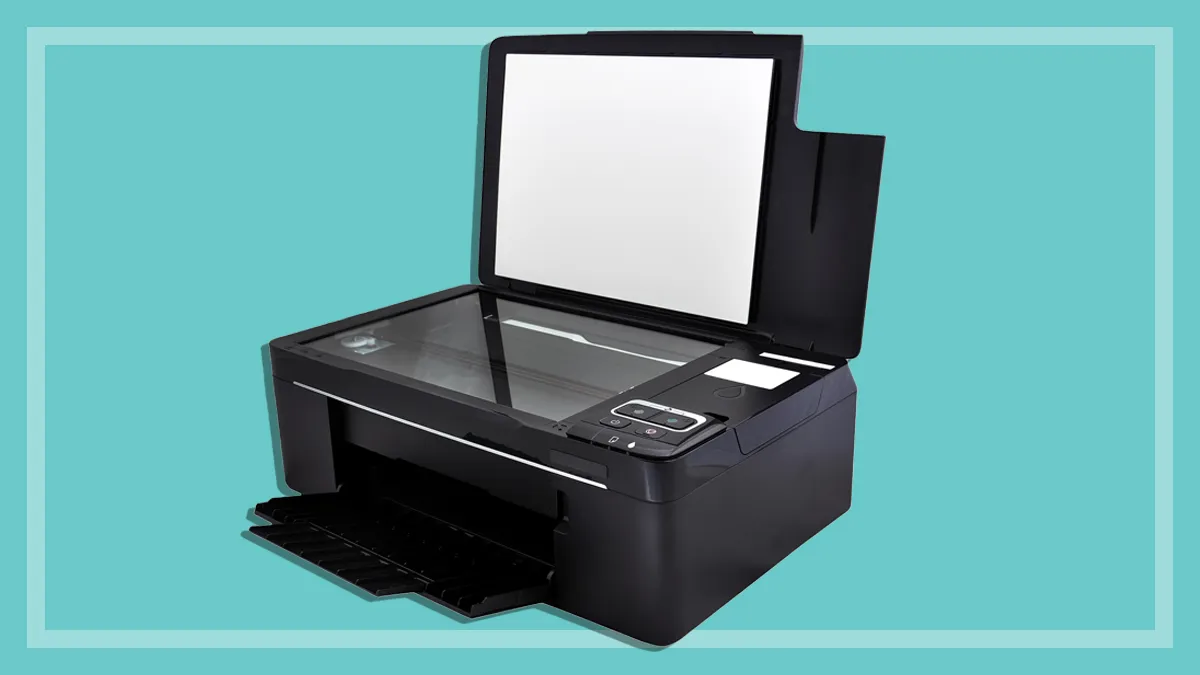
A flatbed holds each original on glass, making it the safer general approach for albums, books, artwork, curled prints, and fragile photographs. It is slower because every item must be positioned manually. A feeder is much faster for loose, reasonably flat prints, but it needs more caution with cracked or delicate originals.
Resolution
For everyday sharing, 300 dpi is usually a practical scanning setting. A 600 dpi option gives you more room to crop and edit, while 4800 dpi optical resolution on the Epson flatbeds is aimed at detailed captures and enlargements. Do not assume a larger number automatically improves every scan. The condition of the print, the intended output, and the scanner's optical system matter more than an inflated software setting.
A feeder solves a volume problem. A flatbed solves an originality problem.
Photo size and shape
Check the sizes your collection contains before choosing. The Plustek ePhoto Z300 supports 3x5 through 8x10 prints, AMBIR also handles small 1x1 images and panoramas up to 12 inches, and the Epson FastFoto FF-680W accepts Polaroids, panoramas, postcards, and photos up to 8 x 10 inches. A scanner that handles only common snapshots can leave the most unusual family photographs behind.
Restoration and organization software
Automatic crop, deskew, color restoration, red-eye correction, and enhancement can reduce hours of editing. The Epson V19 II and V39 II offer Easy Photo Fix, while the FastFoto FF-680W adds restoration, rotation, red-eye reduction, and cloud backup options. AMBIR's Picture Studio is useful when tagging, albums, notes, and imported digital photos matter as much as the scan itself.
Connectivity and storage
USB keeps setup simple but places the scanner beside one computer. Wi-Fi models such as the FastFoto FF-680W and ScanSnap iX2500 variants offer more flexible placement and can send scans to mobile devices or cloud services. The KODAK Slide N Scan takes a different route by saving film scans to SD or SDHC cards, which is convenient when you want to preview and transfer without a traditional desktop workflow.
Frequently asked questions
Is a flatbed or feeder better for photo scanning?
A flatbed is better for fragile prints, albums, books, and originals that might be damaged by rollers. A feeder is better for large batches of loose photos that are flat and in reasonable condition. The Epson FastFoto FF-680W and Plustek ePhoto Z300 favor speed, while the Epson Perfection V19 II and V39 II favor careful placement.
What resolution should I use for family photos?
Use 300 dpi for convenient sharing and routine digital copies. Choose 600 dpi when you want more flexibility for cropping, restoration, or archiving. Higher optical resolution can help with enlargements, but it also creates larger files and does not repair a damaged or blurry original.
Can these scanners scan photo albums?
The Epson Perfection V19 II and V39 II have removable high-rise lids that make books and albums easier to place on the glass. Feeder models are intended for loose originals and are not a suitable way to scan a bound album. For album pages, a flatbed is the safer design.
Which model handles handwritten notes on the back of photos?
The Epson FastFoto FF-680W can capture the image and handwritten notes on the back in one scan through duplex scanning. The Canon imageFORMULA RS40 also scans both sides at the same time. That feature is useful for preserving dates, names, and family details attached to the original.
Can a print scanner digitize slides and negatives?
Ordinary flatbed and photo feeder models in this roundup are intended mainly for paper photographs and documents. The KODAK Slide N Scan is the specialized choice for 135, 110, and 126 negatives and 50mm slides. Use a film scanner when the original is transparent film rather than a paper print.
Do I need wireless scanning?
No. USB is enough if the scanner will stay beside one computer. Wireless becomes useful when several people need access, when you want to place the scanner away from the main workstation, or when the scanner can send files directly to mobile devices and cloud services.
The bottom line
The Best scanner for photos for most large family archives is the Epson FastFoto FF-680W. Its 36-photo batch capacity, duplex capture, flexible resolution options, automatic corrections, and Wi-Fi make it the most complete choice for turning a large pile of prints into organized files. Its feeder is not ideal for every fragile original, so use a flatbed for anything especially delicate.
For a simpler print-focused workflow, the Plustek ePhoto Z300 is the easier recommendation. The Epson Perfection V19 II and Epson Perfection V39 II are better when detail, albums, and careful flatbed handling matter, while the KODAK Slide N Scan is the clear choice for slides and negatives.
If you are undecided, choose the model based on whether your biggest problem is volume, fragile originals, or film, then let that handling method guide the rest.
As an Amazon Associate we earn from qualifying purchases.