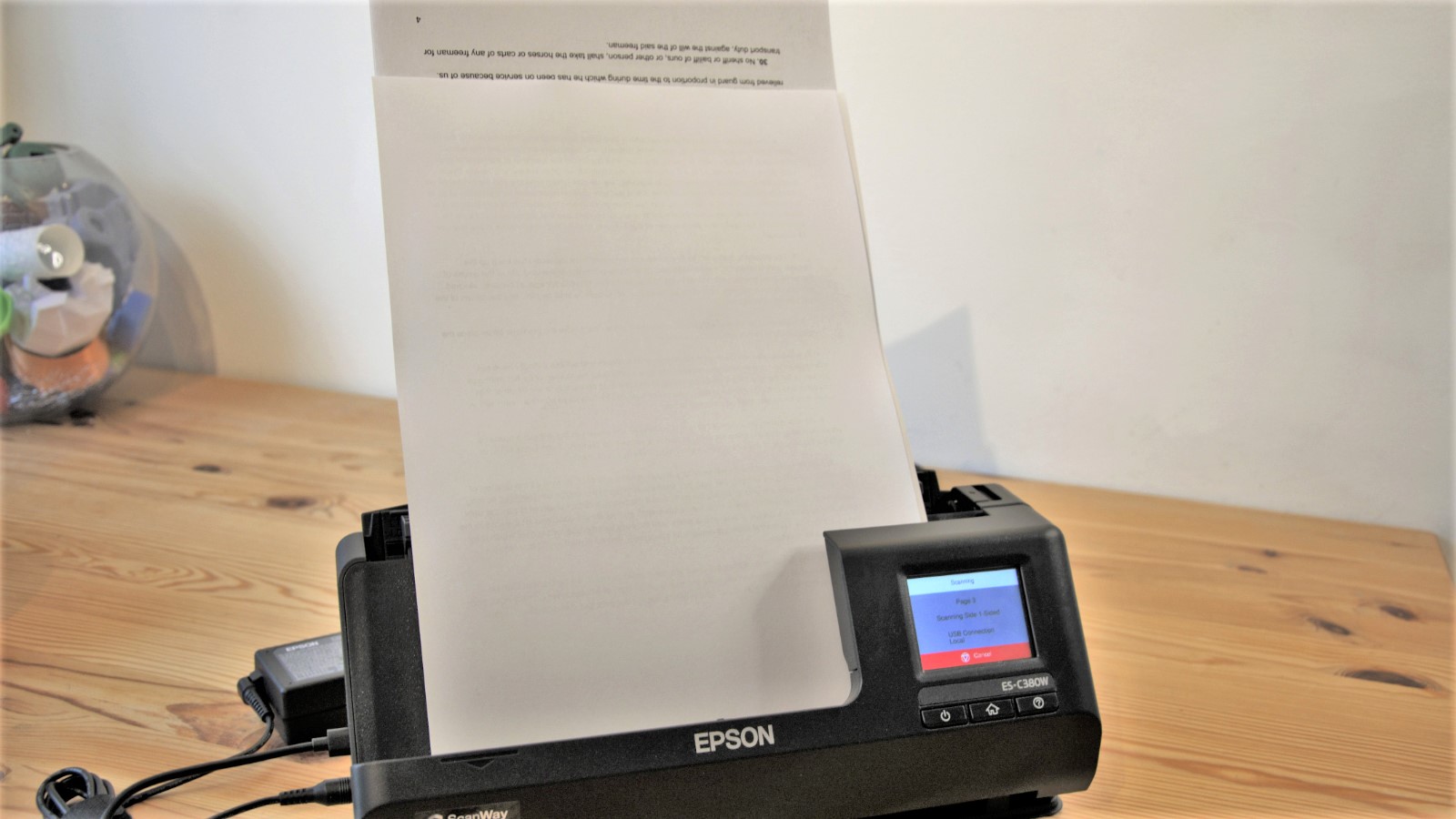

A paper pile becomes a workflow problem long before it becomes a storage problem. Receipts, signed forms, invoices, and identity documents all need different handling, and a scanner that is fine for one page can be frustrating with a stack. The Best scanners for home office setups make the digital copy nearly automatic.
The Epson WorkForce ES-400 II is our top pick because its 50-sheet feeder, duplex scanning, OCR, and document-management features suit the widest range of home-office work. The rest of the list covers flatbed scanning, travel-sized single-sheet models, wireless scanning, and printers that also scan.
Our top choice is the Epson WorkForce ES-400 II, with options ranging from a simple flatbed to a full all-in-one printer.
Comparison table
| # | Product | Award | Feeder or handling | Connectivity | Best for |
|---|---|---|---|---|---|
| 1 | Epson WorkForce ES-400 II | Best overall | 50-sheet ADF, duplex | USB, TWAIN | Busy home offices |
| 2 | Canon CanoScan LiDE 300 | Best flatbed | Flatbed | USB | Photos and occasional documents |
| 3 | Epson WorkForce ES-50 | Best lightweight | Single-sheet feed | USB 2.0 | Mobile document capture |
| 4 | Brother DS-640 | Best portable speed | Single-sheet feed | Micro USB 3.0 | Portable color scanning |
| 5 | Canon PIXMA TS6520 | Best all-in-one | Integrated scanner | Dual-band Wi-Fi | Printing and scanning together |
| 6 | HP DeskJet 2955 | Best basic all-in-one | Integrated scanner, 60-sheet input | Dual-band Wi-Fi | Everyday home documents |
| 7 | Canon imageFORMULA R10 | Best mobile duplex model | 20-sheet ADF, duplex | USB | Remote offices and travel |
| 8 | ScanSnap iX1300 | Best wireless model | Duplex, compact feeder | Wi-Fi, USB | Wireless home-office scanning |
| 9 | Plustek PS186 | Best desktop customization | 50-page ADF | USB | Windows document workflows |
| 10 | Canon imageFORMULA R30 | Best plug-and-scan model | 60-sheet ADF, duplex | USB | Larger mixed batches |
1. Epson WorkForce ES-400 II: Best Overall

Pros
- 50-sheet automatic document feeder
- Duplex scanning for two-sided pages
- OCR creates searchable PDFs and editable files
- ScanSmart supports cloud and email destinations
- Ultrasonic double-feed detection
Cons
- Desktop footprint is larger than mobile models
- USB-focused setup is less flexible than wireless scanners
- More scanner than occasional users may need
Best for: a home office that regularly scans contracts, invoices, forms, and multi-page paperwork.
The Epson WorkForce ES-400 II is the one that makes a home office feel properly digitized. It is a desktop document scanner rather than a general-purpose flatbed, so the experience revolves around putting a stack in the feeder, choosing a destination, and getting back to work. That distinction matters when paperwork arrives in batches instead of one sheet at a time.
Its 50-sheet automatic document feeder gives it a useful advantage over the portable scanners here. Duplex scanning captures both sides in one pass, which means two-sided forms do not need to be turned over manually. Epson also includes dynamic skew correction and ultrasonic double-feed detection. Those features are not decorative extras. They reduce the two common reasons a batch scan needs supervision: pages entering crooked and two sheets traveling together.
The software is unusually important to this model. Epson ScanSmart can preview scans, send them to email or services such as Dropbox, Evernote, Google Drive, and OneDrive, and use automatic file naming to keep a growing archive manageable. OCR turns scans into searchable PDFs and can convert them into editable Word or Excel files. Auto crop, blank-page removal, and background removal help clean up routine paperwork before it reaches the filing system.
The ES-400 II is a stronger everyday choice than the Canon CanoScan LiDE 300 because it is built for stacks, while the Canon remains better for photographs and delicate originals that deserve a flat surface. The ScanSnap iX1300 is more flexible if wireless operation is essential, and the Canon imageFORMULA R30 has a larger 60-sheet feeder. The Epson balances these needs well, but it is not especially small. Its 11.6-inch width, 6.6-inch length, 6.9-inch height, and roughly 8.2-pound weight call for a permanent desk position. Skip it if you scan only a few pages a month or need something to carry between locations. For a busy household, a self-employed worker, or a home office with recurring paperwork, this is the most complete scanner in the group.
2. Canon CanoScan LiDE 300: Best Flatbed

Pros
- Flatbed design suits photos and single originals
- Auto Scan mode detects what is being scanned
- Compact 1.7-inch height
- USB connection keeps setup simple
- Supports PDF creation, copying, and sending
Cons
- No automatic document feeder
- No duplex scanning
- Manual page handling slows multi-page jobs
Best for: occasional document scanning, photographs, and originals that should lie flat.
The Canon CanoScan LiDE 300 is the simplest product here to understand. Lift the lid, place an original on the glass, close it, and scan. That makes it a sensible companion for a home office that also digitizes photographs, book pages, certificates, or anything that should not be pulled through a feeder.
Canon lists USB connectivity and Auto Scan mode, which automatically detects what is being scanned. The scanner can digitize documents and images, and the product title also identifies PDF, copy, and send functions. This is a focused flatbed rather than a document-processing workstation. There is no feeder to load, no duplex pass, and no batch capacity to make a stack disappear.
Its dimensions help in a crowded workspace. At 14.5 inches long, 9.9 inches wide, and 1.7 inches high, it is broad on a desk but low enough to slide beneath a shelf when not in use. The 3.6-pound weight also makes it easier to move than the desktop feeder models. The trade-off is clear: its footprint is not tiny, yet its workflow is slower for routine stacks because every page must be positioned by hand.
The LiDE 300 is a better fit than the Epson WorkForce ES-50 when the originals vary in type, and it is a better fit than the Epson WorkForce ES-400 II when photos matter more than volume. It cannot match the ES-400 II for forms, invoices, or two-sided documents. It also lacks the wireless convenience of the ScanSnap iX1300. Consider the broader ways a printer can handle scanning and copying together if your desk needs printing too. Choose this Canon when the priority is a straightforward flatbed and the number of pages is modest.
3. Epson WorkForce ES-50: Best Lightweight

Pros
- Weighs about 0.59 pounds
- USB powered with no external supply
- Handles receipts, ID cards, and long documents
- OCR supports searchable PDFs and editable files
- Windows and Mac compatible
Cons
- Feeds one sheet at a time
- No duplex scanning
- Requires a computer connection
Best for: a laptop-based worker who needs a scanner that can travel easily.
The Epson WorkForce ES-50 is small enough to disappear into a laptop bag, and that is its defining advantage. At roughly 0.59 pounds, with a 10.7-inch width and a 1.3-inch height, it is a mobile document tool rather than a reduced desktop scanner. It suits a remote worker who visits clients, works from multiple rooms, or does not want another permanent object on the desk.
This is a single-sheet-fed model, but Epson gives it more range than its size suggests. It can scan documents up to 8.5 by 72 inches, along with receipts and ID cards. The unusually long document support is useful for forms or receipts that do not fit a standard page shape. Epson says a single page can scan in as quickly as 5.5 seconds, while automatic feeding mode combines successive sheets into one file as they are inserted.
The ES-50 runs from USB 2.0, so there is no battery or external power supply to remember. Epson ScanSmart handles scanning, review, and saving, and the included OCR can produce searchable PDFs or editable Word and Excel files. A TWAIN driver broadens compatibility with imaging software. It can also send files to online storage accounts through the included software.
Compared with the Brother DS-640, the ES-50 is lighter and offers a clear long-document specification, while the Brother claims up to 16 pages per minute and supports Windows, Mac, and Linux. Neither is the right tool for a thick stack. The Canon imageFORMULA R10 is more substantial, with a 20-sheet feeder and duplex scanning, but it weighs about 2.2 pounds. That is a meaningful difference if portability is the whole point. The ES-50 is the one to choose when one sheet at a time is acceptable and carrying weight matters more than unattended batch work.
4. Brother DS-640: Best Portable Speed

Pros
- Scans color and black-and-white at the same stated speed
- Up to 16 pages per minute
- Micro USB powered
- Supports Windows, Mac, and Linux
- Includes image correction and OCR tools
Cons
- Single-sheet mobile design
- No duplex scanning
- Narrow body requires hands-on feeding
Best for: users who want a compact scanner with faster single-sheet throughput.
The Brother DS-640 takes the mobile scanner idea and gives it a more speed-conscious profile. It is less than a foot long, weighs about 1.5 pounds according to the product description, and can run from the included micro USB 3.0 cable. That combination works well for a mobile office, a shared desk, or a drawer where the scanner comes out only when needed.
Brother states speeds of up to 16 pages per minute for both color and black-and-white documents. That parity is useful because color does not impose a separate slower workflow in the stated specification. It remains a single-sheet scanner, however, so the speed figure does not turn it into a batch machine. You still need to place each page and keep an eye on the feed.
The software gives the DS-640 a broad range of destinations. Brother iPrint&Scan can send files to a computer, network, cloud services, or email, and the scanner supports OCR. The listed image tools include automatic color detection and adjustment, rotation on PC, bleed-through prevention, background removal, text enhancement, and color drop. Windows, Mac, and Linux support is a notable advantage for households with mixed computers, as are the TWAIN, WIA, ICA, and SANE driver options listed by Brother.
The Epson WorkForce ES-50 is lighter and more compact, while the DS-640 is the more convincing pick if the stated 16-page-per-minute speed matters. Both are defeated by the Canon imageFORMULA R10 for duplex work because the R10 scans both sides at once and has a 20-sheet automatic feeder. The Brother also needs a computer or laptop connection rather than operating as a wireless standalone unit. Look at the trade-offs between cable-based and wireless scanning before choosing. For a portable user who scans individual color pages and values operating-system flexibility, the DS-640 is a capable little specialist.
5. Canon PIXMA TS6520: Best All-in-One

Pros
- Combines printing, scanning, and copying
- Dual-band Wi-Fi
- Automatic two-sided printing
- 1.42-inch monochrome OLED display
- Supports mobile printing services
Cons
- Scanner is part of an all-in-one rather than a batch document unit
- Large and heavy compared with mobile scanners
- Two-cartridge ink system is focused on general home printing
Best for: a home office that needs a printer first and a scanner for occasional documents.
The Canon PIXMA TS6520 makes sense when scanning is only one part of the desk's job. It combines a color inkjet printer, copier, and scanner in one unit, avoiding the need to dedicate space to a separate document scanner. The integrated scanner is suited to routine home-office tasks such as copying a form, digitizing a page, or preserving a document before filing it.
Wireless connectivity is one of its strongest practical features. The TS6520 supports dual-band Wi-Fi on both 2.4GHz and 5GHz networks, so it can sit away from the main computer. Canon also lists the Canon PRINT App, Apple AirPrint, and Mopria Print Service for mobile printing. That is a more convenient setup for a household where phones and tablets regularly produce the documents that need to be printed or copied.
The printer side has automatic two-sided printing, which reduces manual page turning for print jobs. It supports documents and photos up to 8.5 by 11 inches, with or without borders, and uses a two-cartridge hybrid ink system for sharp text and vivid color. A 1.42-inch monochrome OLED display shows ink levels and printer status, while the 14.8-inch length, 14-inch width, and 6.7-inch height indicate that this is a substantial desktop device despite the compact-design claim.
The Canon is not a replacement for the Epson WorkForce ES-400 II when a home office regularly processes stacks. Its strength is consolidation. The HP DeskJet 2955 is another all-in-one, but the TS6520 adds automatic two-sided printing, a larger OLED status display, and dual-band Wi-Fi. For a dedicated scanning workflow, the ScanSnap iX1300 is more appropriate. If printing is equally important, compare the features that matter in a home-office printer before deciding. The TS6520 is the right choice for a mixed-use desk that values one connected machine over high-volume document feeding.
6. HP DeskJet 2955: Best Basic All-in-One

Pros
- Prints, scans, and copies
- 60-sheet input tray
- Dual-band Wi-Fi
- HP app supports mobile scanning and printing
- Compact design with recycled plastics
Cons
- Slow stated print speeds
- Scanner is intended for basic home use
- No listed duplex scanning
Best for: everyday lists, letters, recipes, and occasional scanning in a small home workspace.
The HP DeskJet 2955 is aimed at the household that wants basic printing and scanning without adding separate equipment. It prints color documents, copies, and scans, with the HP app providing access to those functions from a smartphone. That makes it easy to justify in a room where the scanner might be used for a form one day and a recipe the next.
HP lists a 60-sheet input tray and print speeds of up to 7.5 pages per minute in black and 5.5 pages per minute in color. Those numbers describe the printer, not a dedicated feeder-based scanner, and they point to the 2955's intended workload. It is comfortable with everyday documents, but it is not designed to process a long archive of paperwork unattended.
Dual-band Wi-Fi automatically detects and resolves connection issues according to HP's feature list. The icon LCD keeps the local controls basic, while the HP app handles printing, scanning, copying, and faxing from a smartphone. HP also lists an AI feature for cleaning unwanted content from web pages and emails before printing. The compact body measures 16.73 inches wide, 11.97 inches long, and 6.06 inches high, with a listed weight of 7.55 pounds.
The Canon PIXMA TS6520 is the more capable all-in-one for a home office that prints on both sides, supports photos, or needs a 1.42-inch OLED display. The HP is better suited to basic documents and simple app-based operation. Neither competes with the Epson WorkForce ES-400 II or Canon imageFORMULA R30 for feeder-based scanning. Its recycled-plastic construction and ENERGY STAR and EPEAT certifications may matter to buyers making equipment choices for a shared home. Choose the DeskJet 2955 when occasional scanning comes alongside modest everyday printing, not when scanning is the central job.
7. Canon imageFORMULA R10: Best Mobile Duplex Model

Pros
- Duplex scanning at up to 12 pages per minute
- 20-sheet automatic feeder
- USB powered
- Handles receipts, business cards, and plastic cards
- Built-in software requires no installation
Cons
- Not intended for photographic media
- Smaller feeder than desktop models
- USB connection limits placement flexibility
Best for: mobile users who need two-sided document scanning without a permanent desktop scanner.
The Canon imageFORMULA R10 occupies the useful middle ground between a wand-like mobile scanner and a full desktop feeder. It is small enough for remote offices, classrooms, and travel, yet it has a 20-sheet automatic feeder and duplex scanning. That combination is more practical than a single-sheet model when a document packet has both sides filled.
Canon states scanning speeds of up to 12 pages per minute in color or black and white, with both sides captured at the same time. The R10 can handle receipts, business cards, plastic or embossed cards, reports, and legal documents. Its suggested daily volume is 500 scans, and the listed power consumption is 2.5 watts or less, falling to 0.7 watts in energy-saving mode.
The built-in software is a major convenience. Canon says it requires no installation and updates automatically, removing one of the common setup chores associated with small office scanners. The software can preview, edit, straighten, and trim scans, while output can include searchable PDFs and JPEGs. Windows and Mac compatibility covers the main home-office platforms.
The R10 is more versatile than the Epson WorkForce ES-50 and Brother DS-640 because it adds a feeder and duplex scanning, though it is heavier at about 2.2 pounds and does not offer their same ultra-light profile. The ScanSnap iX1300 is more compelling if Wi-Fi or computer-free operation matters. Canon also explicitly says the R10 is not intended for photographs on photo paper or photographic media, so the CanoScan LiDE 300 is the better choice for that job. Pick the R10 when portable two-sided paperwork is the priority and a USB-connected workflow is acceptable.
8. ScanSnap iX1300: Best Wireless Model

Pros
- Wi-Fi and USB connectivity
- Up to 30 pages per minute duplex scanning
- Compact design for small spaces
- Handles documents, photos, cards, and thick items
- Can scan to computers, mobile devices, and cloud services
Cons
- Heavier than the mobile single-sheet models
- More complex than a basic flatbed
- Compact body still needs a dedicated working position
Best for: a small home office that wants wireless, automated document capture.
The ScanSnap iX1300 is the most flexible scanner here for a desk shared by several devices. It connects by Wi-Fi or USB, can send scans to Mac, PC, mobile devices, and cloud services, and can even work with a Chromebook through the mobile app. The option to scan without a computer gives it a useful degree of independence from a conventional desktop setup.
Its headline capability is up to 30 pages per minute with duplex scanning. Automatic de-skew, color optimization, and blank-page removal are designed to make a single-button workflow less dependent on manual cleanup. The iX1300 can handle documents, photos, cards, and thick items, so it has a wider range than the portable feeder models, even though it remains intended primarily for document organization.
The physical design is unusually space-conscious. It measures 11.7 inches long, 4.5 inches wide, and 3.3 inches high, with a listed weight of 4.4 pounds. That narrow footprint helps it fit in a small home office, but the height and weight are still well above those of the Epson WorkForce ES-50 or Brother DS-640. ScanSnap Home brings document, receipt, business-card, and photo management together, which is useful when the scanner is part of an ongoing filing routine.
The Epson WorkForce ES-400 II offers a larger 50-sheet feeder and stronger TWAIN workflow integration, while the ScanSnap iX1300 wins on wireless placement and device choice. The Canon imageFORMULA R10 is easier to carry, but it lacks the iX1300's Wi-Fi and computer-free flexibility. This is the scanner to choose when several people need access or when the machine cannot live beside one computer. Skip it if every scan happens at a single wired workstation and the simplest possible setup matters more than wireless convenience.
9. Plustek PS186: Best Desktop Customization

Pros
- 50-page automatic document feeder
- Up to 255 customizable scan settings
- OCR creates searchable PDF files
- Barcode function can categorize documents
- Supports FTP and personal NAS destinations
Cons
- Feature list specifies Windows support
- No stated duplex capability
- Larger desktop footprint than mobile models
Best for: Windows users who want detailed control over repeat scanning jobs.
The Plustek PS186 is aimed at people who want to build repeatable scan routines rather than simply press a generic scan button. Its 50-page automatic document feeder supports batch work, and the software offers up to 255 customizable favorite scan settings. That could be useful for separating invoices, forms, receipts, or other recurring paperwork into distinct workflows.
OCR turns paper into searchable PDF files, and the Info Barcode function can automatically categorize complicated documentation using one-dimensional or two-dimensional barcode pages. Those are specialized tools, but they give the PS186 a reason to exist beside more polished general-purpose scanners. A home office with a predictable document archive may appreciate that level of control.
Plustek also lists automatic rotation, cropping, deskew, and blank-page removal. Files can be sent to an FTP server or personal NAS in PDF, JPEG, TIFF, or PNG formats. The listed body measures 10.36 inches long, 5.02 inches wide, and 5.83 inches high, with a weight of 3.66 pounds. It is compact enough for a desk, though much taller than the flatbed Canon CanoScan LiDE 300.
The main limitation is platform clarity. The product data specifies Windows 7, 8, 10, and 11 support and Intel or AMD systems, so Mac users should not assume compatibility. The Epson WorkForce ES-400 II is the safer broad home-office recommendation, with Mac and cloud-oriented features clearly stated. The Canon imageFORMULA R30 offers a larger 60-sheet feeder and duplex scanning, but the Plustek counters with deep customization and barcode handling. Choose the PS186 when those workflow controls matter more than wireless access or a simple plug-and-play experience.
10. Canon imageFORMULA R30: Best Plug-and-Scan Model

Pros
- 60-sheet automatic document feeder
- Duplex scanning at up to 25 pages per minute
- Plug-and-scan USB setup
- Built-in software needs no installation
- Handles mixed document batches
Cons
- Desktop unit is not intended for travel
- USB-only connection is less flexible than Wi-Fi
- Larger and heavier than mobile scanners
Best for: a home office that wants fast batch scanning with minimal software setup.
The Canon imageFORMULA R30 is built around a simple promise: connect it to a computer and start scanning. Its plug-and-scan design and built-in software avoid a separate installation process, which is appealing when the scanner is shared or needs to be brought into service quickly. It is a practical desktop tool for paperwork rather than a general-purpose photo scanner.
The 60-sheet automatic document feeder is the largest stated feeder in this group, and the R30 scans both sides at the same time. Canon lists speeds up to 25 pages per minute. That combination gives it the capacity to take on mixed batches of documents, invoices, contracts, and business cards without requiring each page to be placed by hand.
The R30's software creates searchable digital formats, and Canon says it handles different document types individually or in mixed batches. USB connection keeps the setup direct, but it also means the scanner needs to remain near the computer. Its dimensions are 11.54 inches wide, 9.65 inches long, and 9.88 inches high, with a listed weight of 6.6 pounds. The height is especially important when planning a shelf or desk position.
The R30 beats the Canon imageFORMULA R10 for feeder capacity and speed, while the R10 is the better travel companion. The Epson WorkForce ES-400 II adds cloud destinations, OCR conversion to editable Word and Excel files, and double-feed detection, so it remains our broader recommendation. The R30 is compelling for someone who wants a large feeder and minimal software fuss. Choose it when a wired desktop setup is fine and batches are more important than wireless access.

How to choose best scanners for home office
The Best scanners for home office use depend less on a single headline feature than on the type of paper you handle every week.
Feeder capacity
An automatic document feeder changes the scanner from a page-by-page device into a batch tool. A 20-sheet feeder is useful for a short packet, while the 50-sheet feeders in the Epson WorkForce ES-400 II and Plustek PS186 are better suited to recurring paperwork. The Canon imageFORMULA R30 goes further with a 60-sheet feeder. Flatbed models avoid feeder limitations but require manual page placement.
Duplex scanning
Duplex scanning captures both sides of a document in one pass. It matters for contracts, tax forms, applications, and any packet printed on both sides. The Epson WorkForce ES-400 II, Canon imageFORMULA R10, ScanSnap iX1300, and Canon imageFORMULA R30 all list duplex scanning. A single-sided mobile scanner is fine for receipts and one-sided pages, but it adds manual work when documents are printed on both sides.
Connection type
USB keeps the scanner close to one computer and usually makes the setup straightforward. Wireless models such as the ScanSnap iX1300 can serve computers, phones, tablets, and cloud destinations from a more convenient location. Mobile scanners generally use USB for power as well as data, which is useful on the road but less convenient if several people need access.
A feeder saves time only when your documents arrive in stacks. For photos and fragile originals, a flatbed is still the safer workflow.
OCR and file handling
OCR turns an image of a page into searchable text, making old documents easier to find. Epson includes OCR functions on the ES-400 II and ES-50, while Brother and Plustek also list OCR tools. Look for features such as searchable PDF creation, automatic file naming, blank-page removal, and direct cloud or network destinations. These details determine how much cleanup happens after scanning.
Size and working position
Desktop scanners need a permanent place with enough room for the feeder and outgoing pages. Mobile models such as the Epson WorkForce ES-50 and Brother DS-640 are easier to store and carry, but their single-sheet designs require more hands-on attention. The ScanSnap iX1300 is a useful compromise for a small desk because its body is only 4.5 inches wide, although it is still a proper desktop device.
Scanner or all-in-one printer
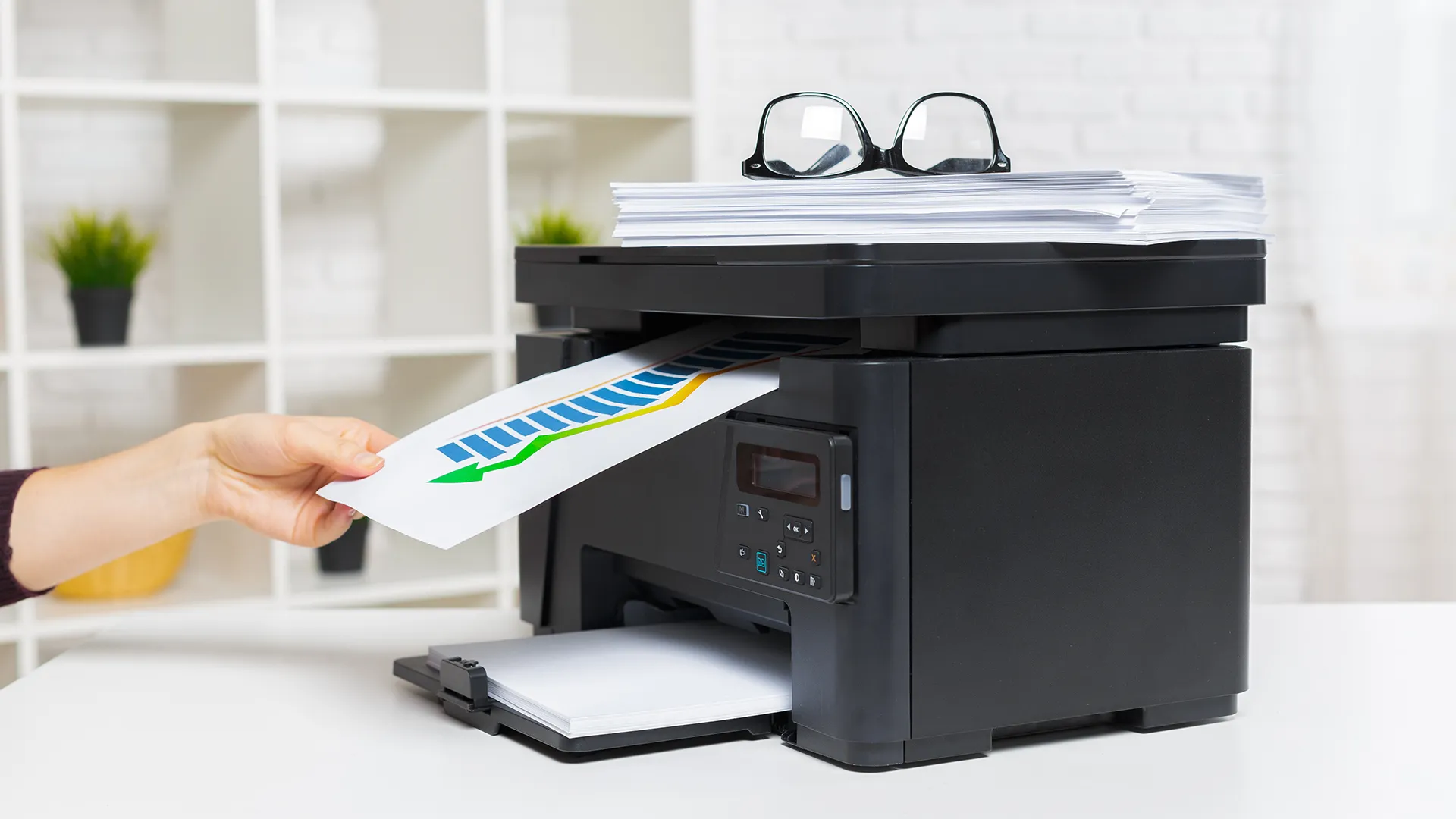
An all-in-one printer makes sense when printing and copying are as important as scanning. The Canon PIXMA TS6520 adds automatic two-sided printing and dual-band Wi-Fi, while the HP DeskJet 2955 focuses on basic color printing, copying, and scanning. Neither replaces a feeder-based scanner for document archives, so choose an all-in-one only when printing is a central part of the same workflow.
Frequently asked questions
Do I need a document feeder for a home office scanner?
You need a feeder if you regularly scan more than a few pages at a time. It lets the scanner process a stack without placing each sheet manually. A flatbed is more suitable for occasional pages, photographs, books, and fragile originals.
Is duplex scanning important?
Duplex scanning is important for two-sided forms, contracts, invoices, and applications. It captures both sides during one pass, which is faster and reduces the chance of missing a page. For receipts and simple one-sided documents, it is less essential.
Are portable scanners fast enough for home-office work?
Portable scanners can be fast enough when the workload is light and documents are handled one at a time. The Brother DS-640 lists up to 16 pages per minute, while the Epson WorkForce ES-50 lists a single-page scan time of as quickly as 5.5 seconds. They are not as convenient as desktop feeders for large stacks.
Can these scanners create searchable PDFs?
Several models list OCR and searchable PDF creation. The Epson WorkForce ES-400 II, Epson WorkForce ES-50, Canon imageFORMULA R10, ScanSnap iX1300, Plustek PS186, and Canon imageFORMULA R30 all include related document-recognition or searchable-file features. OCR quality can depend on the original page, so clean, readable documents generally produce the most useful results.
Is a flatbed better for scanning photos?
A flatbed is usually the more appropriate design for photographs and delicate originals because the item lies on glass rather than passing through a feeder. The Canon CanoScan LiDE 300 is the clearest flatbed choice in this group. The Canon imageFORMULA R10 specifically says it is not intended for photographic media.
Can a scanner work without a computer?
The ScanSnap iX1300 lists operation without a computer and can send scans to mobile devices and cloud services. Most of the other dedicated scanners here are designed around a USB-connected computer. All-in-one printers such as the Canon PIXMA TS6520 and HP DeskJet 2955 add mobile printing and scanning through their respective apps.
The bottom line
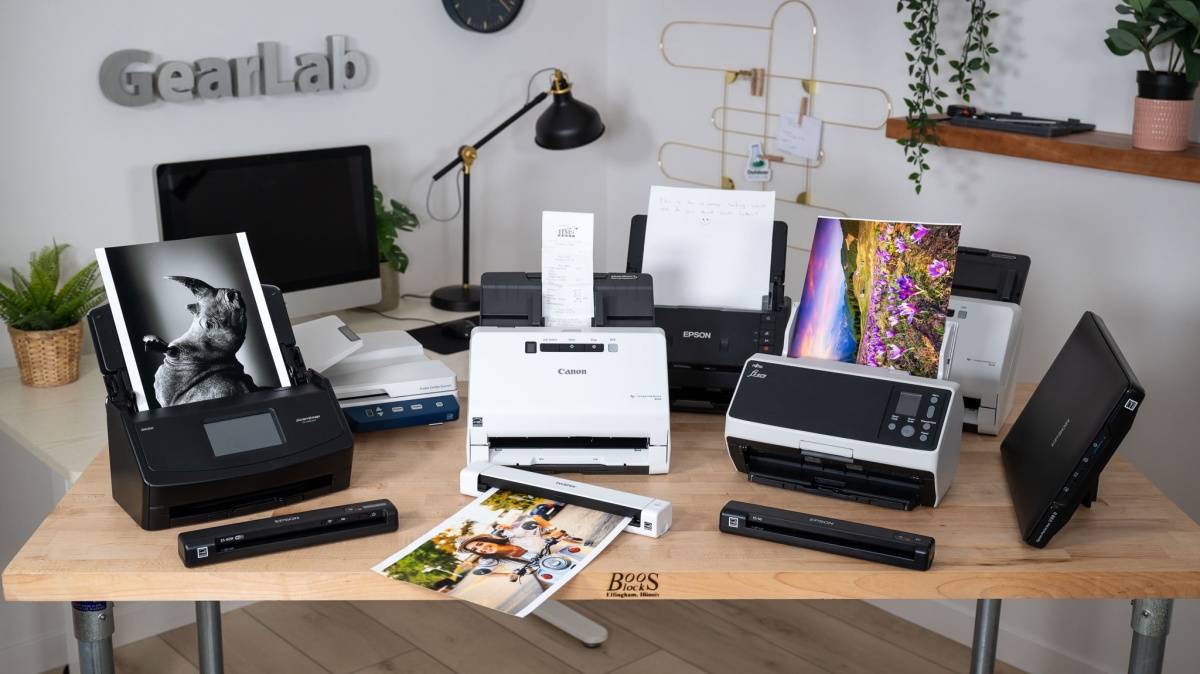
The Best scanners for home office work start with the Epson WorkForce ES-400 II. Its 50-sheet feeder, duplex scanning, OCR, cloud destinations, file naming, and double-feed detection cover the widest range of recurring paperwork. It is larger than a mobile scanner and belongs on a permanent desk, but that is a fair trade for a much easier batch workflow.
Choose the ScanSnap iX1300 instead when wireless access, mobile devices, and a compact desktop footprint matter more than TWAIN-style integration. For occasional scanning combined with printing, the Canon PIXMA TS6520 is the more sensible all-in-one, while the Canon CanoScan LiDE 300 remains the right specialist for flatbed originals and photos.
If you are undecided, choose the Epson WorkForce ES-400 II for stacks, the ScanSnap iX1300 for wireless flexibility, or the CanoScan LiDE 300 for flatbed simplicity.
As an Amazon Associate we earn from qualifying purchases.