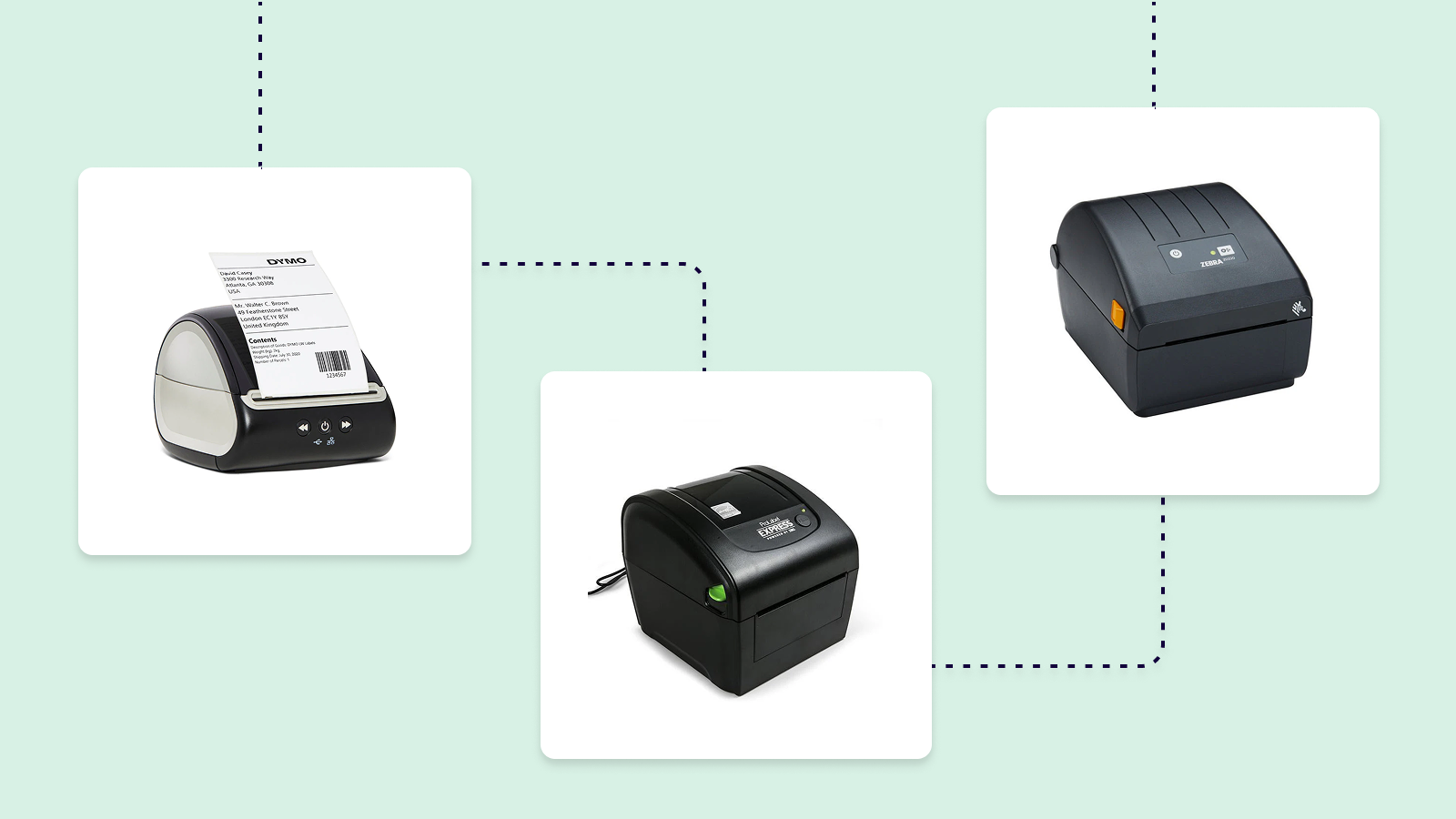

A shipping label printer should turn a completed order into a clean, scannable label before the next package is ready to leave the door. The wrong one can add friction through awkward apps, limited connections, or a printer that takes up more desk space than expected. The Best Shipping Label Printer options below all use direct thermal printing, so there is no ink or toner to replace.
We compared the ten models by connectivity, label flexibility, printing speed, software requirements, and the details that matter when several packages are waiting. Rollo's USB printer is the strongest choice for a computer-first shipping station, while the Rollo Wireless is the most flexible option for households and teams printing from several devices. The rest range from compact Bluetooth models to capable all-purpose label makers.
Our top pick is the Rollo USB Shipping Label Printer, with wireless and app-focused alternatives covering everything from mobile selling to tight desks.
Comparison table
| # | Product | Award | Connection | Print speed | Label width | Best for |
|---|---|---|---|---|---|---|
| 1 | NULLTONEX Thermal Label Printer | Best overall | Bluetooth, USB | Up to 150 mm/s | 1.57 to 4.3 inches | Small businesses needing fast dual connectivity |
| 2 | KNAON Compact Label Printer | Best app features | Bluetooth through app, USB | Up to 180 mm/s | 1.5 to 4.2 inches | Mobile label design and broad device support |
| 3 | Nelko PL70E | Best for mixed label sizes | Bluetooth, USB | Up to 150 mm/s | 1.54 to 4.1 inches | Home and business label printing |
| 4 | JADENS Wireless Label Printer | Best support package | Bluetooth, USB | Not specified | 1.57 to 4.1 inches | Sellers who want setup resources |
| 5 | Rollo USB Shipping Label Printer | Best wired pick | USB | 150 mm/s | 1.57 to 4.1 inches | Dedicated computer shipping stations |
| 6 | Omezizy D450BT | Best built-in storage | Bluetooth, USB | 72 labels/minute | 1 to 4.6 inches | Compact desks and roll-label users |
| 7 | Phomemo 241BT | Best software flexibility | Bluetooth, USB | 150 mm/s | 1 to 4.6 inches | Users printing from phones and computers |
| 8 | Labeer Wireless Label Printer | Best lightweight design | Bluetooth, USB | Not specified | 1.57 to 4.41 inches | Small workspaces and occasional shipping |
| 9 | Rollo Wireless Label Printer | Best Wi-Fi option | Wi-Fi, USB, AirPrint | 150 mm/s | 1.57 to 4.1 inches | Multi-device and shared workspaces |
| 10 | Rongta Bluetooth Label Printer | Best simple setup | Bluetooth, USB | Not specified | Multiple sizes | Basic phone or computer label printing |
1. NULLTONEX Thermal Label Printer: Best Overall

Pros
- Bluetooth and USB connections
- 203 DPI output for clear barcodes
- Up to 150 mm/s printing
- Supports labels from 1.57 to 4.3 inches wide
- Includes 25 sheets of 4x6 labels
Cons
- Bluetooth printing requires the FlashLabel Pro app
- Prints in black and white only
- No Mac or Windows operating details beyond app and USB support
Best for: small businesses that want one printer for phone and computer workflows.
The NULLTONEX Thermal Label Printer has the right shape for a first shipping station: it is not tied to a single connection method, and its app is designed for more than simply sending a PDF to paper. Bluetooth handles phone printing through FlashLabel Pro, while USB gives a more stable direct connection at a desk. That flexibility matters when orders are managed on a phone one day and a computer the next.
Its 203 DPI direct thermal output is a sensible fit for standard shipping labels. Text, addresses, and barcodes are intended to come out sharp without ink or toner, and the claimed speed reaches 150 mm/s, or as many as 72 4x6 labels per minute. That is enough headroom for a small batch of outgoing orders rather than one label at a time. The printer also accepts widths from 1.57 to 4.3 inches, so it can handle barcode and mailing labels alongside the usual 4x6 format.
FlashLabel Pro is the main differentiator. The app includes more than 1, 800 templates, over 300 fonts, and offline storage for templates and designs. Those tools make the NULLTONEX more useful for product labels, thank-you labels, and organization jobs than a narrowly focused shipping device. It supports Amazon, Shopify, Etsy, USPS, UPS, FedEx, and DHL, though shipping-platform labels need to be brought into the app for printing.
The weakness is the same limitation found across much of this group: mobile printing is app-dependent, and the output is black and white only. The included 25 sheets are a useful start, but frequent shippers will still need a steady supply of compatible thermal labels. The printer is also not the most compact option here, so a tiny desk may favor the Labeer or KNAON.
Choose this one when you want fast output, dual connectivity, a broad label-width range, and an app that can handle more than carrier paperwork. It is the most balanced pick in the group, even if people who print exclusively from a computer may prefer Rollo's simpler wired workflow.
2. KNAON Compact Label Printer: Best App Features

Pros
- Up to 180 mm/s printing
- More than 3, 000 templates
- More than 5, 000 icons and 100 fonts
- USB support for Windows, macOS, ChromeOS, and Linux
- Compact footprint
Cons
- Bluetooth requires the FlashLabel Pro app
- Shipping labels must be saved as PDFs and imported
- Only 10 test papers are included
Best for: mobile sellers who want extensive editing tools and broad operating-system support.
The KNAON Compact Label Printer is aimed at people who want to make labels, not merely reproduce them. Its FlashLabel Pro app brings more than 3, 000 templates, 5, 000 icons, and 100 fonts into the workflow. That is overkill for a seller who only prints carrier PDFs, but useful for someone also making inventory tags, name tags, thank-you labels, or small product stickers.
The headline speed is up to 180 mm/s, faster than the 150 mm/s claim shared by the NULLTONEX, Nelko, and both Rollo models. That difference matters most when a queue of labels is waiting. It supports paper widths from 1.5 to 4.2 inches, covering standard 4x6 shipping labels while leaving room for narrower barcodes and mailing labels.
The connection details need attention. Phones use the FlashLabel Pro app rather than a direct Bluetooth print command, and the same app is part of the computer setup. USB support extends to Windows 7 or later, macOS, ChromeOS, and Linux, while ChromeOS requires the FlashLabel extension. The built-in USB drive contains drivers and tutorial videos, which is a more thoughtful setup aid than a bare cable and a generic instruction sheet.
KNAON works with Amazon, eBay, Shopify, USPS, UPS, Etsy, PayPal, Poshmark, and DHL, but the shipping workflow is not completely direct. The label is saved as a PDF from the platform, imported into FlashLabel Pro, and then printed. That extra step is manageable, though a computer-first user who wants a conventional printer driver may find Rollo USB less fussy.
Its compact dimensions make it easy to store, but the included pack contains only 10 test papers. This is not the right choice for someone who refuses companion apps or wants a simple plug-and-print routine. For a phone-centered seller who will use the design tools, however, the KNAON is one of the more capable Best Shipping Label Printer candidates.
3. Nelko PL70E: Best for Mixed Label Sizes

Pros
- 203 DPI print resolution
- Up to 150 mm/s output
- Accepts roll and fanfold labels
- USB and Bluetooth connectivity
- Works with Windows, macOS, ChromeOS, and Linux
Cons
- Mac printing works through USB only
- Bluetooth printing requires the Nelko app
- Shipping PDFs must be imported into the app
Best for: home offices and small businesses that print several label formats.
The Nelko PL70E is a practical all-rounder with a particularly useful paper range. It accepts labels from 1.54 to 4.1 inches wide, including 4x6 shipping labels, 3x2 labels, 3x1 labels, and 2x1 labels. That makes it more useful for a workbench that handles inventory, price, barcode, and mailing labels instead of only outgoing parcels.
Its 203 DPI thermal printhead is designed for readable text and scannable barcodes, and the claimed speed reaches 150 mm/s, or up to 72 4x6 labels per minute. The printer supports both roll and fanfold labels, so users can choose the format that fits their existing supply setup. Direct thermal printing keeps the hardware focused on heat-sensitive paper rather than ink cartridges or toner.
Mobile printing runs through the NELKO app on iOS and Android. Windows 7 and later computers can connect over Bluetooth, while USB is available for Windows, macOS, and ChromeOS, with Linux also listed among the supported systems. There is an important Mac distinction: Mac computers use USB rather than Bluetooth, so this is not as wirelessly open as the KNAON or Rollo Wireless.
The app workflow also adds a step for online selling. Users save the logistics label as a PDF on the shipping platform, then upload it to the NELKO editor app. That works with Amazon, eBay, Shopify, USPS, UPS, Etsy, PayPal, and Poshmark, but it is less direct than a printer that appears as a normal desktop printer. A supplied U-Disk with drivers, instruction videos, and troubleshooting videos should help during setup.
Nelko's compact design suits a home office, but the product information does not give the kind of small footprint measurement that makes it a clear winner for the tightest desk. It also cannot match the KNAON's 180 mm/s claim or the Rollo Wireless's Wi-Fi and AirPrint approach. Pick the PL70E when mixed label sizes and roll or fanfold support matter more than the fastest output or a completely app-free workflow.
4. JADENS Wireless Label Printer: Best Support Package

Pros
- 203 DPI thermal printhead
- Bluetooth and USB connections
- Supports roll and fanfold labels
- Broad marketplace and shipping-platform support
- One-year warranty and setup videos
Cons
- Phone printing requires the JADENS app
- Label calibration is needed when changing sizes
- Print speed is not specified
Best for: online sellers who want setup guidance and a stated warranty.
The JADENS Wireless Label Printer stands out less through raw speed than through the support wrapped around the basic printer. Its Japanese thermal printhead is rated at 203 DPI, and the machine handles both fanfold and roll labels. It accepts widths from 1.57 to 4.1 inches, which covers standard 4x6 shipping labels and smaller warehouse or product labels.
The connection setup is divided by device. Windows 8 or later and Mac computers can print over Bluetooth, while Android and iPhone users must use the JADENS printer app. USB works with Windows 7 and newer and Mac OS 10.9 and newer. The printer's instructions specifically call for holding the feed button to identify and calibrate the label size whenever labels are changed, a small but important routine for anyone switching often between formats.
JADENS lists support for Endicia, Dazzle, ShipStation, ShippingEasy, Shippo, ShipWorks, Ordoro, eBay, Amazon, and Shopify. That platform coverage is useful for sellers whose workflow goes beyond one marketplace. The stated one-year warranty, email and phone support, and remote-control assistance also give this model a clearer path when a setup problem appears.
The trade-off is uncertainty around throughput. Unlike NULLTONEX, KNAON, Nelko, and Rollo, JADENS does not specify a print speed in the supplied details. That does not make it slow, but buyers handling long batches have less information to work with. The phone app requirement and label calibration also make it less immediate than a straightforward USB printer.
JADENS is a sensible pick for a new online seller who values instructions and support as much as the printer itself. It is not the obvious choice for a high-volume station where measured speed is central. If your daily workload is varied and you want roll and fanfold compatibility with a stated warranty, its practical setup package gives it a clear role.
5. Rollo USB Shipping Label Printer: Best Wired Pick

Pros
- 150 mm/s output
- 203 DPI printhead
- Windows and Mac USB support
- Works with roll and fanfold-style shipping workflows
- Supports labels from 1.57 to 4.1 inches wide
Cons
- USB connection only
- No mobile printing without another workflow
- Requires driver installation
Best for: a dedicated Windows or Mac shipping desk that prioritizes a straightforward wired connection.
The Rollo USB Shipping Label Printer is the cleanest choice for a computer-centered shipping station. Plug it into a Windows PC or Mac, install the Rollo drivers, and the workflow stays close to what people already expect from a conventional desktop printer. There is no Bluetooth pairing and no phone app required.
Rollo rates the printer at 150 mm/s, or one 4x6 label per second, with a 203 DPI printhead. Those figures place it alongside the NULLTONEX and Nelko for the core shipping job: clear addresses and barcodes at a pace that can keep up with a modest order queue. It supports labels from 1.57 to 4.1 inches wide, so the same machine can handle warehouse labels, stickers, barcodes, and other narrow formats.
The supported platforms are broad. Rollo lists FedEx, UPS, USPS, Rollo Ship Manager, ShipStation, ShippingEasy, Shippo, ShipWorks, Amazon, Shopify, Etsy, and eBay. Its Rollo Ship app can connect with e-commerce platforms and is intended to streamline mailing, but the printer itself remains a USB device. That distinction makes it less convenient than the Rollo Wireless for a team sharing several devices.
The USB-only design is the real limitation. A seller who manages orders on an iPhone or Android phone will need to move the PDF to a computer before printing, and a shared office cannot place the printer wherever Wi-Fi coverage is convenient. The Rollo USB is also physically compact, measuring 7.7 inches long, 3.34 inches high, and 2.95 inches wide, but the cable still dictates where it lives.
This is the model we would choose for a fixed packing table with one primary computer. The NULLTONEX adds mobile flexibility and more app templates, while the Rollo Wireless adds Wi-Fi and AirPrint, but neither is as direct for a simple computer-to-printer routine. Readers who want to understand the broader trade-off between direct thermal models can also compare what makes a thermal printer different for everyday labels.
6. Omezizy D450BT: Best Built-in Storage

Pros
- Built-in compartment for up to 250 4x6 roll labels
- Bluetooth, USB, and broad operating-system support
- 203 DPI output
- Up to 72 labels per minute
- Automatic label alignment
Cons
- Larger than the flattest desktop printers
- Bluetooth setup still depends on device support
- Print output is black and white
Best for: small desks that need internal label storage and support for both roll and folded media.
The Omezizy D450BT solves an unglamorous problem that many compact printers create: where to put the label roll. Its built-in compartment holds an internal roll of up to 250 4x6 labels, and it can also accept rear-loaded folded paper. That keeps a separate holder off the desk and makes the printer easier to live with in a small packing area.
The printer supports Bluetooth pairing with Android, iOS, Windows, macOS, Linux, and ChromeOS, along with USB for major systems. Its label range is unusually broad, from 1 to 4.6 inches, which covers standard shipping labels and much smaller formats. The 203 DPI printhead and claimed speed of 72 labels per minute put it in the same general throughput class as the 150 mm/s models in this roundup.
Automatic alignment is another useful touch. It is meant to reduce wasted labels when loading media, an advantage when switching between roll and folded stock. The printer supports USPS, UPS, eBay, FedEx, Amazon, Shopify, Etsy, PayPal, Poshmark, and other platforms, so its use is not limited to a single store or carrier.
The built-in bin does require a little physical compromise. Omezizy lists the D450BT at about 7.3 inches long, 6.3 inches wide, and 5.35 inches high, which is deeper and taller than the Labeer or Rollo USB. It saves the space consumed by a separate holder, but it does not necessarily have the smallest overall footprint.
Choose this printer when media storage is part of the buying decision, not just a bonus. The NULLTONEX is more compelling for app templates, and the Rollo Wireless is better for Wi-Fi printing, but the Omezizy has a specific practical advantage for a desk that needs the labels tucked inside the printer. It is a good fit for a small operation that changes label types and wants fewer loose accessories around the packing area.
7. Phomemo 241BT: Best Software Flexibility

Pros
- Bluetooth and USB printing
- Works with Windows, Mac, ChromeOS, and Linux
- Supports labels from 1 to 4.6 inches wide
- 150 mm/s print speed
- Labelife app and computer driver options
Cons
- Phone printing requires the Labelife app
- ChromeOS needs an extension
- Phomemo recommends its own thermal paper for consistent output
Best for: users who move between phone, tablet, and computer label workflows.
The Phomemo 241BT is built around a two-track workflow. Phones and tablets use Bluetooth through the Labelife app, while PCs and Macs can use Bluetooth or USB with the appropriate driver. That gives it more options than a strictly wired model, though it also means keeping the right app or driver available for the device in hand.
Its label range is one of the broadest here, covering widths from 1 to 4.6 inches. The printer can handle 4x6 shipping labels as well as barcodes, QR codes, forms, and narrower product labels. Phomemo claims 150 mm/s output, or up to 72 4x6 labels per minute, with direct thermal printing that needs no ink or toner.
Compatibility covers eBay, Shopify, Amazon, Etsy, UPS, USPS, FedEx, and more. ChromeOS users need to add the Labelife extension to Chrome, while PC users download the 241BT driver from Phomemo's site. The instructions are explicit about phone pairing, which is helpful, but the number of platform-specific steps means this is not the most appliance-like printer in the group.
Phomemo recommends genuine Phomemo thermal paper for consistently crisp, long-lasting results. The supplied details also specify black-and-white printing, with compatible thermal color paper available separately for color work. That is not unusual for this category, but it matters if a seller expects colorful product labels from a machine designed primarily for shipping.
The 241BT is a strong alternative to the Nelko PL70E. Both handle broad media and mixed device types, but Phomemo reaches 4.6 inches at the upper end and offers a clearly documented Labelife workflow. The weakness is software dependence, especially for mobile use. Pick it if your devices change often and you are comfortable using Labelife, not if you want the shortest path from a shipping website to a printed label.
8. Labeer Wireless Label Printer: Best Lightweight Design

Pros
- Lightweight 0.99-pound design
- Bluetooth and USB connectivity
- 203 DPI direct thermal printing
- Works with Windows, macOS, ChromeOS, Linux, iOS, and Android
- Supports labels up to 4.41 inches wide
Cons
- Print speed is not specified
- Bluetooth support is limited to compatible phone use
- PDF-based workflow may require extra steps
Best for: occasional shippers who need a small printer that is easy to move or store.
The Labeer Wireless Label Printer is the smallest-feeling option in this group because its listed weight is just 0.99 pounds. It measures 7.2 inches long, 2.64 inches wide, and 3.15 inches high, so it can fit into a crowded home office or be put away between shipping sessions. That portability is more useful than it may sound for sellers who do not keep a permanent packing station.
It uses 203 DPI direct thermal printing and supports standard 4x6 labels, along with widths from 1.57 to 4.41 inches. The result is intended to cover shipping, address, barcode, inventory, product identification, and return labels. There is no ink, toner, or ribbon in the workflow, and USB support is paired with Bluetooth for compatible iPhone and Android devices.
Labeer lists compatibility with Windows, macOS, ChromeOS, Linux, iOS, and Android. It is designed for platforms that provide PDF label files, so it should suit common return-label and shipping-label tasks. A supplied USB drive contains drivers and setup resources, which gives computer users a starting point without hunting for the installation files.
The missing detail is speed. Labeer does not state a pages-per-minute or millimeters-per-second figure, so it is difficult to recommend it for a busy fulfillment queue. Its feature set also does not describe the kind of large template library found on KNAON or the dedicated shipping app ecosystem associated with Rollo.
This is not the printer we would place at the center of a high-volume operation. The NULLTONEX, Rollo USB, and Phomemo provide more explicit throughput information, while Omezizy offers a more useful media-storage design. Labeer makes sense for a home seller or occasional shipper who wants a lightweight 4x6 printer that can be stored in a drawer or moved between rooms.
9. Rollo Wireless Label Printer: Best Wi-Fi Option

Pros
- Wi-Fi printing for several operating systems
- AirPrint support for iPhone, iPad, and Mac
- 150 mm/s speed
- 203 DPI printhead
- Rated printhead life of about 650, 000 shipping labels
Cons
- Heavier than the Rollo USB model
- Wi-Fi setup adds another layer to the workflow
- No Bluetooth connection
Best for: shared homes and small teams printing from phones, tablets, and computers.
The Rollo Wireless Label Printer earns its place by making the printer available to more devices without a cable running across the packing table. It uses AirPrint for iPhone, iPad, and Mac, while Android, Windows, Chromebook, and Linux devices print over Wi-Fi. USB remains available when a direct connection is preferable.
The core printing hardware is familiar and capable. Rollo specifies 150 mm/s output, or one 4x6 label per second, with a 203 DPI printhead. It accepts labels from 1.57 to 4.1 inches wide and can produce shipping labels, barcodes, QR code stickers, product labels, and thank-you stickers. The stated printhead life is about 650, 000 shipping labels, a durability claim that gives this model a stronger long-run profile than the less documented alternatives.
Rollo Ship Manager is the companion shipping app, and Rollo says it can connect with major e-commerce platforms and carriers. The printer is also listed as compatible with FedEx, UPS, USPS, ShipStation, ShippingEasy, Shippo, ShipWorks, Amazon, Shopify, Etsy, and eBay. For a shared workspace, the ability to print from several operating systems is more meaningful than a large font library.
Wi-Fi is not automatically simpler than USB. The printer has to join the network, and a user who only prints from one computer may see no benefit over the Rollo USB. It is also listed at 3.48 pounds, heavier than the wired Rollo, and its 7-inch length, 3-inch width, and 3.5-inch height give it a more substantial presence.
Choose this model when multiple people or devices need access to the same printer. It is the clearest step up from the Rollo USB for a shared station, and its AirPrint support is especially convenient for Apple-heavy households. If you are trying to preserve a very small desk, compare how much space compact printing hardware really needs before choosing a permanent setup.
10. Rongta Bluetooth Label Printer: Best Simple Setup

Pros
- Bluetooth phone printing through the RONGTA app
- USB computer connection
- Supports multiple label sizes
- Compact 1-pound design
- Inkless thermal printing
Cons
- Print speed is not specified
- Resolution is not specified
- Few workflow details are provided
Best for: basic shipping tasks from a phone or computer without advanced label design needs.
The Rongta Bluetooth Label Printer keeps the pitch simple. Phone users download the RONGTA app and print over Bluetooth, while PC and laptop users download the computer driver and connect through USB. That division is easy to understand, and it covers the two devices most small sellers are likely to use.
The printer is intended for shipping labels and small-business labels, with support for multiple-size wireless printing. Its listed dimensions are about 7.09 inches long, 3.15 inches wide, and 3.15 inches high, and the listed weight is 1 pound. Those figures make it one of the easier models here to move or store when a dedicated shipping area is not available.
Rongta describes the output as inkless thermal printing for sharp clarity and lists compatibility with Windows, macOS, Android, and iOS. The product information does not specify DPI, print speed, or an exact label-width range, so there is less technical detail to use when comparing it with the 203 DPI, 150 mm/s models. That does not rule it out for ordinary 4x6 labels, but it does make the buying decision more dependent on the basic workflow.
The lack of detail is the main reason this sits below the other picks. There is no stated template count, no named shipping-platform list beyond the general small-business description, and no documented throughput figure. People who want a more capable app should look at KNAON, while sellers with a long daily queue have clearer performance information from Rollo, NULLTONEX, Nelko, or Phomemo.
Rongta is best treated as a straightforward entry point for light shipping. It is compact, supports the two major connection types, and avoids ink, but it is not the one to choose when you need extensive software features or a proven high-volume workflow. For adjacent labeling jobs, the right format for making small adhesive labels may point toward a different class of device.

How to choose the best shipping label printer
The right printer depends on how labels reach the machine, how many formats you use, and how much physical space your packing station can give up.
Connection method
USB is usually the least ambiguous connection for a fixed Windows or Mac setup. It avoids wireless pairing and tends to suit a single computer beside the packing materials, which is why the Rollo USB is such a strong dedicated-station choice.
Bluetooth is more convenient when labels begin on a phone or tablet, but most models here require a companion app rather than direct system printing. Wi-Fi is more useful when several devices share one printer. AirPrint support gives the Rollo Wireless a particularly smooth path for Apple devices, while Android and Windows users connect through the local network.
Choose USB for one fixed computer, Bluetooth for nearby mobile printing, and Wi-Fi when the printer belongs to more than one person.
Print resolution
A 203 DPI printhead is common in this group and is intended to keep addresses, small text, and barcodes readable. For ordinary 4x6 carrier labels, that resolution is generally more relevant than decorative design features. Models that do not state their resolution, such as Rongta, provide less information to judge before purchase.
Do not confuse resolution with color output. These are direct thermal printers designed around black-and-white labels. If your shipping workflow needs a colored logo or product graphic, confirm that the label stock and printer support it before ordering.
Print speed
A claimed speed of 150 mm/s works out to about one 4x6 label per second, while 72 labels per minute is another way several products describe similar throughput. KNAON lists up to 180 mm/s, giving it the highest stated speed in this group.
Speed matters when a business prints batches, but it is less important for a household that sends a few packages a week. Also look for the paper-handling details around the speed claim. Auto-alignment, reliable label detection, and a convenient roll path can save more time than a small difference in maximum output.
Label width and media type
Standard shipping labels are 4x6 inches, but a printer's accepted width determines whether it can also handle barcodes, inventory tags, product labels, and smaller mailing labels. Phomemo and Omezizy support widths beginning at 1 inch, while the others generally start around 1.5 inches.
Roll and fanfold support also matters. Fanfold labels can sit behind the printer, while an internal roll bin keeps supplies contained. The Omezizy D450BT is the standout for built-in storage, with a compartment designed for up to 250 4x6 roll labels.
Software and platform compatibility
A broad list of marketplaces does not always mean one-click printing. Several models ask users to save a carrier label as a PDF, import it into a companion app, and then send it to the printer. That process is workable, but it is an extra step worth considering before choosing a phone-first model.
Computer users should check the operating system requirements, especially on ChromeOS and Mac. KNAON requires a Chrome extension for ChromeOS, Phomemo uses Labelife, and Nelko specifies USB for Mac printing. People who want fewer app dependencies should favor a conventional USB workflow.

Frequently asked questions
Do shipping label printers need ink?
No. Every printer in this roundup uses direct thermal printing, which creates the image through heat-sensitive label stock. You do not need ink, toner, or ribbons, but you do need compatible thermal labels.
Can these printers print 4x6 shipping labels?
Yes. All ten products are described as 4x6 shipping label printers or support standard 4x6 media. Some also accept narrower labels, while Phomemo and Omezizy list support for widths as large as 4.6 inches.
Can I print from an iPhone or Android phone?
Most of these printers support mobile printing, but the exact method varies. NULLTONEX, KNAON, and Nelko use their respective companion apps, JADENS requires its app for phone printing, Phomemo uses Labelife, and Rongta uses the RONGTA app. The Rollo Wireless adds AirPrint for iPhone, iPad, and Mac.
Is Bluetooth better than USB for label printing?
Neither is universally better. Bluetooth is convenient for phones and tablets, while USB is usually more predictable for a computer that stays beside the printer. If several people need access, Wi-Fi can be more practical than either option.
Do these printers work with Etsy, Shopify, and USPS?
The product descriptions list support for Etsy, Shopify, USPS, and other major platforms across much of the group. In several cases, the label must be saved as a PDF and imported into the printer's app. Check the specific software instructions for your device before choosing a phone-first model.
Can I print labels smaller than 4x6?
Yes, but the available range differs. Omezizy and Phomemo list widths starting at 1 inch, while NULLTONEX, KNAON, Nelko, JADENS, Rollo, and Labeer list minimum widths between 1.5 and 1.57 inches. Rongta is described as supporting multiple sizes without a precise range in the supplied details.
Are thermal shipping labels permanent?
Thermal labels are designed to be readable without ink, but their long-term durability depends on the label stock and storage conditions. Phomemo specifically describes its labels as resistant to fading and smudging. For packages exposed to heat, sunlight, or moisture, choose label stock intended for those conditions.

The bottom line
The Best Shipping Label Printer in this group is the Rollo USB Shipping Label Printer for a fixed Windows or Mac packing station. It combines a stated 150 mm/s speed, 203 DPI output, broad platform compatibility, and a simple wired workflow. The NULLTONEX Thermal Label Printer is the better all-around alternative when Bluetooth, USB, app templates, and included starter labels matter more than a strictly computer-based setup.
Choose the Rollo Wireless Label Printer when several devices need to share the printer, especially in an Apple-heavy workspace. For a tight desk, the Omezizy D450BT earns consideration because its built-in label bin keeps a roll inside the printer, while the Labeer Wireless Label Printer is easier to move and store.
If you are undecided, choose USB for one computer, Bluetooth for phone-first printing, and Wi-Fi for a shared station.
As an Amazon Associate we earn from qualifying purchases.