

A small CNC mill can turn a clean design file into a wooden sign, acrylic panel, PCB, or aluminum part, but the machines are not interchangeable. A compact 3018 model is approachable and easy to place, while a 4040 frame gives you substantially more room and a stronger platform. Enclosed machines add a different kind of convenience by containing dust and simplifying setup.
We ranked the Best Small CNC Milling Machine options by working area, construction, control features, material support, and how much setup they demand. The accessory set is included because suitable cutters are part of making a small mill useful, but it is not a machine.
Our top pick is the Genmitsu 4040-PRO, with the Genmitsu Cubiko, FoxAlien Masuter Pro, and MAKERA Carvera Air covering more specialized needs.
Comparison table
| # | Product | Award | Working area | Spindle or cutter detail | Best for |
|---|---|---|---|---|---|
| 1 | Genmitsu 4040-PRO | Best overall | 435 x 400 x 80mm | 16mm steel tubes, lead screws | Larger desktop projects |
| 2 | Genmitsu Cubiko | Best enclosed model | Not stated | Auto Z probing, ±0.1mm precision | Clean, guided desktop milling |
| 3 | FoxAlien Masuter Pro | Best all-metal frame | 400 x 400 x 60mm | 52mm and 65mm clamps | Expandable hobby work |
| 4 | MAKERA Carvera Air | Best precision enclosure | 11.8 x 7.9 x 5.1in | Quick tool changer | Detailed parts and PCBs |
| 5 | Genmitsu PROVerXL 4030S | Best high-power option | Not stated | 710W spindle, 130mm pass height | Taller and harder workpieces |
| 6 | WolfPawn 4040-PRO | Best 500W starter | 15.7 x 15.7 x 2.9in | 500W spindle | First larger-frame router |
| 7 | Genmitsu 3018-PROVer V2 | Best beginner upgrade | Not stated | 32-bit Toshiba drivers | Learning CNC fundamentals |
| 8 | Genmitsu 3018-PRO | Best basic kit | 300 x 180 x 45mm | 20, 000RPM spindle | Small wood and plastic projects |
| 9 | SainSmart 3018-PROVer V2 | Best simple 3018 | Not stated | Z probe, limit switches, E-stop | Guided beginner projects |
| 10 | AUTOTOOLHOME End Mill Set | Best cutter assortment | 8 pieces | HSS, four flute, 1/16 to 1/2in | Expanding a compatible mill |
1. Genmitsu 4040-PRO: Best Overall

Pros
- Reinforced hybrid spoilboard
- 435 x 400 x 80mm working area
- All-metal motion system with lead screws
- Pre-assembled modules simplify setup
- Ports support selected future accessories
Cons
- Large and heavy for a desktop machine
- The listing does not state a spindle power
- Still a three-axis platform
Best for: makers who need a larger, rigid desktop work area without moving to a full workshop machine.
The Genmitsu 4040-PRO is the machine we would choose when a 3018 frame starts making projects feel cramped. Its 435 x 400 x 80mm effective working area gives you room for larger signs, panels, and workpieces, while the all-metal frame feels more purposeful than the lighter beginner designs in this group.
The motion hardware is a major part of the appeal. Each axis uses dual 16mm HSS steel linear tubes with lead screw motion, and the machine uses Toshiba TB6S109 drivers with 32-bit chips. That combination is aimed at smooth, quiet movement and consistent detail rather than merely making the machine move. The reinforced MDF spoilboard adds a central aluminum support bar and integrated T-track, which should help resist sagging when a project places load near the middle.
Genmitsu also makes this model easier to live with than a bare frame. Pre-assembled modules are intended to reduce setup to about 15 minutes, the Z-probe port has been relocated for easier access, and the coupling screws are rated 12.9 grade. Dedicated ports for a three-pin air-assistance pump and MPG controller leave some room to tailor the machine later.
The weakness is physical rather than conceptual. At about 26.5 inches long, 26.1 inches wide, and 45.95 pounds, this is not a machine to casually move on and off a small desk. The listing also does not state spindle power, so shoppers who want a clearly specified cutting motor may prefer the Genmitsu PROVerXL 4030S or WolfPawn 4040-PRO. The 4040-PRO is the stronger all-around fit for larger wood, acrylic, MDF, nylon, and carbon-fiber projects, especially for buyers who want rigidity before chasing advanced automation.
2. Genmitsu Cubiko: Best Enclosed Model

Pros
- Enclosure is included
- Automatic tool-height adjustment
- Surface adjustment helps with uneven material
- WiFi and app support
- Cover-open auto-stop function
Cons
- Compact work envelope
- The listing does not state spindle power
- Metal cutting is described at 0.5mm depth per pass
Best for: home users who want a contained desktop CNC with more guided setup than a conventional open-frame router.
The Genmitsu Cubiko takes a different approach from nearly every open-frame machine here. It is a 13 x 13 x 12.48-inch desktop unit with an included enclosure, so chips and dust have somewhere to go instead of immediately spreading across the work surface. The cover also reduces noise and stops operation when opened, a practical safety feature for a machine used in a home office, studio, or shared room.
Its strongest feature is the amount of setup it removes. Automatic Z probing adjusts tool height after you enter the material thickness, while smart surface adjustment measures the workpiece and compensates when it is not perfectly flat. Those functions matter because manual zeroing and uneven stock are two of the first obstacles a beginner encounters. The Cubiko supports the Genmitsu app, WiFi, Fusion 360, Easel, Candle, and Carveco, giving it a more flexible control path than a basic USB-only kit.
Genmitsu states ±0.1mm precision and describes metal cutting at 0.5mm depth per pass. Those are useful details because they frame the machine as a careful small-part tool rather than a fast metal-production mill. The one-piece frame is intended to provide a stable base for detailed work, including PCB milling, polishing, drawing, woodworking, and engraving.
The compact enclosure also defines the limitation. The listing does not give a working-area measurement, and the machine is not the natural choice for large signs or broad panels. The MAKERA Carvera Air offers more explicit precision details and a built-in quick tool changer, while the Genmitsu 4040-PRO is the better answer for physical capacity. Choose Cubiko when dust control, automatic height adjustment, and a tidy footprint matter more than a large cutting envelope.
3. FoxAlien Masuter Pro: Best All-Metal Frame

Pros
- All-aluminum structure
- 400 x 400 x 60mm working area
- Linear rail Z-axis
- Two spindle clamp sizes included
- Pre-wired components and quick assembly
Cons
- Optional 69mm clamp is separate
- No enclosure is included
- Spindle compatibility is broader than the included motor details
Best for: hobbyists who want a sturdy, expandable frame for wood, acrylic, MDF, and nylon.
The FoxAlien Masuter Pro is a sensible middle ground between a small 3018 starter kit and a heavier 4040 machine. Its 400 x 400 x 60mm engraving area is large enough for meaningful woodworking projects, but the frame is not presented as a fully enclosed or industrial system. The all-aluminum construction gives it a more serious foundation than the plastic and lighter-frame machines aimed strictly at first experiments.
The linear rail Z-axis is the part that matters most for cutting quality. A stiff Z assembly helps keep the cutter from wandering as it enters material, particularly when engraving detailed shapes or cutting through MDF and acrylic. FoxAlien says the machine is designed for wood, acrylic, MDF, nylon, and similar materials, so it is best understood as a router for nonferrous and softer stock rather than a general-purpose metal mill.
This model is also unusually upgrade-friendly. The package includes 52mm and 65mm spindle clamps, supporting 60W and 300W spindles, and the design can accommodate a 65mm router or 1.5KW spindle as an upgrade. A 69mm clamp is supported but must be purchased separately. The controller has an accessible emergency stop and home button, and the main parts arrive pre-assembled with wiring already connected. FoxAlien estimates setup at 10 to 15 minutes.
Compared with the Genmitsu 4040-PRO, the Masuter Pro has a slightly smaller stated work area and fewer specific motion-system details, but its spindle compatibility is clear and useful. The WolfPawn 4040-PRO supplies a stated 500W spindle, while the Masuter Pro leaves more of the eventual configuration open. That flexibility is its advantage and its burden. Skip it if you want an enclosure or a fully specified ready-to-cut setup. For a buyer planning to grow into larger or stronger spindle hardware, it is one of the most adaptable frames here.
4. MAKERA Carvera Air: Best Precision Enclosure

Pros
- Fully enclosed compact design
- Automatic probing and surface leveling
- Quick tool changer
- WiFi and USB control
- Supports wood, acrylic, carbon fiber, aluminum, and brass
Cons
- Smaller work area than the 4040 machines
- Standard version is three-axis
- More specialized than a basic beginner router
Best for: makers who need controlled, detailed work in a compact enclosed machine.
The MAKERA Carvera Air is the most polished precision machine in this group. Its enclosed footprint measures 19.7 x 17.7 x 17.7 inches, while the work area is 11.8 x 7.9 x 5.1 inches. That is a much smaller cutting envelope than the 4040 models, but it is a useful shape for electronics projects, jewelry, prototypes, and small custom parts.
The built-in quick tool changer is a genuine workflow advantage. Makera says tool changes take about 10 seconds, which makes a job involving engraving, drilling, and cutting less tedious than a manual change on a conventional router. Automatic probing and surface leveling help the machine account for uneven stock. The stated spindle runout is below 0.0004 inch, and motor resolution is 0.0002 inch, numbers that explain why this machine is aimed at fine work rather than broad, fast carving.
Control is flexible. Makera CAM works on macOS and Windows, while the controller supports iOS, Android, macOS, Windows, and Linux. WiFi and USB are both available, and the machine integrates with Fusion 360, SolidWorks, and VCarve Pro. It can work with hardwoods, softwoods, MDF, acrylic, carbon fiber, aluminum, brass, and other materials listed by the manufacturer.
The trade-off is capacity. The Genmitsu Cubiko is also enclosed and more compact, but the Carvera Air provides more explicit precision and tooling features. The Genmitsu PROVerXL 4030S is better for taller stock and a 710W spindle, while the Carvera Air is the better fit for small parts that benefit from probing and repeatable tool changes. Buyers focused on large signs or wide panels should skip it. Buyers making PCBs, prototypes, or intricate small components will find its design much more coherent.
5. Genmitsu PROVerXL 4030S: Best High-Power Option

Pros
- 710W spindle
- 130mm pass height
- High-precision linear rails
- Stated repeatable positioning accuracy of ±0.05mm
- Wireless app control support
Cons
- Very large and heavy
- WiFi module is purchased separately
- No stated working-area measurement
Best for: experienced hobbyists who need more spindle power and vertical clearance than typical desktop routers provide.
The Genmitsu PROVerXL 4030S is the power pick, but it should not be confused with a small machine in the space-saving sense. Its footprint is about 30.59 x 30.59 inches, it stands 23 inches high, and it weighs about 72.75 pounds. This is a substantial desktop or bench machine that needs a permanent home.
The 710W compact router is its defining feature. Genmitsu says the spindle provides stronger cutting force for aluminum and acrylic, with a redesigned control board increasing the stated operating speed from 2, 000mm per minute to 5, 000mm per minute. The manufacturer also specifies noise below 65dB, though the cutting material, bit, and feed settings will still affect the experience. A 130mm pass height is particularly useful for thicker workpieces and rotary-style projects.
The motion system is built around high-precision linear rails and an upgraded Z-axis guideway. Genmitsu states repeatable positioning accuracy of ±0.05mm and uses a 32-bit MCU for smoother complex toolpaths. Those details put it ahead of the WolfPawn 4040-PRO when the job calls for more power and a taller workpiece, while the Genmitsu 4040-PRO remains easier to justify for ordinary large-format hobby carving.
Assembly uses modular pre-assembled parts and is estimated at about 20 minutes. App support provides wireless control and monitoring, but the WiFi module is purchased separately. That caveat matters because wireless operation is presented as a feature, not a guaranteed out-of-box capability. Skip this machine if you lack a sturdy work surface or mostly make small, shallow engravings. It is for buyers who have outgrown entry-level spindle power and need the extra clearance.
For wood-focused projects, material choice and dust handling matter as much as spindle strength. A separate look at how a router handles larger woodworking projects can help if your plans extend beyond small signs and engravings.
6. WolfPawn 4040-PRO: Best 500W Starter

Pros
- 500W spindle included
- 15.7 x 15.7 x 2.9in work area
- GRBL and Candle support
- 52mm and 65mm spindle clamps
- Accessory kit includes a Z probe and clamps
Cons
- X and Y use V-wheel and belt components
- No enclosure is included
- Laser is optional
Best for: beginners who want a larger working area and a clearly specified spindle without moving to a high-power frame.
The WolfPawn 4040-PRO gives a beginner access to a 15.7 x 15.7 x 2.9-inch working area and a stated 500W spindle. That makes it a more capable starting point than the 3018 machines for people who already know they want to carve larger panels, plaques, or batches of smaller parts.
Its structure combines 2GT belts and V-wheels on the X and Y axes with a round linear guide and TR8-2T screw on Z. The 42 stepper motor supports the three-axis arrangement, and the machine includes 52mm and 65mm spindle clamps for future changes. This is not the same motion architecture as the all-metal FoxAlien Masuter Pro or the dual 16mm steel tube system in the Genmitsu 4040-PRO, so buyers should keep expectations centered on hobby routing and engraving.
The accessory package is well judged for a first machine. Clamps, a Z probe, test wood board, brush, wrenches, hex keys, USB cable, power cable, and a manual are included. GRBL control through Candle provides three-dimensional preview, origin setting, axis unlocking, and a real-time display. The optional laser path adds flexibility, but the listing makes clear that the laser itself is not included.
The WolfPawn is easier to recommend than an unspecified bare frame, but it is not the most rigid 4040 here. The Genmitsu 4040-PRO has a more robustly described motion system and reinforced spoilboard, while the PROVerXL 4030S offers much more spindle power and pass height. Choose WolfPawn for a clear, accessible 500W starting point. Skip it if you want enclosed operation, linear rails on every axis, or a machine intended for demanding metal work.
7. Genmitsu 3018-PROVer V2: Best Beginner Upgrade

Pros
- Semi-preinstalled assembly
- One-piece machined aluminum spoilboard
- 32-bit Toshiba drivers
- Works with Carveco, Fusion 360, and Easel
- Additional function ports
Cons
- Smaller entry-level format
- No working-area measurement is stated
- Still requires CAD and CAM learning
Best for: beginners who want a supported 3018 platform with a more refined controller and upgrade path.
The Genmitsu 3018-PROVer V2 is the sensible step into CNC for someone who wants more than a basic kit but does not need a 4040 frame. It arrives with semi-preinstalled parts, including a one-piece machined and molded aluminum spoilboard, and Genmitsu says setup takes about 35 minutes. That is long enough to learn what the machine is doing without turning assembly into the first major project.
The controller is more important than the marketing suggests. Toshiba TB6S109 drivers with 32-bit chips are designed to run quietly and smoothly, while the redesigned Z-axis carriage is intended to improve engraving accuracy. Additional function ports leave room for accessories as a user's projects become more demanding. The machine works with Carveco, Fusion 360, and Easel, so it can fit into several common beginner workflows.
Material support includes wood, acrylic, MDF, and other softer project materials. This makes it a better first teaching platform than a machine selected solely for metal cutting. The small format also limits the consequences of a failed toolpath or a rough first setup. It is easier to understand feeds, workholding, origin setting, and cutter choice before committing to a much larger frame.
The limitation is the format itself. The listing does not state a working-area figure, and a 3018 machine cannot compete with the 400 x 400mm class for large work. The SainSmart 3018-PROVer V2 is a close alternative with a Z probe, limit switches, and emergency stop, while the Genmitsu 3018-PRO includes an offline controller and a stated 300 x 180 x 45mm XYZ area. Choose this version for its quieter 32-bit control and semi-preinstalled setup. Skip it if your first projects are already larger than a small plaque.
8. Genmitsu 3018-PRO: Best Basic Kit

Pros
- 300 x 180 x 45mm XYZ working area
- Offline controller included
- 20, 000RPM spindle support
- GRBL has broad community support
- Supports a wide range of soft materials
Cons
- Small work envelope
- Open-frame design
- Basic three-axis platform
Best for: first-time users who want a straightforward CNC kit for small wood, plastic, acrylic, PVC, and PCB projects.
The Genmitsu 3018-PRO is the uncomplicated option. Its 300 x 180 x 45mm XYZ working area tells you exactly what it is good at: small signs, plastic pieces, acrylic designs, PCB work, and modest wood carvings. The raised 4cm base is intended to improve stability, and the machine weighs about 15.3 pounds, so it is easier to position than the much larger 4040 machines.
The included offline controller is useful when a dedicated computer connection is inconvenient. The 20, 000RPM spindle is supported out of the box, and there is no need to modify G-code to ramp it to full speed. Genmitsu uses GRBL control on an Arduino platform, a combination with a large amount of community documentation and troubleshooting material. Carveco Maker and Candle are included in the stated software setup.
Material support covers plastics, acrylic, PVC, wood, and PCB work, with soft aluminum also listed. That does not make the 3018-PRO a heavy metal cutter. The small frame and entry-level design are better suited to light passes and careful project setup, where the modest work envelope is an advantage because it keeps expectations realistic.
The Genmitsu 3018-PROVer V2 has a more refined controller and semi-preinstalled assembly, while the SainSmart 3018-PROVer V2 adds switches and a Z probe. The 3018-PRO makes more sense for someone who specifically wants the offline controller and a clear stated work area. Skip it if you want rapid cutting, deep passes, or enough room for full-size woodworking panels.
9. SainSmart 3018-PROVer V2: Best Simple 3018

Pros
- Z probe included
- Limit switches and emergency stop
- Pre-assembled gantry frame
- One-piece aluminum spoilboard
- Supports common CAD and CAM software
Cons
- Offline controller is not included
- Small 3018-class platform
- No enclosure is included
Best for: beginners who want basic safety and homing hardware in a compact open-frame machine.
The SainSmart 3018-PROVer V2 focuses on the small details that make a first CNC less frustrating. The pre-assembled gantry frame, one-piece aluminum spoilboard, and clear cable management are designed to get the machine ready in under an hour. A Z probe, limit switches, and an emergency stop provide useful hardware for learning the workflow safely.
It supports wood, plastic, acrylic, PVC, PCB, carbon fiber, and density board, along with soft metals such as copper and aluminum. That material list is broad, but the machine remains a compact 3018 platform. Think of it as a small engraver and light router rather than a replacement for the 4040 machines. The best results will come from sensible cutter selection, shallow passes, and properly secured stock.
The software path is familiar. SainSmart identifies Carveco, Fusion 360, and Easel as common options, and it provides access to a resource center for setup and troubleshooting. This matters for a beginner because a CNC machine is only one part of the process. Designing a shape, producing G-code, setting the origin, and checking the toolpath are all part of the learning curve.
The major difference from the Genmitsu 3018-PRO is the accessory balance. Genmitsu includes an offline controller and states a 300 x 180 x 45mm work area, while this SainSmart version emphasizes the Z probe, limit switches, and emergency stop. The Genmitsu 3018-PROVer V2 offers 32-bit Toshiba drivers and a redesigned Z carriage. Choose SainSmart when safety and homing hardware matter most. Skip it if you need offline operation or a larger work envelope.
10. AUTOTOOLHOME End Mill Set: Best Cutter Assortment

Pros
- Eight cutter sizes
- Straight shanks for compatible equipment
- M2 high-speed steel construction
- Four-flute design
- Covers slotting, profiling, and general cutting
Cons
- Accessory set, not a CNC machine
- Compatibility depends on the collet and machine
- Intended material range requires careful setup
Best for: CNC owners who need a broader selection of cutters for compatible routers, mills, or drill presses.
The AUTOTOOLHOME End Mill Set is the odd one out in this roundup, but it addresses a real problem: a small CNC machine is limited by the cutter installed in it. This set contains eight HSS end mills in 1/16, 1/8, 5/32, 3/16, 1/4, 5/16, 3/8, and 1/2-inch sizes. That spread gives a user more options for narrow grooves, wider slots, profiles, and general cutting.
Each cutter uses a straight shank for clamping in compatible CNC routers, milling machines, drill presses, and other suitable equipment. Compatibility must be checked before use because a set of cutters cannot compensate for a collet that does not accept the shank size. It is an accessory, not a substitute for the machine or its included tooling.
The cutters are made from enhanced M2 high-speed steel, which the listing describes as offering toughness, wear resistance, and stable cutting. The four-flute configuration is intended to support faster feed rates, chip removal, and smoother finishes. The stated material applications include carbon steel, soft alloy steel, die steel, tool steel, cast iron, titanium, and aluminum, but a compact hobby machine may not have the rigidity or spindle power to use every cutter in every listed material.
That distinction separates this set from the machines above. A Genmitsu 3018-PRO owner will likely use the smaller cutters for light work, while a Genmitsu PROVerXL 4030S or Genmitsu 4040-PRO provides a more suitable platform for larger cutters. Read the machine's collet and spindle requirements first, and skip this set if your CNC already includes the sizes your projects need.
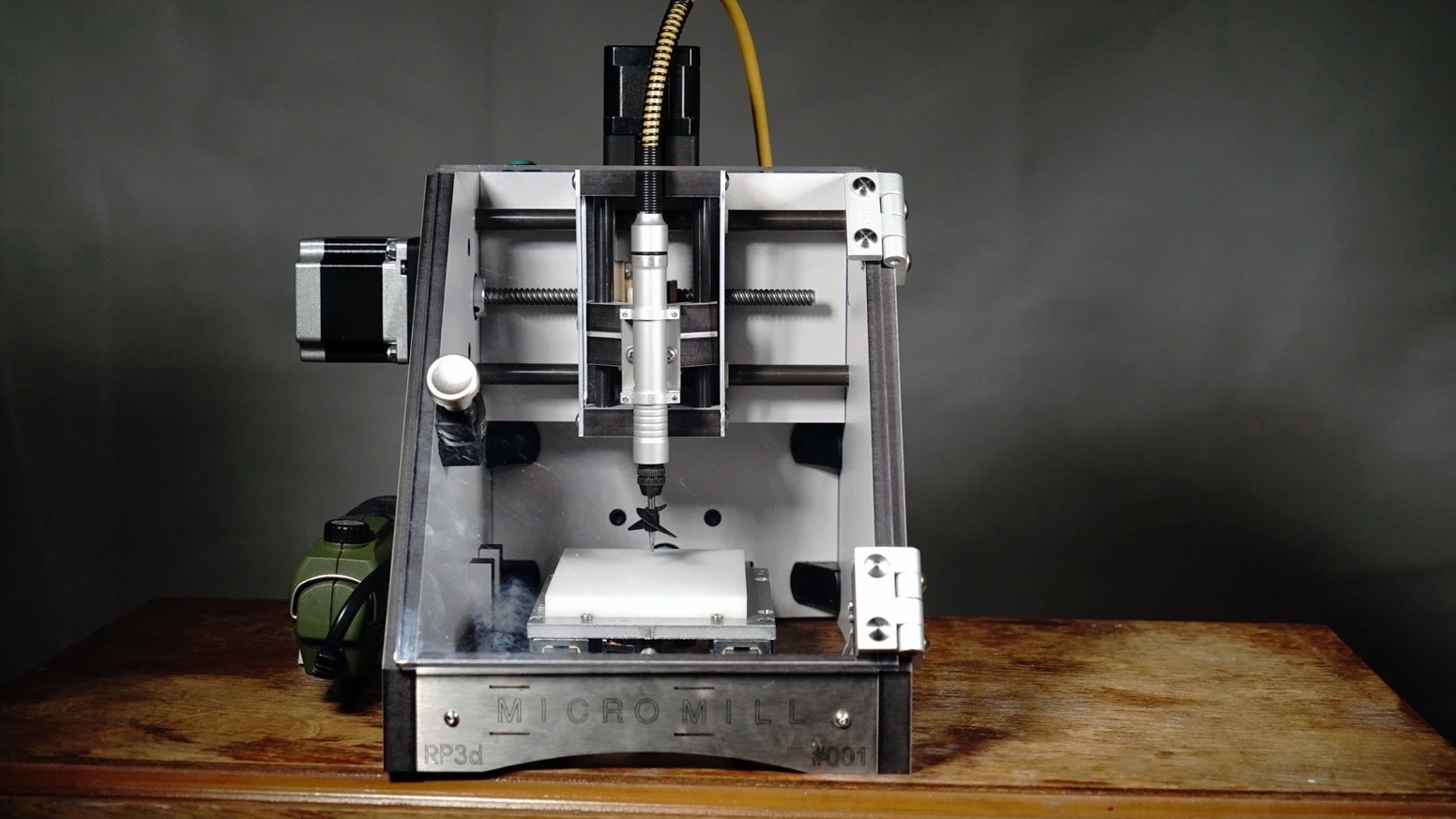
How to choose best small cnc milling machine
The right small CNC mill depends on the work envelope, frame rigidity, control method, and material you plan to cut most often.
Working area and pass height
Working area determines the maximum length and width of the stock that can be cut in one setup. The 3018 machines are suited to small signs, engravings, and parts, while the Genmitsu 4040-PRO and FoxAlien Masuter Pro offer 400mm-class width. Pass height matters when the workpiece is thick or mounted on a rotary fixture, which is where the 130mm figure on the Genmitsu PROVerXL 4030S stands out.
Frame and motion system
A rigid frame keeps the cutter from deflecting and helps preserve detail. All-metal construction, linear rails, steel guide tubes, and lead screws are useful signs of a more stable platform. Belts and V-wheels are not automatically poor, but they generally make more sense on lighter hobby machines such as the WolfPawn 4040-PRO.
Spindle and material support
Spindle power affects how quickly a machine can remove material, but it does not turn a desktop router into a production mill. The 500W WolfPawn and 710W PROVerXL 4030S are the clearest high-power options here. For wood, acrylic, MDF, and plastic, frame rigidity and appropriate cutters can matter as much as the headline motor figure.
A larger work area is useful only when the frame and spindle can control the cutter across it.
Probing and machine control
A Z probe helps establish tool height, while surface mapping can compensate for uneven stock. The Genmitsu Cubiko and MAKERA Carvera Air go further with automatic height or surface functions. Basic GRBL control remains useful because it is widely supported, but app control, WiFi, and offline operation change how much computer involvement each workflow requires.
Enclosure and dust control
Open-frame machines make the cutting area easy to see and access, but they spread chips and dust. An enclosure adds containment and can provide an automatic stop when opened, as on Cubiko. The Carvera Air also uses a fully enclosed design. If the machine will share space with living areas, enclosure and ventilation deserve as much attention as working area.

Frequently asked questions
Can these machines mill metal?
Several listings mention aluminum or other soft metals, but the machines are still compact desktop platforms. The Cubiko states metal cutting at 0.5mm depth per pass, while the 3018 models list soft metals such as copper and aluminum. Use shallow passes, suitable cutters, secure workholding, and conservative settings.
Is a 3018 machine enough for a beginner?
A 3018 machine is enough to learn CAD/CAM, G-code, workholding, zeroing, and basic engraving. Its smaller work area limits project size, so it is best for signs, small panels, plastic parts, and PCB work. Move to a 4040 frame when the work itself no longer fits.
Which model includes the most beginner-friendly automation?
The Genmitsu Cubiko automatically adjusts tool height and measures the material surface. The MAKERA Carvera Air adds automatic probing and surface leveling, along with a quick tool changer. The 3018 models are more manual, though the SainSmart version includes a Z probe and limit switches.
Do these CNC machines need a computer?
The Genmitsu 3018-PRO includes an offline controller, which can reduce the need for continuous computer control. Other models support USB, GRBL software, app control, or WiFi depending on the machine. A computer is still useful for designing projects and generating toolpaths.
What materials are most suitable for a small CNC router?
Wood, acrylic, MDF, plastic, PVC, and nylon are repeatedly listed among the supported materials. Some models also mention PCB, carbon fiber, aluminum, brass, or other metals. Material suitability depends on the spindle, cutter, feed settings, depth per pass, and frame rigidity.
Does an enclosure make a CNC machine safer?
An enclosure can contain chips and dust, reduce noise, and keep hands away from the cutting area. It does not remove the need for eye protection, ventilation, secure workholding, and supervision. The Cubiko's cover-open auto-stop is a useful additional safety feature.

The bottom line
The Best Small CNC Milling Machine for most makers is the Genmitsu 4040-PRO. It combines a large 435 x 400 x 80mm work area with dual 16mm steel guide tubes, lead screw motion, an all-metal frame, and a reinforced spoilboard. The Genmitsu Cubiko is the better choice for a compact enclosed workspace with automatic height and surface adjustment.
For a first machine, choose the Genmitsu 3018-PRO if you want an offline controller and a clearly stated small work area. Choose the FoxAlien Masuter Pro when a larger all-metal frame and future spindle upgrades matter more. If precision parts and tool changes are the priority, the MAKERA Carvera Air is the specialist pick.
An undecided buyer should choose the smallest machine that comfortably fits the projects they actually plan to make, then prioritize rigidity and workholding over headline power.
As an Amazon Associate we earn from qualifying purchases.