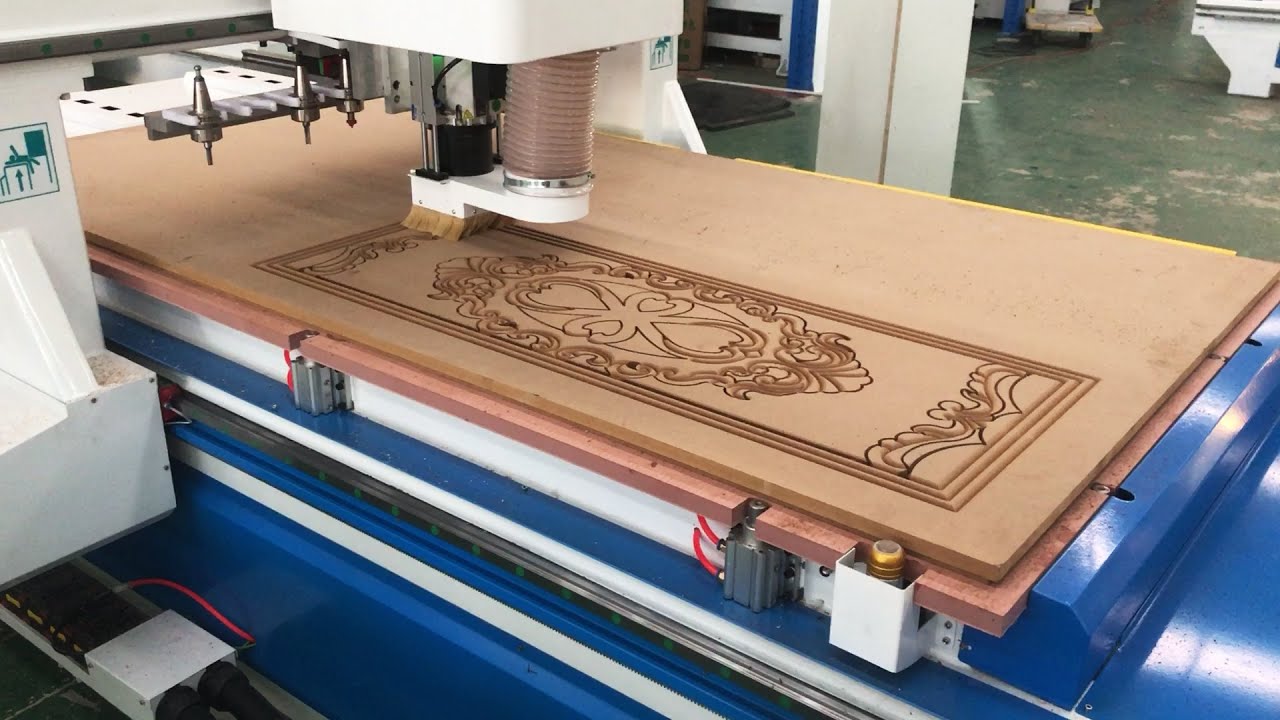

A CNC router can turn a plywood sheet, hardwood panel, or sign blank into something precise, but the wrong machine quickly becomes a lesson in cramped work areas, shallow Z travel, and difficult setup. The right choice depends on more than spindle power. Frame rigidity, working area, control software, safety features, and the kind of bits you can use all matter.
Our Best CNC Router for Woodworking is the FoxAlien Masuter Pro. It has a rigid all-aluminum frame, a useful 400 x 400 x 60mm work area, straightforward setup, and room to grow. The other picks range from a large-format FoxAlien and capable mid-size machines to enclosed desktop models and router-bit sets for improving an existing setup.
Comparison table
| # | Product | Award | Work area or cutting size | Structure or control | Best for |
|---|---|---|---|---|---|
| 1 | FoxAlien Masuter Pro | Best overall | 400 x 400 x 60mm | All-aluminum, GRBL-ready design | General woodworking |
| 2 | FoxAlien XE-Ultra 8080 | Best large format | 33 x 33 x 4.72 inches | 16mm and 12mm ball screws, linear rails | Large panels and signs |
| 3 | Twotrees TTC450 Pro | Best expandable machine | 460 x 460 x 80mm | Aluminum and stainless steel, GRBL | Larger detailed projects |
| 4 | Genmitsu Cubiko | Best enclosed desktop model | Desktop format | One-piece frame, WiFi and app support | Cleaner, quieter workspaces |
| 5 | BINSTAK Spoilboard Bit | Best surfacing bit | 2-inch cut diameter | Four wings, 1/2-inch shank | Flattening spoilboards |
| 6 | Eyryfui 10-Piece Bit Set | Best detail bit set | 1/4-inch shanks | Solid carbide, Nano Blue coating | Carving and lettering |
| 7 | Genmitsu 3018-PRO | Best starter kit | 300 x 180 x 45mm | GRBL, offline controller | Small beginner projects |
| 8 | WolfPawn 4040-PRO | Best included spindle | 15.7 x 15.7 x 2.9 inches | 500W spindle, lead screw Z axis | Wood and light milling |
| 9 | LUNYEE 10-Piece Bit Set | Best bit set with collet | 1/4-inch shanks | Solid carbide, ER11 collet | Mixed materials |
| 10 | LUNYEE 3018 PRO MAX | Best deep Z travel | 300 x 180 x 80mm | All-metal, 500W spindle | Deeper workpieces |
1. FoxAlien Masuter Pro: Best Overall

Pros
- Rigid all-aluminum structure
- 400 x 400mm working area
- Pre-wired parts and quick assembly
- Emergency stop and home buttons
- Supports multiple spindle sizes
Cons
- Spindle is not included in every configuration
- Z travel is shorter than the LUNYEE 3018 PRO MAX
- An extension kit is required for larger work
Best for: woodworkers who want a sturdy, adaptable machine for signs, panels, and general carving.
The FoxAlien Masuter Pro is the machine we would keep for a broad mix of woodworking jobs. Its all-metal construction feels like the right foundation for learning CNC without immediately outgrowing the frame. The 400 x 400mm working area is large enough for substantial signs, cabinet components, and decorative panels, while the 60mm Z dimension gives it more practical room than the smallest desktop machines.
Setup is less intimidating than the frame suggests. The main parts arrive pre-assembled, and the wiring is pre-connected to the controller. FoxAlien says assembly can take 10 to 15 minutes, though users should still take time to check squareness, fasteners, and work holding before cutting. The linear rail Z axis is a meaningful detail because vertical movement affects both depth control and the consistency of a relief carving.
The Masuter Pro also leaves useful room for changes later. It includes 52mm and 65mm spindle clamps and supports 60W and 300W spindle configurations, with other upgrade options available. That flexibility separates it from the Genmitsu 3018-PRO, which is easier to place but has a much smaller work envelope. The Twotrees TTC450 Pro offers a little more Z travel and a touch more working area, but the FoxAlien has a simpler, less crowded proposition for a first serious machine.
The weakness is that spindle compatibility is flexible because the machine is not simply an all-in-one appliance. Buyers need to pay attention to the exact configuration and plan their cutting setup. The optional Y-axis extension is also something to consider if your projects regularly exceed the standard bed. Those limitations do not undermine the machine, but they do mean this is better for a hands-on owner than someone who wants a completely sealed, ready-to-run appliance.
For a woodworker who wants one machine to learn on and continue using for signs, furniture parts, and decorative work, the Masuter Pro is the most balanced pick here. It has the frame, area, and upgrade path to make the Best CNC Router for Woodworking decision relatively straightforward.
2. FoxAlien XE-Ultra 8080: Best Large Format

Pros
- 33 x 33-inch working area
- 5.3-inch pass height
- Closed-loop stepper motors
- Ball screws and linear rails on all axes
- Industrial inductive limit switches
Cons
- Very large and heavy benchtop machine
- Spindle is not included
- More machine than small projects require
Best for: makers who regularly cut large signs, panels, or complex pieces.
The FoxAlien XE-Ultra 8080 is in a different physical class from the compact machines below it. Its 33 x 33-inch workspace is designed for ambitious work, and the 4.72-inch stated XYZ working height with a 5.3-inch pass height gives it room for thicker stock and more elaborate setups. If your projects start with full-size panels or oversized signs, this is the model that avoids repeatedly dividing the design into smaller sections.
The mechanical specification is unusually serious for a benchtop router. FoxAlien uses 16mm ball screws on X and Y, a 12mm ball screw on Z, and HG-15 linear rails across the axes. Those parts are intended to keep movement smooth and controlled under load. The 46 x 80mm aluminum frame also contributes to the machine's substantial 88-pound weight, which is a practical sign that this is not meant to be moved casually after installation.
Its NEMA 23 closed-loop stepper motors are rated at 2.6Nm and include step-loss protection. The listed maximum speed is 5, 000mm per minute, while industrial inductive limit switches are specified with a 0.5ms response. Those details matter most when a job contains long tool paths or repeated positioning. The 32-bit control box includes motor diagnostic lights and reserves a port for a future fourth axis.
Compared with the FoxAlien Masuter Pro, the XE-Ultra buys you dramatically more workspace and a more substantial motion system, not a more convenient footprint. The Masuter is the better fit for most single-carport or home-shop projects. The XE-Ultra is also not ready to accept every cutting setup out of the box because the spindle ecosystem is open and the spindle itself is not included in the package described here.
Skip it if your work is mostly small plaques, coasters, and learning exercises. It needs a dedicated, stable location and enough clearance around the bed. For a sign maker, furniture builder, or workshop handling large stock, however, the XE-Ultra is the clearest answer when bed size is the deciding factor.
3. Twotrees TTC450 Pro: Best Expandable Machine

Pros
- 460 x 460 x 80mm working area
- 3.5-inch IPS capacitive touchscreen
- Fourth-axis and laser expansion ports
- Supports Windows, macOS, and Linux
- Aluminum and stainless steel construction
Cons
- Requires a CH340 or CH341 driver setup
- Included spindle is a 775 brushed motor
- Metal cutting requires conservative expectations
Best for: makers who want a mid-size router with several upgrade paths.
The Twotrees TTC450 Pro makes a strong case for the middle ground. Its 460 x 460 x 80mm work area is slightly larger than the Masuter Pro's, and the extra Z travel helps with thicker blanks and layered relief work. It is still a desktop machine, but the 45-pound body and aluminum and stainless steel construction suggest a setup that should be placed on a firm bench rather than a lightweight folding table.
The 3.5-inch IPS capacitive touchscreen is the most visible difference in day-to-day control. Expansion ports cover a fourth-axis rotary setup, a laser module, and 500W spindle speed control. Those ports do not turn the TTC450 Pro into several machines at once, but they give an owner a cleaner route to future changes than a basic controller with no expansion provision.
The machine uses open-source GRBL and is listed as compatible with ArtCam, Fusion 360, Easel, and Carveco Maker on Windows, macOS, and Linux. That broad software support is useful for a mixed household or shared workshop. The 57 stepper motor on the Z axis is paired with a claimed positioning accuracy of 0.0025mm, though real cutting results still depend on calibration, material, bit sharpness, feeds, and work holding.
The main compromise is the included 775 brushed spindle motor. It is a practical starting point, and the controller has a 500W spindle port, but buyers interested in sustained heavier work should understand that the machine's expansion potential is part of its appeal. The Windows 11 driver note is also important. The listing says to use the CH341 driver rather than CH340 because of compatibility concerns.
The TTC450 Pro is more expandable than the Genmitsu Cubiko and gives you a larger working area than the Genmitsu 3018-PRO. It is the right pick for a maker who expects projects to grow and wants software flexibility, touchscreen control, and a fourth-axis path without moving to the huge XE-Ultra.
4. Genmitsu Cubiko: Best Enclosed Desktop Model

Pros
- Enclosure included
- Automatic tool-height adjustment
- Surface mapping for uneven material
- WiFi and app support
- Lid-open auto-stop
Cons
- Smaller desktop format
- Less open for oversized work
- Some advanced users may prefer manual control
Best for: beginners and home makers who want a contained, guided CNC workspace.
The Genmitsu Cubiko takes a different approach from the open-frame routers. It arrives ready to use without assembly, according to the listing, and its enclosure keeps dust and debris contained while reducing noise. That makes it especially appealing for a home workspace where an exposed gantry and a cloud of fine dust would quickly become a nuisance.
Its most useful feature is automatic setup assistance. You enter the material thickness and the machine adjusts tool height for milling or engraving. It can also measure the surface and compensate when the stock is not perfectly flat. Those features address two of the most common early CNC frustrations, namely setting the tool height correctly and getting consistent depth across a workpiece.
The one-piece frame is designed for accurate engraving, with a stated precision of plus or minus 0.1mm. The listing also describes metal cutting at 0.5mm depth per pass. That does not make Cubiko a replacement for a large milling machine, but it does broaden the material range beyond simple wood carving. Genmitsu app support, WiFi, Fusion 360, Easel, Candle, and Carveco support give owners several ways to move from design to machine.
The enclosed design is also a safety feature. Opening the cover triggers an auto-stop, which is reassuring when the machine is used around other people. The drawback is physical flexibility. A compact enclosed desktop router cannot accept the same oversized pieces as the FoxAlien XE-Ultra 8080, and experienced users may prefer the direct access and open upgrade culture of the Twotrees TTC450 Pro.
Choose Cubiko if convenience, dust control, and guided setup matter more than maximum work area. It is a particularly sensible Best CNC Router for Woodworking choice for a small studio, classroom, or home office where the machine needs to behave like a contained appliance rather than a workshop project.
5. BINSTAK Spoilboard Bit: Best Surfacing Bit

Pros
- 2-inch cut diameter
- Four-wing design
- Carbide-tipped cutting edges
- Anti-kickback design
- Includes a 1/2-inch to 1/4-inch reduction sleeve
Cons
- Requires a 1/2-inch collet or suitable sleeve
- Intended for wood and related sheet materials
- Not a general-purpose metal-cutting bit
Best for: flattening spoilboards and resurfacing wood slabs.
The BINSTAK Spoilboard Bit is not a CNC router, but it solves one of the jobs that makes a router bed useful in the first place. A spoilboard that is not flat can turn a shallow engraving into an uneven one, particularly across a large panel. This bit is built for bottom cleaning, slab flattening, and resurfacing the top of a spoilboard.
Its 2-inch cut diameter and four-wing layout cover a broad path with each pass. The stated cut length is 1/2 inch, and the 1/2-inch shank is intended for a larger collet than the 1/4-inch format used by many compact routers. A reduction sleeve is included for converting a 1/2-inch chuck to 1/4 inch, but users should confirm that their machine and collet arrangement can safely support the bit.
The bit has carbide-tipped edges, a hardened steel body, anti-kickback construction, and a heat-resistant Teflon coating. Those features are more relevant to repeated flattening passes than to tiny decorative details. The stated use range includes wood, MDF, laminate, particle board, plywood, compact panel, and acrylic, while the listing specifically says to avoid metal and non-wood materials.
This is a specialist tool, so it should not be compared directly with the Eyryfui 10-Piece Bit Set. Eyryfui covers detail carving, V grooves, slotting, and mortising. BINSTAK is the more useful choice when the job is to establish a reliable flat reference surface before switching to a detail bit.
If you already own a CNC router and make slabs, spoilboards, or wide panels, this is the accessory to consider first. It will not expand your machine's working area or replace a carving set, but a flat bed makes every later woodworking operation easier to control.
6. Eyryfui 10-Piece Bit Set: Best Detail Bit Set

Pros
- Ten solid-carbide bits
- 1/4-inch shanks
- Covers carving, trimming, grooves, and mortises
- Nano Blue coating
- Labeled storage case
Cons
- Not a replacement for a surfacing bit
- Compatibility depends on a 1/4-inch collet
- Intended for careful, supervised use
Best for: detailed signs, lettering, grooves, and varied small woodworking jobs.
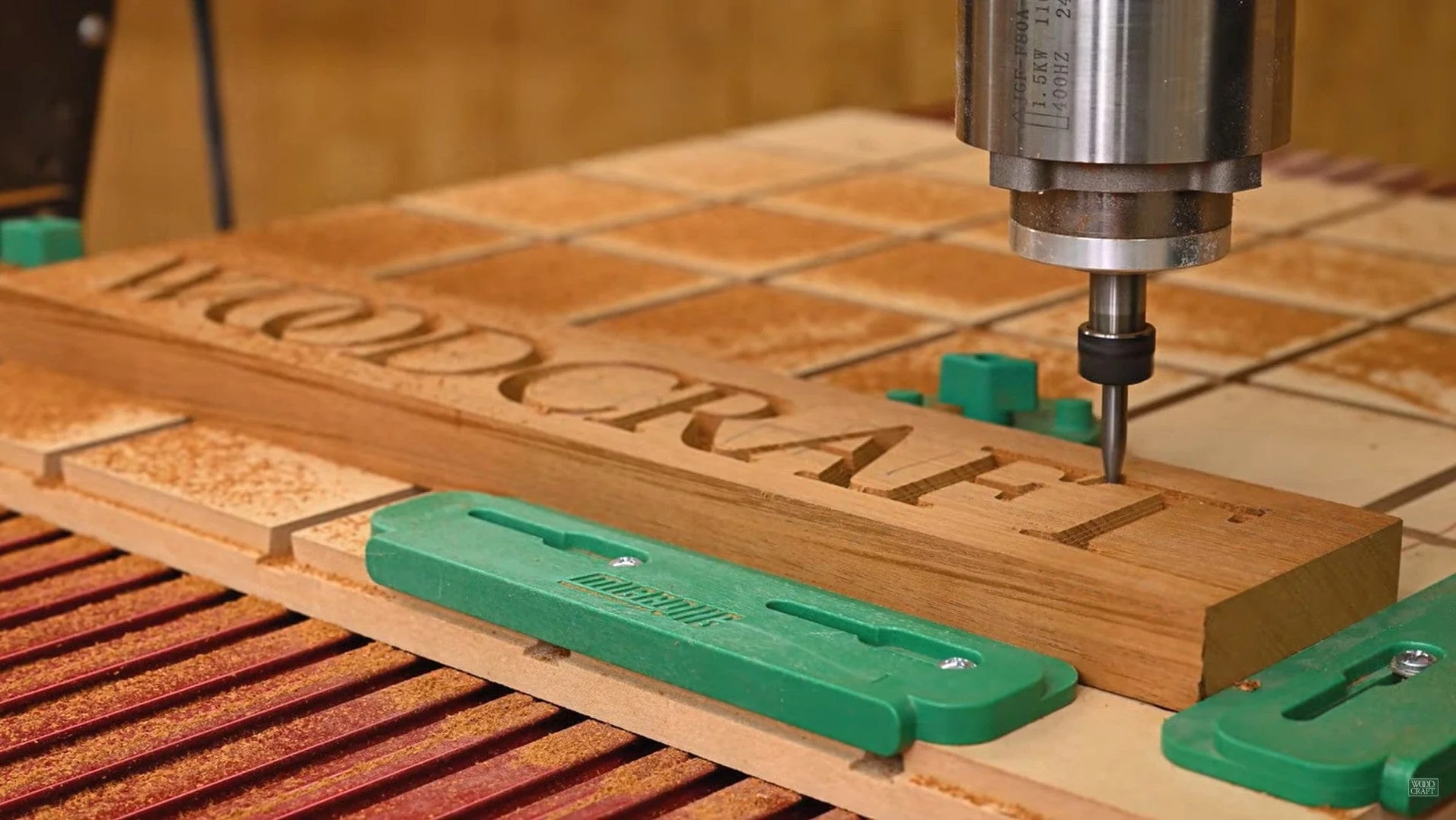
The Eyryfui 10-Piece Bit Set is aimed at the part of CNC woodworking where one cutter is never enough. The set covers detail carving, trimming, V-groove engraving, slotting, mortising, MDF work, resin projects, lettering, and sign making. Having several profiles ready is more useful than repeatedly trying to force one bit to perform every operation.
All ten bits use 1/4-inch shanks and are made from solid carbide. The Nano Blue coating is described as helping with heat resistance, oxidation protection, and edge life. Those claims do not remove the need for correct feeds, speeds, chip clearance, and secure work holding, but the construction is appropriate for the small, detailed cuts the set is intended to make.
The engraved size markings and labeled storage case are practical touches. Router bits look surprisingly similar once they are out of the package, and a clear case reduces the chance of selecting the wrong profile. This set is best paired with a compact router such as the Genmitsu 3018-PRO or LUNYEE 3018 PRO MAX, provided the machine uses a compatible 1/4-inch collet.
It is not the right tool for flattening a wide spoilboard. The BINSTAK Spoilboard Bit has a 2-inch cut diameter and is designed for that specific operation, while Eyryfui is about edge detail and varied profiles. The listing also says the bits are intended for professionals or use under adult supervision, which is sensible advice for any exposed carbide cutter.
For woodworking signs, lettering, decorative grooves, and small relief work, this is the most versatile bit set in the group. It makes sense as a second purchase after choosing a machine, especially if the supplied cutter selection is limited.
7. Genmitsu 3018-PRO: Best Starter Kit

Pros
- 300 x 180 x 45mm work area
- GRBL control
- Offline controller included
- Raised base for improved stability
- Upgrade path to a 3040 format
Cons
- Small working area
- Limited Z travel
- Not suited to large panels
Best for: first-time CNC owners learning design, setup, and carving basics.
The Genmitsu 3018-PRO remains an approachable starting point because it keeps the machine's basic workflow understandable. Its 300 x 180 x 45mm XYZ working area is enough for small signs, test cuts, plaques, plastic parts, and PCB work. It is not a panel machine, but that limitation can be useful while learning how tool paths, origins, clamps, and feeds interact.
The raised 4cm base is intended to improve stability over the earlier 3018 design. Genmitsu also says the machine arrives with components that do not need individual positioning, reducing assembly difficulty and improving setup accuracy. The spindle can run up to 20, 000rpm with the upgraded power adapter, and the machine is listed for plastics, soft aluminum, wood, acrylic, PVC, and PCB materials.
Control is based on GRBL running on Arduino, with Candle and Carveco Maker included in the software description. GRBL's open-source nature gives beginners access to a large amount of general documentation and troubleshooting information. The included offline controller is useful when you want to run a prepared file without leaving a computer connected for the entire job.
The compact size is also the clear weakness. The LUNYEE 3018 PRO MAX has the same 300 x 180mm footprint in X and Y but extends Z travel to 80mm and adds a 500W spindle, while the FoxAlien Masuter Pro is far more comfortable with large woodworking pieces. The 3018-PRO is best kept to small work and softer materials rather than treated as a production router.
If you want to understand CNC without starting with a complicated industrial-style platform, this is a sensible first machine. It is also a good place to learn before deciding whether your next step should be a larger bed, a stronger spindle, or a more enclosed workflow.
8. WolfPawn 4040-PRO: Best Included Spindle

Pros
- 500W spindle included
- 15.7 x 15.7-inch work area
- Lead screw-driven Z axis
- GRBL and Candle control
- Z-probe and clamps included
Cons
- X and Y use belt and V-wheel movement
- Smaller Z travel than several rivals
- Laser module is optional
Best for: hobbyists who want a supplied spindle and a mid-size work area.
The WolfPawn 4040-PRO is a practical open-frame machine built around a 500W spindle. That included spindle makes the package easier to understand than a router frame that expects you to choose a motor separately. Its 15.7 x 15.7 x 2.9-inch working area is large enough for many signs and decorative panels without taking up the space required by the XE-Ultra.
WolfPawn uses 2GT belts and V-wheels on X and Y, with a round linear guide and TR8-2T screw on Z. The screw-driven Z axis is useful for depth control, while the belt and V-wheel arrangement keeps the horizontal motion relatively straightforward. This is a different mechanical choice from the ball screws and linear rails used by the FoxAlien XE-Ultra 8080, which is built for a heavier, larger working envelope.
The controller supports GRBL and Candle through USB. The listing describes 3D preview, origin setting, axis unlocking, and real-time display functions. The package also includes clamps, a Z-probe, a test wood board, a brush, wrenches, hex keys, USB and power cables, and a manual. Those inclusions help a new owner get from assembly to a first test cut without immediately sourcing every small accessory.
The machine's limitations follow from its layout. X and Y belt drives are not the same as the more rigid ball-screw system in the XE-Ultra, and the 2.9-inch Z work height is less generous than the Masuter Pro's 60mm or the LUNYEE 3018 PRO MAX's 80mm. The supplied spindle is useful, but metal work should be approached carefully and within the machine's actual rigidity and cutting limits.
Choose the WolfPawn when a 500W spindle and included setup accessories matter more than maximum rigidity or deep vertical clearance. It occupies a useful middle position between the tiny 3018 machines and the much larger machines at the top of this list.
9. LUNYEE 10-Piece Bit Set: Best Bit Set With Collet

Pros
- Ten carbide router bits
- 1/4-inch shanks
- Bonus ER11 precision collet
- Nano Blue coating
- Covers wood, plastic, and some metal engraving tasks
Cons
- A bit set cannot replace a CNC machine
- Collet compatibility must be checked
- Mixed-material claims still require conservative settings
Best for: owners who need varied cutters and a compatible ER11 collet.
The LUNYEE 10-Piece Bit Set is the most complete accessory package here because it adds an ER11 high-precision collet to the cutters. The ten 1/4-inch-shank bits are intended for detail carving, trimming, V grooves, slots, mortises, lettering, sign making, and 3D carving. That range suits owners whose current machine came with only a basic end mill.
The bits use solid carbide construction and a Nano Blue coating. LUNYEE describes the coating as supporting heat resistance and a longer cutting life, while the set is listed for hardwood, softwood, plywood, MDF, acrylic, PVC, aluminum, copper, and steel engraving. Those materials have very different cutting requirements, so the set should be treated as a collection of profiles rather than permission to use one setting for everything.
The ER11 collet is the feature that separates this set from the Eyryfui 10-Piece Bit Set. It can be useful when the router's original collet is worn, missing, or not the right format, but it is not automatically universal. Confirm the spindle and nut specification before relying on the included collet. A poorly matched collet can create runout, vibration, and unsafe bit retention.
Like Eyryfui, this is a detail-oriented set rather than a surfacing solution. The BINSTAK bit is the better tool for flattening a spoilboard because its four-wing cutter has a 2-inch diameter. LUNYEE's set is more appropriate after the surface is flat and the job calls for a particular edge, groove, or carving profile.
This is a sensible accessory for someone building a more capable home workshop around a 3018-class or 4040-class machine. It gives the owner more ways to shape a project, but the router's spindle, collet, and rigidity still determine what those bits can safely accomplish.
10. LUNYEE 3018 PRO MAX: Best Deep Z Travel

Pros
- 500W spindle
- 80mm Z-axis travel
- All-metal frame
- Six limit switches and emergency stop
- Offline GRBL control
Cons
- X and Y work area remains 300 x 180mm
- Small footprint limits large designs
- Requires installation and wiring
Best for: small-format work that needs more vertical clearance than a standard 3018.
The LUNYEE 3018 PRO MAX takes the familiar 3018 footprint and focuses on two upgrades: a 500W spindle and unusually long 80mm Z-axis travel. That extra vertical movement is useful when the stock is thicker, the fixture is raised, or the design needs deeper carving. It does not make the machine wide, but it does give small projects more room in the vertical direction.
The frame is all metal, using reinforced aluminum profiles and a 12mm optical axis for linear motion. LUNYEE lists a maximum movement speed of 5, 000mm per minute and a spindle range of 0 to 12, 000rpm. The 500W spindle is described as capable of working with dense materials such as aluminum and copper, though the machine's compact frame still calls for sensible pass depths and careful work holding.
Safety and positioning are better developed than on a basic starter machine. The PRO MAX has six limit switches, an emergency stop button, and manual handwheels on the X, Y, and Z axes for setting the machine origin. GRBL offline control and the included USB drive with installation and wiring videos make the package more self-contained, although assembly is still part of the ownership experience.
The main catch is that the X and Y area remains 300 x 180mm. The Genmitsu 3018-PRO offers the same basic footprint with a smaller 45mm Z dimension, while the FoxAlien Masuter Pro is the stronger choice for wider signs and panels. Buyers should choose the LUNYEE for its depth and spindle rather than assume it is a larger version in every direction.
It is a good fit for a small shop making carved blocks, narrow signs, fixtures, and deeper relief pieces. If your designs are wide rather than deep, move up to a 400mm or 460mm class machine instead.
How to choose the best cnc router for woodworking
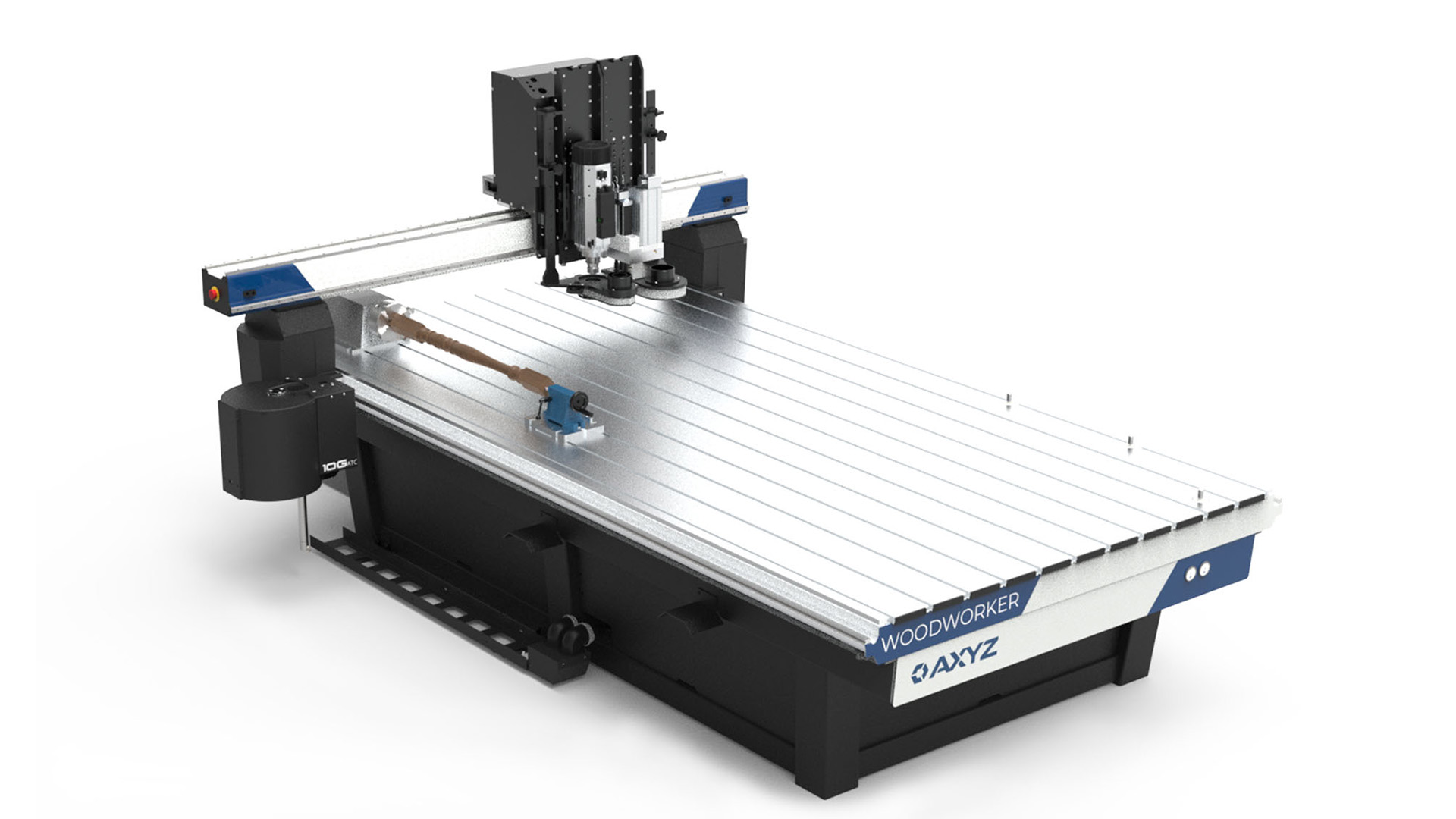
The right machine is the one whose working envelope, motion system, spindle setup, and control method match the material and projects you actually plan to make.
Working area and Z travel
Working area determines the maximum X and Y size of a job, while Z travel determines how much vertical room is available for stock, fixtures, and deeper carving. A 3018 machine suits small signs and test pieces. Machines such as the Masuter Pro and TTC450 Pro are more comfortable with larger panels, while the XE-Ultra is designed for very large work.
Do not judge the bed by width alone. A machine with limited Z clearance may struggle when a thick workpiece sits on a spoilboard or when clamps and fixtures raise the material.
Choose the bed for your largest repeated project, not the smallest item you can imagine making.
Frame rigidity and motion hardware
A rigid frame resists vibration, which helps preserve clean edges and consistent depth. All-metal construction is a useful starting point, but the motion hardware matters too. Ball screws and linear rails, as used by the XE-Ultra, are a more substantial arrangement than belt and V-wheel movement. Screw-driven Z axes can also help with vertical control.
A heavy machine still needs a level, stable bench. No frame can compensate for a platform that flexes while cutting.
Spindle and collet compatibility
Spindle power affects the materials and pass depths a router can handle, but it is not the only consideration. The Masuter Pro supports different spindle clamp sizes, the WolfPawn includes a 500W spindle, and the LUNYEE PRO MAX also lists a 500W spindle. Check the actual spindle, clamp, collet, and bit-shank formats before buying cutters.
A 1/4-inch bit set is not automatically compatible with every CNC router. The machine needs a matching collet, and the bit must be held securely with minimal runout.
Control software and connectivity
GRBL is common across several picks and works with software such as Candle, Easel, Fusion 360, and Carveco. That makes it easier to find general guidance and move between design tools. Some machines include an offline controller, while Cubiko adds WiFi and app support.
If you are setting up a broader home workshop, how to choose a computer for a home workspace can help with the separate question of screen, storage, and connectivity needs for CAD and CAM software.
Safety, dust, and setup
Emergency stops, limit switches, probes, and clear origin controls reduce avoidable mistakes. The Cubiko's enclosure adds dust containment, noise reduction, and a lid-open auto-stop. Open-frame machines need a more deliberate approach to eye protection, dust extraction, guarding, and keeping hands clear of the cutter.
Setup time is only one part of the process. Squaring the frame, securing the material, checking the spindle, and confirming the tool path are essential before a first full cut.
For readers comparing workshop equipment more broadly, the practical space requirements for a home router setup are a useful reminder that a machine needs clearance, power, and a stable surface, not just a place to sit.
Frequently asked questions
What size CNC router is suitable for woodworking?
A 3018-size machine is suitable for small signs, plaques, test cuts, and narrow parts. A 400mm or 460mm working area is more flexible for larger signs and panels. Choose a 33 x 33-inch machine only if your projects genuinely need that space and you have a permanent location for it.
Can these CNC routers cut hardwood?
The listings describe the machines as suitable for wood, and several also mention MDF, acrylic, or other materials. Hardwood cutting depends on the spindle, bit, pass depth, feed rate, rigidity, and work holding. Use shallow, controlled passes rather than assuming a larger spindle can remove material aggressively.
Is a 500W spindle necessary for woodworking?
Not for every woodworking project. A smaller setup can handle engraving and light cuts, while a 500W spindle gives more headroom for denser materials and deeper work. The frame and motion system must also be rigid enough to make use of that spindle.
Do CNC routers include router bits?
Some machines include accessories or cutting tools, but the exact selection varies. The Twotrees listing describes ten cutting tools, and the WolfPawn package includes a test setup and accessories. Dedicated sets such as Eyryfui and LUNYEE provide more profiles for carving, grooves, trimming, and lettering.
What is a spoilboard surfacing bit used for?
A spoilboard surfacing bit flattens the top of the sacrificial board beneath your workpiece. This creates a more consistent reference plane, which helps the router cut or engrave at a more even depth. The BINSTAK bit is designed for this job and is not intended as a general metal-cutting tool.
Is an enclosure important for a desktop CNC router?
An enclosure can contain dust and debris, reduce noise, and make it harder to reach the cutter while it is running. The Genmitsu Cubiko adds a cover-open auto-stop feature. An enclosure does not replace eye protection, dust control, or safe machine operation, but it is valuable in a shared home workspace.
Can a CNC router be used without a connected computer?
Some models include an offline controller, including the Genmitsu 3018-PRO and LUNYEE 3018 PRO MAX. You still need a computer or another design workflow to create and prepare tool paths. The offline controller is mainly useful for running an already prepared file without keeping the computer attached.
The bottom line
The FoxAlien Masuter Pro is our Best CNC Router for Woodworking because it balances a 400 x 400mm work area, all-aluminum construction, pre-wired assembly, and spindle flexibility. It is a better all-round fit than the small 3018 machines for anyone expecting to make signs, panels, and varied decorative work.
Choose the FoxAlien XE-Ultra 8080 when large-format work is the priority, or the Genmitsu Cubiko when an enclosed, guided desktop experience matters more than open-bed flexibility. The Twotrees TTC450 Pro is the strongest alternative for buyers who want a mid-size machine with touchscreen control and expansion ports.
If you are undecided, choose the Masuter Pro for general woodworking, and choose your router bits only after confirming the machine's collet and spindle format.
As an Amazon Associate we earn from qualifying purchases.