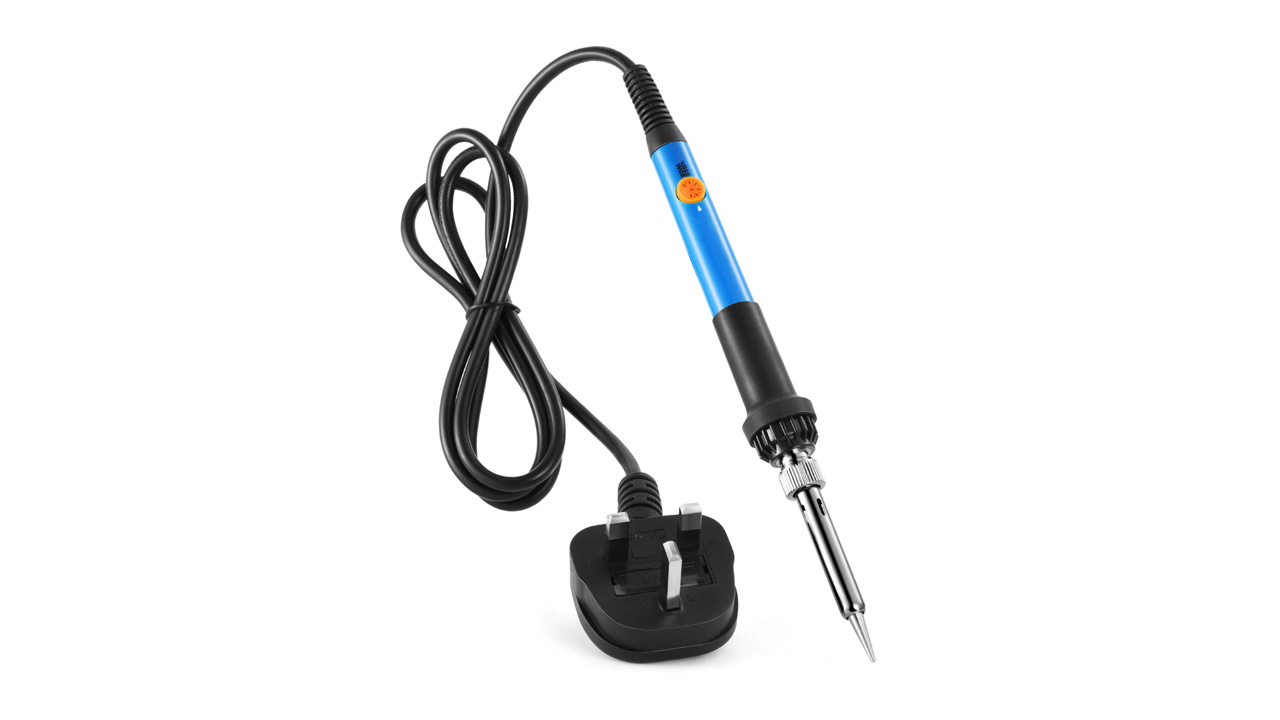

A soldering iron that runs too hot can lift a circuit-board pad, while one that cannot recover heat leaves joints dull and unreliable. The right tool depends on more than wattage. Temperature control, tip selection, handling, and the quality of the stand all shape how easy a repair feels.
The Best soldering iron for most work is the YIHUA 926 III Digital, which combines a compact station with PID temperature stabilization, adjustable sleep mode, calibration support, helping hands, and six tips. The rest of this list covers cordless convenience, high-power stations, traditional professional tools, and simple plug-in kits.
| # | Product | Award | Power | Temperature range | Best for |
|---|---|---|---|---|---|
| 1 | YIHUA 926 III Digital | Best overall | 60W | 194°F to 896°F | General electronics work |
| 2 | Weller WE1010NA | Best for precise bench work | 70W | Not specified | Repeatable soldering |
| 3 | Hakko FX888DX | Best control dial | Not specified | Up to 899°F | Experienced users |
| 4 | YIHUA 939D+ | Best sturdy station | 75W equivalent | 392°F to 896°F | Frequent repair work |
| 5 | WEP 927-IV | Best workstation kit | 110W | 194°F to 896°F | Hands-free projects |
| 6 | Fanttik T1 Max | Best cordless | 12W DC, 16W AC | 390°F to 840°F | Mobile repairs |
| 7 | Liouhoum 80W | Best lightweight plug-in iron | 80W | 356°F to 896°F | Portable DIY work |
| 8 | Q-MING 100W | Best high-temperature pencil iron | 100W | 356°F to 932°F | Broad repair tasks |
| 9 | YIHUA 926 III LED | Best accessory bundle | 60W | 194°F to 896°F | Beginners with small benches |
| 10 | Q-MING 60W | Best simple starter kit | 60W | 392°F to 842°F | Occasional repairs |
1. YIHUA 926 III Digital: Best Overall

Pros
- PID temperature stabilization
- Adjustable sleep mode and calibration
- Compact station with integrated holder
- Includes six tips and two helping hands
Cons
- 60W is less forceful than the highest-power stations
- The included accessories take up some bench space
Best for: electronics hobbyists who want a complete, controllable station without a complicated interface.
The YIHUA 926 III Digital is the station we would put in front of most people first. It feels like a proper bench tool rather than a hot pencil attached to a cord, but it stays compact enough for a small electronics workspace. The integrated holder and protective mesh keep the hot iron contained, and the master control knob avoids the awkward button combinations found on some inexpensive digital tools.
Its 60W heating system covers the work most people actually do on circuit boards, wires, connectors, and small appliance repairs. The temperature range runs from 194°F to 896°F, so it can handle lower-temperature electronics work as well as jobs that need more heat. PID stabilization matters here because the iron is designed to hold the selected temperature instead of wandering significantly as the tip contacts a joint.
The sleep timer can be set to 5, 10, or 30 minutes, and the station supports temperature calibration. Those features are more useful than they sound. Sleep mode reduces the time the tip sits at full heat, while calibration gives experienced users a way to correct the displayed temperature if their process calls for it. The display also switches between Celsius and Fahrenheit.
YIHUA includes six #1200/900M series tips, 35g of lead-free solder, a solder sucker, ESD-safe tweezers, a sponge, a wire dispenser, and two helping hands. That makes it easier to begin immediately, although the accessory collection is not a replacement for a carefully chosen tip assortment. For fine board work, choosing a tip shape for small surface-mount joints can matter more than adding raw wattage.
The limitation is power reserve. The WEP 927-IV and Weller WE1010NA are stronger choices for large connectors, thick ground planes, or repeated heavy joints. For normal electronics repair, though, this YIHUA offers the most balanced combination of control, safety features, accessories, and bench manners.
2. Weller WE1010NA: Best for Precise Bench Work

Pros
- 70W iron with stable temperature control
- Temperature stability specified at plus or minus 4°F
- Temperature lock and password protection
- Heat-resistant silicone cable
Cons
- More substantial and less portable than a pencil kit
- The package includes only one listed tip
Best for: users who want repeatable temperature behavior for regular electronics work.
The Weller WE1010NA is a serious station with a restrained, workmanlike approach. It does not try to turn the bench into an accessory center. Instead, it concentrates on the iron, the control unit, and the safety rest. That focus suits someone who already knows which tips and solder they prefer.
The 70W iron gives it more reserve than the YIHUA 926 III Digital while staying below the 110W WEP 927-IV. Weller specifies temperature stability of plus or minus 4°F, or plus or minus 2°C. A narrow stability figure is useful when a joint needs a controlled amount of heat, particularly when working across a batch of similar connections.
The station includes temperature lock, standby mode, auto setback, and password protection. Temperature lock can prevent accidental changes while a project is underway, and auto setback reduces heat during pauses. The heat-resistant silicone cable should also remain easier to manage than a stiff cable when the iron is moved around a crowded board.
The included package contains the WE1 station, a WE70 iron, a PH70 safety rest with sponge, and an ETA screwdriver tip measuring 0.062 inch, or 1.6mm. That is a focused setup rather than a large starter bundle. You may need to add tips and consumables for specialized work, but that also means fewer generic extras sitting unused.
Compared with the YIHUA 926 III Digital, the Weller has the stronger case for repeatable bench work and a more polished control system. The YIHUA counters with more included accessories and a wider stated feature set for the first-time buyer. Skip the Weller if you need a cordless tool or a box full of helping hands and tips. Choose it when consistency and a familiar professional workflow matter most.
3. Hakko FX888DX: Best Control Dial

Pros
- Rotary encoder makes temperature adjustment direct
- Digital display shows the selected temperature
- Updated interface over the FX-888D
- Established bench-station design
Cons
- Product information does not specify wattage
- The listed feature details are less complete than those of rivals
Best for: experienced solderers who prefer a physical dial over menu-heavy controls.
The Hakko FX888DX stands out because of how it is controlled. Its rotary encoder gives the user a physical dial for temperature adjustment, paired with a digital display. That is a better fit for someone who changes temperatures frequently and wants to make a quick adjustment without navigating a multi-function button system.
Hakko describes the FX888DX as an interface improvement over the FX-888D. The dial and display make the setting easier to see and change, which is a small usability detail that becomes important during long repair sessions. The listed maximum temperature is 899°F, while the supplied product information does not state wattage.
That missing power specification makes direct comparison with the 60W YIHUA stations, 70W Weller, and 110W WEP less straightforward. The available details support a case for control and interface quality, not a claim about heat recovery or heavy-joint performance. Buyers who regularly work on large connectors should look carefully at the rest of their requirements before choosing it.
The FX888DX also has a more distinctive blue and yellow housing than the otherwise mostly utilitarian stations here. That does not change soldering performance, but it can make the unit easy to identify on a crowded bench. Its main appeal is the control method, not a large accessory pack or built-in magnifier.
The Weller WE1010NA provides more explicit information about stability and protection features, while the Hakko offers the more tactile adjustment experience. Choose the Hakko if the dial is the feature you will use every few seconds. Skip it if you want a complete beginner bundle or if a clearly stated power rating is essential to your decision.
4. YIHUA 939D+: Best Sturdy Station

Pros
- Built-in transformer provides contact-safe voltage
- Temperature control monitors and compensates in 20 milliseconds
- Brushed aluminum control panel
- Separate metal-alloy iron stand
Cons
- Does not include the broad accessory set of the 926 III
- Larger bench footprint than a plug-in pencil iron
Best for: regular users who want a robust station with precise adjustment and a solid stand.
The YIHUA 939D+ feels built for a bench that sees regular use. Its brushed aluminum control panel and separate metal-alloy iron stand give it a more substantial character than the lightweight plug-in irons in this roundup. This is the station for someone who wants the controls and hardware to stay put while the work moves around them.
YIHUA lists the station as a 75W equivalent system with a temperature range from 392°F to 896°F. The built-in transformer provides contact-safe voltage, and the temperature control program monitors and compensates in 20 milliseconds. Those details point toward a station designed to keep its behavior consistent across repeated work rather than simply heating quickly once.
The front control uses a digital Celsius or Fahrenheit display and an adjustment knob. It also supports temperature calibration and automatic handle detection. The automatic detection can help the station respond to the iron’s status, while calibration gives the user more control when a particular solder, tip, or process calls for a known temperature.
Unlike the YIHUA 926 III Digital, the 939D+ does not arrive as a large kit with two helping hands, six tips, and a solder sucker. Its strength is the station itself. The Weller WE1010NA has a more clearly documented stability specification, but the 939D+ offers a sturdy metal construction and a built-in transformer at the center of its design.
The weakness is its less generous setup for a new user. If you are starting from nothing, the 926 III is easier to recommend because it covers more of the surrounding work. If you already have consumables and want a durable control unit for frequent repairs, the 939D+ is the better match.
5. WEP 927-IV: Best Workstation Kit

Pros
- 110W heating element
- Three temperature preset channels
- Double display shows set and actual temperature
- Integrated magnifier, LED light, and helping hands
Cons
- Uses WEP #1400 tips
- Bulky accessory-focused layout
- Intended for 110 to 127V power
Best for: small electronics projects that benefit from magnification and hands-free component positioning.
The WEP 927-IV is less a simple station than a compact soldering workbench. It combines the iron holder, tip cleaner, solder dispenser, tip storage, helping hands, and an LED magnifier into one unit. That arrangement can save a lot of reaching when a project involves tiny parts or requires both hands to stay on the board.
Its 110W heating element is the most powerful specified in this group. The adjustable range runs from 194°F to 896°F, and the double numerical display shows both the selected and actual temperatures. That second reading gives more useful information than a single set-point display when the iron is recovering after contact with a large joint.
Three preset channels let you save common temperatures and switch between them with a button. The sleep timer can be set from 0 to 99 minutes, and the station lowers the iron to a reduced temperature during idle periods. These controls suit a user who moves repeatedly between different soldering tasks rather than staying at one setting.
The helping hands can hold components from different directions, while the magnifying glass and LED illumination are aimed at small work. The station includes five extra tips, a tip cleaner, lead-free solder wire, tweezers, and storage slots. WEP specifies that the 927-IV uses its #1400 soldering tips, so tip availability should be part of the long-term decision.
The extra equipment makes the WEP more capable than the YIHUA 926 III for hands-free detail work, but it also makes the bench arrangement less flexible. The Weller WE1010NA is a cleaner choice for a minimal precision setup. Choose the WEP when the magnifier and helping hands will earn their space, and skip it if you prefer a separate, uncluttered workbench.
6. Fanttik T1 Max: Best Cordless

Pros
- Cordless operation with built-in 2600mAh battery
- Heats in 7 seconds
- USB-C power support
- Automatic sleep and restart by gravity sensing
Cons
- Lower output than the corded stations
- Six temperature levels are less precise than a digital set point
- Battery mode is limited to up to 60 minutes at the stated conditions
Best for: field repairs and jobs where a power cord would get in the way.
The Fanttik T1 Max changes the shape of the decision. It is not trying to replace the Weller or Hakko on a permanent electronics bench. It is a small cordless iron for fixing a wire, connector, or board away from an outlet, and that freedom is its defining advantage.
The built-in 2600mAh battery provides up to 12W of DC output for up to 60 minutes at 840°F, or 450°C. In wired mode, the maximum AC output is 16W, and the iron can run from a charger or mobile power supply through USB-C. Those output figures are far below the 60W to 110W corded tools here, so large heat-sinking joints are not its natural territory.
The T1 Max heats in 7 seconds and uses four C210 tips: C210-I, C210-IS, and two C210-K tips. The tip system is designed for rapid heating and anti-oxidation, while the tail knob offers six temperature levels from 390°F to 840°F. Six levels are convenient, but they do not provide the same fine adjustment as the digital stations.
Its gravity sensing is a thoughtful touch. After 30 seconds without work, the iron enters sleep mode, then reheats to the selected level when it is picked up. The aluminum storage stand has a pop-up tray for storing the welding head, which helps keep the compact tool contained between joints.
The compromise is clear: portability over endurance and heat reserve. The Liouhoum 80W is far better for sustained corded work, and the YIHUA 926 III Digital is better for controlled bench repairs. The Fanttik is the one to choose when the repair happens in a vehicle, workshop corner, or other place where a station would be awkward.
7. Liouhoum 80W: Best Lightweight Plug-In Iron

Pros
- 80W ceramic heating core
- Reaches operating temperature in 10 seconds
- LCD with Celsius and Fahrenheit adjustment
- Automatic sleep and temperature memory
Cons
- No full station or integrated accessory workspace
- Temperature drops to sleep mode after idle time
- A separate stand and workholding setup may be needed
Best for: portable corded soldering where a full station is unnecessary.
The Liouhoum 80W is a straightforward digital iron for people who do not want a station taking up the bench. It is light at about 0.28 pounds, and the pencil format is easier to pack away than a control box with a separate stand. Plug it in, set the temperature, and the LCD gives you a clear readout.
Its ceramic core reaches operating temperature in 10 seconds, and the range spans 356°F to 896°F. The 80W rating gives it more stated power than the YIHUA 926 III and Weller WE1010NA, although wattage alone does not determine how well an iron recovers heat at the tip. The adjustable range is broad enough for general board work, appliance repair, jewelry work, and other household projects listed by the manufacturer.
A five-minute period on the stand triggers automatic sleep, with the display showing “OFF.” Picking up the handle restores heating, and temperature memory returns the iron to its previous setting after power cycling. That is a useful safety behavior for an iron that may otherwise be left sitting on a small work surface.
The handle is heat-resistant and designed to keep the rear portion cooler, while the LCD makes it easier to see the selected temperature than a simple dial. The trade-off is the missing station infrastructure. There are no integrated helping hands, tip storage, magnifier, or full control box, so your work area needs to supply those pieces.
The Q-MING 60W is a simpler alternative with a more basic setup, while the Liouhoum offers the stronger power rating and a more informative display. Choose the Liouhoum for occasional corded repairs and easy storage. Skip it if you need stable hands-free positioning or a station that organizes every accessory around the iron.
8. Q-MING 100W: Best High-Temperature Pencil Iron

Pros
- 100W ceramic heating core
- Temperature range reaches 932°F
- LED display with Celsius and Fahrenheit
- Includes wick braid, solder, sponge, flux, and stand
Cons
- No station-style temperature stability specification
- Pencil format offers less workspace organization
- High maximum temperature needs careful component handling
Best for: users who want a high-output plug-in iron with a broad included kit.
The Q-MING 100W is the most aggressive of the simple pencil-style irons here. It uses a plug-in ceramic heating core, reaches its stated operating temperature in 15 seconds, and gives the user a broad adjustment range. It is a practical format for repair drawers, especially when the user needs more than a basic iron but does not want a station.
Temperature adjusts from 356°F to 932°F, with an LED display and Celsius or Fahrenheit switching. The upper limit exceeds the Liouhoum 80W and Q-MING 60W, which can help with stubborn or heat-absorbing joints. It also raises the need for discipline: high heat can damage sensitive components or board material when applied carelessly.
Four ventilation holes and a steel-tube design are intended to move heat away from the handle. The kit includes tips, wick braid, solder wire, a sponge, flux paste, and a stand, so it covers both soldering and basic desoldering tasks. Those supplies make it more useful out of the box than a bare iron, though the stand is still simpler than the holders on the station models.
The password or child-lock setting is a notable safety feature for a household tool. It is designed to prevent children or pets from accidentally operating the iron, although safe storage and supervision remain essential. The product information lists the tool at about 0.61 pounds, which is still manageable for bench work.
The Liouhoum 80W has a lighter body and a faster stated heat-up time, while the Q-MING 100W offers the higher ceiling and a more extensive consumables kit. The WEP 927-IV remains the better choice for a fully organized station. Choose this Q-MING when you want broad temperature range and included supplies in a portable pencil format.
9. YIHUA 926 III LED: Best Accessory Bundle

Pros
- PID heat control and temperature calibration
- Sleep timer can be set to 0, 5, 10, or 30 minutes
- Six tips and two helping hands included
- Compact integrated holder
Cons
- Similar station design to the other 926 III version
- 60W output is not aimed at heavy joints
- Many included accessories can crowd a small workspace
Best for: first-time buyers who want a compact station and a large set of starter accessories.
The YIHUA 926 III LED is the accessory-heavy sibling of the other 926 III listed above. Its core appeal is the same compact station format, but this version emphasizes the LED display and a generous package of supporting tools. It is a sensible way to establish a small electronics bench without collecting each basic item separately.
The station provides 60W of power and a temperature range from 194°F to 896°F. PID heat control is intended to keep the selected temperature steady, while calibration support gives the user a way to fine-tune the reading. The single knob handles adjustment and menu functions, and the display switches between Celsius and Fahrenheit.
Its sleep timer offers 0, 5, 10, or 30-minute settings. Choosing 0 disables the timer, while the longer settings suit users who pause often during a project. The integrated holder and rear mesh protector save space and help keep the hot iron from making accidental contact with nearby objects.
The package includes two helping hands with alligator clips, six tips, 35g of lead-free solder, a solder wire bracket, tweezers, a solder sucker, a sponge, a spanner, and a manual. That is enough to support basic assembly and desoldering, though the clips and small accessories still need to be positioned carefully. For material choices, matching solder to the kind of connection you are making is a useful next step.
There is little reason to choose this version for a radically different heating experience from the YIHUA 926 III Digital. The distinction is the package and the LED-display presentation. The WEP 927-IV adds a magnifier and higher power, while this YIHUA occupies less space and is easier to approach. Choose it when the included helpers matter more than maximum heat reserve.
10. Q-MING 60W: Best Simple Starter Kit

Pros
- Adjustable thermostatic temperature control
- Ceramic core heats in 15 seconds
- Five interchangeable tips
- Includes solder, flux, sponge, and stand
Cons
- No digital display
- Basic stand and workholding setup
- Less temperature range than the highest-reaching irons
Best for: occasional household repairs and first soldering projects.
The Q-MING 60W is the uncomplicated option in this roundup. It has a pencil-style iron, a simple stand, five interchangeable tips, and the consumables needed to start soldering. There is no station menu to learn and no separate control box to find room for.
Its ceramic heating core reaches the selected temperature in 15 seconds. The adjustable range runs from 392°F to 842°F, and the thermostatic design is intended to maintain the selected setting. A physical on and off switch makes it easy to shut down between tasks rather than pulling the plug each time.
The kit includes 0.6mm solder wire, no-clean rosin flux paste, a conventional sponge, and five interchangeable tips. That selection is useful for basic electronics, appliance repair, jewelry work, and DIY projects. It is also a good place to learn how tip shape and solder feed affect a joint before moving to more specialized equipment.
The trade-off is control information. Unlike the Liouhoum 80W or Q-MING 100W, this iron does not provide a digital temperature readout. The YIHUA 926 III Digital is a much better choice when you need a station, calibration support, and sleep settings, while the Q-MING is easier to store and faster to understand.
Do not choose this model for demanding continuous bench work or projects that need close temperature documentation. For occasional repairs, simple wiring, and a first look at soldering, its modest design is the point.
How to choose best soldering iron
The Best soldering iron for your work is the one that applies enough controlled heat without making the handle, tip, or work area difficult to manage.
Temperature control
A soldering iron should let you select a useful temperature and hold it as the tip contacts the joint. Digital stations such as the YIHUA 926 III, Weller WE1010NA, and YIHUA 939D+ offer more information than a basic dial or fixed-output iron. Calibration support is helpful when a particular solder and tip combination needs a repeatable process.
A broad range is not automatically better. The useful setting depends on the solder, component, board, and tip. A very high maximum can help with heat-absorbing joints, but using excessive heat on small pads increases the risk of damage.
Power and heat recovery
Wattage describes available electrical power, not a guarantee of performance at every joint. The 110W WEP 927-IV and 100W Q-MING are aimed at jobs that need more heat reserve, while the 12W cordless Fanttik T1 Max is designed around portability.
For circuit boards and small connectors, stable temperature often matters more than the biggest number. Large ground planes and thick wires are where extra power becomes more noticeable. The right solder composition for circuit-board work also affects how easily heat transfers into the joint.
Tip system
Tips determine how heat reaches the work. Fine tips suit small pads, while broader chisel-style shapes transfer heat more effectively to larger joints. A kit with several tips is convenient, but the replacement system matters too. The WEP 927-IV uses WEP #1400 tips, while the Fanttik T1 Max uses C210 tips.
Look for a tip family that fits the tasks you expect to do and can be replaced when the working surface wears. Tip storage is useful, but tip compatibility is more important than the number supplied in the box.
Ergonomics and cable movement
A light pencil iron is easy to pack away, but a station can provide a better holder, more stable controls, and a more manageable cable. The Fanttik T1 Max removes the cable entirely in cordless mode, though its lower output limits the work it can handle.
The Weller WE1010NA uses a heat-resistant silicone cable, while the compact YIHUA stations integrate the iron holder into the control unit. Consider where your free hand goes, how often you change temperature, and whether the iron can rest safely between joints.
Safety and idle behavior
Automatic sleep, standby, auto setback, and temperature locks reduce the chance of leaving an iron at full heat during a pause. The Liouhoum 80W sleeps after five minutes on its stand, the Fanttik uses gravity sensing after 30 seconds, and the WEP 927-IV allows a sleep timer from 0 to 99 minutes.
No software feature replaces a stable stand and careful storage. A station with a protective holder, clear controls, and a cable that does not pull across the work is easier to use safely.
Buy the iron that controls heat well at your smallest joint, then make sure it has enough reserve for your largest one.
Frequently asked questions
What temperature should a soldering iron use?
The right temperature depends on the solder, tip, component, and joint. These products provide ranges from about 194°F to 932°F, but a higher setting is not always safer or faster. Start with the solder manufacturer's guidance and increase heat only when the joint does not transfer heat effectively.
Is a station better than a pencil-style soldering iron?
A station usually provides more stable controls, a safer holder, and easier temperature adjustment. A pencil-style iron is simpler to store and can be convenient for occasional repairs. Choose a station for repeated bench work, and choose a pencil iron when portability and low setup matter more.
Is 60W enough for electronics repair?
A 60W iron is sufficient for many circuit boards, wires, and small connectors when the tip is appropriate and the temperature is controlled. Large ground planes and thick conductors can require more heat reserve. The WEP 927-IV offers 110W for those tougher jobs, while the Fanttik T1 Max is much less suited to them.
Do I need a digital temperature display?
A digital display is not essential for making a joint, but it improves repeatability and makes temperature changes easier to document. The Q-MING 60W uses a simpler adjustable design, while the YIHUA, Weller, Hakko, and WEP stations provide more information or direct control.
What does sleep mode do?
Sleep mode lowers the iron's temperature after a period of inactivity. That can reduce tip oxidation and heating-element wear, while also limiting the time the tool remains at full heat. The delay varies by product, and some stations let you turn the feature off.
Are cordless soldering irons powerful enough?
Cordless irons can handle light repairs, wires, and small joints when convenience matters most. The Fanttik T1 Max provides up to 12W in battery mode and up to 16W in wired mode, so it cannot match the heat reserve of the corded stations. It is best treated as a mobile repair tool rather than a full bench replacement.

The bottom line
The Best soldering iron here is the YIHUA 926 III Digital because it gets the important balance right: adjustable temperature from 194°F to 896°F, PID stabilization, calibration support, sleep settings, and a useful set of tips and accessories. It is more complete than the simple pencil irons without becoming as specialized as the WEP workstation.
For repeatable professional-style bench work, the Weller WE1010NA is the stronger alternative, with 70W output, temperature stability specified at plus or minus 4°F, temperature lock, and a heat-resistant silicone cable. The Fanttik T1 Max is the clear choice when cordless operation matters more than heat reserve.
If you are undecided, choose the YIHUA 926 III Digital for a permanent bench and the Fanttik T1 Max only when you genuinely need to work away from an outlet.
As an Amazon Associate we earn from qualifying purchases.