

A keyboard can look excellent on a desk and still sound hollow, sharp, or rattly every time you type. The better boards in this group use pre-lubed switches, gasket mounting, layered dampening, and PBT keycaps to make each press softer and more controlled.
Our picks include compact 75% layouts, space-saving 96% boards, and full-size keyboards with number pads. Some are wireless, some are wired, and one is a membrane model that makes a strong case for people who prefer a quieter, less mechanical feel. The Best sounding keyboard overall is the AULA F75 Pro, with the AULA F99, Womier SK80, and SOLAKAKA A99 Pro close behind for different kinds of typists.
Comparison table
| # | Product | Award | Layout | Connection / sound features | Best for |
|---|---|---|---|---|---|
| 1 | AULA F75 Pro | Best overall | 75%, 81 keys | Tri-mode, five-layer dampening, Reaper switches | Most people who want a polished wireless mechanical keyboard |
| 2 | AULA F99 | Best with number pad | 96%, 99 keys | Tri-mode, gasket structure, pre-lubed linear switches | Work and gaming with a compact number area |
| 3 | Womier SK80 | Best for a soft linear sound | 75% | Type-C, gasket mount, EVA plate and bottom fill | A smooth sound with a useful display |
| 4 | SOLAKAKA A99 Pro | Best screen-equipped board | 96%, 97 keys | Tri-mode, five-layer gasket structure | Customization and long wireless sessions |
| 5 | AULA F75 | Best classic 75% layout | 75%, 81 keys | Tri-mode, five-layer dampening, Reaper switches | A softer compact board with a proven design |
| 6 | Redragon K719 Pro | Best compact screen board | 95 keys | Tri-mode, gasket mount, dampened linear switches | Wireless gaming with quick status checks |
| 7 | RK Royal Kludge R98 Pro | Best wired number pad | 96%, 98 keys | Wired, gasket mount, five-layer foam | A straightforward desk keyboard for work |
| 8 | AULA F108 Pro | Best full-size wireless board | Full-size, 104 keys | Tri-mode, TFT display, five-layer dampening | Full productivity layouts and long sessions |
| 9 | Redragon K745 Pro | Best full-size shortcut layout | 108 keys | Tri-mode, gasket mount, five-layer dampening | Dedicated shortcuts and a full layout |
| 10 | AULA S99 | Best membrane option | 96% with number pad | Tri-mode, membrane switches, foldable stand | Quiet everyday typing without mechanical switches |
1. AULA F75 Pro: Best Overall

Pros
- Five layers of filling help reduce cavity noise
- Pre-lubed Reaper switches have a smooth, creamy character
- Compact 75% layout keeps arrow keys
- Tri-mode wireless works with up to five devices
- Hot-swap support makes future changes simple
Cons
- No number pad
- The driver is needed for deeper macro and lighting customization
- The side-printed keycaps may take some adjustment
Best for: someone who wants a compact wireless keyboard with a softer, fuller mechanical sound.
The AULA F75 Pro is the board we would keep on the desk when sound matters as much as layout. Its 75% arrangement gives you the essential arrow cluster and function row without the spread of a full-size keyboard, while the integrated knob adds a genuinely useful control for volume, media, or lighting. The typing character should appeal to people who dislike the thin, metallic note common to basic mechanical boards.
AULA uses LEOBOG Reaper switches and pre-lubed stabilizers here. The switch choice is only part of the story. The board also uses an extended integrated silicone pad, PCB single-key slotting, and five layers of filling between the PCB, positioning plate, and switches. Those details are aimed at reducing the hollow resonance that often makes a keyboard sound larger and cheaper than it feels. The result is a cushioned, creamy presentation rather than a sharp click.
The F75 Pro also has the most flexible connection setup in this group. Bluetooth 5.0, 2.4GHz wireless, and USB-C wired modes can connect with up to five devices, and the 4000mAh battery gives it a useful reserve for wireless work. Full-key macro programming, N-key rollover, and Windows key lock make it comfortable for gaming, while the 16 RGB lighting effects and music-reactive modes cover the decorative side.
Compared with the AULA F75, the Pro model is the more complete package, particularly if you want the extra lighting controls and side-printed PBT keycaps. The AULA F99 is the better fit if you need a number area, and the Womier SK80 is more interesting if a display matters. The weakness is simple: a 75% board cannot replace a number pad, and the software experience is part of getting the most from its programmable controls. Choose it if you want the strongest blend of sound, customization, wireless flexibility, and compact size.
2. AULA F99: Best With Number Pad

Pros
- 96% layout keeps a number area while saving space
- Pre-lubed linear switches produce a smooth typing feel
- Five-layer filling and gasket construction soften the sound
- 8000mAh battery supports extended wireless use
- Switches and keycaps can be replaced without soldering
Cons
- Heavier and larger than the 75% options
- No built-in display
- The compact spacing may take time to learn
Best for: office users and gamers who need a number pad but want a smaller board than a traditional full-size model.
The AULA F99 solves the most common compact-keyboard compromise. It keeps the number area, arrow keys, and important function keys in a 96% layout, but removes some of the empty spacing found on a conventional full-size board. That makes it a natural choice for spreadsheets, creative applications, and games that use frequent numeric input.
Its pre-lubed linear switches have a smooth, even feel rather than a pronounced tactile bump. A gasket structure and PCB single-key slotting let the plate flex slightly under pressure, while five layers of filling absorb some of the internal noise. This is the kind of construction that helps the keyboard sound rounded and controlled. The double-shot PBT keycaps also resist the slick surface that can develop on lesser keycaps after heavy use.
The F99 supports Bluetooth 5.0, 2.4GHz wireless, and USB-C wired operation. It can hold connections with up to five devices, which is handy if one keyboard moves between a desktop, laptop, tablet, and game system. Its 8000mAh battery is notably larger than the 4000mAh batteries in the AULA F75 models. RGB lighting includes 16 effects, and the software provides macros, lighting customization, and music-reactive patterns.
The AULA F99 sounds and feels more substantial than the compact AULA F75, but it gives up some of that board's desk-saving simplicity. The SOLAKAKA A99 Pro offers a similar compact number-pad layout with a screen and more explicit battery-use figures, while the RK Royal Kludge R98 Pro is the cleaner option if wireless operation is not important. Skip the F99 if you rarely use a number pad and want maximum mouse space. For everyone else, it is one of the most balanced work and gaming boards here.
If your interest is specifically the softer side of mechanical typing, the design choices behind a creamy, muted keyboard sound are worth understanding before you swap switches or keycaps.
3. Womier SK80: Best for a Soft Linear Sound

Pros
- Gasket mount, EVA positioning plate, and bottom fill shape the sound
- Pre-lubed linear switches are hot-swappable
- Color multimedia display shows status information
- 19 lighting effects and nine lighting colors
- Compact 75% footprint
Cons
- Wired Type-C connection only
- The display adds visual complexity some users may not need
- No number pad
Best for: a typist who wants a compact board with a soft linear sound and a more distinctive desktop interface.
The Womier SK80 is the most characterful wired keyboard in the lineup. Its main attraction is not simply the colorful screen in the upper-right corner. The board is built around a 75% layout and a sound-focused internal design that aims for a soft, clean response instead of a hard bottom-out.
The gasket mount works with an EVA positioning plate and bottom filling to give the keybed a more cushioned feel. Womier pairs that structure with pre-lubed linear switches and south-facing transparent light diffusers. The combination should suit someone who wants a smooth keypress without an aggressive click or a bright, hollow ping. The hot-swap PCB accepts both 3-pin and 5-pin switches, so the stock sound is not the end of the board's useful life.
The color multimedia display is a practical feature when configured well. It can show the connection mode, caps lock status, operating system, backlight settings, volume, language, and custom GIF images. Its 11-degree angle is designed to sit within the normal sightline. The software also controls macros, GIFs, music-synced lighting, and the 19 lighting effects, although the full feature set requires spending time in the driver.
Unlike the AULA F75 Pro and AULA F99, the SK80 has a detachable Type-C connection rather than Bluetooth or 2.4GHz wireless. That makes it less convenient for a multi-device setup, but it avoids wireless charging and connection management entirely. The screen also makes it more visually busy than the understated AULA F75. Choose the Womier if your priority is a soft linear sound, compact layout, and an engaging control surface. Skip it if wireless use is essential.
4. SOLAKAKA A99 Pro: Best Screen-Equipped Board

Pros
- LCD screen displays connection, battery, date, and time information
- Metal knob controls volume, lighting, system switching, and more
- Gasket structure uses five layers of cushioning
- 8000mAh battery supports long wireless sessions
- 96% layout retains a number pad
Cons
- The screen and control system may be more than some desks need
- Battery figures depend on backlight use
- Web driver requires a wired connection
Best for: someone who wants a wireless number-pad keyboard with visible status information and extensive customization.
The SOLAKAKA A99 Pro is aimed at the person who wants the keyboard to feel like a small control console. Its LCD screen shows the date, time, battery level, connected system, and connection mode, while the metal knob handles tasks that would otherwise require function-key combinations. It is a 96% board with 97 keys, so you keep the number pad without accepting the full width of a traditional full-size layout.
The sound profile comes from a stable gasket structure, five cushioning layers, and noise-dampening cotton between the pads and positioning plate. SOLAKAKA pairs that build with pre-lubricated stabilizers and LEOBOG Star Vector switches. The switches are hot-swappable and accept 3-pin or 5-pin replacements, which gives beginners a route into customization without soldering. Double-shot PBT keycaps and an OEM height support the practical side of long typing sessions.
Wireless flexibility is another strong point. Bluetooth 5.0, 2.4GHz, and USB-C wired modes support Windows, iOS, Mac, and Android, with up to five devices saved. The 8000mAh battery is listed for approximately 61 hours with the backlight on and approximately 170 hours with it off. Those figures are useful as a guide, but heavy lighting and frequent wireless switching will affect actual use.
The AULA F99 has a similar shape and sound-first construction, but the SOLAKAKA is the more informative board because its screen exposes battery and connection details at a glance. The AULA F108 Pro offers a bigger full-size layout and a TFT display, while the Womier SK80 has a smaller footprint but no wireless mode. The A99 Pro's drawback is its software workflow, since the web driver must be accessed while wired. Choose it when the display and knob are meaningful tools, not merely decoration.
5. AULA F75: Best Classic 75% Layout

Pros
- Compact layout retains arrows and the function row
- Reaper switches and pre-lubed stabilizers sound smooth
- Gasket structure and five-layer filling reduce resonance
- Tri-mode connectivity supports up to five devices
- 4000mAh battery and hot-swap switch support
Cons
- No screen
- No number pad
- The feature set is close to the more refined F75 Pro
Best for: someone who wants a compact wireless mechanical board with a familiar, creamy sound.
The AULA F75 gets the fundamentals right. It is a compact 81-key board that leaves room for the arrow keys and function row, and it has the kind of softened, slightly elastic typing feel that makes a conventional office keyboard seem flat by comparison. The layout is easy to live with for both games and daily writing, provided you do not need a number pad.
AULA equips it with LEOBOG Reaper switches and pre-lubed stabilizers. The internal design uses an integrated silicone pad, PCB single-key slotting, and five filling layers to address vibration and cavity noise. These features matter most on the larger keys, where a poorly damped space bar or enter key can dominate the sound. The F75's construction is focused on producing a fuller note without making every press feel overly soft.
Bluetooth 5.0, 2.4GHz wireless, and USB wired modes give it a broad range of uses. It can connect with up to five devices, and the 4000mAh battery supports wireless operation between charges. The knob switches between gaming and office modes, then adjusts lighting in one mode or volume and media playback in the other. RGB provides 16 lighting effects plus music-reactive options through the driver.
The AULA F75 Pro is the obvious comparison. It adds a more developed feature set and side-printed PBT keycaps, while the basic F75 keeps the same central appeal with fewer extras. The Womier SK80 has a screen and a different sound-focused build, but it gives up wireless connectivity. The F75 is for the reader who wants the core compact typing experience without chasing a display. Avoid it only if the extra controls and refinements of the Pro model matter more than a straightforward layout.
6. Redragon K719 Pro: Best Compact Screen Board

Pros
- TFT screen shows battery and connection information
- Tri-mode operation covers wired and wireless setups
- Gasket mount and five-layer dampening soften the keypress
- Thick-lubed linear switches provide a smooth response
- Knob handles media and backlight controls
Cons
- No number pad
- The screen is smaller in scope than a full multimedia display
- The compact layout may not suit spreadsheet-heavy work
Best for: a wireless gaming keyboard user who wants a compact layout and quick access to status information.
The Redragon K719 Pro takes the compact gaming board in a slightly different direction from the AULA F75 models. Its 95-key arrangement gives it more room than a typical 75% board, while the TFT screen puts battery level, connection mode, and typing status in view. The screen can also show custom GIFs or memes, so it is both a utility and a personalization feature.
The typing design is familiar but effective. A gasket-mounted structure and five layers of noise dampening give the keybed a softer bounce, and the thick-lubed custom linear switches are intended to produce a quiet, silky response. The socket accepts a broad range of switches, allowing an owner to adjust the sound later. That flexibility matters because no stock switch can suit every typist.
The board supports USB-C, Bluetooth, and 2.4GHz wireless connections, with device switching designed to avoid repeated pairing. A single knob controls backlight brightness and media playback, reducing the need to remember combinations. Redragon's software handles lighting and macros, so the board can serve as more than a generic wireless input device.
Compared with the Womier SK80, the K719 Pro adds wireless convenience but offers a less expansive multimedia display. The AULA F75 Pro has a more compact, familiar 75% layout and a stronger all-purpose case, while the K719 Pro gives you extra keys and a calmer green and white presentation. The main limitation is the absence of a number pad. Pick this one when its status screen and wireless modes are more useful than a conventional office layout.
7. RK Royal Kludge R98 Pro: Best Wired Number Pad

Pros
- 96% layout keeps a number pad in a compact frame
- Five layers of sound-absorbing foam
- Pre-lubed linear cream switches
- MDA profile PBT keycaps provide a fuller key shape
- Detachable aluminum volume knob
Cons
- Wired operation only
- No screen
- Fewer connection options than the wireless boards here
Best for: a desk-based typist who wants a compact number pad and a controlled mechanical sound without wireless hardware.
The RK Royal Kludge R98 Pro is the uncomplicated pick in this roundup. It does not try to add a display or battery, and it does not need a wireless mode to make its case. Instead, it focuses on a 98-key layout, a gasket structure, and a sound profile built around pre-lubed linear cream switches.
The five layers of sound-absorbing foam are important here because the number pad and extended layout create more opportunities for resonance. The gasket mount gives the board some cushion, while the MDA profile keycaps provide a taller, more enveloping shape than low-profile caps. Double-shot PBT construction adds a matte, durable surface that should remain pleasant through frequent typing.
A detachable CNC aluminum knob handles volume, and four indicator lights show Num Lock, Caps Lock, Windows lock, and Mac mode. The online driver supports remapping, macros, and RGB customization on Windows and MacOS. More than 20 RGB modes give it plenty of lighting variety, although the board's wired design means it is best treated as a permanent workstation fixture.
The AULA F99 is the better alternative if you need wireless flexibility and a larger battery, while the SOLAKAKA A99 Pro adds a screen and more controls. The R98 Pro is more direct than both, and its wired connection can be an advantage for someone who dislikes charging or pairing. Its weakness is that it cannot follow a laptop around the room. Choose it for a fixed desk where a reliable number pad and a rounded typing sound matter most.
For people who spend most of the day writing, the features that make long typing sessions less tiring are more important than a screen or animated lighting.
8. AULA F108 Pro: Best Full-Size Wireless Board

Pros
- Full-size 104-key layout includes a dedicated number pad
- TFT display shows battery, time, mode, and custom images
- 8000mAh battery supports long wireless use
- Five-layer filling reduces internal noise
- Tri-mode connectivity and hot-swap support
Cons
- Takes more desk space than every compact option here
- Screen customization requires Windows wired mode
- Linux driver compatibility is limited
Best for: someone who wants a traditional full-size layout with wireless operation and modern customization features.
The AULA F108 Pro is for people who refuse to give up a full layout. Its 104 keys include the arrow cluster, function row, and dedicated number area, making it comfortable for office work and games that use a broad set of commands. The tradeoff is obvious: this is a wide board, and it leaves less room for a large mouse sweep than the 75% and 96% models.
Sound comes from pre-lubed switches and stabilizers, an integrated silicone pad, PCB single-key slotting, and five layers of filling. The design is meant to produce a softer, smoother response while containing the cavity noise that can make a large keyboard sound uneven. Two-color injection-molded PBT keycaps add a tactile surface, and south-facing LEDs help the lettering remain visible in low light.
This is also the most feature-rich full-size board in the group. The TFT display can show battery status, connection mode, date, time, and custom GIFs. Bluetooth 5.0, 2.4GHz wireless, and USB-C wired connections can save up to five devices. The 8000mAh battery is suited to long sessions, and wired or 2.4GHz operation has a stated 1000Hz polling rate. RGB lighting includes more than 16.8 million colors and decorative side light bars.
The SOLAKAKA A99 Pro is smaller and reports approximately 61 hours with backlighting or 170 hours without it, but it cannot match the F108 Pro's full-size layout. The Redragon K745 Pro offers 108 keys and four dedicated hotkeys, yet the AULA has the more elaborate display and battery setup. The F108 Pro's main weakness is its footprint, and its driver only supports Windows in wired mode. It is the right choice for a traditional desk keyboard with wireless freedom, not for a minimal workstation.
9. Redragon K745 Pro: Best Full-Size Shortcut Layout

Pros
- 108-key full-size design includes four extra hotkeys
- Gasket mount and five-layer dampening create a softer feel
- Tri-mode connectivity supports desktop and mobile setups
- Translucent PBT keycaps let RGB shine through
- Software supports macros and custom lighting
Cons
- No display
- Full-size footprint limits mouse room
- The extra keys require some configuration to become useful
Best for: a full-size user who wants dedicated shortcuts alongside a cushioned mechanical typing feel.
The Redragon K745 Pro has a practical advantage over many full-size boards: four extra hotkeys sit ready for tasks such as mute, calculator, screen lock, and desktop access. Those defaults make sense immediately, but the real appeal is the ability to reassign them through software. For work, that could mean application shortcuts. For games, it could mean controls that are awkward to reach on the main layout.
Its typing character is shaped by a gasket-mounted construction and five layers of noise dampening. The design aims for a soft, silky bounce rather than a rigid bottom-out. The upgraded socket accepts 3-pin and 5-pin switches, so the stock feel can be changed without soldering. Translucent round PBT keycaps let the RGB lighting show through while avoiding the glossy surface associated with ABS keycaps.
Redragon includes USB-C, Bluetooth, and 2.4GHz wireless modes. That gives the K745 Pro enough flexibility for a desktop, laptop, or tablet, and the feature list promises device switching without repeated pairing. RGB effects, macro programming, and custom keybindings are handled through the software. There is no display or battery capacity listed in the product information, so this board is better understood as a shortcut-focused full-size model rather than a status-heavy one.
The AULA F108 Pro is more ambitious, with a TFT screen, an 8000mAh battery, and a 104-key layout. The K745 Pro is more interesting than the AULA if four dedicated buttons would improve your daily workflow. The RK Royal Kludge R98 Pro takes less space but loses wireless operation and the extra shortcut row. Avoid the K745 Pro if your desk cannot accommodate a wide board or if you never use programmable keys. For a productivity-heavy setup, those four controls can be more useful than another lighting effect.
10. AULA S99: Best Membrane Option

Pros
- Quieter membrane design for everyday use
- 96% layout includes an integrated number pad
- Tri-mode connectivity covers wireless and USB-C use
- Dual-mode knob controls volume, audio, or lighting
- Three programmable shortcut keys
Cons
- Does not support hot-swapping
- Membrane feel is less precise than the mechanical boards
- Full-size proportions remain substantial
Best for: someone who wants a quieter wireless keyboard with a number pad and simple everyday controls.
The AULA S99 is the outlier here, and that is precisely why it deserves a place. It is a membrane keyboard, not a mechanical keyboard, so its sound and feel are less about switch character and more about a quieter, softer press. If you share a room or simply dislike the resonance of mechanical boards, this may suit you better than a mechanically dampened alternative.
Its 96% layout retains a number pad while using less empty space than a conventional full-size design. A foldable two-stage stand provides angle adjustment, and the dual-mode knob can handle volume and audio in one setting or lighting in another. Three programmable M keys sit alongside full-key macro customization, giving the S99 more shortcut potential than its simpler membrane construction might suggest.
The connectivity list is stronger than expected. Bluetooth 5.0, 2.4GHz wireless, and USB-C wired modes support office, gaming, and mobile use. The keyboard is compatible with Windows XP through Windows 10, Mac, Android, and iOS according to the product information. It can save the convenience of a multi-device board without requiring a mechanical switch ecosystem.
The Redragon K745 Pro is the closer mechanical alternative because both provide a full layout and programmable shortcuts. The AULA F99 is more suitable if you want the sound and customization possibilities of a hot-swappable mechanical board in a similar compact shape. The S99's real weakness is its fixed membrane design, which means you cannot replace switches or tune the sound later. Pick it for quiet, familiar typing and skip it if the character of a creamy mechanical keypress is the main reason you are shopping.
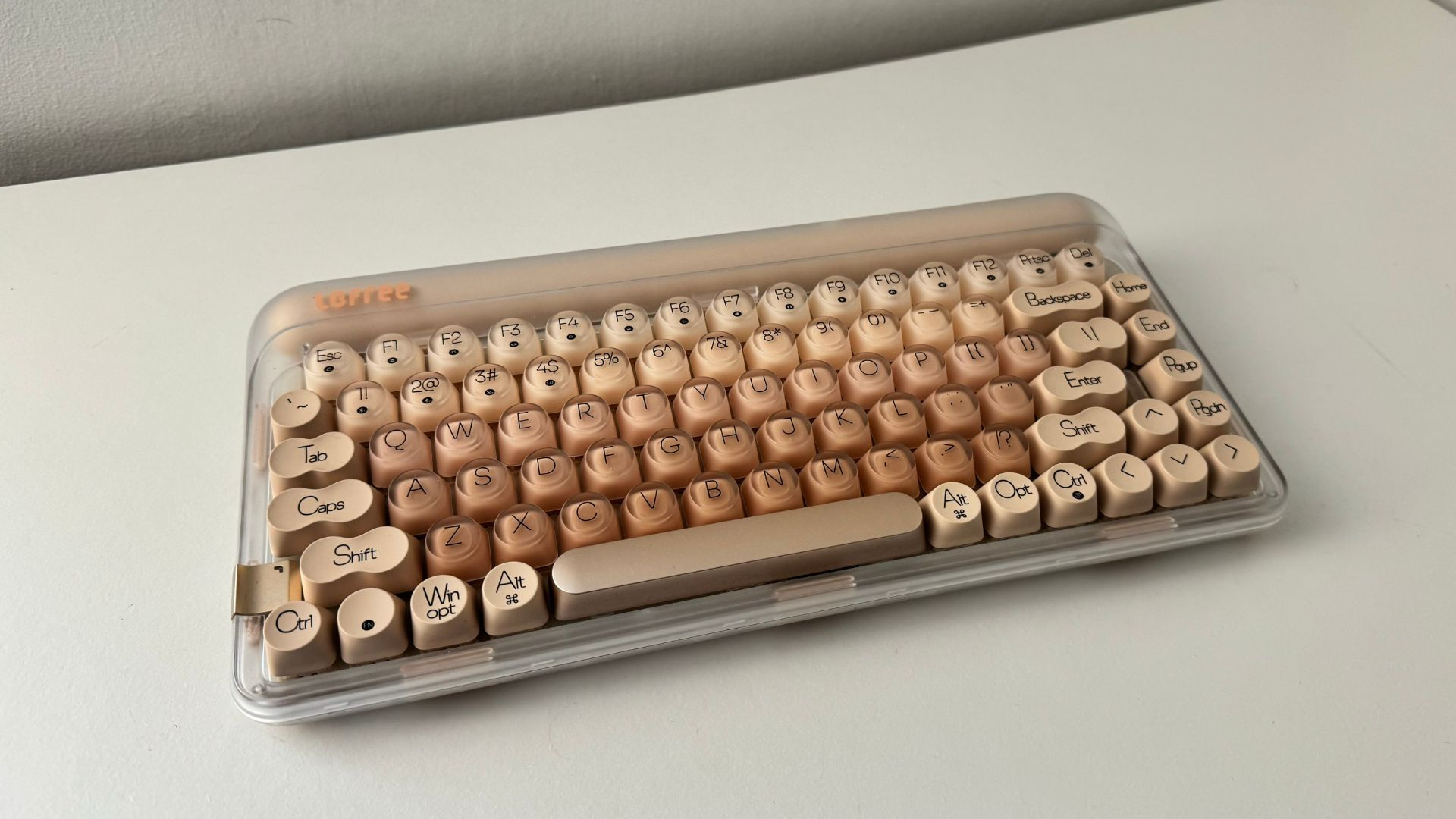
How to choose the best sounding keyboard
A good-sounding keyboard is a combination of switch character, internal construction, keycap material, layout, and the environment around it. Start with the sound you want, then decide which features are worth accepting in exchange.
Switch type and lubrication
Linear switches generally produce a smoother, more consistent press than tactile or clicky switches, and the products here mostly use pre-lubed linear or Reaper switches. Lubrication reduces friction and can make the downstroke and return stroke sound less scratchy. A membrane board such as the AULA S99 produces a different, quieter sound because it does not use individual mechanical switches.
A keyboard described as pre-lubed may still vary from key to key. Larger keys depend heavily on stabilizer tuning, so listen for the space bar, enter key, and shift keys when judging sound.
A soft switch cannot rescue a hollow case, and a quiet case cannot make a scratchy switch feel smooth.
Gasket mounting and dampening
Gasket mounting places cushioning material between parts of the keyboard structure, allowing a little flex and reducing hard vibration. Five-layer filling, silicone pads, EVA plates, and noise-dampening cotton all serve related purposes. They help turn the sharp impact of a keypress into a rounder, less resonant sound.
The AULA F75 Pro, AULA F99, Womier SK80, SOLAKAKA A99 Pro, and Redragon boards all use versions of this approach. A rigid board is not automatically bad, but it tends to sound more direct and can make high-pitched resonance easier to hear.
Keycap material and profile
PBT keycaps usually have a drier, more textured surface than ABS caps and are less prone to developing a glossy feel. Double-shot and injection-molded construction can keep legends clear, while side-printed designs change how the lettering is illuminated. The shape also matters. MDA and OEM profiles give the fingers a different level of support from lower or flatter keycaps.
The RK Royal Kludge R98 Pro uses MDA profile PBT keycaps, while the SOLAKAKA A99 Pro uses an OEM height. Neither is automatically better. Taller profiles can feel more enveloping, while a lower profile may make quick transitions easier.
Layout and desk space
A 75% board such as the AULA F75 Pro saves considerable room but drops the number pad. A 96% model such as the AULA F99 or SOLAKAKA A99 Pro keeps the number area in a tighter arrangement. Full-size boards such as the AULA F108 Pro and Redragon K745 Pro are easier for traditional office work but occupy more horizontal space.
The right layout depends on how often you use numbers, navigation keys, and dedicated function keys. If the mouse sits close to the keyboard for gaming, a 75% board can leave more room for broad movements. If you enter figures all day, the compactness of a 96% layout may be a better compromise.
Wired and wireless connections
Tri-mode keyboards provide USB-C, Bluetooth, and 2.4GHz wireless connections. Bluetooth is useful for tablets and multiple everyday devices, while 2.4GHz is designed for a more direct wireless connection. Wired boards avoid charging and pairing, but they are tied to one desk setup.
Battery capacity is only one part of wireless endurance. Backlight brightness, screen use, connection changes, and lighting effects all influence how long a charge lasts. The AULA F99, AULA F108 Pro, and SOLAKAKA A99 Pro stand out for their 8000mAh batteries, while the AULA F75 models use 4000mAh batteries.

Frequently asked questions
What makes a keyboard sound good?
A pleasing keyboard sound usually comes from a well-matched switch, stable stabilizers, dampening inside the case, and keycaps that do not add unwanted resonance. Gasket mounting and layered filling can soften the impact and reduce hollow cavity noise. The sound you prefer may be deep and muted, smooth and creamy, or simply quiet.
Are linear switches quieter than tactile switches?
Linear switches often sound smoother because they have no tactile bump interrupting the keypress. They are not automatically quiet, since the case, keycaps, and bottom-out force still matter. Pre-lubed linear switches in boards such as the AULA F99 and Womier SK80 are designed around a smoother sound.
Is a 75% keyboard large enough for office work?
A 75% keyboard keeps the arrow keys and function row, so it handles normal writing, browsing, and most office tasks well. It leaves out the dedicated number pad and some navigation keys. Choose a 96% or full-size layout if frequent numerical entry is central to your work.
Does hot-swapping improve keyboard sound?
Hot-swapping does not improve the stock sound by itself. It lets you replace switches without soldering, which gives you a practical way to change the sound and feel later. The AULA F75 Pro, AULA F99, Womier SK80, and SOLAKAKA A99 Pro all support switch replacement.
Are PBT keycaps better for sound?
PBT keycaps have a textured feel and can contribute to a more muted, less glossy typing character, but their effect depends on thickness and shape. They do not fix poor stabilizers or a resonant case. Double-shot PBT keycaps also help preserve legends through heavy use.
Is a gasket-mounted keyboard always softer?
Gasket mounting usually adds cushioning and some flex, but the final result depends on the plate, foam, switches, and case. A board with a soft gasket can still sound sharp if its switches or keycaps are poorly matched. The construction is useful, not a guarantee of one particular sound.
Should I choose wired or wireless?
Choose wired if the keyboard will stay at one desk and you want to avoid charging or pairing. Choose wireless if you move between a desktop, laptop, tablet, or game system. Tri-mode boards such as the AULA F75 Pro and AULA F108 Pro provide the most flexibility, while the Womier SK80 and RK Royal Kludge R98 Pro are wired-focused choices.

The bottom line
The Best sounding keyboard in this group is the AULA F75 Pro. Its 75% layout, Reaper switches, pre-lubed stabilizers, five-layer filling, hot-swap support, and three connection modes give it the strongest combination of sound, feel, and everyday flexibility. It is the board we would recommend to most people who do not need a number pad.
The AULA F99 is the better pick for office work that involves numbers, while the Womier SK80 is the more distinctive wired option for anyone who wants a soft linear sound and an integrated color display. The SOLAKAKA A99 Pro makes sense when a screen, metal knob, and long wireless sessions matter more than a minimal design.
If you are undecided, choose the AULA F75 Pro for a compact desk and the AULA F99 when a number pad is non-negotiable.
As an Amazon Associate we earn from qualifying purchases.