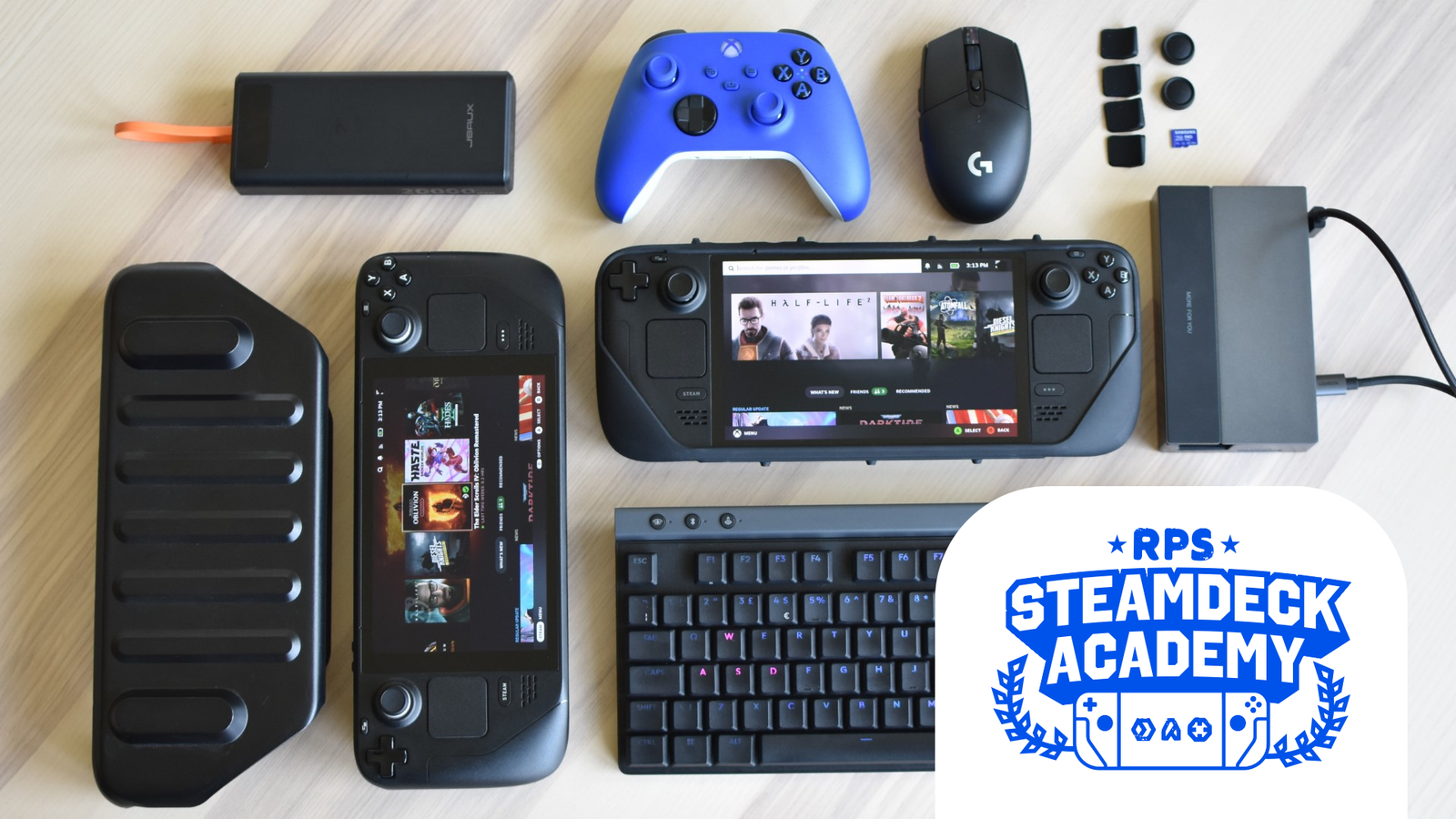

A Steam Deck becomes much easier to live with once the fragile screen, awkward charging setup, and limited desktop connectivity are sorted out. The right add-ons can protect it in a backpack, make it comfortable on a table, or turn it into a more capable console without changing the handheld itself.
The Best Steam Deck Accessories in this roundup cover the upgrades people tend to need first: protection, docking, charging, travel, cooling, and control. JSAUX 6-in-1 Docking Station is our top pick for the widest improvement, while the other eight make more sense for specific setups.
Comparison
| # | Product | Award | Compatibility | Key specification | Best for |
|---|---|---|---|---|---|
| 1 | JSAUX 6-in-1 Dock | Best overall | Steam Deck LCD/OLED and several handhelds | HDMI 2.1, 4K at 120Hz, 100W PD | TV and desktop play |
| 2 | Anker 6-in-1 Dock | Best compact dock | Steam Deck | 4K at 60Hz, 1Gbps Ethernet | A tidy desk setup |
| 3 | JSAUX ModCase Cooler Set | Best protective cooling kit | Steam Deck 2022 and OLED | Case, cover, fan, stand | Handheld protection and airflow |
| 4 | JSAUX ModCase Basic Set | Best modular case | Steam Deck LCD and OLED | Detachable cover and metal stand | Flexible everyday protection |
| 5 | JSAUX Carrying Case | Best travel case | Steam Deck, OLED, ROG Ally, Ally X | Expanded accessory storage | Carrying a complete setup |
| 6 | JSAUX 45W Charger | Best replacement charger | Steam Deck, OLED, Switch, USB-C devices | 45W PD, 5-foot cable | A longer charging reach |
| 7 | JSAUX Screen Protector | Best screen protection | Steam Deck LCD and OLED | Two 7-inch tempered glass protectors | Preventing scratches |
| 8 | Skull & Co. Thumb Grips | Best control upgrade | Steam Deck, OLED, ROG Ally, Ally X | Six grips in three profiles | More tactile stick control |
| 9 | JSAUX Cooling Fan | Best standalone cooler | Steam Deck and OLED | Adjustable fan, built-in stand | Sustained demanding play |
1. JSAUX 6-in-1 Dock: Best Overall

Pros
- HDMI 2.1 output supports 4K at 120Hz
- Three USB-A 3.0 ports
- Gigabit Ethernet for wired play
- Works with several handheld PCs
Cons
- Not compatible with ROG Xbox Ally models
- Full-speed 100W charging requires a suitable charger
Best for: Steam Deck owners who want one dock for television, peripherals, networking, and future handhelds.
The JSAUX 6-in-1 Dock is the accessory that changes the Steam Deck most dramatically. Drop the handheld into a desk setup and it becomes a small computer with a display connection, wired network access, and enough USB ports for a keyboard, mouse, storage drive, and controller. It is more useful than a simple stand because it solves several problems at the same time.
Its HDMI 2.1 output is the headline feature. The dock supports 4K at 120Hz, which gives compatible displays a higher refresh ceiling than the Anker 6-in-1 Dock. The Deck itself will not render every demanding game at 4K and 120Hz, but the extra headroom is useful for desktop work, lighter games, and other compatible handheld PCs. It also supports up to 100W Power Delivery, although the charger connected to it still determines what power is available.
The three USB-A 3.0 ports are a practical advantage over docks with fewer connections. A wired keyboard and mouse can stay connected while leaving another port for a drive or controller. Gigabit Ethernet is the better choice for large downloads and stable online sessions when Wi-Fi is inconsistent. The dock also supports the ROG Ally, Ally X, Legion Go, Legion Go S, and MSI Claw, though the listing specifically excludes the ROG Xbox Ally models.
The weakness is its reliance on a capable power adapter for its highest charging mode. It is also more dock than a Deck-only owner may need. The Anker dock is a neater alternative for a simpler setup, and it includes a USB-C data port, but it tops out at 4K at 60Hz and offers only two USB-A ports. Choose JSAUX when display flexibility and expansion matter more than minimalism.
This is the right central hub for someone who moves between handheld gaming and a proper desk. It is also the easiest recommendation for a household with more than one handheld PC.
2. Anker 6-in-1 Dock: Best Compact Dock
Pros
- 4K HDMI output at 60Hz
- 1Gbps Ethernet
- Two USB-A and one USB-C data port
- Compact 0.33-pound body
Cons
- HDMI output is limited to 60Hz
- USB-C data port does not support screen mirroring
Best for: a Steam Deck desk setup that needs a small, straightforward hub with wired networking.
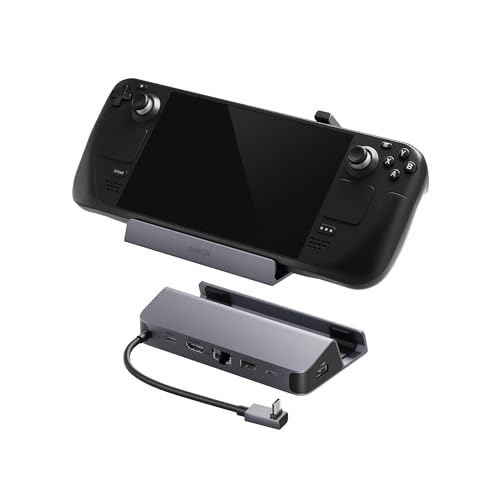
The Anker 6-in-1 Dock is the cleaner choice when the goal is to connect a Deck to one monitor or television and avoid a pile of adapters. Its body weighs 0.33 pounds and measures about 5.2 by 2.9 by 1.1 inches, so it is easy to leave beside a display or pack alongside the handheld.
The port selection is well judged for ordinary desktop use. The 4K HDMI output runs at 60Hz, which suits office work, video playback, and most television setups. One gigabit Ethernet port handles wired network connections, while the two USB-A ports run at 5Gbps for standard peripherals. The extra USB-C port also runs at 5Gbps, but it is for data only and cannot mirror a display.
Compared with the JSAUX 6-in-1 Dock, the Anker has fewer USB-A ports and a lower HDMI refresh ceiling. Its advantage is the more focused layout and the inclusion of a USB-C data connection. That port matters if your newer accessory uses USB-C rather than USB-A. The built-in 8.66-inch USB-C cable is long enough to reach the Deck without creating much desk clutter.
This is not the dock to choose for a 4K gaming display where 120Hz is central to the setup. It is also less flexible if you regularly connect several older USB accessories at once. Still, the 4K at 60Hz output, 1Gbps Ethernet, 5Gbps data ports, and compact build cover the needs of most living-room and desk users.
Buy this one when you want a tidy connection point rather than a high-spec expansion station. For a wider desktop setup, JSAUX is the stronger pick. For a compact single-screen arrangement, Anker is easier to live with.
3. JSAUX ModCase Cooler Set: Best Protective Cooling Kit

Pros
- Combines a protective case and cooling fan
- Includes a detachable front cover
- Metal bracket works as a stand
- Modular back supports compatible accessories
Cons
- Weighs about 1.54 pounds
- The bundle adds more bulk than a basic case
- The listing specifies Steam Deck 2022 compatibility
Best for: owners who want protection, tabletop support, and active cooling in one modular kit.
The JSAUX ModCase Cooler Set is a complete setup rather than a single small add-on. It surrounds the Deck with a PC-ABS and silicone protective case, adds a front cover for storage, and uses the rear modular slider to mount the included cooling fan. That makes it a sensible choice for someone starting with an unprotected Deck who also plays demanding games for long stretches.
The detachable front cover is useful away from the desk. It protects the screen and thumbsticks from contact inside a bag, then comes off when it is time to play. The case has aligned cutouts for the Steam Deck's input and output ports, so the protection does not require removing it every time you charge or connect an accessory. The metal bracket provides tabletop support, which is more stable than balancing the handheld against a nearby object.
The cooling fan is the main difference between this bundle and the JSAUX ModCase Basic Set. It attaches through the modular rear system and directs airflow toward the Deck's vents. That setup is more integrated than the standalone JSAUX Cooling Fan, but it also means the bundle is a heavier, more involved arrangement. The product information lists a weight of about 1.54 pounds, a noticeable addition to a handheld that is normally meant to stay light.
The real limitation is portability. This is protection for people who want hardware attached to the Deck, not a slim shell that disappears in the hand. The fit information also identifies the case as fitting Steam Deck 2022, so OLED owners should check the listing and their model carefully before ordering. The Basic Set is the better choice if you do not need a fan.
Choose this set for a fixed routine that includes long sessions, tabletop play, and regular travel. It makes the most sense when you want to solve several needs at once and do not mind the extra weight.
4. JSAUX ModCase Basic Set: Best Modular Case

Pros
- Fits Steam Deck LCD and OLED models
- Detachable hard front cover
- Zinc alloy metal kickstand
- Strap can hold compatible accessories
Cons
- Modular parts are easier to lose
- No cooling fan in this set
- Adds more structure than a simple protective shell
Best for: Deck owners who want a case that can change between handheld, tabletop, and travel use.
The JSAUX ModCase Basic Set is the more adaptable of the two JSAUX case bundles. Its back shell provides grip and impact protection, while the removable front cover gives the screen and thumbsticks a layer of protection when the Deck goes into a backpack. Remove the cover for play and slide on the metal bracket when you want a stable tabletop position.
The case uses PC-ABS and shock-absorbent TPU, with textured edges intended to make long handheld sessions less tiring. The listing says it fits both the original LCD model and the Steam Deck OLED, with access to the buttons, triggers, and OLED power button. Those details matter more than a bulky shell that blocks ports or forces you to take the case off before docking.
The rear strap adds an unusual amount of flexibility. It can secure a power bank, USB-C hub, or compatible JSAUX cooling fan to the case, turning the back into a mounting point for a personal setup. The metal bracket is detachable, too. That means you can remove it for handheld play rather than carrying a stand permanently attached.
Compared with the Cooler Set, the Basic Set is lighter in concept because it does not include the fan. Compared with the JSAUX Carrying Case, it protects the Deck while you are holding it but does not organize the whole travel kit. Its weak point is the number of separate pieces. A removable cover, stand, and strap are useful only if you remember to bring them and keep them together.
Pick this case if you like building a setup around the handheld rather than using a fixed shell. It is the better JSAUX case for people who want modularity first and active cooling only when they choose to add it.
5. JSAUX Carrying Case: Best Travel Case

Pros
- Thickened EVA hard shell
- Holds the Deck with a protective case attached
- Space for a charger, dock, power bank, and headphones
- Internal straps secure the handheld
Cons
- Weighs about 1.63 pounds
- Not compatible with Legion Go models
- Does not include accessories
Best for: travelers who want the Deck and its everyday accessories in one protective case.
The JSAUX Carrying Case is built for the person who carries more than the handheld itself. Its expanded interior has room for the original AC charger, a docking station, a small power bank, and headphones alongside the Steam Deck or ROG Ally. That makes it more useful for a full travel setup than a slim sleeve with room for the console alone.
The thickened EVA shell is designed to resist external pressure and cushion bumps. Inside, a fleece compartment helps keep the screen from rubbing against other items, while the grooved shape avoids pressing directly on the handheld grips. Internal Velcro straps hold the device in place, and the reinforced handle gives the case a firm carry point.
At about 12.9 by 6.1 by 3.8 inches and 1.63 pounds, this is not a small case. It takes up real room in a backpack, but the size is part of the benefit. Owners who want to bring a dock and charger should not have to force those items beside the Deck. The double zipper and concealed chain also help keep the compartment closed while moving.
The compatibility warning deserves attention. The case supports Steam Deck models, the OLED version, ROG Ally, ROG Ally X, and PlayStation Portal, but it does not support Legion Go models or the newer ROG Xbox Ally models listed in the product notes. It also includes no accessories, so the storage space is available for your own equipment rather than prefilled extras.
For a larger travel loadout, this is more practical than the ModCase alone. Someone who travels light may prefer a smaller enclosure, but anyone carrying a charger, dock, and headphones should choose this case and keep the setup organized.
6. JSAUX 45W Charger: Best Replacement Charger

Pros
- 45W USB-C Power Delivery output
- Integrated 5-foot cable
- Supports several output levels
- Protection against over-current and overheating
Cons
- Cable is built in
- Does not support full-speed charging for Switch 2
- A 45W charger is not the same as a high-output dock supply
Best for: replacing a misplaced charger or gaining extra reach beside a sofa, bed, or desk.
The JSAUX 45W Charger solves a plain but recurring Steam Deck problem: the outlet is rarely as close as you want. Its integrated 5-foot USB-C cable gives more room to play while charging than a short cable, and there is no separate cable to forget in a travel bag.
The charger supports 45W output along with 36W, 27W, and 15W levels through intelligent output adjustment. That is enough to serve the Steam Deck and OLED, while also covering compatible phones, tablets, MacBooks, and other USB-C devices. JSAUX says the charger can bring a Steam Deck to full charge in about 2.5 hours under its stated conditions, though real charging time changes with use and battery state.
The built-in cable passed more than 10, 000 swing tests according to the product description, and the charger includes safeguards against over-current, over-voltage, overheating, and short circuits. Its body measures about 2.2 by 1.8 by 1.2 inches and weighs roughly 0.35 pounds, so it is reasonably easy to pack alongside the Deck.
The compromise is flexibility. A detachable cable is easier to replace or swap for a different length, while this charger ties the cable permanently to the adapter. It also should not be confused with the 100W input supported by the JSAUX 6-in-1 Dock. The dock can accept that capability, but this 45W unit is the appropriate standalone Steam Deck charger rather than a universal high-output desktop supply.
Choose it when the extra cable length matters or when you want one charger for several USB-C devices. If your main goal is a docked setup with many peripherals, buy the dock first and treat the charger as a separate part of the system.
7. JSAUX Screen Protector: Best Screen Protection

Pros
- Two 7-inch tempered glass protectors
- Full-screen coverage for LCD and OLED
- Included alignment frame
- Oleophobic anti-fingerprint coating
Cons
- Glass adds another layer over the display
- Installation still requires a clean, dust-free screen
Best for: anyone who carries a Steam Deck in a bag or wants a spare protector ready for later.
The JSAUX Screen Protector is the simplest upgrade here, but it addresses the part of the Steam Deck that is hardest to replace. The two-pack includes full-screen tempered glass protectors sized for the 7-inch LCD and OLED models. Having a second protector is useful because alignment mistakes and dust are much less stressful when there is a spare.
The supplied guiding frame is the feature that makes this more approachable than a bare glass sheet. It helps position the protector over the display without repeatedly nudging the edges into place. Installation still benefits from a clean surface and careful dust removal, but the frame reduces the chance of an obvious crooked fit.
JSAUX lists 99.99% transparency, intended to preserve the original display clarity. The protector also has an oleophobic coating to reduce fingerprints and make the screen easier to wipe clean. Its extra reinforcement is described as treatment at 500 degrees Celsius for several hours and as five times sturdier than protectors reinforced once. Those claims describe the construction, not a guarantee against every drop or impact.
A screen protector is not a replacement for a hard travel case. The JSAUX Carrying Case protects the whole handheld from pressure and collisions, while this product protects the surface users touch constantly. The only meaningful drawback is the extra glass layer, which some owners may notice when dragging or tapping, particularly if they are sensitive to surface texture.
Install it early, before the first scratch or trip in a crowded bag. It is a small protective step that pairs naturally with either JSAUX case, and the second panel gives the purchase a useful margin for future replacement.
8. Skull & Co. Thumb Grips: Best Control Upgrade

Pros
- Six grips across different profiles
- Grippy TPE material
- CQC profile adds 3mm of height
- FPS profile adds 7mm of height
Cons
- Taller profiles change the original stick feel
- Grip choice depends on the game and personal preference
Best for: players who want more traction or different stick height for shooters and precision games.
The Skull & Co. Thumb Grips are the kind of accessory that can feel minor until the original stick surface starts slipping during a long session. The set includes six caps in Skin, CQC, and FPS profiles, giving you several ways to change the contact point without replacing the Deck's analog sticks.
The Skin design is the least disruptive. It is described as ultra-thin, so it preserves more of the original control feel while adding friction and protecting the original caps from abrasion. The CQC profile raises the stick by 3mm and increases the active radius by 20%, which can give finer movement without making the stick feel dramatically taller.
The FPS Master profile is a more obvious change. It raises the stick by 7mm and increases the active radius by 42%. That extra height can suit aiming, where a larger movement range gives more room for small adjustments. It can also feel unfamiliar in menus or games that depend on quick, short stick movements. The TPE material is intended to resist wear and keep the surface tactile.
This is a more personal upgrade than the JSAUX cases or docks. The JSAUX 45W Charger solves a defined power need, while these grips change how the Deck feels in the hands. Some players will prefer the thin Skin caps, while others will find the taller FPS profile more useful. The set's strength is that it lets you try several shapes rather than committing to one.
Skip them if you already like the original stick texture and height. Choose them if your thumbs slide, if you play shooters frequently, or if you want a little more control without attaching a full controller. Players considering a separate gamepad can also compare how a dedicated controller changes handheld play before adding grip caps.
9. JSAUX Cooling Fan: Best Standalone Cooler

Pros
- Directs airflow toward the Deck vents
- Doubles as a stand
- Variable control from 0 to 100 percent
- Rated for three to five hours of operation
Cons
- Higher fan speed produces more noise
- Adds another device to carry
- Cooling benefit depends on airflow and game load
Best for: Steam Deck owners who want active airflow without buying the complete ModCase Cooler Set.
The JSAUX Cooling Fan is a niche accessory, but it has a useful second job. It directs air toward the Steam Deck's vents while supporting the device in a tabletop position. That makes it more practical than a fan that only blows air, especially for players who dock the Deck beside a monitor or use it on a desk.
A control knob adjusts the fan from 0 to 100 percent, so you can balance airflow against sound. JSAUX says the cooler can run for more than three hours at full speed and up to five hours at the lowest setting. The product description also claims an 8 to 15 degree Celsius reduction after four to eight minutes of operation. Those figures depend on the surrounding temperature, game load, and how the Deck is positioned, so they should be treated as expected conditions rather than a universal result.
The fan is designed specifically for Steam Deck LCD and OLED models. Its stand function frees your hands for a controller or external keyboard, though it is not a replacement for the port expansion of either the Anker 6-in-1 Dock or JSAUX 6-in-1 Dock. It also does not replace a protective case. The ModCase Cooler Set is the more integrated route if you want the fan mounted to the handheld and need a front cover as well.
Noise is the obvious trade-off. JSAUX notes that higher wind speed produces more sound, which is normal for a small active fan. The unit also adds another item to a travel loadout, so it makes more sense at a desk than in a minimal backpack. If your Deck already runs comfortably and quietly, a standard stand may be all you need.
Buy this cooler for sustained demanding play or a stationary setup where airflow matters. It is the right standalone choice for owners who already have a case and want active cooling without replacing it.
How to choose best steam deck accessories
The useful Best Steam Deck Accessories are the ones that solve a specific limitation in your setup, rather than adding hardware simply because it exists.
Docking ports and display output
A dock should match the screen and peripherals you actually use. HDMI 4K at 60Hz is enough for many televisions and office displays, while the JSAUX dock's 4K at 120Hz output gives compatible screens more headroom. Count the USB ports carefully, and look for Ethernet if wired online play or large downloads matter.
A USB-C data port is useful for newer accessories, but remember that the Anker dock's USB-C port does not support screen mirroring. If you are building a desk around several peripherals, three USB-A ports may be more useful than a smaller mix.
Protection and travel storage
A screen protector guards the display surface, but it cannot absorb pressure around the grips or protect the entire handheld in a bag. A hard case such as the JSAUX Carrying Case is better for travel, while the ModCase adds protection during handheld play and includes a removable front cover.
Check model compatibility before ordering. The case listings cover different combinations of Steam Deck, OLED, ROG Ally, and Legion Go hardware. A case that fits the original Deck may not fit every newer handheld.
Charging output and cable reach
The Steam Deck charger should provide enough USB-C Power Delivery output for the handheld. The JSAUX charger supplies 45W and includes a 5-foot cable, which helps when the nearest outlet is behind furniture or across a bedside table.
For docked play, separate the charger's output from the dock's input rating. A dock may accept up to 100W, but it does not create that power on its own. The adapter connected to it still sets the practical ceiling.
Cooling and airflow
Active cooling is most relevant during long, demanding sessions or when the Deck is used in a fixed position. A fan should direct air toward the device's vents and offer some control over speed, since maximum airflow also brings more noise.
The JSAUX ModCase Cooler Set integrates a fan with a case, while the standalone JSAUX Cooling Fan works as a separate stand. Neither removes the need to keep the Deck's vents unobstructed.
A dock expands what the Deck can connect to, but a case determines how safely it gets there.
Thumbstick feel
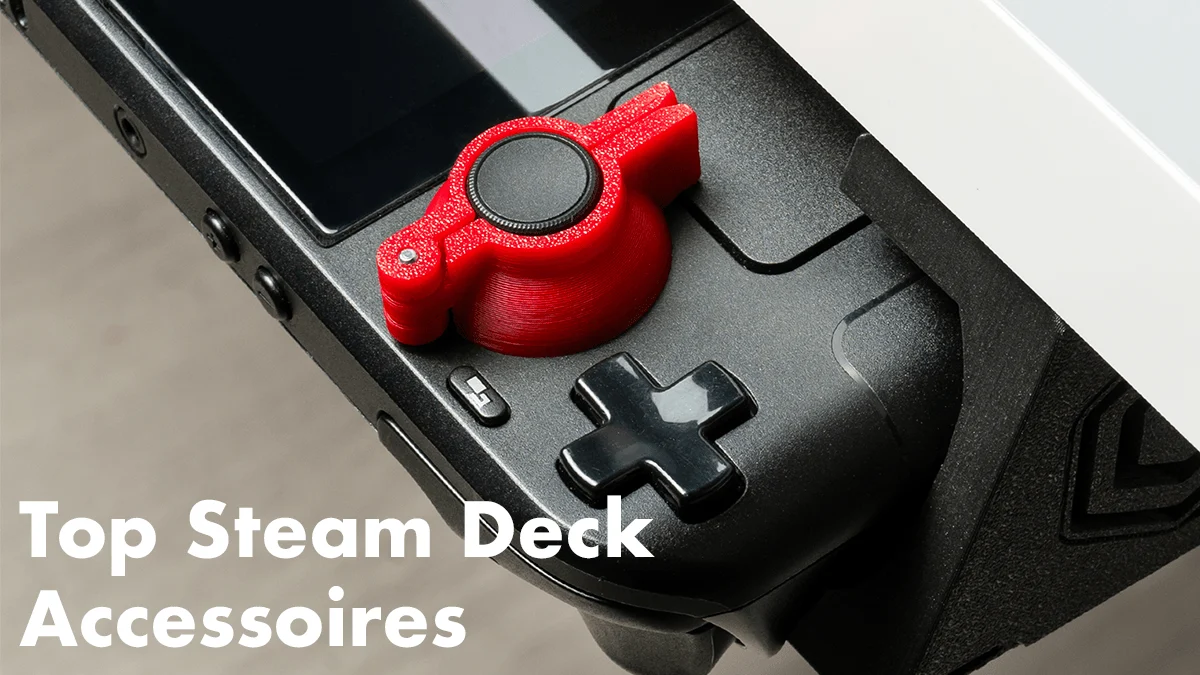
Thumb grips change traction, height, and the amount of movement available to your thumbs. Thin skins preserve the original feel, CQC caps add moderate height, and FPS caps make a much larger change for aiming.
There is no universally correct profile. Players who switch between shooters, platformers, and menus may appreciate having several types available. If you are also outfitting a larger gaming setup, these small control changes that affect long sessions are worth considering alongside a keyboard, mouse, or controller.

Frequently asked questions
Do Steam Deck OLED and LCD accessories fit both models?
Several products in this roundup explicitly support both versions, including the JSAUX Screen Protector and JSAUX ModCase Basic Set. Other products have narrower compatibility notes, so check the individual listing before ordering. Do not assume that support for the original Deck automatically includes every other handheld.
Does a Steam Deck dock include a charger?
The dock listings describe the dock hardware and its power input capabilities, but they do not indicate that a wall charger is included. The JSAUX 45W Charger is a separate product. Check the package contents for the specific dock you choose.
Is 4K at 120Hz useful with a Steam Deck?
It can be useful with a compatible display for desktop work, lighter games, and other supported handheld PCs. Many demanding Steam Deck games will not run at native 4K and 120Hz, so the capability is best viewed as display flexibility rather than a guarantee of that performance in every title.
Should I use a screen protector with a travel case?
They protect different things. The JSAUX Screen Protector helps guard the display surface from scratches and fingerprints, while the JSAUX Carrying Case protects the whole handheld from pressure, bumps, and contact with other items. Using both gives broader protection.
Does the JSAUX Cooling Fan replace a stand?
The standalone JSAUX Cooling Fan includes a stand function, so it can support the Deck on a tabletop while directing airflow toward its vents. It is not a dock and does not add HDMI, Ethernet, or USB ports. The ModCase Cooler Set combines cooling with a case and metal bracket instead.
Which thumb grip profile is best for shooters?
The FPS Master profile is the tallest option in the Skull & Co. set, adding 7mm of height and 42% to the active radius according to the product description. That can provide more room for aiming adjustments, but some players may prefer the smaller CQC profile or the thinner Skin grip.

The bottom line
The Best Steam Deck Accessories start with the way you use the handheld. JSAUX 6-in-1 Dock is the strongest all-purpose upgrade because it combines high-refresh HDMI, Ethernet, three USB-A ports, and broad handheld compatibility. Anker 6-in-1 Dock is the better fit for a smaller, simpler desk with a 4K at 60Hz display.
For protection, choose JSAUX ModCase Basic Set when you want modular handheld coverage, or JSAUX Carrying Case when the Deck, charger, dock, and headphones all need to travel together. The screen protector, charger, thumb grips, and cooling options each address a narrower but genuine need.
If you are undecided, start with the accessory that fixes the most annoying part of your current Steam Deck routine, then add protection before expanding the setup.
As an Amazon Associate we earn from qualifying purchases.