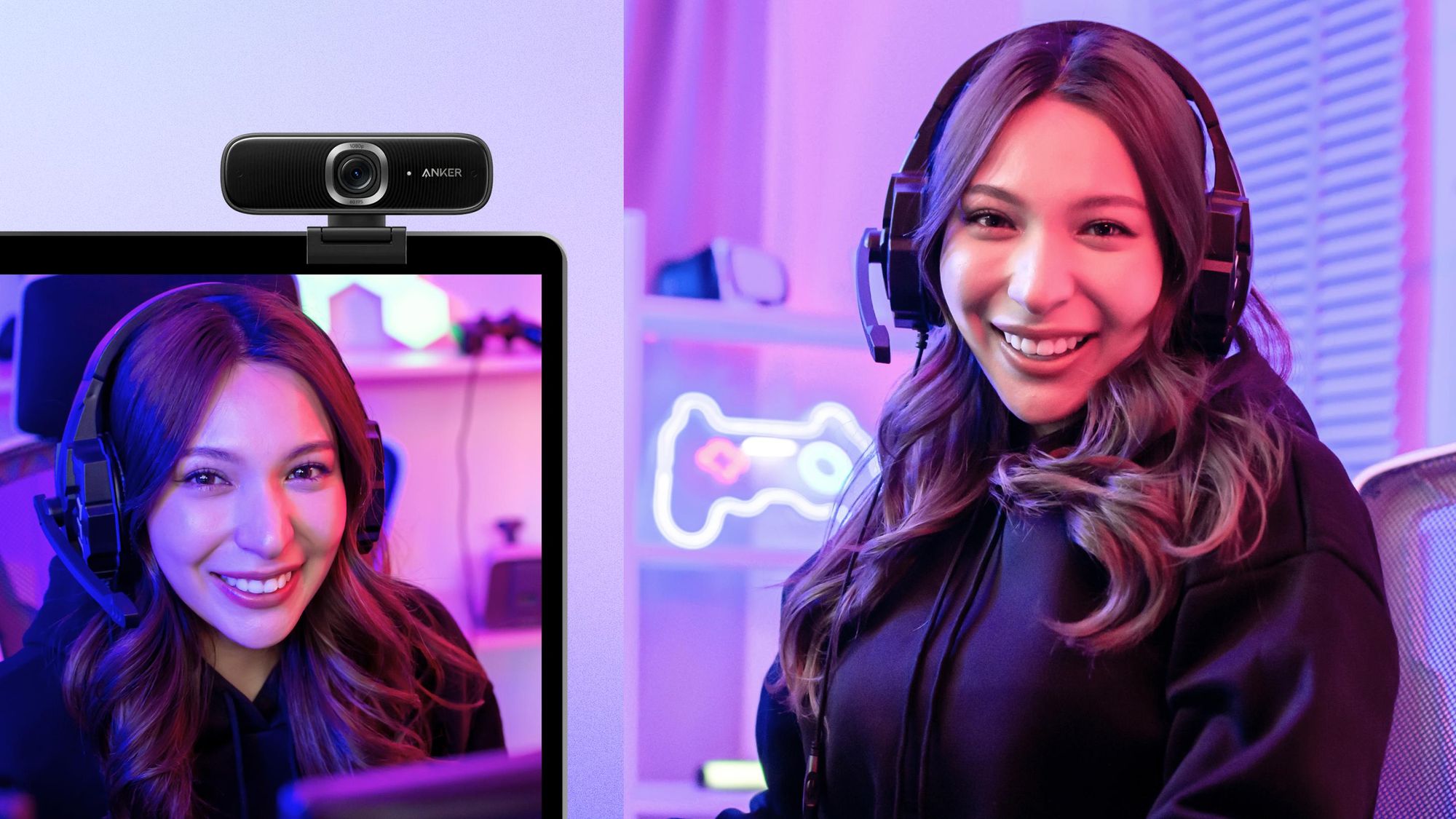

A soft, blurry face, a camera that loses focus when you reach for a product, or a microphone that turns keyboard noise into the main event can ruin an otherwise polished stream. The right webcam should make framing, lighting, and audio less distracting so you can concentrate on the content.
The Best streaming camera for most creators is the EMEET S600, thanks to its Sony sensor, PDAF autofocus, 4K capture, 1080p at 60 frames per second, adjustable field of view, and built-in privacy cover. The rest of this lineup ranges from simple Full HD calling cameras to PTZ models that follow you around the room and creator-focused cameras designed for manual control.
| # | Product | Award | Resolution | Special feature | Best for |
|---|---|---|---|---|---|
| 1 | EMEET S600 | Best overall | 4K at 30 fps, 1080p at 60 fps | PDAF autofocus, adjustable FOV | Most streamers |
| 2 | Logitech Brio 101 | Best simple webcam | Full HD 1080p | Auto light balance, privacy cover | Calls and entry-level streams |
| 3 | Elgato Facecam 4K | Best studio control | 4K at 60 fps | HDR, 49mm filter support | Dedicated creators |
| 4 | Insta360 Link 2 | Best tracking | 4K | PTZ AI tracking, gesture control | Mobile presenters |
| 5 | Insta360 Link 2 Pro | Best low-light PTZ | 4K | 1/1.3-inch sensor, Stream Deck support | Advanced setups |
| 6 | Logitech MX Brio | Best for collaboration | 4K at 30 fps, 1080p at 60 fps | Show Mode, manual controls | Streamers who also work remotely |
| 7 | EMEET C60E | Best dual-camera design | 4K | Wide-angle and telephoto cameras | Demonstrations and teaching |
| 8 | Logitech Brio 4K | Best compact 4K webcam | 4K at 30 fps | Three FOV presets, Windows Hello | Desk-based creators |
| 9 | EMEET PIXY | Best AI PTZ features | 4K at 30 fps | Dual cameras, 310-degree pan | Active presenters |
1. EMEET S600: Best Overall

Pros
- Sony 1/2.55-inch sensor
- 4K at 30 fps and 1080p at 60 fps
- Fast PDAF autofocus
- Adjustable field of view at 1080p
- Built-in privacy cover
Cons
- The field of view is fixed at 73 degrees in 4K
- Advanced customization requires EMEETLINK software
- The built-in microphone is not a substitute for a dedicated mic
Best for: streamers who want sharp video, responsive autofocus, and useful controls without moving to a PTZ setup.
The EMEET S600 gets the important things right without making the desk setup feel like a production studio. Its image has the resolution headroom needed for a clean facecam or a cropped shot, while PDAF autofocus is designed to react quickly when you lean forward, hold something toward the lens, or shift position. That responsiveness matters more during a live stream than a camera that looks impressive only when the subject sits perfectly still.
The Sony 1/2.55-inch sensor supports 4K at 30 frames per second or 1080p at 60 frames per second. The first mode preserves more detail for a sharp full-resolution image, while the second gives movement a smoother appearance and can suit faster gaming commentary or an energetic presentation. At 1080p, the field of view can be adjusted from 40 to 73 degrees, so you can choose a tighter head-and-shoulders composition or include more of the desk and surroundings. In 4K, it stays fixed at 73 degrees, a limitation that helps keep the image consistent but gives you less framing flexibility.
The S600 also includes automatic light adjustment that balances shadows and highlights. That is useful in a normal home office where a window or monitor can create uneven lighting. Its microphones use noise filtering, and EMEETLINK lets you turn that feature off or customize image and sound settings. Setup is plug and play over USB, with support for popular operating systems and software, so you do not have to install an app just to get a picture.
Compared with the Logitech Brio 101, the S600 is the more serious streaming tool because it adds 4K, a larger stated sensor format, faster PDAF autofocus, and more control over framing. The Elgato Facecam 4K goes further for manual studio adjustments and 4K60 capture, while the Insta360 Link 2 is the better fit if you need the camera to physically follow you. The S600 sits between those approaches, offering strong image fundamentals without the extra moving parts of a PTZ camera.
Its weakness is straightforward. The 4K mode does not offer the same field of view adjustment available at 1080p, and the microphones are best treated as a convenient fallback rather than the centerpiece of a polished broadcast. Someone who wants presenter tracking or built-in scene movement should skip it. For a fixed desk, gaming, or talking-head stream, though, the S600 is the one we would keep.
2. Logitech Brio 101: Best Simple Webcam

Pros
- Full HD 1080p video
- Automatic light balance
- Integrated sliding privacy cover
- Built-in microphone
- USB A plug and play connection
Cons
- Does not offer 4K capture
- Less advanced autofocus and framing control than the higher-ranked picks
- Fixed built-in USB A cable
Best for: someone who wants a no-fuss webcam for calls, casual streams, and everyday content.
The Logitech Brio 101 is the least complicated camera here, and that is its appeal. It is a Full HD webcam for a laptop, desktop, or small streaming station where the priority is being visible and heard without learning a control panel. Plug in the built-in USB A cable, open a compatible app, and the camera is ready for platforms such as Microsoft Teams, Zoom, and Google Meet.
Its 1080p resolution is enough for a clean facecam when the framing is reasonably tight. It will not provide the extra detail or cropping freedom of the EMEET S600, but a streamer who is already sending a modest-sized camera window to a platform may not need 4K. Logitech's RightLight feature is designed to boost brightness and reduce shadows, with the stated improvement compared with earlier Logitech webcams intended to help in less controlled rooms.
The built-in microphone keeps the Brio 101 useful for calls and basic broadcasts. It is not presented as a multi-mic beamforming system, so it cannot compete with the more elaborate audio processing in the Logitech MX Brio or the directional microphones in the Insta360 Link 2 Pro. Still, having a microphone built in means fewer decisions for a first setup. The integrated sliding cover is a better privacy solution than a removable piece because it stays attached and is easy to close between sessions.
Logitech also offers zoom, framing, and camera adjustments through the Logi Options+ app. That gives the Brio 101 some welcome flexibility, though it remains a simpler camera than the manual-control models. Its compact body weighs 0.31 pounds and is built with a minimum of 77 percent post-consumer plastic, according to the product details. Compatibility with Nintendo Switch 2 GameChat adds another use outside the traditional desktop call.
The main reason to pass on it is image ambition. If your stream depends on detailed product shots, frequent reframing, or a cinematic background effect, the Elgato Facecam 4K and Insta360 Link 2 are much more capable. The Brio 101 is for the viewer who values reliable setup more than production tricks, and for that person it is an easy place to start.
3. Elgato Facecam 4K: Best Studio Control

Pros
- 4K video at 60 fps
- Sony STARVIS 2 CMOS sensor
- Prime Lens technology
- HDR support
- 49mm lens filter compatibility
- Settings saved to built-in flash memory
Cons
- No PTZ tracking
- Creator-focused controls can be more involved than a basic webcam
- The product details do not specify a built-in microphone
Best for: streamers who want DSLR-like image control and smooth 4K60 capture from a fixed camera.
The Elgato Facecam 4K is aimed at the creator who wants the webcam to behave more like a small studio camera. Its defining feature is not simply 4K resolution. It combines a Sony STARVIS 2 CMOS sensor, Elgato Prime Lens technology, uncompressed video, HDR support, and software controls intended for people who care about the look of every shot.
It can record 4K at 60 frames per second, which gives moving hands, game reactions, and quick gestures a smoother presentation than 4K30 cameras. That does not automatically make it the right option for every stream. The computer, software, lighting, and platform workflow all need to suit that higher frame rate, but creators who want smooth high-resolution footage have more room to work here than with the EMEET S600 or Logitech MX Brio.
Elgato's free Camera Hub software provides the control layer. The product information specifically calls out effects and visual settings, while built-in flash memory saves those settings on the camera. That is useful for a creator who moves between computers or wants a consistent look without rebuilding the setup each time. Support for standard 49mm lens filters is unusual among webcams. It opens the door to creative filtration and a more deliberate visual style without replacing the entire camera.
The fixed-camera design is both a strength and a constraint. There is no pan, tilt, or AI tracking, so the frame stays where you put it. That makes it preferable to the Insta360 Link 2 Pro for someone who wants a stable studio composition, but not for someone who teaches, dances, or moves around a room. The product details also do not identify a built-in microphone, so buyers who expect the camera to handle audio should plan around a separate microphone.
The Facecam 4K is more specialized than the Logitech Brio 101 and less automatic than a PTZ model. It rewards creators who want to shape color, exposure, and lens presentation themselves. Skip it if you want a camera that quietly handles everything in the background. Choose it if control, 4K60 motion, HDR, and a repeatable studio look matter more than tracking.
4. Insta360 Link 2: Best Tracking

Pros
- 4K video with a 1/2-inch sensor
- Physical AI pan and tilt tracking
- PDAF autofocus
- HDR and low-light support
- Gesture and smartphone control
- DeskView and Whiteboard modes
Cons
- Not compatible with ARM-based Windows systems
- No Windows Hello face recognition
- PTZ features require more setup than a fixed webcam
Best for: presenters and streamers who move around the room and want the camera to maintain the composition.
The Insta360 Link 2 changes the question from “Where should I sit?” to “How much of the room do I want to use?” Its PTZ head physically pans and tilts to follow movement, keeping a presenter or group in frame instead of relying on a wide, distant composition. That is a meaningful advantage for teaching, demonstrations, whiteboard work, and streams where standing up is part of the presentation.
A 1/2-inch sensor supports 4K video, HDR, and low-light performance. PDAF autofocus helps it keep up when the subject changes distance, and the software can create a natural bokeh effect. The combination is more flexible than the fixed lens approach of the Elgato Facecam 4K, though the Elgato remains the stronger choice for manual studio control and 4K60 capture.
The Link 2 has several modes that make the moving head useful rather than gimmicky. DeskView can point down toward a work surface, while Whiteboard mode is designed for presentations. Gesture controls can start tracking, change zoom, or activate modes, and remote smartphone control gives you another way to manage the camera. Privacy mode tilts the camera downward after 10 seconds of inactivity or can be selected manually.
Audio is handled by AI noise-canceling algorithms intended to reduce unwanted background sound. That is convenient for a room with normal household or office noise, though a dedicated microphone remains the better route for a serious broadcast. The free Link Controller software exposes advanced settings, while compatibility covers Windows, macOS, Chrome OS, Linux, Zoom, Teams, Twitch, and other major platforms.
The Insta360 Link 2 Pro improves the formula with a larger 1/1.3-inch sensor and directional microphones, so it is the better PTZ pick for difficult lighting or a more controlled creator workflow. The Link 2 is easier to justify for general streaming because it preserves the core tracking and presentation features without reaching as far into specialist territory. It is a poor fit for anyone who wants a camera that never moves or who uses ARM-based Windows, but it is a compelling choice for an active presenter.
If your setup involves tutorials, the camera angle that keeps a live demonstration clear deserves as much attention as resolution. The Link 2 gives you more ways to change that angle without touching the camera.
5. Insta360 Link 2 Pro: Best Low-Light PTZ

Pros
- Large 1/1.3-inch sensor
- 4K video and low-light performance
- Physical AI tracking
- Directional beamforming microphones
- Stream Deck integration
- 4K Portrait, DeskView, and Whiteboard modes
Cons
- Not compatible with ARM-based Windows systems
- No Windows Hello face recognition
- More features to configure than a fixed webcam
Best for: advanced streamers who need PTZ movement, cleaner low-light video, and hands-on workflow control.
The Insta360 Link 2 Pro is the most capable PTZ camera in this group. Its large 1/1.3-inch sensor is the headline change, and the practical reason to care is that a larger sensor can give the camera more information to work with when the room is not brightly lit. The product is designed for streamers, meetings, and creators who want a moving camera without giving up image quality.
It captures 4K video and adds a natural bokeh effect through the Link software. Physical AI tracking keeps the camera following the subject as they move, while 4K Portrait mode suits a vertical presentation. DeskView and Whiteboard modes make it useful beyond a traditional facecam. Compared with the Insta360 Link 2, the Pro model is the more convincing choice for low-light rooms and demanding workflows, while the standard Link 2 remains a simpler option for ordinary calls and streams.
Audio receives a meaningful upgrade through a dual-mic system with beamforming directional pickup. That design aims to isolate the speaker's voice and reduce background noise in busy spaces. It does not eliminate the reasons to use a dedicated microphone for a high-production broadcast, but it makes the camera more self-sufficient for meetings, tutorials, and mobile presentations.
Stream Deck integration is the feature that will matter most to established creators. It can switch modes, trigger presets, and control multiple cameras, which turns frequently used actions into physical button presses. Gesture control and smartphone control provide alternate ways to start tracking, zoom, or change modes. The camera works with Windows, macOS, Chrome OS, and Linux, though the stated hardware limitations exclude ARM-based Windows systems and Windows Hello.
The trade-off is complexity. The Pro gives you more sensor, audio, tracking, and control options than the Logitech MX Brio, but a fixed camera is easier to position once and forget. It also does not make a moving subject automatically look good if the background is cluttered or the lighting is poor. Choose the Link 2 Pro when PTZ movement and control integration are central to the stream. Skip it if you sit in one place and want the cleanest possible plug and play experience.
6. Logitech MX Brio: Best for Collaboration

Pros
- 4K at 30 fps and 1080p at 60 fps
- 70 percent larger pixels than the previous generation
- Manual ISO, shutter speed, tint, and vibrance controls
- Dual beamforming microphones
- Show Mode for desk sharing
- Rotating privacy cover
Cons
- No PTZ tracking
- Large 0.84-pound design
- 4K capture is limited to 30 fps
Best for: people who stream from a desk but also need a polished camera for remote work and collaboration.
The Logitech MX Brio is a strong hybrid camera. It is built for streaming, but its best idea may be Show Mode, which lets you tilt the camera down to share notes, sketches, or objects on the desk. That makes it more useful for an instructor, designer, or maker than a webcam that only points straight ahead.
It records in 4K at 30 frames per second or 1080p at 60 frames per second. Logitech says its sensor uses pixels that are 70 percent larger than those in the previous generation, and the camera adds automatic exposure, white balance, noise reduction, and autofocus. The result is a feature set that aims to keep faces visible in difficult light without forcing the user to adjust every setting manually.
When manual control is useful, the MX Brio offers ISO, shutter speed, tint, vibrance, and other lighting adjustments. Those controls make it more adaptable than the Logitech Brio 101, while the 1080p60 mode gives it smoother motion than 4K30 cameras when you choose the lower resolution. It cannot match the Elgato Facecam 4K for 4K60 studio capture, and it cannot match the Insta360 Link 2 for physical tracking.
The integrated dual beamforming microphones use noise reduction to make speech clearer and reduce background sound. Logitech software also allows the camera to work with compatible MX keyboards and mice for workflow control. USB C connectivity and support for Windows, macOS, Chrome OS, and Linux make it a flexible choice for a mixed-device home office. The rotating privacy cover is simple and reassuring between meetings.
The body is noticeably heavier than several alternatives at 0.84 pounds, and its fixed design means you need to set the composition yourself. The lack of PTZ movement is not a problem for a seated streamer, but it rules out presenters who move freely around a room. The MX Brio is the sensible choice for someone who wants one camera for streams, meetings, desk demonstrations, and occasional manual image tuning.
For a desk that doubles as a work area, the setup choices that make camera and monitor space coexist can prevent a good webcam from creating a cramped workspace. The MX Brio's Show Mode is particularly useful when the camera must serve more than one role.
7. EMEET C60E: Best Dual-Camera Design

Pros
- Wide-angle and telephoto cameras
- Up to 11X hybrid zoom
- PDAF autofocus
- Remote and EMEET STUDIO controls
- RGB status lighting
- Tripod mounting support
Cons
- Zoom is not supported in 4K, 60 fps, or YUY2 modes
- Uses a USB 2.0 Type A connection
- Two-camera controls add setup complexity
Best for: teachers, demonstrators, and streamers who switch between a room view and close-up details.
The EMEET C60E takes a different route from the other fixed webcams. Instead of asking one lens to cover every framing job, it uses a wide-angle camera for a broader scene and a telephoto camera for closer views. That is a useful concept for showing a presenter, a work surface, or a product without physically moving the camera.
Both cameras share a 1/2.8-inch CMOS 4K sensor according to the product details. The wide-angle view is intended for people and backgrounds, while the telephoto camera is recommended from a distance of 13.8 inches for close-ups. The camera supports transitions from 1X to 11X, with PDAF autofocus helping keep the image steady and sharp as the framing changes.
There is an important catch in the way the zoom works. Zoom is not supported in 4K, 60 fps, or YUY2 modes, so you cannot combine every resolution and framing option at once. That makes the C60E more specialized than the EMEET S600. The S600 is the cleaner choice for a conventional facecam, while the C60E earns its place when switching between full-scene and close-up views is part of the content.
Remote controls and EMEET STUDIO handle zoom, color, brightness, focus, and RGB lighting. A 1/4-inch tripod mount helps with flexible placement, and the two omnidirectional microphones are designed to capture sound within a stated 9.8-foot radius. Compatibility covers Windows 10 and 11, macOS, OBS, Twitch, YouTube, and Facebook. USB 2.0 Type A keeps setup familiar, though it is less modern than the USB C connections used by some competitors.
The C60E's weakness is that its feature set needs a reason to exist. If you are always seated in one tight frame, the dual-camera arrangement adds little and the zoom limitations become more noticeable. It is also not a PTZ camera, so it cannot follow you like the EMEET PIXY or Insta360 Link 2. Choose it for teaching, demonstrations, product presentations, and streams that benefit from two distinct viewpoints.
8. Logitech Brio 4K: Best Compact 4K Webcam

Pros
- 4K at 30 fps
- Three diagonal field of view presets
- Five times digital zoom
- RightLight 3 exposure and contrast adjustment
- Dual omnidirectional microphones
- Windows Hello support
Cons
- Attachable privacy shade is less integrated than a built-in cover
- No 60 fps mode
- No PTZ tracking
Best for: desk-based creators who want a compact 4K webcam with flexible framing and Windows login support.
The Logitech Brio 4K remains a practical fixed webcam for a creator who wants more image detail without a large camera body. It supports 4K at 30 frames per second and has autofocus, five times digital zoom, and three diagonal field of view presets. Those presets range from a tighter 65-degree head-and-shoulders view to 78 and 90 degrees for including more of the room.
That framing range is its strongest everyday feature. A tight setting keeps the composition focused, while a wider setting can accommodate a second person or a larger desk. RightLight 3 automatically adjusts exposure and contrast to handle glare and backlighting, which is helpful when the room lighting is not arranged around the camera. It is less ambitious than the manual controls on the Logitech MX Brio, but simpler for users who prefer automatic correction.
The dual omnidirectional microphones use noise-canceling technology and are designed to capture clear audio from up to 1.2 meters away. For video calls and straightforward streams, that reduces the need for another audio device. The Brio 4K also works with Windows, Mac, ChromeOS, and popular streaming and calling platforms, while Windows Hello support adds secure face recognition for compatible Windows systems.
The small 0.13875-pound body is easy to place on a monitor or move between computers. Its privacy solution is an attachable shade rather than the integrated cover found on the Logitech Brio 101, EMEET S600, and MX Brio. That is not a dealbreaker, but it is one more loose component to keep track of.
The Brio 4K is a better fit for fixed desk work than for an active broadcast. It lacks 60 fps capture, HDR is not listed in the product features, and there is no physical tracking. The Elgato Facecam 4K is stronger for studio control, while the EMEET S600 offers a more modern autofocus and field of view combination. Pick the Brio 4K if compact size, three framing presets, and Windows Hello matter more than motion or advanced creator controls.
9. EMEET PIXY: Best AI PTZ Features
Pros
- Dual-camera AI tracking system
- 4K main camera with PDAF
- 310-degree pan and 180-degree tilt
- Triple-microphone array
- Gesture control and preset positions
- Whiteboard and privacy modes
Cons
- Field of view is locked in several high-resolution modes
- Tripod is sold separately
- PTZ movement is unnecessary for stationary streamers
Best for: active presenters who want automated tracking, multiple audio modes, and broad PTZ movement.
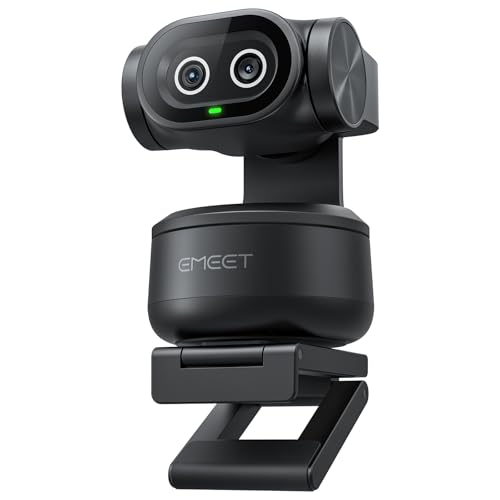
The EMEET PIXY is the most feature-packed EMEET camera here. It pairs a 4K main imaging camera with a second AI camera that detects face position and assists with autofocus and exposure. The result is a camera designed for movement rather than a conventional fixed facecam, with a PTZ system that can pan 310 degrees and tilt 180 degrees.
Its main camera uses a 1/2.55-inch sensor and PDAF autofocus, while the product details claim a 0.2-second focus time compared with 1.1 seconds for other models. That stated figure is part of the product specification, but the more useful takeaway is the design's focus on fast changes between a presenter and a nearby object. The three-chip tracking system separates imaging, AI assistance, and PTZ movement to keep framing smoother as the subject moves.
PIXY supports gesture control, including an open-palm gesture held in the center for two seconds to activate a function. EMEET STUDIO adds preset positions, manual framing, Whiteboard mode, privacy settings, and other controls. The field of view can be adjusted in 1080p and 2K at 30 frames per second, but it is locked in 4K at 30 frames per second and 1080p at 60 frames per second. That restriction is easy to overlook and makes the camera less flexible in its highest-resolution modes.
Audio is more versatile than on a basic webcam. The triple-microphone array offers Live, Noise Canceling, and Original Sound modes. Live Mode is intended to reduce steady fan and air-conditioning noise, Noise Canceling Mode also addresses sudden sounds such as keyboard clicks, and Original Sound preserves more ambient detail for music or singing. These modes make the PIXY more adaptable for courses, podcasts, and live presentations, though a dedicated microphone still gives a serious streamer more control.
The Insta360 Link 2 has a cleaner, more polished PTZ ecosystem, while the Insta360 Link 2 Pro has the larger sensor and directional microphones. PIXY counters with broad pan and tilt movement, dual-camera tracking, and multiple audio modes. It is not the right tool for someone who sits still in a narrow desk frame, and the separate tripod requirement may matter for unusual placements. For an active presenter who wants the camera to move with them, it is the most expansive EMEET option.
How to choose best streaming camera
The right camera depends less on the resolution printed on the box than on how you move, how much control you want, and how difficult your room is to light.
Resolution and frame rate
4K gives a stream more detail and allows cleaner cropping, but it does not guarantee a better-looking broadcast if the lighting and composition are weak. The EMEET S600, Logitech MX Brio, Insta360 Link 2, Insta360 Link 2 Pro, EMEET C60E, Logitech Brio 4K, and EMEET PIXY all include 4K modes, while the Logitech Brio 101 is a Full HD camera.
Frame rate changes the character of motion. 60 fps can make fast gestures and gameplay look smoother, but several models offer it only at 1080p. The Elgato Facecam 4K is the standout for 4K at 60 fps. Check the resolution and frame rate combination you actually plan to use rather than treating “4K” as the entire picture.
Sensor and low-light performance
Sensor size affects how much light the camera can gather and how clean the image may look in a dim room. The Insta360 Link 2 Pro has the largest stated sensor in this group at 1/1.3 inch, followed by the Link 2 at 1/2 inch. The S600 and PIXY use 1/2.55-inch sensors, while the C60E lists a 1/2.8-inch CMOS sensor for its dual-camera system.
A larger sensor cannot fix a dark room by itself, but it gives the camera a stronger starting point. Look for automatic exposure and white balance if your lighting changes, and manual ISO or shutter controls if you want to shape the image yourself. The Logitech MX Brio and Elgato Facecam 4K are particularly well suited to creators who want more deliberate image adjustment.
A camera that stays focused and correctly exposed is more useful on a live stream than one that only wins on resolution.
Autofocus and tracking
PDAF autofocus is useful when you move toward the camera, hold an object up for viewers, or change position during a presentation. The EMEET S600, Insta360 Link 2, EMEET C60E, and EMEET PIXY specifically include PDAF or PDAF-based focusing features.
AI tracking is a separate capability. A tracking camera physically pans and tilts to follow you, while autofocus only keeps the subject sharp inside a fixed frame. The Insta360 models and PIXY are the right direction for active presenters. Fixed cameras such as the Elgato Facecam 4K and Logitech MX Brio are better when you want a stable composition.
Field of view and framing
A wide field of view includes more of the room but can make a face appear smaller. A narrow view focuses attention on the speaker. The S600 adjusts from 40 to 73 degrees at 1080p, the older Logitech Brio 4K offers 65, 78, and 90-degree diagonal presets, and the C60E uses separate wide-angle and telephoto cameras.
Watch for mode restrictions. The S600 fixes its field of view at 73 degrees in 4K, while the C60E does not support zoom in 4K, 60 fps, or YUY2 modes. PIXY also locks its field of view in 4K30 and 1080p60. Those limitations matter if your stream depends on changing the composition during a broadcast.
Microphones and noise control
Built-in microphones are convenient for calls and casual streams, but their results depend heavily on room noise and distance. The Brio 101 has a basic built-in mic, while the S600 uses noise filtering and the Logitech Brio 4K uses dual omnidirectional microphones with noise cancellation.
More advanced systems use beamforming or multiple microphones. The MX Brio has dual beamforming microphones, the Link 2 Pro uses directional pickup, and PIXY has three audio modes through its triple-microphone array. For a highly produced stream, a separate microphone remains easier to position and tune. For a compact all-in-one setup, the camera's microphone design becomes much more important.
Frequently asked questions
Is 4K necessary for streaming?
No. Full HD 1080p can look clear when the camera is well framed and the room is properly lit. 4K is useful when you want extra detail, cleaner crops, or flexibility for higher-resolution recordings.
What is the best streaming camera for a fixed desk?
The EMEET S600 is the strongest all-around fit for a fixed desk because it combines 4K, 1080p at 60 fps, PDAF autofocus, adjustable framing at 1080p, and a privacy cover. The Logitech MX Brio is a better alternative if desk demonstrations and collaboration are equally important.
Do PTZ webcams work for gaming streams?
They can, particularly when the streamer stands, moves, or presents objects away from the desk. For a seated gaming stream, PTZ tracking is less important, and a fixed model such as the Elgato Facecam 4K or EMEET S600 may produce a simpler setup.
Which camera is best for low-light rooms?
The Insta360 Link 2 Pro is the strongest option on paper because it uses a stated 1/1.3-inch sensor and includes low-light support. The Insta360 Link 2 also includes a 1/2-inch sensor, HDR, and low-light performance. Good room lighting still makes a major difference with either camera.
Can these webcams work with OBS and Twitch?
The product details identify OBS and Twitch compatibility for the EMEET C60E and EMEET PIXY, while the Insta360 Link 2, Insta360 Link 2 Pro, and other models are described as compatible with major streaming platforms. Software support can vary by operating system and camera mode, so check the selected model's current compatibility before building a complex workflow.
Do I need a separate microphone?
Not necessarily. Every model with a listed microphone can handle calls or a basic stream, but the audio quality and noise processing differ. A separate microphone is worth considering when speech clarity is central to the channel or the room contains fans, keyboards, traffic, or other persistent noise.
The bottom line
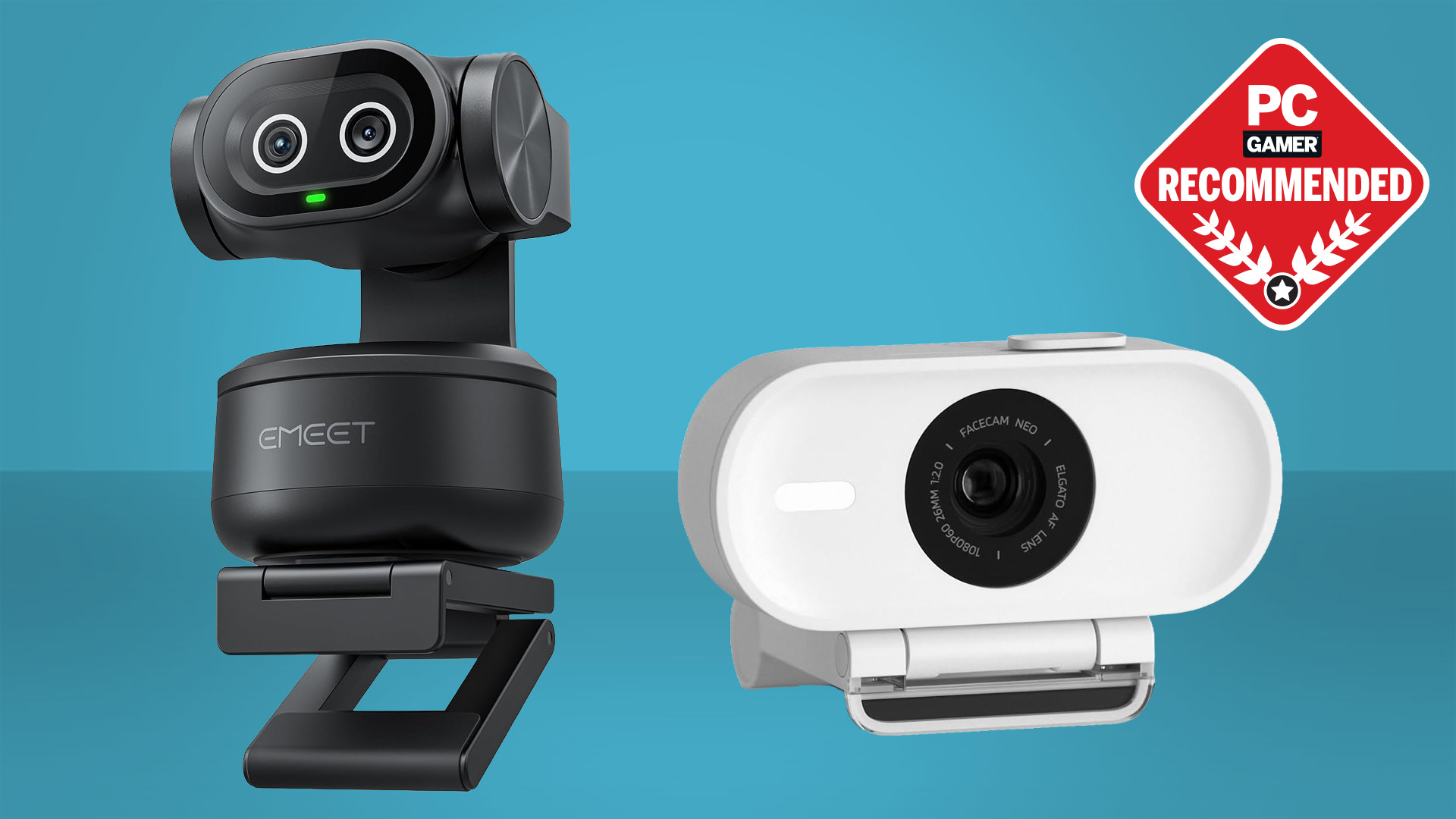
The EMEET S600 is the Best streaming camera for most people in this group. Its Sony sensor, PDAF autofocus, 4K30 and 1080p60 modes, adjustable 1080p field of view, and privacy cover make it versatile without forcing you into a PTZ workflow. Choose the Insta360 Link 2 Pro instead if you move around the room, need stronger low-light capability, or want Stream Deck integration and directional microphones.
Creators who want a fixed studio look should choose the Elgato Facecam 4K, while teachers and demonstrators should look closely at the EMEET C60E or Logitech MX Brio. If the priority is a simple camera that just works, the Logitech Brio 101 remains the least demanding option.
If you are undecided, choose the EMEET S600 unless tracking or studio-grade manual control is the main reason you are upgrading.
As an Amazon Associate we earn from qualifying purchases.