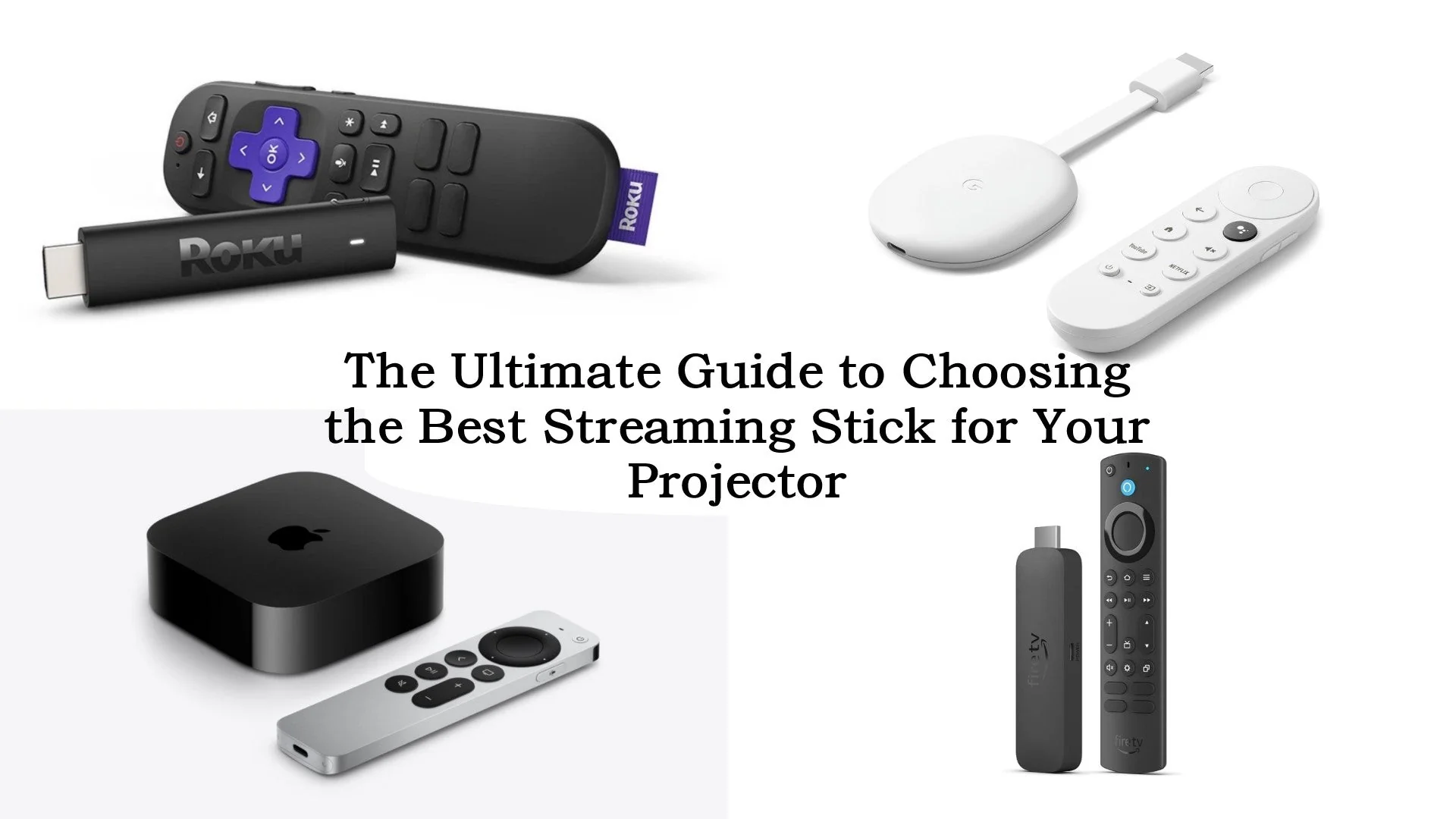

A slow smart TV interface can make choosing a show feel harder than watching one. Streaming sticks solve that problem by moving the apps, search tools, and voice controls to a small device hidden behind the screen.
The Best streaming sticks for TV range from straightforward HD models for older sets to 4K players with Dolby Vision, stronger wireless hardware, gaming features, and more storage. The right choice depends on your TV's resolution, your home network, and whether you prefer Roku's simpler menus or Amazon's Alexa-centered interface.
Our top pick is the Amazon Fire TV Stick 4K Plus, while the ten options below cover simple HD streaming, long-range Wi-Fi, premium picture formats, compact designs, and refurbished alternatives.
Comparison table
| # | Product | Award | Resolution | HDR | Best for |
|---|---|---|---|---|---|
| 1 | Amazon Fire TV Stick 4K Plus | Best overall | 4K Ultra HD | Dolby Vision, HDR10+ | Most 4K TV owners |
| 2 | Roku Streaming Stick 4K | Best Roku 4K stick | 4K Ultra HD | Dolby Vision, HDR10+ | Simple 4K streaming |
| 3 | Amazon Fire TV Stick 4K Max | Best performance | 4K Ultra HD | Dolby Vision, HDR10+ | Apps, games, and downloads |
| 4 | Amazon Fire TV Stick 4K Select | Best compact 4K option | 4K Ultra HD | HDR10+ | Straightforward 4K streaming |
| 5 | Roku Streaming Stick Plus | Best simple Roku 4K stick | 4K Ultra HD | HDR | Easy setup and clean menus |
| 6 | Roku Streaming Stick HD | Best HD Roku stick | HD | Not specified | Older or smaller HD TVs |
| 7 | Amazon Fire TV Stick HD (2026) | Best portable HD stick | Full HD | Not specified | Travel and Bluetooth listening |
| 8 | Amazon Fire TV Stick HD | Best basic Fire TV stick | Full HD | Not specified | First-time streaming |
| 9 | Roku Streaming Stick 4K Renewed | Best renewed Roku | 4K Ultra HD | Dolby Vision, HDR10+ | A Roku 4K setup with long-range Wi-Fi |
| 10 | Amazon Fire TV Stick 4K Max Like-New | Best like-new Fire TV | 4K Ultra HD | Dolby Vision, HDR10+ | More storage in a certified device |
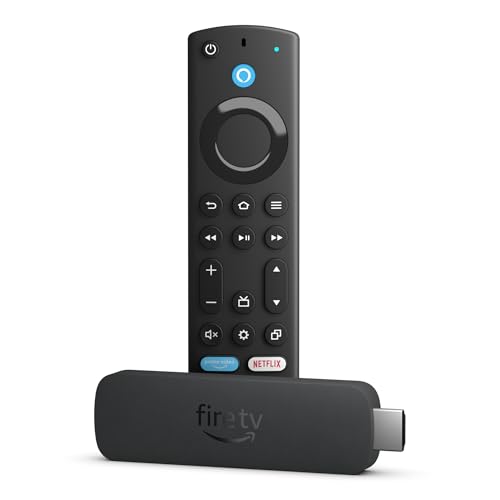
1. Amazon Fire TV Stick 4K Plus: Best Overall

Pros
- 4K support with Dolby Vision and HDR10+
- Wi-Fi 6 helps busy home networks
- Alexa search works across supported apps
- One remote controls TV power and volume
Cons
- Fire TV menus put Amazon content prominently
- Larger body than the compact Roku sticks
- Cloud gaming still requires separate services and equipment
Best for: most people with a 4K television who want broad format support and quick voice search.
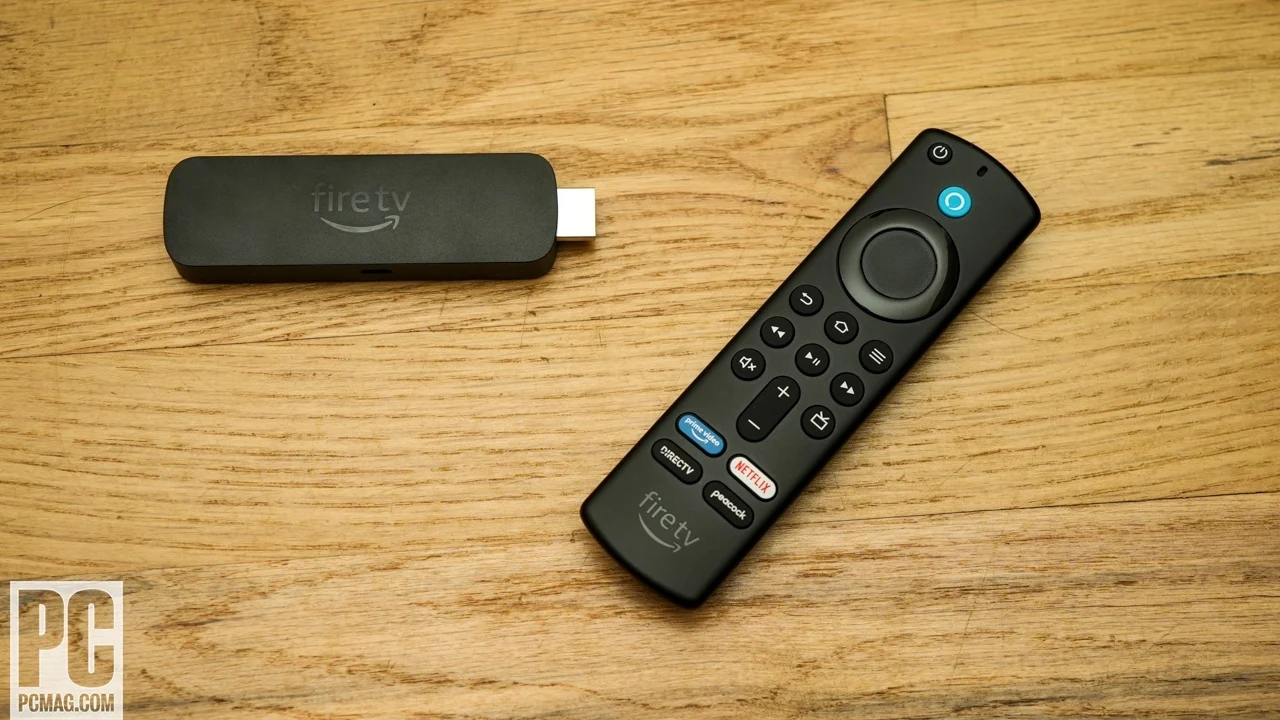
The Amazon Fire TV Stick 4K Plus is the most balanced stick here. It gives a 4K television the picture formats that matter, keeps navigation responsive, and adds useful controls without turning the remote into a button-heavy slab. The new Fire TV experience organizes content into dedicated categories, lets you pin more apps, and uses Alexa+ for personalized recommendations.
Its picture support is unusually complete for this class. Dolby Vision can improve compatible movies and shows with more controlled highlights and richer color, while HDR10+ handles supported content with dynamic scene adjustments. Dolby Atmos support can pass immersive audio to a compatible sound system, so this is a better match for a full home theater than a basic HD player. If your TV or receiver needs an audio upgrade too, the right sound setup for a Roku television explains the same compatibility issues that matter here.
Wi-Fi 6 is the practical differentiator. It does not make a slow internet connection faster, but it is designed to manage a busy network more efficiently, which helps when phones, laptops, consoles, and smart home devices are active at the same time. The Alexa Voice Remote can launch apps, search across services, control compatible smart home devices, and handle TV power and volume from one place.
The weakness is the Fire TV interface itself. Amazon's recommendations and content categories are useful if you live in that ecosystem, but Roku Streaming Stick 4K feels less commercially crowded. The 4K Plus is the one we would recommend to a typical 4K household, especially one already using Alexa, while Roku is the better fit for someone who wants the least complicated home screen.
2. Roku Streaming Stick 4K: Best Roku 4K Stick

Pros
- Dolby Vision and HDR10+ support
- Long-range Wi-Fi receiver
- Simple home screen and voice remote
- Compact design does not block nearby HDMI ports
Cons
- No stated Wi-Fi generation
- Less storage and gaming emphasis than Fire TV 4K Max
- Older model than several Fire TV entries
Best for: 4K viewers who want Roku's straightforward interface and strong wireless reception.
The Roku Streaming Stick 4K is the cleanest alternative to the Fire TV Stick 4K Plus. Roku keeps the experience focused on apps, search, and live content rather than surrounding the home screen with a large amount of platform promotion. Setup is designed to take only minutes, and the stick hides behind the television.
The display support is strong. It streams in 4K and supports both Dolby Vision and HDR10+, so it can take advantage of a modern TV's compatible HDR modes. Those formats matter most on high-quality movies and shows with bright highlights or deep shadows. The included voice remote also handles TV power and volume, reducing the need to switch between remotes.
Roku's long-range Wi-Fi receiver is the feature to notice if the television sits far from a router. The product is intended to maintain smooth streaming in rooms farther away, though the result will still depend on the strength of the connection in that room. Its compact 3.7-inch length and 0.8-inch width make it easy to fit beside other HDMI equipment.
The Roku interface is calmer than Fire TV, but the Fire TV Stick 4K Plus has newer networking support and broader explicit audio information. Roku Streaming Stick 4K is the better choice for a household that wants simple menus, while Amazon has the edge for Alexa, gaming, and smart home controls. It is also a good match for anyone who wants to understand how a television's wireless connection affects streaming before choosing a player.
3. Amazon Fire TV Stick 4K Max: Best Performance

Pros
- Wi-Fi 6E support
- 16GB storage
- Dolby Vision, HDR10+, and Dolby Atmos
- Fast processor and fluid navigation
Cons
- Fire TV interface can feel busy
- Extra capability is unnecessary for basic HD sets
- Gaming features require separate subscriptions or controllers
Best for: demanding 4K users who install many apps, use cloud gaming, or want the most capable new Fire TV stick.
The Amazon Fire TV Stick 4K Max is the performance pick because it is built for more than launching Netflix. Its processor is intended to make app starts and navigation feel fast, and the Fire TV Ambient Experience can turn the screen into a display for more than 2, 000 pieces of art and photography when you are not watching something.
The most meaningful internal specification is 16GB of storage. Amazon says that is double the capacity of the Fire TV Stick 4K Plus and its other streaming sticks. More storage gives installed apps, games, and downloads more room, which makes this model a better fit for people who use the stick as a small entertainment hub instead of a simple app launcher.
Wi-Fi 6E adds access to the newer 6GHz band when your network supports it. That can reduce congestion in a compatible home, although it is not a substitute for strong router placement or reliable internet service. Picture output includes 4K Ultra HD, Dolby Vision, HDR10+, and Dolby Atmos. The upgraded remote adds voice control, a recents button, and dedicated channel buttons for live TV.
The Fire TV Stick 4K Plus is the more sensible choice for ordinary streaming because it already covers the major picture formats. The 4K Max earns its place when storage, faster navigation, or cloud gaming matters. It is not the right pick for an HD television, and its Amazon-heavy interface may frustrate viewers who prefer Roku's direct app grid.
4. Amazon Fire TV Stick 4K Select: Best Compact 4K Option

Pros
- 4K Ultra HD output
- HDR10+ support
- Alexa search across apps
- Small, light design
Cons
- Dolby Vision is not listed
- No Wi-Fi generation is specified
- Fire TV recommendations may take over the home screen
Best for: viewers who want a small 4K Fire TV device with simple voice search and free content access.
The Amazon Fire TV Stick 4K Select is the uncomplicated 4K member of this group. It has the essentials for a compatible 4K television, including HDR10+, Alexa search, app access, and a compact body that measures about 4.26 inches long. At roughly 0.094 pounds, it is easy to move between televisions or take on a trip.
Its 4K Ultra HD output gives compatible content a sharper presentation than the HD models below. HDR10+ can improve color and highlight detail in supported shows, but Dolby Vision is not listed for this stick. That distinction matters if your television and streaming library are built around Dolby Vision. The Fire TV Stick 4K Plus is a safer choice for a mixed HDR setup because it supports both Dolby Vision and HDR10+.
The newest Fire TV interface puts more emphasis on content categories, pinned apps, and recommendations. Alexa can search for shows across apps, launch entertainment, manage compatible smart home devices, and answer general requests. The stick also supports Xbox cloud gaming with a compatible controller and subscription, giving it more range than a basic player.
The trade-off is that Amazon does not specify Wi-Fi 6 or Wi-Fi 6E here, so network-conscious buyers should look toward the 4K Plus or 4K Max. The 4K Select makes sense for a straightforward 4K room where HDR10+ is enough and Alexa is welcome. Skip it if Dolby Vision is a must-have.
5. Roku Streaming Stick Plus: Best Simple Roku 4K Stick

Pros
- 4K resolution and HDR support
- Compact body powers from the TV
- Clean Roku home screen
- Voice remote controls power and volume
Cons
- HDR10+ is not explicitly listed
- No long-range Wi-Fi claim
- Heavier than the Roku Streaming Stick 4K
Best for: Roku fans who want simple 4K streaming without Dolby Vision requirements.
The Roku Streaming Stick Plus is a tidy step up from the HD Roku model. It keeps the familiar Roku home screen, voice search, free live channels, and hidden-behind-the-TV design while moving output to 4K. The stick can power from the television, which helps keep the installation free of extra clutter.
Roku lists brilliant 4K picture quality and vivid HDR color for this model. That is enough to make a noticeable difference on a compatible 4K screen, particularly with detailed movies and sports. The product title mentions HDR10+, but the feature copy only says HDR, so shoppers who specifically need a documented HDR10+ and Dolby Vision combination should choose the Roku Streaming Stick 4K instead.
The remote is intentionally uncomplicated. It can turn on the TV, adjust volume, and search or play content by voice. Roku also puts free live TV, movies, shows, news, and sports close to the surface, while its account tools can manage subscriptions through one login. That approach is easier to explain to someone who does not want a smart TV interface full of competing menus.
Amazon Fire TV Stick 4K Select offers more explicit Alexa and smart home functions, while the Roku Streaming Stick 4K has the stronger stated HDR and wireless specification. The Streaming Stick Plus sits between them as a calm, capable choice for a 4K household that values simplicity over advanced networking.
6. Roku Streaming Stick HD: Best HD Roku Stick

Pros
- Simple HD streaming
- Compact 3.7-inch body
- Powers from the TV
- Voice remote handles TV controls
Cons
- Limited to HD output
- No detailed wireless specification
- Not designed for 4K or HDR viewing
Best for: older HD televisions, small screens, and viewers who want Roku's least complicated setup.
The Roku Streaming Stick HD is the one to buy when the television itself is HD. It does not try to add capabilities the screen cannot show. Instead, it focuses on a short setup, a clear home screen, voice search, and access to popular apps plus free movies, shows, and live TV.
The 3.7-inch-long body and 0.8-inch width are small enough to sit behind the set without blocking neighboring HDMI ports. It can draw power from the TV, so there is no need for a separate wall outlet according to the product information. That makes it a sensible replacement for an aging smart TV interface or an easy device to pack for travel.
The voice remote can power the TV, adjust volume, search, and play entertainment. Roku also offers personalized picks, sports information, and a central place to manage supported subscriptions. None of that requires learning a complicated menu system, which is why this model is especially approachable for a guest room or a family member who wants the basics.
The limitation is permanent: this is an HD streamer, not a 4K upgrade path. Amazon Fire TV Stick HD models offer similar resolution with Alexa and, on the newer version, Bluetooth listening. Choose Roku Streaming Stick HD when its interface is the priority and the TV is not 4K. If you are replacing the screen as well, start by considering which television features matter most for streaming before choosing the stick.
7. Amazon Fire TV Stick HD (2026): Best Portable HD Stick

Pros
- Full HD output
- Wi-Fi 6 support
- Direct power from the TV with USB-C
- Bluetooth headphone support
Cons
- No 4K output
- Fire TV home screen can feel crowded
- USB-C cable setup may depend on the TV's available power
Best for: HD televisions, travel use, and private listening with Bluetooth headphones.
The Amazon Fire TV Stick HD (2026) is the more feature-rich HD option. It is designed to plug directly into the TV's HDMI port, uses an included USB-C cable for direct power, and has a thin profile that avoids unnecessary clutter. Amazon describes it as its most portable stick, which makes sense for a spare room or a frequently moved setup.
Full HD is the correct output for an HD television, and the new Fire TV experience puts movies, shows, live content, and pinned apps within quick reach. Alexa+ can search across apps using natural requests, while the remote has dedicated power and volume buttons for a compatible TV, soundbar, or receiver.
Wi-Fi 6 is a useful step beyond the basic Fire TV Stick HD. It can handle a busy wireless environment more efficiently, though the router and internet connection still set the practical limit. Bluetooth listening is another strong feature. Pair compatible headphones for late-night viewing without sending sound through the room.
Roku Streaming Stick HD has a simpler interface and a smaller stated body, while this Fire TV model has better network information and private listening. Its weakness is the lack of 4K support, so it should stay with an HD set. This is the Fire TV stick for someone who wants a portable, modern HD player rather than the most stripped-down option.
8. Amazon Fire TV Stick HD: Best Basic Fire TV Stick

Pros
- Full HD streaming
- Alexa voice search
- Smart home controls
- Small 3.38-inch body
Cons
- No 4K output
- No Bluetooth listening feature listed
- Wireless standard is not specified
Best for: first-time streamers with an HD television who want Alexa and broad app access.
The Amazon Fire TV Stick HD keeps the job simple. It is made for Full HD televisions and gives access to major streaming services, free ad-supported channels, music apps, and live TV services. The setup is designed for beginners, with an Alexa Voice Remote that can find and launch shows across supported apps.
Its 3.38-inch length and 1.18-inch width make it a compact option for a bedroom or secondary TV. The stick can also travel between televisions, so it is not tied to one room. Alexa extends beyond entertainment, with controls for compatible lights, cameras, weather requests, and other smart home tasks.
The Full HD limit is the main specification to understand. It will not provide the sharper output or HDR formats of Roku Streaming Stick Plus, Roku Streaming Stick 4K, or the Fire TV 4K models. It also lacks the newer model's listed Wi-Fi 6 support and Bluetooth listening, so the 2026 Fire TV Stick HD is the more versatile HD choice.
Still, this model has a clear role. It is easier to recommend than a complicated smart TV interface for someone starting from scratch, and the Alexa remote is familiar to Amazon households. Choose it for basic HD streaming and voice control. Move up to the newer HD model if private headphone listening or a more recent wireless specification matters.
9. Roku Streaming Stick 4K Renewed: Best Renewed Roku

Pros
- 4K, Dolby Vision, and HDR10+
- Long-range Wi-Fi
- Voice control works with several assistants
- Compact hidden-behind-TV design
Cons
- Renewed condition requires extra buyer attention
- Older hardware than some current Fire TV models
- Dimensions listed for the product are unusually large
Best for: Roku users who want 4K formats and long-range Wi-Fi in a renewed device.
The Roku Streaming Stick 4K Renewed offers the same core appeal as the current Roku Streaming Stick 4K: a hidden design, quick startup, voice search, and a direct path to free, live, and premium TV. It is aimed at a buyer who wants Roku's interface and picture support while considering a renewed unit.
The listed video formats are strong. It streams 4K and supports Dolby Vision and HDR10+, allowing a compatible television to use both major premium HDR formats. Roku also describes the long-range Wi-Fi as up to twice as fast, a feature aimed at rooms where the router is not nearby. That wireless hardware makes this more interesting than a generic HD stick.
The voice remote controls the Roku device, TV power, and volume. The product also lists compatibility with Siri, Alexa, and Google Assistant, giving it broader voice-control possibilities than the Roku-specific models. Roku's free live TV selection and quick access to popular services make the interface easy to hand off to another family member.
The important caution is condition. This is a renewed product, so buyers should be comfortable with that category and inspect the listing details before ordering. The current Roku Streaming Stick 4K is the cleaner recommendation when you want the newest direct purchase, while this renewed version makes sense for someone specifically seeking its long-range Wi-Fi and HDR support.
10. Amazon Fire TV Stick 4K Max Like-New: Best Like-New Fire TV
Pros
- 16GB storage
- Wi-Fi 6E support
- 4K, Dolby Vision, and HDR10+
- Fast processor and Ambient Experience
Cons
- Like-new condition is not the same as factory-new packaging
- Fire TV interface is content-heavy
- Extra performance is unnecessary for HD televisions
Best for: shoppers who want the 4K Max feature set in a certified like-new device.
The Amazon Fire TV Stick 4K Max Like-New has nearly the same reason to exist as the new 4K Max: it is for people who want a fast, capable Fire TV platform rather than a basic app launcher. The listing describes it as refurbished, tested, and certified to look and work like new, with the same limited warranty as a new device. Packaging may be generic Amazon-branded packaging.
The hardware specification is the headline. It has 16GB of storage, which gives apps, games, and downloads more breathing room than the other Fire TV sticks in this group. Its processor is intended to support fast app starts and fluid navigation. The stick also supports 4K Ultra HD, Dolby Vision, HDR10+, and Dolby Atmos for a compatible television and audio system.
Wi-Fi 6E can use the 6GHz band on a compatible network, while Alexa search can find films by actor, plot, or even an iconic quote. The remote includes voice control, a recents button, and dedicated channel buttons. Fire TV Ambient Experience adds more than 2, 000 pieces of art and photography when the television is idle.
The new Amazon Fire TV Stick 4K Max is the straightforward choice if you do not want a like-new product. The Like-New version remains compelling for a buyer who accepts refurbished condition and wants the same storage, wireless, and picture capabilities. It is overkill for a basic HD screen, but a strong fit for a heavily used 4K entertainment setup.
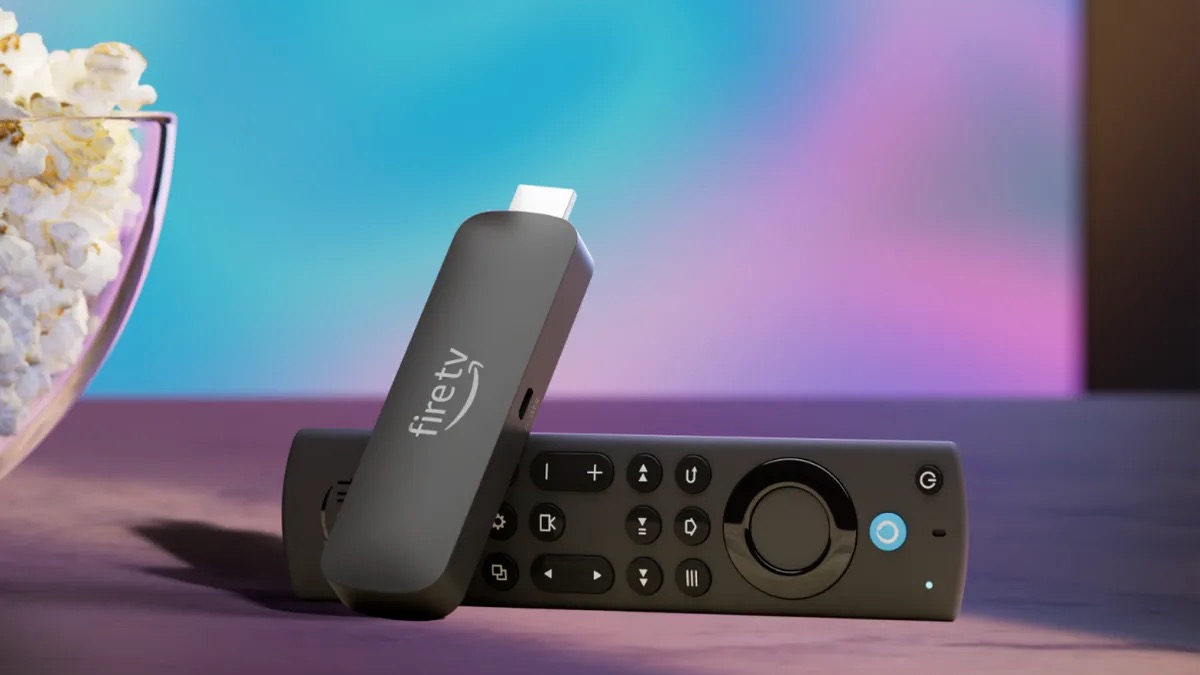
How to choose best streaming sticks for tv
The Best streaming sticks for TV differ less in size than they do in video support, wireless hardware, interface, and remote controls. Match the stick to the television first, then decide which platform fits the way your household watches.
Resolution and HDR formats
A Full HD stick is suitable for a television that tops out at 1080p. A 4K stick is the better long-term match for a 4K television because it can display finer detail from compatible services. HDR support then determines how the TV handles contrast and color in supported content.
Dolby Vision and HDR10+ are the most complete combination in this group. HDR10+ alone is useful, but it leaves out Dolby Vision content. Basic HDR information is less specific, so do not assume every HDR format is supported.
Wi-Fi capability
Wireless performance matters when the television is far from the router or when many devices share the network. Wi-Fi 6 and Wi-Fi 6E can manage newer, busier networks more efficiently. Wi-Fi 6E requires a compatible router and does not repair weak placement or poor broadband service.
Roku's long-range receiver is a different approach. It focuses on maintaining a connection in rooms farther from the router. The best choice depends on whether your problem is distance, congestion, or the network itself.
A 4K stick cannot compensate for a weak wireless signal, so solve the connection before blaming the picture.
Interface and voice search
Roku emphasizes a straightforward home screen with apps, free channels, live content, and search. Fire TV adds Alexa, personalized recommendations, smart home controls, and content categories. Neither platform is universally better, but each feels more natural if your household already uses its voice assistant.
Check whether the remote controls TV power and volume, and whether it includes dedicated app or live TV controls. A good remote can matter more day to day than a small difference in processing speed.
Storage and processing
Most streaming sticks are designed around streaming, not local storage. The Fire TV Stick 4K Max stands apart with 16GB, which gives games, apps, and downloads more room. Its faster processor also makes sense for people who move between many apps or use cloud gaming.
For a television used mainly for one or two services, extra storage is unlikely to change the experience. The Max models are most useful when the stick is also serving as a games, smart home, and ambient display device.
Power and placement
A compact stick that plugs behind the television keeps cables out of sight and avoids occupying shelf space. Some models can draw power from the TV, while others may need the included cable and an appropriate power source.
Measure the space around the HDMI ports if the television is mounted close to a wall. Roku's compact sticks are designed not to block neighboring ports, and the newer Fire TV Stick HD is also described as avoiding other ports.
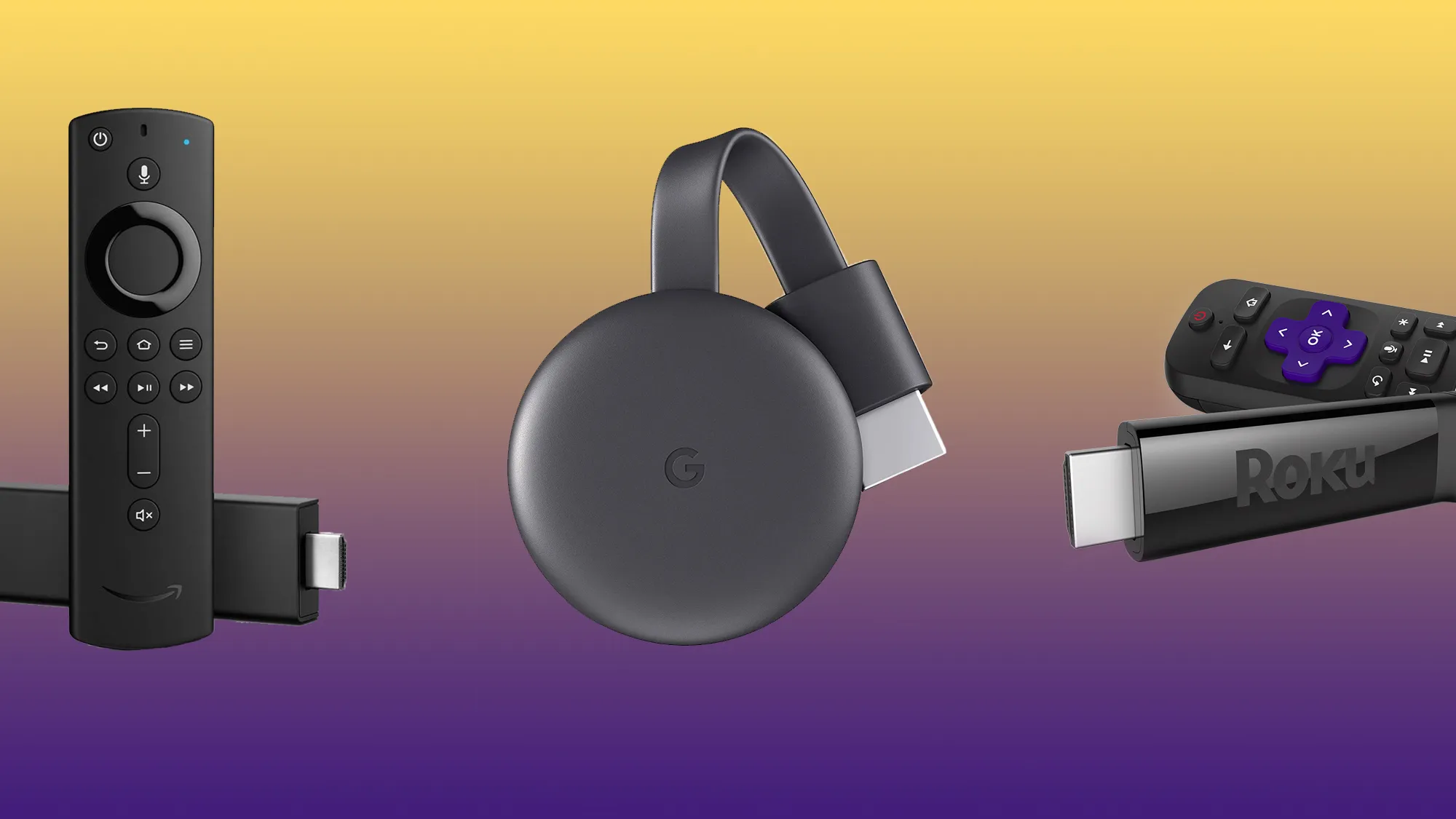
Frequently asked questions
Do streaming sticks work with any television?
They need a television with an available HDMI port and a way to provide power. The TV also needs access to a wireless network for streaming services. Check the TV's resolution before choosing between an HD and 4K model.
Is a 4K streaming stick useful on an HD TV?
It will still provide streaming apps, but the television cannot display 4K resolution. An HD stick is usually the more appropriate match unless you expect to move the device to a 4K television soon.
Which streaming stick supports Dolby Vision?
Amazon Fire TV Stick 4K Plus, Amazon Fire TV Stick 4K Max, Amazon Fire TV Stick 4K Max Like-New, Roku Streaming Stick 4K, and Roku Streaming Stick 4K Renewed list Dolby Vision support. The Fire TV Stick 4K Select lists HDR10+ but does not list Dolby Vision.
Can these streaming sticks control a television?
The Roku models list remotes that can control TV power and volume. The Fire TV models with Alexa Voice Remotes also list dedicated power and volume controls for compatible televisions and audio equipment.
Can I use Bluetooth headphones with a streaming stick?
The Amazon Fire TV Stick HD (2026) specifically lists Bluetooth listening. The other products may support different accessories or configurations, but the supplied data does not confirm Bluetooth headphone support for every model.
Is Wi-Fi 6E better than Wi-Fi 6 for streaming?
Wi-Fi 6E adds access to the 6GHz band when paired with compatible network equipment. It can help reduce congestion, but it will not make a weak internet connection or distant router perform like a strong one.
Are renewed and like-new streaming sticks different from new ones?
Renewed and like-new products are not presented as factory-new units. The Like-New Fire TV Stick 4K Max is described as refurbished, tested, and certified to look and work like new, while the Roku 4K entry is identified as renewed. Review the condition and warranty information before ordering.
The bottom line
The Best streaming sticks for TV start with the Amazon Fire TV Stick 4K Plus for most 4K households. It combines 4K, Dolby Vision, HDR10+, Dolby Atmos, Wi-Fi 6, and useful Alexa controls without requiring the extra storage or gaming focus of the Max.
Choose the Roku Streaming Stick 4K if a quieter interface and long-range Wi-Fi matter more than Alexa and Amazon's recommendations. For an HD television, the Amazon Fire TV Stick HD (2026) is the more versatile pick because it adds Wi-Fi 6 and Bluetooth listening, while the Roku Streaming Stick HD is the simplest option.
If you are undecided, match the stick to your TV's resolution first, then choose Roku for simpler menus or Fire TV for Alexa and smart home control.
As an Amazon Associate we earn from qualifying purchases.