

A flat TV can show a spectacular scene while making it sound strangely small. The missing ingredients are usually a dedicated center channel for speech, a subwoofer for impact, and speakers placed around the room instead of below the screen. The Best surround sound systems solve that problem in very different ways, from compact soundbars to full receiver-based packages.
We compared 10 complete systems, paying close attention to speaker layout, Dolby Atmos support, connection design, dialogue features, bass hardware, and how much cable routing each setup demands. Our top pick is the ULTIMEA Aura A60 Pro, while the list also includes a strong Sony package, a fully wireless Ultimea system, a traditional Yamaha receiver kit, and several simpler options.
Comparison table
| # | Product | Award | Channels | Standout feature | Best for |
|---|---|---|---|---|---|
| 1 | ULTIMEA Aura A60 Pro | Best overall | 7.1ch | Dolby Atmos, four surround speakers | Immersive TV rooms |
| 2 | ULTIMEA 5.1.2ch Atmos System | Best Atmos setup | 5.1.2ch | Up-firing Atmos drivers | Height effects |
| 3 | Sony BRAVIA Theater System 6 | Best for BRAVIA TVs | 5.1ch | Dolby Atmos, DTS:X, center channel | Sony TV owners |
| 4 | ULTIMEA Poseidon M60 | Best compact surround bar | 5.1ch | Side-firing drivers | Simple room-filling sound |
| 5 | LG S40TR | Best for LG TVs | 4.1ch | Wireless rears and subwoofer | Easy LG integration |
| 6 | ULTIMEA Aura A40 Pro | Best dialogue control | 7.1ch | VocalMatrix and VoiceMX | Speech-heavy viewing |
| 7 | ULTIMEA Skywave X50 | Best wireless system | 5.1.4ch | Dual 5GHz wireless transmission | Cable-conscious theaters |
| 8 | Amazon Fire TV Soundbar Plus | Best Fire TV pairing | 5.1ch | One-remote control | Fire TV households |
| 9 | Yamaha YHT-4950U | Best traditional receiver kit | 5.1ch | Four HDMI inputs and YPAO | AV enthusiasts |
| 10 | ULTIMEA Aura A40 | Best app-controlled starter system | 7.1ch | 121 EQ presets | Flexible TV setups |
1. ULTIMEA Aura A60 Pro: Best Overall

Pros
- Four surround speakers create a broad soundstage
- Dolby Atmos adds height information
- App offers deep sound customization
- Wireless connection to the rear speaker section
Cons
- The subwoofer is wired
- The system needs room for several speakers
- No DTS compatibility is listed
Best for: viewers who want a wide, speaker-based theater system with flexible tuning.
The ULTIMEA Aura A60 Pro is the most convincing all-round package here because it does not ask the soundbar to create the entire surround field by itself. Its three main channels handle the front stage, while two wired front surround speakers and two wired rear surround speakers spread effects across the room. The rear section pairs wirelessly with the soundbar, which reduces the most awkward cable run without turning every component into a separate network device.
This is a 7.1-channel Dolby Atmos system intended for rooms from 108 to 270 square feet. That room guidance is useful because four surround speakers need sensible placement to work properly. The included 5.25-inch wired subwoofer uses BassMX technology to give explosions and music a proper low-frequency foundation, while the front and rear speakers provide the positional information that a single bar cannot match.
The Ultimea app is unusually useful for this group. It includes 121 EQ presets, a 10-band equalizer, six named modes, and 13-step surround adjustment. That lets you pull back the rear channels when effects become distracting or emphasize them when a movie has a busy action mix. The ability to change the sound for voice, movies, games, sports, and night listening is more practical than a handful of fixed buttons on a remote.
Compared with the ULTIMEA Aura A40 Pro, the A60 Pro has a more explicitly Atmos-focused presentation and a different speaker arrangement. The ULTIMEA 5.1.2ch Atmos System is the better fit if overhead effects are your first priority, but the A60 Pro is more adaptable when you want sound surrounding the seating area. Its weakness is the wired subwoofer and the number of components to place. Skip it if you want a one-bar solution, but choose it for a medium-sized room where directional effects matter.
2. ULTIMEA 5.1.2ch Atmos System: Best Atmos Setup

Pros
- Up-firing drivers create a genuine height channel
- HDMI eARC supports lossless 5.1.2 audio
- Rear speakers and subwoofer complete the setup
- Extensive app tuning
Cons
- Not compatible with DTS
- Height effects depend on the room and ceiling
- Multiple speakers still require careful placement
Best for: movie fans who want overhead Atmos effects from a soundbar-based package.
The ULTIMEA 5.1.2ch Atmos System takes a more focused approach than the Aura A60 Pro. Its five main channels are joined by two up-firing Atmos drivers, so the system aims sound toward the ceiling as well as around the seating position. That makes it the natural choice for anyone who cares more about height cues, such as rain, aircraft, and effects moving above the screen, than about having four separate surround speakers.
The soundbar measures 31.5 inches long and 1.81 inches wide, with a listed height of 3.54 inches. That is a fairly manageable front unit, although the 3.54-inch height is worth checking against the bottom edge of a wall-mounted TV. The system also includes a 5.25-inch subwoofer and two rear speakers. HDMI eARC is the important connection here, with support for up to 37 Mbps of bandwidth and CEC control for synchronized power and volume.
The up-firing hardware uses neodymium magnets and 18-core voice coils, details that matter because Atmos depends on a focused vertical throw rather than simply louder sound. Room acoustics still decide how much of the ceiling reflection reaches the listener. A low, flat ceiling is generally more favorable than a very high or heavily treated one, so buyers should not assume that the Atmos label guarantees the same result in every room.
The app adds 121 sound presets, a 10-band graphic EQ, OTA updates, and 13-step level control from -6 to +6. It is more adjustable than the Amazon Fire TV Soundbar Plus, but the Fire TV model supports DTS:X while this Ultimea system does not list DTS compatibility. For viewers building around Atmos sources and an eARC-equipped TV, this is the more ambitious pick. For mixed-format libraries, that limitation deserves attention.
3. Sony BRAVIA Theater System 6: Best for BRAVIA TVs

Pros
- Dedicated center channel helps dialogue
- Supports Dolby Atmos and DTS:X
- Rear speakers and subwoofer are included
- BRAVIA TV integration is convenient
Cons
- Less adjustable than the Ultimea app-based systems
- Large package for a 5.1-channel layout
- The strongest integration requires a compatible BRAVIA TV
Best for: Sony BRAVIA owners who want a coordinated TV and audio setup.
The Sony BRAVIA Theater System 6 is the polished, straightforward alternative to Ultimea's heavily customizable systems. It uses three front-firing speakers, two rear speakers, and a subwoofer in a conventional 5.1-channel layout. The dedicated center channel is the part most likely to improve everyday viewing, since dialogue stays anchored to the screen instead of getting lost in a wide effects mix.
Sony includes Dolby Atmos and DTS:X support, giving this system broader format coverage than the Ultimea 5.1.2ch model. Its Multi Stereo mode can also play the same sound through all speakers for a room-filling effect when the source is not encoded for surround. Bluetooth streaming makes it useful for music from a phone or tablet, and the BRAVIA Connect app handles volume, profiles, and advanced settings.
The strongest reason to choose it is the BRAVIA ecosystem. With a compatible Sony TV, the soundbar can be controlled from the TV menu, and Voice Zoom 3 is available for enhanced dialogue. That integration reduces the feeling of managing a separate audio component. Buyers with another TV brand still get a complete 5.1 system, but they will not receive the full benefit of the coordinated controls.
The Sony BRAVIA Theater System 6 does not offer the same level of EQ experimentation as the ULTIMEA Aura A60 Pro, and its 5.1 layout has no listed up-firing speakers. It is also a substantial package, with a listed 41.3-inch length and a 5.75-pound product weight in the supplied information. Choose it when easy control and format support matter more than elaborate tuning. Skip it if overhead Atmos effects are central to your plan.
4. ULTIMEA Poseidon M60: Best Compact Surround Bar

Pros
- Side-firing drivers widen the front soundstage
- VoiceMX keeps speech prominent
- Wired subwoofer has a tuned 5.3-liter cabinet
- HDMI eARC and Bluetooth 5.4
Cons
- No separate rear speakers
- Dolby Atmos effect is front-focused
- Wired subwoofer limits placement
Best for: smaller rooms that need stronger immersion without rear speaker placement.
The ULTIMEA Poseidon M60 is the sensible pick for a room where rear speakers would be awkward. It uses five built-in speakers, including two side-firing drivers, to spread the front soundstage without putting speakers behind the sofa. Setup is designed to take less than a minute, and the system claims latency below 0.5 ms, which should help keep action and dialogue aligned with the picture.
Its 300W peak output, 45 Hz to 18 kHz frequency response, and 99 dB maximum SPL describe a system built for energetic movie playback. The 18 mm high-excursion subwoofer driver sits in a 5.3-liter tuned wooden cabinet, giving the low end more acoustic space than an especially small bass unit. That does not make it a replacement for a full speaker array, but it should provide more physical impact than a TV or a basic soundbar.
VoiceMX uses DSP to emphasize vocal frequencies in real time, which is useful when a soundtrack becomes crowded. HDMI eARC can carry lossless Dolby Atmos 5.1-channel audio, and CEC lets the TV and bar share basic controls. Bluetooth 5.4 handles music playback, while the Ultimea app provides a 10-band EQ, 121 presets, and 13 surround levels.
This system is a fundamentally different proposition from the ULTIMEA Aura A60 Pro. The A60 Pro wins for actual speaker separation, while the Poseidon M60 wins when space and setup simplicity take precedence. It also supports Dolby Atmos, but without rear or up-firing speakers, the spatial effect remains more dependent on processing and room reflections. If you cannot place speakers behind the seating position, this is one of the cleanest compromises here.
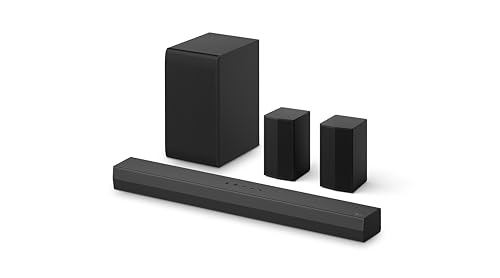
5. LG S40TR: Best for LG TVs
Pros
- Wireless rear speakers and subwoofer
- Clear Voice Plus helps dialogue
- WOW Orchestra works with compatible LG TVs
- Compact 28.4-inch soundbar
Cons
- Four-channel layout is less expansive than 5.1 systems
- No Dolby Atmos support is listed
- App EQ has only three bands
Best for: LG TV owners who want simple control and genuine rear speakers.
The LG S40TR makes a strong case for choosing an audio system that matches the TV brand. Its 4.1-channel layout pairs a soundbar with a wireless subwoofer and wireless rear speakers, so it creates a real back-of-room presence without requiring a separate AV receiver. The 28.4-inch bar is also one of the easier front units to fit beneath a smaller TV.
LG's Clear Voice Plus analyzes the output and improves vocal clarity through the center speakers. The system supports Dolby Audio and DTS Digital, while Smart Up-Mixer converts two-channel content into a wider multi-speaker presentation. That is useful for ordinary television and music, where the source may not contain a discrete surround mix.
WOW Orchestra can combine a compatible LG TV's speakers with the soundbar, and WOW Interface allows TV and soundbar settings to be controlled from one remote. The LG Soundbar app provides three-band adjustment for bass, treble, and mid-range. It is much less granular than the Ultimea apps, but its simplicity may be preferable for a household that wants fewer settings to manage.
The main compromise is channel layout. The LG S40TR supplies rear speakers, but the Sony BRAVIA Theater System 6 offers a fuller 5.1 configuration and support for Dolby Atmos and DTS:X. LG's system is better suited to a smaller room and an LG television, especially if one-remote operation matters. Choose something else if height effects or deep EQ control are high on your list.
6. ULTIMEA Aura A40 Pro: Best Dialogue Control

Pros
- Seven-channel layout with four surround speakers
- VocalMatrix redistributes vocals across the rear channels
- VoiceMX boosts the vocal range
- Large 6.1-liter subwoofer cabinet
Cons
- Hybrid rear-speaker wiring is not fully wireless
- No Dolby Atmos support is listed
- Cable routing needs planning
Best for: viewers who regularly struggle to hear speech over sound effects.
The ULTIMEA Aura A40 Pro is designed around a problem that many surround systems handle poorly: dialogue that seems to move away from the screen or disappear under music. Its VocalMatrix algorithm extracts vocal information and redistributes it across the rear channels while attempting to preserve the surrounding ambience. VoiceMX works on the vocal range from 120 Hz to 6 kHz, using dynamic EQ and gain control to keep speech more prominent.
The system has three main channels and four surround speakers. Two front surround speakers connect directly to the soundbar, while the two rear speakers use a hybrid arrangement: the right rear speaker pairs wirelessly with the soundbar, and the left rear speaker connects to the right rear speaker by wire. That is less convenient than a fully wireless design, but it avoids a long cable from the soundbar to both rear positions.
BassMX supports a subwoofer with an 18 mm high-excursion driver and a 6.1-liter tuned cabinet. The listed bass response reaches down to 45 Hz, which gives action scenes weight without relying only on a small bar enclosure. The app adds 121 EQ presets, six listening modes, a 10-band equalizer, 13 surround levels, and OTA updates.
The ULTIMEA Aura A60 Pro is the stronger choice when Dolby Atmos and a more conventional multi-speaker arrangement matter, while the Aura A40 Pro is more targeted at speech intelligibility and control. It also lacks a listed Atmos mode, so buyers watching a lot of height-mixed films should move up the list. Pick this model for dialogue-heavy shows, news, sports, and rooms where vocal clarity is the first concern.
7. ULTIMEA Skywave X50: Best Wireless System

Pros
- Fully wireless system uses dual 5GHz transmission
- 5.1.4 layout includes height channels
- Subwoofer reaches down to 28 Hz
- 4K HDR pass-through
Cons
- Large and heavy package
- Wireless performance still depends on room conditions
- More hardware than a typical soundbar setup
Best for: home theater builders who want Atmos-style height channels without speaker cables across the room.
The ULTIMEA Skywave X50 is the most ambitious system in this group. Its 5.1.4 layout adds four height channels to the conventional front, center, rear, and subwoofer arrangement, while dual 5GHz wireless transmission connects the system components. That is a substantial advantage for rooms where running speaker cable through the floor or along the walls is unacceptable.
Ultimea lists a 760W peak output and a Gravus Ultra-Linear Bass system that reaches down to 28 Hz. The subwoofer uses an oversized waveguide and acoustic chamber to keep low frequencies full at higher volume. Those figures suggest a system aimed at large-scale movie playback, although the physical room and speaker placement will still determine how evenly that output fills the space.
The Skywave X50 also includes a GaN amplifier, a NEURACORE multi-channel audio engine, and support for 24-bit/192 kHz audio with less than 0.5% distortion according to the supplied product information. Its 4K HDR pass-through is useful for a source chain that runs through the sound system before reaching the TV. The 43.31-inch soundbar is long, and the listed product weight is 22.05 pounds, so this is not a discreet setup.
Compared with the ULTIMEA 5.1.2ch Atmos System, the Skywave X50 adds more height channels and removes more speaker wiring. It is also more demanding physically than the Amazon Fire TV Soundbar Plus, which is easier to place and operate. Buyers should choose the X50 only if they have room for its larger components and want the most theater-like wireless arrangement in this roundup. For everyone else, a smaller system will be easier to live with.
If you are weighing cable-free rear speakers against a traditional receiver, what you give up moving from wired to wireless is an important part of the decision.
8. Amazon Fire TV Soundbar Plus: Best Fire TV Pairing

Pros
- Dolby Atmos and DTS:X support
- Dedicated center dialogue channel
- Simple powered-speaker setup
- Fire TV control integration
Cons
- Best controls require compatible Fire TV equipment
- Less sound customization than the Ultimea systems
- No height-speaker configuration is listed
Best for: Fire TV households that want a simple multi-speaker system.
The Amazon Fire TV Soundbar Plus puts ease of use ahead of extensive manual tuning. The package includes a soundbar, subwoofer, and two surround speakers, creating a 5.1-channel setup with a dedicated center dialogue channel. Plug the subwoofer and surround speakers into power, and they connect to the soundbar, which is much less intimidating than wiring an AV receiver.
Dolby Atmos and DTS:X support give it broad format coverage. The separate center channel is the key everyday feature, keeping conversations distinct from music and effects. Four sound modes cover movies, music, sports, and night listening, so users can make a quick adjustment without opening an equalizer or navigating a deep app menu.
Fire TV integration allows one remote to control the TV and soundbar, with audio settings available through compatible Fire TV devices. Bluetooth streaming covers music from a phone or tablet, and the system works with smart TVs and TVs connected to streaming media players. The 37.07-inch soundbar is longer than the LG S40TR, but still reasonably conventional for a living-room setup.
The Amazon Fire TV Soundbar Plus is easier to recommend than the ULTIMEA Skywave X50 for a family room where several people need to operate the system. The Skywave offers more height channels and more advanced wireless hardware, while the Sony BRAVIA Theater System 6 offers similarly broad format support with deeper Sony ecosystem integration. Choose Amazon for simple setup and Fire TV control, not for fine-grained sound design.
9. Yamaha YHT-4950U: Best Traditional Receiver Kit

Pros
- Full AV receiver and five-speaker package
- Four HDMI inputs
- YPAO room optimization
- Flexible speaker placement options
Cons
- Requires speaker wire throughout the room
- No wireless functionality
- Receiver and subwoofer take substantial space
Best for: listeners who want conventional receiver-based home theater control.
The Yamaha YHT-4950U is the outlier here because it is a traditional home theater system rather than a soundbar package. The box includes an AV receiver, five speakers, a subwoofer, and speaker wire. That approach takes more effort, but it gives the owner a proper component-based system with flexible placement and a central hub for connected sources.
The receiver has four HDMI inputs and supports 4K Ultra HD video, while Bluetooth handles music and podcast streaming. Yamaha's YPAO room optimization measures the listening environment and adjusts the system, which is useful when the speakers cannot be placed symmetrically. Virtual Cinema Front also allows a more compact speaker arrangement when rear placement is impractical.
The supplied dimensions show the scale of the system. The receiver is listed at 17 by 6 by 12 inches, the four smaller speakers are each 4 by 6 by 4 inches, the center speaker is 10 by 4 by 4 inches, and the subwoofer is 11 by 11 by 13 inches. There is no wireless functionality, so cable management is part of the installation rather than an optional detail.
Compared with the Amazon Fire TV Soundbar Plus, Yamaha is much less immediate to set up but offers more conventional control over sources and speaker placement. The Sony BRAVIA Theater System 6 is easier for a TV-first room, while the Yamaha makes more sense for someone who already thinks in terms of receivers, HDMI inputs, and calibration. Skip it if visible cables are a deal breaker.
10. ULTIMEA Aura A40: Best App-Controlled Starter System

Pros
- Four surround speakers create a wide presentation
- App includes 121 EQ presets
- Six listening modes and 10-band control
- Bluetooth, optical, and auxiliary inputs
Cons
- Several speakers use wired connections
- Virtual surround processing is not the same as Atmos
- Setup instructions for rear pairing need attention
Best for: first-time buyers who want lots of sound adjustment without an AV receiver.
The ULTIMEA Aura A40 is the most approachable entry into a multi-speaker setup on this list. It uses three main channels and four surround speakers, with two front speakers connected to the bar and two rear speakers connected through a hybrid arrangement. The right rear speaker pairs wirelessly with the soundbar, while the left rear speaker connects to the right rear speaker by cable.
Ultimea describes the system as a 7.1-channel virtual surround design. SurroundX processing coordinates the speakers to create a wider sound field, and the system includes 13 surround-level adjustments. The result should feel more enveloping than a standard two-channel bar, but the product does not list Dolby Atmos or dedicated up-firing drivers. Buyers should choose it for speaker coverage and tuning rather than overhead effects.
App control is the main attraction. The Ultimea Home app includes 121 EQ matrices, a 10-band equalizer, and six modes for movies, music, voice, sports, games, and night listening. Optical, auxiliary, and Bluetooth inputs give it flexibility with older TVs and wireless music sources. The listed soundbar dimensions are 41 inches wide, 3 inches high, and 16 inches deep, although the supplied dimensions appear to describe the overall item grouping, so placement should be checked carefully.
The ULTIMEA Aura A40 is less advanced than the ULTIMEA Aura A40 Pro, which adds vocal processing and a larger subwoofer cabinet. It is also less capable than the ULTIMEA Aura A60 Pro for Dolby Atmos playback. Still, it makes sense for someone who wants four surround speakers and extensive app control without moving to a receiver. It is a practical choice for experimentation, provided the buyer is comfortable with the required cable runs.

How to choose best surround sound systems
The right system depends less on the biggest channel number than on your room, source equipment, and tolerance for cables. These are the factors that separate a convincing theater setup from a collection of speakers that never quite works together.
Speaker layout
A 5.1 system has front channels, a center channel, surround channels, and a subwoofer. A 7.1 system adds more surround coverage, while 5.1.2 and 5.1.4 systems add height channels for Atmos effects. Real rear speakers usually create more dependable positional movement than virtual processing, but they require space behind or beside the seating area.
Dolby Atmos and DTS support
Dolby Atmos uses height information to place effects above the listener. Up-firing drivers can reflect sound from the ceiling, while dedicated height speakers provide a more direct route. DTS:X is another object-based format and broadens compatibility with discs and streaming sources. Check the formats your TV and media devices can pass before choosing a system.
Dialogue hardware
A dedicated center channel is one of the most useful features for television. It keeps speech anchored near the screen and reduces the need to raise the entire soundtrack. Systems such as the Aura A40 Pro add vocal processing, while Sony, Amazon, and other 5.1 packages use a physical center channel. A mode that boosts voices is helpful, but it cannot fully replace good speaker placement.
Buy the system whose rear speakers you can actually place correctly, not the one with the most impressive channel label.
Connections
HDMI eARC is the preferred connection for modern Dolby Atmos sources because it can carry more audio data than ordinary ARC. CEC allows the TV and soundbar to share power and volume control. Optical and auxiliary inputs help with older TVs, while Bluetooth is useful for casual music playback but is not a substitute for a full home theater connection.
Wireless design and cable routing
“Wireless” can mean different things. Some systems have wireless rear speakers but still require each speaker to connect to power. Others use a wireless link between the soundbar and one rear speaker, with a cable joining the remaining rear speaker. A receiver-based package such as the Yamaha uses speaker wire throughout. Sketch the room and locate outlets before buying.
For more context on room planning, the speaker layouts that work in smaller rooms can help narrow the choices before you focus on channel counts.

Frequently asked questions
Do all surround sound systems support Dolby Atmos?
No. The ULTIMEA Aura A60 Pro, ULTIMEA 5.1.2ch Atmos System, Sony BRAVIA Theater System 6, Poseidon M60, Skywave X50, and Amazon Fire TV Soundbar Plus list Dolby Atmos support. The LG S40TR, Yamaha YHT-4950U, Aura A40 Pro, and Aura A40 do not all list Atmos support in the supplied product information.
Is a 7.1 system better than a 5.1 system?
Not automatically. A 7.1 system can create broader surround coverage, but a well-placed 5.1 system may sound more coherent in a smaller room. A 5.1.2 system adds height effects, so the channel label alone does not tell you how immersive the setup will be.
Do wireless rear speakers need power cables?
Usually, yes. Wireless audio transmission removes the long signal cable between the front and rear of the room, but powered speakers still need electricity. The Skywave X50 is described as a fully wireless setup, while several Ultimea systems use a mix of wireless pairing and cables between rear speakers.
Can these systems work with any TV?
Most can connect to smart TVs and other modern televisions, but the available control and audio formats depend on the TV's ports. HDMI eARC is the most capable option when available. Brand-specific features, such as Sony BRAVIA control or LG WOW Orchestra, require compatible televisions.
Do I need a subwoofer for surround sound?
A subwoofer is not strictly required, but it handles low frequencies that small soundbars and satellite speakers cannot reproduce effectively. Every package in this roundup includes a subwoofer except where the supplied description does not emphasize a separate unit. Placement matters because bass can become uneven when the subwoofer is pushed into a corner.
Can I use Bluetooth for movie surround sound?
Bluetooth is mainly intended for stereo music playback on these systems. It does not replace a wired TV connection for multichannel Dolby Atmos, DTS:X, or discrete surround audio. Use HDMI eARC, HDMI, optical, or the connection recommended by the TV and sound system.
The bottom line
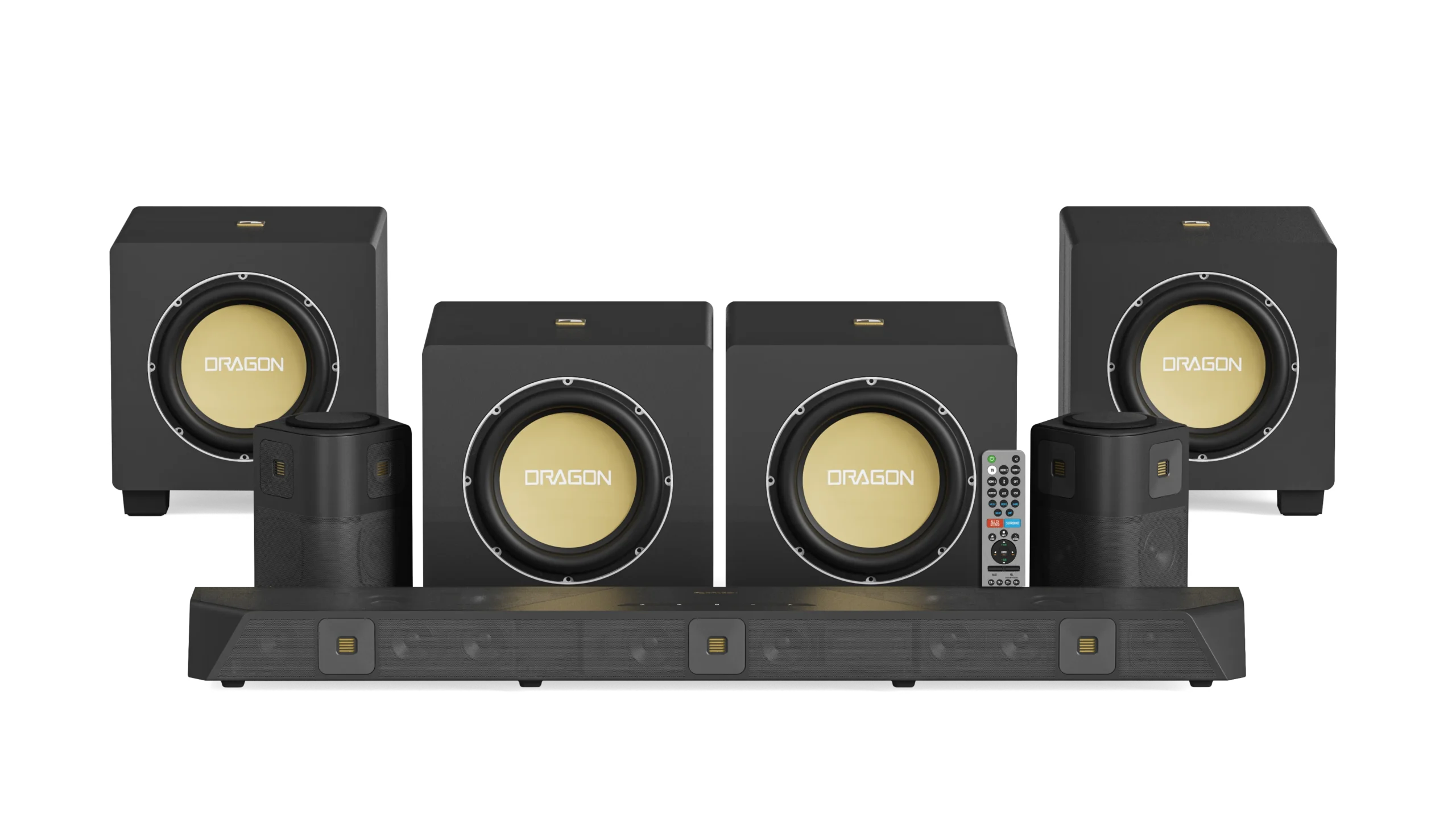
The ULTIMEA Aura A60 Pro is the most balanced choice among the Best surround sound systems because it combines Dolby Atmos, four surround speakers, app-based tuning, and a dedicated subwoofer. The ULTIMEA 5.1.2ch Atmos System is the better alternative when overhead effects matter more than having four separate surround speakers.
Choose the Sony BRAVIA Theater System 6 for a compatible Sony TV, the LG S40TR for simple LG integration, and the Yamaha YHT-4950U if you want a traditional receiver and do not mind wiring the room. The Skywave X50 is the specialist pick for a larger, cable-conscious theater.
If you are undecided, choose the ULTIMEA Aura A60 Pro unless your room cannot accommodate rear speakers.
As an Amazon Associate we earn from qualifying purchases.