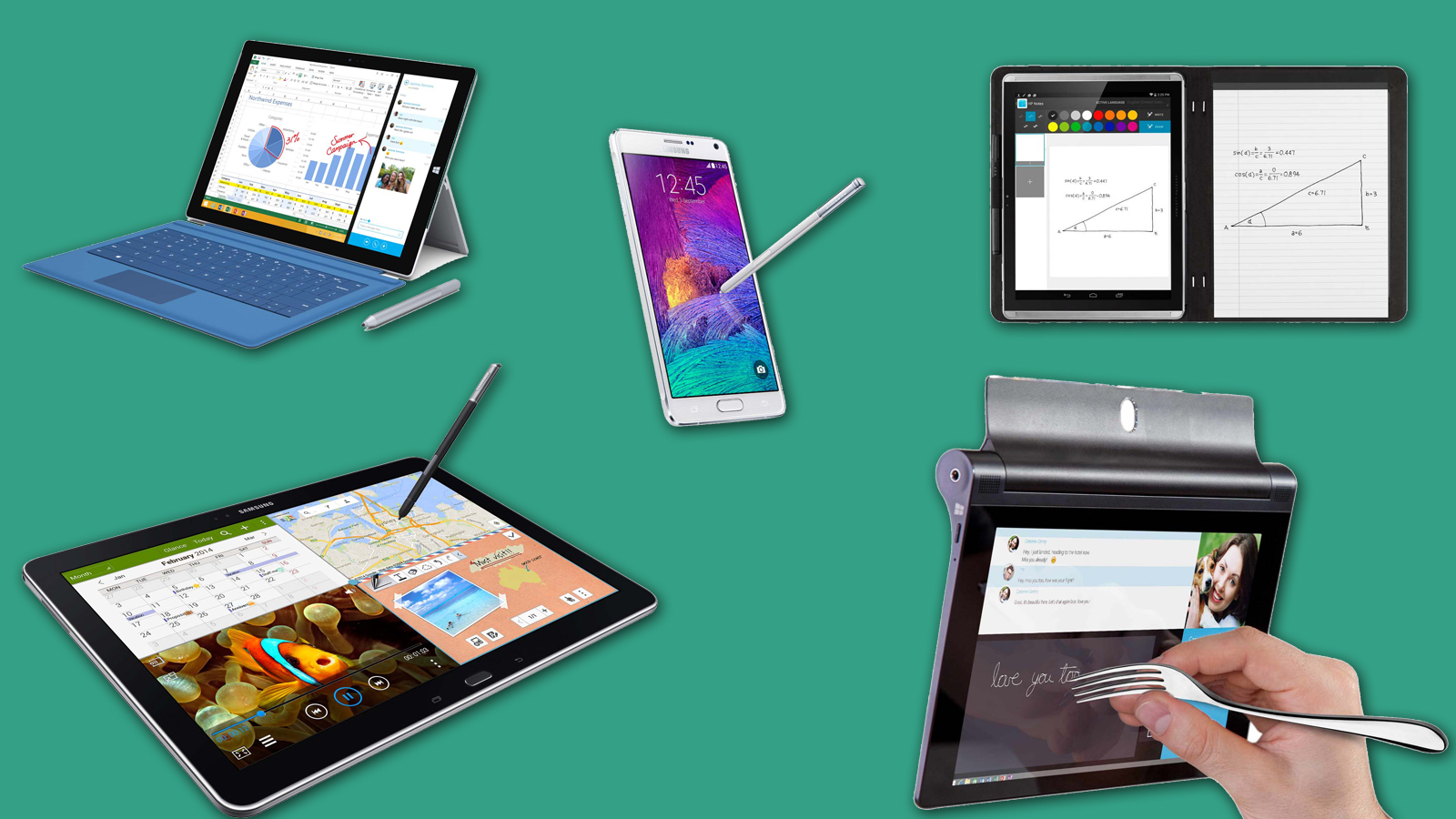

A tablet that is pleasant for watching videos can still be frustrating for handwritten notes. The important details are pen response, screen texture, palm rejection, battery life, and whether the software helps you organize what you write. The Best tablet for note taking should make a lecture, meeting, or study session feel less cluttered than a paper notebook.
This list includes conventional Android tablets with bundled pens, specialized paper-like LCD screens, and one color E Ink model. Some are better for quick annotations, while others are designed around handwriting conversion, document reading, or long sessions away from a charger.
For most students and everyday note takers, the Lenovo Idea Tab Pro is the single best pick. The other eight cover smaller screens, larger writing areas, lower eye strain, expandable storage, and distraction-free reading.
Comparison table
| # | Product | Award | Display | Pen or writing feature | Best for |
|---|---|---|---|---|---|
| 1 | Lenovo Idea Tab Pro | Best overall | 12.7-inch 3K LCD, 90fps | Included Tab Pen Plus, Circle to Search | Students who want room for notes and multitasking |
| 2 | Samsung Galaxy Tab S10 FE | Best for handwriting tools | 90Hz display | S Pen, Handwriting Assist, Math Solver | Organized handwritten notes and equations |
| 3 | Lenovo Idea Tab Plus | Best large lightweight tablet | 12.1-inch 2.5K IPS, 90Hz | Included Tab Pen | Mobile study and split-screen notes |
| 4 | XPPen Magic Note Pad | Best paper-like LCD | 10.95-inch LCD, 90Hz | X3 Pro Pencil, 16, 384 pressure levels | Writers who want tactile pen control |
| 5 | Samsung Galaxy Tab S10 Lite | Best compact Samsung tablet | 10.9-inch LCD | S Pen, Circle to Search | Galaxy device owners |
| 6 | TCL NXTPAPER 14 | Best eye-friendly large screen | 14.3-inch 2.4K paper-like LCD | 4, 096-level T-PEN | Reading and notes at a desk |
| 7 | Lenovo Idea Tab 8GB | Best storage in a compact Lenovo | 11-inch 2.5K IPS, 90Hz | Included Tab Pen | Students keeping many files locally |
| 8 | BOOX Note Air 5 C | Best E Ink notebook | 10.3-inch Kaleido 3 color E Ink | 4, 096 pressure levels | Focused reading and low-glare writing |
| 9 | Lenovo Idea Tab 4GB | Best simple student bundle | 11-inch 2.5K IPS, 90Hz | Included Tab Pen | Basic class notes and media |
1. Lenovo Idea Tab Pro: Best Overall

Pros
- Large 12.7-inch writing area
- Sharp 3K display
- Pen and folio case included
- Strong Dimensity 8300 processor
- Useful reading modes
Cons
- Heavier than the smaller Lenovo models
- Only 128GB of built-in storage
- Larger body is less comfortable for one-handed use
Best for: students who want a large screen for notes, PDFs, and multitasking.
The Lenovo Idea Tab Pro feels like the most natural digital replacement for a study notebook in this group. Its 12.7-inch panel gives handwritten notes enough room to breathe, so a page of lecture notes does not feel cramped beside a PDF or split-screen reference. The included pen and folio case make the setup usable immediately.
The 3K LCD is sharp enough for small text, diagrams, and dense reading. Its 360Hz touch sampling rate should make quick pen movements feel responsive, while the stated 90fps support is useful when scrolling through long documents. The MediaTek Dimensity 8300 gives it considerably more headroom than the Dimensity 6300 in the two smaller Idea Tab models. Google Gemini and Circle to Search add practical study tools, though responses from AI still need checking.
Battery life is listed at 11 hours of video streaming, and 45W quick charging helps shorten interruptions. The mono and chromatic visual modes are a thoughtful touch for reading, and the low blue light certification suits late study sessions. Quad JBL Dolby Atmos speakers also make recorded lectures and video calls easier to hear than on a tablet with weaker audio.
The weakness is physical rather than technical. At 1.364 pounds, it is noticeably less effortless to carry than the XPPen Magic Note Pad or the smaller Lenovo Idea Tab models. Its 128GB storage is also less generous than the Lenovo Idea Tab 8GB and TCL NXTPAPER 14. Students who want a tablet that fits in one hand should choose the Samsung Galaxy Tab S10 FE instead. For everyone else, this is the strongest all-purpose writing and study package.
2. Samsung Galaxy Tab S10 FE: Best for Handwriting Tools

Pros
- S Pen support
- Handwriting Assist cleans up notes
- Math Solver handles written equations
- 90Hz display
- Water-resistant design
Cons
- Smaller writing area than the Lenovo Idea Tab Pro
- Storage is fixed at 128GB in this listing
Best for: students who want software that actively improves handwritten notes.
The Samsung Galaxy Tab S10 FE is the pick for people who want note-taking features to go beyond simply placing digital ink on a page. Handwriting Assist can straighten, align, and adjust the spacing of handwritten words. That matters after a fast lecture, when the content is useful but the page is not especially tidy.
Math Solver is another clear advantage. Writing an equation with the S Pen and having it converted into text can save time during homework or revision. Circle to Search adds a quick way to investigate a term from a document without leaving the current screen. These tools make the S10 FE more purpose-built for schoolwork than the straightforward Lenovo Idea Tab Plus.
The 90Hz display should keep scrolling and pen movement feeling fluid. Samsung also lists water resistance, which gives this tablet a useful layer of protection around kitchens, backpacks, and crowded study spaces. At 1.15 pounds, it is easier to carry than the Lenovo Idea Tab Pro, though its smaller screen leaves less room for a notebook page and reference material side by side.
The main limitation is that Samsung's strongest advantages are tied to its software ecosystem. Someone who only wants a blank page and a pen may not benefit as much from the extra tools. The Lenovo Idea Tab Pro remains better for large documents and broad multitasking, while the S10 FE is the more convincing choice for handwriting cleanup, equations, and Galaxy device integration. Readers comparing tablets with other college gear may also find how a larger study setup handles everyday coursework useful.
3. Lenovo Idea Tab Plus: Best Large Lightweight Tablet
Pros
- Spacious 12.1-inch display
- 90Hz refresh rate
- Brightness rated up to 800 nits
- Pen and folio case included
- Up to 13 hours of YouTube playback
Cons
- 128GB storage
- Dimensity 6400 is less powerful than the Idea Tab Pro chip
Best for: commuters who want a big writing surface without a bulky tablet.
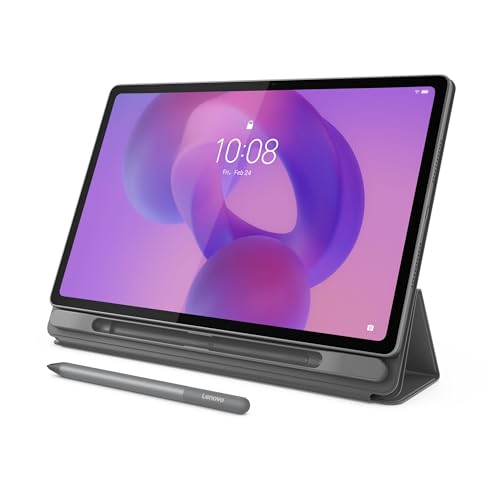
The Lenovo Idea Tab Plus occupies a useful middle ground. Its 12.1-inch screen is large enough for comfortable handwritten notes, yet the tablet weighs 1.17 pounds and is described as just over a pound. It is a better fit for moving between classrooms than the larger Idea Tab Pro, while giving the writer more room than an 11-inch tablet.
The 2.5K IPS display keeps text and diagrams sharp, and the 90Hz refresh rate should make page movement feel smooth. Lenovo lists brightness up to 800 nits, which is helpful when a study session moves from a dim room to a bright library. The low blue light certification is another sensible feature for extended reading.
The bundled Tab Pen works with Lenovo's learning apps, including Lenovo Notepad, Squid, Nebo, and MyScript Calculator. Circle to Search can also be triggered with the pen or a fingertip. The MediaTek Dimensity 6400 is suited to ordinary notes, browsing, streaming, and split-screen work, though the Idea Tab Pro is the better option for heavier multitasking.
The trade-off is the 128GB storage capacity and a less powerful processor than Lenovo's Pro model. It also lacks the Samsung Galaxy Tab S10 FE's handwriting cleanup and equation features. Still, the combination of a 12.1-inch display, 90Hz motion, light body, and included accessories makes the Idea Tab Plus a particularly sensible campus companion.
4. XPPen Magic Note Pad: Best Paper-Like LCD

Pros
- 16, 384 pressure levels
- 90Hz display
- Three color display modes
- Handwriting conversion and PDF tools
- Light 495-gram body
Cons
- Narrow viewing angle
- Not an E Ink display
- Multitasking is not its strongest use
Best for: writers who care about pen feel and a glare-reducing screen.
The XPPen Magic Note Pad is designed around the act of writing. Its AG nano-etched LCD has a textured, paper-like surface and three modes: monochrome LCD, light color, and nature color. It is not E Ink, so it remains a conventional Android tablet, but the anti-glare treatment gives it a different character from a glossy tablet screen.
The included battery-free X3 Pro Pencil 2 supports 16, 384 pressure levels. That is unusually detailed pressure control for varied stroke thickness and color depth, especially for sketching and annotations. The 90Hz refresh rate, 400-nit brightness, and support for 16.7 million colors make it more versatile than a monochrome digital notebook.
XPPen Notes supports handwriting-to-text conversion, audio recording, PDF import and editing, multiple brushes, automatic saving, and cloud uploads to OneDrive or Google Drive. After a system update, MyScript Notes and MyScript Math are available according to the listing, including handwriting recognition in 66 languages and equation tools. Android 14 and Google Play access mean the device is not locked to one notebook application.
There are two important caveats. The etched display has a narrow viewing angle, and the product specifically recommends viewing it from the front. It also has 6GB of memory and 128GB of storage, with the listing advising users to avoid running many applications at once. The Lenovo Idea Tab Plus is better for broad multitasking, while the XPPen wins when the writing surface and pen control matter most.
5. Samsung Galaxy Tab S10 Lite: Best Compact Samsung Tablet

Pros
- S Pen integration
- Exynos 1380 processor
- Up to 16 hours of battery life listed
- Up to 2TB microSD expansion
- Vision Booster adjusts brightness
Cons
- Smaller screen than the larger Lenovo and TCL tablets
- The listing includes 6GB of memory
Best for: Galaxy users who want a portable note-taking tablet with expandable storage.
The Samsung Galaxy Tab S10 Lite makes sense for people already using Galaxy phones, laptops, or connected home devices. Notes can move through Samsung's ecosystem, and the tablet supports features such as Circle to Search and an AI Hot Key when used with a compatible keyboard. Its 10.9-inch screen is compact enough for everyday carrying.
The Exynos 1380 processor is specified for streaming, browsing, note taking, searching, and multitasking. Samsung lists up to 16 hours of battery life, with a full charge taking about two hours under optimal conditions. Vision Booster adjusts brightness to the environment, which can make reading easier when lighting changes.
The S Pen is the main reason to choose this tablet over the Lenovo Idea Tab 4GB. Samsung's pen integration is more mature, and the software features are better suited to people who regularly combine handwriting with searches, files, and Galaxy devices. Its microSD support can expand storage by up to 2TB, which is useful for lecture recordings, downloaded books, and media.
The smaller display gives the S10 Lite a more portable feel, but it also makes split-screen note taking more confined than on the Lenovo Idea Tab Pro or TCL NXTPAPER 14. The listing specifies 6GB of memory, so users who keep many demanding apps open should look toward the faster Lenovo Idea Tab Pro. This is the practical pick for a compact Samsung setup, not the choice for the biggest digital page.
6. TCL NXTPAPER 14: Best Eye-Friendly Large Screen

Pros
- Very large 14.3-inch writing area
- Three display modes
- Paper-like NXTPAPER 3.0 screen
- 10, 000mAh battery
- Adjustable flip case included
Cons
- 1.67-pound weight
- No microSD support
- Charger is not included
Best for: desk-based readers and note takers who want a large, low-glare screen.
The TCL NXTPAPER 14 is the largest tablet here, and its 14.3-inch screen changes how notes and documents fit together. A full page can sit beside a reference window with less zooming, making it attractive for reading textbooks, annotating PDFs, or keeping sheet music visible. It is better suited to a desk or stand than to one-handed use.
Its 2.4K NXTPAPER 3.0 display supports Standard, Color Paper, and Ink Paper modes. The paper-like treatment reduces glare and filters blue light, while DC dimming and an Eye Care Assistant target long reading sessions. The included T-PEN supports 4, 096 pressure levels, enough for ordinary handwriting and drawing.
The 8GB of memory, 256GB of storage, split-screen support, floating windows, and extended-display features make this a capable study workstation. The Helio G99 is not as powerful as the Dimensity 8300 in the Lenovo Idea Tab Pro, but the TCL gives you more local storage than that model. Its 10, 000mAh battery supports 33W charging and reverse charging for a phone or earbuds.
Size is the defining weakness. At 1.67 pounds, it is heavier than every other conventional LCD tablet here, and the built-in storage cannot be expanded with a microSD card. The charger is also not included. Choose the TCL if a large, comfortable reading surface matters more than portability. For a smaller bag, the Lenovo Idea Tab Plus is easier to live with.
7. Lenovo Idea Tab 8GB: Best Storage in a Compact Lenovo

Pros
- 256GB storage
- 90Hz 2.5K display
- Included Tab Pen and folio case
- Four learning apps
- Up to 12 hours of YouTube playback listed
Cons
- 11-inch screen is less spacious for split-screen work
- Dimensity 6300 is below the Idea Tab Pro processor
Best for: students who want compact dimensions and more room for saved files.
The Lenovo Idea Tab 8GB is the more capable storage configuration of Lenovo's 11-inch Idea Tab. It keeps the manageable 1.05-pound body, bundled pen, and folio case, but raises memory to 8GB and storage to 256GB. That combination is useful for students who download readings and keep notes locally.
The 11-inch 2.5K IPS touchscreen has a 90Hz refresh rate and 72% NTSC color coverage. Text should look crisp, and smooth scrolling helps when moving through long lecture documents. TÜV Rheinland low blue light hardware is aimed at reducing eye fatigue during extended use.
Lenovo includes AI Note, Squid, Nebo, and MyScript Calculator, covering ordinary writing, organization, sketching, and calculations. Circle to Search works with the pen or a fingertip, and Smart Connect can move tasks between compatible devices. The Dimensity 6300 handles everyday study and entertainment, but it is not the performance leader in this group.
The key comparison is with the Lenovo Idea Tab 4GB. Both have the same display, dimensions, processor, listed battery estimate, and bundled accessories, but this version has twice the memory and storage. The Lenovo Idea Tab Pro is a better large-screen workstation, while the Idea Tab 8GB is the cleaner choice for a smaller backpack and a sizeable local library.
8. BOOX Note Air 5 C: Best E Ink Notebook

Pros
- Color E Ink screen
- 4, 096 pressure levels
- Android 15 with third-party app support
- Front light with warm and cool adjustment
- microSD card slot
Cons
- E Ink is slower than LCD
- Color resolution is lower than black and white
- E Ink screen looks darker and grayer
Best for: readers who prioritize a calm, paper-like display over fast tablet interaction.
The BOOX Note Air 5 C is the specialist choice. Its 10.3-inch Kaleido 3 color E Ink display is designed for reading and writing without the bright, continuously lit appearance of an LCD. The result is a more paper-like experience, but it also demands realistic expectations about refresh speed and color.
Black and white content renders at 300 pixels per inch, while color content uses 150 pixels per inch and supports 4, 096 colors. The bundled stylus supports 4, 096 pressure levels. A front light with warm and cool adjustment helps when the room changes, and the built-in microphone and dual speakers broaden its use for documents and audio.
Android 15 and third-party app support give the BOOX more flexibility than a closed digital notebook. It has 6GB of memory, 64GB of built-in storage, a microSD slot, Wi-Fi, Bluetooth 5.1, a USB-C port, and fingerprint recognition. Its 3, 700mAh battery and 430-gram weight keep the hardware relatively easy to carry.
The trade-off is fundamental, not a defect. E Ink refreshes more slowly, and the listing warns that many mobile apps are designed for LCD screens and can feel awkward here. The screen can also look dark or gray compared with the Lenovo, Samsung, or TCL displays. If your work is mostly PDFs, books, and handwritten notes, the BOOX is compelling. If you need fast scrolling, colorful media, or fluid multitasking, choose an LCD tablet instead.
9. Lenovo Idea Tab 4GB: Best Simple Student Bundle

Pros
- Light 1.05-pound design
- 2.5K IPS display
- 90Hz refresh rate
- Tab Pen and folio case included
- Four study apps
Cons
- 4GB of memory
- 128GB storage
- Less multitasking headroom than the 8GB version
Best for: basic class notes, web research, and streaming in a compact package.
The Lenovo Idea Tab 4GB is a straightforward student tablet. It includes the essentials for handwritten notes: an 11-inch touchscreen, a Tab Pen, a folio case, and a group of note-taking and calculation applications. Its 1.05-pound weight makes it comfortable to carry from class to class.
The 2.5K IPS panel runs at 90Hz and supports 72% NTSC color coverage. The screen should be sharp for lecture slides and web pages, while the low blue light hardware is a welcome feature for evening reading. Quad Dolby Atmos-tuned speakers make it more suitable for video lessons and entertainment than a dedicated e-paper notebook.
Lenovo lists up to 12 hours of YouTube playback and a 20W charger. The MediaTek Dimensity 6300 processor is intended for ordinary multitasking, Circle to Search, streaming, and study applications. Smart Connect can help move tasks between compatible devices, reducing the need to send files back and forth.
The limitation is the 4GB of memory. It shares the same display, dimensions, processor, and listed battery estimate as the Lenovo Idea Tab 8GB, but the higher-memory model is a better fit for frequent app switching and a larger stored library. Pick this one for simple notes and a light bag. Choose the Idea Tab 8GB when you expect your study habits to grow.
How to choose best tablet for note taking
The right tablet depends on how closely you want the experience to resemble paper and how much general Android work you expect to do alongside writing.
Pen response and software
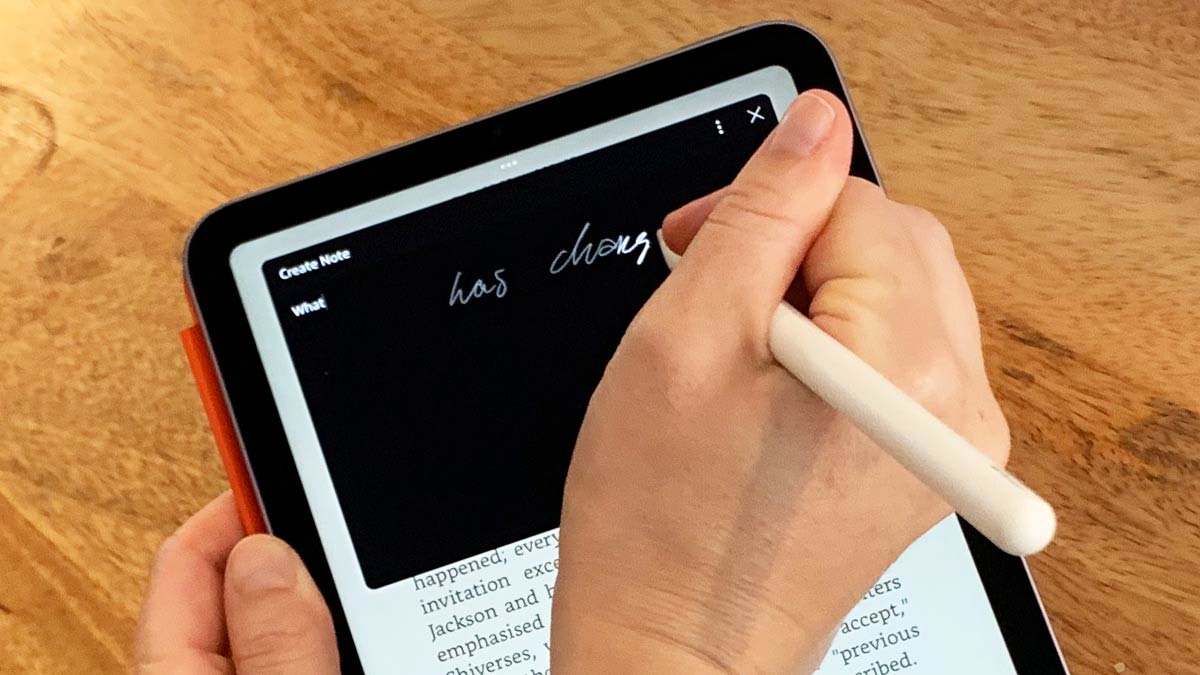
A pressure-sensitive pen helps vary line weight, but software support often matters more for schoolwork. Look for handwriting conversion, equation recognition, PDF annotation, palm rejection, and an app that saves notes reliably. Samsung's Handwriting Assist and Math Solver are unusually useful, while Lenovo includes several study applications.
A good note-taking tablet should reduce the work after class, not merely copy the feel of a pen.
Display size and surface
An 11-inch screen is easier to carry, but a 12.1-inch or larger display gives notes and reference material more breathing room. Paper-like LCD screens reduce reflections while preserving normal Android speed. E Ink is calmer for reading, yet its slower refresh makes animated apps and rapid scrolling less comfortable.
Resolution and refresh rate
Sharp resolution keeps small textbook text and diagrams legible. A 2.4K or 2.5K LCD is well suited to documents, while refresh rates around 90Hz make scrolling and pen movement feel more immediate. BOOX's 300 pixels per inch black and white resolution is excellent for text, but its color resolution is lower by design.
Memory and storage
Memory affects how many apps and browser tabs remain comfortable when you switch between notes and research. The Lenovo Idea Tab 4GB is adequate for simpler use, while the 8GB models offer more breathing room. Storage matters for downloaded PDFs, recordings, and reference books. Expandable storage, available on the Samsung Galaxy Tab S10 Lite and BOOX Note Air 5 C, can be useful for long-term libraries.
Battery and portability
A light tablet is easier to carry, but a large battery can add weight. The Lenovo Idea Tab Plus is a strong compromise at 1.17 pounds, while the TCL NXTPAPER 14 prioritizes endurance and screen size at 1.67 pounds. Check the charging arrangement too, since the TCL listing says its charger is not included.
Frequently asked questions
Is an LCD or E Ink tablet better for handwritten notes?
LCD tablets are better for fast scrolling, web research, video, and regular Android applications. E Ink is more comfortable for readers who want a calmer screen and fewer visual distractions, but the slower refresh can make general tablet use feel less fluid.
Do these tablets include a pen?
The Lenovo Idea Tab models, Lenovo Idea Tab Plus, Lenovo Idea Tab Pro, XPPen Magic Note Pad, TCL NXTPAPER 14, BOOX Note Air 5 C, and Samsung models list pen support or a bundled pen. Check the individual listing before ordering because bundle contents can change.
Is 4GB of memory enough for note taking?
It can be enough for handwriting, reading, and a small number of everyday apps. Students who switch frequently between notes, browsers, PDFs, and video calls should prefer 6GB or 8GB of memory for more comfortable multitasking.
Can these tablets convert handwriting to text?
The XPPen Magic Note Pad supports handwriting conversion through XPPen Notes and MyScript Notes after the stated system update. Samsung's Galaxy Tab S10 FE includes Handwriting Assist, which can tidy handwritten notes, and Math Solver can convert written equations.
Which tablet is easiest to carry to class?
The Lenovo Idea Tab and Lenovo Idea Tab 8GB each weigh 1.05 pounds. The XPPen Magic Note Pad is also light at 495 grams, while the Lenovo Idea Tab Plus weighs 1.17 pounds and offers a larger 12.1-inch screen.
Can I annotate PDFs on these tablets?
The XPPen Magic Note Pad explicitly supports importing and editing PDF files. The BOOX Note Air 5 C supports PDF documents and third-party Android apps, while the other Android tablets can use compatible PDF applications from Google Play.
The bottom line
The Best tablet for note taking in this group is the Lenovo Idea Tab Pro. Its 12.7-inch 3K display, included pen, powerful Dimensity 8300 processor, reading modes, and large writing area make it the most capable choice for students who want one tablet for notes, documents, video, and multitasking.
Choose the Samsung Galaxy Tab S10 FE if handwriting cleanup, equation recognition, water resistance, and Galaxy integration matter more than maximum screen area. For a lighter large-screen option, the Lenovo Idea Tab Plus is the easier companion to carry every day.
If you are undecided, choose the Lenovo Idea Tab Pro for the most complete study setup, or the BOOX Note Air 5 C if focused reading matters more than Android speed.
As an Amazon Associate we earn from qualifying purchases.