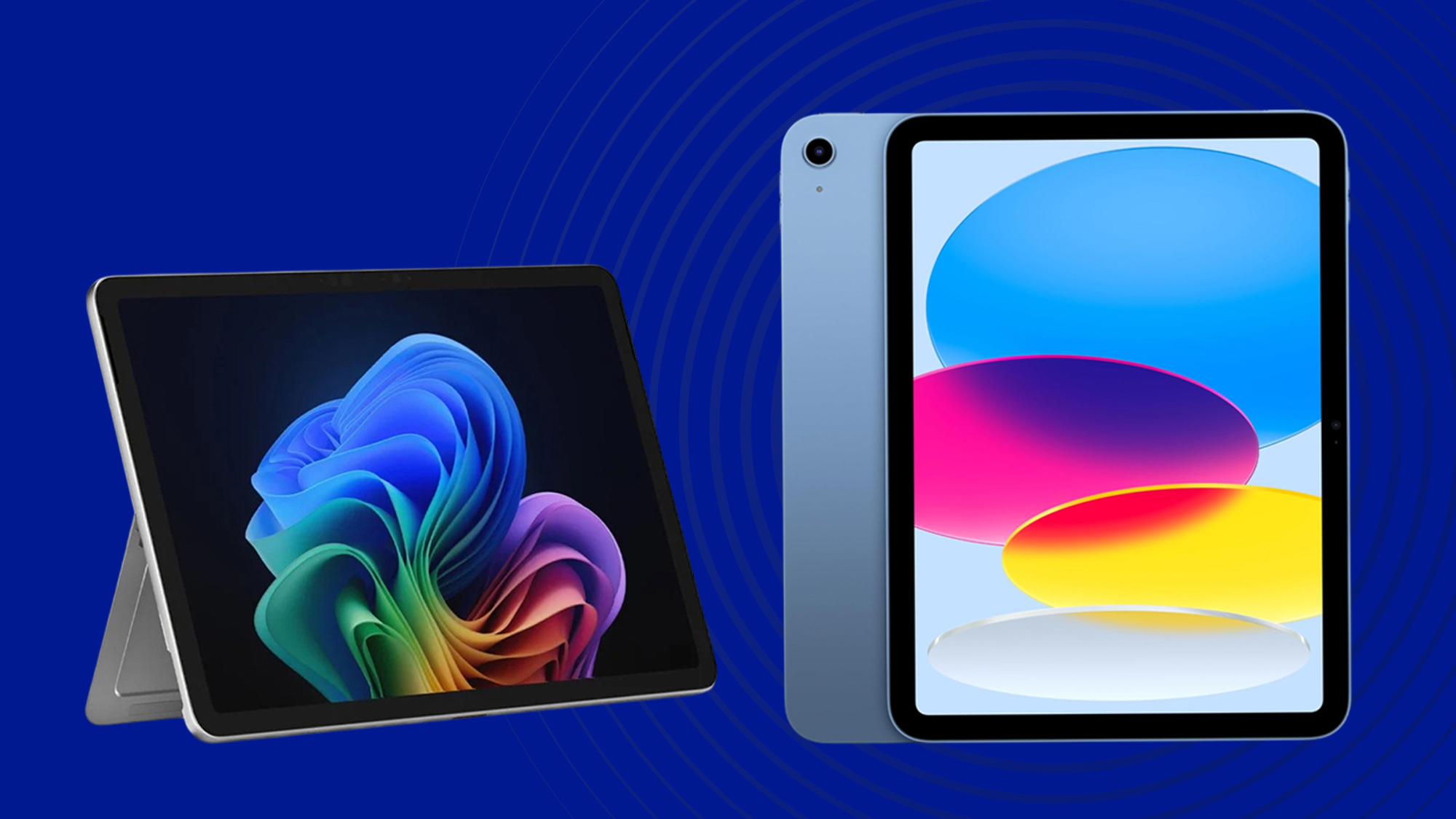

A tablet can be a surprisingly awkward work computer when the screen is cramped, the keyboard is an afterthought, or multitasking slows to a crawl. The right model should make documents, email, video calls, notes, and research feel natural without turning every task into a compromise.
Our Best tablet for work picks range from compact Android models to full-size tablets with pen support, expandable storage, and stronger multitasking hardware. We looked closely at display quality, processor, memory, battery claims, software features, and what comes in the box.
The Lenovo Idea Tab 8GB is our top pick, with the Apple iPad 11-inch, Samsung Galaxy Tab S10 Lite, and Lenovo Idea Tab Plus covering more specialized needs.
Comparison table
| # | Product | Award | Display | Memory and storage | Best for |
|---|---|---|---|---|---|
| 1 | Lenovo Idea Tab 8GB | Best overall | 11-inch 2.5K IPS, 90Hz | 8GB, 256GB | Students and mobile professionals |
| 2 | Lenovo Idea Tab 4GB | Best for note taking | 11-inch 2.5K IPS, 90Hz | 4GB, 128GB | Handwritten notes and everyday work |
| 3 | Lenovo Idea Tab Plus | Best large-screen Android tablet | 12.1-inch 2.5K IPS, 90Hz | 8GB, 128GB | Split-screen work |
| 4 | Evermyth Android 16 Tablet | Best connectivity features | 10-inch HD IPS, 1280 x 800 | 3GB physical, 64GB | Light work and browsing |
| 5 | Samsung Galaxy Tab A11+ | Best for Samsung users | 11-inch, up to 90Hz | 8GB, 256GB | General office and entertainment |
| 6 | Lenovo Tab One | Best compact tablet | 8.7-inch HD, 60Hz | 4GB, 64GB | Travel and quick tasks |
| 7 | TABWEE T90 | Best bundled work setup | 11-inch FHD IPS, 1920 x 1200 | 8GB physical, 128GB | Keyboard-based Android work |
| 8 | Samsung Galaxy Tab S10 Lite | Best for pen input | 10.9-inch LCD | 6GB, 128GB | Notes, sketches, and Galaxy users |
| 9 | Apple iPad 11-inch | Best for iPadOS | 11-inch Liquid Retina | 128GB | Apple-centered workflows |
1. Lenovo Idea Tab 8GB: Best Overall

Pros
- Sharp 2.5K screen with smooth 90Hz motion
- 8GB memory and 256GB storage
- Tab Pen and folio case included
- Quad Dolby Atmos-tuned speakers
- Useful note-taking and calculation apps
Cons
- Android is less desktop-like than iPadOS
- The larger body is less compact than the Lenovo Tab One
- The included pen may not replace a dedicated professional stylus
Best for: students and professionals who want a capable Android tablet with room for files and notes.
The Lenovo Idea Tab 8GB gets the important things right before adding the extras. It has enough screen area for a document beside a browser window, a sharp panel that keeps small text readable, and a folio case that makes desk or lap use easier. The included Tab Pen also gives it a more natural role in meetings, classes, and annotation than a tablet that is limited to finger input.
Its 11-inch 2.5K IPS touchscreen runs at 90Hz. That refresh rate makes scrolling through long webpages and moving around documents feel more fluid than a conventional 60Hz display, while the higher resolution gives spreadsheets, PDFs, and fine interface text a cleaner appearance. Lenovo also lists 72% NTSC color coverage, TÜV Rheinland Low Blue Light hardware solutions, and quad speakers tuned for Dolby Atmos. Those features make it well suited to a workday that includes both reading and video calls, although the data does not specify a front-camera resolution.
The MediaTek Dimensity 6300 is paired with 8GB of memory and 256GB of storage. That combination gives this version a meaningful advantage over the Lenovo Idea Tab 4GB when several apps and larger work files are open. Lenovo includes AI Note, Squid, Nebo, and MyScript Calculator, so handwritten notes and calculations are not dependent on finding separate tools immediately. Circle to Search can also turn a selected image or phrase into a quick research step without leaving the current app.
Battery life is listed at up to 12 hours of YouTube streaming, with a 20W charger for top-ups. The tablet weighs 1.05 pounds and measures 10.02 by 6.54 by 0.28 inches, which is portable enough for a backpack but not especially small. Its real weakness is that Android tablet multitasking and accessory support do not have the same consistency as Apple's platform. Choose the Apple iPad 11-inch if your work already revolves around iPadOS apps, but choose this Lenovo if pen, case, storage, and Android flexibility matter more.
2. Lenovo Idea Tab 4GB: Best for Note Taking

Pros
- Same sharp 2.5K, 90Hz display as the larger-memory version
- Tab Pen and folio case included
- Four useful learning and note apps
- Dolby Atmos-tuned quad speakers
- Lightweight 1.05-pound design
Cons
- 4GB memory leaves less room for heavy multitasking
- 128GB storage is less generous than the 8GB model
- Android app behavior can vary between productivity tools
Best for: handwritten notes, reading, and straightforward school or office tasks.
The Lenovo Idea Tab 4GB is not a lesser screen in a smaller package. It has the same 11-inch 2.5K IPS touchscreen, 90Hz refresh rate, 72% NTSC color coverage, and low-blue-light hardware approach as the 8GB model above. That makes it particularly appealing to someone who cares more about writing and reading comfort than keeping a large number of apps active at once.
The included Tab Pen gives the tablet a clear work identity. Lenovo positions Circle to Search for selecting items with a pen or fingertip, and the tablet comes with Lenovo AI Note, Squid, Nebo, and MyScript Calculator. Those tools cover a useful range of tasks, from marking up material to organizing handwritten ideas and solving calculations. The folio case should also help when the tablet is used propped up for a reference document or online lesson.
The MediaTek Dimensity 6300 provides the same processor platform as the Lenovo Idea Tab 8GB, but this configuration has 4GB of memory and 128GB of storage. It should handle email, browsing, note taking, and document work comfortably, yet the difference becomes more apparent when switching between demanding apps or keeping many browser tabs open. The 128GB capacity is workable for documents and cloud-centered workflows, but people who store videos, large PDFs, and offline course material should move up to the 256GB version.
Lenovo lists up to 12 hours of YouTube streaming and a 20W charger. At 1.05 pounds and 0.28 inches thick, it has the same practical portability as its sibling. Its weakness is not the display or bundled pen, but the lower memory ceiling. If your day is mostly notes, PDFs, and communication, this is the smarter fit. If you regularly jump between research, video meetings, spreadsheets, and creative apps, the Lenovo Idea Tab 8GB is the safer choice.
The screen and pen pairing also make this model worth considering for readers comparing ways to organize handwritten notes on a tablet, especially if a folio case matters as much as the writing surface.
3. Lenovo Idea Tab Plus: Best Large-Screen Android Tablet
Pros
- Spacious 12.1-inch 2.5K display
- 90Hz refresh rate and up to 800 nits brightness
- 8GB memory and MediaTek Dimensity 6400
- Tab Pen and folio case included
- Up to 13 hours of YouTube streaming
Cons
- Heavier than the 11-inch Lenovo Idea Tab models
- Storage is limited to 128GB
- Large screen makes one-handed use less comfortable
Best for: split-screen documents, research, and people who want more workspace from Android.
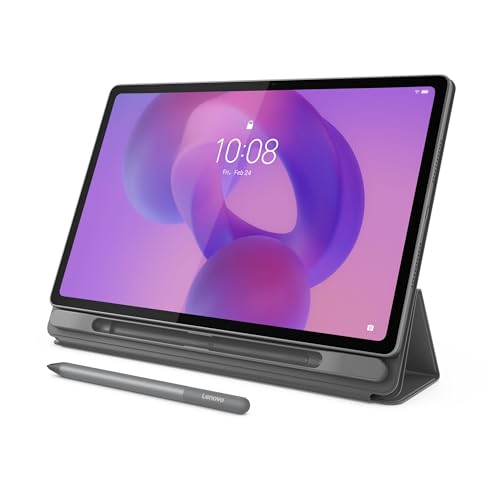
The Lenovo Idea Tab Plus is the one to choose when an 11-inch tablet feels slightly too cramped. Its 12.1-inch display gives documents, timelines, and side-by-side apps more breathing room without moving into the unwieldy size of a conventional laptop. The included pen and folio case make it immediately useful for marking up work, though the larger surface is best used on a desk or supported in a case.
This is a 2.5K IPS touchscreen with a 90Hz refresh rate and brightness rated up to 800 nits. That brightness figure should help in rooms with strong ambient light, while the resolution keeps text and diagrams crisp across the larger panel. Lenovo also cites TÜV Rheinland Low Blue Light certification and quad Dolby Atmos-tuned speakers. For a work tablet that doubles as a streaming screen, those are more meaningful additions than decorative software features.
The MediaTek Dimensity 6400 and 8GB of memory give the Plus a stronger foundation than the 4GB Lenovo Idea Tab. Its 128GB storage is less generous than the 256GB found in the top Idea Tab, however, so the larger display does not automatically make this the better file-heavy machine. Lenovo's note-taking apps, Circle to Search, and device-to-device file sharing are useful for a mixed workflow, particularly for anyone who moves between a phone, tablet, and computer.
The tablet weighs 1.17 pounds and measures 10.98 by 7.13 by 0.25 inches. That is still light for its screen size, but it is noticeably less convenient to hold for long reading sessions than the Lenovo Tab One. Battery life is listed at up to 13 hours of YouTube streaming, with quick charging mentioned but no charging time specified. Pick the Idea Tab Plus over the smaller models when workspace is the priority. Skip it if your work is mostly quick replies, travel reading, or handheld use.
4. Evermyth Android 16 Tablet: Best Connectivity Features

Pros
- Wi-Fi 6 and Bluetooth 5.4
- Android 16 with Google Play access
- Expandable storage up to 1TB
- USB-C charging
- Low-blue-light HD IPS display
Cons
- 1280 x 800 resolution is modest for an office screen
- Only 3GB of the listed memory is physical
- Mixed-use battery claim is up to 8 hours
Best for: browsing, email, video calls, and light document work with modern wireless accessories.
The Evermyth Android 16 Tablet is built around everyday utility rather than a premium display. Its 10-inch size is easy to place beside a notebook or carry between rooms, and the Google Mobile Services certification means the Play Store is available for installing common work and communication apps. For a tablet that spends much of its time on email, web research, forms, and video calls, that straightforward approach makes sense.
The 10-inch HD IPS screen has a 1280 x 800 resolution and low-blue-light technology. That is sufficient for browsing and video, but it gives less room and less fine detail to spreadsheets or dense PDF pages than the 2.5K panels on the Lenovo Idea Tab 8GB and Lenovo Idea Tab Plus. The listed 5MP front and 8MP rear cameras cover video calls, document capture, and casual photography. The specification does not identify a keyboard or pen in the package, so this is better viewed as a touch-first tablet.
The memory claim needs careful interpretation. Evermyth lists 24GB of RAM, made up of 3GB physical memory and 21GB of virtual memory, alongside 64GB of internal storage. It supports up to 1TB through a TF card, though the card is not included. Virtual memory can help with app management, but it does not provide the same performance as physical RAM when demanding work apps are open together. The five-core processor reaches up to 1.8GHz, according to the listing.
Wi-Fi 6 and Bluetooth 5.4 are the standout connectivity features, with dual-band 5GHz and 2.4GHz support. The 6000mAh battery is listed for up to three days of standby and up to eight hours of mixed use. That is a more cautious workday claim than Lenovo's streaming figure, so frequent video meetings may require a charger nearby. Choose this Evermyth for wireless flexibility and basic tasks. Skip it if you need a high-resolution display, extensive multitasking, or a pen-centered workflow.
5. Samsung Galaxy Tab A11+: Best for Samsung Users

Pros
- 8GB memory and 256GB storage
- 11-inch display with up to 90Hz refresh rate
- AI Assist features
- Quad Dolby Atmos speakers
- Slim 1.05-pound body
Cons
- Processor model is not specified in the listing
- No pen or keyboard is listed as included
- Samsung software may be more useful inside a Galaxy ecosystem
Best for: people already using Samsung phones, services, and connected Galaxy devices.
The Samsung Galaxy Tab A11+ is a sensible general-purpose work tablet, especially for someone already invested in Samsung's ecosystem. It has the familiar 11-inch form factor, enough storage for substantial offline material, and a design that weighs 1.05 pounds. That balance works for desk tasks, casual meetings, reading, and entertainment without making the tablet feel like a small laptop substitute.
Samsung lists an 11-inch screen with a refresh rate up to 90Hz. The higher refresh rate should make scrolling through web pages and long documents feel smoother, though the listing does not provide the panel resolution or brightness. That missing display detail matters when comparing it with the Lenovo Idea Tab 8GB, whose 2.5K resolution and 72% NTSC coverage are clearly specified. The A11+ counters with quad speakers powered by Dolby Atmos, which is useful for calls, presentations, and media.
The configuration reviewed here has 8GB of memory and 256GB of storage. That gives it a more comfortable file and multitasking position than the Lenovo Idea Tab 4GB and the Lenovo Tab One. Samsung also highlights AI Assist and an upgraded chipset, but the exact processor model is not provided. Battery life is described as long lasting, with fast charging, yet Samsung does not give a specific usage duration in the supplied details.
The main limitation is the lack of bundled writing and typing accessories. If you want to annotate documents immediately, the Lenovo Idea Tab models are more complete because they include a Tab Pen and folio case. If you want a tablet that fits neatly alongside other Galaxy devices and handles ordinary office apps, the A11+ is a more natural choice. It is also a strong option for households where work, streaming, and shared everyday use all matter.
6. Lenovo Tab One: Best Compact Tablet

Pros
- Compact 8.7-inch design
- Weighs 0.704 pounds
- Folio case included
- Up to 12.5 hours of YouTube streaming
- Android 14 and two years of security patches
Cons
- Small HD screen is not ideal for large spreadsheets
- 4GB memory and 64GB storage limit heavier work
- 60Hz refresh rate is less fluid than the Lenovo Idea Tab models
Best for: travel, reading, quick email, and simple work away from a desk.
The Lenovo Tab One is the rare tablet here that genuinely prioritizes one-handed portability. It weighs 0.704 pounds and measures 8.31 by 4.91 by 0.33 inches, so it slips into a small bag more easily than the 11-inch models. That makes it a practical companion for reading messages, checking calendars, reviewing short documents, and handling quick browser tasks while traveling.
Its 8.7-inch HD display has 480 nits of brightness and a 60Hz refresh rate. The screen is bright enough for ordinary indoor use and the compact size makes text manageable when the tablet is held close, but it is not the right canvas for extensive spreadsheet work or a full day of document editing. The dual Dolby Atmos speakers are a welcome touch for calls and video, while the included folio case provides protection and a built-in stand.
The MediaTek Helio G85 processor is paired with 4GB of memory and 64GB of storage. Those specifications place the Tab One behind the Samsung Galaxy Tab A11+ and Apple iPad 11-inch for demanding multitasking, but they are appropriate for a focused set of lighter tasks. Lenovo lists up to 12.5 hours of YouTube streaming, a 15W charging improvement over previous models, and Android 14 with two years of security patches.
This tablet's weakness is the same feature that makes it portable: the small screen. It is also limited to a 60Hz refresh rate, so scrolling does not feel as fluid as on the 90Hz Lenovo Idea Tab models. The compact design makes it a better fit than the larger tablets for readers who value easy carrying, and choosing a screen that stays comfortable for long reading sessions can help settle that decision. Pick the Tab One for mobility, not as your main workstation.
7. TABWEE T90: Best Bundled Work Setup

Pros
- Keyboard, mouse, and stylus included
- 11-inch FHD laminated IPS display
- 128GB storage with support for up to 2TB expansion
- 8000mAh battery
- 13MP rear camera with Google Lens
Cons
- 380-nit display is aimed at indoor use
- Listed 24GB memory includes 16GB virtual expansion
- Bluetooth specification is 5.0 rather than the newer 5.4 on Evermyth
Best for: buyers who want an Android tablet setup that can start as a small workstation.
The TABWEE T90 is unusual in this group because it presents itself as a complete work kit. The package includes a keyboard, mouse, and stylus, giving the tablet a more laptop-like starting point than models that require separate accessories. That is useful for email, document editing, online classes, and basic office work, although a small Android keyboard setup still cannot replace a full desktop environment for specialist applications.
Its 11-inch FHD IPS screen has a 1920 x 1200 resolution, a fully laminated TDDI panel, an 84.9% screen-to-body ratio, and 380 nits of brightness. The laminated construction should make touch interaction feel more direct by reducing the apparent gap between glass and display. Widevine L1 support is included for compatible high-definition streaming services, while dual speakers handle calls and video. The screen is best suited to indoor work because the brightness rating is modest beside the Lenovo Idea Tab Plus, which is listed at up to 800 nits.
The Unisoc T615 octa-core processor supports everyday browsing, video calls, reading, email, and document editing. TABWEE lists up to 24GB of memory, but that consists of 8GB built-in memory and 16GB of virtual expansion. Internal storage is 128GB, with a TF card slot supporting up to 2TB. The 8000mAh battery is listed for up to 11 hours of video playback, eight hours of daily entertainment, or 40 hours of music.
The T90 also has a 13MP rear camera with Google Lens, a 5MP front camera, dual-band 5G Wi-Fi, Bluetooth 5.0, GPS, and support for several satellite positioning systems. The 0.7-pound body is notably light for an 11-inch tablet. Its principal weakness is that the keyboard and Android software still have limits for serious spreadsheet or desktop-class workflows. Choose it over the Evermyth when the bundled accessories matter, and choose the Lenovo Idea Tab 8GB when the sharper 2.5K screen and included pen experience are more important.
The stylus and bundled keyboard make it relevant to readers comparing how visual ideas and written notes fit together, though its hardware is better suited to casual creative work than demanding professional illustration.
8. Samsung Galaxy Tab S10 Lite: Best for Pen Input

Pros
- S Pen included for notes and sketches
- Exynos 1380 processor
- Battery listed for up to 16 hours
- Expandable storage up to 2TB
- Circle to Search and AI features
Cons
- 6GB memory is less generous than the top Lenovo and Samsung A11+ models
- Keyboard is optional
- Display refresh rate and resolution are not specified
Best for: Galaxy users who want a tablet centered on handwriting, sketches, and connected devices.
The Samsung Galaxy Tab S10 Lite is the specialist pick for pen-led work. Samsung includes an S Pen and builds several software features around it, including note cleanup, Circle to Search, and equation assistance. That makes it a more natural digital notebook than the Samsung Galaxy Tab A11+, which has a comparable general-purpose role but no included pen in the supplied details.
The 10.9-inch LCD display is large enough for notes, articles, and split-screen work, while Vision Booster is designed to adjust brightness for the surrounding environment. Samsung does not specify the panel resolution or refresh rate, so the screen is harder to compare directly with the Lenovo Idea Tab models. The display should be comfortable for ordinary office work, but buyers who care about motion smoothness or pixel density should pay attention to those missing specifications.
Underneath, the Exynos 1380 processor is paired with 6GB of memory and 128GB of storage. Samsung says the tablet can expand storage by up to 2TB with a microSD card. That is useful for keeping reference files, recordings, and offline media available without relying entirely on cloud storage. The S10 Lite also supports Samsung's connected-device features, including continuing notes between Galaxy devices and controlling compatible smart-home equipment.
Samsung lists battery life of up to 16 hours and a full charge in about two hours with Super Fast Charging. The tablet weighs 1.16 pounds and measures 10.01 by 6.53 by 0.26 inches, making it slightly heavier than the Lenovo Idea Tab 8GB. The main drawback is that the keyboard is not listed as included, so typing-heavy users need to plan around an extra accessory. Choose the S10 Lite for pen input and Galaxy integration. Choose the Apple iPad 11-inch for a broader tablet app ecosystem and a more established accessory range.
9. Apple iPad 11-inch: Best for iPadOS

Pros
- Fast A16 chip
- 11-inch Liquid Retina display with True Tone
- Wi-Fi 6
- Touch ID
- Strong camera and document-scanning features
Cons
- Keyboard and Apple Pencil are optional accessories
- 128GB storage may feel restrictive for large local libraries
- iPadOS handles some desktop workflows differently from macOS
Best for: people already using Apple devices or relying on iPadOS productivity apps.
The Apple iPad 11-inch remains the easiest recommendation for people who want a polished tablet operating system and a broad selection of dedicated apps. The A16 chip gives it substantial headroom for office apps, browsing, photo work, video calls, and multitasking. It also benefits from the consistency of iPadOS, particularly when moving between apps, using external accessories, and continuing work across Apple devices.
The 11-inch Liquid Retina display supports True Tone, which adjusts the color temperature to the room. That can make long reading and document sessions more comfortable, although Apple does not specify a refresh rate in the supplied details. Wi-Fi 6 supports fast file access and downloads, and the 128GB configuration provides a clear starting point for apps and documents. People who keep large video libraries or many offline projects should consider their storage needs carefully.
The cameras are more useful for work than their presence on a specification sheet might suggest. The 12MP Center Stage front camera is designed to keep a participant positioned during video calls, while the 12MP rear camera supports document scanning, photos, and 4K video. Touch ID is built into the top button for unlocking, app sign-in, and Apple Pay. iPadOS can run multiple apps at once and supports Apple Pencil writing in text fields through Scribble.
Apple lists all-day battery life, but does not provide a specific duration in the supplied information. The tablet weighs about 1.05 pounds and measures 9.79 by 7.07 by 0.28 inches. Its most important weakness is that the work setup becomes less simple when a keyboard or Pencil is needed, because those accessories are not listed as included. Pick the iPad over the Lenovo Idea Tab 8GB when app polish, Apple integration, and A16 performance come first. Pick Lenovo when the box contents and Android flexibility matter more.
How to choose best tablet for work
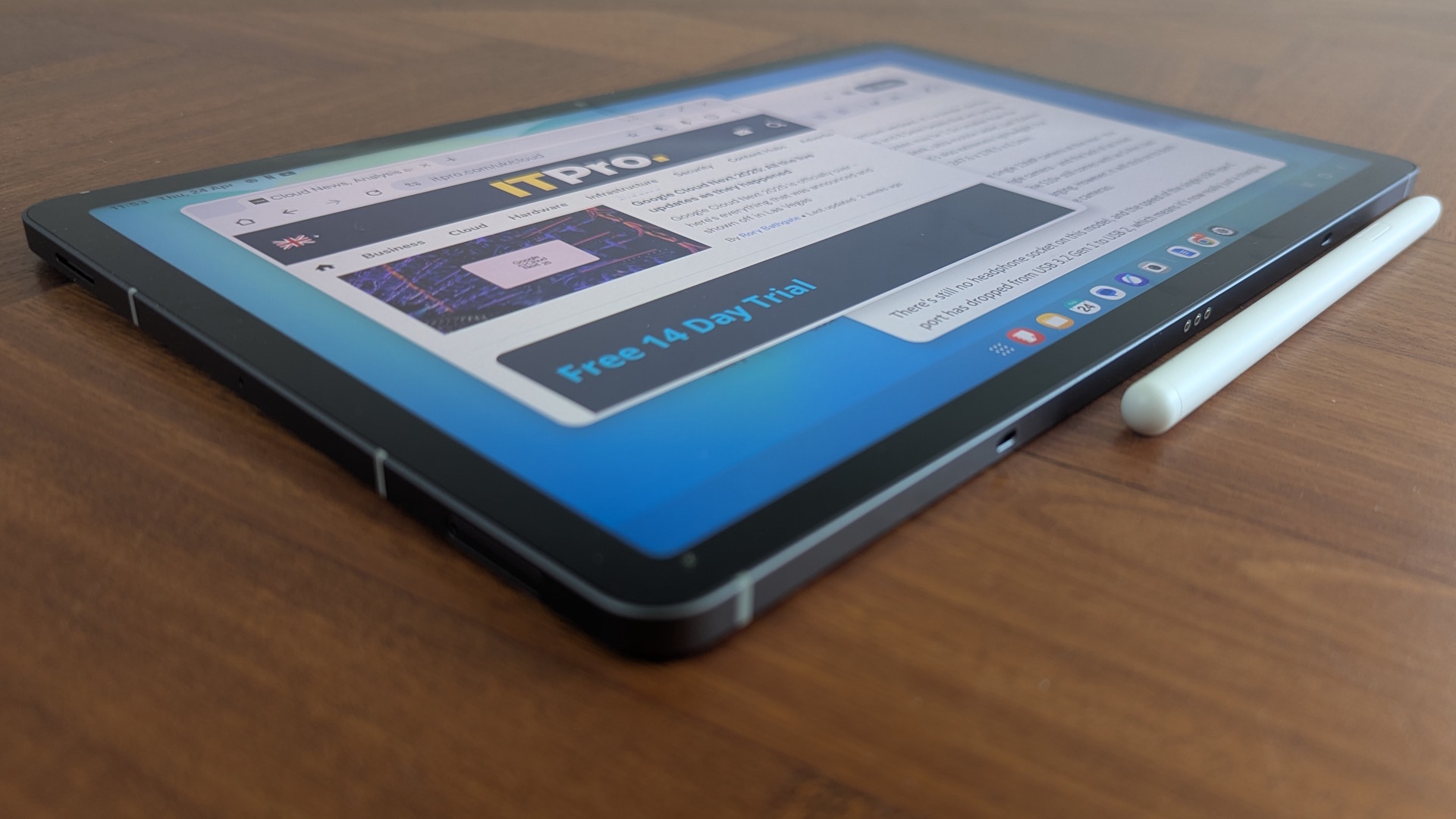
The right work tablet depends less on a single headline specification than on how you handle documents, meetings, notes, and accessories throughout a normal day.
Display size and resolution
An 11-inch screen is a useful middle ground for email, documents, video meetings, and split-screen apps. The 12.1-inch Lenovo Idea Tab Plus gives more room for side-by-side work, while the 8.7-inch Lenovo Tab One is easier to hold but less suitable for large spreadsheets. Resolution matters when reading dense PDFs or small text. The 2.5K Lenovo models should look cleaner than the 1280 x 800 Evermyth display.
Memory and storage
Physical memory affects how comfortably a tablet keeps several apps available. The Lenovo Idea Tab 8GB, Samsung Galaxy Tab A11+, and Apple iPad 11-inch are better starting points for regular multitasking than 4GB models. Be careful with unusually large memory claims: Evermyth's 24GB figure includes 21GB of virtual memory, and TABWEE's 24GB figure includes 16GB of virtual expansion. Storage determines how many documents, videos, apps, and offline files you can keep locally.
Processor and operating system
The processor influences app launches, switching, editing, and long-term responsiveness. The Apple iPad uses an A16 chip, the Samsung Galaxy Tab S10 Lite uses an Exynos 1380, and the Lenovo Idea Tab models use MediaTek Dimensity processors. Operating system fit matters just as much. iPadOS is a strong choice for Apple users and dedicated tablet apps, while Android offers broad device compatibility and familiar Google services.
For work, a tablet is only as useful as the files, keyboard, and apps you can reach without friction.
Pen and keyboard support
Handwritten notes, signatures, diagrams, and document markup favor a tablet with a pen included or clearly supported. Lenovo bundles a Tab Pen with both Idea Tab models, Samsung includes an S Pen with the Galaxy Tab S10 Lite, and TABWEE includes a stylus, keyboard, and mouse. Apple supports Apple Pencil and Magic Keyboard Folio, but the supplied details describe them as optional accessories. If most work involves typing, check the keyboard arrangement before choosing a screen.
Battery and portability
Battery claims use different activities, so compare them cautiously. Lenovo lists YouTube streaming figures, TABWEE lists video playback and daily entertainment, and Samsung lists up to 16 hours for the S10 Lite without specifying the test activity. Weight also changes the experience. The Lenovo Tab One is the easiest to carry, while the Lenovo Idea Tab Plus gives more workspace at 1.17 pounds.

Frequently asked questions
Is a tablet suitable for regular office work?
A tablet can handle email, web applications, documents, video calls, note taking, and light spreadsheet work. It becomes less suitable when your job depends on desktop-only software, complicated spreadsheets, or many external peripherals. A keyboard and cloud storage can make a tablet much more practical.
Which tablet here is best for handwritten notes?
The Lenovo Idea Tab 8GB and Lenovo Idea Tab 4GB both include a Tab Pen and support Lenovo's note-taking apps. The Samsung Galaxy Tab S10 Lite is another strong option because it includes an S Pen and has features for note cleanup and equation assistance. The choice depends on whether you prefer Lenovo's included folio setup or Samsung's connected Galaxy features.
Is 8GB of memory enough for tablet work?
For email, browsing, documents, video calls, and moderate multitasking, 8GB is a comfortable target. The Lenovo Idea Tab 8GB and Samsung Galaxy Tab A11+ should have more breathing room than the 4GB models. Virtual memory is not a direct substitute for physical memory, so read the configuration carefully.
Can these tablets replace a laptop?
They can replace a laptop for communication, browsing, reading, note taking, and light document work. A keyboard improves typing, but tablet operating systems still handle desktop applications, file management, and specialized business software differently. The Apple iPad 11-inch, Lenovo Idea Tab Plus, and TABWEE T90 are the most suitable here for a laptop-like setup.
Which model is easiest to carry?
The Lenovo Tab One is the lightest at 0.704 pounds and has an 8.7-inch display. The TABWEE T90 weighs 0.7 pounds despite its 11-inch screen, according to the supplied product information. The smaller screen on the Tab One is easier for handheld use, while the TABWEE offers more workspace when used with its accessories.
Do any of these tablets support expandable storage?
The Evermyth Android 16 Tablet supports up to 1TB of expandable storage. TABWEE lists support for up to 2TB, and the Samsung Galaxy Tab S10 Lite also supports up to 2TB with a microSD card. The supplied details do not list expandable storage for every model, so check the specific configuration before relying on a memory card.
The bottom line
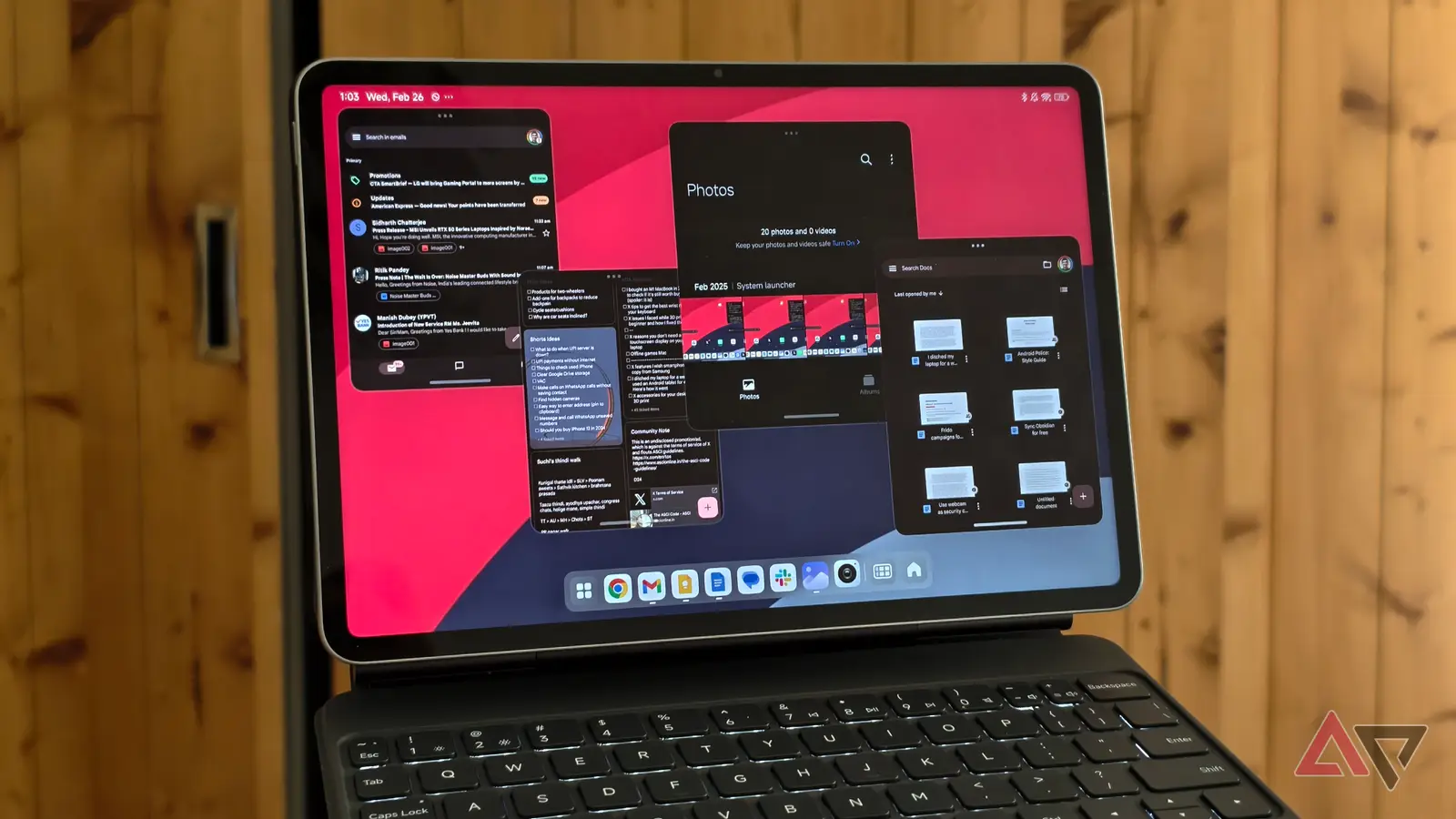
The Lenovo Idea Tab 8GB is the Best tablet for work for most people in this group. Its 11-inch 2.5K, 90Hz display, 8GB of memory, 256GB of storage, included Tab Pen, and folio case create the most complete Android work setup without forcing a choice between notes, documents, and entertainment.
Choose the Apple iPad 11-inch if you already use Apple devices or need iPadOS apps and A16 performance. The Lenovo Idea Tab Plus is the better choice for a larger split-screen workspace, while the Samsung Galaxy Tab S10 Lite makes more sense for Galaxy users who write by hand.
If you are undecided, choose the Lenovo Idea Tab 8GB unless portability, iPadOS, or a larger screen is your first priority.
As an Amazon Associate we earn from qualifying purchases.