

A cooler can be perfectly capable and still leave a processor running hotter than it should when the compound between the chip and heatsink has dried, spread poorly, or simply does not suit the job. The right thermal paste fills microscopic gaps without becoming a mess during installation.
Our Best thermal paste for CPU picks range from dependable everyday compounds to dense formulas aimed at repeated thermal cycling and overclocking. The ARCTIC MX-4 4g is the one we'd choose for most desktop upgrades, while the rest cover newer formulas, cleaning bundles, and more specialized use.
Comparison table
| # | Product | Award | Quantity | Electrical safety | Application | Best for |
|---|---|---|---|---|---|---|
| 1 | ARCTIC MX-4 4g | Best overall | 4 g | Non-conductive | Easy consistency | Most CPU upgrades |
| 2 | ARCTIC MX-7 8g | Best for long-term stability | 8 g | Non-conductive and non-capacitive | Pressure-spread | Repeated thermal cycling |
| 3 | Thermal Grizzly Kryonaut 1g | Best for overclocking | 1 g | Not stated | Spatula-assisted | Demanding builds |
| 4 | ARCTIC MX-6 8g | Best high-capacity formula | 8 g | Non-conductive and non-capacitive | Viscous consistency | CPUs, GPUs, and consoles |
| 5 | ARCTIC MX-7 4g Cleaner | Best MX-7 starter kit | 4 g | Non-conductive and non-capacitive | Pressure-spread | A clean first application |
| 6 | ARCTIC MX-6 4g Cleaner | Best MX-6 kit | 4 g | Non-conductive and non-capacitive | Viscous consistency | Small repairs |
| 7 | Thermal Grizzly Kryonaut Wipes | Best complete prep bundle | 1 g | Not stated | Spatula-assisted | Paste replacement with cleanup |
| 8 | ARCTIC MX-4 Spatula | Best for manual spreading | 4 g | Non-conductive | Includes spatula | Hands-on application |
| 9 | Noctua NT-H2 3.5g | Best for multiple applications | 3.5 g | Not stated | No pre-spreading needed | Air and liquid coolers |
| 10 | BSFF Thermal Paste 1.8g | Best compact kit | 1.8 g | Non-conductive | Beginner-friendly | Occasional repairs |
1. ARCTIC MX-4 4g: Best Overall

Pros
- Easy consistency for straightforward application
- Carbon microparticle formula
- Non-metal and non-conductive
- Rated for at least eight years after application
Cons
- No cleaning material included
- Not the newest compound in the ARCTIC range
Best for: most desktop builders who want a proven, forgiving compound.
The first thing to know about ARCTIC MX-4 4g is that it removes much of the uncertainty from a CPU repaste. Its consistency is designed to be easy to use, so a first-time builder does not have to fight a stiff syringe or wonder whether the compound will move correctly under cooler pressure. That makes it a sensible default for a desktop processor, graphics card, or similar chip.
The 4 g syringe uses carbon microparticles to help transfer heat from the CPU or GPU into the heatsink. ARCTIC also specifies that the compound is metal-free and electrically non-conductive. Those details matter during installation because a small excess around the processor is less alarming than it would be with a conductive liquid-metal product.
Longevity is a major reason this remains our top pick. ARCTIC says MX-4 can last at least eight years after application, which is far longer than many users keep the same cooler. It is also a useful choice for anyone who does not want to reopen a system after every few years simply because the compound has become a concern. If the surrounding cooler is inadequate, though, paste alone cannot solve the problem. A look at how a cooler moves heat away from the processor is the logical next step when temperatures stay high.
Compared with ARCTIC MX-6 8g, MX-4 is the less specialized option. MX-6 claims lower thermal resistance and has a thicker, more versatile composition, but MX-4 is easier to approach and still covers ordinary CPU work extremely well. The missing cleaner and spatula are its only practical annoyances. Choose it when you want a dependable paste that behaves predictably rather than a formula built around aggressive tuning.
2. ARCTIC MX-7 8g: Best for Long-Term Stability

Pros
- Dense, highly viscous composition
- Designed to resist pump-out and dry-out
- Pressure spreads the compound naturally
- Non-conductive and non-capacitive
- 8 g quantity for repeated applications
Cons
- Cannot be manually spread by design
- Thick consistency may feel unfamiliar
Best for: builders who want a durable compound for repeated heat cycles.
ARCTIC MX-7 8g takes a different approach from the easy-spreading MX-4. It is dense and highly viscous, and ARCTIC specifically says it is not intended to be spread manually. Instead, the cooler's mounting pressure distributes it into a thin bond line. That is a useful design for people who prefer to apply a measured amount and let the hardware do the work.
The formula's high filler content is intended to improve heat transfer, but its more interesting trait is mechanical stability. ARCTIC says high cohesion helps prevent pump-out, dry-out, and bleeding during repeated thermal cycles. That matters in a desktop that moves from idle to heavy loads every day, especially when the cooler repeatedly expands and contracts with temperature changes.
It is also safe across a broad range of hardware. MX-7 is non-conductive and non-capacitive, and ARCTIC lists CPUs, GPUs, laptops, and consoles among its intended uses. The 8 g syringe makes more sense for a repair bench or a builder who expects several applications than for someone who is replacing paste on one processor once.
The weakness is the installation technique. Someone accustomed to flattening paste with a card or spatula may find the no-spread instruction counterintuitive. ARCTIC MX-6 8g is the more flexible alternative when direct-die work is part of the plan, while ARCTIC MX-7 8g is the better fit for a conventional cooler mounted firmly on the CPU. Its long-term stability is the reason to choose it.
3. Thermal Grizzly Kryonaut 1g: Best for Overclocking

Pros
- Designed for demanding configurations
- Suitable for CPU and GPU use
- Includes a spatula for precise distribution
- Remains stable up to 80°C according to the listing
Cons
- Only 1 g in the syringe
- Spreading adds an extra installation step
Best for: enthusiasts tuning a CPU or GPU and wanting a performance-focused compound.
Thermal Grizzly Kryonaut 1g is aimed at the enthusiast who is already paying close attention to temperatures. The listing positions it for demanding configurations and overclocking, and its included spatula makes the application more deliberate than the drop-and-mount approach used by some competitors. That control can be useful when the contact area is small or the user wants to see exactly how the compound is distributed.
The syringe contains 1 g, so this is not the paste to keep on hand for a row of office-PC repairs. It is better treated as a focused application for a CPU, GPU, console processor, or another demanding chip. Thermal Grizzly says the compound is designed not to dry out even at 80°C, a detail that speaks directly to sustained heat rather than a brief temperature spike.
Kryonaut is the most performance-oriented choice near the top of this list. ARCTIC MX-4 4g is easier for ordinary maintenance, and Noctua NT-H2 3.5g is more convenient when several applications are likely. Kryonaut earns its place ahead of both when the system is being tuned and the user is prepared to spend more attention on placement.
Its limitation is not a flaw in the compound so much as a mismatch for casual work. The 1 g quantity leaves little room for waste, and the spatula means there is more technique involved than with MX-7. Readers building a standard, locked system should probably choose MX-4 instead. For a processor running near its thermal limits, however, Kryonaut is the specialist pick.
4. ARCTIC MX-6 8g: Best High-Capacity Formula

Pros
- Lower thermal resistance than MX-4 according to ARCTIC
- Viscous formula suits direct-die cooling
- Non-conductive and non-capacitive
- Designed for CPUs, GPUs, and consoles
- 8 g quantity
Cons
- No cleaner included
- Viscosity may require more care during application
Best for: frequent builders working across CPUs, GPUs, and console processors.
ARCTIC MX-6 8g is the workbench option in this group. The generous syringe is useful when one tube may be used across several upgrades, and the compound is designed for more than a single desktop CPU. ARCTIC lists graphics cards, laptops, and consoles as well as processors, giving this paste a wider role than a basic one-system purchase.
The technical distinction from MX-4 is lower thermal resistance. ARCTIC describes MX-6 as offering a measurable improvement over MX-4, while its viscosity supports direct-die cooling on graphics cards and console processors. That thicker texture can help the paste stay where it is placed, though it also means the installer should take the mounting process seriously.
Like the other newer ARCTIC compounds here, MX-6 is neither electrically conductive nor capacitive. That makes it a reassuring choice around exposed components, particularly during a GPU or console repair where the contact area can be less forgiving than a desktop CPU heat spreader. The formula is also backed by an authenticity-check feature in the listing.
ARCTIC MX-7 8g is the closer competitor. MX-7 puts more emphasis on pressure-driven distribution and resistance to pump-out, while MX-6 offers a more versatile consistency for direct-die work. The absence of cleaning material is the main drawback. If you want one syringe for a series of repairs and already have a way to clean the old compound, MX-6 8g is the stronger fit.
5. ARCTIC MX-7 4g Cleaner: Best MX-7 Starter Kit

Pros
- Includes MX Cleaner
- Dense formula resists pump-out and dry-out
- Pressure-spread application avoids trapped air bubbles
- Non-conductive and non-capacitive
Cons
- Smaller quantity than the 8 g version
- Manual spreading is not recommended
Best for: a first repaste where clean preparation matters.
The useful difference with ARCTIC MX-7 4g Cleaner is not the compound itself. It is the inclusion of MX Cleaner, which is intended to remove old thermal material and prepare the contact surfaces before the new application. That turns a tube of paste into a more complete repair starting point.
MX-7 uses a dense, highly viscous consistency with high filler content. It is designed to distribute under cooler pressure rather than being manually spread, a method intended to create a thin bond line without trapping air bubbles. For someone replacing paste on a desktop CPU, that keeps the process simple once the old residue is gone.
The 4 g quantity is enough for individual maintenance work, while the non-conductive and non-capacitive formula is suitable for CPUs, GPUs, laptops, and consoles. ARCTIC MX-7 8g is the better choice for a builder handling several machines, but the smaller kit makes more sense when the immediate job is one system and the cleaning step has been overlooked.
The catch is that the no-spread design leaves less room for improvisation. A user who wants to manually cover every corner may prefer the ARCTIC MX-4 Spatula. Pick this kit when you want the MX-7 formula and appreciate having the surface preparation material in the same package.
6. ARCTIC MX-6 4g Cleaner: Best MX-6 Kit

Pros
- Includes six MX Cleaner pieces
- Lower thermal resistance than MX-4 according to ARCTIC
- Suitable for direct-die applications
- Non-conductive and non-capacitive
- Useful across CPU, GPU, laptop, and console repairs
Cons
- Smaller paste quantity than the 8 g version
- Viscous formula is less casual to apply
Best for: one or two careful repairs that need both paste and cleanup materials.
ARCTIC MX-6 4g Cleaner pairs the MX-6 formula with six MX Cleaner pieces. That is the practical distinction from the 8 g syringe, and it makes this version particularly useful when the old compound is still on the cooler or processor. A clean contact surface is not a glamorous feature, but it is part of getting a consistent result.
The compound itself has the same lower thermal resistance claim over MX-4 and the same non-conductive, non-capacitive construction as the larger version. Its viscosity is intended to work across ordinary CPU installations as well as direct-die cooling for graphics cards and console processors. That range makes it more flexible than a paste selected only for desktop heat spreaders.
Compared with ARCTIC MX-7 4g Cleaner, MX-6 is the more adaptable formula. MX-7 relies on mounting pressure to distribute naturally, while MX-6's viscosity is specifically presented as useful for direct-die work. The trade-off is application feel. MX-6 can demand more care than MX-4, particularly if the cooler mounting pressure is uneven.
The 4 g syringe is a sensible size for occasional repairs, but a shop or frequent builder should move to ARCTIC MX-6 8g. This kit is the better match for a single graphics card, console, or CPU service where the included cleaning materials prevent a separate preparation step.
7. Thermal Grizzly Kryonaut Wipes: Best Complete Prep Bundle

Pros
- Includes six wet and six dry cleaning wipes
- Includes a spatula
- Intended for demanding configurations
- Designed for CPU, GPU, and console use
- Paste is specified not to dry out at 80°C
Cons
- Only 1 g of paste
- Wipes are single-use preparation supplies
Best for: a careful repaste where cleaning and application tools are both needed.
Thermal Grizzly Kryonaut Wipes is the most complete installation bundle among the Kryonaut options here. It includes the 1 g syringe and a spatula, then adds six wet and six dry wipes for cleaning and degreasing the contact surface. That is a useful combination when an old cooler is being removed and there is no cleaning kit already on the bench.
The paste is aimed at demanding configurations and overclocking, with an emphasis on heat conductivity and long-term behavior. Thermal Grizzly says its specialized structure prevents drying even at 80°C. The spatula allows a deliberate application, which is helpful when the installer wants to distribute the compound across the contact area rather than relying entirely on mounting pressure.
The limitation remains the same as the standard Thermal Grizzly Kryonaut 1g: there is not much paste in the syringe. The wipes make this bundle more convenient, but they do not turn it into a multi-system supply. For repeated CPU maintenance, Noctua NT-H2 3.5g makes more sense because its listing describes roughly three to 20 applications depending on the processor size.
Choose the wipes bundle when the immediate job needs a clean surface and controlled application. Skip it if you already have suitable cleaning supplies and simply want Kryonaut. Its strength is the complete preparation process, not a larger quantity of compound.
8. ARCTIC MX-4 Spatula: Best for Manual Spreading

Pros
- Includes a spatula
- Easy-to-apply consistency
- Carbon microparticle compound
- Non-metal and non-conductive
- 4 g quantity
Cons
- No cleaner included
- Manual spreading is not necessary for every cooler
Best for: users who prefer to control the paste pattern themselves.
ARCTIC MX-4 Spatula is essentially the hands-on version of the standard MX-4 package. The compound remains the familiar carbon microparticle formula, and the 4 g quantity is appropriate for a CPU upgrade or several smaller applications. The included spatula is the deciding feature for anyone who dislikes guessing whether a central dot will cover the heat spreader.
MX-4 is metal-free and electrically non-conductive, so it is forgiving around the edges of the CPU. Its consistency is also described as easy to use, which matters when spreading manually because an overly stiff paste can pull away from the surface or leave ridges. The spatula gives the installer control, but it does not remove the need to clean the old compound first.
That makes this package a close alternative to ARCTIC MX-4 4g. The standard version is the cleaner choice when the user already has an application method, while this one is more convenient for a beginner who wants a tool included. Thermal Grizzly Kryonaut 1g also includes a spatula, but it is aimed more directly at demanding configurations and contains less paste.
The real weakness is that manual spreading can add work without improving every installation. A properly mounted cooler can distribute compound on its own, and a fresh surface is more important than a perfectly painted layer. Choose this version when the physical application process matters to you, not because the formula is different.
9. Noctua NT-H2 3.5g: Best for Multiple Applications

Pros
- No pre-spreading required
- Includes three cleaning wipes
- Suitable for air and liquid coolers
- Rated for up to five years of use on the CPU
- Listed for roughly three to 20 applications
Cons
- Storage time is recommended at up to three years
- Electrical properties are not stated in the listing
Best for: builders who want one tube for several CPUs or cooler installations.
Noctua NT-H2 3.5g is the practical multi-application pick. The listing estimates around three to 20 applications depending on CPU size, with the larger figure applying to smaller processors such as LGA1200 and the lower figure applying to larger chips such as TR4. That gives the quantity a useful context instead of leaving the user to guess how far the syringe will go.
Application is straightforward because Noctua says the paste does not need to be spread before the heatsink is installed. The package also includes three NA-CW1 cleaning wipes, so it covers both the old compound removal and the new application without requiring a separate spatula. It is intended for air coolers and liquid coolers, as well as CPUs, GPUs, laptops, and consoles.
Noctua recommends storage for up to three years and use on the CPU for up to five years. Those are clear maintenance boundaries, although they are not as long as the eight-year use claim listed for ARCTIC MX-4 4g. In exchange, NT-H2 is the more useful choice for a builder who expects several applications rather than one long-term installation.
The listing does not state whether NT-H2 is electrically conductive, so users working around exposed circuitry may prefer one of the explicitly non-conductive ARCTIC compounds. For ordinary CPU cooler maintenance, its easy application, wipes, and useful quantity make it a strong alternative. It is also worth checking how much cooling hardware your processor really needs before expecting any paste to compensate for an undersized cooler.
10. BSFF Thermal Paste 1.8g: Best Compact Kit

Pros
- Non-conductive and metal-free
- Includes a toolkit
- Beginner-friendly consistency
- Carbon microparticle formula
- Listed for at least five years after application
Cons
- Only 1.8 g
- Less established feature detail than the leading compounds
Best for: an occasional CPU or GPU repair that needs a small kit.
BSFF Thermal Paste 1.8g is the compact repair option. Its 1.8 g syringe is not intended for a long series of builds, but it is a reasonable amount for an occasional CPU, GPU, IC, or heatsink job. The included toolkit also makes it easier to begin when the user does not already have application accessories.
The compound is described as metal-free and non-conductive, which reduces the concern about accidental electrical contact around the processor. BSFF also uses carbon microparticles and says the consistency is easy for beginners to apply. Those traits put it closer to MX-4 in spirit than to the thicker, pressure-spread design of MX-7.
BSFF claims at least five years of stability after application. That is a useful service-life statement, though it is shorter than the claim attached to ARCTIC MX-4 4g and does not come with the same depth of application detail. Noctua NT-H2 3.5g is the better option when several applications are expected, while BSFF is easier to justify for one small repair.
Its weakness is simply limited headroom. The tube and toolkit are compact, and the product does not offer the specialized direct-die guidance or extensive bundle contents found elsewhere in this list. Choose it for a basic, infrequent job where non-conductivity and a small toolkit matter more than a broad service life.

How to choose best thermal paste for cpu
The right compound depends less on flashy claims than on application method, electrical safety, longevity, and the type of cooler or chip being serviced.
Thermal performance
Thermal paste fills microscopic imperfections between the processor and heatsink, allowing heat to cross the contact surface more effectively. Look for a formula with a clear heat-transfer claim, but remember that paste cannot overcome poor cooler mounting, a blocked heatsink, or inadequate airflow.
ARCTIC says MX-6 has lower thermal resistance than MX-4, while Thermal Grizzly positions Kryonaut for demanding configurations and overclocking. Those distinctions make more sense for a heavily loaded or tuned processor than for a low-power office system.
Application consistency
A paste must form a thin, continuous layer without forcing the installer into a difficult technique. MX-4 is designed for easy application, NT-H2 needs no pre-spreading, and MX-7 is intentionally distributed by cooler pressure.
The easiest compound to apply correctly is usually more useful than a harder formula applied unevenly.
Thicker pastes can be useful for direct-die work, but they may require more attention to mounting pressure. If you are new to repasting, a forgiving compound is generally the safer starting point.
Electrical safety
Non-conductive paste reduces the risk of a short circuit if a small amount reaches the area around the CPU or GPU. MX-4, MX-6, MX-7, and BSFF are explicitly described as non-conductive. MX-6 and MX-7 are also described as non-capacitive.
The listings for Kryonaut and NT-H2 do not state their electrical properties here. That does not establish that they are unsafe, but it does mean users who want an explicit specification should choose a compound that provides one.
Longevity and thermal cycling
A paste that dries, bleeds, or pumps out can require another repair sooner than expected. MX-4 lists at least eight years after application, Noctua recommends up to five years of use on the CPU, and BSFF lists at least five years.
MX-7 emphasizes resistance to pump-out, dry-out, and bleeding during repeated thermal cycles. That makes it particularly interesting for systems that move through large temperature changes often.
Quantity and cleaning supplies
A 1 g syringe can be enough for one enthusiast installation, but it is not the right size for a repair bench. Noctua's 3.5 g tube is listed for roughly three to 20 applications depending on processor size, while the 8 g ARCTIC tubes suit repeated work.
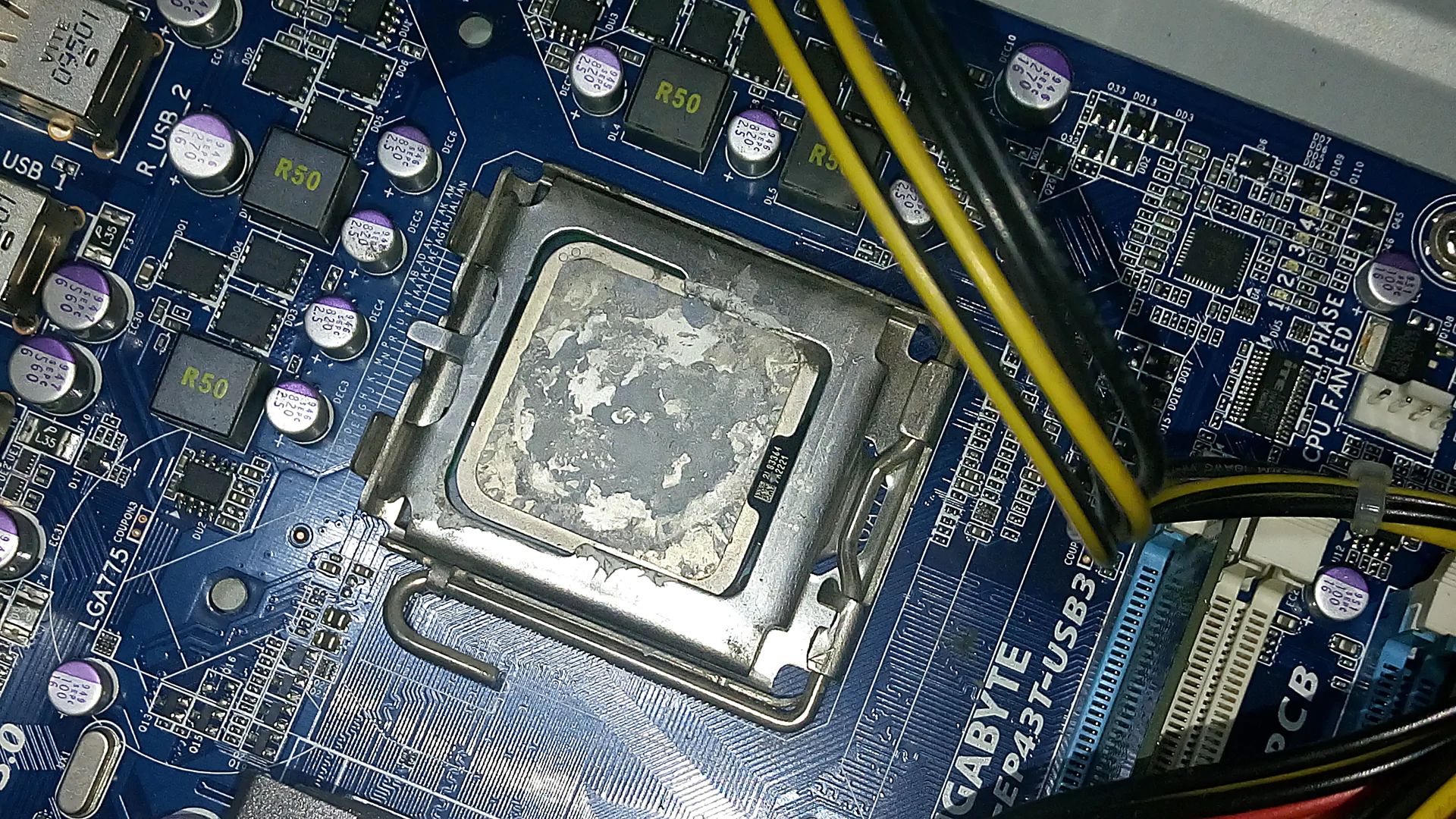
Cleaning is just as important as the compound. The MX-7 and MX-6 cleaner bundles include preparation material, and the Kryonaut wipes package includes six wet and six dry wipes. A clean heatsink and processor surface give the new paste a better chance to form a consistent bond line.
Frequently asked questions
How much thermal paste should be used on a CPU?
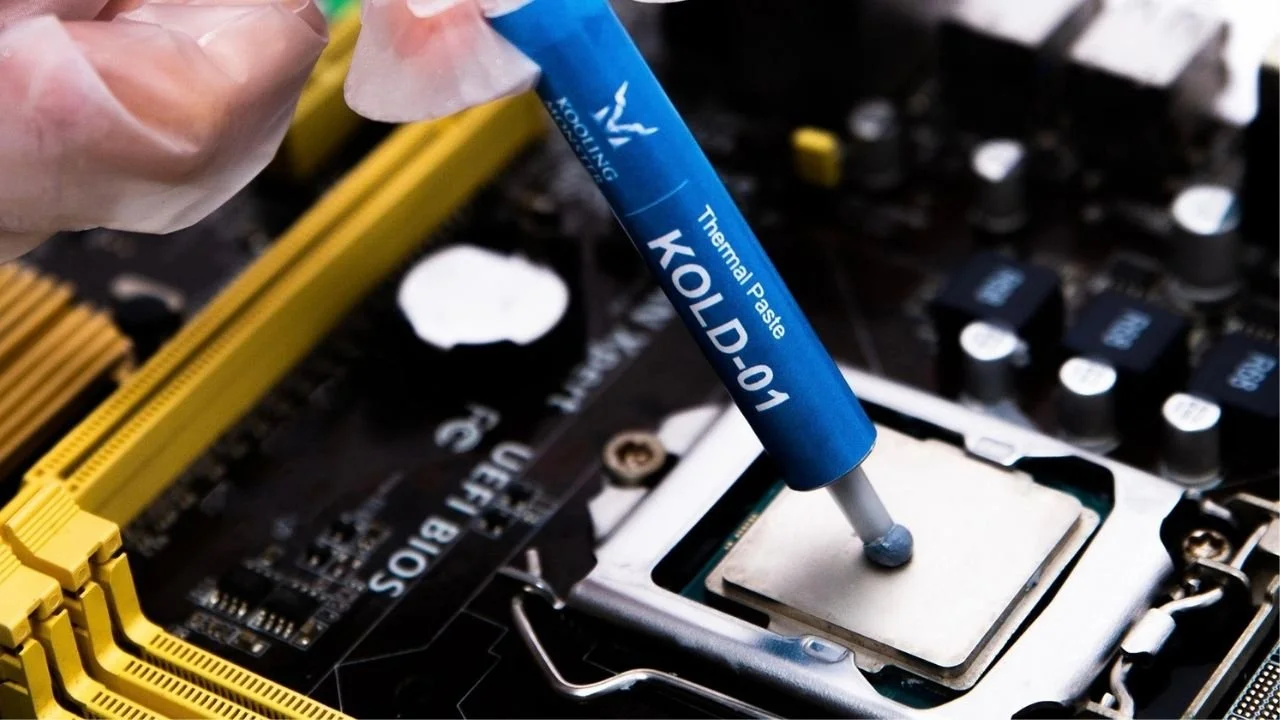
Use enough to create a thin, continuous layer between the processor heat spreader and the cooler. The exact amount depends on the CPU size and the paste's consistency, so follow the compound's application guidance rather than assuming every processor needs the same pattern.
Is non-conductive thermal paste safer?
Yes. Non-conductive paste reduces the risk of a short circuit if excess material reaches nearby electrical contacts. ARCTIC MX-4, MX-6, MX-7, and BSFF are explicitly described as non-conductive in their listings.
Should thermal paste be spread manually?
Not always. Noctua NT-H2 does not need pre-spreading, and ARCTIC MX-7 is specifically designed to distribute under cooler pressure. A spatula can still be useful when you want direct control over coverage, as with the Kryonaut and MX-4 spatula packages.
How often should CPU thermal paste be replaced?
Replacement depends on the compound, cooler mounting, operating temperatures, and whether the system has been disturbed. The products here cite service periods ranging from at least five years to at least eight years, while Noctua recommends up to five years of use on the CPU.
Can CPU thermal paste be used on a GPU?
Several products in this roundup are listed for both CPUs and GPUs. MX-6 is also described as suitable for direct-die cooling on graphics cards, while Kryonaut is positioned for CPU and GPU use in demanding configurations.
Do I need to clean old thermal paste first?
Yes. Old compound should be removed from the processor and cooler before new paste is applied. Cleaner bundles such as the MX-6, MX-7, and Kryonaut wipes versions make that preparation step easier.
The bottom line
For most people shopping for the Best thermal paste for CPU, ARCTIC MX-4 4g is the sensible pick. It combines an easy consistency, non-conductive construction, carbon microparticles, and a stated service life of at least eight years. ARCTIC MX-6 8g is the stronger choice for a repair bench or direct-die work, while Thermal Grizzly Kryonaut 1g is the specialist option for demanding, tuned systems.
Choose ARCTIC MX-7 8g when long-term resistance to pump-out and repeated thermal cycling matter more than manual spreading. If the processor or cooler is being cleaned at the same time, one of the bundled cleaner versions removes a separate preparation chore.
If you are undecided, choose MX-4 for a normal CPU upgrade and MX-6 for broader CPU, GPU, or console work.
As an Amazon Associate we earn from qualifying purchases.