

A flash drive becomes frustrating when the connector does not fit, a large video takes too long to copy, or the drive disappears into a desk drawer just when you need it. The Best USB Flash Drive for a modern setup should match the ports you actually use, not just offer a large capacity.
This lineup ranges from fast USB 3.0 and USB 3.2 Gen 1 models to slower USB 2.0 drives, with single drives, two-packs, and three-packs represented. The Lexar D40E 128GB is our top pick because its USB-C and USB-A connectors make it the easiest all-purpose choice, while the rest cover higher capacity, multiple-drive backups, and straightforward older-device compatibility.
Comparison table
| # | Product | Award | Interface | Capacity | Best for |
|---|---|---|---|---|---|
| 1 | Lexar D40E 128GB | Best overall | USB-A and USB-C, USB 3.2 Gen 1 | 128GB | Mixed-device households |
| 2 | SanDisk Ultra Flair 128GB | Best compact metal drive | USB 3.0 | 128GB | Fast everyday transfers |
| 3 | Lexar A30E 64GB 3-Pack | Best three-drive set | USB 3.2 Gen 1, USB-A | 64GB each | Sharing and distribution |
| 4 | Maspen 64GB 2-Pack | Best swivel design | USB 2.0 | 64GB each | Basic file storage |
| 5 | Lexar D40E 256GB | Best high-capacity dual connector | USB-A and USB-C, USB 3.2 Gen 1 | 256GB | Large cross-device libraries |
| 6 | Lexar A30E 32GB 3-Pack | Best small three-drive set | USB 3.2 Gen 1, USB-A | 32GB each | Small file handoffs |
| 7 | SanDisk Ultra 64GB 2-Pack | Best matched pair | USB 3.0 | 64GB each | Two-device rotation |
| 8 | SanDisk Ultra 128GB | Best simple 128GB drive | USB 3.0 | 128GB | Laptop and desktop use |
| 9 | SanDisk Ultra Flair 256GB | Best Flair capacity | USB 3.0 | 256GB | Large media collections |
| 10 | myemuun 128GB 2-Pack | Best dual-port two-pack | USB-A and USB-C, USB 2.0 | 128GB each | Phone and PC backups |
1. Lexar D40E 128GB: Best Overall

Pros
- USB-C and USB-A connectors in one drive
- Up to 100MB/s transfer speed
- 360-degree swivel design protects the connectors
- Metal enclosure and 256-bit AES encryption
- Three-year limited warranty
Cons
- Larger and heavier than the simplest USB-A drives
- USB-C phones and tablets may still vary in file access support
- The published speed is a maximum based on internal testing
Best for: people moving files between USB-C phones or laptops and traditional USB-A computers.
The Lexar D40E 128GB is the drive we would keep in a laptop bag. Its defining feature is not the storage number. It is the ability to connect directly to both USB-C and USB-A devices without carrying a separate adapter. The 360-degree swivel mechanism makes the transition between connectors quick, and there is no loose cap to misplace.
Lexar lists transfer speeds up to 100MB/s, with actual performance depending on the host device, interface, and usage conditions. That is a sensible level for moving photos, documents, and ordinary video files, especially compared with the USB 2.0 drives lower in this list. It uses the USB 3.2 Gen 1 standard, and its plug-and-play design avoids a software installation for ordinary use.
The physical design is more substantial than the tiny SanDisk Ultra Flair models. The D40E weighs 26g and measures 70.4 by 16.9 by 11.7mm, so it is still easy to carry but can occupy more space beside a crowded laptop port. Its metal enclosure is rated for use from 0 to 50 degrees Celsius, and Lexar includes 256-bit AES encryption software plus a three-year limited warranty.
The main weakness is that a dual-connector drive cannot solve every phone compatibility issue. USB-C ports differ in their file-management support, and the published 100MB/s figure is not a guarantee for every device. The SanDisk Ultra Flair 128GB is smaller and advertises up to 150MB/s read speed, but it only has USB-A. Choose the D40E when connector flexibility matters more than the smallest possible body. For broader guidance on moving files from phones and laptops, the connector combinations that simplify everyday file transfers are worth considering before you buy.
2. SanDisk Ultra Flair 128GB: Best Compact Metal Drive

Pros
- Up to 150MB/s read speed
- Sleek metal casing
- Compact body for laptop bags and desks
- Password protection with 128-bit AES encryption
- Designed for fast USB 3.0 transfers
Cons
- USB-A only
- The fastest result requires a USB 3.0 host
- Password software requires a download on Mac
Best for: anyone who wants a small USB-A drive for quick transfers and private files.
The SanDisk Ultra Flair 128GB is the most pocketable traditional drive here. Its metal casing gives it a more finished feel than a basic plastic thumb drive, and the compact shape is easy to leave attached to a desktop or carry alongside a laptop. It is a straightforward choice for machines that still use USB-A.
SanDisk lists read speeds up to 150MB/s over USB 3.0. That figure is based on internal testing and can vary by capacity, host device, file type, and usage conditions, but the USB 3.0 interface still gives this drive a clear advantage over the Maspen 64GB 2-Pack and myemuun 128GB 2-Pack. SanDisk also says a 1.2GB MPEG-4 video can transfer in less than 30 seconds under its stated test conditions.
The drive includes password protection through SanDisk SecureAccess, using 128-bit AES encryption. Windows support is listed for Windows 7, Windows 8, and Windows 10, while Mac OS X v10.9 or later is supported with a software download. That is useful for separating private documents from files intended for sharing, though it is not the same as hardware-level encryption.
Its limitation is simple: there is no USB-C connector. The Lexar D40E 128GB is a better fit for someone moving files between a modern phone and an older computer, while the Ultra Flair is preferable when a small USB-A body and higher stated read speed matter more. Mac users should also account for the extra software step. If your computer needs more ports than one drive can provide, how additional USB connections affect a compact computer setup can help prevent an awkward desk arrangement.
3. Lexar A30E 64GB 3-Pack: Best Three-Drive Set

Pros
- Three separate USB-A drives
- Up to 100MB/s transfer speed
- Push-button retractor protects the connector
- Lanyard loop helps keep each drive attached
- Lexar DataShield supports password-protected storage
Cons
- USB-A only
- 64GB per drive limits large media projects
- The listing describes the set as one unit count despite three drives
Best for: families, classrooms, offices, or anyone who needs separate labeled drives for different files.
The Lexar A30E 64GB 3-Pack makes more sense as an organization tool than as one large storage device. Three separate drives let you keep work, personal files, and shared material apart, or hand a drive to several people without passing around one storage device. That separation is the reason to choose it over a single 128GB drive.
Each drive uses USB-A and USB 3.2 Gen 1, with transfer speeds up to 100MB/s under Lexar's stated test conditions. The interface is well suited to documents, photos, music, and moderate video transfers on computers with USB-A ports. Since the drives are separate, the total capacity is spread across them rather than presented as one place for a single large library.
The push-button retractor is a practical detail. It keeps the USB connector inside the body when the drive is not in use, and the lanyard loop gives each drive a place for a tag or tether. At 7.41g, each drive is light enough for a key ring or a pouch. Lexar DataShield can create a password-protected safe with automatic encryption, and files deleted from that safe are described as securely erased and unrecoverable.
The A30E 64GB 3-Pack loses some convenience against the dual-port D40E because it cannot connect directly to USB-C devices. It also is not the right format for someone who needs one drive containing a very large collection. The Lexar A30E 32GB 3-Pack has the same design and security approach but less capacity per drive. Choose this version when the three-drive format itself is the priority and your devices use USB-A.
4. Maspen 64GB 2-Pack: Best Swivel Design

Pros
- Two 64GB USB-A drives
- 360-degree metal swivel cap
- Plug-and-play operation
- Ring supports key-chain attachment
- Compatible with USB 2.0 and 1.1 ports
Cons
- USB 2.0 is much slower than the USB 3.0 options
- No USB-C connector
- The listed operating-system support includes older platforms rather than modern device flexibility
Best for: basic document sharing, school files, and older computers that do not need fast media transfers.
The Maspen 64GB 2-Pack is built around uncomplicated storage. Each drive has a 360-degree metal swivel cap, a matte surface, and a ring for attaching it to a key chain or lanyard. The cap protects the connector without a separate piece that can vanish in a drawer, which is useful for drives that travel between classrooms, offices, or family computers.
The trade-off is the USB 2.0 interface. The product is intended for storing music, photos, movies, and documents, but it is not the drive to reach for when you regularly move large video folders. USB 2.0 compatibility also makes it suitable for older computers and other equipment that lacks USB 3.0, though using it on a newer machine does not turn it into a fast drive.
Maspen lists support for Windows 7, 8, 10, Vista, XP, Unix, 2000, ME, NT, Linux, and Mac OS, with no software installation required for plug-and-play use. That broad legacy list may appeal to someone maintaining older systems. The product also includes a 12-month warranty and lifetime customer service, according to the listing.
The SanDisk Ultra 64GB 2-Pack is the stronger choice for faster transfers because it uses USB 3.0 and lists read speeds up to 130MB/s. The Maspen pair is more appropriate when connector protection and older-port compatibility matter more than speed. Skip it for frequent large backups, and choose it for simple file handoffs where waiting longer is not a concern.
5. Lexar D40E 256GB: Best High-Capacity Dual Connector

Pros
- USB-C and USB-A connectors
- 256GB capacity
- Up to 100MB/s transfer speed
- Metal enclosure with swivel connector design
- 256-bit AES encryption and three-year limited warranty
Cons
- Larger than compact USB-A drives
- USB-C device support depends on the host device
- The stated speed is a maximum based on internal testing
Best for: carrying a large collection between USB-C and USB-A computers, tablets, and phones.
The Lexar D40E 256GB has the same useful design as the top pick, but it is aimed at people who need more room on one drive. A single device that moves between a USB-C laptop, a USB-A desktop, and compatible mobile hardware is easier to manage than separate drives or adapters. The 360-degree swivel also keeps both connectors protected while the drive is in a bag.
Lexar lists the USB 3.2 Gen 1 drive at up to 100MB/s. That is enough for a practical mix of documents, photos, and video, although the result depends on the host device and the type of files being copied. Capacity matters most here because the drive can hold a larger working library without forcing you to split it across several smaller devices.
The metal enclosure measures 70.4 by 16.9 by 11.7mm and weighs 26g. Lexar says it withstands temperatures from 0 to 50 degrees Celsius. It also includes security software with 256-bit AES encryption and a three-year limited warranty. Those details give the D40E a more complete feature set than the basic two-packs.
The weakness is the same one found on the 128GB model: this is not the smallest drive, and its dual-port convenience does not guarantee that every phone will browse files identically. The SanDisk Ultra Flair 256GB offers a smaller USB-A-focused approach and lists up to 150MB/s read speed, but it gives up USB-C access. Pick the D40E 256GB for capacity across mixed ports, not for the highest published speed.
6. Lexar A30E 32GB 3-Pack: Best Small Three-Drive Set
Pros
- Three separate USB-A drives
- Up to 100MB/s transfer speed
- Lightweight 7.41g design
- Push-button connector retractor
- DataShield password-protected safe
Cons
- 32GB per drive is limited for large video collections
- USB-A only
- Not one combined storage volume
Best for: distributing documents, presentations, and smaller photo folders across several USB-A computers.
The Lexar A30E 32GB 3-Pack is the compact handoff option in this group. Three drives are useful when each person needs a copy, when files need to be separated by project, or when one drive should stay in a drawer as a spare. The push-button retractor is easier to operate than a loose cap, and the lanyard loop gives the small body a practical attachment point.
These drives use USB-A and USB 3.2 Gen 1, with speeds up to 100MB/s according to Lexar's internal testing. That makes them better suited to regular transfers than the Maspen 64GB 2-Pack, despite the smaller capacity per drive. The 32GB limit is comfortable for documents, presentations, music, and modest photo collections, but it can become restrictive with long videos or large operating-system images.
At 7.41g each, the A30E is light enough to keep several in a pouch without adding much bulk. Lexar DataShield creates a password-protected safe with automatic encryption, and the company says files deleted from that safe are securely erased. No software installation is required for normal plug-and-play storage.
The A30E 64GB 3-Pack is the better choice when each drive needs more room, while the D40E 128GB is more useful when one drive must connect to both USB-C and USB-A. This smaller set is the one to choose when separate drives matter and the files are mostly compact. It is not a good match for someone who expects one large, fast portable archive.
7. SanDisk Ultra 64GB 2-Pack: Best Matched Pair

Pros
- Two identical 64GB USB-A drives
- Up to 130MB/s read speed
- Backward compatible with USB 2.0
- Password protection and file encryption
- Small, lightweight design
Cons
- USB-A only
- 64GB per drive limits large backups
- Speed depends on a USB 3.0 host and other conditions
Best for: keeping one drive for active use and another for a duplicate copy or separate computer.
The SanDisk Ultra 64GB 2-Pack is a practical way to maintain two identical, separate storage devices. One can stay with a desktop while the other travels, or the pair can hold different projects without needing to split files across a single drive. The matched format is more useful than it sounds for people who regularly hand off files.
SanDisk lists read speeds up to 130MB/s, with USB 3.0 required for that interface. It is also backward compatible with USB 2.0, so the drives can work with older ports, though the older connection will limit performance. This is a more capable transfer option than the Maspen pair, particularly for photo folders and video clips.
The listing includes secure file encryption and password protection. That gives the drives a basic privacy layer for work documents and personal files, but the provided details do not identify the encryption method. The compact dimensions are 0.87 inches wide, 1.7 inches long, and 0.31 inches high, while the listed weight is 0.02 pounds.
The SanDisk Ultra 128GB is a better fit if you want one drive with twice the capacity of each member of this pair. The SanDisk Ultra Flair 128GB is another step up in stated read speed and uses a metal casing. Choose the two-pack when having two independent drives is more useful than consolidating everything onto one device. For larger archives that need a different form factor, the storage choices that handle bigger portable backups are a useful comparison.
8. SanDisk Ultra 128GB: Best Simple 128GB Drive

Pros
- 128GB capacity
- Up to 130MB/s read speed
- USB 3.0 with USB 2.0 backward compatibility
- Password protection and encryption
- Small USB-A design
Cons
- USB-A only
- No dual-port support for USB-C devices
- The maximum read speed depends on the host and conditions
Best for: ordinary laptop and desktop use when one USB-A drive is all you need.
The SanDisk Ultra 128GB is the uncomplicated middle ground in this roundup. It avoids the extra moving parts of a dual-connector drive and the management of a multi-pack, while offering enough capacity for a broad mix of documents, photos, music, and video. For a USB-A laptop or desktop, it is an easy drive to understand.
Its USB 3.0 interface lists read speeds up to 130MB/s. SanDisk notes that performance can be lower depending on the host device and other conditions, but the specification places it ahead of the USB 2.0 Maspen and myemuun models. It also works with USB 2.0 ports, which helps when the drive needs to move between newer and older computers.
SanDisk includes secure file encryption and password protection. The physical body measures 1.7 inches long, 0.87 inches wide, and 0.31 inches high, with a listed weight of 0.04 pounds. It is not the metal-cased Ultra Flair, but its small shape should fit easily in a laptop sleeve or desk drawer.
The obvious limitation is the USB-A connector. The Lexar D40E 128GB is more flexible for phones and USB-C laptops, and the Ultra Flair 128GB lists a higher read-speed ceiling with a metal casing. The SanDisk Ultra 128GB remains the better pick for someone who wants a familiar, single USB-A drive without needing a dual-port design.
9. SanDisk Ultra Flair 256GB: Best Flair Capacity
Pros
- 256GB capacity
- Up to 150MB/s read speed
- Durable metal casing
- Password protection with 128-bit AES encryption
- Compact USB-A design
Cons
- USB-A only
- The largest capacity is less useful on devices without USB 3.0
- Mac password protection requires a software download
Best for: carrying a large media or document library on a compact USB-A drive.
The SanDisk Ultra Flair 256GB combines the Flair family's compact metal casing with the largest capacity among the USB-A-only drives here. It is a sensible shape for a media library that needs to travel between desktop computers, provided those computers have USB-A ports. Its small body is less conspicuous than the larger dual-connector Lexar drives.
SanDisk lists read speeds up to 150MB/s and says transfers can reach 15 times the speed of standard USB 2.0 drives under the stated conditions. It also cites a less-than-30-second transfer for a 1.2GB MPEG-4 video with a USB 3.0 host. These are controlled claims, not guarantees for every computer, but they show where this model fits: frequent transfers of larger files rather than occasional document storage.
Password protection uses 128-bit AES encryption through SanDisk SecureAccess. The feature is supported on Windows 7, Windows 8, Windows 10, and Mac OS X v10.9 or later, with a download required for Mac. The metal casing adds a more durable feel, although the listing's dimensions and weight differ from the 128GB Flair entry, so buyers should not assume the capacities are physically identical.
The D40E 256GB is more versatile because it adds USB-C, while the Flair 256GB emphasizes a compact USB-A body and faster published read speed. A USB 3.0 host is important here, since an older port will become the bottleneck. Choose this drive for a large USB-A library, and skip it if your main device is a USB-C-only laptop or phone.
10. myemuun 128GB 2-Pack: Best Dual-Port Two-Pack

Pros
- Two drives with USB-C and USB-A connectors
- 128GB per drive
- Plug-and-play operation
- Two separate backup devices
- Compact design for travel
Cons
- USB 2.0 is slower than the USB 3.0 and USB 3.2 options
- The listing does not provide a specific transfer-speed figure
- Host-device compatibility can vary
Best for: keeping separate USB-C and USB-A backup drives for phones, tablets, and computers.
The myemuun 128GB 2-Pack offers a combination that is hard to find in the lower-ranked options: two separate drives, each with USB-C and USB-A connectors. That makes the pair useful for people who want one drive for a phone or tablet and another for a computer, or who prefer keeping two copies of important files.
The listing describes the drives as USB 2.0. It does not provide a specific transfer-speed figure, so this is not the pair to choose for moving large video collections quickly. The slower interface is the main reason the Lexar D40E 128GB ranks higher, since the D40E combines both connector types with USB 3.2 Gen 1 and a stated speed of up to 100MB/s.
Each drive is listed as 128GB, and the package includes black and blue drives. Plug-and-play operation is intended to work across phones, tablets, MacBooks, PCs, and laptops without an adapter or additional software. The dual design is useful, but phones and tablets can still differ in how they recognize and manage external storage.
The myemuun pair is worth considering when two dual-port drives matter more than transfer speed. The D40E 128GB is the more complete single-drive solution, while the SanDisk Ultra 64GB 2-Pack is faster but limited to USB-A. Choose myemuun for occasional cross-device backups, and avoid it for frequent large transfers where USB 2.0 will become frustrating.
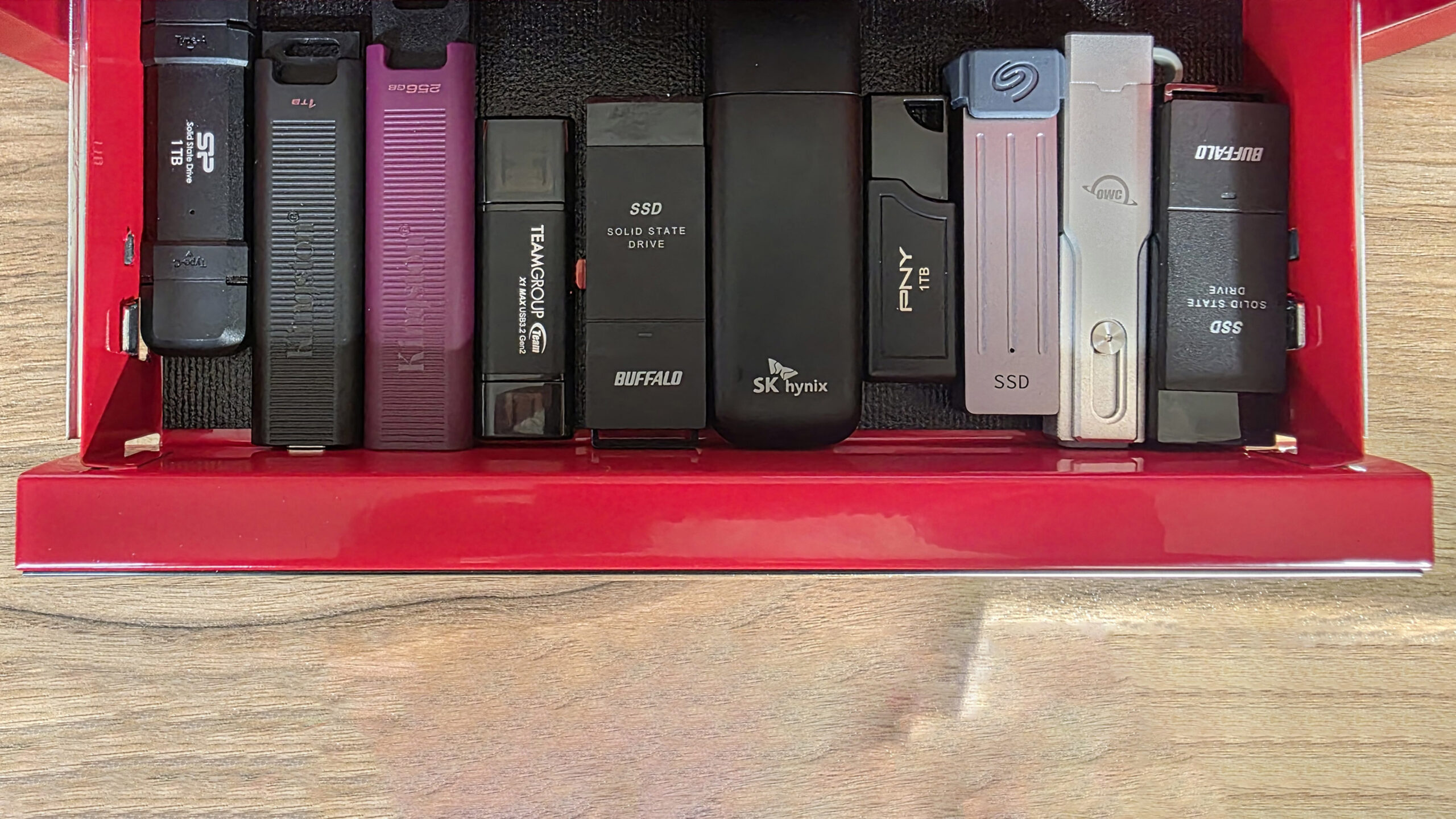
How to choose best usb flash drive
The Best USB Flash Drive depends on the devices it must connect to and the kind of files it will carry, not just the capacity printed on the package.
Connector type
USB-A remains common on desktops, older laptops, car systems, and many accessories. USB-C is increasingly common on phones, tablets, and newer laptops. A dual-connector model such as the Lexar D40E or myemuun pair avoids an adapter, but USB-C support can still vary by host device.
Transfer standard
USB 2.0 is suitable for occasional documents and older hardware, but it is a poor fit for frequent large video transfers. USB 3.0 and USB 3.2 Gen 1 are much better for regular file movement. Published maximums are useful for comparing models, but actual speeds depend on the computer, port, file type, and drive capacity.
A dual-port drive solves a connector problem, while a faster interface solves a waiting problem. Do not confuse the two.
Capacity
Choose capacity based on the largest folder you expect to move, not only the number of files you usually store. A 32GB drive works for documents and modest photo sets, while 128GB gives more breathing room for mixed media. A 256GB drive makes sense for a larger library, but it should be paired with a USB 3.0 or USB 3.2 host if you expect quick transfers.
Physical protection
A swivel cap protects the connector without a detachable cover, while a push-button retractor keeps the plug inside the body. Metal casing can make a drive feel more robust, but a small body is easier to leave attached to a laptop. Look for a lanyard loop when the drive will travel often.
Security features
Password protection and encryption can keep private files separate from ordinary shared files. The Lexar models list 256-bit AES encryption through DataShield, while the SanDisk Ultra Flair models list 128-bit AES encryption through SecureAccess. These features may require software, especially on Mac, so check the platform support before relying on them.

Frequently asked questions
Is USB 3.0 faster than USB 2.0 for flash drives?
Yes. USB 3.0 drives in this roundup list much higher read or transfer speeds than the USB 2.0 models. The computer and port must also support USB 3.0, and real-world results can vary with file type and usage conditions.
Are dual USB-C and USB-A flash drives worth choosing?
They are useful when a drive must move between newer USB-C devices and older USB-A computers. The Lexar D40E models add USB 3.2 Gen 1, while the myemuun pair uses USB 2.0, so connector flexibility and transfer speed should be judged separately.
Is 128GB enough for a USB flash drive?
For documents, photos, music, and a moderate amount of video, 128GB is a versatile size. People carrying large media libraries or using the drive as a working archive may prefer 256GB. A three-pack or two-pack divides that storage across separate drives rather than creating one larger volume.
Can a USB 3.0 flash drive work in a USB 2.0 port?
Yes. The SanDisk Ultra models are listed as backward compatible with USB 2.0, and a USB 3.0 drive can generally connect to an older USB 2.0 port. Transfer performance will be limited by the older interface.
Do flash drives protect private files automatically?
No. Some models include optional password protection or encrypted storage software, but it must be configured. Lexar lists DataShield or 256-bit AES encryption on its drives, while the SanDisk Ultra Flair models list SecureAccess with 128-bit AES encryption.
Should I buy one large drive or a multi-pack?
One large drive is simpler when all files belong in one place. A multi-pack is useful when files need to be separated, shared with several people, or kept as independent copies. Remember that the capacity of a pack is divided between its individual drives.
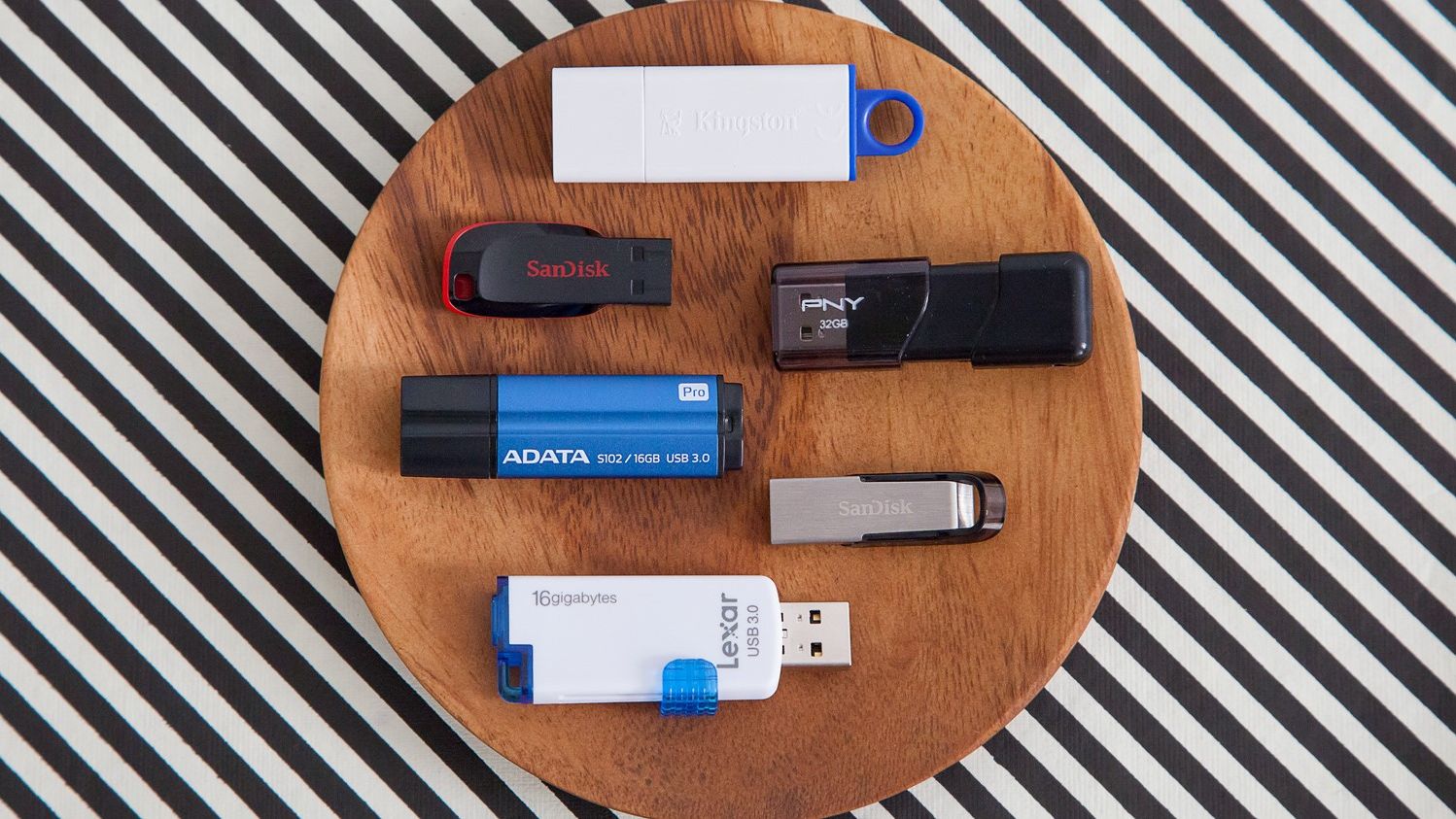
The bottom line
The Best USB Flash Drive for most people is the Lexar D40E 128GB. Its USB-C and USB-A connectors, USB 3.2 Gen 1 interface, 100MB/s stated maximum, metal enclosure, encryption support, and three-year limited warranty make it the most adaptable choice in this group.
Choose the SanDisk Ultra Flair 128GB if you use USB-A and want a compact metal drive with a higher stated read-speed ceiling. The Lexar D40E 256GB is the better step up for a large cross-device library, while the Lexar A30E sets are more useful when separate drives matter.
If you are undecided, choose the D40E 128GB for mixed devices, the Ultra Flair for compact USB-A use, and a multi-pack only when you genuinely need separate drives.
As an Amazon Associate we earn from qualifying purchases.