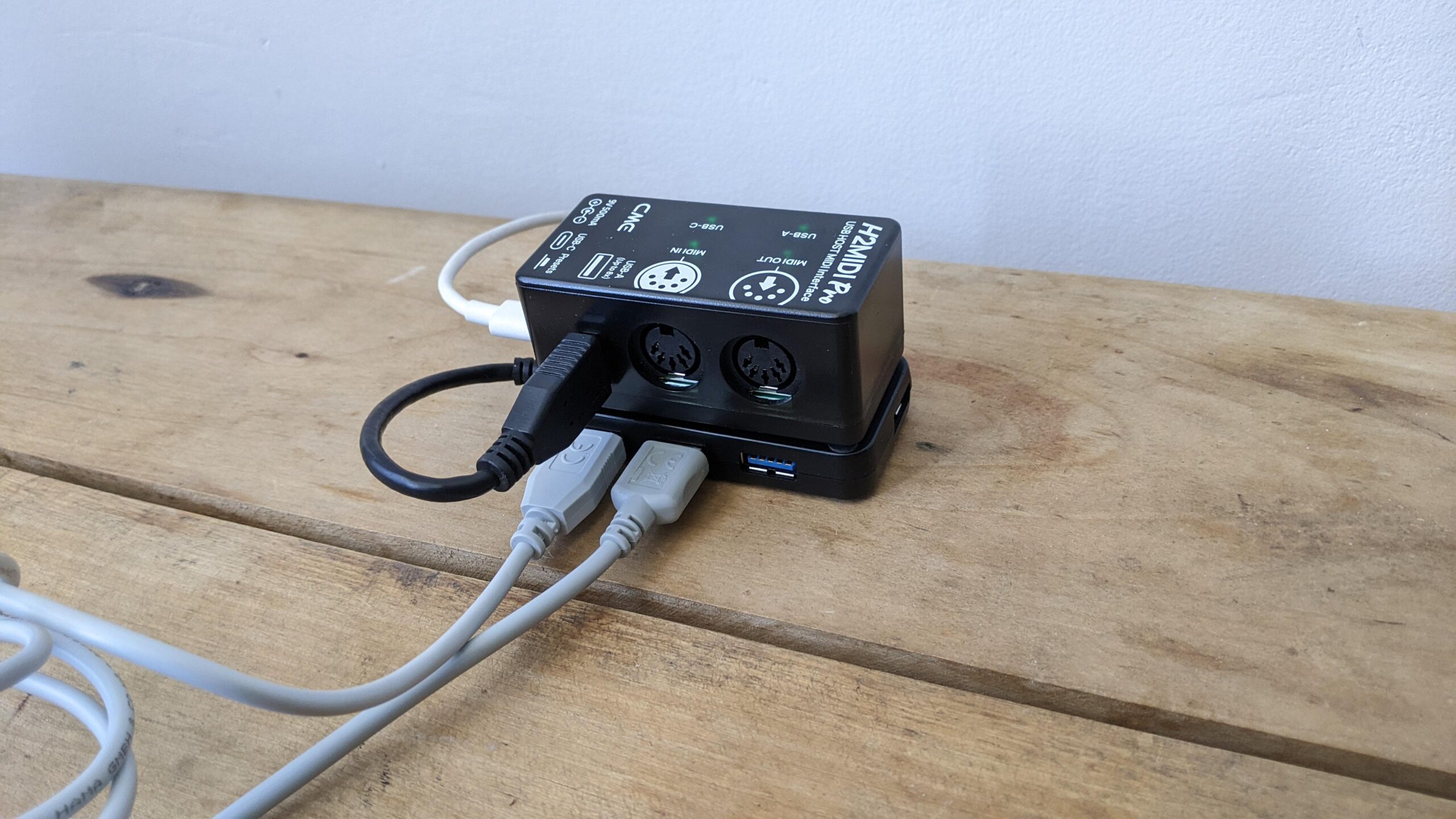

A MIDI setup can fail for a frustratingly simple reason: the cable has the wrong USB connector, the keyboard needs both MIDI plugs connected, or the interface cannot route the messages your software sends. The right adapter should disappear into the setup and leave your keyboard, synth, or drum machine talking to the computer without fuss.
The Best USB MIDI Interface options range from simple one-in, one-out cables to standalone routing boxes with multiple ports. We ranked these 10 products by their connections, device support, routing features, power requirements, and how clearly they fit a particular kind of rig.
For most computer-based setups, the CME U2MIDI Pro is the single best pick. The list also includes straightforward Type-A and Type-C cables, multi-port interfaces, a USB host for computer-free control, and two products that make sense when audio recording is part of the plan.
| # | Product | Award | MIDI I/O | Connection or length | Best for |
|---|---|---|---|---|---|
| 1 | CME U2MIDI Pro | Best overall | 1 in, 1 out | USB, 6.5 ft | Flexible computer and mobile MIDI control |
| 2 | Roland UM-ONE Mk2 | Best straightforward interface | 1 in, 1 out | Integrated USB and MIDI cables | Reliable basic computer recording |
| 3 | CME U6MIDI Pro | Best multi-port choice | 3 in, 3 out | USB-C | Multiple hardware MIDI devices |
| 4 | CME H4MIDI WC | Best USB host | 4 virtual in, 4 virtual out | USB-C, USB host | Computer-free hardware setups |
| 5 | FORE MIDI to USB Type-A | Best Type-A cable | 1 in, 1 out | USB Type-A, 6.5 ft | Older computers and standard USB ports |
| 6 | FORE MIDI to USB Type-C | Best Type-C cable | 1 in, 1 out | USB Type-C, 6.5 ft | Phones, tablets, and USB-C computers |
| 7 | TENINYU USB MIDI Cable | Best basic adapter | 1 in, 1 out | USB, 6.5 ft | Simple Windows and Mac connections |
| 8 | MeloAudio USB-C MIDI Cable | Best USB-B cable | USB 2.0 data connection | USB-C to USB-B, 5 ft | Keyboards with USB-B ports |
| 9 | PreSonus AudioBox 96 | Best recording hub | MIDI I/O plus 2 audio channels | USB 2.0 | MIDI and microphone recording |
| 10 | PWR+ USB Type-A to Type-B Cable | Best replacement cable | USB data connection | USB Type-A to Type-B, 6 ft | Replacing a missing keyboard cable |
1. CME U2MIDI Pro: Best Overall

Pros
- Supports computers, mobile devices, and Linux-based systems
- Filter, mapping, routing, merge, and split tools
- Handles notes, controllers, clock, SysEx, MTC, and MPE
- Integrated 6.5-foot cable reduces desk clutter
Cons
- One MIDI input and one MIDI output limit larger rigs
- Advanced routing requires the companion software
- No standalone multi-device routing without a computer
Best for: musicians who want a compact one-in, one-out cable with room to grow.
The CME U2MIDI Pro is the one that makes the most sense for a typical keyboard-to-computer setup. It is still a cable rather than a desktop box, but CME puts the useful electronics inside the USB connector, so there is no separate interface module hanging between the instrument and the computer. The 6.5-foot cable gives a keyboard or synth some breathing room without turning the setup into a nest of excess wire.
It has one MIDI input and one MIDI output, with support for all 16 MIDI channels. That covers the basic job of recording notes, sending controller data, syncing clock, and playing software instruments. The claimed support for SysEx, MIDI Time Code, and MPE is more significant for advanced users. Those message types are where a bare-bones adapter can become restrictive, especially when a hardware synth editor or expressive controller is involved.
The standout feature is the software side. CME's free UxMIDI Tools software can filter messages by channel and handle MIDI routing, merge, and split functions. The U2MIDI Pro also works without drivers across macOS, iOS, Windows, Android, Linux, and ChromeOS. That is a broader device range than the Roland UM-ONE Mk2, while its filtering and mapping options give it more control than the simpler FORE MIDI to USB Type-A.
The weakness is physical capacity. One in and one out is not enough for a rack of synthesizers, and this is not a standalone router. The CME U6MIDI Pro is the better choice when several hardware devices need independent connections, while the CME H4MIDI WC is more suitable when you want to connect USB MIDI devices without a computer. Choose the U2MIDI Pro for a focused, flexible connection between one MIDI instrument and a modern host device.
2. Roland UM-ONE Mk2: Best Straightforward Interface

Pros
- Compact one-in, one-out design
- Integrated USB and MIDI cables
- Separate input and output activity indicators
- Bus-powered operation
Cons
- Only one MIDI input and one MIDI output
- iPad use requires an Apple Camera Connection Kit
- Less routing control than the CME Pro models
Best for: someone who wants a known, uncomplicated connection for one MIDI instrument.
The Roland UM-ONE Mk2 is the least distracting product here. Its job is to connect one MIDI instrument to a computer, and the integrated USB and MIDI cables keep that job clear. There is no separate power adapter and no extra interface box to place beside a keyboard. For a home studio recording one controller or synthesizer, that simplicity is a real advantage.
This is a one-in, one-out interface with Roland's high-performance FPT processing. In practical terms, it has the conventional MIDI connections needed to send and receive data between a keyboard and music software. The data indicators for MIDI input and output are useful when troubleshooting. If a note or controller message is not reaching the software, the LEDs give you a quick visual clue about which direction is active.
The UM-ONE Mk2 works with Mac and Windows, and it can be used with an iPad through Apple's Camera Connection Kit. That mobile requirement makes it less immediate than the CME U2MIDI Pro, which lists compatibility with iOS, Android, and several desktop operating systems without an additional adapter being part of the stated setup. The Roland is still a cleaner option than the TENINYU USB MIDI Cable for buyers who want a compact branded interface rather than a generic adapter.
Its limits are easy to understand. There are no built-in filter, mapping, merge, or split functions, and the single MIDI pair will not support a more elaborate hardware network. It is also not the right match for someone who wants a direct connection to a USB-C tablet without checking the required adapter. For a single keyboard, digital piano, or synth connected to a Mac or Windows computer, the UM-ONE Mk2 remains a tidy and sensible choice.
3. CME U6MIDI Pro: Best Multi-Port Choice

Pros
- Three MIDI inputs and three MIDI outputs
- Works as a standalone router
- Filter, merge, split, and thru functions
- Supports MPE, SysEx, clock, and MIDI timecode
- Broad USB-C host compatibility
Cons
- More interface than a one-keyboard setup needs
- Configuration software is for Mac and Windows
- No USB host expansion for several class-compliant devices
Best for: a hardware-focused musician managing several MIDI instruments.
The CME U6MIDI Pro is the natural step up when one MIDI socket pair stops being enough. Three inputs and three outputs let you connect multiple keyboards, drum machines, synths, or other MIDI hardware without constantly moving cables. It is still a compact device, with listed dimensions of about 3.25 by 2.52 by 1.32 inches, so it does not demand the desk space of a larger studio patch bay.
Its USB-C connection works with macOS, iOS, Windows, Android, Linux, and ChromeOS. The interface supports all MIDI channels and message types listed by CME, including notes, controllers, clock, SysEx, MIDI Time Code, and MPE. That broad message support matters in a setup where one device is sequencing another while a computer handles recording or software instruments.
The U6MIDI Pro can also operate as a standalone three-in, three-out interface. Its router and filter functions can be configured with CME's free UxMIDI Tools software on Mac or Windows, allowing MIDI thru, split, merge, and message filtering. That is a major capability jump from the Roland UM-ONE Mk2 and the two FORE cables. It also gives the U6MIDI Pro a more conventional studio role than the cable-like CME U2MIDI Pro.
The trade-off is that its three physical MIDI ports are not the same as a USB host. If your instruments have USB MIDI outputs but no traditional five-pin MIDI connections, the CME H4MIDI WC is better suited to that job. The U6MIDI Pro is for musicians whose hardware already uses standard MIDI sockets and who want independent routing rather than a single keyboard connection. It is the strongest fit for a growing hardware rig.
4. CME H4MIDI WC: Best USB Host

Pros
- Connects USB MIDI instruments directly to MIDI hardware
- Supports up to eight USB MIDI device ports through a hub
- Four virtual inputs and four virtual outputs over USB-C
- Standalone 5V USB or 9V DC power options
- Four switchable presets
Cons
- More complex than a basic computer adapter
- USB hub and connected devices add setup variables
- Optional WIDI Bluetooth MIDI requires the WIDI Core module
Best for: performers and hardware users who need USB host control without relying on a computer.
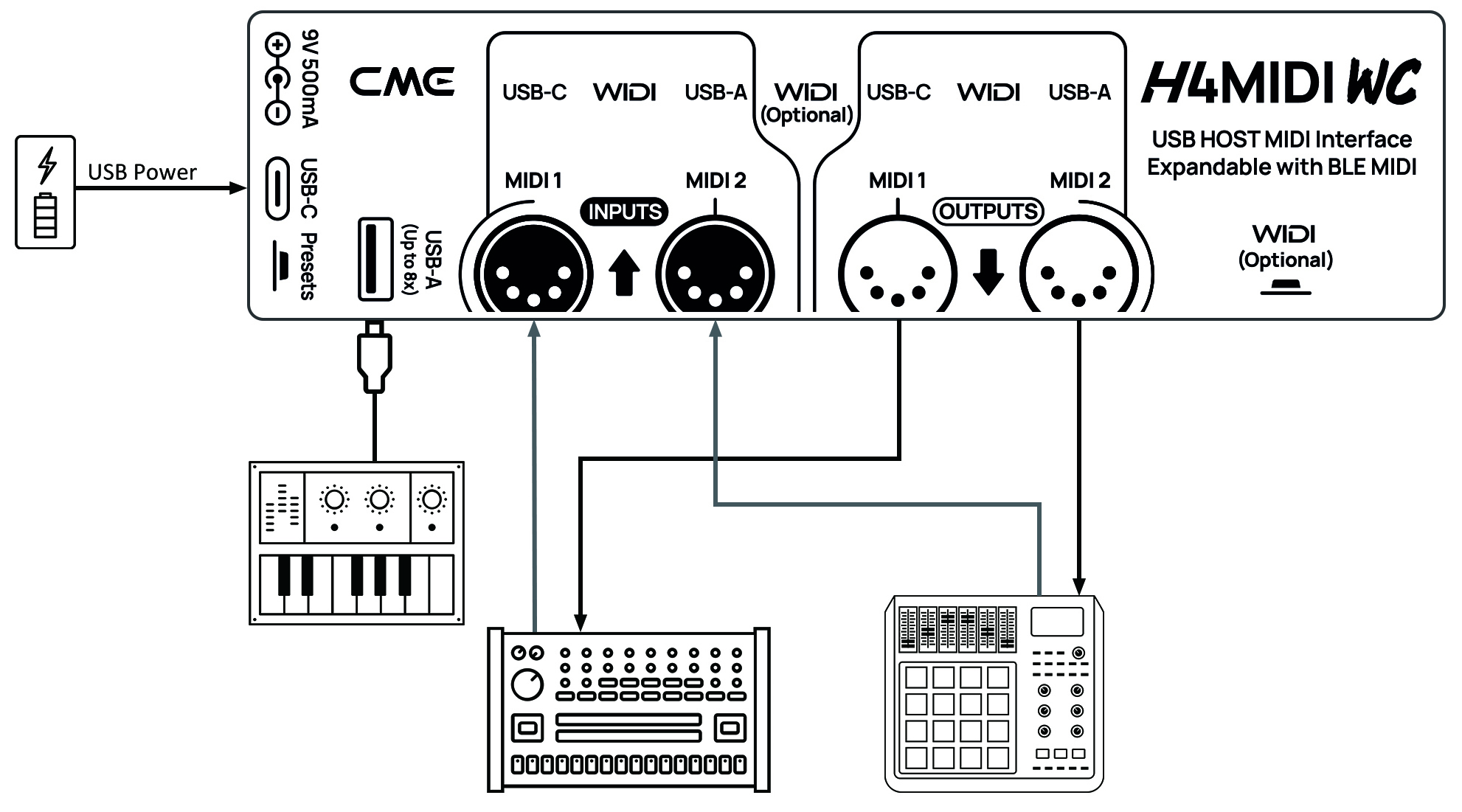
The CME H4MIDI WC solves a different problem from the cable adapters in this roundup. It can act as a standalone USB host, which means a class-compliant USB MIDI keyboard, controller, effects pedal, or synthesizer can communicate directly with MIDI hardware without a computer in the middle. That is particularly useful for a pedalboard, live performance rig, or compact hardware workstation.
A standard USB hub can expand the H4MIDI WC to support up to eight USB MIDI device ports. When connected to a computer through USB-C, it provides four virtual MIDI inputs and four virtual MIDI outputs. The device supports macOS, Windows, iOS, Android, Linux, and ChromeOS, so it can move between a stage setup and a computer-based studio more easily than a fixed one-purpose adapter.
Routing is the reason to choose this over the CME U2MIDI Pro. HxMIDI Tools provides thru, split, merge, mapper, and filter controls across Windows, macOS, iOS, and Android. Four presets can be saved and switched directly from the device, which is a useful feature when a performer needs different signal paths for separate songs or sections of a set. The listed dimensions are roughly 5.51 by 1.5 by 1.3 inches, and its weight is listed at about 0.19 pounds, so it is suited to crowded spaces.
This flexibility comes with a learning curve. A person connecting one keyboard to a laptop does not need a USB host, preset management, or multiple routing modes. The CME U6MIDI Pro is the better fit for several traditional MIDI devices, while the H4MIDI WC is the specialist choice for USB MIDI hardware and computer-free routing. Pick it when the setup itself is the challenge, not when you simply need a cable.
5. FORE MIDI to USB Type-A: Best Type-A Cable

Pros
- One MIDI input and one MIDI output
- 6.5-foot integrated cable
- Built-in driver and status LEDs
- Works with iOS, Android, Windows, and Mac OS
- Supports 16 input and output channels
Cons
- USB A to C adapter is not included
- No advanced filtering or routing
- The Type-A plug is less convenient for newer laptops and tablets
Best for: connecting a MIDI keyboard or synth to a computer with a standard USB Type-A port.
The FORE MIDI to USB Type-A is a direct, cable-first solution for a familiar setup: five-pin MIDI at one end and a standard USB Type-A connection at the other. The integrated 6.5-foot cable is long enough to keep a keyboard from sitting directly against a laptop, while its listed 2-meter size gives the cable some practical reach around a desk.
It provides one MIDI input and one MIDI output, with 16 MIDI input and output channels. That is the normal channel capacity expected from a basic MIDI connection, and it is enough for recording a keyboard, controlling a software instrument, or sending program changes to a synthesizer. FORE says the cable uses a built-in driver and an intelligent LED indicator. The red light shows power and the blue light shows signal transfer and connections.
The cable is described as bus-powered and compatible with iOS, Android, Windows, and Mac OS. The product notes that a USB A to C adapter can be used for Type-C ports, but that adapter is not included. That distinction makes the cable a clearer match for an older laptop or desktop than for a current tablet. It also lacks the message filtering and routing tools found in the CME U2MIDI Pro, and it does not offer the multiple physical ports of the CME U6MIDI Pro.
FORE describes a high-performance FTP processing chip and no-delay MIDI input and output, but the product gives you no standalone routing controls to adjust if a more complicated setup behaves unexpectedly. The FORE MIDI to USB Type-C is the cleaner choice if the host device has only USB-C. Choose this Type-A version when the port already matches and the goal is a straightforward connection with visible activity lights.
6. FORE MIDI to USB Type-C: Best Type-C Cable

Pros
- Native USB Type-C connection
- One MIDI input and one MIDI output
- 6.5-foot integrated cable
- LED indicators show power and signal activity
- Supports iOS, Android, Windows, and Mac OS
Cons
- No USB A to C adapter is included for older computers
- No advanced MIDI routing
- Single MIDI input and output limit expansion
Best for: a USB-C laptop, tablet, or phone paired with one MIDI instrument.
The FORE MIDI to USB Type-C is almost the same idea as its Type-A sibling, but the connector choice changes who should buy it. Its USB-C plug is ready for current laptops, tablets, and phones, and the 6.5-foot integrated cable keeps the MIDI instrument at a usable distance from the host device. For a small mobile rig, avoiding a separate adapter makes the setup easier to pack and connect.
Inside, it is a one-in, one-out MIDI interface supporting 16 input and output channels. It is intended for keyboards, synthesizers, electric drums, and other MIDI devices, and FORE lists compatibility with iOS, Android, Windows, and Mac OS. The cable is bus-powered, while the built-in indicators show blue for power and red for signal transfer and connections.
That makes it more immediately convenient than the FORE MIDI to USB Type-A for a USB-C computer. It also avoids the iPad adapter requirement highlighted for the Roland UM-ONE Mk2, although device compatibility can still depend on the host and its MIDI software. The CME U2MIDI Pro remains the more capable one-in, one-out option because its UxMIDI Tools software adds filtering, mapping, routing, merge, and split functions.
The limitation is not hidden: this is a cable, not a configurable MIDI control center. It will not replace the CME U6MIDI Pro for several hardware instruments or the CME H4MIDI WC for USB host duties. The USB-C plug is also less useful on a desktop that has only Type-A ports, since the necessary adapter is not included. For one keyboard or synth and a modern USB-C host, though, it is a clean match.
7. TENINYU USB MIDI Cable: Best Basic Adapter

Pros
- One MIDI input and one MIDI output
- 2-meter, 6.5-foot cable
- LED power, input, and output indicators
- Supports Windows and Mac OS
- Handles 16 input and 16 output channels
Cons
- Some setups require both MIDI plugs connected
- Does not support hot-swapping
- iOS use requires an authentic Camera Connection Kit
Best for: a simple computer connection where the user is comfortable following the setup instructions.
The TENINYU USB MIDI Cable is a conventional adapter cable with the basic connections most home recording setups need. It has MIDI input and output leads, a USB computer connection, and a 2-meter cable length. The product is aimed at turning a PC into a small music studio, with support for recording, overdubbing, editing, mixing, and printing sheet music through suitable software.
Its stated capacity is 16 channels in and 16 channels out, and LEDs indicate power, input, and output activity. Those lights are useful when a keyboard appears connected but software is not receiving notes. The cable supports Windows XP, Vista, 7, 8.1, and 10, along with Mac OS. The listed operating system information is older than the broad cross-platform claims of CME and FORE, so buyers using a newer mobile system should check their setup carefully.
The most important instruction is that some configurations require both MIDI plugs to be connected. That is not unusual for a two-way cable, but it can confuse someone who only wants to send notes from a keyboard to software. TENINYU also says not to hot-swap the adapter and recommends turning off the keyboard and closing audio software before changing the connection. The Roland UM-ONE Mk2 is easier for someone who wants a more polished plug-and-play experience, while the CME U2MIDI Pro adds much more control.
The iOS caveat is another practical weakness. TENINYU says an authentic Camera Connection Kit is needed and may still be required for the connection to work. That makes this a stronger fit for a Windows or Mac desktop than for a phone or tablet. Pick it for a stable, familiar computer setup where the extra connection instructions are not a problem.
8. MeloAudio USB-C MIDI Cable: Best USB-B Cable

Pros
- USB-C to USB-B connection
- Reversible USB-C plug
- Shielded cable with metal plugs
- Up to 480 Mbps USB 2.0 data transfer
- No drivers or programs required for the cable
Cons
- Requires a MIDI device with a USB 2.0 Type-B port
- Intended for data transfer rather than high-power applications
- It is not a five-pin MIDI input and output interface
Best for: a keyboard or audio device that already has a USB-B port and needs a direct USB-C connection.
The MeloAudio USB-C MIDI Cable needs a precise description because it is different from the five-pin MIDI adapters above. It is a USB-C to USB 2.0 Type-B cable for equipment such as a digital piano, MIDI controller, or compatible audio device. It does not provide separate five-pin MIDI input and output plugs. If the keyboard already has a square USB-B port, however, this can be the simplest cable in the roundup.
The cable is 5 feet long and has a reversible USB-C connector, which is convenient when connecting a laptop or tablet in a cramped space. MeloAudio describes metal plugs, a fully shielded PVC cable, and an upgraded chip supporting transfer speeds up to 480 Mbps. Those figures describe USB data transfer, not MIDI timing or audio quality. The practical question is whether the connected instrument exposes the correct USB-B port.
Compatibility is broad on the host side, including MacBook Pro and Air, iMac, Surface devices, Chromebook Pixel, MateBook, and other Type-C computers. The cable needs a USB 2.0 Type-B female port, not a standard USB port, USB 3.1 Type-B port, or Mini-USB port. That connector check is more important than the list of compatible computers. A keyboard with the right kind of USB connection can work neatly with this cable, but a traditional five-pin MIDI instrument cannot.
The cable can supply power, though MeloAudio says the power level is very low and recommends it for data transfer rather than high-power applications. That makes it a poor substitute for a powered hub or a dedicated MIDI interface in a complex setup. Choose it when the instrument's USB-B port is clearly identified and the host device uses USB-C. For five-pin MIDI, the FORE MIDI to USB Type-C or CME U2MIDI Pro is the right category of product.
9. PreSonus AudioBox 96: Best Recording Hub
Pros
- MIDI input and output plus two audio channels
- Two Class-A microphone preamps
- Two instrument inputs for guitar, bass, and line-level devices
- Up to 24-bit/96 kHz recording and playback
- Zero-latency mixer control and phantom power
Cons
- Larger and heavier than a MIDI-only cable
- USB 2.0 connection
- MIDI is only one part of an audio-focused interface
Best for: recording MIDI keyboards alongside vocals, guitars, or other audio sources.
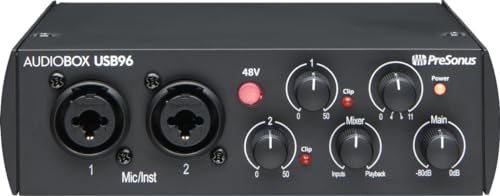
The PreSonus AudioBox 96 is the outlier that earns its place by doing much more than MIDI conversion. It is a two-channel USB audio interface with MIDI input and output, so it makes sense for a musician who wants to record a keyboard while also capturing a microphone, guitar, bass, or another line-level source. It is not the tidy answer for someone who only needs to connect a synth.
The two Class-A microphone preamps give the box a role in vocal and instrument recording, while the two high-headroom instrument inputs handle guitar, bass, and line-level devices. Its converters support up to 24-bit/96 kHz recording and playback. A global 48V phantom-power switch accommodates condenser microphones, and the high-powered headphone output plus balanced quarter-inch TRS outputs make it a more complete monitoring device than any cable in this list.
The AudioBox 96 is bus-powered over USB 2.0, so there is no additional power supply listed for normal operation. Its mixer control lets you blend inputs with computer playback for zero-latency monitoring. That makes the unit a more sensible foundation for a small recording setup than the Roland UM-ONE Mk2, provided the user also needs audio I/O. Readers comparing the recording side may also want to consider how many inputs a home recording setup really needs, since MIDI connectivity alone does not tell you how well an audio interface will fit the rest of the studio.
The drawback is size and focus. The listed dimensions are 5.5 by 5.5 by 1.75 inches, and its listed weight is about 2.01 pounds, which is a very different object from the compact CME U2MIDI Pro. It also uses USB 2.0 rather than the USB-C connection on several CME products. Choose the AudioBox 96 when MIDI is part of a broader recording workflow, not when a single keyboard needs a lightweight computer connection.
10. PWR+ USB Type-A to Type-B Cable: Best Replacement Cable

Pros
- Six-foot USB Type-A to Type-B connection
- USB 2.0 transfer rates up to 480 Mbps
- Works with many keyboards and audio devices
- CE, FCC, and RoHS certified
- 24-month exchange warranty listed
Cons
- Does not have five-pin MIDI connectors
- Requires a device with a USB Type-B port
- No MIDI routing, indicators, or dedicated interface electronics
Best for: replacing a missing USB cable for a keyboard, controller, or audio interface with a Type-B socket.
The PWR+ USB Type-A to Type-B Cable is not a MIDI interface in the same sense as the CME or Roland products. It is a standard USB cable for equipment with a USB-B port. That includes many digital pianos, MIDI controllers, audio interfaces, mixers, microphones, and studio devices. If the keyboard sends MIDI over USB directly, this cable can provide the physical link. If the instrument has only five-pin MIDI sockets, it cannot replace a dedicated adapter.
The cable is 6 feet long and uses a USB 2.0 Type-A male to Type-B male connection. PWR+ lists transfer rates up to 480 Mbps and specifies a 28AWG/2C plus 26AWG/2C construction. Those details are relevant when a cable is being routed across a desk or behind studio equipment, though they do not add MIDI routing features. The broad compatibility list includes Yamaha, Roland, Alesis, Korg, Casio, AKAI Professional, Arturia, Nektar, Novation, M-Audio, and PreSonus equipment.
It is a more appropriate replacement for a USB-B cable that came with a keyboard than the MeloAudio USB-C MIDI Cable, which has the opposite host connector. It can also serve the PreSonus AudioBox 96 if a Type-A computer connection is needed. A key distinction is that both ends are standard USB connectors, so the connected instrument must expose USB MIDI through its Type-B port. The cable itself does not translate five-pin MIDI signals.
PWR+ lists CE, FCC, and RoHS certification, plus a 30-day refund and 24-month exchange warranty. Those are useful ownership details for a replacement cable, but they do not change its basic role. Choose it when the missing part is a USB Type-A to Type-B lead. If you need MIDI input and output from an older synthesizer, select the TENINYU USB MIDI Cable, Roland UM-ONE Mk2, or another dedicated MIDI adapter instead.
How to choose best usb midi interface
The right USB MIDI interface depends first on the sockets on your instrument and host device, then on how many devices and MIDI messages the setup must handle.
MIDI connections
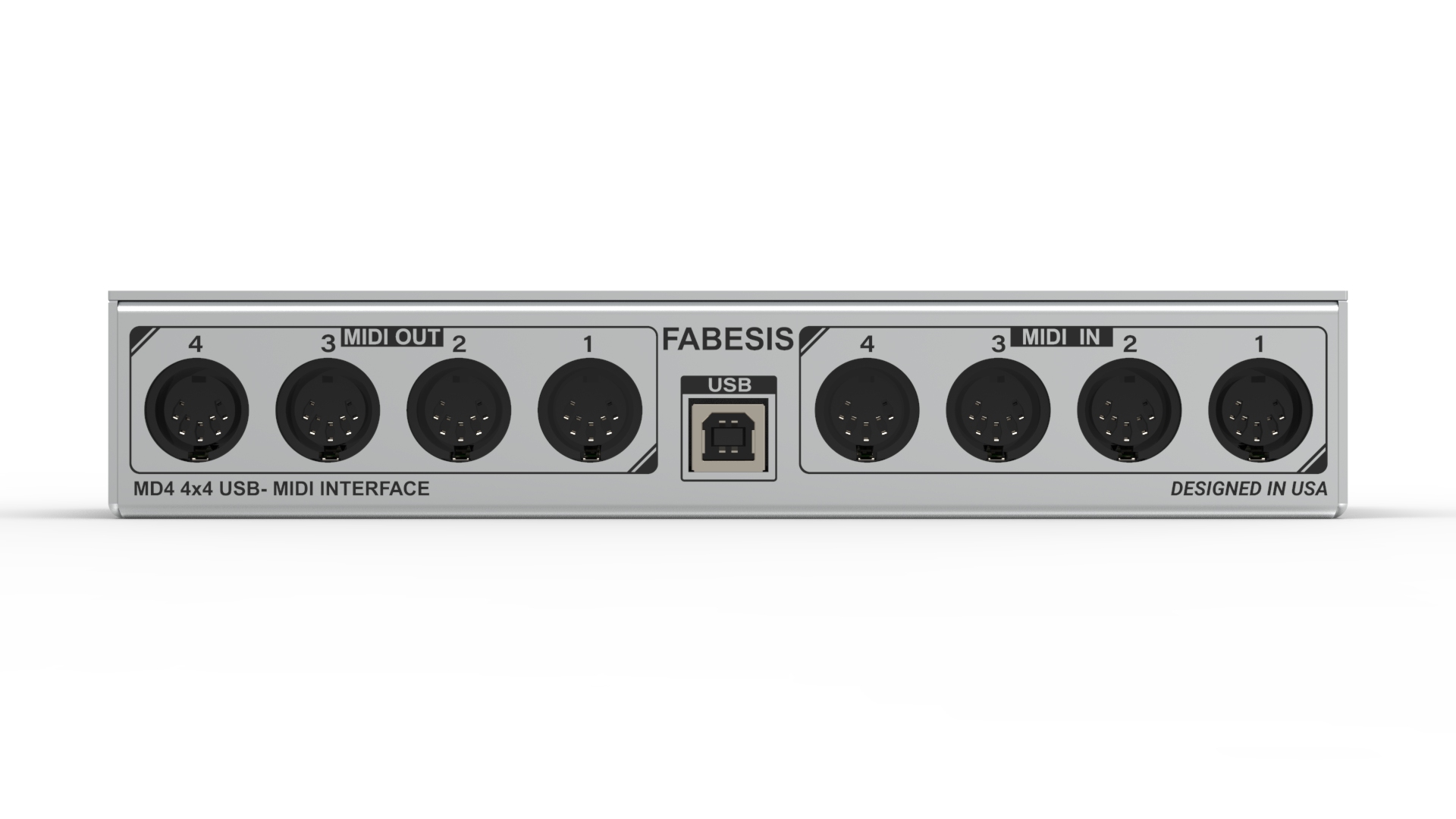
A one-in, one-out interface is enough for one keyboard, synthesizer, or drum machine connected to a computer. It can send and receive MIDI data, but it cannot independently connect several traditional MIDI devices. The CME U6MIDI Pro adds three inputs and three outputs for a larger hardware setup, while the CME H4MIDI WC takes a different approach by hosting USB MIDI devices.
Check whether the instrument uses five-pin MIDI input and output or USB MIDI through a Type-B port. A five-pin connection needs a dedicated MIDI adapter such as the Roland UM-ONE Mk2. A USB-B keyboard can use a regular data cable such as the MeloAudio USB-C MIDI Cable or PWR+ USB Type-A to Type-B Cable, provided the host connector matches.
Host connector
The host side determines whether the cable can plug in directly. USB Type-A remains common on older desktops and laptops, while USB-C is standard on many newer computers, tablets, and phones. The FORE Type-A model can use a USB A to C adapter, but the adapter is not included. The Type-C model has the more convenient plug for a current mobile setup.
Do not assume that a USB-C plug turns any cable into a MIDI interface. The MeloAudio USB-C MIDI Cable connects to a USB-B device, while the FORE and CME cables connect to traditional MIDI sockets. Confirm both ends before ordering.
Routing and message support
Basic adapters pass MIDI between a device and a computer. More advanced interfaces can filter messages, merge several sources, split one stream, or map controls to a different destination. That matters when a sequencer, synthesizer, drum machine, and controller need to share clock or when unwanted controller messages must be blocked.
The CME U2MIDI Pro includes filtering, mapping, routing, merge, and split tools through UxMIDI Tools. The CME U6MIDI Pro adds those capabilities across three physical MIDI inputs and outputs. Look for explicit support for the message types your setup uses, such as SysEx, MPE, MIDI Time Code, and clock.
Buy the connector your instrument actually has, then choose the routing capacity your setup will grow into.
Power and standalone use
Most cable-style interfaces draw power from the host computer or mobile device. That keeps the hardware simple, but it also means the host must be active and able to power the connection. A USB host interface changes the arrangement by allowing USB MIDI instruments to communicate directly with MIDI hardware.
The CME H4MIDI WC supports 5V USB or 9V DC for standalone operation and can save four routing presets. That is a better fit for stage and pedalboard use than a cable that depends on a computer. For ordinary keyboard recording, bus-powered models such as the Roland UM-ONE Mk2 are easier to manage.
Audio recording needs
A MIDI interface transfers performance messages. It does not record the sound from an analog microphone, guitar, or synthesizer unless the product also has audio inputs. If the setup includes vocals or instruments, an audio interface with MIDI I/O can eliminate the need for separate boxes.
The PreSonus AudioBox 96 has two microphone preamps, two instrument inputs, MIDI input and output, headphone monitoring, balanced outputs, phantom power, and recording up to 24-bit/96 kHz. A low-latency monitoring setup for recording instruments can matter more than MIDI port count when the main goal is playing and recording live audio.
Frequently asked questions
Do I need a MIDI interface if my keyboard has USB?
Not always. A keyboard with a USB-B MIDI connection can often connect directly to a computer with a suitable USB data cable, such as the MeloAudio or PWR+ model in this roundup. A dedicated five-pin MIDI interface is needed when the keyboard or synthesizer has traditional MIDI sockets and no usable USB MIDI connection.
What do MIDI in and MIDI out mean?
MIDI In receives messages from another device, while MIDI Out sends messages to another device. A one-in, one-out adapter can communicate in both directions when both connections are wired correctly. The labels describe signal direction, not audio input and output.
Can these interfaces connect to an iPad or Android device?
Several can, but the connector and host support differ. The CME U2MIDI Pro, CME U6MIDI Pro, CME H4MIDI WC, and FORE models list support for mobile operating systems. The Roland UM-ONE Mk2 specifies iPad use through Apple's Camera Connection Kit, while TENINYU also notes a Camera Connection Kit requirement for iOS.
Is USB MIDI the same as recording audio?
No. MIDI records performance instructions such as notes, velocity, controller changes, and timing data. It does not capture the actual sound from a microphone or analog instrument. The PreSonus AudioBox 96 combines MIDI I/O with microphone and instrument inputs for a setup that needs both kinds of recording.
Can one MIDI interface control several synthesizers?
A one-in, one-out cable is not designed for several independent hardware connections. The CME U6MIDI Pro has three inputs and three outputs for a multi-device rig, while the CME H4MIDI WC can host several class-compliant USB MIDI devices through a standard USB hub. The correct choice depends on whether the instruments use five-pin MIDI or USB MIDI.
Does a longer MIDI cable create latency?
The products here list cable lengths from 5 to 6.5 feet, which are normal desktop and keyboard distances. At those lengths, the more important factors are the interface electronics, software configuration, and the host device. Extra routing or filtering can also affect how a complex setup behaves.
The bottom line
The CME U2MIDI Pro is the Best USB MIDI Interface for most people connecting one keyboard or synthesizer to a computer, tablet, or phone. It combines a straightforward one-in, one-out connection with broad operating system support and useful filtering and routing tools. The Roland UM-ONE Mk2 is the simpler alternative when a Mac or Windows computer is the main destination and advanced MIDI processing is not needed.
For larger hardware setups, choose the CME U6MIDI Pro for three physical MIDI inputs and outputs, or the CME H4MIDI WC when USB host operation and computer-free routing matter. If the real need is audio recording as well as MIDI, the PreSonus AudioBox 96 is the more complete studio center.
If you are undecided, identify the connector on your instrument first, then choose the smallest interface that leaves room for the way you actually make music.
As an Amazon Associate we earn from qualifying purchases.