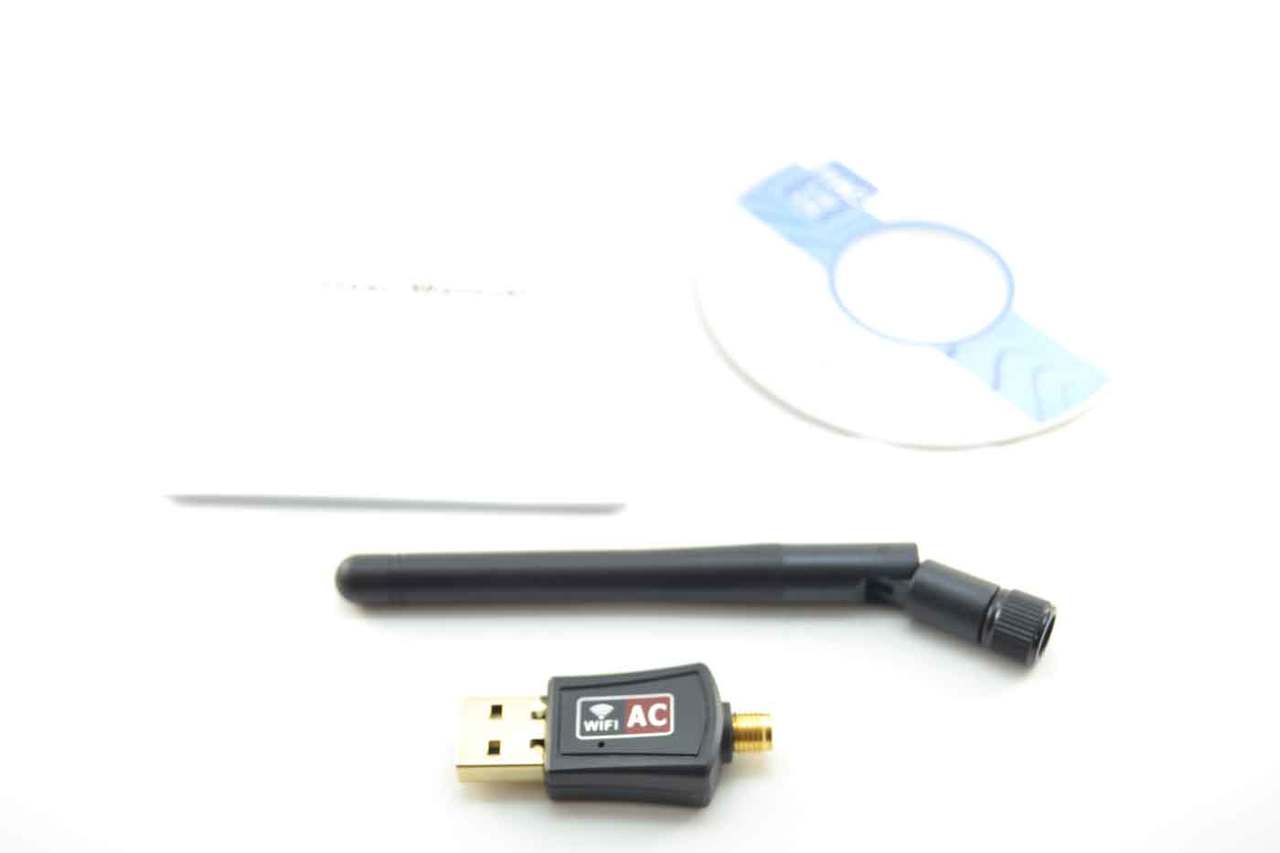

A desktop with a dead or unreliable wireless card can turn a fast 5GHz connection into a frustrating exercise in dropped calls, buffering video, and inconsistent downloads. USB WiFi adapters solve that problem without opening the computer, but the differences between a tiny nano dongle and a larger antenna-equipped unit matter once walls and distance enter the picture.
The Best WiFi Adapters for 5GHz include older WiFi 5 models that remain useful, newer WiFi 6 adapters with better congestion handling, and desktop-focused designs that let you move the antenna away from the metal case. Our top pick is the TP-Link AX1800 WiFi 6 Antenna, while the rest cover compact travel, long-range reception, older Windows systems, and hotspot use.
Comparison of the Best WiFi Adapters for 5GHz
| # | Product | Award | 5GHz capability | Connection design | Best for |
|---|---|---|---|---|---|
| 1 | TP-Link AX1800 WiFi 6 Antenna | Best overall | Up to 1201 Mbps | USB 3.0, 1-meter cable, dual antennas | Most Windows 10 and 11 desktops |
| 2 | TP-Link AC600 Long Range | Best long-range WiFi 5 | Up to 433 Mbps | Adjustable 5 dBi antenna | Older Windows PCs and distant routers |
| 3 | WAVLINK AX1800 WiFi 6 | Best for antenna placement | Up to 1200 Mbps | USB 3.0, magnetic base, 1-meter cable | Desktop placement and weak signals |
| 4 | TP-Link AX1800 WiFi 6 Compact | Best easy-install WiFi 6 | WiFi 6 AX1800 class | USB 3.0, folding antennas | Quick Windows 10 and 11 upgrades |
| 5 | Tenda U11Pro AX900 | Best for hotspot use | Up to 600 Mbps | 6 dBi rotating antenna | Windows PCs that need AP mode |
| 6 | TP-Link AC1300 Nano | Best compact WiFi 5 | AC1300 class | USB 3.0 nano design | Portable dual-band use |
| 7 | TP-Link AC600 Nano | Best tiny adapter | AC600 class | Nano USB design | Laptops and unobtrusive upgrades |
| 8 | Nineplus AC1300 Dual Antenna | Best dual-antenna WiFi 5 | Up to 867 Mbps | USB 3.0, two 5 dBi antennas | Long-distance Windows connections |
| 9 | UGREEN AX900 WiFi 6 | Best tiny WiFi 6 adapter | Up to 600 Mbps | Compact USB design | Nearby WiFi 6 routers |
| 10 | Nineplus AX1800 WiFi 6 | Best low-profile WiFi 6 | Up to 1201 Mbps | USB 3.0, high-gain antenna | Small Windows 10 and 11 systems |
1. TP-Link AX1800 WiFi 6 Antenna: Best Overall

Pros
- WiFi 6 support with up to 1201 Mbps on 5GHz
- Dual high-gain antennas with beamforming
- One-meter USB 3.0 cable gives useful placement freedom
- WPA3, MU-MIMO, and OFDMA support
Cons
- Windows 10 and 11 only
- Larger than a nano adapter
- Needs a WiFi 6 router to make full use of its capabilities
Best for: Windows desktop users who want the strongest all-around combination of speed, range, and placement flexibility.
The TP-Link AX1800 WiFi 6 Antenna is the adapter we would reach for first when a desktop needs a serious wireless upgrade. It is not a barely visible dongle. The two adjustable antennas sit away from the computer on a flexible one-meter USB 3.0 cable, which makes it much easier to find a clean signal than it is with a device buried behind a tower.
Its headline AX1800 rating combines up to 1201 Mbps on 5GHz with up to 574 Mbps on 2.4GHz. Those are theoretical link rates, not guaranteed internet speeds, but the split tells you how this adapter is intended to work. Use 5GHz for faster nearby connections, streaming, and gaming, then move to 2.4GHz when range matters more. USB 3.0 is important here because it avoids making the adapter's interface an unnecessary bottleneck.
WiFi 6 features give this model a stronger case than the older TP-Link AC1300 Nano. MU-MIMO and OFDMA are designed to handle multiple data streams and crowded networks more efficiently, while beamforming helps focus the signal toward the connected device. WPA3 adds newer wireless security. The adapter is also much more adaptable than the tiny UGREEN AX900 WiFi 6, since its cable and antennas can be repositioned around a desk.
The limitation is compatibility. This model supports Windows 11 and Windows 10, but not Linux or Mac, and its full potential depends on pairing it with a WiFi 6 or newer router. It also takes up more desk space than a nano unit. Skip it if the computer is close to the router and you only need a discreet connection, but choose it for a desktop separated by walls or competing with several devices.
For a broader look at the practical differences between USB designs, the factors that make a desktop WiFi upgrade reliable are more useful than simply choosing the largest number on the box. The TP-Link AX1800 WiFi 6 Antenna is the right starting point for most Windows desktop buyers.
2. TP-Link AC600 Long Range: Best Long-Range WiFi 5

Pros
- Adjustable 5 dBi antenna
- Up to 433 Mbps on 5GHz
- Supports Windows XP through Windows 11
- Small and light design
Cons
- WiFi 5 rather than WiFi 6
- Lower 5GHz ceiling than newer AX1800 adapters
- Windows only
Best for: older Windows desktops that need better reception from a distant router.
The TP-Link AC600 Long Range is a sensible choice when the real problem is reception rather than headline speed. Its adjustable 5 dBi antenna is the defining feature. You can rotate the antenna toward the router instead of leaving a tiny receiver in an awkward position behind a desktop case, and that flexibility can matter more than moving from one wireless generation to another.
The AC600 rating means up to 433 Mbps on 5GHz and up to 200 Mbps on 2.4GHz. That is enough for ordinary streaming, browsing, video calls, and many home broadband connections, though it has less headroom than the 1201 Mbps 5GHz figures offered by the TP-Link AX1800 WiFi 6 Antenna and WAVLINK AX1800 WiFi 6. The adapter supports 802.11ac, so it remains a straightforward match for a WiFi 5 router.
Compatibility is its quiet advantage. The adapter supports Windows 11, 10, 8.1, 8, 7, and XP, which makes it a better fit for an older machine than most WiFi 6 products in this roundup. TP-Link says drivers should be downloaded from its website, so installation is not quite as effortless as plugging in a current Windows-only adapter.
This model does not support Mac or Linux, and the 5GHz connection will still weaken through walls or at long distances. It is also not the right pick for a crowded household with many simultaneous high-bandwidth devices. Choose the TP-Link AC600 Long Range when an older Windows PC needs a stable dual-band link and antenna positioning matters more than the newest wireless standard.
3. WAVLINK AX1800 WiFi 6: Best for Antenna Placement

Pros
- Up to 1200 Mbps on 5.8GHz
- Four 3 dBi antennas
- Magnetic base and one-meter USB 3.0 cable
- WPA3 and soft AP mode
Cons
- Windows 10 and 11 only
- Bulky desktop-oriented design
- Driver installation may require extra steps
Best for: desktop owners who need to move the receiver into a clearer position.
The WAVLINK AX1800 WiFi 6 makes a strong case for getting the adapter away from the back of the computer. Its magnetic base, one-meter USB 3.0 cable, and four 3 dBi antennas provide more positioning options than a conventional stick. A tower tucked under a desk can often benefit from having the receiver raised or shifted to the side, even when the router itself has not moved.
The adapter supports up to 1200 Mbps on 5.8GHz and 600 Mbps on 2.4GHz. It is built for WiFi 6, with WPA3 support and the ability to use a 5GHz or 2.4GHz connection. The included USB 3.0 cable supports data transfer up to 5 Gbps, giving the adapter an appropriate connection to the computer. As with every product here, the practical result depends on the router, distance, walls, and nearby network traffic.
Soft AP mode is another useful extra. It can turn a wired network connection into a WiFi hotspot for nearby devices, while WiFi mode connects the PC directly to a wireless network. That makes this more versatile than the TP-Link AX1800 WiFi 6 Compact, although the TP-Link has a neater folding design and a simpler installation story.
The WAVLINK is limited to Windows 10 and 11, and the product information says the driver must be installed for the computer to recognize it. Its physical size also makes it a poor choice for a laptop bag. If the adapter will live permanently beside a desktop and signal placement is your main concern, it is one of the most flexible designs in this group.
The larger question is often whether the router itself needs help. If the signal is weak across the whole house, the difference between changing the adapter and improving coverage can prevent you from expecting a USB receiver to do an extender's job.
4. TP-Link AX1800 WiFi 6 Compact: Best Easy-Install WiFi 6

Pros
- WiFi 6 AX1800 class performance
- Internal driver helps simplify setup
- Folding adjustable antennas
- USB 3.0 and WPA3 support
Cons
- Windows 10 and 11 only
- No Mac or Linux support
- Larger than a basic nano dongle
Best for: Windows users who want WiFi 6 features without dealing with a separate driver download.
The TP-Link AX1800 WiFi 6 Compact is the cleanest upgrade for someone replacing a failing or outdated wireless card on a recent Windows PC. Its internal driver is intended to make installation quick, and the antennas fold for storage. That is a more polished approach than a fixed nano stick, while remaining less elaborate than the magnetic-base design used by WAVLINK.
TP-Link describes this as an AX1800 adapter with dual-band WiFi 6, though the supplied features do not state separate 5GHz and 2.4GHz link rates. The important practical features are clear: USB 3.0, two high-gain antennas, beamforming, MU-MIMO, and OFDMA. Together, they are aimed at better coverage, improved handling of multiple devices, and lower latency on a compatible network.
WPA3 provides newer wireless security, and the adjustable antennas can be folded down when the adapter is not in use. That makes it easier to pack than the TP-Link AX1800 WiFi 6 Antenna, whose one-meter cable is better for positioning but less tidy. The TP-Link AX1800 WiFi 6 Compact also has a more direct setup path than the WAVLINK, although both are restricted to current Windows systems.
There are clear boundaries. It supports Windows 10 and 11 only, and the data does not list Mac or Linux compatibility. A WiFi 5 router will not let it show its full WiFi 6 advantages, so it is a forward-looking purchase rather than a magic speed boost for every network. Pick it when you want a capable desktop adapter with sensible physical design and minimal installation friction.
5. Tenda U11Pro AX900: Best for Hotspot Use

Pros
- 6 dBi rotating omnidirectional antenna
- Up to 600 Mbps on 5GHz
- AP mode supports up to eight devices
- Preloaded drivers for Windows 7, 10, and 11
Cons
- Large external antenna
- AP mode works on 5GHz only
- Limited to Windows systems
Best for: a Windows PC that must also share a wired connection as a 5GHz hotspot.
The Tenda U11Pro AX900 is the unusual pick here because it is not just about receiving WiFi. Its AP mode lets the PC act as a WiFi hotspot for up to eight devices, and that mode operates on the 5GHz band. If a desktop is connected by Ethernet and needs to provide wireless access nearby, this feature gives the adapter a job beyond replacing a missing WiFi card.
For normal wireless use, the U11Pro supports up to 600 Mbps on 5GHz and 286 Mbps on 2.4GHz. The external 6 dBi omnidirectional antenna rotates in multiple directions and is intended to improve reception in areas with interference or weak signal. It is physically more conspicuous than the UGREEN AX900 WiFi 6, but that is the trade-off for having a substantial adjustable antenna rather than a tiny receiver.
Tenda includes preloaded drivers for Windows 11, 10, and 7, which makes it more accommodating than the Windows 10 and 11-only WiFi 6 adapters from TP-Link, WAVLINK, and UGREEN. The product also supports MU-MIMO. Those features make it a practical fit for older Windows desktops, provided the user is comfortable with an external antenna taking up space.
The antenna is the main weakness for anyone who wants a discreet adapter, and the AP mode restriction to 5GHz narrows its use as a hotspot. It also cannot turn a poor router signal into a powerful whole-home network. Select the Tenda U11Pro AX900 for a Windows computer where antenna reach or hotspot functionality matters more than the smallest possible design.
6. TP-Link AC1300 Nano: Best Compact WiFi 5

Pros
- AC1300 dual-band wireless
- USB 3.0 interface
- Nano-sized and portable
- Supports Windows and older Mac systems
Cons
- WiFi 5 rather than WiFi 6
- No external antenna for repositioning
- Mac support stops at OS X 10.14
Best for: users who want a small dual-band adapter with more 5GHz capacity than an AC600 nano model.
The TP-Link AC1300 Nano is the middle ground between a tiny basic receiver and a full desktop antenna system. It plugs directly into USB, takes little room, and is easy to carry between machines. For a laptop or a desktop with a convenient front port, that simplicity is appealing.
Its AC1300 dual-band design provides more capacity than the TP-Link AC600 Nano, while USB 3.0 helps support the faster wireless connection. The adapter includes MU-MIMO and beamforming, features intended to maintain a more efficient connection when the router is communicating with multiple devices. It is a WiFi 5 product, so it lacks the WiFi 6 features found in the TP-Link AX1800 WiFi 6 Compact and Nineplus AX1800 WiFi 6.
Compatibility is unusually broad for this list. It supports Windows 11, 10, 8.1, 8, 7, and XP, along with Mac OS X 10.9 through 10.14. That makes it more useful for older systems than newer Windows-only alternatives. The supplied information does not promise current macOS support, so Mac users should confirm their operating system before buying.
The obvious compromise is the lack of an adjustable antenna. A nano adapter cannot be moved away from a metal desktop case or aimed toward the router, so it is better for a reasonably strong nearby signal than for a difficult room. Choose it when portability and a low-profile design matter more than WiFi 6 or long-range positioning.
7. TP-Link AC600 Nano: Best Tiny Adapter

Pros
- Extremely small nano design
- Dual-band 2.4GHz and 5GHz support
- Broad Windows compatibility
- Supports older Mac OS X versions
Cons
- Lower 5GHz capacity than AC1300 and WiFi 6 models
- No external antenna
- Driver installation may be required
Best for: laptops and desktops that need a discreet way to add dual-band WiFi.
The TP-Link AC600 Nano is the adapter to choose when the physical footprint matters most. Its miniature design can remain plugged into a laptop or compact computer without the antenna sticking out, and it avoids the desk clutter created by larger desktop receivers. It is a simple solution for a machine with a missing or unreliable wireless connection.
The AC600 class provides dual-band 2.4GHz and 5GHz connectivity, but TP-Link does not provide separate link-rate figures in the supplied product details. It is clearly less capable on paper than the AC1300 Nano and far behind the AX1800 models. That does not make it unsuitable for everyday browsing or ordinary streaming, especially near the router, but it leaves less room for demanding transfers and busy networks.
Compatibility is one of its strongest points. The adapter supports Windows 11, 10, 8.1, 8, 7, and XP, plus Mac OS X 10.9 through 10.14. TP-Link says driver installation may be needed, so this is not necessarily a plug-in-and-forget purchase on every machine. It also includes two-year support and 24/7 technical support according to the listed features.
The tiny body has predictable limits. There is no adjustable antenna, no cable for better placement, and no WiFi 6 support. If your desktop sits behind a cabinet or several walls away, the TP-Link AC600 Long Range is the more sensible TP-Link choice. Pick the AC600 Nano for a nearby router, older computer, or travel setup where unobtrusive size wins.
8. Nineplus AC1300 Dual Antenna: Best Dual-Antenna WiFi 5

Pros
- Up to 867 Mbps on 5GHz
- Two external 5 dBi antennas
- USB 3.0 connection
- Supports Windows 7 through Windows 11
Cons
- No Mac, Chromebook, or Linux support
- Requires manual driver installation on Windows 7
- Larger than a nano adapter
Best for: Windows desktop users who need dual external antennas without moving to WiFi 6.
The Nineplus AC1300 Dual Antenna is built around a straightforward idea: put more antenna hardware between the computer and a difficult wireless environment. Its two 5 dBi antennas can improve reception and transmission compared with the fixed internal antennas in the TP-Link AC1300 Nano, especially when the desktop is positioned awkwardly.
Nineplus lists speeds up to 867 Mbps on 5GHz and 400 Mbps on 2.4GHz. Those figures put it above the AC600 models and in the same broad WiFi 5 class as other AC1300 adapters. USB 3.0 supports the connection, and the adapter is intended for gaming, streaming, and everyday broadband use. The actual result still depends on the router and the signal path, so the antennas are useful for reception but cannot overcome every wall or source of interference.
Windows compatibility is broad, covering Windows 11, 10, 8.1, 8, 7, and XP. Most Windows 10 and 11 systems are expected to detect the driver automatically, while Windows 7 requires manual installation. Mac, Chromebook, and Linux systems are not supported. That makes this a more flexible older-PC option than the Nineplus AX1800 WiFi 6, which is restricted to Windows 10 and 11.
The main drawback is that it occupies more space and offers no WiFi 6 features such as WPA3, OFDMA, or the newer network efficiency advantages. The TP-Link AX1800 WiFi 6 Antenna is a better choice for a newer router and a crowded home, but this Nineplus model remains attractive for an older Windows desktop where antenna reach is the priority.
9. UGREEN AX900 WiFi 6: Best Tiny WiFi 6 Adapter

Pros
- Very small USB design
- WiFi 6 support
- Up to 600 Mbps on 5GHz
- Built-in drivers for Windows 10 and 11
Cons
- Windows 10 and 11 only
- No external antenna
- Recommended operating distance is within 30 feet
Best for: Windows 10 and 11 computers used close to a WiFi 6 router.
The UGREEN AX900 WiFi 6 is a compact alternative for a computer that sits reasonably close to its router. It is small enough to avoid blocking nearby ports in many setups, and its built-in drivers are intended to make installation easier on compatible Windows systems. This is a very different proposition from the larger antenna-based adapters above.
UGREEN lists up to 600 Mbps on 5GHz and 286 Mbps on 2.4GHz, with the AX900 performance dependent on using a WiFi 6 router. The 5GHz figure is lower than the AX1800 products from TP-Link, WAVLINK, and Nineplus, but the adapter still gains WiFi 6's newer wireless generation. It supports WPA-PSK, WPA2-PSK, and mixed WPA/WPA2 encryption modes.
The small body is both its advantage and its limitation. There is no cable, adjustable antenna, or high-gain external element to help when the receiver is hidden behind a desktop. UGREEN recommends keeping the adapter and router within 30 feet, which is a useful boundary for deciding between this and the Tenda U11Pro AX900. The Tenda is much better suited to weak reception, while the UGREEN is easier to leave plugged in.
Operating-system support is narrow. This model supports Windows 10 and 11 on x86 and x64 systems, but not MacOS, Linux, Windows 8, Windows 8.1, Windows 7, or XP. Choose it for a nearby WiFi 6 router and a clean, low-profile setup. Skip it for a distant desktop or an older operating system.
10. Nineplus AX1800 WiFi 6: Best Low-Profile WiFi 6

Pros
- Up to 1201 Mbps on 5GHz
- WiFi 6 and WPA3 support
- USB 3.0 interface
- Smaller than many antenna-equipped desktop adapters
Cons
- Windows 10 and 11 only
- No Windows 7, Mac, or Linux support
- Compact antenna has less placement flexibility than a cable-based unit
Best for: a Windows 10 or 11 computer that needs high WiFi 6 link rates in a smaller design.
The Nineplus AX1800 WiFi 6 packs a high wireless ceiling into a relatively small USB adapter. It is designed for people who want more capacity than a basic AX900 dongle without installing a large receiver with a separate base. The product describes a high-gain antenna, though it does not provide an antenna gain figure.
Its claimed AX1800 performance reaches up to 1201 Mbps on 5GHz and 574 Mbps on 2.4GHz. USB 3.0 is included to support that class of connection, and WPA3 adds the latest security protocol listed for the adapter. Those figures make it more suitable for high-bandwidth work than the UGREEN AX900, at least when paired with a compatible WiFi 6 router.
The product is intended for Windows 11 and 10, with automatic driver detection described for those systems. It does not support Windows 7, Mac, or other operating systems. The small body is more convenient than the WAVLINK AX1800 WiFi 6, but the WAVLINK's magnetic base and one-meter cable give it a meaningful advantage when the desktop is buried under a desk or surrounded by obstacles.
That trade-off defines this adapter. It offers a strong 5GHz specification and a less intrusive design, but it cannot be positioned as freely as a cabled receiver. It is also not a WiFi extender, booster, or repeater, so it only adds wireless capability to the computer. Choose the Nineplus AX1800 WiFi 6 for a compact Windows upgrade near a capable router, not as a solution for poor whole-home coverage.
How to choose best wifi adapters for 5ghz
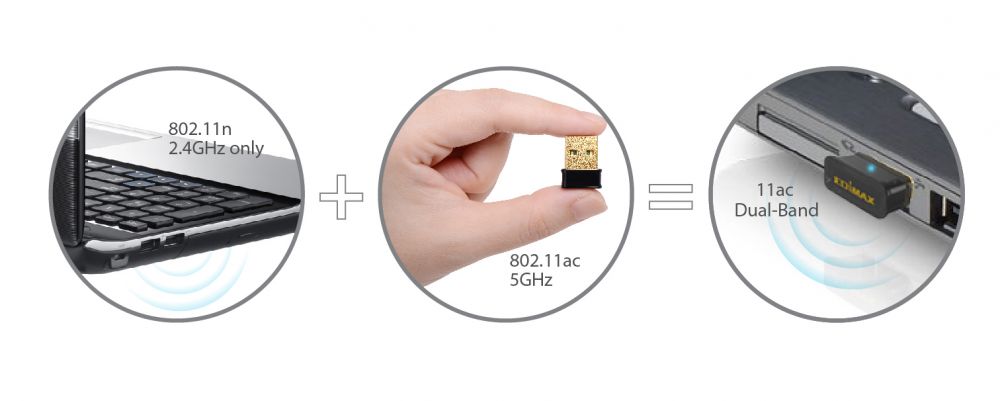
The right adapter depends on the distance to the router, the computer's operating system, and whether you need a discreet dongle or a receiver that can be positioned around a desktop.
5GHz link capacity
5GHz is usually the faster band, but the numbers printed on an adapter are theoretical link rates. An AC600 product such as the TP-Link AC600 Long Range lists up to 433 Mbps on 5GHz, while AX1800 models list figures up to 1200 or 1201 Mbps. A faster class makes more sense with a fast WiFi 6 router and demanding local transfers, but it will not make an internet plan exceed its own speed.
For ordinary browsing and streaming, a lower-rated adapter can be adequate. Look higher when several devices share the network, the computer handles large downloads, or latency and throughput matter during busy periods.
A high 5GHz number cannot compensate for an adapter hidden behind a metal desktop and several walls.
WiFi generation
WiFi 5 adapters remain useful with WiFi 5 routers and often support older computers. WiFi 6 adapters add newer network management features such as OFDMA and MU-MIMO, which can help in crowded homes with multiple active devices. WPA3 is another advantage on supported routers.
Do not choose WiFi 6 solely for the label if the computer runs an unsupported operating system. The UGREEN AX900, WAVLINK AX1800, and newer TP-Link models are much more restricted than the older AC600 and AC1300 options.
Antenna placement
A nano adapter is neat, but it cannot be moved away from the computer. External antennas, a cable, or a magnetic base make it possible to raise the receiver, turn it toward the router, or move it out from behind a case. That can be the deciding factor in a weak-signal room.
The TP-Link AX1800 WiFi 6 Antenna and WAVLINK AX1800 WiFi 6 offer the most useful placement flexibility. The Tenda U11Pro AX900 and Nineplus AC1300 Dual Antenna also emphasize external antenna hardware, though their physical designs are less discreet.
USB interface
USB 3.0 is the sensible choice for faster AC1300 and AX1800 adapters. It provides more bandwidth between the adapter and computer than USB 2.0 and is specified by several products in this roundup. A nano AC600 adapter has less wireless capacity to support, but a high-rate WiFi 6 adapter should be connected to an appropriate USB 3.0 port.
A cable can also help with positioning. A one-meter lead, as supplied with the TP-Link AX1800 WiFi 6 Antenna and WAVLINK AX1800 WiFi 6, may improve reception simply by getting the receiver clear of the tower.
Operating-system support
Compatibility should be checked before comparing speed. The TP-Link AC600 Long Range, TP-Link AC1300 Nano, TP-Link AC600 Nano, and Nineplus AC1300 Dual Antenna support older Windows versions. By contrast, the UGREEN AX900 WiFi 6, WAVLINK AX1800 WiFi 6, and newer TP-Link WiFi 6 choices are aimed at Windows 10 and 11.
Mac and Linux support is particularly limited in this list. The TP-Link AC1300 Nano and TP-Link AC600 Nano list older Mac OS X support, while several newer models explicitly exclude Mac and Linux.

Frequently asked questions
Do these adapters work with any 5GHz router?
They are designed to connect to 5GHz wireless networks, but the supported speed and WiFi features depend on the router. WiFi 5 adapters work with compatible 802.11ac networks, while WiFi 6 adapters need a WiFi 6 router to make full use of their newer capabilities.
Is 5GHz always faster than 2.4GHz?
5GHz is usually faster at shorter range and is often less congested. 2.4GHz travels farther and passes through obstacles more effectively, so it can be the better choice when the computer is far from the router.
Should a desktop use a nano adapter or an external antenna?
Use a nano adapter when the router is nearby and a low-profile design matters. An external antenna is the better choice when the desktop is behind furniture, far from the router, or separated by walls.
Do USB WiFi adapters need drivers?
Some adapters include built-in or preloaded drivers, while others require a download from the manufacturer's website. The TP-Link AC600 Long Range says drivers should be downloaded, while the UGREEN AX900 and newer TP-Link models describe built-in or internal driver support for compatible Windows systems.
Can a WiFi adapter improve a weak signal throughout the house?
No. A USB adapter can improve the computer's ability to receive a signal, especially when it has a better antenna position, but it is not a whole-home extender or repeater. If several rooms have weak coverage, the router and network layout need a separate solution.
Can these adapters create a WiFi hotspot?
Some can. The Tenda U11Pro AX900 supports AP mode for up to eight devices on 5GHz, and the WAVLINK AX1800 WiFi 6 includes a soft AP function. The feature depends on the adapter, operating system, and network connection.
Does a WiFi 6 adapter work with a WiFi 5 router?
It can connect to a compatible WiFi 5 router, but its WiFi 6 benefits will not be available. The maximum practical performance will be limited by the router and the older wireless standard.

The bottom line
The Best WiFi Adapters for 5GHz start with the TP-Link AX1800 WiFi 6 Antenna. Its dual antennas, one-meter cable, USB 3.0 connection, WiFi 6 features, and WPA3 support make it the strongest all-around option for a Windows 10 or 11 desktop. Choose the TP-Link AC600 Long Range instead when the computer is older or the adjustable 5 dBi antenna matters more than WiFi 6.
For a receiver that needs to sit away from a desktop case, the WAVLINK AX1800 WiFi 6 is the more flexible alternative. The UGREEN AX900 WiFi 6 and TP-Link AC600 Nano make more sense when the router is nearby and a tiny adapter is the priority.
If you are undecided, choose an antenna-equipped model for difficult reception and a nano model only when the existing signal is already strong.
As an Amazon Associate we earn from qualifying purchases.