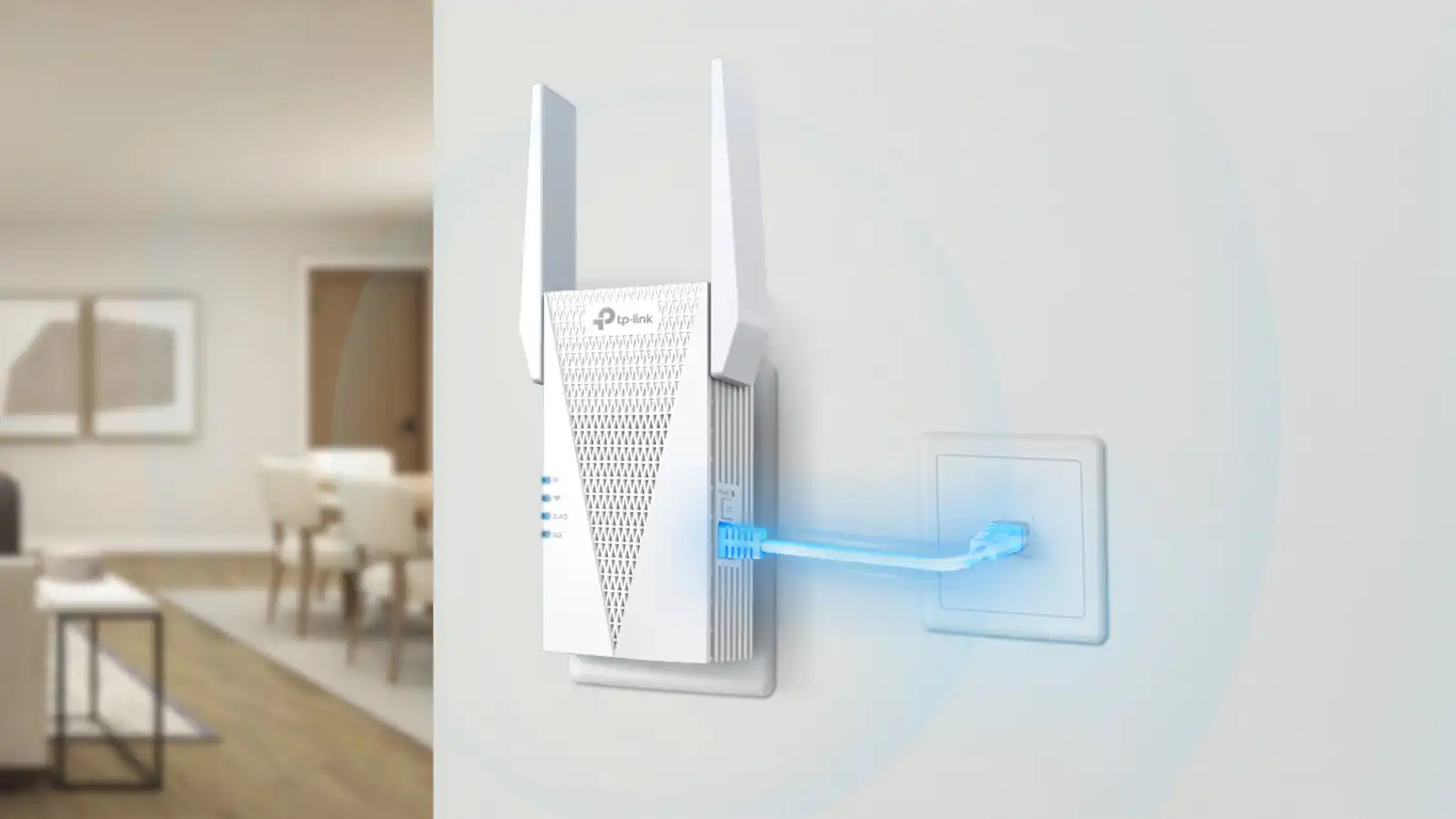

A range extender cannot fix a weak internet plan, but it can stop a distant bedroom, garage, or upstairs office from dropping off the network. The difficult part is choosing between older dual-band hardware, newer Wi-Fi 6 models, and Wi-Fi 7 extenders whose headline capabilities depend heavily on the router they connect to.
Our Best wifi range extender picks focus on useful coverage, wireless standards, Ethernet connectivity, device capacity, and setup features. The TP-Link RE715X is the best all-around choice, while the list also includes compact models, high-capacity Wi-Fi 7 options, and simpler alternatives for basic dead zones.
Comparison table
| # | Product | Award | Wireless bandwidth | Claimed coverage | Device capacity | Best for |
|---|---|---|---|---|---|---|
| 1 | TP-Link RE715X | Best overall | 3 Gbps | 2, 400 sq. ft. | 64 devices | Larger homes and Wi-Fi 6 |
| 2 | TP-Link RE315 | Best simple setup | 1.2 Gbps | 1, 500 sq. ft. | 32 devices | Basic dead zones |
| 3 | TP-Link RE550 | Best Wi-Fi 5 reach | 1.9 Gbps | 2, 100 sq. ft. | 32 devices | Older routers and wired devices |
| 4 | TP-Link RE615X | Best Wi-Fi 6 alternative | 1.8 Gbps | 2, 100 sq. ft. | 64 devices | Busy homes with EasyMesh |
| 5 | TP-Link RE223BE | Best dual-band Wi-Fi 7 | 3.2 Gbps | 2, 400 sq. ft. | 64 devices | Wi-Fi 7 routers without 6 GHz |
| 6 | Eboous 15000-Sq.-Ft. Extender | Best claimed coverage | Not stated | 15, 000 sq. ft. | 65+ devices | Very broad signal reach |
| 7 | TP-Link RE653BE | Best Wi-Fi 7 performance | 10 Gbps | 2, 800 sq. ft. | 128 devices | Multi-gigabit networks |
| 8 | TP-Link RE500X | Best compact Wi-Fi 6 | 1.5 Gbps | 1, 500 sq. ft. | 25 devices | Smaller homes |
| 9 | NETGEAR EX6400 | Best for simple roaming | 1.9 Gbps | 2, 100 sq. ft. | 35 devices | Existing NETGEAR-style networks |
| 10 | TGDLLF 5000-Sq.-Ft. Extender | Best basic repeater | Not stated | 5, 000 sq. ft. | Up to 45 devices | Travel and simple installations |
1. TP-Link RE715X: Best Overall

Pros
- Wi-Fi 6 support with strong dual-band capacity
- Coverage claim reaches 2, 400 square feet
- Gigabit Ethernet and access point mode
- Supports up to 64 devices
- EasyMesh compatibility and smart roaming
Cons
- Not compatible with TP-Link Deco mesh systems
- Extender throughput depends on the wireless link to the router
- Larger than the compact models here
Best for: households that want a capable Wi-Fi 6 extender with room for many connected devices.
The TP-Link RE715X is the one we would choose for most homes with a stubborn dead zone. It has enough wireless headroom to serve several active devices at once, and its directional antennas and Beamforming support give it a more serious reach than the smallest plug-in extenders. The result is a sensible balance between coverage, current wireless standards, and manageable setup.
Its AX3000 rating comes from up to 2, 404 Mbps on the 5 GHz band and up to 574 Mbps on 2.4 GHz, for a stated total of 3 Gbps. Those figures are theoretical link rates, not a promise that a phone across two walls will download at that speed. The 5 GHz band is the useful high-capacity lane for nearby streaming devices and laptops, while 2.4 GHz is better at reaching through obstacles. TP-Link also states coverage up to 2, 400 square feet and support for 64 devices, though walls, router placement, and interference will determine the practical result.
The gigabit Ethernet port adds useful flexibility. A desktop, television, game console, or streaming player can use a wired connection at the extender instead of competing over another wireless hop. Access point mode is available when Ethernet can be run to the extender, which is often the better arrangement because the wired backhaul avoids sending the same traffic wirelessly in both directions. The Tether app handles setup and includes an intelligent signal indicator for finding a workable position.
Compared with the TP-Link RE615X, the RE715X offers higher stated wireless bandwidth and a larger coverage claim. The newer TP-Link RE223BE adds Wi-Fi 7 features, but its dual-band design still lacks 6 GHz, while the RE715X is easier to recommend for a mixed household that has not moved to Wi-Fi 7. Its real weakness is compatibility: EasyMesh support does not extend to Deco systems. Skip it if your home is built around Deco, or if you need the 6 GHz band. For everyone else, this is the most complete general-purpose pick.
2. TP-Link RE315: Best Simple Setup

Pros
- Straightforward Tether app setup
- One-touch connection support
- Dual-band operation
- EasyMesh compatibility
- Small, light plug-in design
Cons
- Lower bandwidth than the Wi-Fi 6 picks
- Fast Ethernet rather than gigabit Ethernet
- Limited to 32 connected devices
Best for: smaller homes that need a straightforward fix for one or two weak-signal areas.
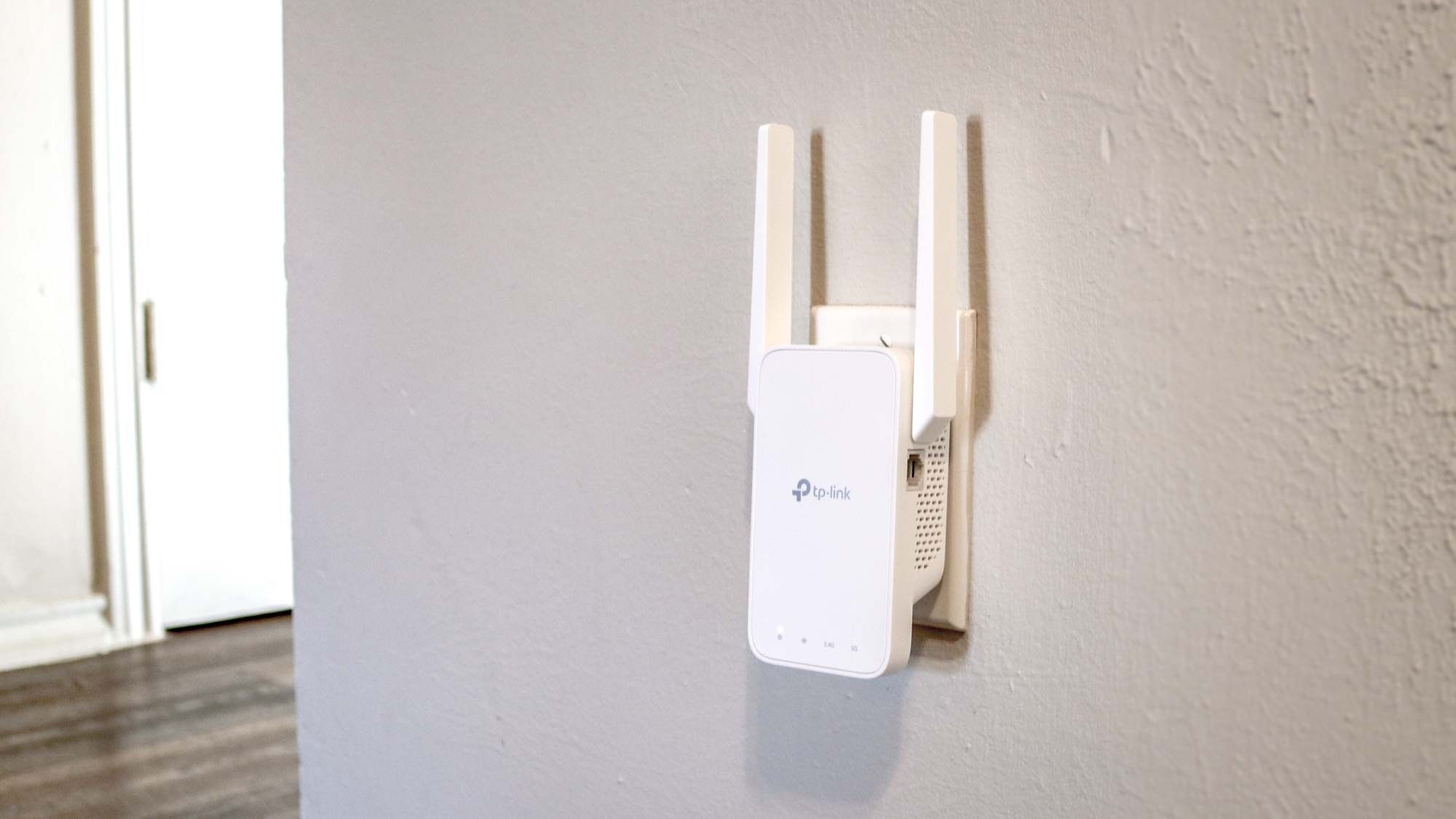
The TP-Link RE315 is the uncomplicated choice. It does not try to be a high-capacity Wi-Fi 6 platform. Instead, it focuses on extending an existing network into a room where the router signal is unreliable. The two adjustable external antennas are easy to position, and the compact enclosure is less awkward on a crowded wall outlet than the taller models.
This is an AC1200 extender, with up to 867 Mbps on 5 GHz and 300 Mbps on 2.4 GHz. That split makes sense for everyday browsing, video calls, and ordinary streaming, particularly when the router itself is an older Wi-Fi 5 model. TP-Link lists coverage up to 1, 500 square feet and support for 32 devices. Those figures suit a smaller network better than a house full of high-bandwidth clients, and an extender like this should be placed where it still receives a healthy signal from the router, not at the very edge of the dead zone.
The Ethernet port is a useful inclusion, but it is a Fast Ethernet port rather than gigabit. That distinction matters for a wired desktop or a fast broadband connection, where the port can become the limiting link. The RE315 does support access point-style expansion through a wired network connection, and its Adaptive Path Selection feature is intended to choose a suitable route through the network. Setup runs through the TP-Link Tether app, with a signal indicator to help find placement.
The TP-Link RE500X is a better fit for someone who wants Wi-Fi 6, while the TP-Link RE550 offers more stated capacity and three external antennas. The RE315 wins on simplicity and modest physical size. Its weakness is that it is not the right tool for a large, busy home or a gigabit wired device. Choose it for a bedroom, hallway, or small office where the goal is reliable coverage rather than maximum throughput.
3. TP-Link RE550: Best Wi-Fi 5 Reach

Pros
- Strong AC1900 dual-band specification
- Three adjustable external antennas
- Gigabit Ethernet port
- Access point mode
- EasyMesh compatibility
Cons
- Uses Wi-Fi 5 rather than Wi-Fi 6
- Supports 32 devices
- Broad housing can be less discreet on a wall
Best for: extending an older dual-band router while retaining a useful wired connection.
The TP-Link RE550 remains a practical pick for a home that has not replaced its router recently. Its three adjustable external antennas give it a more substantial presence than the RE315, but they also provide more flexibility when aiming coverage toward a distant room. This is the kind of extender that makes sense when the router is stable and the problem is simply that its signal does not reach far enough.
Its AC1900 rating combines up to 1, 300 Mbps on 5 GHz with up to 600 Mbps on 2.4 GHz. The higher 2.4 GHz figure is useful on paper for longer-range connections, although real performance still depends on interference and the quality of the link back to the router. The stated coverage is up to 2, 100 square feet, with support for up to 32 devices. That is a solid fit for ordinary connected-home use, but less generous than the 64-device capacity of the RE715X and RE615X.
A gigabit Ethernet port makes the RE550 more versatile than the smaller RE315. It can connect a wired entertainment device or desktop in a remote room, and access point mode lets it use a cable as the connection to the router. The Tether app provides setup, management, firmware updates, and a signal indicator. Smart Adaptive Roaming is designed to help devices move between the router and extender without requiring a separate network name.
The NETGEAR EX6400 offers a similar AC1900 class and a roaming-focused approach, while the TP-Link RE615X brings Wi-Fi 6 efficiency and twice the stated device capacity. The RE550's honest limitation is its older wireless generation. It is not the model to choose for a new Wi-Fi 6 or Wi-Fi 7 network, and it will not turn an older router into a newer one. It is a better match for someone extending an existing Wi-Fi 5 setup without changing the rest of the network.
4. TP-Link RE615X: Best Wi-Fi 6 Alternative

Pros
- Wi-Fi 6 dual-band operation
- Support for up to 64 devices
- Directional antennas with Beamforming
- Gigabit Ethernet and access point use
- EasyMesh and smart roaming features
Cons
- No 6 GHz band
- Lower stated bandwidth than the RE715X
- Not compatible with Deco mesh systems
Best for: homes that want Wi-Fi 6 capacity and broad coverage without moving to Wi-Fi 7.
The TP-Link RE615X is a strong middle ground. It has the same broad shape and app-driven setup approach as the RE715X, but its lower AX1800 class places it just below that model in wireless capacity. For a household with phones, laptops, televisions, cameras, and smart-home products, the important advantage is not only speed. Wi-Fi 6 also gives the extender a more current way to handle a crowded network.
The stated totals reach 1.8 Gbps, divided into up to 1, 201 Mbps on 5 GHz and 574 Mbps on 2.4 GHz. The 5 GHz band handles nearby high-throughput clients, while 2.4 GHz extends farther and copes better with walls. TP-Link claims coverage up to 2, 100 square feet and up to 64 devices. That combination makes it a better fit for a busy household than the RE550, even though the RE550 has a higher AC1900 label.
Two high-gain directional antennas and Beamforming are intended to improve signal strength and reliability toward connected devices. The gigabit Ethernet port can serve a wired device or support access point mode when you can run cable from the router. The Tether app simplifies setup and uses an intelligent signal indicator to help avoid placing the extender too far from the source signal. EasyMesh and Smart Adaptive Roaming can help create a more unified experience with a compatible router.
The RE615X is the sensible alternative to the TP-Link RE715X when the latter's extra wireless capacity is unnecessary. It also offers more device headroom than the TP-Link RE500X, whose stated coverage and capacity are smaller. The weakness is clear: there is no 6 GHz support, and Deco users cannot fold it into a Deco mesh system. Buy it for a current Wi-Fi 6 network that needs more reach, not as a way to add Wi-Fi 7 features.
5. TP-Link RE223BE: Best Dual-Band Wi-Fi 7

Pros
- Wi-Fi 7 features with Multi-Link Operation
- Four-stream dual-band design
- Coverage claim up to 2, 400 square feet
- Support for 64 devices
- EasyMesh compatibility
Cons
- No 6 GHz band
- Wi-Fi 7 features require a compatible router
- Extender bandwidth still depends on placement and backhaul
Best for: Wi-Fi 7 homes that need a dual-band extension and do not require 6 GHz.
The TP-Link RE223BE is an unusual proposition because it carries Wi-Fi 7 features without carrying the 6 GHz band. That does not make it a poor extender, but it changes what the Wi-Fi 7 label means here. Its main appeal is support for newer traffic-management features, especially when paired with a Wi-Fi 7 router, rather than access to every frequency available in the standard.
Its dual-band total reaches 3.2 Gbps, with up to 2, 594 Mbps on 5 GHz and 688 Mbps on 2.4 GHz. Four streams and four optimally positioned antennas help explain the stronger figures. TP-Link lists coverage up to 2, 400 square feet and support for 64 devices. Multi-Link Operation can combine frequency bands when the surrounding router and clients support it, which can improve throughput, latency, and reliability. Older devices will not suddenly gain those benefits simply because they connect through this extender.
The RE223BE also supports 160 MHz channels, 4K-QAM, Multi-RUs, EasyMesh, and smart adaptive roaming according to its feature set. Setup and network management run through the Tether app, including a signal indicator for choosing a location. The Ethernet port allows a wired device or a wired access point connection, though the supplied data does not identify its speed, so buyers should not assume it matches the gigabit port on the RE715X or RE615X.
The TP-Link RE715X remains easier to recommend for a mixed Wi-Fi 6 household, while the TP-Link RE653BE is the clear step up for a network that needs 6 GHz and multi-gigabit wired connectivity. The RE223BE's limitation is its missing 6 GHz band. Choose it when your router is Wi-Fi 7 capable, your clients mainly use 5 GHz, and EasyMesh matters. Skip it if 6 GHz is the feature you specifically want to extend.
6. Eboous 15000-Sq.-Ft. Extender: Best Claimed Coverage

Pros
- Very broad stated coverage
- Four high-gain antennas
- Supports five operating modes
- WPS setup
- Claims support for 65 or more devices
Cons
- Wireless bandwidth is not stated
- Coverage and speed claims need careful expectations
- Fewer detailed networking specifications than the TP-Link models
Best for: large properties where broad signal reach matters more than documented wireless capacity.
The Eboous 15000-Sq.-Ft. Extender stands apart through its very large coverage claim. It uses four high-gain antennas and a 4+4 high-power FEM antenna arrangement, with omnidirectional coverage intended to reach across rooms, floors, basements, and outdoor areas. That makes the product interesting for a large property, but the headline area should be treated as a manufacturer claim rather than a guaranteed usable zone for high-speed service.
The listing does not state a total wireless bandwidth, band-by-band rates, or Wi-Fi generation. That missing information matters. It is impossible to compare its throughput directly with the 3 Gbps RE715X or the 10 Gbps RE653BE, and a large signal footprint is not the same thing as a fast connection. The feature list says it can connect 65 or more devices at once, but the actual experience will depend on the router, interference, walls, and how far the extender sits from the router.
Its flexibility is the main attraction. The Eboous unit supports Repeater, Bridge, Access Point, Mesh, and Router modes, and setup can be completed with a WPS button. The feature list also mentions WEP, WPA, and WPA2 encryption. An Ethernet port is included, which creates the possibility of using a wired access point arrangement when a cable can reach the installation point. That is often the best way to make a distant coverage point useful.
The TP-Link RE715X is a safer choice when documented Wi-Fi 6 performance and app guidance matter, while the Eboous model makes more sense when the installation area is unusually broad. Its biggest weakness is the lack of stated wireless rates and detailed compatibility information. Readers who need predictable throughput for multiple streams or gaming should look elsewhere. Readers dealing with a barn, outbuilding, or large outdoor-adjacent area may find its operating modes and antenna layout more relevant than a familiar Wi-Fi generation label.
For a clearer look at installation choices beyond a typical interior room, how to extend a signal into outdoor spaces can help identify when a standard plug-in repeater is the wrong design.
7. TP-Link RE653BE: Best Wi-Fi 7 Performance

Pros
- Tri-band Wi-Fi 7 with 6 GHz
- Up to 10 Gbps stated wireless bandwidth
- 2.5 Gbps Ethernet port
- Supports up to 128 devices
- 320 MHz channels and Multi-Link Operation
Cons
- Benefits depend on Wi-Fi 7 clients and router
- Larger physical footprint
- A wireless extender cannot match a wired access point's consistency
Best for: high-capacity Wi-Fi 7 networks with multi-gigabit wired equipment.
The TP-Link RE653BE is the technical heavyweight here. It is aimed at a network where the router, client devices, and wired equipment can take advantage of newer standards. It adds a real 6 GHz band, tri-band operation, wide channels, and a 2.5 Gbps Ethernet port. That is a very different proposition from simply filling in a weak corner for a television.
Its six-stream design carries stated rates of up to 5, 188 Mbps on 6 GHz, 4, 320 Mbps on 5 GHz, and 688 Mbps on 2.4 GHz, for a combined 10 Gbps figure. The 6 GHz band provides more spectrum and less congestion from older devices, but it has shorter reach and is more easily blocked by walls. The 5 GHz band remains important for broader high-speed coverage, while 2.4 GHz handles the longest reach. TP-Link lists coverage up to 2, 800 square feet and support for up to 128 devices.
The 2.5 Gbps LAN port is a meaningful distinction. A multi-gig desktop, NAS, access point, or other wired device can use more than standard gigabit Ethernet when the rest of the network supports it. Wi-Fi 7 features include 320 MHz channels, Multi-Link Operation, Multi-RUs, and 4K-QAM. These technologies are most useful with compatible Wi-Fi 7 clients and a suitable router. Older phones and laptops will connect, but they will not produce the same gains.
The TP-Link RE223BE also carries Wi-Fi 7 branding, but the RE653BE is the model to choose when 6 GHz is central to the plan. The TP-Link RE715X is easier to justify for a conventional Wi-Fi 6 home because it asks less of the rest of the network. The RE653BE's weakness is not a missing feature. It is the risk of buying beyond the capabilities of the router and clients around it. Choose this extender for a genuinely high-capacity network, particularly one with multi-gigabit Ethernet needs.
8. TP-Link RE500X: Best Compact Wi-Fi 6

Pros
- Wi-Fi 6 dual-band performance
- Compact wall-plug design
- Gigabit Ethernet port
- Access point mode
- OneMesh compatibility
Cons
- Coverage is limited to a smaller stated area
- Supports 25 devices
- No 6 GHz band
Best for: smaller homes and apartments that need a compact Wi-Fi 6 extension.
The TP-Link RE500X is the compact Wi-Fi 6 pick. Its wall-plug shape is easier to place in a hallway or smaller room than the taller, antenna-heavy designs. It keeps the useful features that matter in a modern home, including a gigabit Ethernet port and access point mode, without pretending to cover the same territory as the larger models.
The AX1500 dual-band specification reaches up to 1, 201 Mbps on 5 GHz and 300 Mbps on 2.4 GHz. That is enough to give nearby Wi-Fi 6 clients a modern connection, while the 2.4 GHz band handles devices farther from the extender. TP-Link lists coverage up to 1, 500 square feet and support for 25 devices. Those limits make the intended use clear: one or two weak areas, not a large house packed with cameras, televisions, and constant simultaneous traffic.
The gigabit port is more capable than the Fast Ethernet port on the RE315. It can connect a wired device in the extended area or let the RE500X operate as an access point when a network cable is available. The Tether app manages setup and placement, and OneMesh support can create one network name with a compatible TP-Link router, range extender, or wireless powerline adapter. It is not compatible with Deco mesh systems.
Compared with the TP-Link RE315, this model offers Wi-Fi 6 and a gigabit port, while the TP-Link RE615X provides more stated coverage and supports more devices. The RE500X's weakness is its smaller capacity. It is not the right choice for a large family network or a distant outbuilding. It is the cleaner fit for an apartment, small house, or home office where physical size and current wireless support matter more than maximum reach.
9. NETGEAR EX6400: Best for Simple Roaming

Pros
- AC1900 dual-band performance
- Smart Roaming uses the existing network name
- Coverage claim up to 2, 100 square feet
- Gigabit Ethernet port
- Works with any wireless router, gateway, or cable modem with Wi-Fi
Cons
- Older Wi-Fi 5 generation
- Supports 35 devices
- Fewer modern mesh details than the newer TP-Link models
Best for: users who want a familiar network name while moving around the home.
The NETGEAR EX6400 has one clear reason to choose it: Smart Roaming. It uses the existing network SSID, so a phone or laptop can move around the home without the user manually switching between two named networks. That does not guarantee perfect handoffs, since clients make many roaming decisions themselves, but it is more convenient than managing a separate extender network.
This is an AC1900 dual-band unit with stated performance up to 1.9 Gbps. Its coverage claim reaches 2, 100 square feet, and it can connect up to 35 devices. NETGEAR describes FastLane technology for demanding HD streaming and online gaming, which uses the dual-band design to manage the connection between the router and clients. As with every wireless repeater, placement still matters more than the number printed on the box.
The one gigabit Ethernet port lets the EX6400 serve a game console, streaming player, or other wired device. Universal compatibility is a strong point because the listing says it works with any wireless router, gateway, or cable modem with Wi-Fi. That broad compatibility can matter more than brand matching in a mixed network. The unit is also physically larger than compact wall-plug alternatives, so it needs a sensible outlet and some room around it.
The TP-Link RE550 offers a similar AC1900 class and a higher stated 2.4 GHz rate, while the TP-Link RE615X moves to Wi-Fi 6 and supports more devices. The EX6400's weakness is age. It is not a future-facing choice for a new Wi-Fi 6 or Wi-Fi 7 network. It remains a reasonable fit for an existing Wi-Fi 5 setup where a shared network name and a gigabit wired port are the main priorities.
10. TGDLLF 5000-Sq.-Ft. Extender: Best Basic Repeater

Pros
- Stated coverage up to 5, 000 square feet
- Repeater and access point modes
- WPS and browser-based setup
- Ethernet port
- Supports WEP and WPA/WPA2 security
Cons
- Wireless bandwidth is not fully stated
- The feature list gives different device-capacity figures
- No named Wi-Fi generation
Best for: simple coverage expansion where the network demands are modest.
The TGDLLF 5000-Sq.-Ft. Extender is a basic repeater built around a few familiar functions. It has a plug-wall design, a WPS button, an Ethernet port, and two operating modes that are easy to understand. Repeater mode extends an existing wireless network, while access point mode turns a wired connection into Wi-Fi. That simplicity can be useful for a guest room, small office, or travel setup.
The listing states coverage up to 5, 000 square feet and up to 300 Mbps on 2.4 GHz. It also says the unit can connect up to 45 devices in the feature list, while the product title says 50 devices. That inconsistency is important, so we would not plan a busy home network around the larger figure. The product does not identify a Wi-Fi generation or provide a complete dual-band bandwidth breakdown, making it difficult to compare directly with the TP-Link and NETGEAR models.
Setup can happen through WPS or a browser-based configuration page accessible from iOS and Android devices. Compatibility is described broadly, including standard routers, iOS and Android products, game consoles, smart plugs, and Alexa devices. The Ethernet port can provide a more stable connection for a nearby wired device, though the available information does not identify its speed. WEP and WPA/WPA2 security protocols are listed.
The TP-Link RE315 is a more documented basic option, with named AC1200 performance, a Tether app, and EasyMesh support. The TGDLLF model's appeal is its small design and simple operating modes, not a precise performance profile. Its weakness is the lack of clear wireless specifications and the conflicting device figures. Choose it only for light-duty coverage extension, and skip it if you need predictable throughput for streaming, gaming, or a large collection of connected devices.

How to choose best wifi range extender
The right extender depends less on the largest coverage number than on the wireless link, placement, router compatibility, and devices you want to connect.
Wireless standard and bands
Wi-Fi 5 extenders such as the TP-Link RE550 and NETGEAR EX6400 can still extend an older router effectively. Wi-Fi 6 models add better handling for busy networks, while Wi-Fi 7 models can use newer features such as Multi-Link Operation. A newer standard helps most when the router and client devices support it too.
Dual-band units use 2.4 GHz for longer reach and 5 GHz for higher capacity over shorter distances. Tri-band hardware adds 6 GHz, as seen on the TP-Link RE653BE. The 6 GHz band can be cleaner and wider, but it is more easily blocked by walls and does not automatically improve coverage in a distant room.
Backhaul and placement
An extender must receive a usable signal from the main router. Placing it inside the dead zone usually creates a larger dead zone with a poor connection. Put it partway between the router and the room that needs coverage, then use the app's signal indicator or status lights to adjust its position.
A wired Ethernet connection is usually the stronger arrangement when cable can reach the extender. Access point mode on models such as the RE715X, RE550, RE615X, and RE500X can avoid the performance loss of repeating traffic wirelessly. No extender can overcome a fundamentally weak backhaul.
The best location is where the router signal is still healthy, not where the Wi-Fi has already disappeared.
Coverage and obstacles
Manufacturer coverage figures describe an idealized area. Thick walls, concrete floors, metal appliances, neighboring networks, and the router's own position can reduce the usable range. A 2, 100-square-foot claim does not mean every room in a 2, 100-square-foot home will receive the same connection.
For a single interior dead zone, a smaller unit may be easier to place. A large property, detached room, or outdoor-adjacent space may need a wired access point or a purpose-built outdoor installation. If the problem is mostly a far end of the house, focus on antenna direction and backhaul quality rather than the biggest area figure.
Ethernet port
A gigabit Ethernet port is useful for a desktop, television, game console, streaming player, or wired access point. Fast Ethernet can still work for ordinary browsing and basic devices, but it can limit faster broadband or local network transfers. The RE653BE goes further with a 2.5 Gbps port for compatible multi-gigabit networks.
Check the port's role before buying. Some extenders support access point mode, which is valuable when you can run cable from the router. A wired device connected to the extender also avoids one wireless connection for that device, which can make the extended area feel more stable.
Device capacity and traffic
A device-capacity figure is a guide, not a guarantee that every device can stream at once. Cameras, smart speakers, televisions, phones, and laptops all add management overhead, while video calls and high-resolution streaming use more airtime than simple sensors.
The RE715X, RE615X, and RE223BE list support for 64 devices, while the RE653BE lists 128. Those models are better suited to busy homes than the RE500X's stated 25-device capacity or the RE315's 32-device figure. Still, the router, internet connection, and wireless environment remain part of the result.
For a broader look at choosing between similar repeaters and signal boosters, how different extender designs handle crowded home networks is a useful next step.
Frequently asked questions
Do Wi-Fi extenders increase internet speed?
No. An extender improves coverage by repeating or relaying the router's wireless signal. It cannot increase the speed supplied by the internet connection, and a wireless backhaul can reduce available throughput compared with a direct connection to the router.
Should a Wi-Fi extender use the same network name?
Using the same network name can make movement around the home more convenient. The NETGEAR EX6400 specifically supports Smart Roaming with the existing SSID, while several TP-Link models offer roaming features through compatible systems. Seamless behavior still depends on the router and client device.
Is Wi-Fi 6 better than Wi-Fi 5 for an extender?
Wi-Fi 6 is generally better for a busy network with newer phones, laptops, and other compatible devices. It does not automatically provide more range, and a Wi-Fi 5 router will limit some of the benefits. The RE615X and RE715X are sensible Wi-Fi 6 choices when the router and clients support the standard.
Do Wi-Fi 7 extenders need a Wi-Fi 7 router?
They can connect to older routers, but the most advanced features require compatible equipment. The RE223BE can use Multi-Link Operation with a Wi-Fi 7 router, while the RE653BE also adds 6 GHz and wider channels. Older clients can connect, but they will not use every Wi-Fi 7 capability.
Where should a range extender be placed?
Place it between the router and the weak area, where it still receives a dependable signal. Do not put it inside the dead zone or behind large appliances and dense walls when another outlet is available. Use the manufacturer's setup app or signal indicator to refine the position.
Is an Ethernet connection better than wireless repeating?
A wired Ethernet connection usually provides a more consistent backhaul because the extender does not have to receive and retransmit the router's traffic over the same wireless path. Models with access point mode can use that arrangement. Wireless repeating remains useful when running cable is impractical.
The bottom line
The Best wifi range extender for most homes is the TP-Link RE715X. Its Wi-Fi 6 dual-band design, 2, 400-square-foot coverage claim, 64-device capacity, gigabit Ethernet, and EasyMesh support give it the broadest mix of useful capabilities. The TP-Link RE615X is the better fit when you want similar Wi-Fi 6 features with lower stated wireless capacity, while the TP-Link RE500X suits a smaller home.
For a modern Wi-Fi 7 network, choose the TP-Link RE653BE if 6 GHz and multi-gigabit Ethernet matter. The TP-Link RE223BE is a more focused dual-band Wi-Fi 7 option, but its lack of 6 GHz limits what that newer standard can offer. Buyers with older routers can stay with the RE550, EX6400, or RE315, depending on the desired reach and wired-port capability.
If you are undecided, buy the TP-Link RE715X unless your router requires 6 GHz support or your home is small enough for the more compact RE500X.
As an Amazon Associate we earn from qualifying purchases.