

A printer can be perfectly capable and still be a nuisance if it loses the Wi-Fi connection, wastes paper, or makes you reach for a laptop every time you need to scan a page. The right model should make routine documents, schoolwork, photos, and copies feel almost effortless.
We compared ten current wireless printers across compact home models, office all-in-ones, and one genuinely portable thermal printer. The Best wireless printer for most homes is the Canon PIXMA TS6520, while the list also includes faster office machines, simple HP options, and a battery-powered travel model.
Comparison table
| # | Product | Award | Duplex printing | Wireless connection | Best for |
|---|---|---|---|---|---|
| 1 | Canon PIXMA TS6520 | Best overall | Automatic | Dual-band Wi-Fi | Most homes and hybrid workers |
| 2 | Brother Work Smart 1360 | Best for home office workflow | Automatic | Wi-Fi or USB | Frequent copying and scanning |
| 3 | HP DeskJet 2955 | Best compact HP | Not specified | Dual-band Wi-Fi | Basic household printing |
| 4 | Canon PIXMA TS4320 | Best for simple photo printing | Automatic | Dual-band Wi-Fi | Compact document and photo use |
| 5 | Canon PIXMA TR4720 | Best with an ADF | Automatic | Wireless | Home users who fax or scan batches |
| 6 | HP OfficeJet Pro 8139 | Best for busy offices | Automatic | Dual-band Wi-Fi | High-volume home offices |
| 7 | HP Envy 6155 | Best for photos and touch controls | Automatic | Dual-band Wi-Fi | Family printing and photos |
| 8 | HP OfficeJet Pro 8125 | Best office alternative | Automatic | Dual-band Wi-Fi | Reports, forms, and copying |
| 9 | NDYIN N80 | Best portable printer | Not specified | Bluetooth and USB C | Travel and field work |
| 10 | HP DeskJet 4255e | Best for 2.4 GHz networks | Not specified | 2.4 GHz Wi-Fi | Basic printing on older routers |
1. Canon PIXMA TS6520: Best Overall

Pros
- Automatic two-sided printing
- Dual-band Wi-Fi supports 2.4 GHz and 5 GHz networks
- Compact body with scanning and copying
- Clear OLED status display
- Prints documents and photos
Cons
- Two-cartridge ink system is less flexible than separate color tanks
- No automatic document feeder is listed
- The monochrome display is small
Best for: households that want one compact printer for everyday documents, copies, scans, and occasional photos.
The Canon PIXMA TS6520 is the easiest printer here to recommend without a long list of caveats. It covers the tasks most households actually need, then gets out of the way. The compact body measures 14.8 inches long, 14 inches wide, and 6.7 inches high, so it can sit on a shelf or a modest desk without feeling like office furniture.
Its automatic two-sided printing is the feature that matters most after wireless setup. It can print documents and photos up to 8.5 by 11 inches, including borderless output, and the hybrid two-cartridge ink system is designed to keep text sharp while producing vivid color. This is a sensible combination for homework, forms, recipes, and family photos. It is not a dedicated photo printer, but it is more versatile than the basic HP DeskJet models below.
Canon gives the TS6520 dual-band Wi-Fi, so it can connect through either a 2.4 GHz or 5 GHz network. That is a practical advantage in homes with newer routers, and mobile printing works through the Canon PRINT app, Apple AirPrint, and Mopria Print Service. The 1.42-inch monochrome OLED shows printer status and ink information. It is not a large touchscreen, but it gives the printer a useful amount of independence from a phone.
The missing automatic document feeder is the main limitation. If you regularly scan or copy a stack of pages, the Brother Work Smart 1360 or Canon PIXMA TR4720 is better suited. The TS6520 is also not the smallest model in this group, and its two-cartridge design means a depleted color cartridge can affect color printing even when only one shade is low. Still, for a household that wants reliable all-in-one capability and automatic duplexing, this is the one we'd keep.
2. Brother Work Smart 1360: Best for Home Office Workflow

Pros
- Automatic duplex printing
- 20-sheet single-sided automatic document feeder
- 150-sheet paper tray
- Up to 16 pages per minute in black
- Cloud app access from the display
Cons
- Larger and heavier than the compact Canon models
- Color speed is listed at up to 9 pages per minute
- Uses a specific LC501 ink series
Best for: home offices that scan, copy, and print often enough to need a real paper workflow.
The Brother Work Smart 1360 feels more like a small office machine than a casual household printer. Its key advantage is not flashy software. It is the combination of a 150-sheet paper tray, automatic duplex printing, and a 20-sheet single-sided automatic document feeder. Those features reduce the little interruptions that make office printing frustrating.
Brother lists speeds of up to 16 pages per minute in black and 9 pages per minute in color. That is a meaningful step above the entry-level HP models in this roundup when a report or packet needs to come out quickly. The machine supports printing, copying, and scanning, and it can connect through a wireless network or USB. That wired fallback is useful when a router is being difficult or a desktop setup needs a direct connection.
The 1.8-inch color display gives the printer more control than the small icon panels on the DeskJet 2955 and DeskJet 4255e. Brother also allows access to cloud services such as Google Drive, Dropbox, Box, and OneDrive from the printer interface. The Brother Mobile Connect app handles mobile printing, scanning, copying, device management, and ink monitoring through its Page Gauge feature.
The tradeoff is size. At 15.4 inches wide, 13.5 inches long, and 7.2 inches high, with a listed weight of 16.8 pounds, it needs a dedicated spot. It also uses the LC501 series, so anyone moving from another Brother printer should check compatibility before ordering supplies. The Canon PIXMA TS6520 is a better fit for lighter home use, but the Work Smart 1360 is the more capable choice for forms, school packets, and recurring office paperwork.
3. HP DeskJet 2955: Best Compact HP

Pros
- Compact all-in-one design
- Dual-band Wi-Fi
- Print, copy, and scan functions
- 60-sheet input tray
- HP app and formatting tools
Cons
- Slower than the office focused models
- No automatic document feeder is listed
- Small icon LCD rather than a touchscreen
Best for: people who print basic household documents and want a small, uncomplicated all-in-one.
The HP DeskJet 2955 is built around basic home printing rather than throughput. Its 60-sheet input tray is enough for letters, recipes, to-do lists, and occasional financial documents, while the compact shape makes it easier to place in a bedroom, dorm, or shared workspace. It prints, scans, and copies, with mobile printing handled through the HP app.
HP lists speeds of up to 7.5 pages per minute in black and 5.5 pages per minute in color. Those numbers tell you exactly where this printer belongs. It is comfortable with a few pages at a time, but it is not the model we'd choose for a large report or a steady stream of color documents. The printer's control panel uses an icon LCD, so most settings are likely to feel more convenient from the phone app than from the device itself.
Dual-band Wi-Fi gives the DeskJet 2955 a broader compatibility range than the 2.4 GHz-only DeskJet 4255e. HP also includes a formatting feature that can remove unwanted content from web pages and emails, helping avoid awkward layouts. The printer is made with at least 70 percent recycled plastics and carries ENERGY STAR and EPEAT certifications.
This is a straightforward printer, and its limits are just as straightforward. There is no listed automatic document feeder or automatic duplex feature, so copying a multipage document and printing on both sides require more hands-on work. The Canon PIXMA TS4320 offers automatic two-sided printing and stronger photo flexibility, while the 2955 wins when a compact HP app experience matters more. Choose the DeskJet 2955 for light home use, not for a busy shared office.
4. Canon PIXMA TS4320: Best for Simple Photo Printing

Pros
- Automatic two-sided printing
- Dual-band Wi-Fi
- Borderless printing up to 8.5 by 11 inches
- Scans and copies
- Supports Canon, AirPrint, and Mopria mobile printing
Cons
- Two-cartridge ink system
- No automatic document feeder is listed
- Compact does not mean especially light
Best for: home users who want simple document printing with the option to make borderless color photos.
The Canon PIXMA TS4320 is the more photo-minded sibling to the TS6520. It still handles the ordinary jobs, including printing, scanning, copying, and automatic two-sided output, but its support for borderless prints up to 8.5 by 11 inches makes it a natural fit for snapshots, school projects, and small creative jobs.
Canon uses a two-cartridge hybrid ink system designed for sharp text and vivid colors. That arrangement keeps the printer relatively simple, though it is less granular than a system with individually replaceable color cartridges. The printer connects over dual-band Wi-Fi, supporting both 2.4 GHz and 5 GHz networks, and mobile printing works with the Canon PRINT app, Apple AirPrint, and Mopria Print Service.
Its dimensions are nearly the same as the TS6520 at 14.8 inches long, 14 inches wide, and 6.7 inches high. The listed weight is 14.8 pounds. That makes it manageable as a permanent home printer, though not a device you will want to move every day. Canon also identifies the TS4320 as EPEAT Silver and ENERGY STAR certified.
The TS6520 is the stronger all-round pick because it adds a small OLED status display and feels more polished for mixed household use. The TS4320 makes more sense when borderless photo printing is high on the list and the control panel matters less. Skip it if you routinely scan multipage documents, since there is no listed ADF. For a family printer that handles photos without giving up duplex documents, it remains a sensible option.
5. Canon PIXMA TR4720: Best With an ADF

Pros
- Automatic document feeder
- Automatic two-sided printing
- Built-in fax
- 100-sheet paper capacity
- Wireless four-function design
Cons
- Slower document output than the OfficeJet Pro models
- Older model in this group
- Larger footprint than the TS4320
Best for: home users who need an automatic document feeder or built-in fax without moving to a larger office printer.
The Canon PIXMA TR4720 earns its place by including the features that many compact home printers leave out. It prints, copies, scans, and faxes, and its automatic document feeder can handle pages without requiring you to place each sheet on the scanner glass. Automatic two-sided printing adds another useful layer for forms and longer documents.
Canon lists a 100-sheet capacity and speeds of about 8.8 images per minute for a black letter document and 4.4 images per minute for a color letter document. A borderless 4 by 6 photo takes approximately 65 seconds according to the supplied specifications. Those figures make the TR4720 a deliberate, steady home machine rather than a high-volume office printer.
The printer supports documents, photos, and borderless output up to 8.5 by 11 inches. Its 11.7-inch length and 7.5-inch height make it relatively compact front to back, but the 17.2-inch width needs attention on a narrow shelf. It weighs 12.7 pounds, so repositioning it is manageable when necessary.
The Brother Work Smart 1360 is faster and has a larger paper tray, while the Canon PIXMA TS6520 is a cleaner choice for households that do not need an ADF or fax. The TR4720's age also shows in its more modest speed and capacity. Still, those are the right compromises for someone who occasionally scans a batch of pages, sends a fax, or wants a document feeder in a home-sized printer. If that describes your paperwork, this is more useful than a newer printer that makes you feed every page by hand.
6. HP OfficeJet Pro 8139: Best for Busy Offices

Pros
- Up to 20 pages per minute in black
- Automatic document feeder and duplex printing
- 225-sheet input tray
- Print, scan, copy, and fax
- 2.7-inch color touchscreen
Cons
- Large and heavy
- Designed to use cartridges with original HP chips or circuitry
- More capability than occasional users need
Best for: home offices that print professional documents regularly and need fax, copying, and batch scanning.
The HP OfficeJet Pro 8139 is the first printer here that feels properly comfortable with a busy home office. It combines print, scan, copy, and fax functions with a 225-sheet input tray, automatic two-sided printing, and an automatic document feeder. That means it can handle a substantial packet without constant paper loading or page flipping.
HP lists speeds of up to 20 pages per minute in black and 10 pages per minute in color. The difference is noticeable when printing reports, presentations, business documents, and flyers. Its 2.7-inch color touchscreen also makes device-side navigation much less tedious than the icon panels on the entry-level DeskJet models.
Wireless setup uses dual-band Wi-Fi with automatic connection troubleshooting, and the HP app extends printing, scanning, copying, and faxing to a phone. HP's formatting tools can remove unwanted content from web pages and emails. Wolf Essential Security is included to help protect the network, and the printer contains more than 45 percent recycled plastic.
The 8139 measures 18.12 inches wide, 13.29 inches long, and 9.17 inches high, with a listed weight of 17.6 pounds. That is a serious footprint, so it needs a stable surface with room for paper handling. HP also states that the printer is intended to work only with cartridges using original HP chips or circuitry, and firmware updates maintain those restrictions. The OfficeJet Pro 8125 is nearly the same kind of machine, but the 8139 adds fax and a longer included service trial. Choose this one when speed, capacity, and office functions matter more than compact placement.
For more guidance on choosing a machine for recurring reports and household business paperwork, the features that matter in a home office setup are more useful than chasing a long list of headline features.
7. HP Envy 6155: Best for Photos and Touch Controls

Pros
- 2.4-inch color touchscreen
- Automatic two-sided printing
- Dual-band Wi-Fi
- P3 technology for vivid documents and photos
- 100-sheet input tray
Cons
- No automatic document feeder is listed
- Slower than the OfficeJet Pro models
- Uses cartridges with original HP chips or circuitry
Best for: families that print homework, everyday documents, and colorful borderless photos.
The HP Envy 6155 occupies a useful middle ground. It is more polished than the basic DeskJet printers, but it does not take on the size or office-first approach of the OfficeJet Pro models. The 2.4-inch color touchscreen is the standout hardware feature. It gives the printer a friendlier interface for selecting tasks and checking settings without reaching for a phone.
HP lists speeds of up to 10 pages per minute in black and 7 pages per minute in color. That is enough for routine home printing, though the Brother Work Smart 1360 and both OfficeJet Pro models are better when several people are printing at once. The Envy 6155 has a 100-sheet input tray, automatic duplex printing, and print, copy, and scan functions.
HP's P3 technology is intended to make documents and photos look more vibrant and closer to the screen. The printer uses dual-band Wi-Fi and the HP app for wireless tasks, while the supplied AI formatting feature can trim unwanted material from web pages and emails. Its body is listed as 17.05 inches long, 5.35 inches wide, and 14.21 inches high, with a weight of 11.2 pounds. Those measurements are unusual enough that buyers should check the intended shelf orientation and available clearance carefully.
There is no listed ADF, so this is not the model for regular multipage scanning. Its cartridges also use HP chips or circuitry, and firmware updates maintain that requirement. The Canon PIXMA TS4320 is a simpler alternative for borderless photos, while the Envy 6155 has the nicer interface and a more screen-focused color approach. Pick the Envy for family use where appearance, touch controls, and everyday duplex documents all matter.
8. HP OfficeJet Pro 8125: Best Office Alternative

Pros
- Up to 20 pages per minute in black
- 225-sheet input tray
- Automatic document feeder
- Automatic two-sided printing
- 2.7-inch color touchscreen
Cons
- No built-in fax listed
- Large 17.6-pound body
- Cartridge restrictions may not suit every buyer
Best for: home offices that need fast printing, batch scanning, and substantial paper capacity without a fax function.
The HP OfficeJet Pro 8125 is a focused office machine. It leaves out fax, but retains the features that usually matter more often: print, scan, copy, automatic duplexing, an automatic document feeder, and a 225-sheet input tray. That makes it a strong match for forms, reports, presentations, and repeated copying.
Its listed speeds reach 20 pages per minute in black and 10 pages per minute in color, matching the OfficeJet Pro 8139. The 2.7-inch color touchscreen gives it the same useful phone-like interface, while dual-band Wi-Fi and the HP app cover wireless control. HP also includes formatting tools for web pages and emails, plus Wolf Essential Security for network protection.
The 8125 measures 18.11 inches wide, 13.29 inches long, and 9.17 inches high. At 17.6 pounds, it is not a casual desktop accessory. The large tray and ADF need clearance around the machine, so a cramped shelf can make its most useful features awkward to access. It contains more than 45 percent recycled plastic, according to the supplied product information.
The 8139 is the better pick if fax is part of the job. The Brother Work Smart 1360 is smaller and offers cloud access from its display, but it has a lower paper capacity and slower listed color speed. The 8125 is the clean choice for an office that wants the OfficeJet Pro workflow without paying for a fax feature it will not use. As with the 8139, HP says it is intended to work with cartridges using original HP chips or circuitry, a limitation worth understanding before purchase.
9. NDYIN N80: Best Portable Printer

Pros
- Built-in 1500 mAh rechargeable battery
- Bluetooth printing from phones and tablets
- USB C connection for computers
- No ink, toner, or ribbons
- Weighs about 1.5 pounds
Cons
- Thermal paper is required
- Does not support ordinary paper
- Computer connection requires USB and a driver
Best for: travelers, field workers, and anyone who needs occasional document printing away from a desk.
The NDYIN N80 is not a smaller version of the Canon or HP printers. It is a different type of machine, built for printing when you are away from a conventional desk. Its direct thermal system uses heat-sensitive paper instead of ink, toner, or ribbons. That makes it attractive for contracts, invoices, boarding passes, forms, and other short-lived documents that need to be produced on the road.
The printer connects to iPhone, Android phones, iPads, and tablets over Bluetooth through the Nada Print app. A laptop or desktop must connect through USB C, and the supplied information says a driver is required for computer printing. That distinction matters because the N80 is wireless in the mobile sense, not a general-purpose Wi-Fi network printer.
NDYIN lists 203 dpi resolution and support for US Letter and A4 thermal paper. It can print from PDFs, Word files, pictures, and web pages, and the supplied information also mentions roll paper, folded paper, and tattoo transfer paper. The 1500 mAh battery is rated for up to 160 sheets of 8.5 by 11 thermal paper after a full charge. The printer weighs about 1.5 pounds, although the product dimensions and listed weight vary slightly in the supplied details.
The limitations are fundamental rather than hidden. Ordinary paper will not work, and the printer requires special thermal paper. The package includes a roll, a cable, and an adapter, but the charging adapter is not included. Print quality and paper durability also differ from inkjet output. If you need a small device for travel documents, the practical compromises of printing away from home deserve more attention than the printer's size alone. For a normal household printer with scanning and copying, choose the Canon PIXMA TS6520 instead.
10. HP DeskJet 4255e: Best for 2.4 GHz Networks

Pros
- Automatic document feeder
- Print, copy, and scan functions
- Compact home focused design
- HP app support
- Uses at least 60 percent recycled plastic
Cons
- Wi-Fi is limited to 2.4 GHz
- No automatic duplex feature is listed
- Entry-level print speeds
Best for: households with an older 2.4 GHz-only router that need basic printing, scanning, and copying.
The HP DeskJet 4255e has one unusually important distinction: it is only 2.4 GHz capable. That can be perfectly adequate on an older or simpler home network, but it rules out the broader dual-band compatibility found on the Canon PIXMA TS6520, Canon PIXMA TS4320, and several HP models above. Buyers should confirm their router and network setup before choosing it.
For basic home tasks, the feature set is reasonable. It prints, copies, and scans, and it includes an automatic document feeder. HP lists a 60-sheet input tray and speeds of up to 8.5 pages per minute in black and 5.5 pages per minute in color. The HP app supports printing, scanning, and copying from a smartphone, computer, or tablet.
The printer also includes HP's formatting tools for web pages and emails, along with an icon LCD for basic device controls. Its listed dimensions are 13.07 inches long, 16.85 inches wide, and 7.87 inches high, with a weight of 10.6 pounds. HP says it uses at least 60 percent recycled plastic and carries ENERGY STAR and EPEAT certifications.
The 2.4 GHz restriction is the reason this model ranks below the DeskJet 2955, not a minor technical footnote. The 2955 has dual-band Wi-Fi and a similar home-oriented role, while the Canon PIXMA TR4720 adds automatic duplex printing and fax. The 4255e makes sense when the existing network is 2.4 GHz only and an ADF is useful. Skip it if you expect to upgrade to a 5 GHz network or need automatic two-sided output.
How to choose best wireless printer
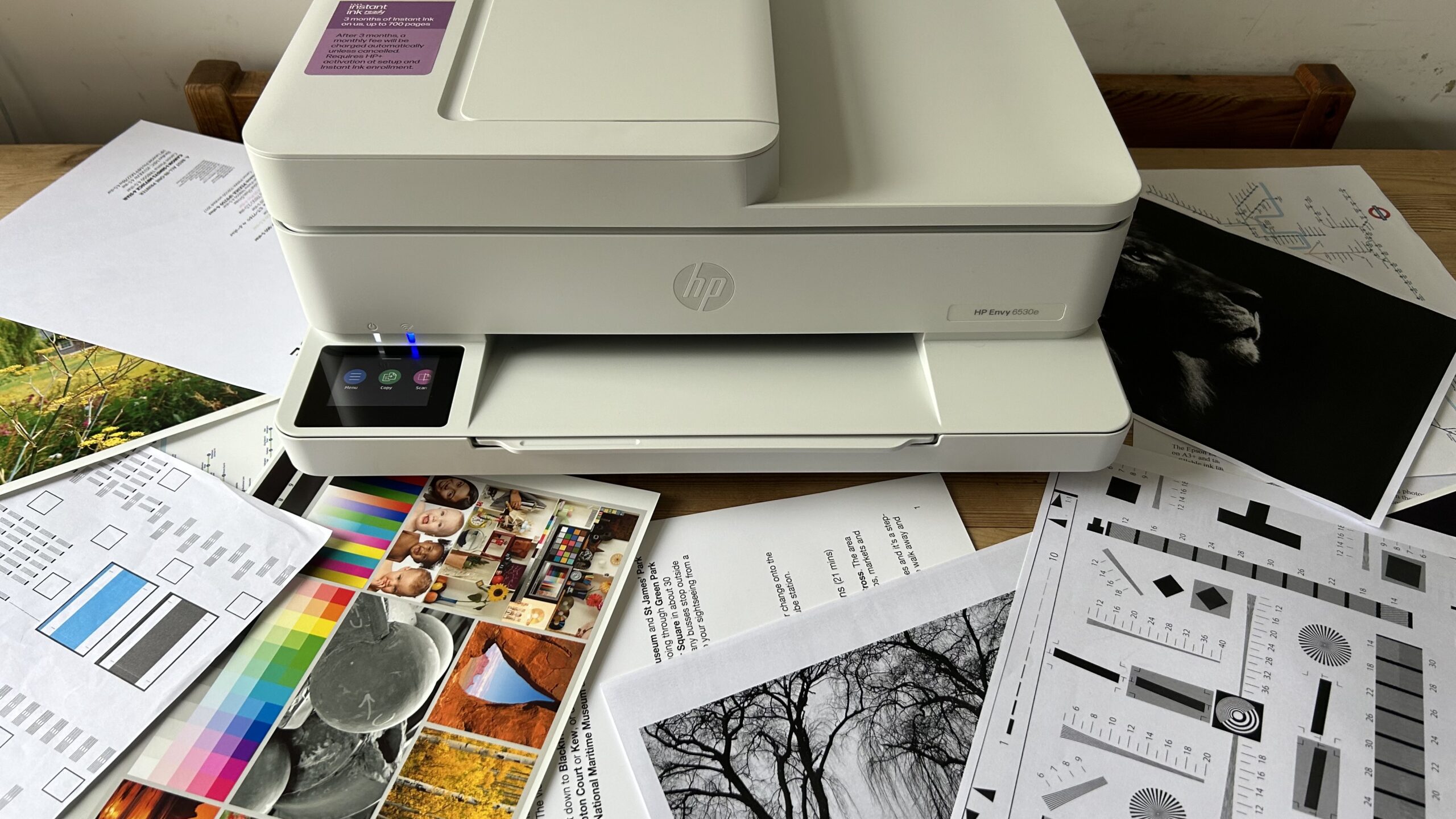
The right wireless printer depends less on the number of advertised functions than on how often you print, scan, copy, and move paper through the machine.
Wireless compatibility
Dual-band Wi-Fi supports both 2.4 GHz and 5 GHz networks, which gives a printer more flexibility in newer homes and offices. The HP DeskJet 4255e is limited to 2.4 GHz, so it may work well on an older router but is a poor fit for a network that relies on 5 GHz.
Look for a printer that supports the network you actually use. Mobile app support, AirPrint, Mopria, and direct USB connections can also make setup easier when wireless printing is inconvenient.
Duplex printing
Automatic duplex printing sends a sheet through the printer twice so it can print on both sides without manual flipping. It is useful for schoolwork, reports, instructions, and any document longer than a page or two.
The Canon PIXMA TS6520, Canon PIXMA TS4320, Brother Work Smart 1360, Canon PIXMA TR4720, HP Envy 6155, and both OfficeJet Pro models list automatic duplex printing. The entry-level HP DeskJet 2955 and DeskJet 4255e do not list that feature, so check the specifications carefully if paper handling matters.
Automatic duplexing is one of the few printer features you notice every week, not just on setup day.
Automatic document feeders
An ADF is valuable when you scan, copy, or fax several pages. It lets you load a stack rather than placing each page on the scanner glass. The Brother Work Smart 1360 has a 20-sheet single-sided ADF, while the Canon PIXMA TR4720, HP OfficeJet Pro 8139, HP OfficeJet Pro 8125, and HP DeskJet 4255e also list an ADF.
The Canon PIXMA TS6520, Canon PIXMA TS4320, HP DeskJet 2955, and HP Envy 6155 do not list one. Those models are fine for occasional single-page scanning, but they become tedious for forms, receipts, and multipage documents.
Print speed and paper capacity
Print speed matters when several people share a printer or when a job contains many pages. The OfficeJet Pro 8139 and 8125 list up to 20 pages per minute in black and 10 in color. The Brother Work Smart 1360 lists up to 16 in black and 9 in color.
Entry-level models are slower and have smaller trays. The DeskJet 2955 and DeskJet 4255e list 60-sheet trays, while the Canon PIXMA TR4720 lists 100 sheets and the Brother Work Smart 1360 lists 150. The OfficeJet Pro models go to 225 sheets. Match capacity to your routine so you are not constantly refilling the tray.
Ink and thermal printing
Inkjet printers are the flexible choice for documents, color graphics, and photos, but each model has its own cartridge system. The Canon PIXMA TS6520 and TS4320 use a two-cartridge hybrid ink system. Brother's Work Smart 1360 uses the LC501 series. HP states that several models in this roundup are intended to work with cartridges using original HP chips or circuitry.
The NDYIN N80 works differently. Its direct thermal system needs special thermal paper and cannot use ordinary paper, but it does not need ink, toner, or ribbons. That makes it useful for travel, not as a replacement for a full home all-in-one.
Frequently asked questions
Can a wireless printer work without Wi-Fi?
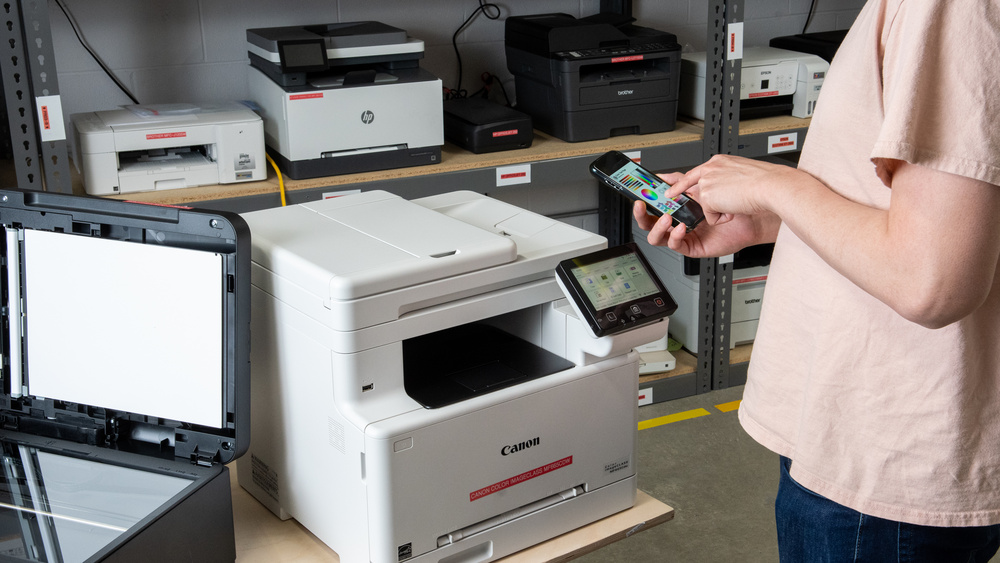
Some wireless printers can use USB when a network connection is unavailable. The Brother Work Smart 1360 supports both wireless networking and USB, while the NDYIN N80 connects to computers through USB C and to mobile devices through Bluetooth.
Which wireless printer is best for a home office?
The Canon PIXMA TS6520 is the strongest general home pick because it combines duplex printing, scanning, copying, dual-band Wi-Fi, and a compact design. For heavier office workloads, the HP OfficeJet Pro 8139 and HP OfficeJet Pro 8125 add a 225-sheet tray, an ADF, and much faster listed print speeds.
Do all wireless printers support automatic two-sided printing?
No. Automatic duplex printing is listed for the Canon PIXMA TS6520, Canon PIXMA TS4320, Canon PIXMA TR4720, Brother Work Smart 1360, HP Envy 6155, HP OfficeJet Pro 8139, and HP OfficeJet Pro 8125. It is not listed for the HP DeskJet 2955 or HP DeskJet 4255e.
Is 2.4 GHz Wi-Fi enough for a printer?
Yes, a 2.4 GHz connection can be sufficient for ordinary home printing. The HP DeskJet 4255e is limited to 2.4 GHz, while dual-band models can use either 2.4 GHz or 5 GHz. If your router separates the bands or uses only 5 GHz for the device network, choose a dual-band printer.
What is an automatic document feeder used for?
An automatic document feeder holds multiple sheets for scanning, copying, or faxing. It is especially helpful for multipage forms and reports. It is different from an automatic duplex system, which handles printing on both sides of a sheet.
Is the NDYIN N80 a normal home printer?
No. The NDYIN N80 is a portable thermal printer designed for documents on special thermal paper. It does not print on ordinary paper and does not provide the scanning, copying, and photo functions found on the inkjet all-in-one models.
The bottom line
The Best wireless printer for most homes is the Canon PIXMA TS6520. It balances automatic duplex printing, dual-band Wi-Fi, document and photo support, scanning, copying, and a compact footprint without forcing a household into an office-sized machine. The Brother Work Smart 1360 is the better alternative when an ADF, larger paper tray, cloud access, and faster office workflow matter more.
For a busy home office, choose the HP OfficeJet Pro 8139 if fax is useful, or the HP OfficeJet Pro 8125 if it is not. The NDYIN N80 is the clear specialist choice for travel, but its thermal paper requirement makes it unsuitable as a conventional home printer.
If you are undecided, buy the Canon PIXMA TS6520 unless you know you need an ADF, fax, office-level speed, or battery-powered printing.
As an Amazon Associate we earn from qualifying purchases.