

A work headset has one job that ordinary headphones often miss: making your voice intelligible when the room is not perfectly quiet. The microphone, mute control, connection, and fit matter just as much as what you hear.
Our Best work headset pick is the Logitech H390, followed by wireless models from Angteela, Soothielec, and AOC, plus practical wired options from Logitech, Poly, and Jabra. The lineup covers simple USB connections, Bluetooth, USB dongles, active noise cancellation, and long-wearing designs.
The Logitech H390 is the easiest recommendation for most desk workers, while the Angteela ANC Wireless Headset is the more capable choice for people who need wireless freedom and stronger noise control.
Comparison table
| # | Product | Award | Connection | Battery or cable | Best for |
|---|---|---|---|---|---|
| 1 | Logitech H390 | Best overall | USB-A | 6.23 ft cable | Straightforward computer calls |
| 2 | Angteela ANC Wireless Headset | Best wireless noise control | Bluetooth 5.4, USB-A dongle | Up to 35 hours talk time | Busy home offices |
| 3 | Soothielec Wireless Headset | Best for dual-device use | Bluetooth 5.3, USB-A dongle | Up to 40 hours talk time | Switching between computer and phone |
| 4 | Logitech H391 | Best USB-C wired model | USB-C | 6.23 ft cable | USB-C laptops and Chromebooks |
| 5 | AOC Bluetooth 5.4 Headset | Best flexible connectivity | Bluetooth 5.4, USB-A, wired | Up to 30 hours talk time | One headset for several devices |
| 6 | Poly Blackwire 3220 | Best lightweight wired model | USB-C, USB-A adapter | Wired | Long PC and tablet sessions |
| 7 | AOC AI Noise Cancelling Headset | Best lightweight wireless model | Bluetooth 5.3, 2.4G dongle, 3.5mm | Up to 30 hours talk time | Moving around a workspace |
| 8 | Jabra Evolve 10 | Best compact wired model | USB | Wired | Minimalist call setups |
1. Logitech H390: Best Overall

Pros
- Plug-and-play USB-A connection
- Rotating noise-canceling microphone
- Inline volume and mute controls
- Adjustable headband with swivel-mounted ear cushions
- Long 6.23 ft cable
Cons
- USB-A only
- Wired design limits movement
- No active noise cancellation
Best for: someone who wants a dependable computer headset without wireless pairing.
The Logitech H390 gets the fundamentals right without making the workday feel complicated. Plug its USB-A connector into a computer and it is ready to handle calls, meetings, music, and ordinary video. There is no pairing screen, battery indicator, or wireless connection to troubleshoot. For a desk where the computer is always the main source, that simplicity is a real advantage.
Its rotating noise-canceling microphone is the feature that matters most during meetings. The boom can move out of the way when you are listening, then return to speaking position for a call. The microphone is designed to minimize unwanted background noise, though it is not the same as active noise cancellation in the earcups. The inline controls keep mute and volume changes close at hand, so you do not need to reach for the meeting app every time you need silence.
The 6.23 ft, or 1.9 m, USB-A cable gives enough slack to stand up and stretch without immediately pulling at the computer. At 0.44 pounds, the headset is light enough for extended sessions, and its adjustable headband and leatherette ear cushions provide the basic comfort most office calls require. The swivel-mounted cushions can also make it easier to settle the headset over different ear shapes.
Compared with the Logitech H391, the H390 is the better fit for computers that still use USB-A. The H391 is the cleaner choice for a modern USB-C laptop, while the Poly Blackwire 3220 is lighter and offers a USB-C connection with a USB-A adapter. The H390 remains the most straightforward of the three. Its weakness is the fixed cable and lack of active noise reduction, so people who regularly work in a loud shared room should look at the Angteela ANC Wireless Headset instead.
Choose the H390 if your work happens at one computer and you want a headset that starts working as soon as it is plugged in. It is also certified for Chromebook compatibility, which makes it a sensible pick for school, home, and managed office computers.
2. Angteela ANC Wireless Headset: Best Wireless Noise Control

Pros
- Hybrid ANC for listening
- ENC microphone noise reduction
- Flip-to-mute boom
- Bluetooth 5.4 and USB-A dongle
- Up to 35 hours of talk time
Cons
- Heavier than the wired models
- Dongle does not work with desk phones or VoIP phones
- MFB controls are limited on computers
Best for: people who need wireless movement, physical mute control, and noise reduction in one headset.
The Angteela ANC Wireless Headset is the most feature-heavy option here, and its design makes sense for a home office that is not always quiet. You can use Bluetooth or the included Qualcomm USB-A dongle, then move around the workspace without a cable running back to the computer. The flip-to-mute boom is especially useful because it makes the mute state physical and obvious.
The headset combines hybrid active noise cancellation for what you hear with environmental noise cancellation for what callers hear. Its ANC has three modes, selected with a dedicated button. That does not turn a busy room into a silent one, but it gives the wearer a better way to reduce steady distractions. The microphone uses ENC to help keep your voice clearer when there is activity around you.
Bluetooth 5.4 supports a stated operating range of 33 feet, and the headset can maintain two device connections through the adapter and Bluetooth. A quick two-hour charge provides up to 35 hours of talk time or up to 50 hours of music playback. Those are separate use figures, so talk-heavy workers should use the 35-hour number as the practical reference. The 270-degree rotating microphone and breathable leather ear cushions add flexibility for long meeting blocks.
The Angteela is more capable than the Soothielec Wireless Headset when listening-side noise control is the priority. Soothielec offers a longer stated talk time and a charging stand, but its feature set centers more on dual-device convenience. The AOC AI Noise Cancelling Headset is lighter and has three connection modes, yet its AI noise cancellation is available only in Bluetooth mode. Angteela is the stronger pick when the dongle connection and ANC both matter.
Its main drawback is the 1.21-pound listed weight, which is noticeably more substantial than the lightweight wired choices. The dongle is also not compatible with landlines, desk phones, or VoIP phones. Skip it if you want a barely-there headset or if your work phone is not a computer or mobile device.
For a noisy home office, the Angteela gives the most complete package in this group. Before choosing it, consider what you give up moving from wired to wireless, especially the need to charge and manage a dongle.
3. Soothielec Wireless Headset: Best for Dual-Device Use

Pros
- Dual pairing for computer and phone
- Up to 40 hours of talk time
- USB-A adapter included
- Charging stand included
- 33 ft Bluetooth range
Cons
- Mute works only during calls
- Smartphone assistant button does not control computer apps
- No stated active noise cancellation
Best for: workers who move between laptop meetings and smartphone calls.
The Soothielec Wireless Headset is built around the person who has two communication lanes open all day. It can connect to a laptop and smartphone at the same time, letting you move between a computer meeting and a mobile conversation without repeatedly pairing and unpairing. That convenience is more meaningful than a long list of connection standards if your work is split across devices.
Its Bluetooth 5.3 connection is paired with a USB-A adapter for Windows PCs that do not have Bluetooth. The stated range is 33 feet, enough to walk away from a desk during a call while remaining within the usual office footprint. The adapter is not intended for desk phones or landlines, so this is a computer and mobile headset rather than a universal office-phone accessory.
The 600mAh rechargeable battery is rated for up to 40 hours of talk time, and a full charge takes two hours using the included charging stand. It can be used while charging, although the product guidance recommends powering it off for battery safety and longevity. The adjustable headband, memory foam earcups, and breathable protein leather cushions aim at all-day wear, while the listed weight of 1 pound makes it sturdier than the lighter wired designs.
The environmental noise-canceling microphone is designed to reduce background distractions, including loud household activity. There is a one-touch mute button, but it activates only during calls. The MFB button can access Siri or Google on a smartphone, yet it does not control computer apps. That distinction is easy to overlook and matters if you expect one button to operate every meeting platform.
Compared with Angteela, Soothielec gives up active noise cancellation and the more immediate flip-to-mute action, but it offers a longer stated talk-time figure and a charging stand. It is a better fit than the AOC Bluetooth 5.4 Headset for someone who regularly keeps a phone and computer connected. People who mainly need a light headset for one laptop should choose a simpler model instead.
The Soothielec is the practical choice for hybrid workers who answer calls from multiple devices. If your priority is listening comfort rather than conversation switching, how different work headphones handle voice calls and music can help narrow the decision.
4. Logitech H391: Best USB-C Wired Model

Pros
- Native USB-C plug-and-play connection
- Rotating noise-canceling microphone
- Inline mute and volume controls
- 6.23 ft cable
- Chromebook certified
Cons
- USB-C only
- No wireless option
- No active noise cancellation
Best for: anyone with a USB-C laptop who wants a simple wired headset.
The Logitech H391 is the USB-C counterpart to the H390, and that distinction determines who should buy it. Its plug-and-play connection is made for newer laptops and computers with USB-C ports. There is no software installation or wireless setup, so it is well suited to a shared desk where the headset needs to work immediately.
The digital stereo drivers cover calls, meetings, music, and other everyday audio. The rotating noise-canceling microphone can be tucked away when you are not speaking, while the inline controls handle volume and mute without interrupting what is on screen. Like the H390, its microphone reduces unwanted background noise, but the earcups do not provide active noise cancellation.
The 6.23 ft, or 1.9 m, USB-C cable gives you room to move around a desk. The 0.44-pound headset uses an adjustable headband and swivel-mounted leatherette ear cushions, a familiar design that should be easy to wear through a sequence of meetings. It is also certified for Chromebook use and is described as compatible with common calling and video meeting applications on major operating systems.
The H391 is more convenient than the H390 when the computer has USB-C ports, and its cable avoids the pairing and charging tasks required by every wireless pick here. The Poly Blackwire 3220 is lighter and includes both USB-C and a tethered USB-A adapter, so it is more adaptable across computers. The H391 makes more sense when your setup is consistently USB-C and you prefer Logitech's familiar controls.
Its limitation is clear: USB-C-only connectivity can become awkward when you need to move between older office computers. It also cannot provide the walking freedom of Soothielec or Angteela. Choose a wireless model for a mobile workday, or choose the Poly if a mixed-port office is part of your routine.
For USB-C laptop owners who want a no-fuss headset, the H391 is a clean, sensible fit. It is the model to choose when a cable is acceptable and reliable connection matters more than roaming.
5. AOC Bluetooth 5.4 Headset: Best Flexible Connectivity

Pros
- Bluetooth 5.4, USB-A dongle, and wired audio
- Up to 30 hours of talk time
- Can charge while in use
- Mute button on the microphone boom
- Memory foam ear cushions
Cons
- Audio plays from only one source at a time
- Requires manual pausing when switching sources
- Noise reduction is aimed at moderate ambient sound
Best for: workers who need Bluetooth, USB-A, and wired fallback options.
The AOC Bluetooth 5.4 Headset stands out because it does not force you to commit to one connection style. It supports Bluetooth, a plug-and-play USB-A dongle, and an included audio cable. That makes it useful in an office where one computer has Bluetooth, another needs a dongle, and a phone or tablet is easier to connect by wire.
The connection flexibility comes with a small operational catch. Audio plays from one source at a time, and switching from a computer to a phone requires manually pausing the first source before starting the second. This is not a true seamless multi-device workflow like the Soothielec setup. Bluetooth 5.4 still gives it a current wireless connection, but the three modes are best understood as options rather than simultaneous audio paths.
The battery is rated for up to 30 hours of talk time, and the headset supports charging while it is being used through the cable. That can prevent an interruption during a long presentation or meeting. The microphone has a dedicated mute button on the boom, though it is intended for muting your voice during active calls and does not act as a play or pause control for music.
AOC describes the microphone as voice-focused and designed to reduce moderate ambient sounds. Positioning it close to your mouth remains important for clear voice capture. The adjustable headband and breathable memory foam cushions are intended for long work sessions, including shifts of up to eight hours, but there is no active listening-side noise cancellation listed.
Compared with the AOC AI Noise Cancelling Headset, this version uses Bluetooth 5.4 and has a more straightforward three-mode arrangement built around USB-A, Bluetooth, and wired audio. The AI model is lighter and adds a 2.4G USB-A or USB-C dongle, but its AI cancellation works only in Bluetooth mode. Choose this AOC when connection versatility matters more than the lowest weight.
The AOC Bluetooth 5.4 Headset is a useful fallback-friendly design. It suits workers who want one headset that can adapt to several computers and devices without discarding wired audio as an option.
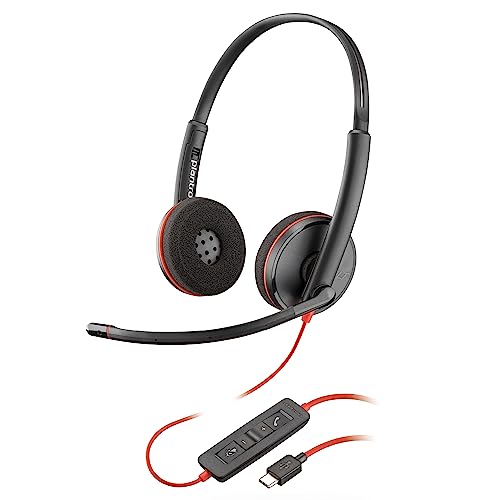
6. Poly Blackwire 3220: Best Lightweight Wired Model
Pros
- Very light 0.26-pound design
- USB-C connection with USB-A adapter
- Noise-canceling boom microphone
- Passive noise isolation from ear cushions
- Works with Teams and Zoom
Cons
- Wired only
- Cable and adapter add desk clutter
- Less walking freedom than wireless models
Best for: people who want a lightweight wired headset that works across USB-C and USB-A computers.
The Poly Blackwire 3220 is the headset to consider when weight is the first comfort concern. Its listed weight is 0.26014546916 pounds, making it substantially lighter than the wireless models in this lineup. That matters during repeated calls because a headset that fades into the background is easier to keep on than one that creates pressure after an hour.
Its noise-canceling boom microphone is paired with conforming ear cushions that provide passive noise isolation. The microphone is intended to keep callers focused on your voice, while the cushions reduce some of the sound reaching your ears. Dynamic EQ is designed to support natural voice quality and multimedia audio, so the Blackwire 3220 is not limited to meeting speech.
Connectivity is unusually practical for a wired model. The headset uses a USB-C cord and includes a tethered USB-A adapter, allowing it to move between newer laptops, older PCs, mobile devices, and tablets. It is described as plug-and-play with Microsoft Teams and Zoom, which reduces the number of setup steps before a meeting.
The trade-off is the cable. Unlike the Angteela or AOC wireless options, the Blackwire 3220 keeps you attached to the device, and the adapter becomes one more small piece to keep track of. The Logitech H391 is similarly simple but is limited to USB-C, while the H390 is the better match for USB-A-only setups. Poly wins when low weight and port flexibility are more important than wireless movement.
The Blackwire 3220 does not offer the active noise cancellation found in Angteela, and its passive earcup isolation is not a substitute for it. Skip it if you take calls while walking around the home or office. Keep it in contention if most calls happen at a desk and you want a light fit with a microphone built for voice work.
For people who sit at a computer for much of the day, the Poly is the most comfortable wired specialist here. Its quiet strength is adaptability across ports without adding wireless maintenance.
7. AOC AI Noise Cancelling Headset: Best Lightweight Wireless Model

Pros
- Three connection modes
- AI noise cancellation in Bluetooth mode
- Flip-to-mute microphone
- Up to 30 hours of talk time
- Listed weight of 5.06 ounces
Cons
- AI noise cancellation works only over Bluetooth
- Music playback is rated for 25 hours
- 3.5mm cable is 4 ft long
Best for: workers who want a light wireless headset with several ways to connect.
The AOC AI Noise Cancelling Headset is the easiest wireless model here to wear when a heavy headset becomes distracting. Its listed weight is 5.06 ounces, and the protein memory foam earcups and expandable headband are designed for long calls without excessive heat or pressure. It also supports three connection modes, which gives it a useful amount of flexibility for a compact design.
Bluetooth 5.3 supports dual connectivity, while the 2.4G dongle works through USB-A or USB-C. A wired 3.5mm audio cable is included as a third option. The Bluetooth range is stated as up to 36 feet, enough to move around a typical workspace. It works with Teams, Zoom, Skype, Webex, and Google Meet, according to the product information.
The AI noise cancellation is the feature to examine carefully. It is available only in Bluetooth mode, not when using the dongle or 3.5mm cable. When active, the feature is designed to block much of the background noise picked up during calls. Rotating the microphone boom upright activates mute, providing a physical action that is easier to remember than a small software icon.
Battery life is rated at up to 30 hours of talk time or 25 hours of music playback, with a full charge taking 2.5 hours. The separate figures are useful because music and calls do not place identical demands on the battery. The shorter 4 ft wired cable works as a fallback, but it is less generous than the 6.23 ft cables on the Logitech models.
This AOC is lighter than Angteela and offers more connection types, but Angteela has stronger stated battery figures and a dedicated ANC system with three modes. The AOC Bluetooth 5.4 Headset is a better choice if charging while using the headset matters, while this model makes more sense for someone who values low weight and a USB-C-compatible dongle.
The important limitation is mode dependence. If your computer requires the dongle, you will not get the AI noise cancellation that is advertised for Bluetooth use. Choose this headset when you can use Bluetooth regularly and want the freedom to switch to wired or dongle connections when needed.
8. Jabra Evolve 10: Best Compact Wired Model

Pros
- Simple plug-and-play USB setup
- Noise-canceling microphone
- Lightweight 0.31-pound design
- Boom arm works on either side
- More than 50% recycled plastic
Cons
- Wired only
- No wireless connection
- Compact design may provide less ear coverage
Best for: people who want a light, uncomplicated headset for computer calls.
The Jabra Evolve 10 is a minimalist call headset that avoids nearly every setup complication. Plug it in over USB and it is ready for meetings and calls. There is no wireless battery to maintain and no dongle to misplace, which makes it a good choice for a fixed desk or a shared workstation.
Jabra uses a noise-canceling microphone to improve conversations in busy or loud work environments. The adjustable boom arm can be worn on either the left or right side, a small feature that helps the headset feel less prescriptive. Its listed weight is 0.31195410073 pounds, putting it close to the Poly Blackwire 3220 while keeping the design focused on voice communication.
The Evolve 10 is described as compact and light enough for all-day comfort. Its dimensions and medium size point to a less bulky design than the larger wireless models, though the product information does not specify earcup coverage in detail. It is best treated as a practical call tool rather than a headset for blocking out a whole room or delivering a broad music-listening experience.
The Jabra is easier to live with than any wireless model when the computer is always nearby. The Poly Blackwire 3220 is lighter and offers USB-C plus USB-A connectivity, while the Logitech H390 adds longer cable reach and inline controls. Jabra's advantage is its compact shape, side-swappable boom, and straightforward call-first design.
There are limits. It does not give you the freedom to walk away from the desk, and it has no listening-side ANC listed. If you need to reduce room noise for yourself, Angteela is the more appropriate choice. If you need a headset that can move between modern and older computers, Poly is more versatile.
The Evolve 10 belongs on a short list for anyone who wants a light USB headset and does not need wireless features. Its appeal is not complexity, but the absence of it.
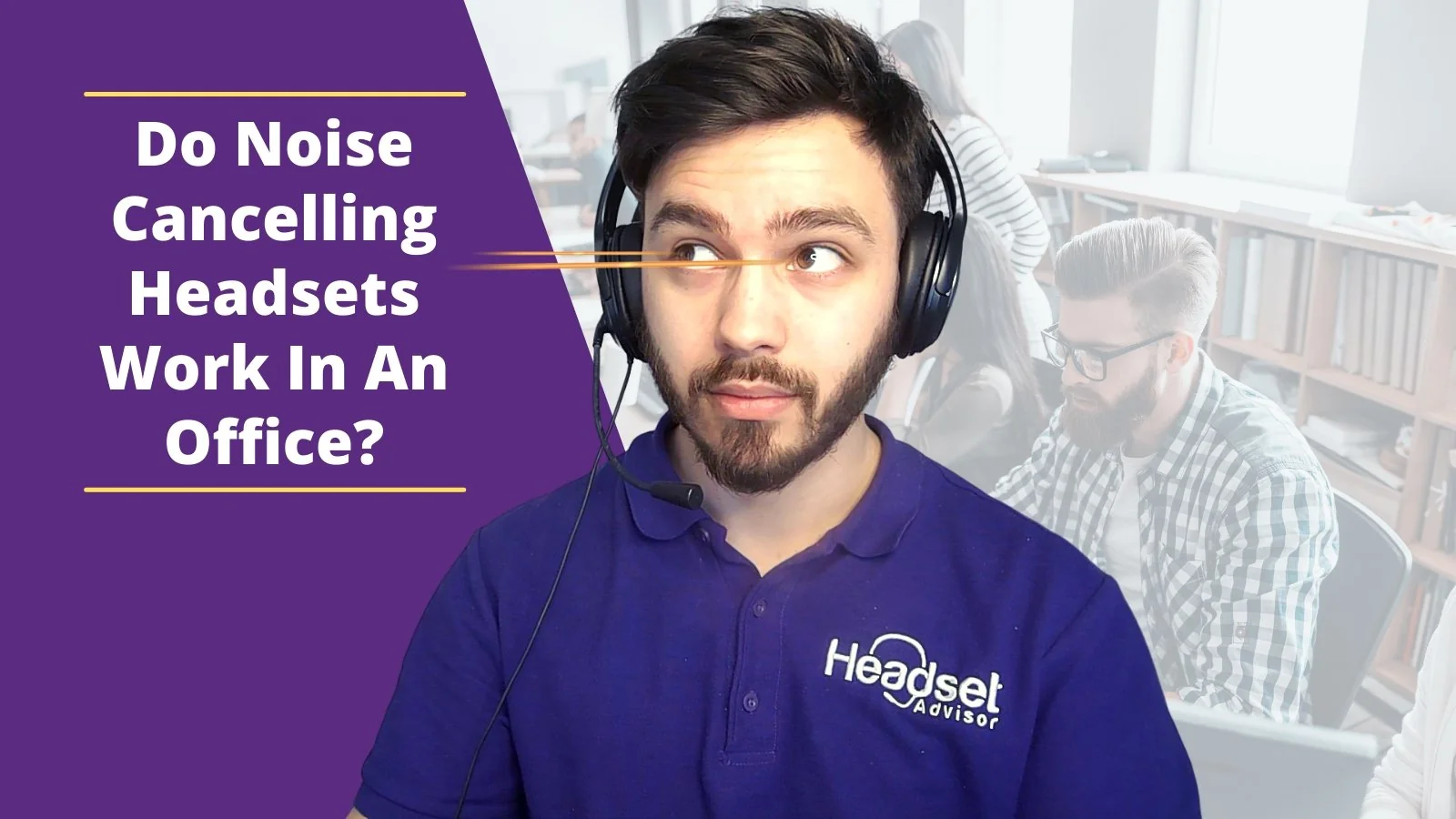
How to choose best work headset
The right headset depends on where calls happen, how often you move, and which devices need to connect without fuss.
Microphone noise control
A noise-canceling or ENC microphone helps reduce background sound for the person on the other end of the call. This is separate from ANC, which changes what the wearer hears. A busy home office benefits from both, while a quiet private room may need only a clear boom microphone positioned close to the mouth.
Connection type
USB headsets are the simplest choice for a fixed computer. USB-A suits many older PCs, while USB-C is more convenient on newer laptops. Wireless headsets add freedom, but Bluetooth pairing and dongles introduce more connection decisions. A model with Bluetooth, a dongle, and a wired fallback is the most adaptable when several devices are involved.
Battery life
Wireless battery figures should be read by activity. Talk time is the relevant number for meetings, while music playback is a separate use case. A headset that can charge while in use reduces the risk of an interrupted call, but a wired model avoids battery management completely.
Mute controls
A physical mute button can be useful when you need privacy quickly. Flip-to-mute or boom-up mute is even easier to verify by touch, while buttons may work only during active calls. Check the control behavior before assuming it will pause music or operate every computer application.
The best microphone cannot rescue a headset that sits too far from your mouth.
Comfort and weight
Headband adjustment, ear cushion material, and weight become more important as meetings get longer. The Poly Blackwire 3220 and Jabra Evolve 10 are among the lightest listed models here. Heavier wireless designs can compensate with memory foam cushions and more features, but people sensitive to head pressure should start with a lightweight wired or wireless option.
Noise cancellation
ANC reduces sound reaching your ears, while passive isolation comes from the earcups and ENC or microphone noise reduction helps your callers hear you. Angteela combines hybrid ANC with ENC. The AOC AI model offers AI noise cancellation only in Bluetooth mode. Do not treat a microphone's noise cancellation as a replacement for ANC when your own concentration is the main concern.
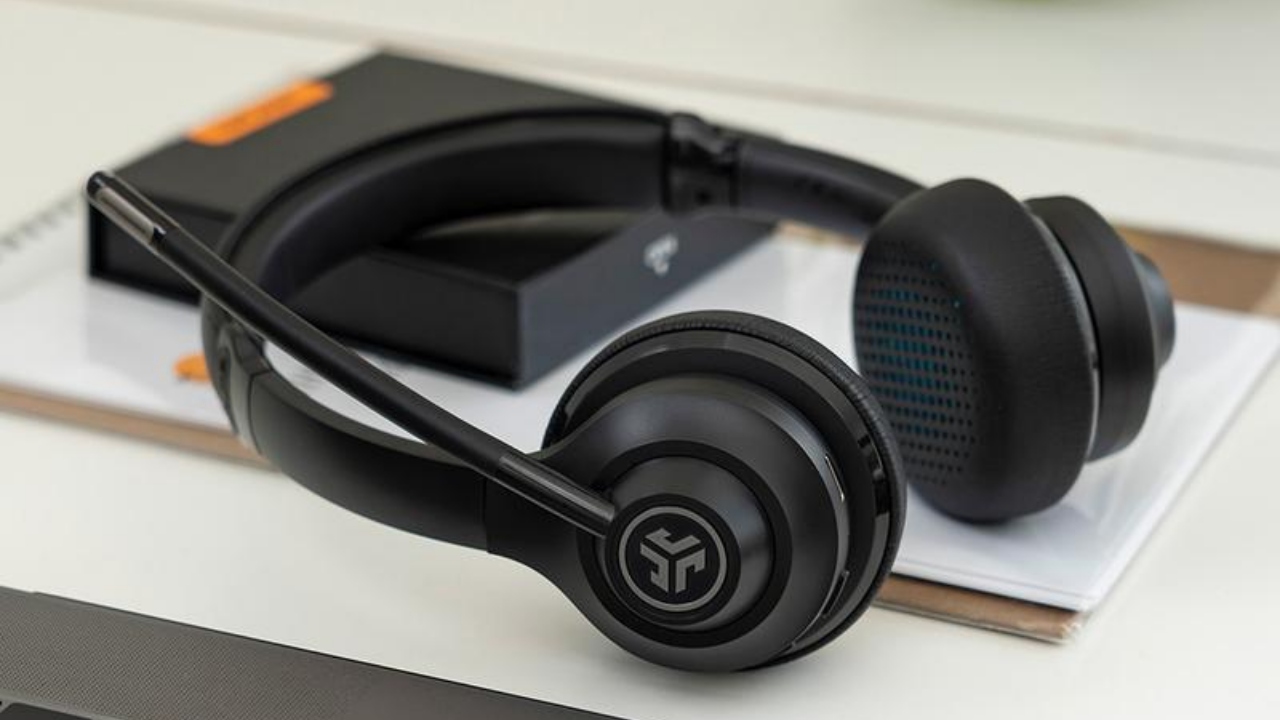
Frequently asked questions
Is a wired or wireless headset better for work?
A wired headset is usually simpler because it does not require charging or pairing. A wireless model is better when you need to stand up, move between rooms, or connect to a phone as well as a computer. The best choice depends on whether desk simplicity or movement matters more.
Does ANC make a microphone clearer?
Not by itself. ANC reduces sound for the wearer, while ENC or a noise-canceling microphone works on the voice sent to the caller. A headset can have ANC without greatly changing how background noise sounds to other people.
Do these headsets work with Chromebooks?
The Logitech H390 and Logitech H391 are identified as compatible with Chromebook. Other USB and Bluetooth models may work with a Chromebook, but the supplied product information does not provide the same specific certification for each one.
Which headset is easiest to mute?
The Angteela ANC Wireless Headset uses a flip-to-mute microphone, and the AOC AI Noise Cancelling Headset mutes when its boom is rotated upright. The other models use inline or microphone controls, depending on the headset.
Can a wireless headset connect to a computer without Bluetooth?
Several models include a USB dongle. Soothielec uses a USB-A adapter, Angteela includes a USB-A Qualcomm dongle, and the AOC models provide USB dongle options. The dongle must match the available port and is not a substitute for a desk-phone connection.
Which headset is best for long meetings?
The answer depends on whether you prefer low weight or wireless freedom. Poly Blackwire 3220 and Jabra Evolve 10 are lightweight wired choices, while Soothielec and Angteela offer padded wireless designs and extended talk-time figures.
Can these headsets be used for music?
Yes. The Logitech models provide digital stereo sound, Poly includes dynamic EQ for multimedia, and the wireless models support music playback. Call-focused headsets may not provide the same listening experience as dedicated music headphones, especially when microphone and connection features take priority.
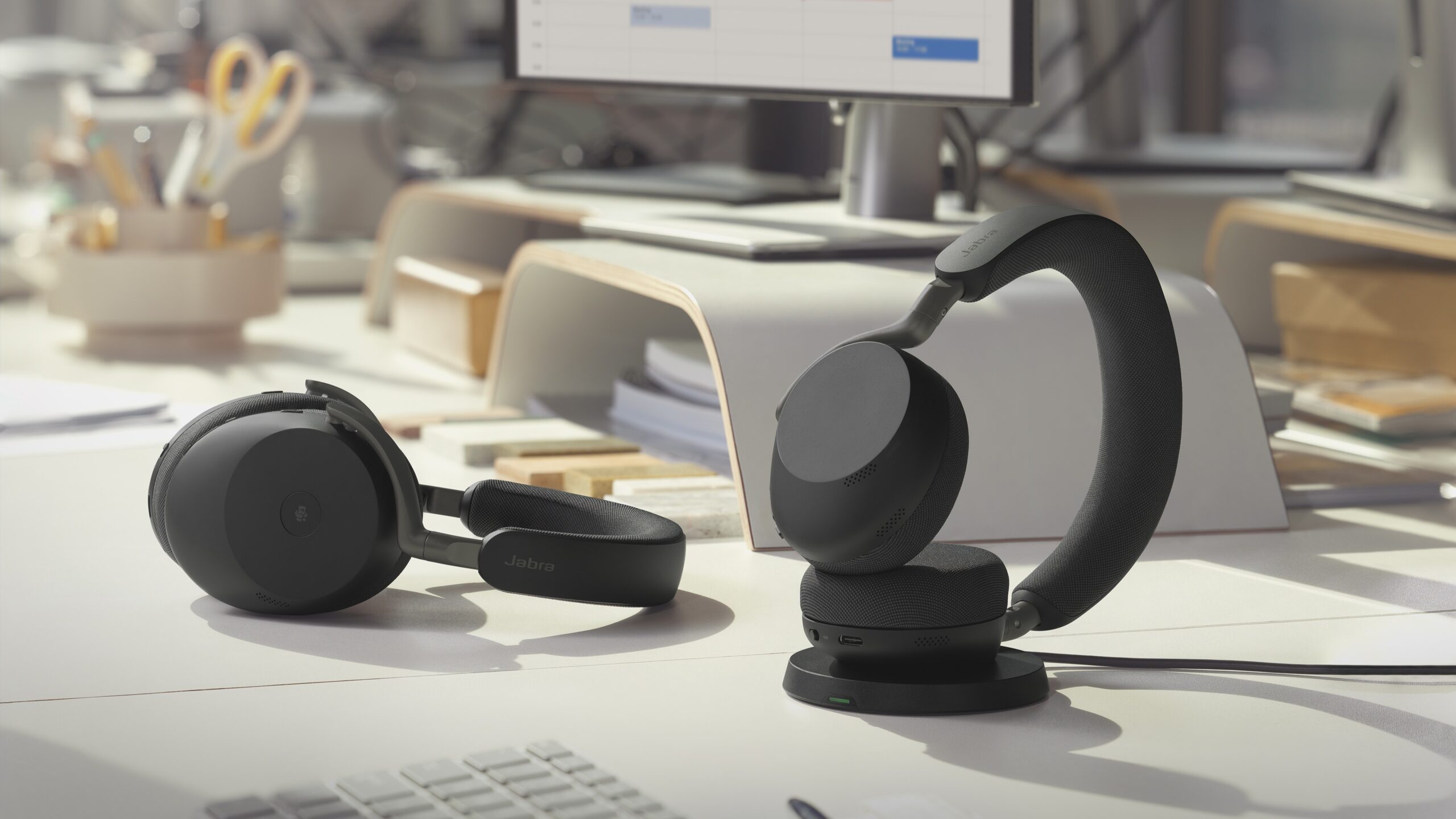
The bottom line
The Best work headset for most people is the Logitech H390. Its USB-A plug-and-play setup, rotating microphone, inline controls, padded fit, and long cable cover the needs of a fixed computer desk without adding wireless maintenance.
Choose the Angteela ANC Wireless Headset if you work around persistent background noise or need to move freely while staying connected. It combines ANC, ENC, Bluetooth 5.4, a USB dongle, and flip-to-mute control, though its heavier design is not ideal for everyone.
If you are undecided, choose Logitech for simple wired calls, Angteela for wireless noise control, and Poly Blackwire 3220 when low weight and USB-C flexibility matter most.
As an Amazon Associate we earn from qualifying purchases.