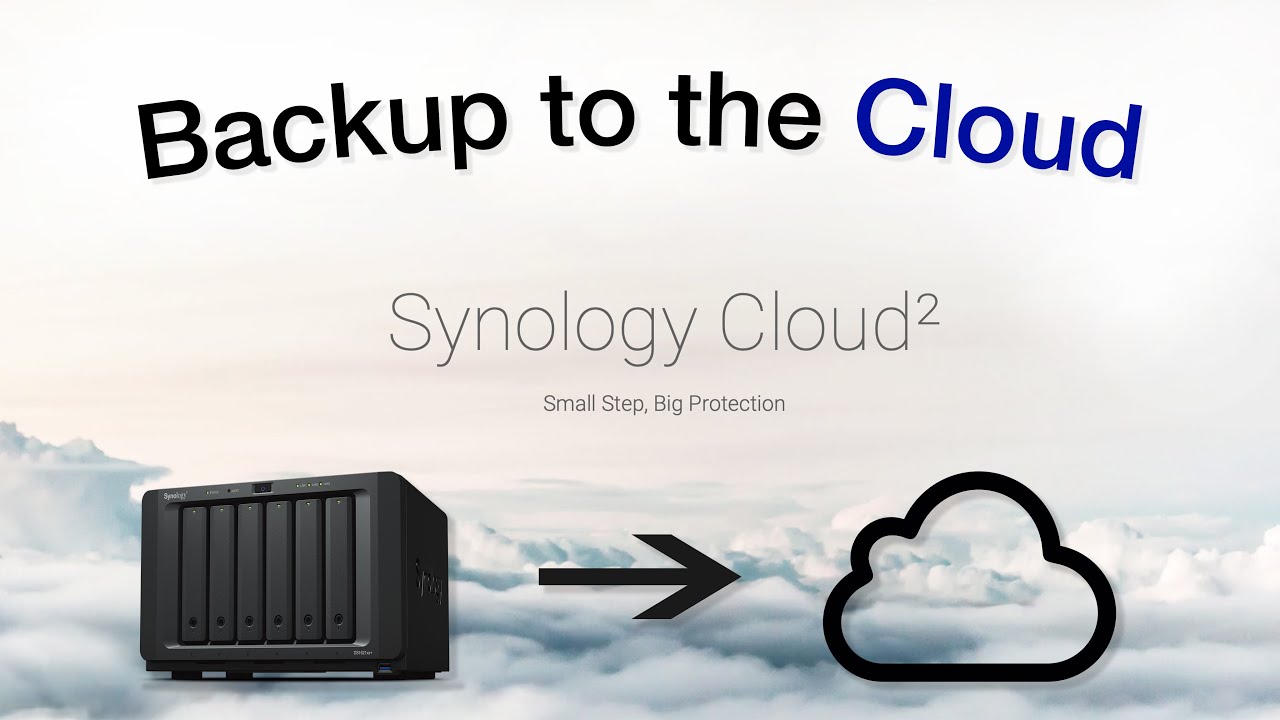

A cloud backup device should make your files safer without turning every phone photo, shared folder, and recovery job into a project. That is the appeal of Synology: its boxes can centralize data locally, automate backups, and still let you reach files away from home. The challenge is choosing between a simple appliance, a diskless NAS, and a model built to grow.
The Best Synology Cloud Backup options here range from the compact, ready-to-use BeeStation models to four-bay NAS enclosures with snapshots, surveillance support, and room for a more serious home or small-business setup. Our top pick is the Synology DS225+, with the simpler DS124, BeeStation Plus models, and expandable DS725+ covering the other sensible paths.
Quick comparison
| # | Product | Award | Bays or storage | Transfer or processor detail | Best for |
|---|---|---|---|---|---|
| 1 | Synology DS225+ | Best overall | 2-bay, diskless | 282 MB/s transfers, Intel hardware transcoding | Mixed backup, media, and home use |
| 2 | Synology DS124 | Best compact NAS | 1-bay, diskless | Phone, Mac, Windows, and Android backup | One-person file protection |
| 3 | Synology BeeStation Plus 8TB | Best ready-to-use capacity | 8TB built in | Local AI photo search | Families wanting simple shared storage |
| 4 | Synology DS223 | Best two-bay starter | 2-bay, diskless | Multi-destination backup | Home offices and shared folders |
| 5 | Synology DS425+ | Best for teams | 4-bay, diskless | 278 MB/s transfers, 10+ users | Small businesses and media libraries |
| 6 | Synology DS725+ | Best expandable NAS | 2-bay, diskless | Supports DX525 expansion | Growing collections and surveillance |
| 7 | Synology DS423 | Best four-bay backup hub | 4-bay, diskless | Snapshots and versioned files | Families and small offices |
| 8 | Synology BeeStation 4TB | Best simple setup | 4TB built in | QR-code setup, snapshot restore | Hands-off personal cloud storage |
| 9 | Synology BeeStation Plus 4TB | Best compact media cloud | 4TB built in | Intel Celeron J4125, 4GB DDR4 | Plex, AI photos, and local cameras |
1. Synology DS225+: Best Overall

Pros
- Two bays allow a more resilient storage setup
- 282 MB/s transfer claim suits large media libraries
- Intel hardware transcoding supports streaming use
- Automated backups can target cloud, external drives, or another NAS
- Supports up to 30 IP cameras with AI detection
Cons
- Drives are not included
- More setup work than a BeeStation
- Media and surveillance features may be unnecessary for basic file backup
Best for: households that want one private cloud for backups, media, and remote access.
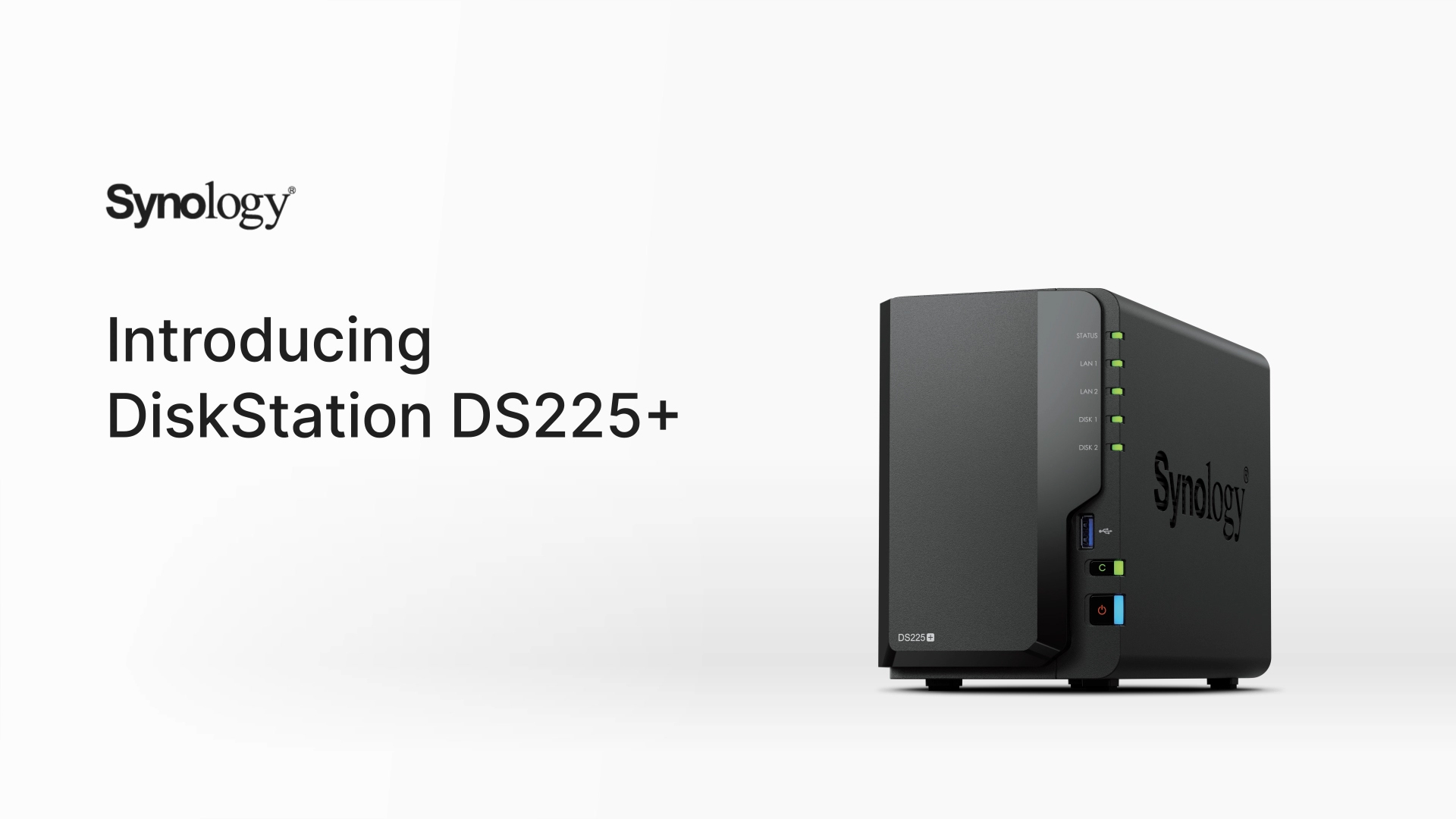
The Synology DS225+ is the one we'd keep for a mixed household because it does not force you to choose between backup and everything else. It is a two-bay, diskless NAS, so you select the drives and decide how to configure them. That takes more involvement than a BeeStation, but it also gives you a clearer upgrade path and a more flexible storage foundation.
Synology lists transfer speeds up to 282 MB/s, a figure that matters when the box is handling more than a handful of documents. Large photo libraries, video files, and desktop backups should feel less constrained than they would on a basic single-bay appliance. The Intel processor also supports hardware transcoding, making this a more convincing media server than the DS124 or DS223.
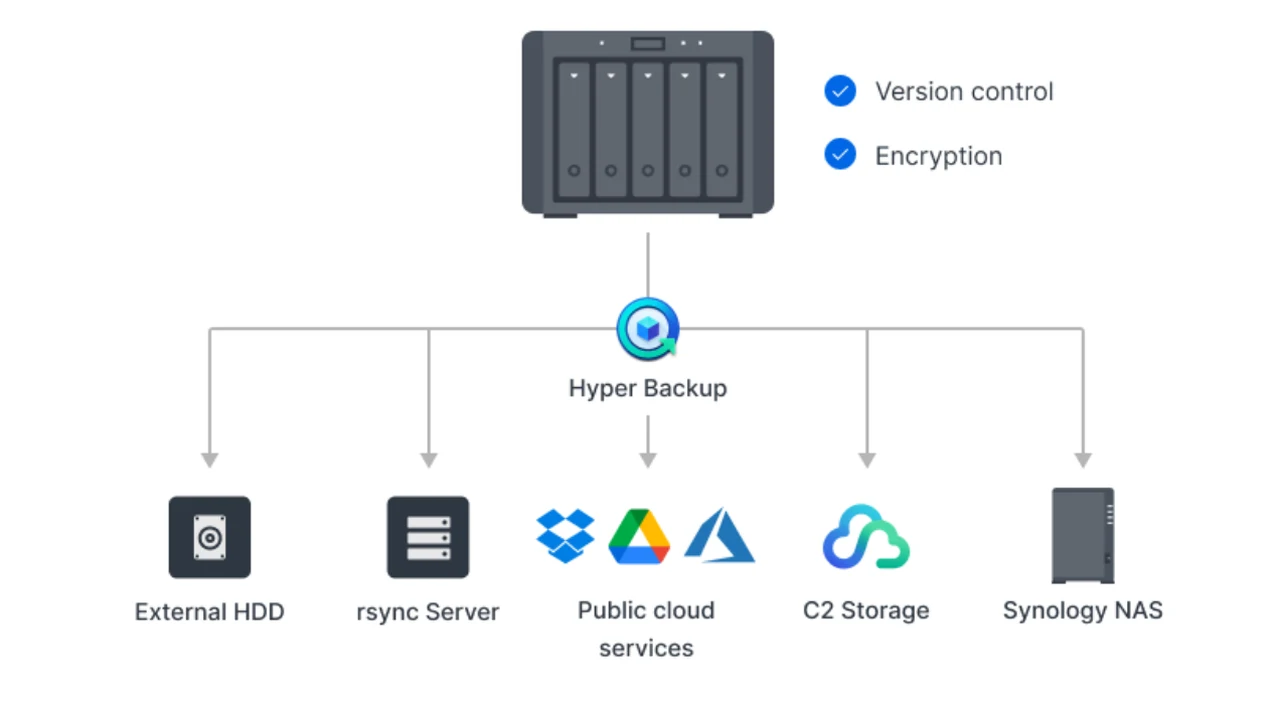
Backup protection is layered rather than limited to a single copy. The DS225+ can send automated backups to cloud services, external drives, and a remote NAS, while RAID redundancy and snapshot technology help with drive failure, accidental changes, and other recovery problems. Those features make it a practical starting point for anyone comparing how many drive bays a home NAS really needs.
It also supports up to 30 IP cameras with AI detection and instant alerts. That is a lot of headroom for a normal home, but it is useful if the NAS will grow into a broader home server. The weakness is complexity: someone who only wants phone photo backup will have an easier first day with the DS124 or BeeStation. Choose the DS225+ when you want a capable central system and are willing to install and manage drives.
2. Synology DS124: Best Compact NAS

Pros
- Compact one-bay design
- Backs up iPhone, Android, Mac, and Windows devices
- Remote file access without relying on a monthly cloud subscription
- Supports home surveillance with AI alerts
- Two-year warranty and ongoing software updates
Cons
- One drive bay leaves no internal redundancy option
- Less room for growth than the two-bay models
- No stated transfer figure in the supplied details
Best for: one person or a small household protecting phones and computers from one central location.
The Synology DS124 is the least intimidating traditional NAS here. It takes one drive and focuses on the jobs most people actually understand: protect photos, store documents, and make those files reachable when you are away from home. Its compact enclosure is easier to place beside a router or on a small shelf than the larger four-bay choices.
The important distinction is platform coverage. Synology says the DS124 can automatically protect photos, documents, and videos from iPhone, Android, Mac, and Windows devices. That makes it a useful shared destination for a mixed-device household, where a single person's preferred operating system should not dictate the backup plan.
It can also act as a private file cloud, letting users access and share large projects remotely. Home surveillance is part of the package too, with AI-powered detection for people and vehicles and instant alerts. Compared with the DS225+, the DS124 is less suited to a busy media library or a storage system that needs room to expand.
The one-bay design is the decisive limitation. A single drive does not give you the internal redundancy of a two-bay setup, so this is not the model we'd choose for irreplaceable business files without another backup destination. It is a good fit for someone who wants Synology's backup software and remote access in the smallest, simplest NAS format.
3. Synology BeeStation Plus 8TB: Best Ready-to-Use Capacity

Pros
- Built-in 8TB storage
- Setup is designed to take minutes
- Combines files from phones, computers, external drives, and cloud services
- Separate cloud spaces can be shared with family or team members
- Local AI can search photos by people or subjects
- Three-year warranty
Cons
- Fixed built-in capacity is less flexible than a diskless NAS
- Fewer traditional NAS configuration options
- Snapshot and backup controls are less clearly detailed than on the full NAS models
Best for: families or small teams that want a large, ready-to-use personal cloud without selecting drives.
The Synology BeeStation Plus 8TB is the clearest answer for someone who wants to stop thinking about NAS hardware. Storage is built in, setup is presented as a minutes-long process, and the device is designed to pull data together from computers, tablets, phones, external drives, and cloud services.
That simplicity changes the ownership experience. Instead of buying an enclosure, choosing drives, and working through a storage layout, you get a personal cloud that can be shared with family or team members. Each person can have a separate cloud space, which is more orderly than asking everyone to drop photos into one folder.
Phone photo backup is a central feature, and local AI can identify people or subjects without requiring the photo library to be sent elsewhere for that search. That is a meaningful difference from a basic external drive. The device also includes a three-year warranty, which is longer than the coverage listed for the DS124, DS223, and DS423.
The trade-off is control. The DS225+ and DS725+ are better choices if you want to choose drives, tune a NAS configuration, or expand your system later. The BeeStation Plus 8TB is for the buyer who prefers a finished appliance. If your main concern is gathering a large family photo collection and making it available across devices, this is the least fussy route.
4. Synology DS223: Best Two-Bay Starter

Pros
- Two drive bays provide a more useful starting point than a one-bay NAS
- Automated backups support Macs, PCs, and mobile devices
- Can send backups to cloud and external-drive destinations
- File sharing includes version control
- Surveillance tools include schedules, motion alerts, and remote viewing
Cons
- Diskless design requires separate drives
- Older and less performance-focused than the DS225+
- No supplied transfer specification
Best for: a home office that needs shared folders, multi-device backup, and straightforward surveillance tools.
The Synology DS223 makes sense when the DS124 feels too limited but a performance-oriented model feels excessive. Its two bays give a household or small office more flexibility, while the software emphasis stays firmly on centralized files, backup, and sharing.
Synology says it can automatically back up Macs, PCs, and mobile devices to multiple destinations, including cloud services and external drives. That matters because a NAS should not become the only copy of important files. The DS223 is built around a layered routine, where the central box can coordinate local storage and additional backup targets.
For shared work, it supports project collaboration, document synchronization, and version control. Those features make it more useful than a simple photo vault when several people need access to the same folders. The surveillance tools are similarly practical, with motion alerts, recording schedules, and remote viewing for compatible IP cameras.
The DS225+ is the stronger choice for faster transfers and hardware-assisted media work, while the DS423 gives you four bays for a larger storage plan. The DS223 sits between those approaches. It is a sensible starter for someone who wants two-bay flexibility and office features but does not need the newer model's stronger media focus. Remember that the enclosure is diskless, so the drive choice remains part of the setup.
5. Synology DS425+: Best for Teams

Pros
- Four bays support a larger shared storage system
- 278 MB/s transfer claim suits active file and media use
- Supports concurrent access from more than 10 users
- Includes access controls and audit logs
- Supports up to 30 IP cameras
- Three-year warranty
Cons
- Larger and heavier than the two-bay choices
- Drives are not included
- More capability than a basic personal backup needs
Best for: small businesses, creative teams, and households with substantial shared media collections.
The Synology DS425+ is the most convincing choice when several people need the same storage at once. It is a four-bay, diskless NAS with a 278 MB/s transfer claim and support for concurrent access from more than 10 users. That combination points it toward offices, collaborative projects, and media libraries rather than a single user's photo archive.
Its shared-folder approach is more controlled than simply connecting an external drive to one computer. Synology highlights granular access controls and audit logs, which are useful when different people should see different project folders or when an administrator needs a record of activity. Those are capabilities the BeeStation models intentionally keep out of the way.
The four bays also provide more room to shape a long-term storage plan than the DS225+ or DS223. The DS425+ combines RAID redundancy, automated backups, and snapshots, while its surveillance support reaches up to 30 IP cameras with motion detection and secure remote access. A reader planning a serious media server should also consider which NAS hard drives suit constant shared access, since the enclosure arrives without drives.
The cost of this capability is physical size and setup effort. It is heavier than the compact two-bay models, and the four bays are wasted if your only task is backing up one phone. The DS725+ is more appealing if expansion beyond two bays is the priority. Choose the DS425+ when several users, permissions, logs, and active file transfers matter from day one.
6. Synology DS725+: Best Expandable NAS

Pros
- Starts with two drive bays
- Supports a DX525 expansion unit
- Expansion can add five extra drive bays
- RAID, backups, and snapshots work together for protection
- Supports up to 30 IP cameras
- Three-year warranty
Cons
- Expansion hardware is required for the larger storage plan
- Diskless enclosure needs separate drives
- More infrastructure than most personal cloud users need
Best for: people who want a two-bay NAS now but expect their storage and surveillance needs to grow.
The Synology DS725+ is for the buyer who dislikes replacing hardware as a library grows. It begins as a two-bay NAS, but Synology says a DX525 expansion unit can add five extra drive bays and take the system up to 140TB of total capacity. That is a very different proposition from the fixed-capacity BeeStation products.
This expandability is useful for more than stored photos. The DS725+ combines RAID redundancy, automated backups, and snapshot technology, and it supports multi-site surveillance with advanced analytics and unlimited retention periods. It can also manage up to 30 IP cameras with motion detection and remote access, giving it a clear small-business role.
The DS425+ is the more natural fit if you already need four bays and several users immediately. The DS225+ is a better all-rounder for a household that cares about media streaming and simpler growth. The DS725+ wins when the plan is to start with a modest NAS footprint and add capacity later without moving the whole backup system.
That plan does require discipline. The enclosure is diskless, the expansion unit is an extra piece of hardware, and the resulting system is more involved than a BeeStation. There is no reason to choose it for uncomplicated phone backups. Pick it when long-term expansion, retention, and multi-site surveillance are central to the job.
7. Synology DS423: Best Four-Bay Backup Hub

Pros
- Four bays provide room for a broad backup library
- Snapshots and versioned files help with ransomware recovery
- Supports multiple backup destinations
- File sharing includes team folders and permission controls
- Supports up to 30 IP cameras
Cons
- Diskless design adds setup decisions
- Camera licenses are purchased separately
- Less media-focused than the DS225+
Best for: families and small offices that want four-bay storage with strong backup and sharing tools.
The Synology DS423 is a practical four-bay backup hub for a family or small office that cares more about safe files than media transcoding. It can act as a private cloud for remote access and sharing, while team folders and permission controls keep shared documents from becoming a free-for-all.
Its strongest feature set is about recovery. Synology lists snapshots, versioned files, immutable snapshots, and multi-destination backup strategies. Those layers help address different problems: a deleted file, an unwanted edit, a damaged local copy, or malware attempting to encrypt the main dataset. A separate destination still matters, but these tools make the NAS more useful as a recovery center.
The DS423 also supports up to 30 IP cameras with monitoring, archiving, and analysis tools. Camera licenses are purchased separately, a detail that should be part of the planning if surveillance is the reason for choosing this enclosure. For drive planning, it is worth considering how a local NAS fits into a broader backup routine rather than treating RAID as a complete backup.
Compared with the DS425+, the DS423 is less clearly aimed at high-concurrency office work and does not advertise the same transfer figure. Compared with the DS225+, it offers four bays but less emphasis on hardware-assisted streaming. It is the right middle ground for a buyer who wants substantial local protection and shared storage without making media performance the central requirement.
8. Synology BeeStation 4TB: Best Simple Setup

Pros
- QR-code setup is designed to take minutes
- Built-in 4TB storage
- Imports data from computers, phones, external drives, and supported cloud accounts
- Backs up phone photos and iCloud Photos
- Local AI can identify people or subjects
- Includes snapshot restore points and three months of BeeProtect
Cons
- Fixed storage cannot be expanded like a diskless NAS
- Fewer administrative features than the DS series
- Not intended for users who want to choose drives
Best for: nontechnical users who want a personal cloud with minimal configuration.
The Synology BeeStation 4TB is the easiest product in this group to explain to a relative who is tired of juggling USB drives. Scan a QR code, complete the setup, and the appliance is ready to gather files from computers, tablets, phones, external drives, and supported cloud accounts.
It is particularly well suited to photo protection. BeeStation can back up phone photos and iCloud Photos, then use local AI to identify people or subjects. Files can be shared publicly or privately with BeeStation users, and desktop edits stay synchronized across computers. This is a straightforward personal cloud rather than a conventional NAS interface full of configuration choices.
Snapshot-based restore points provide protection against ransomware and other unwanted changes. The included three-month BeeProtect period also gives the device a route toward protection from physical damage, which is important because a local appliance is not immune to theft, fire, or hardware failure.
The limit is fixed capacity and limited control. The DS124 is a better choice if you want a traditional diskless NAS, while the BeeStation Plus 4TB adds Plex, stronger hardware, and camera support. Choose this model when a simple, self-contained photo and file hub matters more than future expansion or advanced NAS administration.
9. Synology BeeStation Plus 4TB: Best Compact Media Cloud

Pros
- Built-in 4TB storage
- Native Plex Media Server support
- Intel Celeron J4125 processor and 4GB DDR4 memory
- Local AI photo recognition
- Supports up to four Synology cameras
- Includes snapshot restore points and a three-month BeeProtect trial
Cons
- Fixed 4TB capacity
- More specialized than the standard BeeStation
- Camera support requires planning around the compatible app
Best for: users who want simple cloud storage with Plex, local photo search, and compact camera recording.
The Synology BeeStation Plus 4TB takes the BeeStation idea and adds more server-like capability without becoming a full diskless NAS. The headline features are native Plex Media Server support, local AI photo recognition, and support for up to four Synology cameras through the BeeCamera app.
Its Intel Celeron J4125 processor and 4GB of DDR4 memory give it a more substantial hardware foundation than a basic personal cloud drive. Those components are relevant because Plex organization, local photo recognition, and camera detection all ask more of the device than simple file storage. Search can identify people, subjects, or locations without uploading the library to external servers.
Backup features are not an afterthought. The BeeStation Plus includes snapshot-based restore points for ransomware protection, a three-year Acronis True Image license for PC and Mac backups, and a three-month BeeProtect cloud backup trial. That combination makes it more versatile than the standard BeeStation 4TB for someone protecting both a photo library and computers.
The fixed 4TB capacity remains the main constraint, and the DS225+ is a better fit if you want removable drives, broader NAS flexibility, or stronger expansion options. The BeeStation Plus 8TB is the more natural choice for a larger ready-to-use library. Pick this model when compact size, Plex, local AI, and a small camera setup matter more than a traditional NAS upgrade path.
How to choose best synology cloud backup
The right Synology device depends on how much control, expansion, and recovery depth you need rather than on the word “cloud” alone.
Drive bays and capacity
Diskless NAS models require you to add compatible drives, but they give you control over capacity and storage layout. One bay keeps the DS124 compact, two bays suit most households, and four bays make more sense for large media libraries, shared work, or a longer backup plan. BeeStation models have storage built in, which simplifies setup but removes the normal drive replacement and expansion path.
Backup destinations
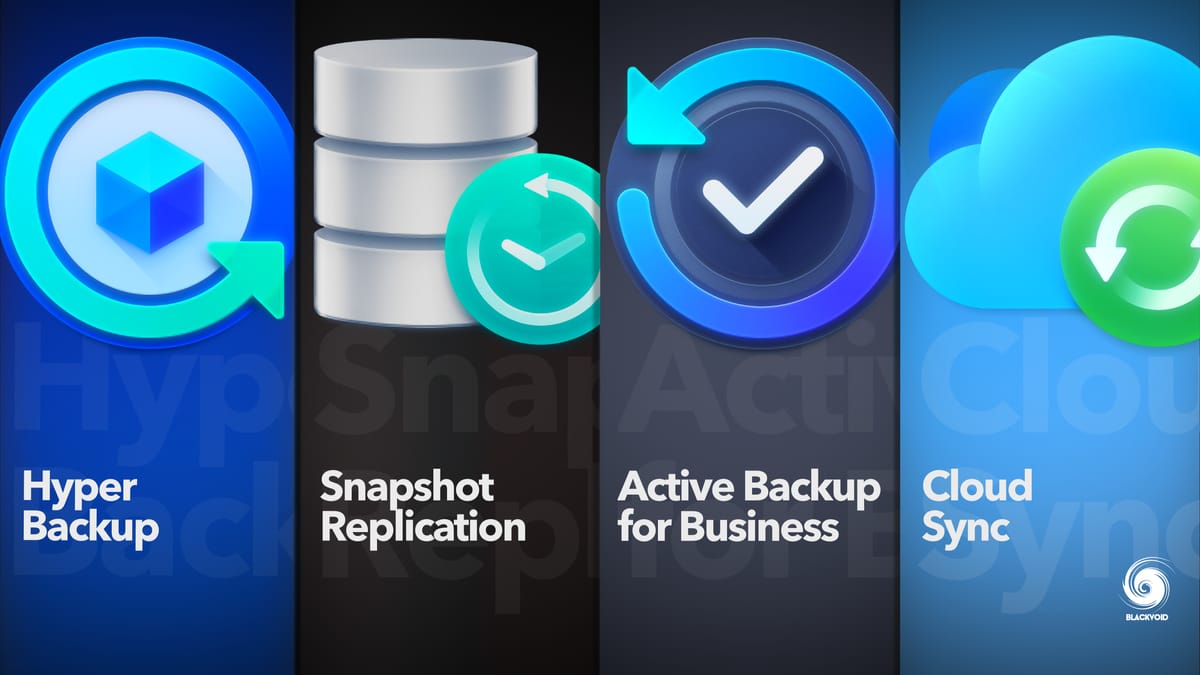
A useful backup device should support more than one copy. The DS225+, DS223, DS725+, and DS423 can direct backups toward destinations such as cloud services, external drives, or another NAS. BeeStation models also provide snapshot protection, while the standard BeeStation 4TB includes a BeeProtect trial. Do not confuse RAID redundancy with a complete backup, since a local failure can affect the whole enclosure.
Choose the simplest device that can protect your second-most-important copy somewhere else.
Snapshots and recovery
Snapshots and versioned files help recover from accidental deletion, bad edits, or ransomware. The DS423 emphasizes immutable snapshots and multi-destination strategies, while the DS225+ and DS725+ combine snapshots with RAID and automated backups. BeeStation models use snapshot-based restore points. Look for these features if the device will hold work documents, not just replaceable downloads.
Media and processing
If streaming is part of the plan, hardware transcoding and processor capability matter. The DS225+ specifically includes an Intel CPU for hardware transcoding, and BeeStation Plus models support local AI photo recognition. The BeeStation Plus 4TB adds native Plex support, while the DS425+ emphasizes fast shared access and media files for more than 10 users.
Surveillance support
Synology's NAS models can become local surveillance hubs, but camera capacity and licensing differ in practical importance. The DS225+, DS425+, DS725+, and DS423 support up to 30 IP cameras, while the BeeStation Plus 4TB supports up to four Synology cameras. The DS423 listing states that camera licenses are purchased separately, so check that requirement before choosing a model for security monitoring.
Frequently asked questions
Is a Synology NAS the same as cloud backup?
No. A Synology NAS stores data locally, but its software can back up to cloud services, external drives, or another NAS. That lets it serve as a central backup hub while still supporting an off-site copy.
Which Synology model is easiest to set up?
The BeeStation 4TB and BeeStation Plus models are the simplest because storage is built in and the BeeStation 4TB uses QR-code setup. The DS124 is the simplest traditional NAS, but it still requires a separate drive and more configuration.
Should I choose one bay, two bays, or four bays?
Choose one bay for a compact personal backup system when another backup destination is available. Two bays suit most homes and allow more flexibility, while four bays are better for large libraries, several users, surveillance, and longer-term storage growth.
Do these Synology products include hard drives?
The DS124, DS223, DS225+, DS423, DS425+, and DS725+ are listed as diskless NAS enclosures. The BeeStation 4TB and BeeStation Plus models include built-in storage as part of the device.
Which model is best for phone photo backup?
The DS124 is a good traditional NAS choice for automatic backups from iPhone and Android devices. The BeeStation models are easier for users who do not want to install and configure separate drives, and their local AI tools can help search a growing photo collection.
Can these devices protect against ransomware?
Several models use snapshots, versioned files, or restore points to help recover from ransomware. The DS423 specifically lists immutable snapshots and multi-destination backup strategies. No single local device should be the only copy of important data.
Which model is best for Plex or media streaming?
The DS225+ is the strongest general NAS choice here because it includes Intel hardware transcoding and a stated 282 MB/s transfer speed. The BeeStation Plus 4TB has native Plex Media Server support and is a simpler alternative for a compact, built-in-storage media cloud.
The bottom line
The Best Synology Cloud Backup choice for most households is the Synology DS225+. It combines two-bay flexibility, 282 MB/s transfers, hardware transcoding, automated multi-destination backup, snapshots, and broad surveillance support without being as office-focused as the DS425+.
Choose the Synology BeeStation Plus 8TB if you want built-in storage and a much simpler route to shared files and phone photo protection. For growth, the Synology DS725+ is the better long-term platform because its DX525 expansion can add five more bays, while the DS423 is a strong four-bay choice for recovery and shared folders.
If you are undecided, choose a BeeStation for simplicity and a diskless NAS for control, expansion, and a more deliberate backup plan.
As an Amazon Associate we earn from qualifying purchases.