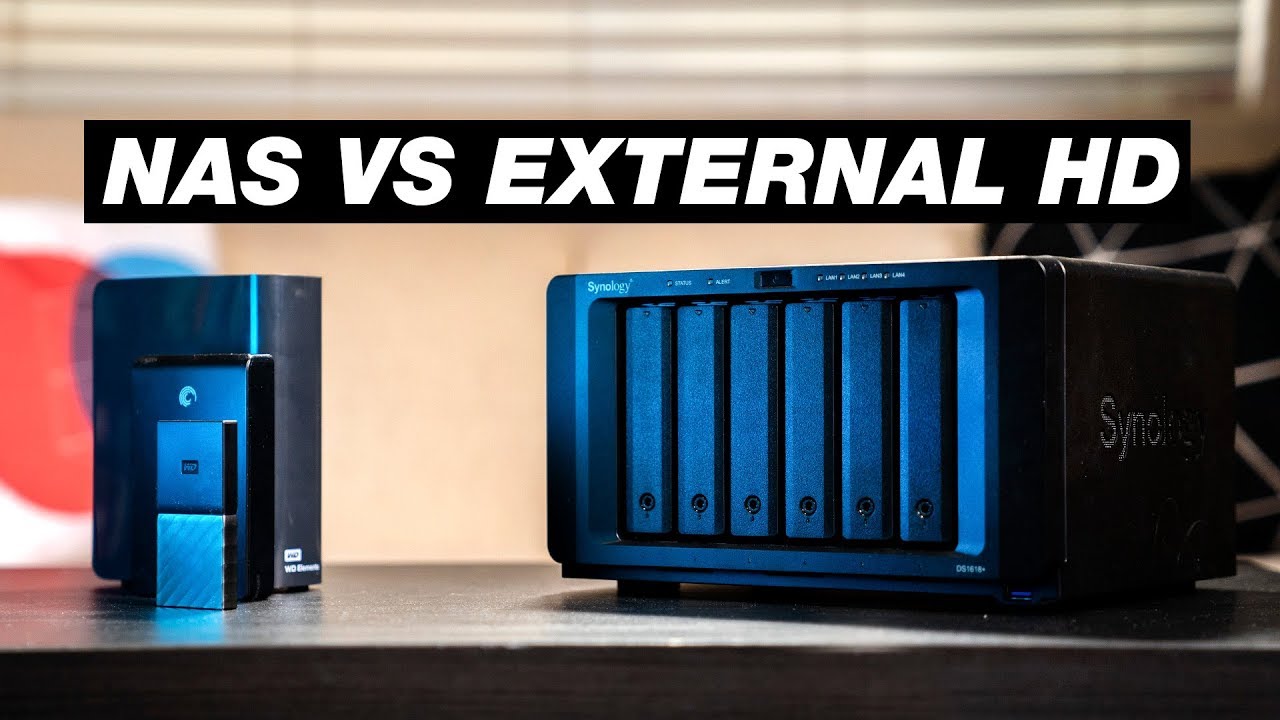

A NAS drive has a harder job than a desktop hard drive. It may stay powered on all day, handle several users at once, and rebuild a RAID array after another disk fails. Choosing the wrong type can turn a storage upgrade into a compatibility problem.
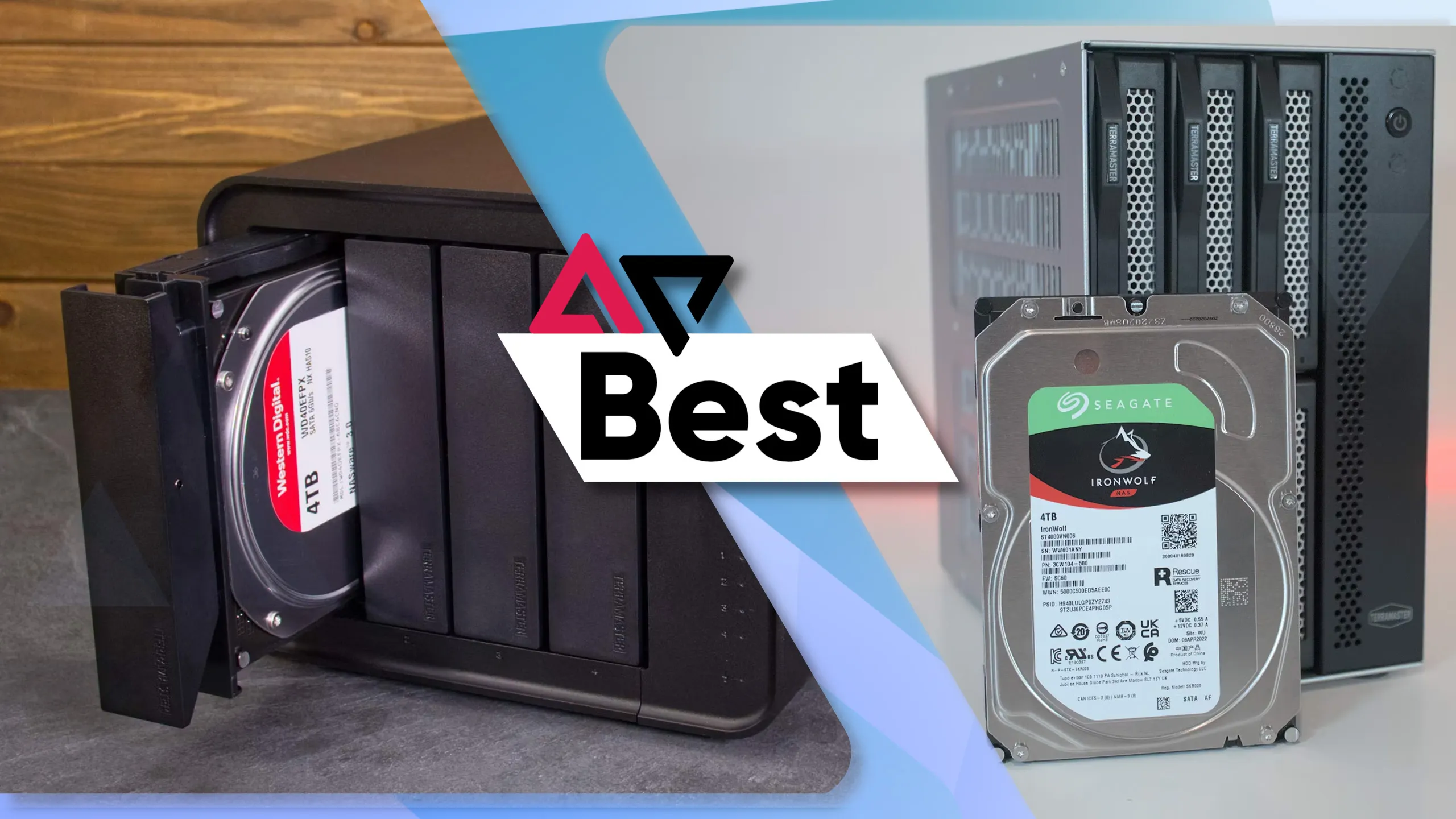
The Best NAS Hard Drives here range from high-capacity enterprise disks to complete Buffalo storage systems with drives already installed. We also included smaller renewed drives for compact arrays and home backups.
The Seagate IronWolf Pro 16TB is the best drive for most serious multi-bay NAS builds, while the list also covers complete home NAS systems and lower-capacity alternatives.
Comparison table
| # | Product | Award | Capacity | Interface or bays | Best for |
|---|---|---|---|---|---|
| 1 | Seagate IronWolf Pro 16TB | Best overall | 16TB | SATA 6Gb/s, 3.5-inch | Multi-bay RAID |
| 2 | Seagate IronWolf Pro 20TB | Best high capacity | 20TB | SATA 6Gb/s, 3.5-inch | Large media libraries |
| 3 | HGST Ultrastar 4TB | Best compact enterprise drive | 4TB | SATA 6Gb/s, 3.5-inch | Smaller RAID arrays |
| 4 | Buffalo LinkStation 210 4TB | Best simple home NAS | 4TB | 1 bay | Personal cloud storage |
| 5 | Toshiba MG07ACA12TE 12TB | Best enterprise alternative | 12TB | SATA 6Gb/s, 3.5-inch | NAS and server arrays |
| 6 | Buffalo LinkStation 210 6TB | Best one-bay capacity | 6TB | 1 bay | Family backups |
| 7 | Buffalo LinkStation 220 8TB | Best two-bay starter NAS | 8TB | 2 bays | RAID 1 home storage |
| 8 | Buffalo TeraStation Essentials 32TB | Best complete four-bay system | 32TB | 4 bays | Small offices |
| 9 | WD Red 3TB | Best small NAS replacement | 3TB | SATA 6Gb/s, 3.5-inch | Older home NAS units |
1. Seagate IronWolf Pro 16TB: Best Overall

Pros
- All-CMR recording for consistent writes
- 16TB capacity suits demanding multi-bay arrays
- 24/7 workload rating up to 550TB per year
- IronWolf Health Management and RAID-focused features
- Five-year limited warranty with three years of Rescue Data Recovery Services
Cons
- Enterprise-class design is more than a basic home NAS needs
- Requires a compatible NAS or RAID setup
Best for: anyone building a serious multi-bay NAS for media, backups, or shared work files.
The Seagate IronWolf Pro 16TB is the drive we'd put in the middle of a serious NAS build. It has the right balance of capacity and enterprise-oriented features without forcing every user into the largest disk in the range. In a multi-bay enclosure, that means room for large photo libraries, video projects, and computer backups while leaving sensible options for redundancy.
Its all-CMR design matters more than a headline transfer figure. Conventional magnetic recording keeps sustained writes predictable, which is useful when a NAS is ingesting backups or rebuilding an array. The 7, 200 RPM spindle speed and SATA 6Gb/s interface suit a system that needs regular access rather than occasional archival retrieval, while the 256MB cache helps smooth bursts of activity.
Seagate rates the drive for workloads up to 550TB per year and gives it a stated 2.5 million hour MTBF figure. Those numbers do not guarantee a failure-free array, but they do explain why this is a better fit for a busy NAS than a generic desktop disk. AgileArray adds dual-plane balancing, time-limited error recovery, and rotational vibration sensors, features aimed at the unusual demands of several drives operating together.
IronWolf Health Management is useful when the NAS supports it because it can provide prevention, intervention, and recovery recommendations from within the storage system. The five-year limited warranty and three years of Rescue Data Recovery Services add another layer of support. The weakness is straightforward: this is a specialized 3.5-inch NAS drive, so it needs compatible hardware and sensible cooling. For a small one-bay home unit, HGST Ultrastar 4TB or WD Red 3TB may be easier to justify. For a larger RAID array, this is the drive to keep.
2. Seagate IronWolf Pro 20TB: Best High Capacity

Pros
- 20TB capacity reduces the number of occupied drive bays
- All-CMR recording supports steady 24/7 workloads
- 7, 200 RPM speed and 256MB cache
- 550TB per year workload rating
- Five-year limited warranty and three years of recovery services
Cons
- Large capacity may be unnecessary for a small NAS
- Needs a compatible enclosure and RAID configuration
Best for: users who need maximum capacity from each available NAS bay.
The Seagate IronWolf Pro 20TB is the capacity-first choice. It is designed for the buyer who would rather put more storage into each bay than fill an enclosure with many smaller disks. That can simplify a high-capacity media server, though the broader array design still matters more than the capacity of one drive.
Like the 16TB model, this drive uses all-CMR recording, a 7, 200 RPM spindle, a SATA 6Gb/s connection, and a 256MB cache. The combination is aimed at sustained network storage work rather than a quiet desktop used for occasional files. The 20TB size is particularly useful when a NAS has limited bays or when replacing an older array would otherwise require several disks at once.
The enterprise specifications are strong. Seagate lists a workload rating up to 550TB per year and 2.5 million hours MTBF, along with a five-year limited warranty. AgileArray brings dual-plane balancing, time-limited error recovery, and rotational vibration sensors, all of which make more sense in a multi-drive NAS than in a single external enclosure. Average operating power is listed at 7.7W, and the drive-reported maximum operating temperature is 65 degrees Celsius, so airflow still deserves attention.
It also supports IronWolf Health Management and includes three years of Rescue Data Recovery Services. Compared with the Seagate IronWolf Pro 16TB, this model is the better fit when bay count is the main constraint. The 16TB drive is the more balanced pick for many users, and the Toshiba MG07ACA12TE 12TB offers another enterprise route at a smaller capacity. Skip this one if your NAS is a simple one-bay backup box or if your current storage needs are modest. Choose it when each bay has to carry a substantial library.
3. HGST Ultrastar 4TB: Best Compact Enterprise Drive

Pros
- CMR recording for consistent write behavior
- 7, 200 RPM performance
- SATA 6Gb/s compatibility
- Enterprise-oriented 24/7 design
- 550TB per year workload rating
Cons
- Renewed drive requires careful health checks
- Capacity is modest beside the IronWolf Pro models
- Warranty and condition details should be confirmed before installation
Best for: smaller arrays that need an enterprise-style disk without high capacity.
The HGST Ultrastar 4TB is an unusual entry in this group because it puts enterprise behavior ahead of raw capacity. A 4TB disk will not suit a large media library, but it can make sense in a compact RAID array, a test NAS, or a replacement slot in an older server where matching capacity matters.
The drive uses CMR recording, a 7, 200 RPM spindle, and a SATA 6Gb/s interface. Its listed 256MB cache and non-volatile cache are intended to support sustained transfers and write protection. That makes it a more appropriate NAS candidate than an unclassified desktop hard drive, particularly for workloads that involve regular writes rather than occasional file copies.
The stated reliability figures are also enterprise-oriented. The drive is rated for 24/7 operation, with a 2 million hour MTBF and a 550TB per year workload rating. A dual-stage micro actuator is listed for positioning accuracy. Those specifications look good on paper, but this listing is for a renewed product, so the condition is the important caveat. A NAS should monitor drive health and keep a current backup regardless of the model.
The HGST Ultrastar 4TB gives up capacity and the longer stated warranty support found on Seagate IronWolf Pro 16TB. It also lacks the IronWolf-specific health management features described for Seagate. On the other hand, its 7, 200 RPM CMR design is more substantial than the basic WD Red 3TB on this list. Buy it for a smaller array where enterprise characteristics matter. Skip it if you are starting a new high-capacity NAS and do not need to match existing disks.
4. Buffalo LinkStation 210 4TB: Best Simple Home NAS

Pros
- Complete one-bay NAS with a drive included
- Subscription-free personal cloud features
- Automated computer backup support
- SSL file transfer encryption
- Two-year warranty including the hard drive
Cons
- One bay provides no drive-level redundancy
- Listed macOS support is limited to macOS 15 and earlier
- Less flexible than a multi-bay NAS
Best for: households that want shared storage and backups without assembling a NAS from separate parts.
The Buffalo LinkStation 210 4TB is not an internal drive by itself. It is a complete one-bay NAS, and that distinction matters. The drive is already installed, so the buyer gets a network storage appliance rather than an upgrade component that still needs an enclosure, operating system, and setup.
Buffalo positions it as a central place for photos, music, videos, and computer backups. The LinkStation connects to a router and supports Windows and macOS, with NAS Navigator management software and PC backup software included. Its subscription-free personal cloud approach is appealing for a household that wants remote access to its own files without making a recurring cloud service the center of the setup.
Security features include SSL encryption for file transfers, individual folder access restrictions, and a closed system designed to reduce exposure from third-party apps. The 4TB capacity and single drive bay are easy to understand, but they also define the system's limit. A failed disk affects the whole unit, so a second backup remains necessary. This is storage centralization, not a complete backup strategy by itself.
Compared with the Buffalo LinkStation 210 6TB, the 4TB model is the smaller fit for a lighter collection. The Buffalo LinkStation 220 8TB adds a second bay and RAID 1, making it the safer choice for users who want drive-level redundancy. The LinkStation 210 4TB is the cleaner starting point for a family that wants shared folders and automated backups without dealing with bare drives. It is not the right pick for a growing business or a demanding multi-user media server.
Readers choosing between a finished NAS and separate components may also want to consider how a home storage box should handle backups and shared files before choosing a one-bay design.
5. Toshiba MG07ACA12TE 12TB: Best Enterprise Alternative

Pros
- 12TB capacity for NAS and server arrays
- Helium-sealed CMR design
- SATA 6Gb/s interface
- Rated for continuous 24/7 operation
- Three-year warranty listed in the product title
Cons
- Renewed drive needs careful inspection and monitoring
- No health-management feature set is described
- Bare drive requires an enclosure or NAS
Best for: builders who want a high-capacity enterprise disk from a different drive family.
The Toshiba MG07ACA12TE 12TB is a bare enterprise hard drive aimed at NAS, RAID, server, cloud, and surveillance workloads. Its 12TB capacity sits between the smaller renewed disks and the two IronWolf Pro options, which gives it a practical role in an array that needs meaningful space without using the biggest available drive.
Toshiba lists a helium-sealed CMR design with a nine-disk construction. Helium sealing is intended to reduce internal drag, while CMR recording keeps write behavior consistent for storage workloads. The SATA 6Gb/s interface gives it broad compatibility with NAS systems and storage arrays that accept standard 3.5-inch SATA drives.
The drive is rated for 24/7 continuous operation and up to 2.5 million hours MTBF. Those figures place it in the same broad enterprise class as the larger Seagate models, though the feature set described here is less extensive. There is no equivalent IronWolf Health Management feature listed, and the product is marked renewed, so checking health information and verifying the warranty terms should be part of installation.
The Toshiba MG07ACA12TE 12TB makes more sense than the HGST Ultrastar 4TB when the NAS needs higher capacity, while the Seagate IronWolf Pro 16TB offers more space and clearer NAS-specific management features. The Toshiba is the one to consider when you want a capable enterprise disk and are comfortable handling compatibility checks yourself. It is not a finished NAS, and it is not the simplest option for a first-time home storage buyer.
For a system that will also hold a second copy of important files, the difference between local storage and a separate backup drive is worth resolving before the array is built.
6. Buffalo LinkStation 210 6TB: Best One-Bay Capacity
Pros
- 6TB drive included in a complete NAS enclosure
- Subscription-free personal cloud storage
- Automated computer backup tools
- Folder permissions for family sharing
- Two-year warranty including the hard drive
Cons
- One bay cannot provide RAID 1 redundancy
- macOS 26 support is not listed
- Limited expansion compared with two-bay and four-bay systems
Best for: homes that need more room than a basic one-bay unit but do not need a multi-bay array.
The Buffalo LinkStation 210 6TB follows the same simple formula as the 4TB version, but gives a household more room for photos, video, music, and device backups. It arrives as a complete one-bay NAS with the hard drive installed, so there is no separate drive selection or assembly process.
Setup centers on connecting the LinkStation to a router and managing it through Buffalo's NAS Navigator software. The unit works with Windows and macOS, and the included PC backup software can automate copies from multiple computers. Folder-level access controls let family members share the system without exposing every folder to every user.
The 6TB capacity is useful for a growing home collection, but it does not change the basic one-bay risk. There is no second internal disk to mirror the first, and the product should not be treated as the only copy of irreplaceable files. Buffalo includes SSL encryption for file transfers and describes the enclosure as a closed system intended to reduce vulnerabilities from third-party applications.
The Buffalo LinkStation 210 4TB is the better fit for a smaller library, while the Buffalo LinkStation 220 8TB is more compelling when redundancy matters. The 6TB LinkStation sits between those choices. It is a sensible home cloud appliance for users who want a little more capacity but still value a straightforward, low-maintenance design. Skip it if you expect to add drives later or need multiple users to work with large files at once.
7. Buffalo LinkStation 220 8TB: Best Two-Bay Starter NAS

Pros
- Two drive bays provide a RAID 1 option
- 8TB total capacity with drives included
- Ships in RAID 1 with 4TB usable capacity
- Automated backups and folder permissions
- Two-year warranty including the hard drives
Cons
- RAID 1 reduces usable capacity
- Older platform has limited expansion
- Listed macOS support excludes macOS 26
Best for: families that want a simple NAS with redundancy rather than a single-disk enclosure.
The Buffalo LinkStation 220 8TB is the Buffalo model to choose when the most important upgrade is a second drive bay. It includes two 4TB drives and ships in RAID 1, leaving 4TB usable while maintaining a mirrored copy across the pair. That is a much safer starting point than either one-bay LinkStation for household files that would be difficult to replace.
Users can switch to RAID 0 and use the full 8TB, but that trades redundancy for capacity. RAID 1 is the sensible default for a backup and file-sharing appliance, although it still does not protect against accidental deletion, malware, or a damaged NAS. A separate backup remains necessary for important data.
The LinkStation 220 supports shared network storage, subscription-free personal cloud access, automated computer backups, and individual folder restrictions. Buffalo also lists SSL encryption for file transfers and 24/7 US-based support. The system is aimed at home users, not at people who need a broad application ecosystem or extensive hardware expansion.
Compared with the Buffalo LinkStation 210 6TB, the 220 is the more responsible choice for a family archive because of RAID 1. The Buffalo TeraStation Essentials 32TB is far more capable for a small office, with four bays, RAID 5, and a 2.5GbE port. The trade-off is that the LinkStation 220 is simpler and smaller. Choose it when mirrored storage matters and the NAS will mainly serve household backups, documents, and media.
8. Buffalo TeraStation Essentials 32TB: Best Complete Four-Bay System

Pros
- Four pre-tested 8TB drives included
- Ships in RAID 5 with 24TB usable capacity
- Native 2.5GbE for faster transfers
- RAID 6 and RAID 0 options
- 256-bit drive encryption and cloud integration
- Three-year warranty including the drives
Cons
- Larger than a basic home NAS
- RAID 5 is not a substitute for an independent backup
- Advanced features may be unnecessary for one or two users
Best for: small offices and households managing large shared libraries across several devices.
The Buffalo TeraStation Essentials 32TB is the most complete system in this roundup. It includes four pre-tested 8TB hard drives and arrives configured in RAID 5, providing 24TB of usable capacity. That makes it a practical choice for a small office, creative team, or household with enough data to justify a real four-bay appliance.
The extra bays give this TeraStation options that the LinkStation products cannot match. RAID 5 balances capacity and protection, while the system can be changed to RAID 6 for more redundancy or RAID 0 for the full 32TB. RAID choices should be made around the data and replacement plan, not simply the largest number. No RAID mode replaces an independent backup.
The hardware features are more appropriate for busy shared storage. A native 2.5GbE port can move files faster than standard gigabit networking when the rest of the network supports it. Buffalo also lists 256-bit drive encryption, replication and backup features, and integration with Amazon S3, Dropbox, Azure, and OneDrive. Those cloud connections let the NAS participate in a hybrid backup arrangement instead of existing as an isolated box.
The three-year warranty includes the hard drives, and Buffalo lists 24/7 US-based support and data recovery service. Against the Buffalo LinkStation 220 8TB, this is a major capability step, not just a larger disk bundle. Against separate Seagate IronWolf Pro 16TB drives, it is easier to deploy but less customizable. Choose the TeraStation when you want a ready-to-run four-bay system and can use its networking, RAID, and cloud features. Skip it for a basic personal file share.
9. WD Red 3TB: Best Small NAS Replacement

Pros
- Designed for home and small-office NAS systems
- Supports NAS units with up to eight bays
- NASware firmware for compatibility
- 24/7 reliability testing
- Three-year limited warranty
Cons
- 3TB capacity is small for a new high-capacity array
- 5, 400 RPM class is slower than the enterprise drives here
- Renewed drive requires health monitoring
Best for: replacing a matching disk in an older, smaller NAS.
The WD Red 3TB is best understood as a replacement drive for a modest NAS rather than the foundation of a new large array. Its capacity fits older home systems, small backup boxes, and enclosures where matching the existing disks is more important than maximizing storage.
WD lists the drive as a NAS-specific model for home and small-office systems with up to eight bays. NASware firmware is intended to improve compatibility, and the product is tested for 24/7 reliability. The SATA 6Gb/s interface and 3.5-inch format make it suitable for compatible standard drive bays, while the 64MB cache is appropriate for basic network storage duties.
The 5, 400 RPM class separates this drive from the 7, 200 RPM HGST Ultrastar 4TB, Toshiba MG07ACA12TE 12TB, and IronWolf Pro models. That lower spindle speed can suit a quieter, less demanding home NAS, but users moving large files or rebuilding arrays should expect less performance headroom. The three-year limited warranty is useful, although this particular listing is for a renewed drive.
The WD Red is a more natural fit than an enterprise drive when the NAS is a small home unit and the existing array already uses the same capacity. It loses to the Seagate IronWolf Pro 16TB for sustained workloads and to the Buffalo LinkStation 220 8TB for a ready-made system with two included drives. Choose it when compatibility and matching capacity are the priority. Do not choose it as the first disk for a new high-capacity NAS unless 3TB is genuinely enough.

How to choose Best NAS Hard Drives
The right NAS drive depends on the enclosure, workload, redundancy plan, and whether you need a bare disk or a complete storage system.
NAS compatibility
Start with the NAS enclosure's supported drive size, interface, bay count, and compatibility list. The bare drives here use a 3.5-inch SATA format, but that does not guarantee support in every enclosure. A drive designed for NAS use still needs suitable firmware support, airflow, and a compatible RAID controller or NAS operating system.
Complete units such as the Buffalo LinkStation 210 4TB avoid much of that matching process. Bare enterprise disks such as the Seagate IronWolf Pro 20TB offer more flexibility, but the buyer must confirm that the NAS can address the capacity and operate the drive properly.
CMR recording
CMR is the safer recording type for a NAS that writes frequently or rebuilds RAID arrays. It provides more predictable sustained write behavior than a drive that uses a recording method optimized for a different workload. The IronWolf Pro, HGST Ultrastar, and Toshiba models explicitly list CMR technology.
For a NAS, predictable writes during a RAID rebuild matter more than a dramatic desktop benchmark.
Capacity and bay count
Capacity has to be considered alongside the number of bays and the chosen RAID mode. A 20TB disk is useful in a limited-bay enclosure, while several smaller disks can provide redundancy and better expansion options. The Buffalo TeraStation Essentials 32TB ships with four 8TB drives and provides 24TB usable in RAID 5, which shows why raw combined capacity is not the same as available storage.
One-bay systems have no internal mirror. Two-bay units can use RAID 1, while four-bay systems can use RAID 5 or RAID 6. For a clearer view of how a complete home storage system fits into a backup plan, the storage features that matter in a shared household setup are more useful than capacity alone.
Workload and rotation speed
A NAS serving several computers, editing large media files, or rebuilding arrays benefits from a drive built for sustained operation. The 7, 200 RPM models here are positioned for higher throughput, while the WD Red 3TB is a 5, 400 RPM class drive aimed at smaller home and office systems.
Workload ratings also provide context. Seagate and HGST list workload figures up to 550TB per year, but that does not mean a drive can be run without cooling or backups. Temperature, vibration, enclosure design, and the number of simultaneous users all influence real-world reliability.
Warranty and drive condition
Warranty length and condition matter especially when buying renewed enterprise drives. The Seagate IronWolf Pro models list five-year limited warranties and three years of Rescue Data Recovery Services. The Buffalo complete systems include their installed drives under their stated warranties, while the Toshiba, HGST, and WD listings are renewed products with different support considerations.
A NAS should monitor drive health from its first day and maintain an independent copy of important files. RAID can keep a system running after a disk failure, but it cannot recover files deleted by mistake or encrypted by malware.

Frequently asked questions
Are NAS hard drives different from desktop hard drives?
NAS hard drives are designed for continuous operation, shared network workloads, and use in enclosures with multiple drives. Features such as CMR recording, time-limited error recovery, vibration control, and NAS firmware can make them more suitable for RAID systems. A desktop drive may work in some NAS units, but compatibility and recovery behavior are not guaranteed.
Is CMR important in a NAS?
CMR is useful when the NAS handles regular writes, large file transfers, or RAID rebuilds. It generally provides more consistent sustained write behavior than a drive using a recording method intended for lighter or different workloads. The Seagate, HGST, and Toshiba drives in this list explicitly identify CMR recording.
Should a NAS use RAID 1 or RAID 5?
RAID 1 mirrors data across two drives, so it is simple and well suited to a two-bay home NAS. RAID 5 uses three or more drives to combine capacity with protection against a single drive failure, while RAID 6 offers protection against two drive failures on supported systems. None of these modes replaces a separate backup.
Are enterprise hard drives suitable for a home NAS?
They can be, provided the NAS supports the drive's capacity, interface, and physical format. Enterprise drives such as the Seagate IronWolf Pro and Toshiba MG07ACA12TE are built around continuous operation and heavier workloads. They may be unnecessary for a small one-bay system, where a complete Buffalo unit can be easier to configure.
Is a complete NAS better than buying a bare drive?
A complete NAS is easier for a first-time buyer because the enclosure, software, and installed drives are designed to work together. A bare drive gives experienced users more control over capacity, RAID layout, replacement matching, and the NAS enclosure itself. The Buffalo LinkStation and TeraStation systems are complete appliances, while the Seagate, HGST, Toshiba, and WD models require compatible hardware.
Can a one-bay NAS protect my files?
A one-bay NAS can centralize files and automate backups from computers, but it cannot mirror its internal drive. If that disk fails, the NAS may be unavailable until it is repaired, and an independent copy is essential for recovery. The two-bay Buffalo LinkStation 220 provides a RAID 1 option for drive-level redundancy.
The bottom line
The Seagate IronWolf Pro 16TB is the strongest all-around choice among the Best NAS Hard Drives here. Its all-CMR design, 7, 200 RPM speed, 550TB per year workload rating, RAID-focused features, and long warranty make it the right foundation for a serious multi-bay NAS. The Seagate IronWolf Pro 20TB is the better pick when each bay needs to hold as much data as possible.
For buyers who want an appliance rather than a bare disk, the Buffalo LinkStation 220 8TB is the sensible home starting point because its two bays allow RAID 1. The Buffalo TeraStation Essentials 32TB is the better complete system for a small office or large shared library, with four bays, RAID 5, and 2.5GbE networking.
If you are still undecided, match the drive to your NAS bays and backup plan first, then choose the largest capacity your enclosure can properly support.
As an Amazon Associate we earn from qualifying purchases.