

A full laptop drive, a growing photo library, and a console game collection can overwhelm built-in storage faster than expected. The right external drive should make backups simple, while an internal model needs the correct installation space and connection.
Our Best best hard drive picks cover compact portable HDDs, high-capacity desktop storage, internal SATA drives, and fast portable SSDs. The Seagate Portable 2TB is the best all-around choice for straightforward everyday storage, while the other picks stretch from pocket-sized speed to massive desktop capacity.
Comparison table
| # | Product | Award | Capacity | Interface | Type | Best for |
|---|---|---|---|---|---|---|
| 1 | Seagate Portable 2TB | Best overall | 2TB | USB 3.0 | Portable HDD | Everyday backups |
| 2 | Seagate Portable 5TB | Best portable capacity | 5TB | USB 3.0 | Portable HDD | Large libraries on the go |
| 3 | Seagate Expansion Desktop 8TB | Best desktop backup | 8TB | USB 3.0 | Desktop HDD | Always-connected storage |
| 4 | SanDisk Extreme Portable SSD | Best rugged SSD | 2TB | USB 3.2 Gen 2 | Portable SSD | Fast mobile workflows |
| 5 | Seagate Portable 4TB | Best mid-capacity HDD | 4TB | USB 3.0 | Portable HDD | Personal media storage |
| 6 | Seagate Portable 1TB | Best compact backup | 1TB | USB 3.0 | Portable HDD | Documents and light backups |
| 7 | Seagate BarraCuda 8TB | Best internal HDD | 8TB | SATA 6 Gb/s | Internal HDD | Desktop upgrades |
| 8 | WD Elements Desktop 20TB | Best maximum capacity | 20TB | USB 3.0 | Desktop HDD | Huge archives |
| 9 | Samsung T7 1TB | Best compact SSD | 1TB | USB 3.2 Gen 2 | Portable SSD | Fast everyday transfers |
| 10 | WD Elements Portable 6TB | Best portable capacity upgrade | 6TB | USB 3.2 Gen 1 | Portable HDD | Large PC and Mac libraries |
1. Seagate Portable 2TB: Best Overall

Pros
- Simple plug and play setup
- Works with Windows and Mac computers
- Compact 0.42-pound design
- Includes an 18-inch USB 3.0 cable
Cons
- HDD speeds are slower than portable SSDs
- Mac use may require reformatting in some situations
Best for: someone who wants uncomplicated portable storage for regular computer backups.
The Seagate Portable 2TB is the drive most people can understand immediately. Connect the included cable, let the computer recognize it, and start moving files. There is no software-heavy setup to negotiate, which matters when the goal is to make a backup rather than begin another technology project.
Its 2TB capacity gives a laptop user room for documents, photos, music, and a useful collection of video files. The USB 3.0 connection is familiar and broadly compatible, and Seagate says it is designed for both Windows and Mac computers. The 4.6-inch-long, 3.15-inch-wide enclosure is easy to slip into a bag, while its 0.58-inch height keeps it relatively unobtrusive on a desk.
This is a conventional hard disk, so it cannot match the SanDisk Extreme Portable SSD or Samsung T7 for transfer speed, shock resistance, or near-silent operation. It also does not have the rugged protection called out for the SanDisk model. What it does better than those SSDs is provide a simple, conventional storage option with enough room for ordinary household backups.
The main limitation is capacity. A video-heavy collection or a computer with several years of photos can fill 2TB sooner than expected. The available capacity may also vary, and Mac users should check the formatting requirements before moving a large library. If you need a drive that can travel through rough conditions or handle sustained fast transfers, skip this one.
For routine backups, school files, family photos, and a portable archive, this is the sensible starting point. Readers comparing more external storage options can also see how to handle backups when one drive is not enough.
2. Seagate Portable 5TB: Best Portable Capacity
Pros
- 5TB capacity in a portable enclosure
- USB 3.0 connection
- Designed for Windows and Mac computers
- Includes an 18-inch cable
Cons
- Larger and heavier than the 2TB version
- HDD performance trails both SSD picks
Best for: people carrying a large photo, video, or game library without moving to desktop storage.
The Seagate Portable 5TB keeps the same basic idea as the 2TB model but makes it much more useful for large collections. It is still a small USB drive that can travel in a laptop bag, yet its capacity is large enough to hold multiple computer backups or a substantial media library.
The enclosure measures about 4.6 inches long and 3.15 inches wide, with a height of roughly 0.79 inches. At about 0.57 pounds, it remains portable, although it is not quite as slim as the 2TB and 4TB alternatives. USB 3.0 keeps the connection straightforward, and the included 18-inch cable gives enough reach for a nearby laptop or desktop.
The extra room is the reason to choose this over the Seagate Portable 2TB. It reduces the need to decide which folders belong on the drive and which must stay behind. It is also a better fit than the Seagate Portable 4TB when a growing archive needs room to expand. The trade-off is that it remains an HDD, so the Samsung T7 and SanDisk Extreme Portable SSD are better for active editing or frequent large transfers.
The drive is not a rugged model, and its specifications do not promise the drop and water protection found on the SanDisk. Mac setup can also involve formatting considerations, and the listing notes that the available capacity may vary. Anyone who mainly needs documents and a modest backup should avoid carrying extra bulk for capacity they will not use.
Choose it for a portable archive that has outgrown smaller drives. It suits photographers, students, and families with several computers, provided transfer speed is less important than keeping a lot of files in one place.
3. Seagate Expansion Desktop 8TB: Best Desktop Backup

Pros
- 8TB capacity for large backups
- USB 3.0 file transfers
- Automatic recognition on Windows and Mac
- Includes a power adapter and USB cable
Cons
- Requires a power adapter
- Too large for regular travel
- Mac Time Machine use requires reformatting
Best for: a desk-based backup system that stays connected to one computer.
The Seagate Expansion Desktop 8TB is built for the person who wants a large backup target parked beside a computer. Unlike the portable Seagate drives, it uses a power adapter, so it is not a device to toss into a backpack. That fixed-desk design makes sense when the drive will remain connected and receive regular backups.
Its 8TB capacity gives it considerably more breathing room than the Seagate Portable 5TB. USB 3.0 handles the computer connection, while drag-and-drop saving keeps everyday file management uncomplicated. Windows and Mac computers should recognize it automatically, though Seagate says Mac Time Machine use requires reformatting.
The physical design makes the distinction clear. It measures 8.58 inches long by 8.4 inches wide and 3.15 inches high, and weighs 2.85 pounds. Those dimensions make it a poor travel companion, but they are less important beside a desktop. The included limited warranty and Rescue Data Recovery Services add useful support for a drive intended to hold a large archive.
The weakness is dependence on a desk and wall power. The portable HDDs are easier to move between machines, while the SSDs are vastly more convenient for active work. It is also not the right choice if you need a compact drive for a laptop bag. Choose the WD Elements Desktop 20TB instead only when your archive genuinely needs much more than 8TB.
This is the pick for a home office, media server, or long-term computer backup that will live in one place. It is less about mobility and more about creating a large, uncomplicated storage destination.
4. SanDisk Extreme Portable SSD: Best Rugged SSD
Pros
- Up to 1, 050MB/s read speed
- Up to 1, 000MB/s write speed
- IP65 water and dust resistance
- Up to 3-meter drop protection
- 256-bit AES hardware encryption
Cons
- Listed as an old model
- Requires a host device capable of taking advantage of its speed
Best for: creators and travelers who need fast storage with stronger physical protection.
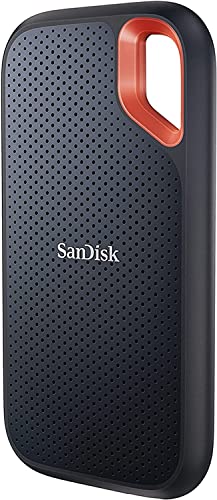
The SanDisk Extreme Portable SSD is the obvious change of pace in this group. It has no spinning disk, weighs only 0.11 pounds, and is small enough to carry without thinking about it. The appeal is not simply that it is compact. It is designed for people who move files while traveling, working outdoors, or switching between several devices.
SanDisk lists read speeds up to 1, 050MB/s and write speeds up to 1, 000MB/s through USB 3.2 Gen 2. Those are performance figures that make a difference when transferring large video projects or a sizable photo folder. Actual results depend on the host device and other factors, but it has much more speed headroom than the USB 3.0 HDDs in this roundup.
Protection is the other major reason to select it. The drive is rated for IP65 water and dust resistance and up to 3-meter drop protection. Its carabiner loop makes it easier to secure to a bag, and 256-bit AES hardware encryption provides a way to help keep private content protected. The SanDisk Memory Zone app can help manage files and free space automatically.
The listing identifies this as an old model, which is a meaningful caveat for buyers who want the newest hardware. It also makes little sense as a cold archive if the extra speed and rugged construction will sit unused. The Samsung T7 is similarly compact and fast, but the SanDisk has the clearer protection story. Readers focused on the broader SSD trade-off can explore what makes a portable solid state drive useful for active storage.
Pick it for active files, travel, field work, and fast backups. Skip it if the drive will remain on a shelf beside a desktop and capacity matters more than speed or protection.
5. Seagate Portable 4TB: Best Mid-Capacity HDD
Pros
- 4TB portable capacity
- Compact 0.57-pound enclosure
- Plug and play computer recognition
- Includes an 18-inch USB 3.0 cable
Cons
- Slower than portable SSDs
- Not designed for rugged use
- Mac formatting may need attention
Best for: personal media collections that need more room than a small backup drive.
The Seagate Portable 4TB occupies the practical middle of this list. It gives a personal computer user enough space for a broad photo collection, documents, music, and video without becoming a desktop-only device. Its familiar portable HDD shape is easy to store in a drawer or carry with a laptop.
At about 4.6 inches long, 3.15 inches wide, and 0.58 inches high, it remains easy to handle. The listed weight is about 0.57 pounds. USB 3.0 and the included 18-inch cable keep the connection uncomplicated, and the drive is designed for Windows and Mac computers. Seagate describes drag-and-drop backup as the basic workflow, which is exactly what many users need.
It is a more comfortable long-term choice than the Seagate Portable 2TB when a collection is growing, but it does not have the extra headroom of the 5TB or 6TB models. The SanDisk Extreme Portable SSD and Samsung T7 are far better when the drive is part of an active editing workflow. The Seagate wins when a conventional, portable archive is the priority.
There is no rugged casing or SSD-style resistance to bumps and drops, so it should be treated as a normal portable hard disk rather than adventure equipment. Its USB 3.0 connection also places a ceiling on transfer performance. Anyone who repeatedly moves very large files should choose an SSD instead.
For a general-purpose media drive, this is a balanced option. It fits users who want a substantial personal archive in a portable format and do not need the highest transfer speeds.
6. Seagate Portable 1TB: Best Compact Backup
Pros
- Small portable enclosure
- USB 3.0 connection
- Automatic recognition on computers
- Includes an 18-inch cable
Cons
- Limited capacity for video collections
- HDD performance is below SSD models
- Mac reformatting may be required
Best for: documents, school files, and a focused backup of a smaller computer.
The Seagate Portable 1TB is the simplest drive here for a narrow backup job. It is small, light, and easy to connect, making it a reasonable companion for documents, coursework, scanned records, and a smaller photo folder. It does not try to be a complete media vault.
The enclosure is about 4.6 inches long, 3.15 inches wide, and 0.58 inches high, with a listed weight of roughly 0.42 pounds. USB 3.0 provides the connection, and the included 18-inch cable avoids the need to find a separate lead. Automatic recognition and no-software setup reduce the number of steps between opening the box and copying files.
Compared with the Seagate Portable 2TB, this model gives up room but keeps the same straightforward portable concept. Compared with the Samsung T7, it is slower and less resistant to physical shock, although the Seagate models are familiar choices for simple file storage. The 4TB and 5TB Seagate drives make more sense for anyone already storing video or multiple system backups.
Its real weakness is the limited ceiling. A modern photo library, game installation collection, or repeated laptop backup can consume 1TB quickly. Seagate also notes that Mac reformatting may be required, so Mac users should plan the drive format before placing important files on it.
Choose this one when the backup job is clearly defined and modest. If you are unsure how much space you will need over the next few years, move up to the Seagate Portable 2TB or 4TB instead.
7. Seagate BarraCuda 8TB: Best Internal HDD

Pros
- 8TB internal capacity
- SATA 6 Gb/s interface
- Listed sustained transfer rate up to 190MB/s
- Designed for desktop applications and gaming PCs
Cons
- Requires installation inside a compatible computer
- No cables or retail box included
- Not portable
Best for: a desktop builder who needs a large internal SATA storage drive.
The Seagate BarraCuda 8TB is not an external backup drive with a cable. It is a component for a desktop computer, and that distinction should guide the purchase. Installed in a compatible system, it can provide a large internal library for media, games, projects, and general files without occupying a USB port.
It uses a SATA 6 Gb/s interface and has a listed sustained transfer rate of up to 190MB/s. That is useful for a conventional hard disk, although it remains slower in responsiveness than an SSD. Seagate positions it for a wide range of PC applications, including music, video, photo editing, and PC gaming.
The physical dimensions are about 5.79 inches long, 4 inches wide, and 1.03 inches high, with a listed weight of 1.45 pounds. It is a standard internal component rather than a finished external product. The listing also makes clear that the package is an anti-static bag with no cables and no box, so the buyer needs a compatible computer and the hardware required for installation.
That installation requirement is the major weakness. The Seagate Expansion Desktop 8TB is much easier for a user who wants to plug in a drive immediately, while this BarraCuda is the better fit for someone building or upgrading a desktop. It is also not an ideal system drive if fast application loading is the priority. Skip it if you do not want to open a computer or check SATA compatibility.
For desktop storage expansion, this is the most direct choice in the group. It makes sense when the computer has an available bay and the goal is adding a large internal library rather than carrying files between machines.
8. WD Elements Desktop 20TB: Best Maximum Capacity

Pros
- 20TB desktop capacity
- Plug and play setup for Windows PCs
- USB 3.0 connection
- Designed as add-on storage
Cons
- Large desktop enclosure
- Mac use requires reformatting
- Requires a stationary setup
Best for: large archives that exceed the practical capacity of smaller external drives.
The WD Elements Desktop 20TB exists for one reason: keeping an enormous archive in one external enclosure. It is aimed at Windows users who need add-on storage for a computer, not at people looking for a tiny drive to carry between meetings. For large video libraries, long-running backups, and accumulated project files, the capacity changes how much file management is required.
WD lists plug and play readiness for Windows PCs and fast data transfers over USB 3.0. The drive is designed as a desktop unit, so it belongs beside a computer rather than in a pocket. Its 6.53-inch height, 5.31-inch length, and 1.89-inch width give it a noticeably larger footprint than every portable model here, though the listed weight is about 1.98 pounds.
The capacity is far beyond the Seagate Expansion Desktop 8TB and the internal BarraCuda 8TB. That makes the WD the specialist choice for a very large archive. It is also easier to deploy than an internal drive because it is an external add-on, but it does not offer the travel convenience of the Seagate Portable models or the fast, rugged behavior of the SSDs.
Mac users need to pay attention to formatting because the listing specifies that reformatting is required for MacOS. The enclosure is also not presented as rugged or portable, and a desktop hard drive should be protected from knocks while operating. If your archive fits comfortably on 8TB, this model is more hardware than you need.
Select it for a Windows desktop that needs a serious expansion volume. It is the right answer when capacity is the central problem and the drive can stay in one location.
9. Samsung T7 1TB: Best Compact SSD

Pros
- Up to 1, 050MB/s read speed
- Up to 1, 000MB/s write speed
- Compact 0.13-pound design
- Shock resistance and fall protection up to 6 feet
- USB 3.2 Gen 2 interface
Cons
- 1TB capacity limits large archives
- Full speed depends on the host device
Best for: fast transfers in a small drive for laptops, cameras, and mobile workflows.
The Samsung T7 is the drive to choose when waiting for file transfers is more irritating than managing capacity. Its solid-state design is compact, light, and quiet in everyday use, and it is small enough to keep beside a laptop or camera kit without adding much bulk.
Samsung lists read speeds up to 1, 050MB/s and write speeds up to 1, 000MB/s through USB 3.2 Gen 2. Those figures make it much better suited to moving large working files than the USB 3.0 HDDs. The T7 is also described as compatible with PCs and mobile phones, and Samsung highlights support for recording 4K 60fps video directly from compatible cameras or mobile devices.
The aluminum unibody construction provides shock resistance and fall protection up to 6 feet. At about 3.3 inches long, 2.2 inches wide, and 0.3 inches high, it is one of the easiest drives here to carry. Its listed weight is only 0.13 pounds. The SanDisk Extreme Portable SSD is tougher on paper because it adds IP65 water and dust resistance plus up to 3-meter drop protection, but the T7 is a refined compact option for everyday fast storage.
The capacity is the catch. 1TB is useful for active projects and focused backups, but it is not a substitute for the 5TB, 8TB, or 20TB desktop drives. Speed also depends on the host device, so an older port may prevent the T7 from reaching its advertised performance. For a closer look at choosing fast external storage, consider how portable solid state drives handle demanding file work.
Pick it for laptops, photography, video work, and fast project transfers. If you mainly want a large archive that stays connected to a desktop, choose an HDD with more capacity instead.
10. WD Elements Portable 6TB: Best Portable Capacity Upgrade

Pros
- 6TB capacity in a portable hard drive
- USB 3.2 Gen 1 connection
- Plug and play expandability
- Designed for PC and Mac use
Cons
- HDD speeds are below both SSDs
- Physical dimensions are larger than smaller portable drives
- Mac setup may require attention to format
Best for: carrying a large computer library without using a desktop enclosure.
The WD Elements Portable 6TB is the capacity-first portable choice. It gives users more room than the Seagate Portable 5TB while keeping the drive in a form intended for moving between locations. That makes it useful for a large collection of photos, music, video, and documents that must remain accessible away from a desk.
Its SuperSpeed USB 3.2 Gen 1 connection is also described as USB 3.0, so it fits into the familiar USB ecosystem. The drive is plug and play ready, and WD describes it for PC and Mac use. The 6TB capacity is the standout feature, especially for users whose libraries have outgrown smaller portable models.
The enclosure measures about 5.8 inches long, 4.5 inches wide, and 1.8 inches high according to the listed product information. That is less pocket-friendly than the Seagate Portable models and dramatically less compact than the Samsung T7. The product description calls it the first 6TB 2.5-inch portable hard drive, but buyers should still treat it as a conventional HDD rather than a rugged travel SSD.
The WD cannot compete with the SSD models for speed, and its larger listed dimensions weaken the case for carrying it constantly. The Seagate Portable 5TB is a more compact alternative, while the Seagate Expansion Desktop 8TB gives up mobility for a desktop-oriented design. Mac users should also check the drive format before setting up a long-term archive.
Choose it when portable capacity matters more than speed or the smallest possible enclosure. It is a strong fit for a large library that needs to travel, but not for active editing where the Samsung T7 or SanDisk Extreme Portable SSD will feel more responsive.
How to choose best hard drive
The right drive depends on where it will live, how much data it must hold, and whether transfer speed or capacity matters more.
Drive type
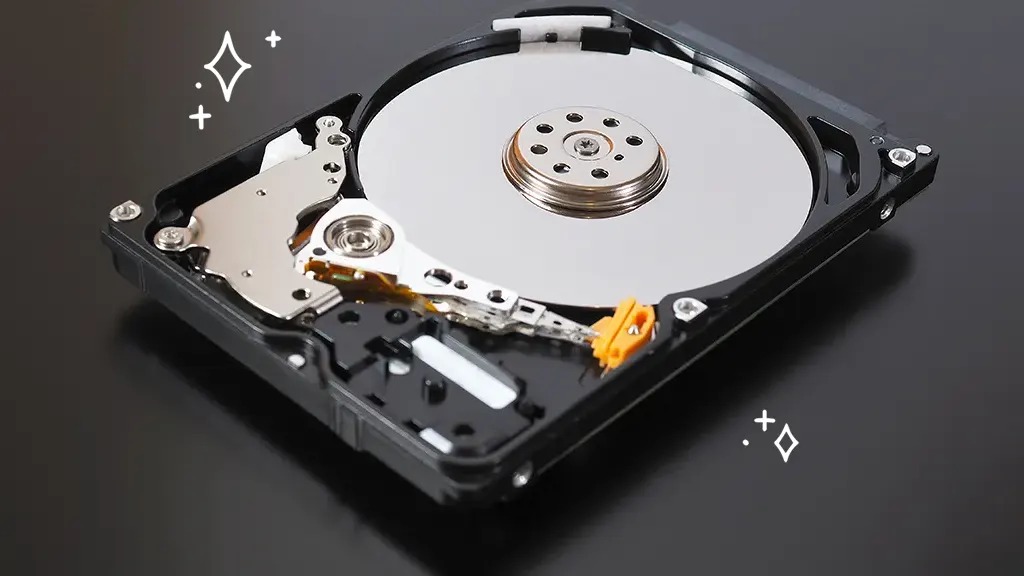
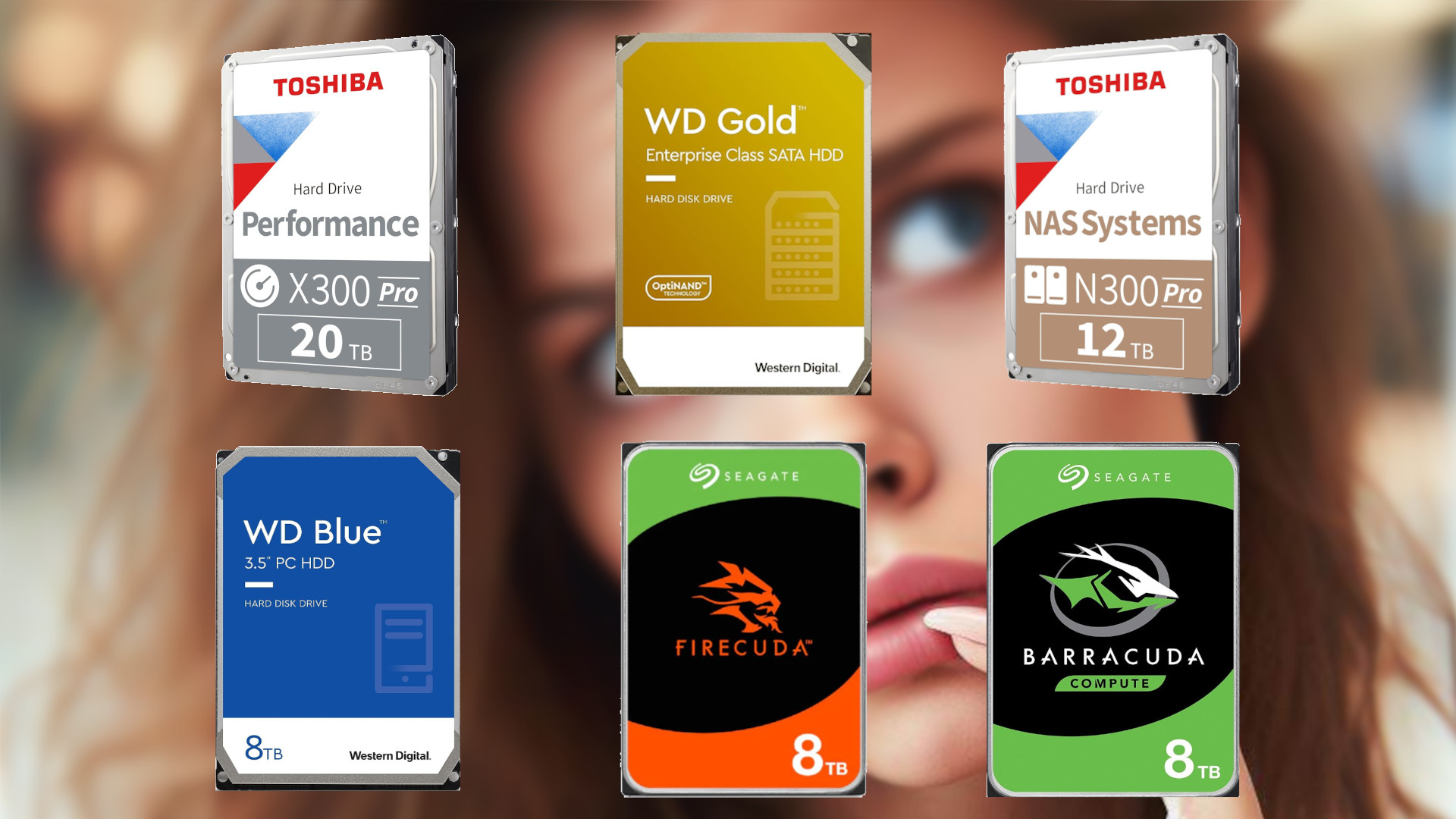
Portable HDDs such as the Seagate Portable range use spinning disks and are suited to backups and archives. Desktop HDDs provide larger capacities but need a stationary setup, while an internal HDD must be installed inside a compatible computer. SSDs such as the Samsung T7 and SanDisk Extreme Portable SSD use flash storage and are better for fast transfers and active projects.
Buy an SSD for moving active files, an HDD for storing a large archive, and a desktop drive when the storage will stay put.
Capacity
Capacity should reflect the files you already have plus the growth you expect. A 1TB drive can handle documents and a focused backup, while 2TB to 6TB is more comfortable for photos, video, and several computers. The 8TB and 20TB choices are aimed at substantial archives that would otherwise need multiple smaller drives.
Remember that usable space is not exactly the number printed on the box. The data here also notes that available storage may vary on some models.
Connection
USB 3.0 is common across the portable and desktop HDDs in this roundup, while newer labels such as USB 3.2 Gen 1 remain compatible with the same general USB family. The SSDs use USB 3.2 Gen 2 and can reach much higher advertised transfer speeds, but the computer, cable, and port must all support the required performance.
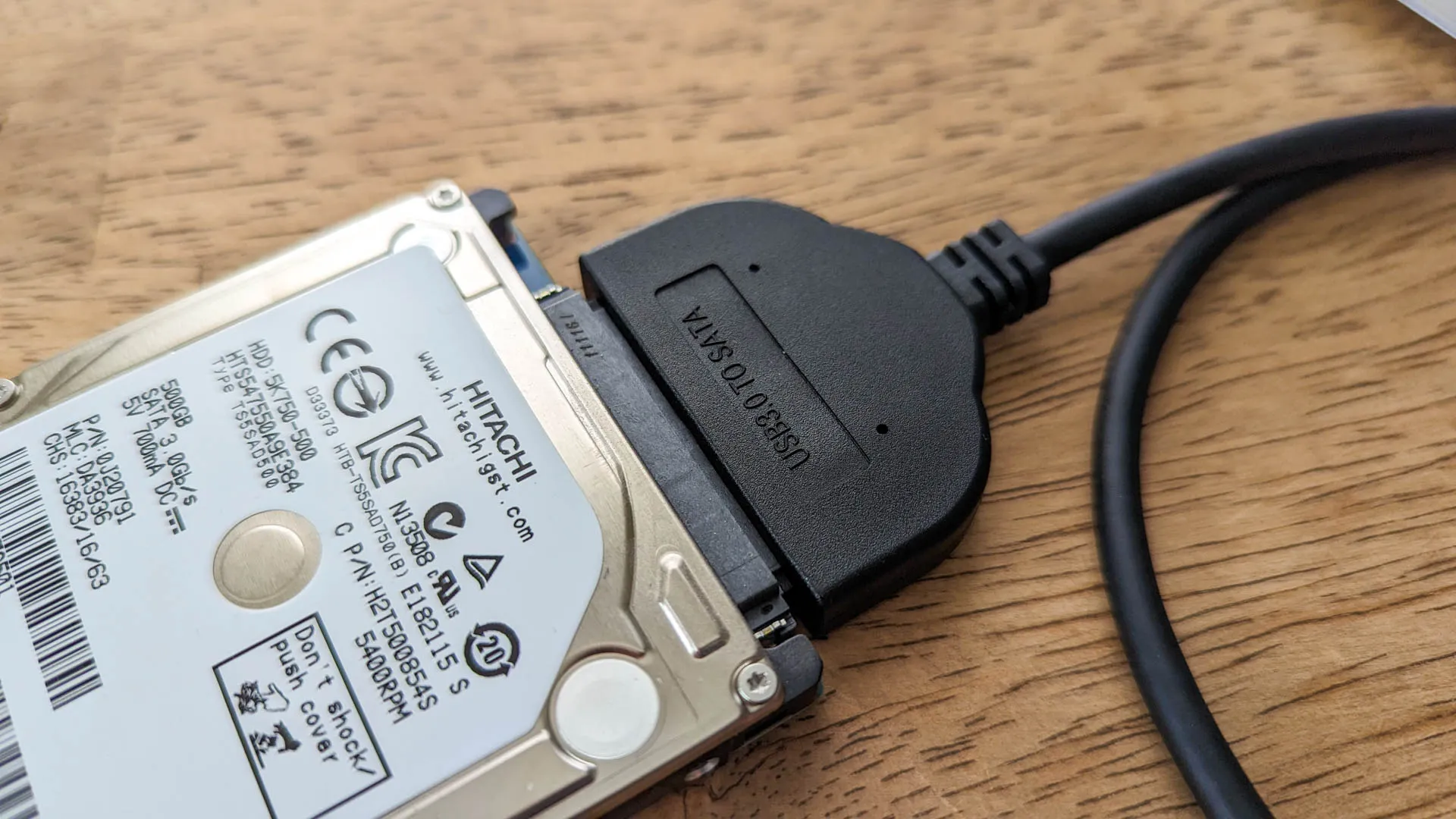
Internal storage uses a different approach. The Seagate BarraCuda connects through SATA 6 Gb/s and requires a compatible desktop installation rather than a simple external cable.
Portability
A portable drive should be small enough to store safely and light enough that it will not be left behind. The Seagate Portable models are compact, while the WD Elements Portable 6TB offers more capacity in a larger enclosure. Desktop drives such as the Seagate Expansion Desktop 8TB and WD Elements Desktop 20TB need a fixed location and, in the Seagate model's case, a power adapter.
Protection and security
Hard drives should be handled carefully because they are not presented as rugged products in this selection. The SanDisk Extreme Portable SSD has IP65 water and dust resistance, up to 3-meter drop protection, a carabiner loop, and 256-bit AES hardware encryption. The Samsung T7 adds shock resistance and fall protection up to 6 feet, making both SSDs better suited to travel than the conventional HDDs.
Frequently asked questions
Should I choose an HDD or an SSD?
Choose an HDD when capacity and long-term archive storage matter most. Choose an SSD when you regularly move large files, need a quieter compact drive, or work directly from the external storage. The Samsung T7 and SanDisk Extreme Portable SSD are the SSD choices here.
Is USB 3.0 fast enough for backups?
USB 3.0 is adequate for routine backups and file storage, particularly with the Seagate and WD HDDs. It will not approach the advertised speeds of the USB 3.2 Gen 2 SSDs, so large active projects will transfer more quickly from the Samsung T7 or SanDisk model.
Can these drives work with a Mac?
Several of the portable Seagate drives are designed for Windows and Mac computers, but formatting can affect how they are used. The Seagate Expansion Desktop 8TB requires reformatting for Time Machine, the Seagate Portable 1TB may require Mac reformatting, and the WD Elements Desktop 20TB requires reformatting for MacOS.
Do portable hard drives need an external power adapter?
The portable HDDs and SSDs are designed to connect through USB. The Seagate Expansion Desktop 8TB is a desktop drive that uses a power adapter, so it is intended to remain near a wall outlet. The WD Elements Desktop 20TB is also a stationary desktop storage option.
Is 1TB enough for a backup drive?
1TB is enough for documents, school files, and a focused backup of a smaller computer. It can become restrictive when you add years of photos, video, or multiple computer backups. The Seagate Portable 2TB is a safer starting point for a broader everyday archive.
Can I use the internal BarraCuda drive as an external drive?
The Seagate BarraCuda 8TB is an internal SATA drive and does not include the cables or enclosure needed for external use. It is intended for installation inside a compatible desktop computer. An external model is easier if you want a ready-to-connect storage device.
Which drive is best for traveling?
The SanDisk Extreme Portable SSD is the strongest travel option because it combines a light 0.11-pound design with IP65 protection and up to 3-meter drop protection. The Samsung T7 is also highly portable and adds fall protection up to 6 feet. Conventional portable HDDs are better kept protected in a bag and handled carefully.
The bottom line
The Best best hard drive for most people is the Seagate Portable 2TB. It is compact, easy to set up, compatible with Windows and Mac computers, and roomy enough for ordinary documents, photos, and backups. The Seagate Portable 5TB is the better choice for a larger library that still needs to travel.
For fast working files, choose the SanDisk Extreme Portable SSD if rugged protection matters, or the Samsung T7 for a compact SSD with high transfer speeds. Desktop users with much larger archives should choose the WD Elements Desktop 20TB, while the Seagate BarraCuda 8TB is the right route for an internal desktop upgrade.
If you are undecided, choose the Seagate Portable 2TB for simple backups, then move to an SSD only when speed or travel protection is the real priority.
As an Amazon Associate we earn from qualifying purchases.