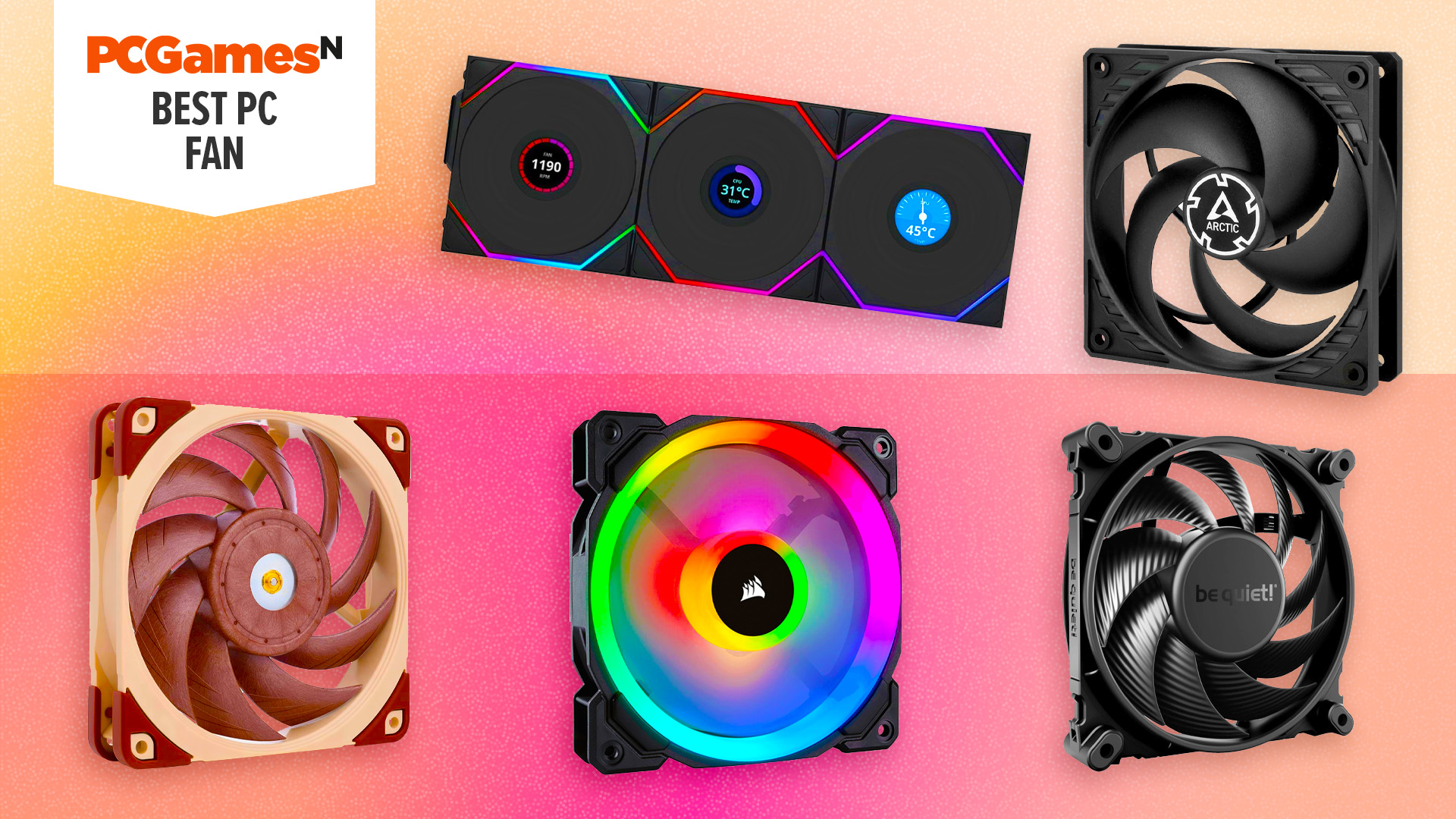

A case can have plenty of empty space and still run hot when its fans move air poorly, connect awkwardly, or stay at full speed all day. The right replacement depends on more than the familiar 120mm label. PWM control, static pressure, bearing design, airflow direction, and the number of available fan mounts all matter.
Our guide to the Best case fans covers single fans, three-packs, a five-pack, and one large 200mm model. The CORSAIR RS120 PWM 3-Pack is the best overall pick, with strong airflow, high static pressure, PWM control, and a tidy daisy-chain setup. The rest range from quiet specialist cooling to simple multi-fan upgrades and large-case airflow.
Comparison table
| # | Product | Award | Size | Speed and airflow | Connector | Best for |
|---|---|---|---|---|---|---|
| 1 | CORSAIR RS120 PWM 3-Pack | Best overall | 3 x 120mm | Up to 2, 100 RPM, up to 72.8 CFM | 4-pin PWM | High-performance builds |
| 2 | Noctua NF-P12 redux-1700 | Best quiet specialist | 120 x 120 x 25mm | Up to 1, 700 RPM | 4-pin PWM | Quiet cooling and radiators |
| 3 | CORSAIR RS120 ARGB 3-Pack | Best ARGB control | 3 x 120mm | Up to 2, 100 RPM, up to 72.8 CFM | 4-pin PWM, 5V ARGB | Coordinated lighting |
| 4 | Thermalright TL-C12C-S X3 (TL-C12C X3) | Best ARGB three-pack | 120 x 120 x 25mm | Up to 1, 550 RPM, 66.17 CFM | 4-pin PWM, ARGB | Quiet illuminated builds |
| 5 | Thermalright TL-C12C-S X3 | Best radiator-friendly pack | 120 x 120 x 25mm | Up to 1, 550 RPM, 66.17 CFM | 4-pin PWM, ARGB | Cases and CPU coolers |
| 6 | Thermalright TL-C12C-S X5 | Best five-fan setup | 120 x 120 x 25mm | Up to 1, 550 RPM, 66.17 CFM | 4-pin PWM, ARGB | Filling many mounts |
| 7 | Thermalright TL-C12C X3 | Best non-ARGB option | 120 x 120 x 25mm | Up to 1, 550 RPM, 66.17 CFM | 4-pin PWM | Plain, quiet airflow |
| 8 | DARKROCK 120mm 3-Pack | Best simple replacement pack | 120mm | Up to 1, 200 RPM | 3-pin | Basic case ventilation |
| 9 | Thermaltake Pure 20 | Best large-fan upgrade | 200 x 30mm | Not specified | Not specified | Cases with 200mm mounts |
1. CORSAIR RS120 PWM 3-Pack: Best Overall

Pros
- Three fans use one 4-pin PWM connection
- Up to 2, 100 RPM and 72.8 CFM
- AirGuide vanes focus airflow
- 4.15mm-H2O static pressure suits radiators
Cons
- No ARGB lighting
- Higher maximum speed can become audible
- Requires compatible mounting space and motherboard control
Best for: builders who want a capable three-fan system with tidy wiring.
The CORSAIR RS120 PWM 3-Pack is the easiest recommendation when a PC needs a serious airflow refresh rather than a decorative accessory. Its strongest advantage is not one headline number. It is the combination of three 120mm fans, PWM speed control, AirGuide vanes, and a connection scheme that avoids turning the back of the case into a cable bundle.
The fans can run at up to 2, 100 RPM and are rated for up to 72.8 CFM of airflow. That gives them useful headroom when a graphics card or radiator is restricting the path. The stated static pressure of 4.15mm-H2O is particularly important for radiator and heatsink use, where a fan needs to push through fins instead of simply moving air through an open case. At lower motherboard-controlled speeds, the magnetic dome bearing is designed to reduce friction and noise.
Daisy-chaining the fans through a single 4-pin PWM connector is a meaningful installation improvement. The motherboard can adjust the group according to temperature, so the fans do not have to run at their ceiling during light work. AirGuide vanes also make orientation more purposeful by concentrating airflow toward hot components. If you are planning a new enclosure as well, the question of how much room a case needs for a clean airflow path should be settled before ordering fans.
Compared with the Noctua NF-P12 redux-1700, the RS120 gives you three fans and a higher stated maximum speed, while Noctua remains the more focused quiet specialist. The CORSAIR RS120 ARGB 3-Pack adds lighting and a 5V ARGB connection, but the plain RS120 is the cleaner choice for a dark, performance-first build.
The weakness is simple: this is not the pack for someone who wants built-in lighting, and the top speed is more capability than many quiet desktop systems need. Buyers with only 3-pin headers should also look elsewhere. For a case with several 120mm mounts, a radiator, or a hot graphics card, this is the most complete package in the group.
2. Noctua NF-P12 redux-1700: Best Quiet Specialist

Pros
- Pressure-optimized blade design
- 4-pin PWM speed control
- Up to 1, 700 RPM
- Rated maximum noise of 25.1 dB(A)
- Suitable for radiators and CPU coolers
Cons
- Only one fan
- No lighting
- Lower maximum speed than the CORSAIR RS120
Best for: a quiet PC that needs one carefully chosen 120mm fan.
The Noctua NF-P12 redux-1700 is the fan to choose when the noise character of a PC matters as much as its temperature. It is a single 120 x 120 x 25mm fan, so it does not solve a case that needs three or five replacements in one purchase. It does, however, have a focused purpose and a specification set that makes sense for restrictive cooling paths.
Its pressure-optimized blade design is intended for CPU coolers, water-cooling radiators, and chassis ventilation. That versatility matters because radiator fins and cooler towers resist airflow more than an unobstructed front intake. The 4-pin PWM connector allows the motherboard to raise speed when temperatures climb and reduce it at idle. Maximum speed is 1, 700 RPM, with a stated maximum noise level of 25.1 dB(A).
Noctua also lists an MTTF above 150, 000 hours, a longevity figure that signals the intended role of this model as a long-term component rather than a disposable airflow filler. The redux design keeps the fan visually restrained in gray, and the product supports optional accessories such as anti-vibration mounts, SATA adaptors, Y-splitters, and extension cables. Those accessories are not part of the fan itself, so plan the installation around what your case and motherboard already provide.
The CORSAIR RS120 PWM 3-Pack is more practical for a complete multi-fan build and offers a higher maximum speed. Noctua is the more natural choice for a quiet CPU cooler, radiator, or a single noisy fan that needs replacing. For a broader look at how fan placement interacts with enclosure design, the layout details that shape airflow inside a PC case are useful before deciding between intake and exhaust positions.
The limitation is the one-fan format. It also lacks ARGB lighting, and its maximum airflow figure is not supplied in the product details here, so shoppers who compare only CFM numbers will not get a direct figure. Skip it if you need to populate every mount at once. Keep it in mind if you want a well-controlled 120mm fan with a strong reputation for quiet, pressure-oriented cooling.
3. CORSAIR RS120 ARGB 3-Pack: Best ARGB Control

Pros
- PWM and ARGB connections can be daisy-chained
- Up to 2, 100 RPM and 72.8 CFM
- Eight LEDs in each fan
- AirGuide vanes direct airflow
- Magnetic dome bearing
Cons
- Requires a compatible 5V ARGB motherboard connection
- ARGB adds another cable type
- Stated static pressure is lower than the plain RS120
Best for: a coordinated illuminated build that still needs strong cooling control.
The CORSAIR RS120 ARGB 3-Pack takes the core idea of the RS120 and adds lighting without abandoning the useful connection design. Each fan has eight LEDs, and the trio can be connected through one 4-pin PWM connector and one 5V ARGB connector. That is much easier to manage than running separate control leads for every fan.
Cooling performance remains substantial on paper. The fans reach up to 2, 100 RPM and are rated for up to 72.8 CFM. AirGuide technology uses anti-vortex vanes to concentrate the stream, which can help when the fan is mounted against a heatsink or radiator. The magnetic dome bearing is intended to minimize friction and noise, while PWM lets the motherboard vary speed instead of leaving all three fans at one fixed setting.
The important compatibility detail is the 5V ARGB requirement. A motherboard needs a compatible addressable RGB header to control the lighting, and the lighting connection is separate from the 4-pin PWM fan connection. Eight LEDs per fan should produce a clearly visible effect through a suitable case, but the fans are not a substitute for a controller when the motherboard lacks the required header.
Compared with the non-ARGB CORSAIR RS120 PWM 3-Pack, this version is the obvious pick for a visible showcase build. The plain model has a higher stated static pressure of 4.15mm-H2O, while the ARGB model lists 2.8mm-H2O, so the non-ARGB pack has the stronger specification for particularly restrictive radiator work. The Thermalright TL-C12C-S X3 models also offer ARGB, but the Corsair pack brings the higher 2, 100 RPM ceiling and a more polished daisy-chain arrangement.
Do not choose this pack if you have no 5V ARGB header and do not care about lighting. It also introduces an extra cable standard that a plain cooling build avoids. For a tempered-glass case where fan control and coordinated illumination both matter, it is the better Corsair option.
4. Thermalright TL-C12C-S X3 (TL-C12C X3): Best ARGB Three-Pack

Pros
- Three 120mm ARGB fans
- 4-pin PWM control
- 66.17 CFM airflow rating
- S-FDB bearings
- Up to 17 lighting modes
Cons
- Lower maximum speed than the Corsair packs
- Requires ARGB motherboard support for synchronized lighting
- Static pressure is 1.53mm-H2O
Best for: a quiet, colorful three-fan build with broad compatibility.
The Thermalright TL-C12C-S X3 (TL-C12C X3) is a straightforward way to add three illuminated intake or exhaust fans without moving into a high-speed performance profile. Its 120 x 120 x 25mm frame fits the standard 120mm mounting pattern, and the 4-pin PWM connection allows the motherboard to respond to system temperature.
Thermalright rates each fan at up to 1, 550 RPM, with 66.17 CFM airflow and 1.53mm-H2O air pressure. Those figures point to a general-purpose case fan rather than a specialist radiator fan. The fan can still be used with a CPU cooler or radiator, but the lower pressure rating gives the CORSAIR RS120 an advantage when dense fins or a restrictive front panel stand in the way.
The S-FDB bearing is intended to reduce blade shake and maintain smooth operation. The product details also specify a noise level of no more than 25.6 dBA, while up to 55cm of cable supports PWM series control. The ARGB blades diffuse the lighting, and the product supports up to 17 lighting modes through a compatible motherboard connection.
This model sits below the CORSAIR RS120 ARGB 3-Pack for maximum speed and stated airflow, but it offers the right balance for a typical case with open mesh and moderate thermal demands. The nearly identical Thermalright TL-C12C-S X3 listing below is better suited to buyers who specifically want the case and cooler compatibility emphasized in its product description. The Thermalright TL-C12C X3 drops ARGB and is the simpler choice for a dark interior.
The weakness is that 1.53mm-H2O is not an especially strong static-pressure figure. Skip it for a tightly obstructed radiator or a case with a very restrictive intake. Choose it for a standard 120mm case layout where quiet PWM control, soft ARGB lighting, and three matching fans matter more than peak pressure.
5. Thermalright TL-C12C-S X3: Best Radiator-Friendly Pack

Pros
- Suitable for cases, radiators, and CPU coolers
- 4-pin PWM control
- 55cm cables support series control
- S-FDB bearings
- Soft ARGB lighting
Cons
- 1.53mm-H2O pressure is modest
- ARGB requires a compatible motherboard port
- Maximum speed is 1, 550 RPM
Best for: mixed cooling duties across a case and CPU cooler.
The Thermalright TL-C12C-S X3 is closely related to the previous Thermalright pack, but its product details make the intended flexibility especially clear. It is described for use as a case fan, radiator fan, or CPU cooler fan, which suits a builder replacing several fans at once and wanting one model across different positions.
Each 120 x 120 x 25mm fan reaches up to 1, 550 RPM and is rated for 66.17 CFM airflow. The stated noise level is no more than 25.6 dBA, and the 4-pin PWM connector gives the motherboard automatic speed control. That combination makes more sense than a fixed-speed fan in a system that alternates between quiet desktop work and sustained CPU or GPU loads.
The S-FDB bearing is designed to limit wobble and maintain smooth rotation. The up-to-55cm cable length can help when fans are mounted at the front, top, and rear of a large enclosure. ARGB lighting is handled through a compatible motherboard port, with up to 17 lighting modes and synchronization available through that connection.
Against the Thermalright TL-C12C-S X3 (TL-C12C X3), the difference is not a dramatic change in the core 120mm specifications. The product descriptions differ in emphasis, with this version explicitly presenting radiator and CPU cooler use. The CORSAIR RS120 PWM 3-Pack remains stronger for high-pressure cooling, while the Noctua NF-P12 redux-1700 is the more focused single-fan choice for a quiet restrictive mount.
The modest pressure rating is the main reason to avoid it for a dense radiator or heavily blocked intake. Buyers should also confirm the case has room for three 120mm positions and that the motherboard supports 5V ARGB if lighting is important. It makes sense for a mixed system where consistent size, PWM control, and soft illumination matter across several mounts.
6. Thermalright TL-C12C-S X5: Best Five-Fan Setup

Pros
- Five matching 120mm fans
- 66.17 CFM airflow rating per fan
- 4-pin PWM control
- ARGB synchronization
- S-FDB bearings
Cons
- Five fans demand many mounting positions
- Moderate 1.53mm-H2O pressure
- More cable planning than a smaller kit
Best for: a large case with several open 120mm mounts.
The Thermalright TL-C12C-S X5 is for the builder who has counted the empty mounts and wants every one populated with the same fan. Five 120mm units can create a balanced intake and exhaust layout in a large enclosure, provided the case actually supports that many positions. It is less compelling for a compact build where two or three fans already establish a sensible airflow path.
The specifications are consistent with the other TL-C12C-S models. Each fan measures 120 x 120 x 25mm, reaches up to 1, 550 RPM, and is rated at 66.17 CFM. Its 1.53mm-H2O air pressure is adequate for open case ventilation, while the 4-pin PWM interface lets the motherboard reduce speed when temperatures are low. The product details list a maximum noise level of 25.6 dBA for the related model specification.
ARGB lighting gives all five fans a coordinated appearance through a compatible motherboard connection. The S-FDB bearing is intended to reduce blade shake, and the up-to-55cm cables help reach headers or connect fans across a larger chassis. Five fans can still create an untidy installation if the motherboard lacks enough headers or the case has no practical cable-routing space, so planning matters more here than with a single replacement.
The Thermalright TL-C12C-S X3 is the more sensible format for most systems, while the CORSAIR RS120 PWM 3-Pack has more headroom for radiator work and higher-demand airflow. This five-pack wins only when the extra two fans solve a real mounting need. Filling every position is not automatically better if it creates unnecessary turbulence or forces poor intake and exhaust balance.
Avoid it for a small case, a motherboard with limited fan connectivity, or a build that does not need five 120mm fans. For a spacious chassis with front, top, and rear positions to fill, it gives the system a consistent look and consistent control behavior.
7. Thermalright TL-C12C X3: Best Non-ARGB Option
Pros
- Three 120mm fans
- No lighting hardware to manage
- 4-pin PWM control
- 66.17 CFM airflow rating
- Silicone corner pads reduce vibration
Cons
- No ARGB lighting
- Moderate static pressure
- Maximum speed is 1, 550 RPM
Best for: builders who want controlled airflow without illuminated blades.
The Thermalright TL-C12C X3 is the plainest version of the closely related Thermalright group, and that is its appeal. There are no ARGB connections to route and no lighting settings to configure. For a closed or dark case, those omissions make the installation simpler while preserving the main cooling features.
The three 120 x 120 x 25mm fans run at up to 1, 550 RPM and carry ratings of 66.17 CFM airflow and 1.53mm-H2O air pressure. PWM control lets the motherboard vary speed with temperature, while the stated noise figure is 25.6 dBA. The fans are also described as suitable for case, radiator, and CPU cooler use, although their moderate pressure rating makes open case ventilation the more comfortable match.
Soft silicone corner pads are intended to reduce vibration where the frame meets the case. That can help prevent the fan from transferring a low hum into a thin panel. The S-FDB bearing is designed to keep rotation stable over time, and the 4-pin connector is more flexible than the 3-pin connection on the DARKROCK 120mm 3-Pack.
The ARGB Thermalright TL-C12C-S X3 versions are better for a visible illuminated interior, while this model is the more straightforward fit for a workstation or understated gaming PC. It cannot match the CORSAIR RS120 PWM 3-Pack for maximum speed or static pressure, but it also avoids the extra lighting connection and the more performance-oriented ceiling.
Its weakness is not a defect so much as a limit: 1.53mm-H2O is not the figure to seek for a tightly restricted radiator. Skip it if you need the strongest push through dense fins. Choose it when three matching fans, PWM control, vibration padding, and a no-lighting build are the priorities.
8. DARKROCK 120mm 3-Pack: Best Simple Replacement Pack

Pros
- Three 120mm fans
- Simple 3-pin connection
- Silicone cushions reduce vibration
- Hydraulic bearings
- PBT construction
Cons
- No PWM speed control
- Lower 1, 200 RPM maximum
- Listed noise level is 32.1 dBA
Best for: a basic case that needs several uncomplicated replacement fans.
The DARKROCK 120mm 3-Pack is aimed at a simpler kind of upgrade. It gives a case three standard 120mm fans, uses a familiar 3-pin motherboard connection, and avoids ARGB hardware. That makes it suitable for an older or uncomplicated system where the goal is to add ventilation without building a control or lighting ecosystem.
The nine-blade design reaches up to 1, 200 RPM. That is well below the 2, 100 RPM ceiling of the CORSAIR RS120 PWM 3-Pack and below the 1, 550 RPM rating of the Thermalright models, so it has less reserve when the case is heavily loaded. The product details do not provide a CFM or static-pressure figure, which makes it harder to predict performance against a radiator or restrictive front panel.
Each fan has four soft silicone cushions intended to absorb vibration at higher speeds. The hydraulic bearing is designed for stable rotation and an average working life of 30, 000 hours. DARKROCK also identifies PBT material with insulation and heat-resistance properties, while the 120mm size fits the common mounting layout found in many cases.
The 3-pin connector is the key compromise. It can support motherboard fan control on some systems through voltage regulation, but it does not offer the precise PWM behavior of the Noctua, Corsair, and Thermalright options. The stated maximum noise level is 32.1 dBA, so the fan should not be treated as the quietest pick here.
Choose the DARKROCK 120mm 3-Pack when compatibility and straightforward installation matter more than detailed control. Skip it for a new high-performance build, a dense radiator, or a system where low idle noise is central. It is a practical replacement set for ordinary open-air case ventilation.
9. Thermaltake Pure 20: Best Large-Fan Upgrade

Pros
- Large 200mm fan format
- 30mm thickness
- Focused blade design
- Anti-vibration mounting system
- Intended for high airflow
Cons
- Requires a case with a 200mm mount
- No speed or airflow figure is provided
- Sleeve bearing is less specialized than the Noctua bearing
Best for: a compatible large case that can use one broad airflow source.
The Thermaltake Pure 20 is the outlier in this group. It is not another 120mm replacement. Its 200 x 30mm frame is designed for cases with a dedicated large-fan mount, where a broad fan can move air across a larger area without relying on several smaller units.
Thermaltake describes the blade design as focused for airflow and reduced noise, and calls the fan suitable for high air pressure and airflow. The 30mm thickness gives the design more depth than the 25mm 120mm models here, but the product details do not specify a maximum speed, CFM rating, static pressure figure, or connector type. That makes direct performance comparisons impossible.
The anti-vibration mounting system is intended to reduce the transfer of motor movement into the chassis. The fan uses a long-life sleeve bearing, which is a more basic bearing approach than the S-FDB design in the Thermalright fans or the magnetic dome bearing in the Corsair models. Installation is described as easy, with a shaved frame intended to allow more mounting possibilities, particularly in Thermaltake chassis.
The CORSAIR RS120 PWM 3-Pack is the better choice for a standard case with several 120mm positions, and the Noctua NF-P12 redux-1700 is easier to control when quiet, focused cooling is the goal. The Pure 20 only makes sense when the case supports 200mm hardware and the builder wants to use that space rather than adapt a smaller fan.
The missing speed and connector details are a real weakness. Buyers need to check the case mount, motherboard connection, and available control method before ordering. If those fit, the large frame can provide a clean airflow solution with fewer fans and less mounting clutter.

How to choose best case fans
The right fan is the one that matches the case opening, the restriction in front of it, and the control headers available on the motherboard.
Fan size and mounting space
A 120mm fan is the common choice in this group, but the mounting pattern still needs checking. Measure the available fan positions and confirm whether the case supports 120mm, 140mm, or a larger format such as the Thermaltake Pure 20's 200mm frame. A 200mm fan cannot be substituted for a 120mm unit simply because it moves more air.
Thickness matters too. Most of the 120mm models here are 25mm thick, while the Thermaltake is 30mm thick. Leave enough clearance for radiator edges, cable plugs, filters, and graphics card components.
PWM and three-pin control
A 4-pin PWM fan can receive precise speed instructions from a compatible motherboard header. That lets the system run quietly at idle and increase cooling as temperatures rise. The Noctua, Corsair, and Thermalright models use 4-pin PWM connections.
The DARKROCK uses a 3-pin connection. It can still work in many systems, but control depends on the motherboard's voltage-control support. For a new build where automatic fan curves matter, PWM is the safer choice.
Airflow and static pressure
Airflow describes how much air a fan can move in an open path. Static pressure matters when air must pass through a radiator, heatsink, dust filter, or restrictive front panel. The CORSAIR RS120 PWM lists 4.15mm-H2O, while the ARGB version lists 2.8mm-H2O. The Thermalright models list 1.53mm-H2O.
A high CFM figure is useful only when the fan can still push air through the obstruction in front of it.
For open mesh intake positions, airflow and sensible fan curves may be enough. For radiators and dense filters, place more weight on pressure, blade design, and the manufacturer's intended use.
Bearing and vibration control
Bearing design affects smoothness, noise, and long-term operation. Noctua lists an MTTF above 150, 000 hours, Corsair uses a magnetic dome bearing, and Thermalright uses an S-FDB bearing. DARKROCK uses a hydraulic bearing, while the Thermaltake Pure 20 uses a sleeve bearing.
Frame padding also matters because vibration can become a low hum through a metal panel. Silicone corner pads appear on the DARKROCK and the non-ARGB Thermalright model, while the Thermaltake includes an anti-vibration mounting system.
Lighting and cable management
ARGB is separate from fan-speed control. A 4-pin PWM connector handles rotation, while a 5V ARGB connector handles addressable lighting. The Corsair ARGB pack uses one of each for the daisy-chained group, and the Thermalright ARGB models support motherboard synchronization and up to 17 lighting modes.
If the motherboard does not have a compatible 5V ARGB header, choose a non-ARGB model or confirm that a separate controller is available. The plain CORSAIR RS120 and Noctua avoid this extra connection entirely.

Frequently asked questions
Are 120mm fans compatible with every PC case?
No. Many cases support 120mm fans, but the number and location of mounts vary. Check the case manual or measure the mounting holes before ordering, especially around radiators and front panels.
Is PWM better than a three-pin case fan?
PWM gives the motherboard more precise control over fan speed. A three-pin fan can still work, but speed control depends on whether the motherboard supports voltage-based regulation on that header.
Do case fans cool a CPU directly?
Case fans move hot air out of the enclosure and bring cooler air in. They do not replace a CPU heatsink or liquid cooler, although a fan designed for a radiator or CPU cooler can help move air through those components.
How many case fans does a PC need?
That depends on the case, hardware, and existing airflow path. Two or three correctly positioned fans can establish useful intake and exhaust, while adding more is helpful only when the case has suitable mounts and the airflow remains balanced.
What is the difference between airflow and static pressure?
Airflow describes movement through an open path. Static pressure describes a fan's ability to push against resistance such as a radiator, filter, heatsink, or restrictive case panel.
Do ARGB fans need a separate controller?
Not always. The Corsair and Thermalright ARGB models can use a compatible 5V ARGB motherboard connection. A separate controller may be needed when the motherboard lacks that header or when the system requires a different lighting connection.
The bottom line
The Best case fans choice for most multi-fan builds is the CORSAIR RS120 PWM 3-Pack. Its 2, 100 RPM ceiling, 72.8 CFM rating, strong stated static pressure, AirGuide vanes, and single PWM control connection make it the most capable all-rounder here.
Choose the Noctua NF-P12 redux-1700 for a single quiet specialist fan, or the CORSAIR RS120 ARGB 3-Pack when lighting belongs in the build plan. The Thermalright packs make sense for matching three or five fan systems, while the Thermaltake Pure 20 is the specialist option for a case with a 200mm mount.
If you are undecided, match the fan size and connector to the case first, then choose the strongest pressure-oriented model that fits the airflow path.
As an Amazon Associate we earn from qualifying purchases.