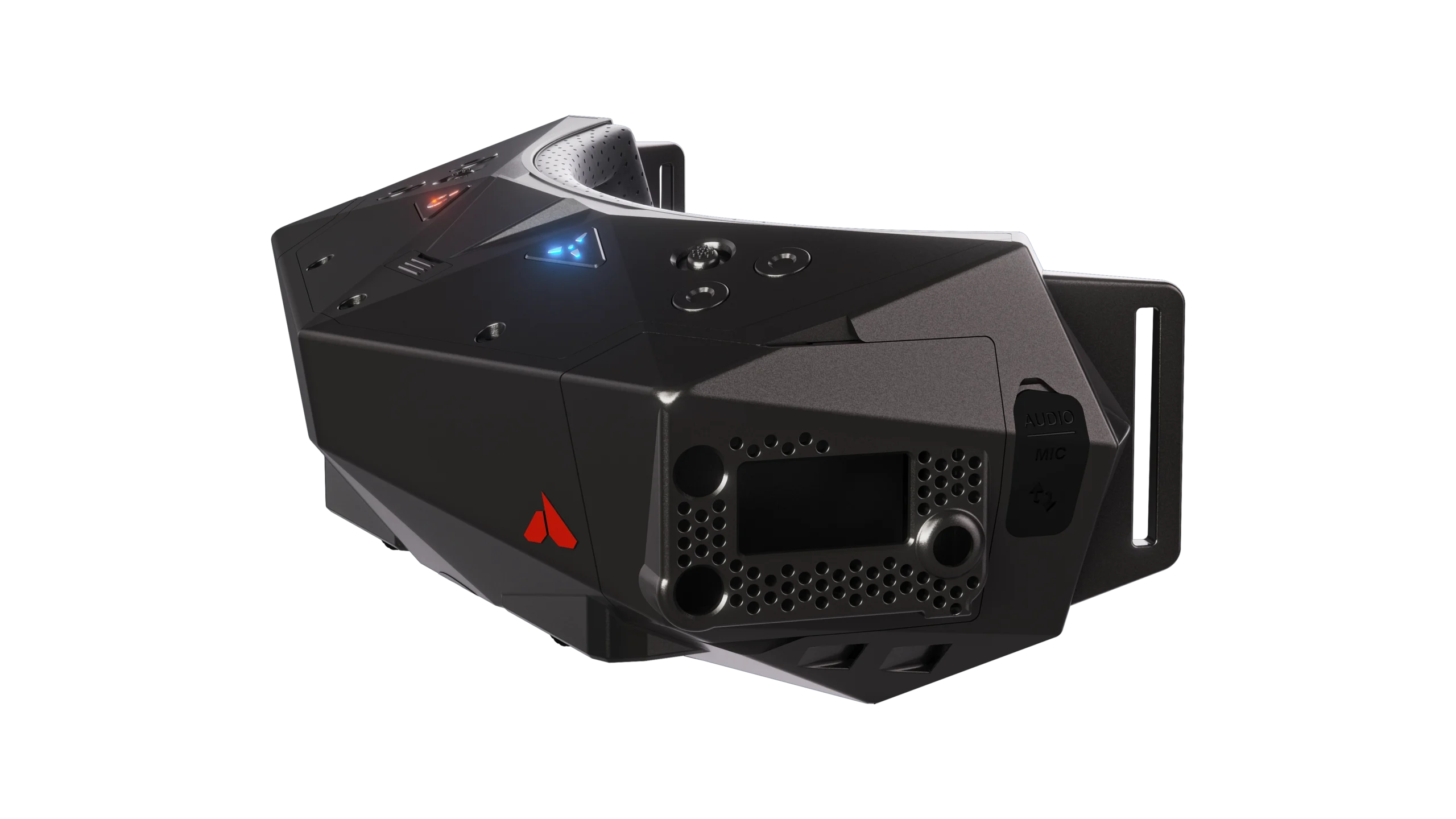

An FPV headset can make a drone feel like an aircraft, but only if its video system matches the aircraft. A sharp digital screen is useless with an incompatible transmitter, while a wide field of view can become tiring if the fit is poor. The right goggles also need manageable latency, sensible power options, and enough comfort for a full flight session.
Our Best FPV Goggles pick is the DJI Goggles 3, thanks to its Micro-OLED displays, O4 transmission, adjustable diopters, and Real View picture-in-picture. The list also includes Walksnail digital headsets, two analog EV800D models, a phone-based viewer, and a dedicated BETAFPV option.
Comparison table
| # | Product | Award | Display | Transmission | Best for |
|---|---|---|---|---|---|
| 1 | DJI Goggles 3 | Best overall | 1080p Micro-OLED, up to 100Hz | DJI O4 | DJI drone pilots who want the most complete experience |
| 2 | Walksnail Goggles X | Best Walksnail flagship | Dual 1920 × 1080 OLED, 50° FOV | Walksnail Avatar | Pilots building around Avatar HD |
| 3 | DJI Goggles N3 | Best for glasses | 1080p LCD, 54° FOV, 60Hz | DJI O4 | DJI pilots who wear glasses |
| 4 | SoloGood EV800D | Best analog field of view | 5-inch, 800 × 480 LCD | 5.8GHz, 40CH | Analog pilots who want a broad view |
| 5 | Speedybee EV800D | Best analog versatility | 5-inch, 800 × 480 LCD | 5.8GHz, 40CH | Analog builds needing dual antennas |
| 6 | Walksnail Goggles L | Best compact Walksnail option | 1080p, 4.5-inch | Walksnail Avatar | Avatar pilots who want head tracking |
| 7 | DroneMask 2 | Best phone-based viewer | Unibody lens | Smartphone display | Camera-drone owners using a phone |
| 8 | BETAFPV VR04 | Best for P1 Air Unit | 1920 × 1080, 4.5-inch LCD | P1 Air Unit | BETAFPV P1 pilots who want onboard recording |
| 9 | Walksnail Ascent Goggles | Best Ascent entry point | 1080p, 58° FOV | Walksnail Ascent | New Ascent system pilots |
| 10 | DJI Goggles 3 Cleaning Kit Bundle | Best bundled DJI option | 1080p Micro-OLED, up to 100fps | DJI O4 | DJI pilots who want the Goggles 3 package with cleaning accessories |
1. DJI Goggles 3: Best Overall

Pros
- Bright 1080p Micro-OLED screens
- O4 transmission supports a 24ms feed with Avata 2
- Adjustable diopters from -6.0 D to +2.0 D
- Real View picture-in-picture improves awareness
- Integrated headband and up to three hours of operation
Cons
- Limited to supported DJI and O4 equipment
- Does not work with DJI RC Motion 2 or DJI FPV Remote Controller 2
- Heavier and more involved than basic analog goggles
Best for: DJI pilots who want a polished headset with strong image quality and useful safety features.
The DJI Goggles 3 is the headset we would reach for when the goal is an immersive flight rather than simply getting a video feed into view. The Micro-OLED panels have the contrast and color needed to make the image feel immediate, and the up-to-100Hz refresh rate keeps fast movement from looking needlessly smeared. It is a more convincing cockpit experience than the LCD-based DJI Goggles N3.
DJI’s O4 transmission system is the main reason this model takes the top spot. With Avata 2, the listed latency is 24ms and the feed can reach 60Mbps, while compatibility extends to drones including DJI Neo, Mini 4 Pro, and Air 3. The headset also works with the DJI O3 Air Unit and O4 Air Unit systems, although buyers need to check the exact controller and aircraft combination before committing.
The fit is unusually adaptable. The built-in diopter adjustment covers -6.0 D to +2.0 D, so many near-sighted and far-sighted users can fly without inserting separate corrective lenses. One-tap defogging is a small but welcome feature when temperature changes make a headset hazy. Real View PiP is more important than it sounds because it lets you check the surroundings without taking the goggles off.
Battery life is listed at up to three hours, and the integrated headband avoids the loose cable arrangement found on some competing headsets. Wireless streaming to a smartphone through DJI Fly is useful when a second person wants to follow the flight. The weakness is ecosystem dependence. Walksnail pilots should choose the Walksnail Goggles X instead, and anyone using DJI’s older Motion 2 or FPV Remote Controller 2 should skip this model.
For a complete DJI setup, this is the easiest recommendation. It beats the DJI Goggles N3 on display technology and adjustment, while the N3 remains the more practical choice for people who need room for glasses.
2. Walksnail Goggles X: Best Walksnail Flagship

Pros
- Dual 1920 × 1080 OLED displays
- 50° field of view feels immersive without being extreme
- 22ms latency and transmission up to 10km in suitable conditions
- HDMI input and output plus AV input
- Adjustable IPD and diopter correction
Cons
- Battery is not included
- Works only with Walksnail Avatar systems
- Standard face foam may not suit every face shape
Best for: Walksnail Avatar pilots who want a high-resolution headset with broad connection options.
The Walksnail Goggles X is the serious alternative to DJI’s flagship headset for pilots already committed to Walksnail Avatar. Its dual 1920 × 1080 OLED displays give the image a rich, high-contrast character, and the 50-degree field of view creates a cockpit-like perspective without pushing the edges too far into peripheral vision.
The listed 22ms latency is well suited to racing, freestyle, and cinematic flying. Walksnail quotes transmission up to 10km depending on the flight environment, so the practical result will depend on the aircraft, antennas, interference, and local conditions. The built-in cooling fan helps manage heat and fogging during longer sessions, an important detail for a headset that is designed for demanding flying rather than occasional viewing.
This is also the most flexible headset in the Walksnail group here. HDMI input and output make it useful in more elaborate setups, while AV input can be expanded for supported analog systems with the optional Goggles X Extension Board. Head tracking comes from the built-in gyroscope and can control a compatible gimbal such as the GM3, though the goggles themselves do not move the camera without that compatible hardware.
Adjustable IPD from 57 to 72mm and diopter adjustment from +2.0 to -6.0 make it easier to achieve a sharp image than with a fixed-lens design. The included standard foam faceplate may not be ideal for every face, and the battery is not included. That makes the setup less immediate than the DJI Goggles 3 or BETAFPV VR04.
Choose this over the Walksnail Goggles L when you want the extra interfaces, higher-end screen arrangement, and wider adjustment range. Skip it if your drone uses DJI O4, analog video, or Walksnail Ascent, because this is specifically an Avatar headset. Before choosing goggles, it also helps to settle which drone video system fits the way you fly.
3. DJI Goggles N3: Best for Glasses

Pros
- Spacious interior accommodates glasses
- 1080p display with a 54° field of view
- DJI O4 transmission with 31ms latency
- Up to 2.7 hours of operation
- AR cursor works with DJI RC Motion 3
Cons
- LCD panel is less striking than Goggles 3 Micro-OLED
- Limited controller and aircraft compatibility
- No diopter adjustment
Best for: DJI pilots who want a straightforward headset that can be worn over ordinary glasses.
The DJI Goggles N3 solves the problem that makes many FPV headsets frustrating for glasses wearers: it has a spacious interior, so ordinary eyewear can fit without diopter inserts or lens changes. That is its defining advantage, and it is more useful than a specification contest for pilots who otherwise struggle to get a comfortable, sharp view.
The screen is a 1080p LCD running at 60Hz, with a 54-degree field of view. The image is wide enough to feel immersive while keeping the main flight view easy to follow. It cannot match the contrast or refresh rate of DJI Goggles 3, but the N3 remains a sensible display for DJI Neo and Avata 2 flying.
O4 transmission supplies a 1080p/60fps feed with listed latency of 31ms and a stated maximum range of 13km. Those figures depend on the aircraft, environment, and regulatory conditions, but they explain why the N3 feels far removed from older analog headsets. The AR cursor, controlled with DJI RC Motion 3, offers a simple way to select functions and settings before takeoff or while hovering after braking.
The operating time is listed at up to 2.7 hours. Compatibility includes DJI Avata 2, DJI Neo, DJI RC Motion 3, and DJI FPV Remote Controller 3. It does not work with DJI RC Motion 2, DJI FPV Remote Controller 2, DJI RC-N3, or DJI RC 2, so the connection list deserves attention before purchase.
The trade-off is clear. The N3 is easier for glasses, while the DJI Goggles 3 offers better screens, diopter adjustment, Real View PiP, and longer stated operation. Buy the N3 when wearing glasses is the priority and you want to stay inside the DJI O4 system without dealing with corrective optics.
4. SoloGood EV800D: Best Analog Field of View

Pros
- Large five-inch 800 × 480 LCD
- 82-degree viewing angle
- 40-channel RaceBand receiver
- Built-in DVR records up to 720 × 576
- Automatic frequency search
Cons
- Analog image is much less detailed than the digital options
- Stated operating times differ across the product details
- Bulky box-style design
Best for: analog FPV pilots who prefer a large, wide display and built-in recording.
The SoloGood EV800D takes the classic box-goggle approach and makes the screen the main event. Its five-inch LCD and stated 82-degree viewing angle give analog flying a broad, direct feel. That is useful for pilots who dislike the pinched view of smaller displays or want a headset that is easy to share with different users.
This is an analog 5.8GHz headset with 40 channels and automatic frequency search. It is designed for analog cameras and transmitters, not DJI or Walksnail digital systems. The display resolution is 800 × 480, which is adequate for reading an analog OSD and keeping a racing quad in view, but it does not produce the fine detail available from the 1080p digital headsets in this roundup.
The built-in DVR records at up to 720 × 576. The product notes that a C10 high-speed card is needed for full-frame recording, so the memory card is part of the ownership decision. The separate display and recording chipsets are intended to prevent recording from interrupting the live view, a practical feature when the flight feed matters more than the replay.
The design weighs about 0.83 pounds according to the listed product information. That is not especially light, and the box form is less sleek than the Walksnail or DJI designs. The listing mentions both two hours of use and a 3.5-hour 1200mAh battery detail, so buyers should treat the exact runtime as uncertain rather than planning a session around one number.
Compared with the Speedybee EV800D, this model has the wider stated viewing angle and similar core analog format. The Speedybee model has dual antenna reception and external audio support, so it is the better fit for a build where signal stability matters more than the broadest view. Choose SoloGood for simple analog flying, a large screen, and onboard DVR.
5. Speedybee EV800D: Best Analog Versatility

Pros
- Five-inch 800 × 480 high-brightness LCD
- Dual antenna reception
- 40-channel automatic frequency search
- Built-in DVR
- Supports external video and headphone audio
Cons
- Analog-only system
- Large box-style headset
- The listing does not specify a recording resolution
Best for: analog pilots who want flexible inputs and dual-antenna reception.
The Speedybee EV800D is a practical analog monitor disguised as goggles. The five-inch, 800 × 480 LCD is large enough to keep flight information legible, and the high-brightness description points toward outdoor usability. It lacks the visual polish of DJI Goggles 3 or Walksnail Goggles X, but analog pilots often care more about quick channel selection and a dependable live view.
Its dual antenna reception is the most meaningful distinction from the SoloGood EV800D. Two antennas are intended to improve reception stability, which can help when the quad turns, obstacles enter the flight path, or the pilot is operating in a busy area. The headset supports 5.8GHz video and 40 channels, with automatic and key-based frequency searching to speed up setup.
The built-in DVR records flights, though the provided details do not state the recording resolution. External video input expands the ways it can be used, and audio output through headphones is a useful addition for pilots who rely on sound from the aircraft or want to monitor a connected source. These are small conveniences, but they give the Speedybee model a more adaptable role around a workbench.
The weakness is the same one found on the other EV800D: this is not a digital headset. It will not connect directly to DJI O4, Walksnail Avatar, or Walksnail Ascent systems. Its box construction also takes up more space on the face than the compact digital headsets, although the listed weight is about 0.87 pounds.
Choose Speedybee over SoloGood when dual antenna reception, external video, or headphone audio matters. Choose SoloGood when the wider stated 82-degree field of view and specified DVR resolution matter more. For pilots assembling an analog setup, the right parts for a racing-focused build are just as important as the headset.
6. Walksnail Goggles L: Best Compact Walksnail Option

Pros
- 1080p 4.5-inch display
- Built-in head tracking
- 4.9dBi directional antenna
- Built-in DVR with microSD support
- Swappable lenses and soft polyurethane faceplate
Cons
- Battery and microSD card are not included
- No HDMI port
- Does not support analog signals or non-Walksnail systems
Best for: Walksnail Avatar pilots who want head tracking and a flexible compact design.
The Walksnail Goggles L sits below Goggles X in the Walksnail range, but it is not a stripped-down viewer. Its 1080p 4.5-inch screen gives the Avatar feed enough clarity for detailed flying, while the built-in head tracking adds a natural way to look around when paired with compatible equipment.
The 4.9dBi directional antenna is a notable hardware choice. It is intended to keep the digital signal steady in difficult environments, though antenna performance still depends on orientation, transmitter power, and the surrounding radio traffic. The goggles also include a DVR that records to a microSD card, but the card is not included.
Power is flexible, with a supported input range of 6 to 25.2V. That covers a broad range of 2S to 6S battery arrangements, but the battery itself must be purchased separately. Swappable lenses can accommodate different vision needs, and the soft polyurethane faceplate is designed to block outside light during longer sessions.
This model is more limited than Goggles X. There is no HDMI port, analog signals are not supported, and the headset works only with the Walksnail Avatar system. It also differs from the Walksnail Ascent Goggles, which are built for the separate Ascent system and cannot be treated as interchangeable.
The Goggles L makes sense when head tracking and a directional antenna matter more than HDMI expansion. It is a better fit than the Ascent model for Avatar owners, while Goggles X is the stronger choice for advanced setups that need more video interfaces.
7. DroneMask 2: Best Phone-Based Viewer
Pros
- Works with a smartphone and standard controller
- Compatible with many camera-drone families
- Unibody lens avoids a split-screen view
- Adjustable focal length and head straps
- Designed to accommodate eyeglasses
Cons
- Relies on the smartphone screen and its camera-drone feed
- About 2.87 pounds according to the listed product information
- Not a dedicated digital FPV receiver
Best for: camera-drone owners who want an immersive phone-based view without changing their aircraft system.
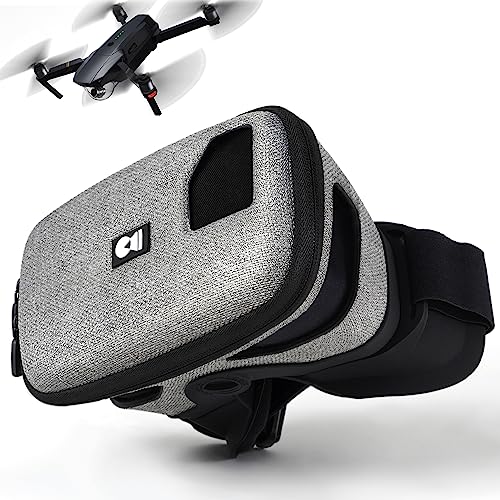
The DroneMask 2 is fundamentally different from every other headset here. It does not receive DJI O4, Walksnail, or analog video on its own. Instead, it holds a smartphone in front of a unibody lens, turning the phone’s live camera-drone view into a more immersive display.
That approach makes compatibility its central strength. The listing names DJI Mini 2, Mini 2 SE, Mini 3, Mini 4, Air 2, Air 2S, Air 3, Mavic 3, Autel Evo Lite+, Evo Nano+, Potensic Atom, Fimi X8, Hubsan, Skydio, Xiaomi, and Parrot models among the supported families. It requires a standard controller and smartphone, with no third-party app required according to the product details.
The unibody lens is intended to provide four times the resolution of standard split-screen VR headsets. The light-blocking screen access holes are useful because they allow the pilot to change phone settings without removing the headset. Adjustable focal length, head straps, soft face padding, and glasses compatibility make the design more approachable for casual pilots than a specialized racing headset.
The obvious limitation is that the goggles cannot improve the underlying phone feed or add a dedicated low-latency receiver. They also are listed at about 2.87 pounds, making them considerably heavier than the DJI options. A phone-based view can work well for relaxed camera-drone flights, but it is not the right tool for a custom digital FPV quad where latency and receiver compatibility are central.
Choose DroneMask 2 when you already own a camera drone and want a simple immersive viewing accessory. Choose the DJI Goggles N3 or Goggles 3 for an actual DJI O4 flight system, and choose an analog or Walksnail headset for a purpose-built FPV aircraft.
8. BETAFPV VR04: Best for P1 Air Unit

Pros
- 1920 × 1080 display
- Records 1080p at 60fps
- Includes two 2600mAh batteries
- Supports up to 1TB microSD storage
- Works with 2S to 6S whoop batteries
Cons
- Designed for the BETAFPV P1 Air Unit
- MicroSD card is not included
- Larger headset dimensions than several rivals
Best for: BETAFPV P1 Air Unit users who want HD recording and flexible battery options.
The BETAFPV VR04 is a focused headset for the P1 Air Unit rather than a universal digital receiver. That narrow compatibility is a limitation, but it also gives the model a clear purpose. Pilots building around BETAFPV’s P1 system can get a 1920 × 1080 view and start flying without trying to adapt a DJI or Walksnail headset.
The 4.5-inch screen has enough resolution for a detailed HD feed, and the glasses-friendly interior is a useful touch. Premium PU face padding and a soft silicone nose bridge are designed to seal out outside light without making the headset painful during longer sessions. It is a more conventional enclosed design than the phone-based DroneMask 2.
Recording is one of the VR04’s strongest features. It supports 1080p at 60fps directly to a microSD card, with support for cards up to 1TB. The card is not included, but the ability to record at the same resolution and frame rate as the display makes the headset more useful for reviewing flights than the older analog models.
Power flexibility is equally strong. The package includes two 2600mAh batteries, and the goggles can also run directly from any 2S to 6S whoop battery. The product lists up to three hours of use on a charge. Listed dimensions of 4.3 by 9.1 by 8.3 inches show that this is a substantial headset, so pilots who want the smallest possible face-mounted design should look at the Walksnail models instead.
The key question is compatibility, not display quality. Choose VR04 for a P1 Air Unit build and onboard 1080p recording. Skip it for DJI, Walksnail Avatar, Walksnail Ascent, or analog aircraft, where one of the other dedicated systems will connect more directly.
9. Walksnail Ascent Goggles: Best Ascent Entry Point

Pros
- Bright 4.5-inch 1080p display
- Wide 58-degree field of view
- 32ms average latency
- Supports up to 256GB microSD recording
- Flexible 2S to 6S power input
Cons
- Battery is not included
- Works only with Walksnail Ascent equipment
- No video input and no Apple iOS connection
Best for: pilots entering the Walksnail Ascent system who want a wide HD display.
The Walksnail Ascent Goggles is the most direct route into the separate Ascent HD system. Its 4.5-inch 1080p screen and 58-degree field of view make the live view feel expansive, while the simplified design keeps the headset aimed at beginners and hobbyists rather than advanced multi-system setups.
The stated average latency is 32ms, which should feel responsive for casual freestyle, micro-drone flying, and general practice. The system supports digital transmission up to 4km, subject to the aircraft, environment, and interference. It is not as quick on paper as Walksnail Goggles X, but the difference is less important than choosing the correct transmitter family.
A microSD slot supports DVR recording with cards up to 256GB. Power input covers 6 to 25.2V, or 2S to 6S, which gives builders several battery options. The headset does not include a battery, so it is not as immediately complete as the BETAFPV VR04 package with its two included batteries.
The compatibility warning is essential. These goggles are designed for Walksnail Ascent systems such as the Ascent Lite Kit and Protos Drone Kit. They do not work with Walksnail Avatar, other third-party systems, video input, or Apple iOS devices. The Walksnail Goggles L may look similar in concept, but it belongs to the Avatar family and is not a substitute.
Choose this model when your aircraft already uses Ascent or you are building around that platform. Choose Goggles X for Avatar, DJI Goggles 3 for O4, or an EV800D for analog. For people still learning the fundamentals, a simulator can build control habits before real flight.
10. DJI Goggles 3 Cleaning Kit Bundle: Best Bundled DJI Option

Pros
- 1080p Micro-OLED displays with up to 100fps
- O4 compatibility across several DJI aircraft
- Diopter adjustment from -6.0 D to +2.0 D
- Real View picture-in-picture
- Includes a lens cleaning kit
Cons
- Core headset capability is the same as DJI Goggles 3
- Limited to compatible DJI equipment
- Older DJI controllers are not supported
Best for: DJI pilots who want Goggles 3 features with an included lens-care accessory.
The DJI Goggles 3 Cleaning Kit Bundle is not a different generation of headset. It is the same core Goggles 3 experience, paired with a lens cleaning kit. That distinction matters because the buying decision is really about whether the bundle configuration suits you, not about expecting different screens or transmission hardware.
The headset uses dual 1080p Micro-OLED displays with visuals up to 100fps. DJI’s O4 system supports aircraft including DJI Neo, Avata 2, Mini 4 Pro, and Air 3, as well as O3 and O4 Air Unit equipment. The listing cites transmission up to 8.1 miles under FCC conditions, although real range depends on the aircraft, antennas, interference, and local rules.
Diopter adjustment from -6.0 D to +2.0 D is one of the most useful features for everyday ownership. One-tap defogging helps when flying conditions change, while Real View PiP allows pilots to check their surroundings without removing the goggles. Wireless streaming through the DJI Fly app also lets a phone or tablet follow the flight.
The integrated headband and listed operating time of up to three hours make it easy to use without a loose battery cable. The cleaning kit is a sensible accessory because fingerprints and dust are especially distracting when they sit directly in front of a high-contrast display. It does not change the headset’s compatibility limits, though, and the model still does not work with DJI RC Motion 2 or DJI FPV Remote Controller 2.
The standard DJI Goggles 3 is the better comparison if you already have lens-care supplies. Pick this bundle when the included cleaning kit is useful and you want the same display, O4 support, adjustment, and awareness features as our top pick.
How to choose best fpv goggles
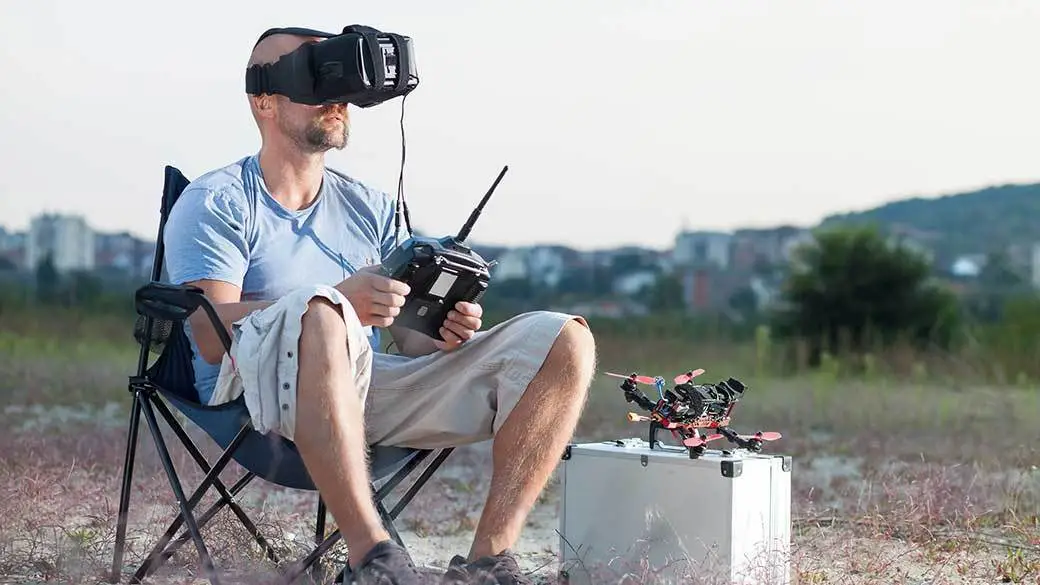
The right FPV goggles begin with the video system, then move through display quality, latency, fit, power, and recording.
Transmission compatibility
DJI O4, Walksnail Avatar, Walksnail Ascent, BETAFPV P1, and analog 5.8GHz are different ecosystems. A headset designed for one will not automatically receive another system’s video. Confirm the aircraft transmitter or air unit first, then narrow the choice to compatible goggles.
DJI Goggles 3 and N3 suit supported DJI aircraft. Walksnail Goggles X and L are Avatar models, while the Ascent Goggles belong only to Ascent equipment. The EV800D models are analog, and BETAFPV VR04 is built around the P1 Air Unit.
The sharpest goggles are useless if their receiver cannot talk to the aircraft.
Display resolution and field of view
Resolution controls how clearly you can see the flight image, OSD, branches, and distant objects. The 1080p displays in DJI Goggles 3, Walksnail Goggles X, Walksnail Goggles L, BETAFPV VR04, and Walksnail Ascent Goggles offer considerably more detail than the 800 × 480 EV800D screens.
Field of view changes the sense of immersion. A wider view can make flying feel more expansive, but it may also require more eye movement. The Walksnail Ascent Goggles list 58 degrees, DJI Goggles N3 lists 54 degrees, and SoloGood EV800D lists up to 82 degrees, though those figures come from different display designs and should not be treated as directly equivalent.
Latency and frame rate
Latency is the delay between the aircraft camera and what reaches your eyes. Lower latency matters most during racing, tight freestyle moves, and obstacle avoidance. DJI Goggles 3 lists 24ms with Avata 2, Walksnail Goggles X lists 22ms, DJI Goggles N3 lists 31ms, and Walksnail Ascent lists an average of 32ms.
Frame rate also affects motion clarity. DJI Goggles 3 can reach up to 100Hz, while DJI N3 uses 60Hz and BETAFPV VR04 records at 1080p/60fps. Analog goggles can still be responsive, but their lower display resolution is a separate limitation from latency.
Fit and vision adjustment
A good headset should seal out light without pressing painfully on the nose or cheeks. Glasses wearers should look first at DJI Goggles N3 and BETAFPV VR04, both of which describe glasses-friendly interiors. DJI Goggles 3 and Walksnail Goggles X offer diopter adjustment, while Walksnail Goggles L uses swappable lenses.
IPD adjustment affects how easily both eyes align with the screens. Walksnail Goggles X supports 57 to 72mm, which is a broad range. Face foam also matters, especially for long sessions, and Goggles X includes a standard foam faceplate with a softer option available separately.
Power and recording
Battery arrangements vary widely. DJI Goggles 3 integrates the headband and lists up to three hours of operation. DJI Goggles N3 lists up to 2.7 hours. BETAFPV VR04 includes two 2600mAh batteries and can also run from a 2S to 6S whoop battery.
Walksnail Goggles X, Goggles L, and Ascent Goggles require an external battery. Their wide voltage ranges make them flexible for custom builds, but the extra battery planning is part of the setup. For recording, VR04 supports 1080p at 60fps and up to 1TB cards, while Ascent supports cards up to 256GB. The EV800D models include DVR functions, but their recording details differ.
Frequently asked questions
Can DJI Goggles 3 work with any FPV drone?
No. DJI Goggles 3 works with specified DJI aircraft, controllers, and O3 or O4 Air Unit equipment. It is not a universal analog or Walksnail receiver, so the transmitter on the aircraft must be checked first.
Are Walksnail Goggles X and Walksnail Goggles L interchangeable?
Both are designed for the Walksnail Avatar system, but they have different hardware and features. Goggles X adds HDMI input and output, AV input support with an optional extension board, and a wider adjustment range, while Goggles L has a 4.9dBi directional antenna and no HDMI port.
What are the best FPV goggles for glasses?
DJI Goggles N3 is the clearest fit-first choice because its spacious interior accommodates glasses without diopter adjustment or lens installation. BETAFPV VR04 also describes a glasses-friendly interior, while DJI Goggles 3 and Walksnail Goggles X use adjustable diopters.
Do analog goggles work with digital FPV systems?
Usually not. The SoloGood EV800D and Speedybee EV800D are built around analog 5.8GHz video, while DJI, Walksnail, and BETAFPV systems use their own digital equipment. Some digital headsets may support extra inputs, but compatibility must be confirmed for the exact model and air unit.
Do FPV goggles include a battery?
It depends on the model. DJI Goggles 3 and DJI Goggles N3 have integrated battery arrangements, and BETAFPV VR04 includes two 2600mAh batteries. Walksnail Goggles X, Goggles L, and Ascent Goggles list batteries as separate purchases, while the EV800D listings describe built-in battery arrangements.
Is a wide field of view always better?
No. A wide field of view can make the flight feel more immersive and help with situational awareness, but it can also require more eye movement and may make edge distortion more noticeable. The best choice depends on how close the display feels and whether you prefer a focused racing view or a broader cockpit perspective.

The bottom line
The Best FPV Goggles choice for most DJI pilots is the DJI Goggles 3. Its Micro-OLED displays, O4 transmission, diopter adjustment, Real View PiP, and up-to-three-hour operation create the most complete package here. Walksnail Goggles X is the better choice for Avatar pilots who need OLED screens, head tracking, and HDMI flexibility.
The DJI Goggles N3 deserves the glasses-friendly recommendation, while BETAFPV VR04 is the specialist pick for P1 Air Unit builds and high-resolution recording. Analog pilots should choose between the SoloGood and Speedybee EV800D models based on viewing angle, antenna reception, and input flexibility.
If you are undecided, identify the transmitter system in your drone first, then choose the headset that supports it.
As an Amazon Associate we earn from qualifying purchases.