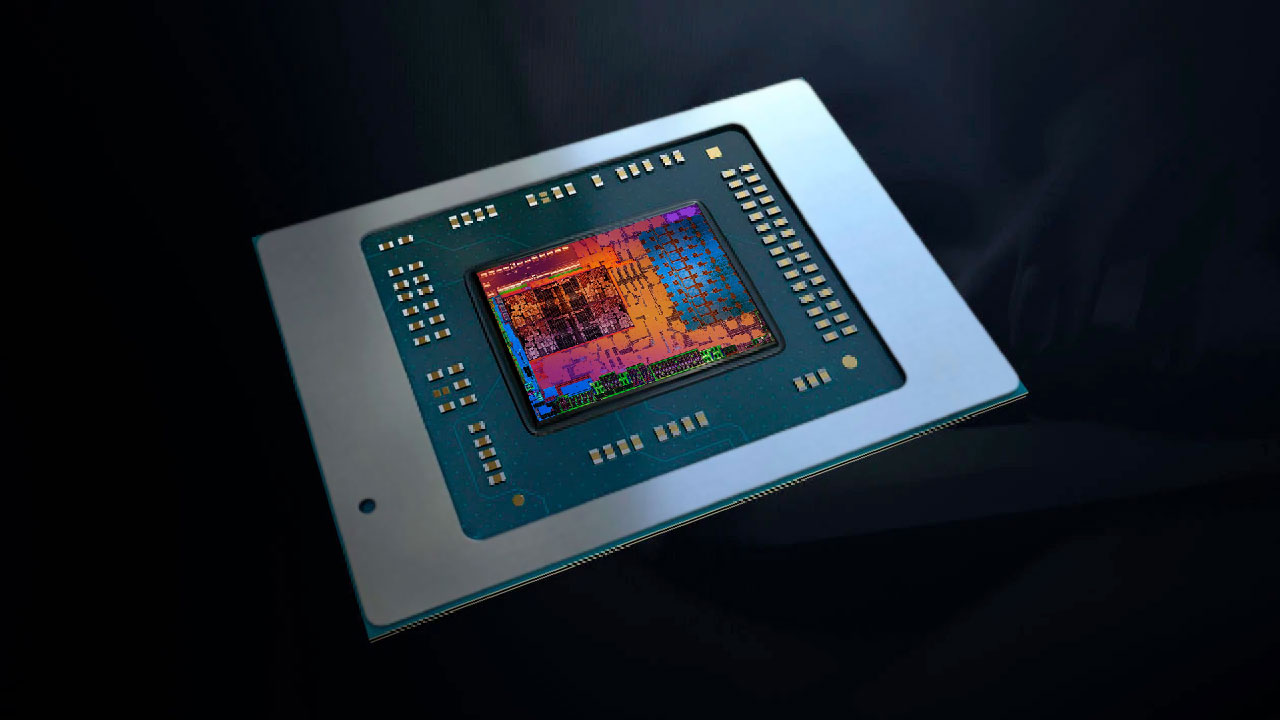

A computer with integrated graphics can be a smart, quiet way to handle everyday work, media, and lighter games, but the graphics engine shares system resources with the processor. That makes the choice of CPU, memory, cooling, and software platform more important than a product title suggests.
Our Best integrated graphics picks cover finished desktops, laptop systems, Chromebooks, and processors for custom builds. The hardware varies sharply, so the right choice depends on whether you need a complete computer, a compact mobile machine, or a CPU with graphics already built in.
For the strongest complete desktop, choose the Adamant Ryzen 9 9950X Eagle. The rest of the list ranges from powerful workstation hardware to simple ChromeOS machines and entry-level prebuilt systems.
Comparison table
| # | Product | Award | CPU and graphics | Memory and storage | Best for |
|---|---|---|---|---|---|
| 1 | Adamant Ryzen 9 9950X Eagle | Best overall | Ryzen 9 9950X, integrated graphics | 32GB DDR5, 2TB NVMe SSD | A powerful complete workstation |
| 2 | Intel Core i7-14700K | Best processor for mixed workloads | 20 cores, UHD Graphics 770 | DDR4 or DDR5 platform support | A flexible custom desktop build |
| 3 | Adamant Ryzen 9 9950X Prime | Best memory capacity | Ryzen 9 9950X, integrated graphics | 64GB DDR5, 1TB NVMe SSD | Large multitasking workloads |
| 4 | AMD Ryzen 5 3400G | Best compact-build CPU | 4 cores, Radeon RX Vega 11 | AM4 platform, 65W TDP | A small DIY desktop |
| 5 | OKAMUS i5 Desktop | Best simple prebuilt | i5 CPU, integrated graphics only | 8GB RAM, 256GB M.2 storage | Basic home and school use |
| 6 | Adamant Ryzen 9 9900X3D TUF | Best storage-heavy workstation | Ryzen 9 9900X3D, integrated graphics | 64GB DDR5, 4TB SSD, 10TB HDD | Large local files and projects |
| 7 | Lenovo Yoga 7i 16-inch | Best convertible laptop | Intel Ultra 7 355, integrated graphics | 24GB LPDDR5x, 1TB SSD | A large 2-in-1 work laptop |
| 8 | Lenovo Chromebook 2-in-1 | Best lightweight Chromebook | Intel N150, integrated Intel graphics | 4GB RAM, 128GB UFS | Web work and travel |
| 9 | DeXwtzfn i5 Desktop | Best upgrade-ready entry desktop | i5 CPU, integrated graphics | 8GB RAM, 256GB SSD | A starter desktop with expansion |
| 10 | Intel Core i7-12700K | Best older-platform option | 12 cores, UHD Graphics 770 | LGA1700, 600 or 700 series chipsets | An existing Intel desktop upgrade |
1. Adamant Ryzen 9 9950X Eagle: Best Overall

Pros
- 16-core Ryzen 9 processor
- 32GB of DDR5 memory
- 2TB PCIe Gen4 NVMe SSD
- Wi-Fi 7 and Bluetooth 5.4
- Three-year labor and parts warranty
Cons
- Integrated graphics are not a substitute for a dedicated GPU
- Large 30-pound tower
- No dedicated graphics card included
Best for: someone who wants a powerful finished workstation without adding a graphics card immediately.
The Adamant Ryzen 9 9950X Eagle is the most convincing all-around desktop here because the computer feels designed around demanding work first, with integrated graphics handling display output rather than pretending to be a high-end gaming machine. Its Ryzen 9 9950X has 16 cores and a listed 4.3GHz frequency, while a 360mm liquid cooler is included to manage the processor. That combination makes more sense for compiling, rendering, heavy multitasking, and other CPU-led work than a small office tower.
The memory and storage configuration is well judged. The 32GB of DDR5 gives Windows 11 Pro room for large applications and multiple active projects, while the 2TB NVMe Gen4 SSD provides a roomy fast workspace for applications and files. The machine also includes HDMI and two USB4 connections, so the integrated graphics setup is practical for a modern desk with fast peripherals and external displays.
Wireless connectivity is unusually current for a desktop in this group. Wi-Fi 7 and Bluetooth 5.4 cover fast network access and newer wireless accessories, and the 850W 80 PLUS Bronze power supply leaves the system physically prepared for a future graphics-card installation. That does not turn the current machine into a gaming tower with discrete graphics, but it gives the build a clearer upgrade path than the small prebuilt systems from OKAMUS and DeXwtzfn.
There is a useful distinction between this model and the Adamant Ryzen 9 9950X Prime. Both use the same 16-core processor and include Windows 11 Pro, but the Eagle version has twice the SSD capacity and uses a 360mm cooler. The Prime counters with 64GB of memory, so it is the better fit for unusually large working sets. The Eagle remains the one we'd choose for a broad mix of applications because its storage allocation is easier to live with.
The weakness is straightforward: the integrated graphics are the limiting part for demanding 3D games and GPU-heavy creative software. The 20 by 20 by 10-inch, 30-pound chassis also needs a permanent home. Choose it for CPU-heavy productivity, media work, and a strong foundation for later expansion. Skip it if gaming graphics are the main reason you are shopping.
2. Intel Core i7-14700K: Best Processor for Mixed Workloads

Pros
- 20 cores and 28 threads
- Eight P-cores and 12 E-cores
- UHD Graphics 770 included
- Supports DDR4 and DDR5 platforms
- Unlocked for compatible builds
Cons
- Processor only, not a complete computer
- Requires a compatible motherboard and cooling
- Platform choice still needs careful planning
Best for: a builder who wants strong CPU throughput and working display output before installing a dedicated graphics card.
The Intel Core i7-14700K is the most versatile processor in this roundup. It is not a ready-to-use computer, but its 20-core hybrid layout gives a custom desktop far more headroom than the entry-level prebuilt machines. Eight performance cores handle demanding foreground work, while 12 efficiency cores and 28 total threads help with background tasks, encoding, and multitasking.
Its integrated Intel UHD Graphics 770 is useful in two ways. It can run the display while the system is being assembled, and it gives a finished PC a functioning video output without requiring a graphics card for office work, media playback, or troubleshooting. The listed maximum Turbo Boost frequency of 5.6GHz also gives the processor a high ceiling for lightly threaded work, provided the motherboard and cooling solution are up to the task.
Platform flexibility is the reason to choose this chip over the Intel Core i7-12700K. The 14700K works with Intel 600-series boards, potentially after a BIOS update, and 700-series boards. It also supports both DDR4 and DDR5, which lets a builder match the processor to an existing motherboard or memory kit. That flexibility is valuable when the rest of the computer is already partly selected.
The unlocked design leaves room for tuning, although overclocking is not a free performance switch. It adds heat and demands a motherboard with suitable power delivery and a capable cooler. The processor's graphics engine also shares the usual limitations of integrated graphics. It can keep a system usable, but it should not be confused with a modern discrete GPU for demanding games.
If you are deciding between this and a standalone graphics card, the difference between integrated output and a dedicated gaming GPU is the key question. The i7-14700K is the better foundation for a custom machine than the complete low-end desktops here, but it makes sense only if you are comfortable selecting the board, cooler, memory, storage, and case around it.
3. Adamant Ryzen 9 9950X Prime: Best Memory Capacity

Pros
- 16-core Ryzen 9 9950X
- 64GB of DDR5 memory
- Windows 11 Pro
- Wi-Fi 7, Bluetooth 5.4, and 2.5GbE
- Three-year labor and parts warranty
Cons
- Only 1TB of included SSD storage
- Integrated graphics limit demanding visual workloads
- Large 30-pound tower
Best for: professionals who keep many large applications, documents, or virtualized workloads active at once.
The Adamant Ryzen 9 9950X Prime takes the same powerful CPU concept as the Eagle and shifts the emphasis toward memory. Its 16-core Ryzen 9 9950X runs at a listed 4.3GHz, and 64GB of DDR5 is the standout specification. That much memory is useful when ordinary desktop multitasking turns into large spreadsheets, development environments, content libraries, or several demanding applications open together.
A 240mm all-in-one liquid cooler is included, which suits the high-core-count processor better than a basic air cooler would. The X870 Prime motherboard provides HDMI and two USB4 connections for the integrated graphics arrangement. Those ports make the computer easy to connect to a modern monitor and fast external storage, although the graphics capability itself remains aimed at display output and everyday acceleration rather than serious 3D rendering.
The storage is a mixed decision. The 1TB PCIe 4.0 NVMe SSD should make Windows 11 Pro and frequently used applications feel responsive, but it gives less room for large projects than the 2TB drive in the Adamant Ryzen 9 9950X Eagle. Prime wins when memory pressure is the problem. Eagle wins when a large local working drive matters more. Both include Wi-Fi 7 and Bluetooth 5.4, while this Prime configuration also lists 2.5GbE for a wired network.
The 850W 80 PLUS Bronze power supply is a practical inclusion for a future graphics-card upgrade, and the three-year labor and parts warranty plus lifetime technical support add reassurance for a complete workstation purchase. The 20 by 20 by 10-inch case is not a compact system, so measure the desk or floor space before committing.
The real weakness is the imbalance between 64GB of memory and a 1TB SSD. Buyers who work with very large media files may need to add storage sooner than expected. Choose this model when memory-heavy workloads are central to the job. If you want a more balanced complete system with the same CPU, the Eagle is the cleaner fit.
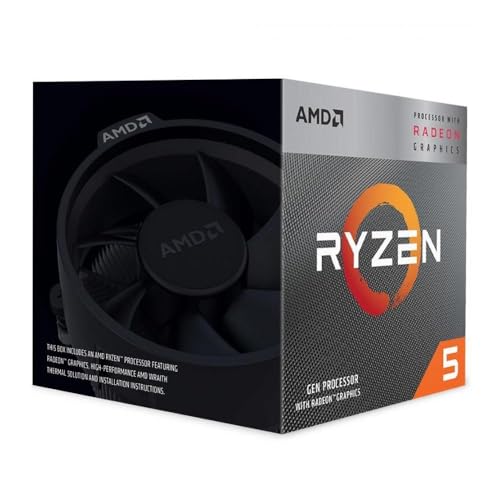
4. AMD Ryzen 5 3400G: Best Compact-Build CPU
Pros
- Radeon RX Vega 11 integrated graphics
- Four cores and eight threads
- Boost frequency up to 4.2GHz
- 65W TDP
- Wraith Stealth heatsink included
Cons
- Older AM4 platform
- Four cores provide less multitasking headroom
- Requires a separate motherboard, memory, storage, and case
Best for: a small custom desktop where a processor, cooler, and integrated Radeon graphics are needed in one package.
The AMD Ryzen 5 3400G is the most focused component pick here. It combines a four-core, eight-thread CPU with Radeon RX Vega 11 integrated graphics, so a builder can create a functioning desktop without buying a separate graphics card at the start. The included Wraith Stealth heatsink also reduces the number of parts needed for a basic build.
A listed base frequency of 3.7GHz and boost frequency up to 4.2GHz are appropriate for general desktop work, older games, and a compact home machine. The 65W TDP is another reason it suits smaller builds, where cooler size and heat output matter. The graphics engine uses system memory, so the memory configuration chosen for the rest of the computer will affect the experience.
This is a very different proposition from the Intel Core i7-14700K. Intel has considerably more CPU cores and supports newer platform options, while the Ryzen 5 3400G is simpler and easier to place in a modest AM4 system. The AMD chip's integrated graphics are the more interesting reason to choose it, but the platform is older and has less room for demanding workloads.
The processor is unlocked, which gives experienced builders the option to tune it, but any adjustment should be made with appropriate cooling and motherboard support. The listing identifies 6MB of L2 plus L3 cache in the title and 6MB of L3 cache in the features, so the cache details are not presented consistently. The reliable takeaway is that this is a four-core AM4 processor with included cooling, not a modern workstation chip.
For a closer look at choosing a separate graphics solution later, the graphics hardware that makes sense for a home-built PC is a useful next step. Pick the Ryzen 5 3400G for a compact, uncomplicated build with light graphics needs. Skip it if the system must handle current demanding games, extensive video work, or large parallel workloads.
5. OKAMUS i5 Desktop: Best Simple Prebuilt

Pros
- Complete Windows 11 Home desktop
- 256GB M.2 storage
- Four RGB fans
- Wi-Fi 6 and Bluetooth 5.3
- 400W power supply
Cons
- Only 8GB of RAM
- Integrated graphics use shared system memory
- The exact i5 processor model is not specified
Best for: basic home, school, and office tasks in a ready-to-use tower.
The OKAMUS i5 Desktop is aimed at buyers who want a complete tower rather than a component selection project. It arrives with Windows 11 Home, an M.2 SSD, wireless networking, and a cooling setup with four RGB fans. That makes it easier to place in a home office or starter desk than the CPU-only entries in this roundup.
Its 8GB of RAM is enough for straightforward browsing, document work, video playback, and a modest number of open applications. It is also the main constraint. Because the graphics are integrated only, the graphics engine shares system memory, leaving less working space for Windows and applications. The 256GB M.2 drive should make startup and application loading feel quicker than a mechanical drive, but it will fill quickly with a large media library or many games.
The product description says the i5 processor reaches up to 3.6GHz, but it does not identify the exact generation or model. That missing detail makes it harder to compare directly with the named Intel processors. The DeXwtzfn i5 Desktop has a similar memory and SSD configuration, but its listing adds an expansion claim and says a graphics card ships separately. OKAMUS is the more straightforward choice if you want the system as described, with no expectation that a separate card is part of the current setup.
The four-fan cooling arrangement and wide-voltage 400W power supply are sensible desktop features, but they do not change the integrated graphics limitation. The product description itself says graphics performance is limited by shared system memory, which is the point buyers should take most seriously.
Choose this desktop for email, schoolwork, streaming, and light productivity. Skip it if you need a known CPU model, more memory for heavy multitasking, or strong gaming graphics. A separate graphics card and more memory may be possible in the chassis, but the listing does not provide enough detail to promise compatibility with particular upgrades.
6. Adamant Ryzen 9 9900X3D TUF: Best Storage-Heavy Workstation

Pros
- 12-core Ryzen 9 9900X3D
- 64GB of DDR5 memory
- 4TB NVMe SSD and 10TB hard drive
- X870 TUF motherboard
- Wi-Fi 7 and Windows 11 Pro
Cons
- Integrated graphics are not suited to demanding GPU workloads
- Large 30-pound chassis
- Extensive storage may exceed simple desktop needs
Best for: a workstation that needs substantial local storage for projects, archives, and applications.
The Adamant Ryzen 9 9900X3D TUF is the storage specialist of the group. Its 12-core Ryzen 9 9900X3D is listed at 4.4GHz, and the system pairs it with 64GB of DDR5. That is enough memory for serious multitasking, while the storage arrangement is the reason to look at this model instead of the other Adamant desktops.
The 4TB PCIe 4.0 NVMe SSD gives applications and active projects a fast primary workspace. A separate 10TB hard drive provides a much larger place for archives, media, completed work, and other files that do not need SSD speeds. Keeping those roles separate is more useful than simply having one large drive, especially on a workstation that will accumulate data over time.
The X870 TUF platform includes HDMI and two USB4 connections for its integrated graphics. Wi-Fi 7 and Bluetooth 5.4 cover wireless networking and peripherals, while the 850W 80 PLUS Bronze power supply leaves room for a future discrete GPU. The 240mm liquid cooler is appropriate for a 12-core processor, although the large 20 by 20 by 10-inch case still needs a dedicated location.
Compared with the Adamant Ryzen 9 9950X Prime, this machine has four fewer CPU cores but far more storage. Prime is the better choice for workloads where CPU throughput and memory capacity are the priority. The 9900X3D TUF is the one to choose when the computer is also a local file server, media workstation, or project archive.
The graphics caveat is the same as with the other high-end Adamant towers. Integrated graphics can run the display and everyday visual tasks, but they are not a replacement for a dedicated card in demanding 3D applications. Choose this workstation for its CPU, memory, and storage architecture. Skip it if you will never use the extra storage or if graphics rendering is your main workload.
7. Lenovo Yoga 7i 16-inch: Best Convertible Laptop

Pros
- 16-inch WUXGA touchscreen
- 360-degree convertible hinge
- Intel Ultra 7 355 processor
- 24GB LPDDR5x memory
- Thunderbolt 4 and HDMI 2.1 TMDS
Cons
- Integrated graphics share the laptop platform's resources
- Larger and heavier than a compact Chromebook
- The convertible design is less suited to dedicated desk use
Best for: someone who wants a large touch display and laptop, tent, and tablet modes in one machine.
The Lenovo Yoga 7i 16-inch is the most capable mobile computer here for people who want a real Windows workstation that can also fold into a tablet. Its 360-degree hinge supports laptop, tent, and tablet positions, while the 16-inch WUXGA touchscreen provides a broad 1920 by 1200 workspace. The larger panel is helpful for side-by-side documents and timeline-based applications, though it also makes this less of a travel-light machine than the Chromebook.
The Intel Ultra 7 355 processor includes integrated graphics and an NPU for AI-oriented productivity features according to the listing. The 24GB of LPDDR5x memory is a strong fit for browser-heavy work and creative applications because it gives the system more breathing room than the 4GB Chromebook or the 8GB entry desktops. Storage is handled by a 1TB PCIe SSD, giving the Yoga a useful balance for documents, applications, and local projects.
Connectivity is unusually good for a convertible. Two Thunderbolt 4 USB-C connections support fast accessories, an HDMI 2.1 TMDS port can send up to 4K at 60Hz, and a microSD reader helps with camera cards and removable media. Wi-Fi 7 and Bluetooth 5.4 keep the wireless side current. These features make the integrated graphics setup more practical for a multi-display desk, even though it is not intended to replace a dedicated gaming GPU.
At 3.94 pounds and 14.2 by 10.01 by 0.62 inches, this is portable but not featherweight. The large screen is its chief advantage over the Lenovo Chromebook 2-in-1, which is much lighter and simpler. Yoga wins for Windows software, memory, ports, and flexible work modes. The Chromebook wins when browser-based work and carrying weight matter more.
The real limitation is that the graphics engine remains integrated, so demanding modern games and GPU-intensive creative work are outside its natural lane. Choose the Yoga for mobile productivity, touch interaction, presentations, and multi-monitor work. If you mainly need a lightweight web machine, the Chromebook is the more sensible fit.
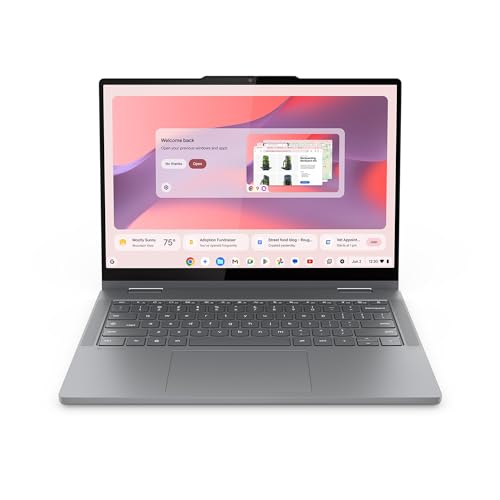
8. Lenovo Chromebook 2-in-1: Best Lightweight Chromebook
Pros
- 14-inch WUXGA IPS touchscreen
- 2-in-1 laptop, tent, and tablet modes
- 3.3-pound design
- Two USB-C, two USB-A, and HDMI ports
- Physical webcam shutter
Cons
- 4GB of RAM
- 128GB UFS storage
- ChromeOS is not a replacement for full desktop software
Best for: web applications, schoolwork, streaming, and light travel.
The Lenovo Chromebook 2-in-1 is the easiest computer here to carry. It weighs 3.3 pounds and is 0.69 inches thick, while the 14-inch WUXGA IPS touchscreen can rotate between laptop, tent, and tablet positions. That combination suits students, travelers, and anyone whose work mostly happens in browser tabs and Google applications.
The Intel N150 processor and integrated Intel graphics are designed for the ChromeOS environment rather than demanding desktop software. The listing promises fast startup and highlights built-in Google applications and Gemini access. The 128GB UFS storage is adequate for a Chromebook centered on cloud services, downloaded documents, and streaming, but it is not a large local project drive.
Memory is the main limitation. With 4GB of RAM, the machine is best treated as a focused web computer rather than a tab-heavy workstation. A few documents, video calls, and ordinary browsing fit the intended use. Large numbers of browser tabs, complex web applications, and simultaneous media tasks will expose the difference between this system and the Lenovo Yoga 7i 16-inch, which has 24GB of memory and a 1TB PCIe SSD.
The port selection helps it function beyond a simple travel laptop. Two USB-C ports, two USB-A ports, and HDMI make it easier to connect storage, accessories, and an external display. A physical webcam shutter is a welcome privacy feature, and Waves MaxxAudio is listed for the sound system. The display's WUXGA resolution gives text and web pages a sharper workspace than a basic HD panel.
Do not choose this Chromebook if you depend on Windows-only applications or expect integrated graphics to handle demanding games. Choose it for portability, ChromeOS simplicity, and a touch-friendly convertible design. For buyers who want a full Windows environment, the Yoga is the clear step up.
9. DeXwtzfn i5 Desktop: Best Upgrade-Ready Entry Desktop

Pros
- Windows 11 preinstalled
- 8GB RAM and 256GB SSD
- Wi-Fi 6 and Bluetooth 5.3
- Four RGB fans and CPU cooler
- Chassis described as upgrade-ready
Cons
- Exact i5 processor model is not specified
- Integrated graphics are limited by shared memory
- 8GB RAM is modest for heavier multitasking
Best for: a first desktop owner who wants a ready-made tower with room for future changes.
The DeXwtzfn i5 Desktop is a straightforward Windows 11 tower with a little more emphasis on future expansion than the similarly configured OKAMUS. It has an i5 processor listed up to 3.6GHz, 8GB of RAM, and a 256GB SSD. Those parts are aimed at general computing and light gaming, not demanding graphics work.
The four RGB fans and a high-efficiency CPU cooler are practical as well as decorative. The listing says the cooler includes a digital temperature display and that the lighting can be controlled with a remote. Wi-Fi 6 and Bluetooth 5.3 cover the usual wireless accessories and network connection, so the desktop can be placed in a home office or gaming setup without immediately requiring extra adapters.
The product description says the chassis has internal space for future upgrades and includes a 400W wide-voltage power supply. It also says a graphics card ships separately for safe transit with tool-free installation. That wording needs attention: the current configuration is still presented as using integrated graphics, and the listing does not identify a particular card or guarantee a specific upgrade model. Buyers should verify the contents and compatibility before planning around a discrete GPU.
The OKAMUS i5 Desktop is the closest comparison. Both have 8GB of RAM, 256GB-class storage, integrated graphics, and 400W power supplies. OKAMUS lists four RGB fans as well, while DeXwtzfn places more emphasis on the cooler, remote lighting control, and expansion space. Neither listing identifies the exact i5 model, which makes the claimed processor performance difficult to assess precisely.
The biggest weakness is the limited information about the CPU and motherboard. The 8GB memory capacity is also likely to become a constraint before the chassis does. Choose this desktop if you want a simple Windows tower and are willing to investigate upgrades later. Skip it if you need predictable gaming performance or fully documented component compatibility from the start.
10. Intel Core i7-12700K: Best Older-Platform Option

Pros
- 12 cores and 20 threads
- Eight P-cores and four E-cores
- UHD Graphics 770 included
- Up to 5.0GHz
- Compatible with Intel 600 and 700 series chipsets
Cons
- Processor only
- Older LGA1700 platform
- Requires separate cooling and other desktop components
Best for: a builder with an existing compatible Intel motherboard or a planned LGA1700 system.
The Intel Core i7-12700K remains a capable foundation for a custom desktop when the surrounding parts are already chosen. Its hybrid layout has eight performance cores and four efficiency cores, for 12 cores and 20 threads in total. The listed maximum frequency is up to 5.0GHz, giving it enough CPU capability for general work, development, and a range of creative applications.
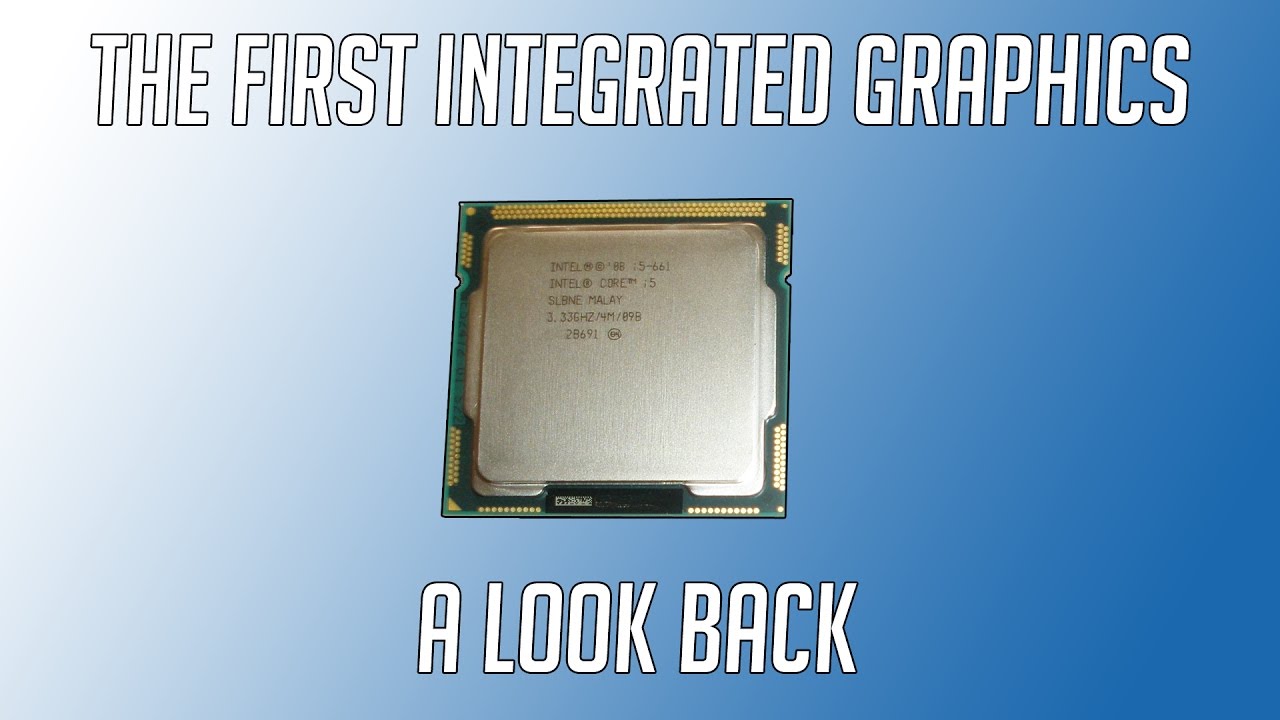
Intel UHD Graphics 770 is built in, so the processor can run a monitor without a dedicated graphics card. That is useful during a build, for office work, and for diagnosing a system before adding a discrete GPU. As with the newer Intel processor here, the graphics engine is best understood as functional display hardware with light graphics capability, not a replacement for a full gaming card.
The i7-12700K uses the LGA1700 socket and works with Intel 600-series and 700-series chipset motherboards. That gives it a clear audience: someone reusing a compatible board, memory, or cooling setup. A new build should compare it carefully with the Intel Core i7-14700K, which increases the core count to 20 and the thread count to 28 while retaining UHD Graphics 770 and support for 600 and 700-series platforms.
The older chip is not automatically the wrong choice. It can make sense when the rest of the system is already built around LGA1700, particularly if the goal is to add a processor with integrated graphics to an existing desktop. It is less appealing as the center of a completely new platform when the 14700K's extra cores and higher listed Turbo Boost ceiling would be useful.
Remember that this is a bare processor. The package does not include a complete desktop, and the listing does not identify an included cooler. Choose it for a compatible LGA1700 build that needs solid CPU performance and UHD 770 display output. Skip it if you are starting from scratch and want the newest platform options available in this comparison.

How to choose best integrated graphics
The right integrated graphics system is determined by the whole computer around the graphics engine, especially memory, processor design, cooling, and the software platform.
Shared system memory
Integrated graphics use system memory rather than a separate graphics card's dedicated memory. That means 4GB in the Lenovo Chromebook 2-in-1 leaves much less room for demanding multitasking than 24GB in the Lenovo Yoga 7i or 64GB in an Adamant workstation.
For a desktop that will run many applications, 16GB is a more comfortable starting point than 8GB, while heavier creative and development work can justify 32GB or more. Memory speed and platform support also matter, but capacity is the first constraint to check.
If the graphics engine borrows system memory, buying too little RAM limits both the computer and the picture on the screen.
Processor architecture
The CPU and integrated graphics share the same thermal and power envelope. A processor with more cores can keep background tasks moving while the graphics engine handles display output, but a high core count does not automatically mean strong 3D performance.
The AMD Ryzen 5 3400G is interesting because its Radeon RX Vega 11 graphics are a central part of the chip's appeal. The Intel Core i7-14700K and i7-12700K instead pair substantial CPU resources with UHD Graphics 770. Choose based on the work the computer must do, not the graphics label alone.
Cooling and power
Cooling affects sustained processor performance and system noise. The Adamant desktops include 240mm or 360mm liquid coolers, while the Ryzen 5 3400G includes a Wraith Stealth heatsink. The CPU-only Intel processors require the builder to select an appropriate cooler.
Power supply capacity matters most when a future graphics card is possible. The Adamant towers list 850W units, while the OKAMUS and DeXwtzfn desktops list 400W supplies. Neither number proves that every future card will fit or work, so inspect the case, connectors, and motherboard before upgrading.
Display outputs and ports
Check the actual output ports before buying. The Adamant towers list HDMI and two USB4 connections, the Yoga 7i includes HDMI 2.1 TMDS and two Thunderbolt 4 ports, and the Chromebook offers HDMI plus USB-C and USB-A connections.
A capable port selection makes it easier to attach a second monitor, fast storage, or a dock. It does not increase the graphics engine's rendering power, but it can make an integrated system much more useful at a desk.
Complete system or component
A processor such as the Intel Core i7-14700K or AMD Ryzen 5 3400G is only one part of a computer. You still need a compatible motherboard, memory, storage, case, power supply, and operating system.
A prebuilt tower is simpler, but the OKAMUS and DeXwtzfn listings do not identify their exact i5 models. The Lenovo systems are ready-to-use laptops, though ChromeOS and Windows support different applications. If you are comparing discrete graphics for a later upgrade, the graphics card features that affect real PC use are the next specifications to study.
Frequently asked questions
Are integrated graphics good enough for gaming?
They can handle lighter games and older titles, depending on the processor, memory configuration, resolution, and game settings. The integrated graphics in these products are not equivalent to a modern dedicated graphics card for demanding games. A system such as the OKAMUS or DeXwtzfn should be treated as an entry-level graphics machine, not a high-end gaming desktop.
Is more RAM important for integrated graphics?
Yes. Integrated graphics share system memory with Windows, ChromeOS, applications, and games. A computer with 4GB or 8GB can become constrained sooner than one with 24GB, 32GB, or 64GB, especially when several applications are open.
Should I buy a CPU with integrated graphics if I plan to add a graphics card?
It can still be useful. Integrated graphics can run the display while you assemble or troubleshoot the computer, and they provide a fallback if the dedicated card needs to be removed. The Intel Core i7-14700K and Intel Core i7-12700K both include UHD Graphics 770.
Which complete computer is easiest to carry?
The Lenovo Chromebook 2-in-1 is the lightest option in this roundup at 3.3 pounds. The Lenovo Yoga 7i is a larger 16-inch convertible weighing 3.94 pounds, while the Adamant desktop towers are listed at 30 pounds. The desktop products need a permanent setup.
Can integrated graphics run multiple monitors?
That depends on the processor, motherboard, laptop design, and available outputs. The Adamant towers list HDMI and two USB4 connections, while the Lenovo Yoga 7i includes HDMI 2.1 TMDS and two Thunderbolt 4 ports. Confirm the supported display arrangement before buying if multiple monitors are essential.
Are the Intel Core i7-14700K and i7-12700K interchangeable?
No. Both use the LGA1700 socket and work with Intel 600 and 700 series chipsets, but motherboard BIOS support still matters. The i7-14700K has 20 cores and 28 threads, while the i7-12700K has 12 cores and 20 threads, so they should not be treated as identical replacements.
The bottom line
The Adamant Ryzen 9 9950X Eagle is our top complete desktop pick because it combines a 16-core processor, 32GB of DDR5, a 2TB NVMe SSD, current wireless connectivity, and a high-capacity power supply. It is a strong workstation foundation, provided you understand that its integrated graphics are for display output and lighter visual work rather than demanding 3D gaming.
For a custom build, the Intel Core i7-14700K is the more flexible processor choice, while the Lenovo Yoga 7i 16-inch is the better mobile option for Windows users who want a large touchscreen and convertible design. The Lenovo Chromebook 2-in-1 is the compact choice for browser-led work.
If you are still undecided, choose the Best integrated graphics system by starting with the software you need, then match memory, ports, cooling, and upgrade plans to it.
As an Amazon Associate we earn from qualifying purchases.