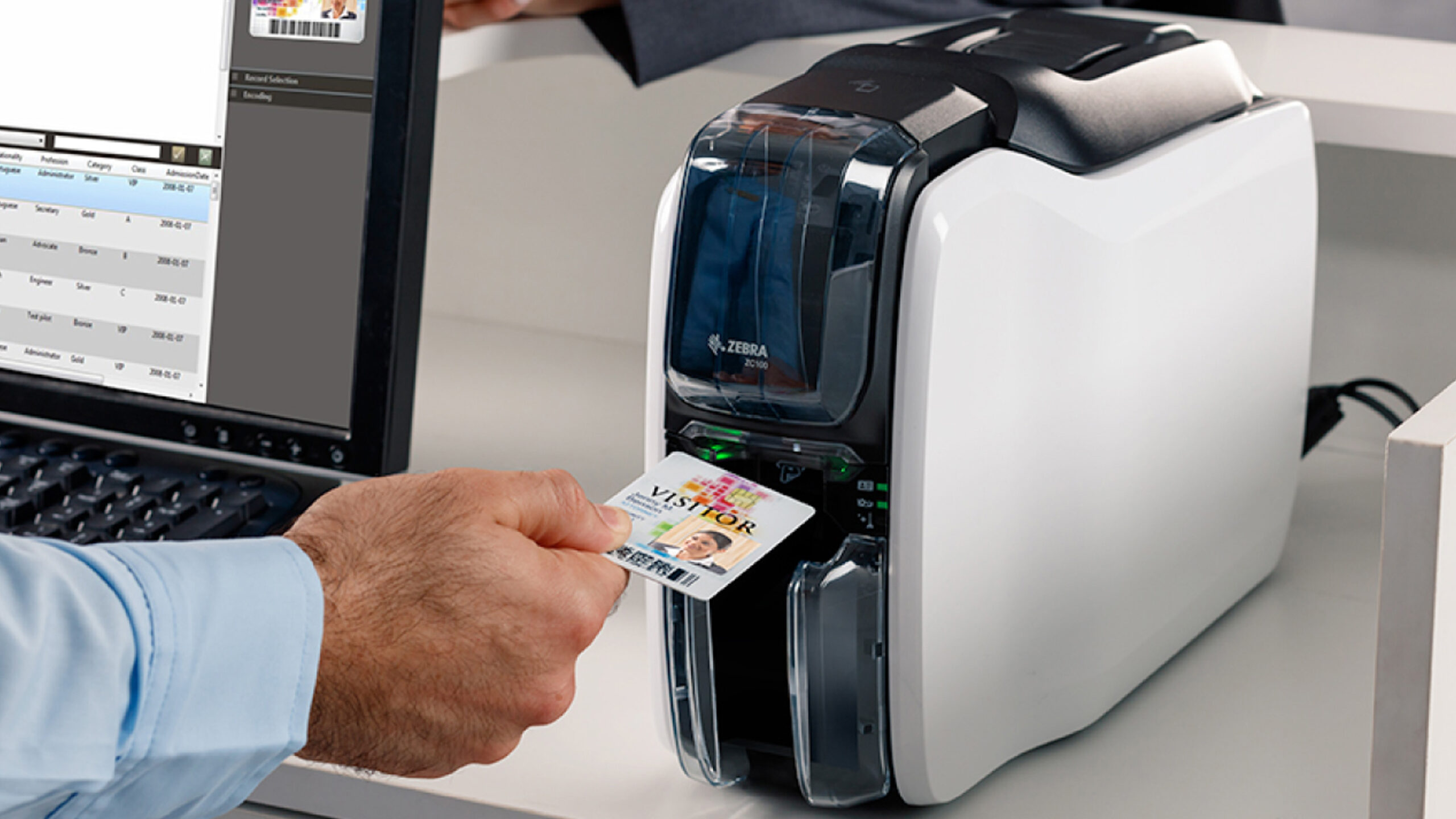

Printing a durable ID badge is not the same as printing a paper label. You need a card printer that can handle PVC media, produce clean color on a small surface, and fit the way your organization actually creates badges. Some systems are built for occasional cards, while others add two-sided printing, network connectivity, databases, and security features.
Our Best printer for plastic cards pick is the IDP SMART-21S Kit, with the Badgy200 close behind for simple full-color badge work. The lineup also includes higher-capability Magicard systems and several compatible CR80 card supplies for teams that already own a printer.
Comparison table
| # | Product | Award | Printing | Software or connectivity | Best for |
|---|---|---|---|---|---|
| 1 | IDP SMART-21S Kit | Best complete starter kit | Single-sided color and monochrome | Windows 10 and 11, PC software | Small offices starting an ID program |
| 2 | Badgy200 Badge Studio+ | Best for easy badge design | Full-color plastic cards | Badge Studio+, USB | Schools and workplaces |
| 3 | Magicard 400X Bronze | Best two-sided package | Dual-sided color printing | Windows and Mac, lifetime software license | Growing badge programs |
| 4 | Badgy100 Badge Studio | Best compact occasional printer | Full-color plastic cards | Badge Studio templates | Single-card replacement printing |
| 5 | Magicard 600 Gold | Best advanced workflow | Dual-sided color printing | Wi-Fi, Ethernet, Windows and Mac | Networked organizations |
| 6 | Badgy100 Color | Best simple Badgy setup | Full-color cards | Windows and Mac design software | Beginners who need a basic printer |
| 7 | BKISVWCSop CR80 Cards | Best card supply for volume | 30 mil, double-sided | No printer or software included | Offices needing standard blank cards |
| 8 | MECCANIXITY Red 15 Mil | Best colored trial pack | 15 mil, double-sided | No printer or software included | Crafts and short runs |
| 9 | MECCANIXITY Blue 30 Mil | Best thick colored card | 30 mil, double-sided | No printer or software included | Sturdier blue cards |
| 10 | MECCANIXITY Blue 15 Mil | Best small blue pack | 15 mil, double-sided | No printer or software included | Small creative projects |
1. IDP SMART-21S Kit: Best Complete Starter Kit

Pros
- Includes printer, software, ribbon, and 100 PVC cards
- Prints both color and monochrome cards
- Compact hand-feed design
- EasyCapture photo tool trial included
Cons
- Single-sided printing only
- PC software is limited to Windows use
Best for: a small office that wants one package for its first ID badge project.
The IDP SMART-21S Kit is the easiest product here to understand as a complete starting point. It arrives with the printer, IDesigner software and driver, power and USB cables, a 100-print YMCKO color ribbon, and 100 PVC cards. That removes the common first-day problem of receiving a printer and then discovering that the media or ribbon has to be ordered separately.
The SMART-21S is a simplex printer, so it prints one side at a time. That is a limitation for access cards or credentials that need information on the back, but it is perfectly sensible for a front-facing employee badge, student ID, membership card, or loyalty card. It can also produce monochromatic cards, which gives it more flexibility than a color-only workflow.
The listed output is over 150 color cards or 600 monochromatic cards per hour. Those figures matter when a small business is onboarding a group of employees instead of replacing one lost card. Its 6.6 by 10 by 12 inch dimensions also make it easier to place on a crowded desk than the larger Magicard 400X Bronze.
Setup is aimed at people who do not want to assemble a badge system from separate parts. The single LED button and hand-feed design keep the physical operation straightforward, while EasyCapture is intended to make collecting employee photos more consistent. Windows 10 and 11 compatibility will suit many offices, but Mac users should skip this kit and look at a Badgy or Magicard model instead.
The weakness is the one-sided output. If a badge needs a barcode, policy text, or emergency information on the reverse, the Badgy200 or Magicard 400X Bronze is a better fit. For a Windows office that needs a self-contained badge setup with cards and ribbon already accounted for, the SMART-21S is the one we would start with.
2. Badgy200 Badge Studio+: Best for Easy Badge Design

Pros
- Full-color printing for personalized plastic IDs
- Badge Studio+ includes database import and templates
- Includes 100 cards and a 100-print ribbon
- Works as an all-in-one badge solution
Cons
- One-year warranty is shorter than the Magicard 400X coverage
- No two-sided printing is listed
Best for: schools and workplaces that want guided badge creation without building a database workflow from scratch.
The Badgy200 is a friendly middle ground between a basic card printer and a more involved identification system. It is designed around the idea that the same person will create the badge, print it, and replace it later. Badge Studio+ gives that process some structure with a design wizard, free templates, database import, and the option to begin with a blank design.
The package includes the printer, a 100-print color ribbon, 100 blank cards, Badge Studio software, USB and power cables, and a quick-start guide. That is a useful combination for a school office or small workplace where the badge project is important but does not justify a networked production setup.
Badgy describes the output as full color and suitable for professional tamperproof plastic IDs, including student, employee, gift, and loyalty cards. The printer measures 10.86 inches long, 7.87 inches wide, and 5.78 inches high. At about 6.61 pounds, it is still a desktop device, though the IDP SMART-21S is lighter and easier to move.
The software is the reason to choose this model over the Badgy100 Badge Studio. Database import becomes useful when the same layout needs to be populated with many names and photos. A design wizard helps a first-time operator, while the template library gives a school or club a faster route to a polished result.
The Badgy200 does not solve every badge problem. The available details do not list two-sided printing, network connectivity, or advanced database features beyond the software's import support. A team that needs credentials packed with information on both sides should step up to the Magicard 400X Bronze. A team that mainly wants repeatable, full-color front-side IDs will find the Badgy200 more approachable.
It is also a practical choice for offices that are replacing cards as people join, leave, or lose their credentials. If the priority is a guided design workflow rather than maximum throughput or network integration, this is the Badgy model to keep in view.
3. Magicard 400X Bronze: Best Two-Sided Package

Pros
- Prints on both sides of the card
- Includes a 300-print YMCKO ribbon
- Windows and Mac compatibility
- Lifetime software support and a four-year warranty
Cons
- Large desktop footprint
- More system than a one-sided badge project needs
Best for: organizations that need two-sided cards and a ready-to-use software package.
The Magicard 400X Bronze is the first major step up from the compact desktop systems. Its defining feature is two-sided printing, which changes what can fit on a badge. A front can carry a portrait and name while the back holds a barcode, access instructions, contact details, or other information. That makes the 400X a better match for credentials that have a job beyond visual identification.
This package includes a 300-print YMCKO ribbon, so the supplied consumable is suited to vibrant full-color cards. The Bronze Edition software has a lifetime license and activation code, with pre-made templates and drag-and-drop design tools. That combination should make it easier to move from a blank card to a repeatable layout without relying on a separate design application.
Windows and Mac support gives the 400X an advantage over the PC-only IDP SMART-21S Kit. It is also more substantial physically, measuring 18.9 inches long, 8.5 inches wide, and 9.5 inches high. Those dimensions call for a dedicated section of counter or a stable desk, especially if cards will be fed and collected throughout the day.
The four-year warranty and lifetime Bodno software support are meaningful for a badge program that needs to keep running. The Magicard 600 Gold adds Wi-Fi, Ethernet, automatic face cropping, and database integration, but it is more specialized. The 400X keeps the useful two-sided capability while avoiding some of that higher-level workflow complexity.
There is no reason to choose this model for a simple front-only card. The Badgy200 is smaller, and its software is designed to guide less experienced users. The 400X earns its place when the reverse side matters, several operators may use the system, and Mac compatibility is part of the office setup.
For organizations moving beyond occasional replacement cards, the Magicard 400X Bronze is a sensible production-oriented option. It gives the badge enough room to carry real information without requiring the most advanced network features in this roundup.
4. Badgy100 Badge Studio: Best Compact Occasional Printer

Pros
- Compact desktop footprint
- Full-color, high-resolution badge printing
- Online template library
- Designed for on-demand replacement cards
Cons
- Intended for single-sided printing
- Details do not list included cards or ribbon
Best for: a small team printing occasional replacement badges and straightforward custom IDs.
The Badgy100 Badge Studio is the uncomplicated option in the Badgy range. Its strongest argument is convenience at the point of use: a small office can print a replacement card when it is needed instead of sending the job elsewhere or waiting for a batch. That is especially helpful when a card is lost or stolen and access needs to be restored quickly.
Badgy describes the printer as producing high-resolution color on plastic cards. The online template library adds professional-looking starting points, which is more useful than it sounds for an office without a dedicated designer. The product is suited to single printing needs, so it is aimed at occasional or modest-volume use rather than an organization producing cards all day.
The chassis measures 10.86 inches long, 7.87 inches wide, and 5.78 inches high. At about 3.75 pounds, it is one of the easiest printers here to shift between work areas. Its size is a clear advantage over the Magicard 400X Bronze, whose two-sided hardware needs much more room.
This version is distinct from the Badgy100 Color because it is presented with Badge Studio and the online template library. The Badgy100 Color lists a 45-second color badge time and near-edge printing with a 1.35 millimeter print margin, while this listing emphasizes on-demand use and design options. Neither listing gives a two-sided feature, so buyers should plan around front-side cards.
The sparse package information is the main caution. Unlike the Badgy200 and IDP SMART-21S Kit, this listing does not specify included cards or a ribbon in the supplied details. Check the package contents before planning a launch date. The printer itself makes sense for a small workplace that values a compact footprint and quick replacement workflow over advanced automation.
5. Magicard 600 Gold: Best Advanced Workflow

Pros
- Dual-sided printing
- Built-in Wi-Fi and Ethernet
- Supports barcode and database workflows
- Includes a 300-print ribbon
- Custom HoloKote option is available
Cons
- Heavy 10.4-pound design
- Three-year limited warranty is shorter than the 400X warranty
- Advanced features may exceed a small office's needs
Best for: a networked organization that needs advanced badge creation and security options.
The Magicard 600 Gold is built for the organization that has outgrown a USB-only badge printer. It prints on both sides and adds Wi-Fi and Ethernet, so the printer can fit into a shared office workflow instead of being tied to one desk. That matters when several people need to issue or replace cards.
The Gold Edition software adds 2D barcode printing, automatic face cropping, and integration with Microsoft Access and SQLite databases. Those features change the process from designing individual cards to managing a set of records. Automatic face cropping is particularly useful when staff photos arrive in inconsistent shapes, while database support helps keep names and badge details aligned.
The package includes a 300-print ribbon and supplies. A custom HoloKote watermark option is also available as an added security feature. Since that option is not simply built into every unit, buyers who need a visible anti-counterfeit layer should confirm the configuration before ordering.
The Magicard 600 weighs 10.4 pounds, and the listing does not provide its full dimensions. It is therefore less convenient to treat as a portable desktop tool than the Badgy100 Badge Studio or the IDP SMART-21S. The trade-off is capability: Wi-Fi, Ethernet, two-sided printing, and database tools give the 600 a role in a larger credential program.
The Magicard 400X Bronze is the better fit for a team that needs two-sided cards but can work over a direct computer connection. The 600 earns its place when shared access, network integration, and barcode-heavy layouts are central. Its three-year limited warranty is also shorter than the 400X's listed four-year warranty, so the added features should be the reason to select it.
A networked organization with a defined badge process will get the most from the Magicard 600 Gold. A small office printing a few front-side cards should choose a simpler system instead.
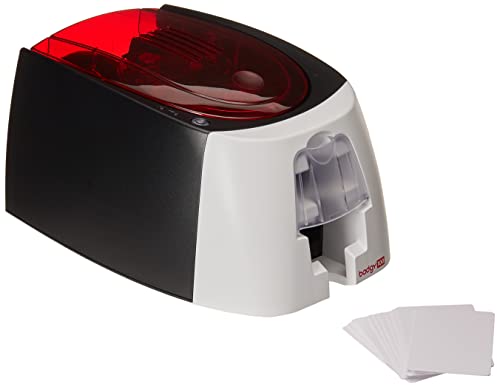
6. Badgy100 Color: Best Simple Badgy Setup
Pros
- Full-color plastic card printing
- Listed 45-second color badge time
- Near-edge printing with a 1.35 millimeter margin
- Easy setup for beginners and advanced users
Cons
- No two-sided printing is listed
- Package contents are not detailed
- Less software detail than the Badgy200
Best for: users who want a basic Badgy printer and a clearly stated print margin and output time.
The Badgy100 Color is the bare, straightforward member of this group. Its listing gives a useful practical detail that many card printers leave vague: a color badge takes 45 seconds. That is not a promise of high-volume production, but it gives a small office a reasonable sense of how the printer fits into a replacement-card routine.
Near-edge printing is another meaningful detail. The stated 1.35 millimeter, or 0.05 inch, print margin helps the design use more of the card surface. For a badge with a logo, portrait, and name, that extra edge coverage can make the result look less like a label placed on a card.
The unit measures 10.86 inches long, 7.87 inches wide, and 5.78 inches high, with a listed weight of about 3.74 pounds. It has the same compact footprint as the Badgy100 Badge Studio. The difference is the emphasis of the listing: this version highlights full-color output, the 45-second timing, near-edge printing, and setup for beginner or advanced users.
The Badgy200 is a stronger choice when Badge Studio+ database import, a design wizard, free templates, and included cards matter. The IDP SMART-21S Kit is more complete as a package and adds monochrome output, but it is PC-only. The Badgy100 Color has a simpler appeal for someone who already knows the card design workflow and wants the printer itself to stay uncomplicated.
The limitations are clear. Two-sided printing is not listed, and the supplied details do not confirm cards, ribbon, or a specific software package. Buyers should verify those contents and make sure the intended card format is supported. For front-side, full-color cards in a compact office setup, the Badgy100 Color remains a clean fit.
7. BKISVWCSop CR80 Cards: Best Card Supply for Volume

Pros
- Standard CR80 dimensions
- 30 mil thickness
- Printable on both sides
- Compatible with many major badge printer brands
- Large 500-card pack
Cons
- Not suitable for inkjet printers
- No chip, magnetic stripe, or pre-punched slot
- Printer and ribbon are not included
Best for: offices that already have a compatible badge printer and need a large supply of standard white cards.
The BKISVWCSop cards are not a printer, but they are the most useful consumable in this roundup for a team that already owns one. The cards follow the ISO CR80 format at approximately 85.6 by 53.98 millimeters and have a 30 mil thickness. That is the familiar credit-card-sized format used by many photo ID badge printers.
The smooth white surface is designed for printing on both sides. The 30 mil construction gives the card a more substantial feel than the 15 mil MECCANIXITY options, which makes it a sensible choice for employee badges, student IDs, membership cards, and credentials that will be handled repeatedly.
The listing names compatibility with DataCard, Zebra, Fargo, Evolis, Magicard, Nisca, and NBS printers, among others. That is useful guidance, but it is not a substitute for checking the exact media requirements of your printer. The cards are explicitly not for inkjet printers, so a standard home or office inkjet is not the right device for them.
The cards do not contain chips or magnetic stripes, and they are not pre-punched. That keeps them suited to printed identification rather than access hardware that needs embedded data. If the credential needs a magnetic or electronic function, this blank stock will not provide it.
Compared with the colored MECCANIXITY cards, these are the more conventional choice for professional-looking badges. The white surface gives a printer's color ribbon a neutral base, and the 30 mil thickness is better suited to cards expected to stay in circulation. Confirm CR80 support and the printer's preferred thickness before feeding a large batch.
8. MECCANIXITY Red 15 Mil: Best Colored Trial Pack

Pros
- Distinct red PVC surface
- Double-sided printing support
- Waterproof and wear-resistant construction
- Flat surface for printing, writing, or adhesion
Cons
- 15 mil thickness is thinner than standard 30 mil cards
- Not suitable for inkjet printers
- Card dimensions differ slightly from standard CR80 measurements
Best for: short creative runs, event passes, and projects where a colored card base matters.
The MECCANIXITY Red 15 Mil cards are for changing the look of a project before changing the printer. A red card base can make a club card, event pass, work permit, or gift card stand out without asking the printer to create a full background color. That can be useful for a small run where the card itself is part of the visual system.
Each card is listed at 87 by 55 millimeters and 0.38 millimeters, or 15 mil, thick. The dimensions are close to CR80 but not identical to the BKISVWCSop cards, so checking the printer's acceptable media size is important. Thin stock can also feel less substantial in a wallet or badge holder than a 30 mil card.
The cards can be printed on both sides with non-inkjet printers. The surface is described as flat and suitable for printing, writing, or pasting, while the material is waterproof and wear-resistant. The listing also says a magnetic strip can be added, but the cards do not arrive with one.
The red base creates a different printing challenge from a white card. Light colors and subtle details may not appear as expected against it, so the design should account for the colored surface. A dye-sublimation badge printer may also have media requirements that need to be checked before ordering.
The Blue 15 Mil and Blue 30 Mil MECCANIXITY cards serve similar creative purposes. The 30 mil blue version is the sturdier choice, while this red pack is more useful when color coding or event branding is the priority. It is not the right media for an inkjet printer or a badge system that expects standard thick white CR80 cards.
9. MECCANIXITY Blue 30 Mil: Best Thick Colored Card

Pros
- 30 mil thickness for a sturdier card
- Double-sided printing support
- Waterproof and wear-resistant
- Blue surface for color-coded credentials
Cons
- Only 20 cards are included
- Not suitable for inkjet printers
- Dimensions are listed as slightly larger than standard CR80
Best for: small batches that need a blue card with a more substantial feel.
The MECCANIXITY Blue 30 Mil cards are the sensible colored-media choice when thin stock feels too flimsy. Their listed thickness is 0.76 millimeters, or 30 mil, the same thickness as the BKISVWCSop white cards. That makes them a better candidate for badges, membership cards, and passes that will be handled regularly.
The cards measure 87 by 55 millimeters and can be printed on both sides with non-inkjet equipment. They are described as waterproof, strong, and resistant to wear. Those traits suit a physical card that will move between a wallet, lanyard holder, or staff member's hand instead of staying on a desk.
The blue surface can act as a visual identifier for a department, access tier, event group, or club. It also changes how printed colors will appear, so the design should use contrast carefully. Buyers should confirm that their card printer supports colored PVC media and the listed dimensions before attempting a batch.
The pack contains 20 cards, which makes it better for a small project or a design trial than a large badge rollout. The Red 15 Mil pack contains more cards and is thinner, while the Blue 15 Mil version uses the same listed 15 mil construction in a smaller pack. This Blue 30 Mil model is the choice when physical thickness matters more than testing several designs.
It is still blank stock, not a complete card solution. There is no printer, ribbon, software, chip, or magnetic stripe included in the supplied details. Use it with a compatible non-inkjet card printer, and expect to spend time adjusting artwork for a blue base rather than a white one.
10. MECCANIXITY Blue 15 Mil: Best Small Blue Pack
Pros
- Blue colored PVC surface
- Double-sided printing support
- Waterproof and wear-resistant
- Flat surface for printing or writing
Cons
- 15 mil stock is thinner than 30 mil cards
- Pack contains 20 cards
- Not suitable for inkjet printers
Best for: a small blue-card project, prototype run, or creative badge application.
The MECCANIXITY Blue 15 Mil pack is a small way to experiment with colored PVC cards. It shares the red version's basic construction and uses a blue surface that can help separate a project from the standard white badge. The pack is suited to a limited run rather than an organization that needs a continuing supply.
The listed card size is 87 by 55 millimeters, with a thickness of 0.38 millimeters, or 15 mil. The cards are intended for printing on both sides with non-inkjet equipment. They are also described as waterproof and resistant to wear, although the thinner construction will not feel as substantial as the Blue 30 Mil cards.
A flat surface makes the cards suitable for printing, writing, or applying material. The listing says they can be used for ID badges, business cards, club cards, fitness cards, playing cards, work permits, and gift cards. That broad use list makes sense for a colored blank card, but the final result will depend heavily on the printer's compatibility and the artwork's contrast.
The Blue 30 Mil version is the better choice for a badge that needs to survive frequent handling. The Red 15 Mil pack is more appealing when red is the required color or when 30 cards are useful for a project. This Blue 15 Mil pack is best when a smaller quantity is enough and the lighter card construction is acceptable.
As with the other MECCANIXITY cards, check the dimensions before ordering and do not use them in an inkjet printer. They are supplies for a compatible plastic-card workflow, not a replacement for the printer, ribbon, or design software.
How to choose the best printer for plastic cards
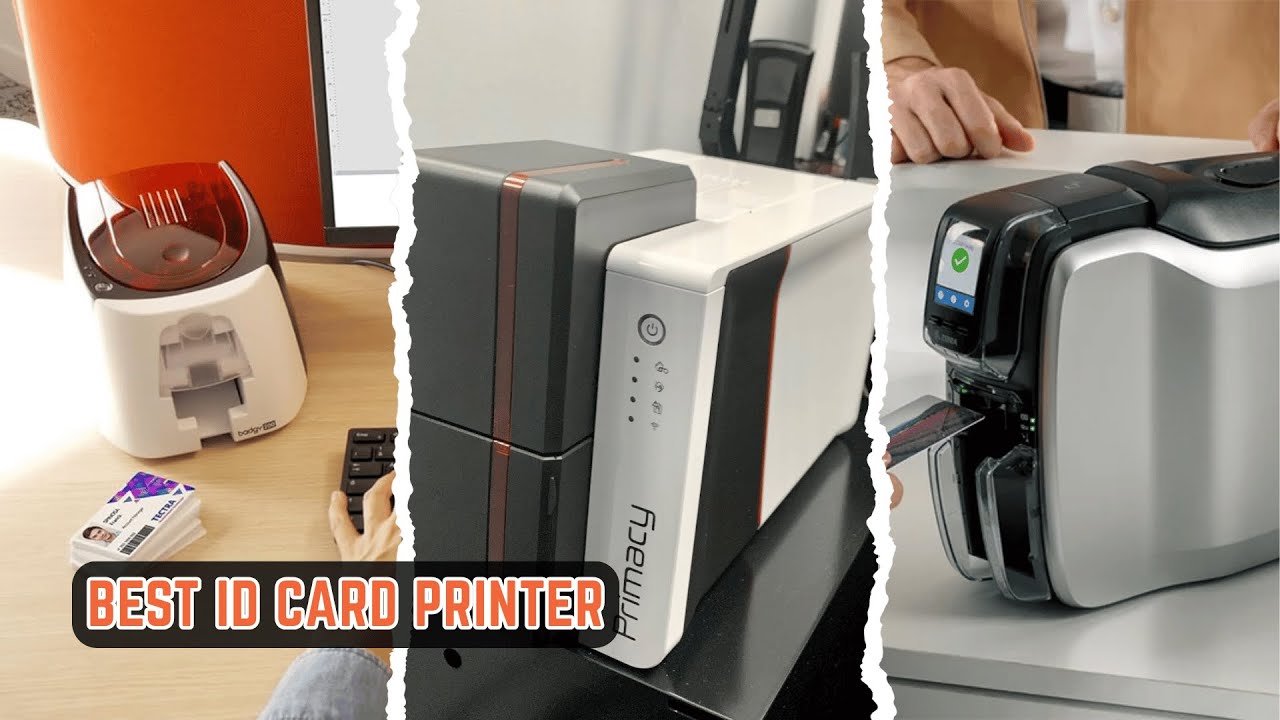
The right choice depends on more than whether a machine can print color. Match the printer to the card's information load, the software workflow, and the media you intend to feed.
One-sided or two-sided printing
A simplex printer such as the IDP SMART-21S prints one side and works well for a basic photo badge. Two-sided models such as the Magicard 400X Bronze and Magicard 600 Gold can place a barcode, instructions, contact details, or secondary identification on the reverse.
Do not pay attention only to the front design. If the card will need information on both sides, start with a dual-sided printer rather than planning a manual workaround.
Card thickness and format
CR80 cards are close to standard credit-card dimensions, but the measurements and thickness still need to match the printer. The BKISVWCSop cards are listed at 85.6 by 53.98 millimeters and 30 mil. The MECCANIXITY cards are listed at 87 by 55 millimeters, with 15 mil or 30 mil options.
A 30 mil card generally feels more substantial for daily use. A 15 mil card can suit creative projects and short runs, but it may not be the right choice for every feed mechanism. Never assume that a card described as PVC is automatically compatible with every plastic-card printer.
Software and data handling
A guided design package is useful when one person is responsible for photos, names, and layouts. Badgy200 Badge Studio+ includes a design wizard, templates, and database import. The Magicard 600 Gold goes further with 2D barcode printing, automatic face cropping, and Microsoft Access and SQLite integration.
The IDP SMART-21S includes PC-only IDesigner software and EasyCapture for collecting employee photos. Mac users should confirm operating-system support before selecting a printer. If your broader office workflow includes mobile devices, how wireless printing fits into an iPhone workflow can help clarify what the badge printer itself still needs to handle.
Throughput and replacement work
A printer used for one replacement card every few weeks has different needs from one used during employee onboarding. The Badgy100 models are compact and suited to occasional cards. The IDP SMART-21S lists over 150 color cards per hour and 600 monochrome cards per hour, while the Badgy100 Color lists a 45-second color badge time.
These figures are useful for setting expectations, but they do not replace a workflow plan. Consider who prepares the artwork, who captures photos, how cards are fed, and where finished cards are stored.
Connectivity and security
USB is adequate when the printer stays with one operator. Wi-Fi and Ethernet give the Magicard 600 Gold a better role in a shared office. The 600 also supports a custom HoloKote option, while the Magicard 400X Bronze focuses on dual-sided printing, templates, and support coverage.
Choose the printer that matches the information on the back of the card, not just the image on the front.
For offices scanning identity documents or organizing enrollment records, ways to streamline document capture on an iPad may also help shape the surrounding process. That workflow is separate from card printing, but it can affect how much automation the printer software needs.
Frequently asked questions
Can these printers print on ordinary PVC cards?
They are intended for plastic-card media, but the card size and thickness must match the printer. CR80 dimensions are common, yet the MECCANIXITY cards list slightly different measurements from the BKISVWCSop cards. Check the printer's supported media before loading a new stock.
Is the IDP SMART-21S a two-sided printer?
No. The IDP SMART-21S is a simplex printer, so it prints one side of the card. It can produce full-color and monochrome cards, but a two-sided badge requires a different model or a separate manual process.
Which printer supports Mac?
The Magicard 400X Bronze supports Windows and Mac, as does the Badgy100 Color listing. The IDP SMART-21S Kit is identified as PC-only and is listed as compatible with Windows 10 and 11. Check the software requirements before choosing a printer for a mixed-device office.
Are the blank MECCANIXITY cards suitable for inkjet printers?
No. The listings specifically state that the MECCANIXITY cards are not suitable for inkjet printers. They are intended for compatible non-inkjet printing equipment and should be checked against the printer's media requirements.
What is the difference between 15 mil and 30 mil cards?
The 15 mil cards are thinner and can work for short projects, creative cards, or event materials. The 30 mil cards have a more substantial construction and are generally a better physical fit for frequently handled IDs, provided the printer supports that thickness.
Do the blank cards include chips or magnetic stripes?
The BKISVWCSop cards are listed without chips, magnetic stripes, or pre-punched slots. The MECCANIXITY listings say a magnetic strip can be added, but the blank cards do not include one in the supplied details.
Which printer is easiest for a first badge project?
The IDP SMART-21S Kit is the most complete starter package because it includes the printer, PC software, ribbon, cards, cables, and guides. The Badgy200 is also approachable, especially for users who want Badge Studio+ templates, a design wizard, and database import.
The bottom line
The Best printer for plastic cards for most small offices is the IDP SMART-21S Kit. It includes the core supplies, supports full-color and monochrome cards, has a compact hand-feed design, and gives Windows users a clear route from photo capture to printed badge. Its single-sided output is the major limitation.
Choose the Badgy200 Badge Studio+ when guided design and database import matter more than a complete PC-only starter workflow. Choose the Magicard 400X Bronze when two-sided cards are essential, or the Magicard 600 Gold when Wi-Fi, Ethernet, database integration, and advanced badge features justify a more involved system.
For an undecided reader, start by deciding whether the back of the card needs to carry information, then match the printer to that answer.
As an Amazon Associate we earn from qualifying purchases.