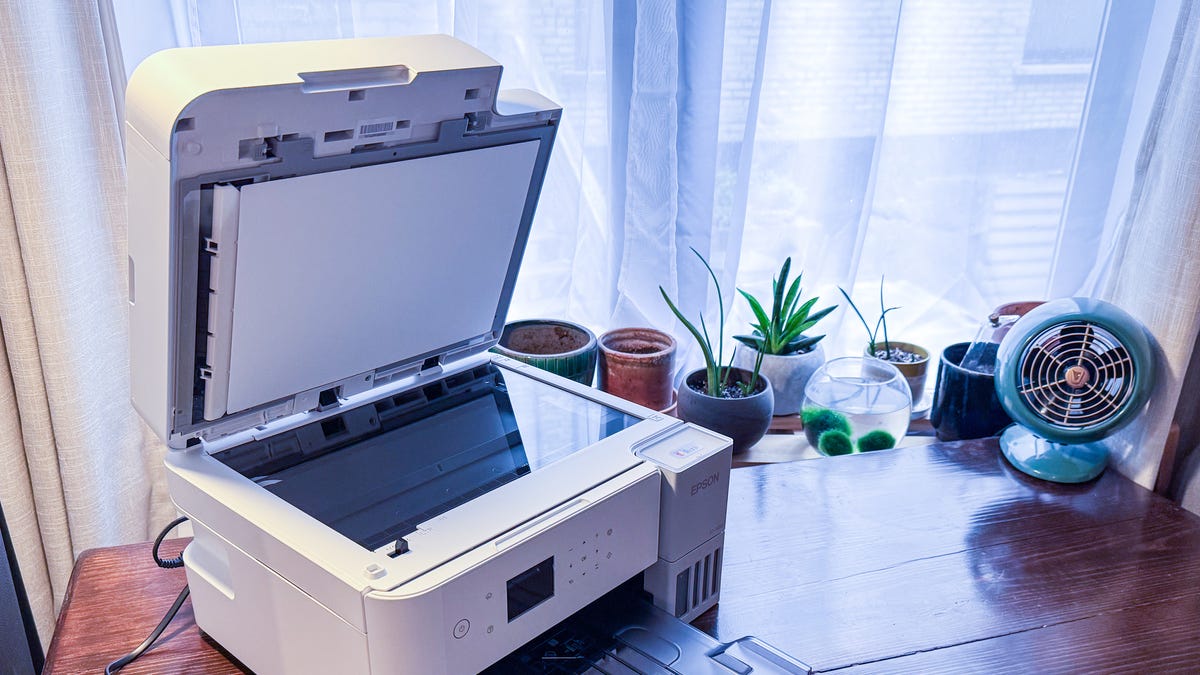

A home office printer has to do more than put ink on paper. It needs to handle forms, reports, shipping labels, scanned documents, and the occasional photo without turning a simple task into a maintenance project. The wrong model can also consume desk space, slow down a workday, or leave you choosing between a phone app and a confusing control panel.
The Best printer for home office use depends on how much you print and whether color, automatic document feeding, faxing, or low-intervention ink matters most. We ranked these 10 models by their useful office features, paper handling, speed, connectivity, and the compromises each one asks you to accept.
The HP OfficeJet Pro 8139 is our top pick, with the Brother DCP-L2640DW, Epson EcoTank ET-2800, and Canon PIXMA TS6520 covering distinct needs from monochrome productivity to infrequent color printing.
Comparison table
| # | Product | Award | Print type | Automatic document feeder | Duplex printing | Best for |
|---|---|---|---|---|---|---|
| 1 | HP OfficeJet Pro 8139 | Best overall | Color inkjet | Yes | Yes | Busy home offices |
| 2 | Canon PIXMA TS6520 | Best compact color model | Color inkjet | No | Yes | Small desks and mixed documents |
| 3 | Brother Work Smart 1360 | Best for cloud workflows | Color inkjet | 20 sheets | Yes | Home offices using cloud storage |
| 4 | Brother DCP-L2640DW | Best monochrome laser | Black and white laser | 50 sheets | Yes | High-volume document work |
| 5 | HP DeskJet 2955 | Best basic color model | Color inkjet | No | No | Occasional household printing |
| 6 | HP OfficeJet Pro 8125 | Best OfficeJet alternative | Color inkjet | Yes | Yes | Reports and office forms |
| 7 | Epson EcoTank ET-2800 | Best ink tank | Color ink tank | No | No | Frequent color printing |
| 8 | HP Envy 6155 | Best for photos and homework | Color inkjet | No | Yes | Home documents and photos |
| 9 | Canon PIXMA TR4720 | Best fax-equipped compact model | Color inkjet | Yes | Yes | Home offices needing fax |
| 10 | HP DeskJet 4255e | Best for simple tasks | Color inkjet | Yes | No | Light home use |
1. HP OfficeJet Pro 8139: Best Overall

Pros
- Fast black and color printing
- Automatic duplex printing and document feeding
- 225-sheet input tray
- Touchscreen controls and dual-band Wi-Fi
- Includes print, scan, copy, and fax functions
Cons
- Larger and heavier than the simpler inkjets
- Designed for original HP cartridge circuitry
- No color rating or long-term reliability data is available here
Best for: a busy home office that needs one printer for documents, scans, copies, and occasional color work.
The HP OfficeJet Pro 8139 is the most complete office tool in this group. It feels built around the awkward jobs that expose a basic home printer, such as copying a stack of forms, scanning several pages, or printing a long report without repeatedly feeding paper. Its print, scan, copy, and fax functions are joined by an automatic document feeder, automatic two-sided printing, and a 225-sheet input tray.
Its rated output reaches 20 pages per minute in black and 10 pages per minute in color. That is a meaningful step up from the DeskJet 2955 and DeskJet 4255e, whose rated speeds are below 9 pages per minute for black printing. The OfficeJet Pro 8139 also has a 2.7-inch color touchscreen, so routine tasks do not have to begin on a computer or phone. The screen is especially useful when you need to make a quick copy or check a setting at the printer.
Wireless connectivity is handled through dual-band Wi-Fi, and HP includes a mobile app for printing, scanning, copying, and faxing. HP's formatting tools can remove unwanted material from web pages and emails before printing, which addresses a common home office annoyance: a supposedly short page turning into several pages of ads, headers, or blank space. HP Wolf Essential Security is included for network protection, and the printer uses more than 45% recycled plastic content.
The weakness is the footprint. At 18.12 inches wide, 13.29 inches long, 9.17 inches high, and 17.6 pounds, this is not the printer to hide on a narrow shelf. It also accepts cartridges with original HP chips or circuitry, and firmware updates maintain that requirement. The HP OfficeJet Pro 8125 is a close alternative with the same 20 page per minute black rate, 10 page per minute color rate, touchscreen, ADF, and 225-sheet tray. The 8139 is the one to choose when the broader office feature set and longer included trial matter more to you.
2. Canon PIXMA TS6520: Best Compact Color Model

Pros
- Compact 14.8 by 14 by 6.7-inch footprint
- Automatic two-sided printing
- Dual-band 2.4 GHz and 5 GHz Wi-Fi
- Supports documents and borderless photos up to 8.5 by 11 inches
- Simple OLED status display
Cons
- No automatic document feeder
- Small monochrome display
- Two-cartridge system is less convenient for some workflows
Best for: a small workspace that needs color documents, scans, copies, and mobile printing without an office-sized chassis.
The Canon PIXMA TS6520 is the easiest model here to fit into a crowded home workspace. Its 14.8-inch length, 14-inch width, and 6.7-inch height make it shorter than the main HP OfficeJet models, while its 15.3-pound weight keeps it manageable to move. Canon gives up an ADF to achieve that compact shape, so it is better suited to single-page scanning and copying than to a folder full of paperwork.
Canon uses a two-cartridge hybrid ink system aimed at sharp text and vivid color. The printer handles documents and photos up to 8.5 by 11 inches, with or without borders, which gives it more flexibility than a strictly document-focused machine. Automatic two-sided printing helps reduce the amount of paper used for longer documents, although the lack of a document feeder means duplex printing does not solve every batch-work limitation.
The 1.42-inch monochrome OLED display shows ink levels and printer status, while the control panel handles routine adjustments. It is not as roomy or touch-friendly as the 2.7-inch touchscreen on the HP OfficeJet Pro 8139, but the simpler interface matches this printer's role. Setup is designed around a smartphone or computer, and Canon supports its PRINT app, Apple AirPrint, and Mopria Print Service.
The Canon PIXMA TS6520 is a better fit than the Brother Work Smart 1360 when desk depth and height matter more than batch scanning. The Brother counters with a 20-sheet ADF, a 150-sheet paper tray, and cloud app connections. Canon's weakness is clear: scanning several pages requires more hands-on work. Choose the TS6520 for a compact color printer that will mostly handle individual pages, photos, and routine home office documents.
3. Brother Work Smart 1360: Best for Cloud Workflows

Pros
- Automatic duplex printing
- 20-sheet automatic document feeder
- 150-sheet paper tray
- Cloud printing and scanning from the display
- Wireless and USB connections
Cons
- Slower than the OfficeJet Pro models
- Smaller ADF than the laser alternative
- No fax function is listed in the supplied features
Best for: a home office that moves documents between a printer and cloud storage services.
The Brother Work Smart 1360 earns its place by making cloud-based paperwork less awkward. Its 1.8-inch color display can connect with services such as Google Drive, Dropbox, Box, and OneDrive, so the printer is not limited to files stored on the computer beside it. That matters in a home office where a work laptop, personal desktop, and phone may all be sending jobs to the same machine.
Brother rates it at up to 16 pages per minute in black and 9 pages per minute in color. Those figures put it ahead of the basic HP DeskJet models, though behind the 20 page per minute black output listed for the HP OfficeJet Pro 8139 and 8125. Automatic duplex printing handles two-sided documents, while the 20-sheet single-sided ADF is useful for short batches of forms and receipts.
The 150-sheet paper tray is a sensible middle ground for household work. It holds more than the 60-sheet trays in the HP DeskJet 2955 and 4255e, but less than the 225-sheet trays in the OfficeJet Pro models. Brother also provides a Mobile Connect app for printing, copying, scanning, device management, and monitoring ink use through Page Gauge. Wireless networking and USB give you a choice when a phone connection is not convenient.
The Brother Work Smart 1360 is more practical than the Canon PIXMA TS6520 for multi-page documents, but the Canon takes up less vertical space and supports borderless color printing up to 8.5 by 11 inches. The Brother's main limitation is scale: the 20-sheet ADF and 150-sheet tray are adequate for a home office, not a department. It is the right pick for people who routinely scan, print, and retrieve files from cloud services.
If an iPhone is central to your workflow, it is also useful to consider how mobile printing fits into a wireless home setup before choosing between the Brother and Canon apps.
4. Brother DCP-L2640DW: Best Monochrome Laser
Pros
- Fast 36 pages per minute black printing
- 50-sheet automatic document feeder
- Automatic duplex printing
- Dual-band Wi-Fi, Ethernet, and USB
- Scanner, copier, and mobile app support
Cons
- Black and white output only
- Heavier than the color inkjet models
- No color printing for charts or photos
Best for: a home office that prints mostly contracts, forms, invoices, and other text-heavy documents.
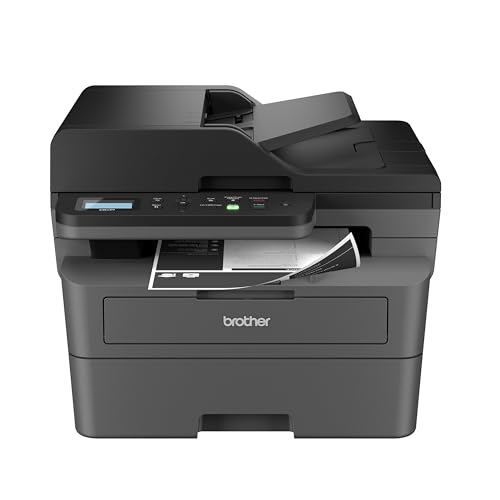
The Brother DCP-L2640DW is the clear productivity specialist. It trades color for a much faster black print rate of up to 36 pages per minute, more than double the listed black speed of the Brother Work Smart 1360. Text-heavy work is where a monochrome laser earns its space, especially when a home office regularly produces multi-page documents rather than occasional color pages.
Its 50-page ADF is the largest in this group. That makes the DCP-L2640DW substantially more useful for scanning or copying a packet than the 20-sheet feeder in the Brother Work Smart 1360 or the ADF in the Canon PIXMA TR4720. Brother also lists scan speeds up to 23.6 images per minute for black and 7.9 images per minute for color. The printer itself only produces black and white output, but the scanner can handle color originals.
Connectivity is unusually flexible for a compact home office model. Dual-band wireless supports 2.4 GHz and 5 GHz networks, Ethernet provides a wired option, and USB connects it directly to one computer. Brother's Mobile Connect app handles printing, scanning, and printer management. Automatic two-sided printing helps keep longer documents orderly and reduces paper use without requiring manual page flipping.
The cost of this capability is obvious if you need color. The HP OfficeJet Pro 8139 is the stronger all-rounder for presentations, flyers, and color reports, while the Epson EcoTank ET-2800 is more suitable for frequent color output. The DCP-L2640DW is also 25 pounds and measures 16.1 inches wide, 15.7 inches long, and 12.5 inches high, so it needs sturdy, accessible placement. Skip it if photos and color charts are part of your normal work. Keep it in mind if your office is mostly black text and you want the fastest, most capable document machine here.
5. HP DeskJet 2955: Best Basic Color Model

Pros
- Very compact 7.55-pound design
- Print, scan, and copy functions
- Dual-band Wi-Fi
- 60-sheet input tray
- Formatting tools for web pages and emails
Cons
- Slowest listed print rate among the main color options
- No automatic document feeder
- No automatic duplex printing
Best for: basic color printing, scanning, and copying around the home.
The HP DeskJet 2955 is deliberately simple. It handles color printing, copying, and scanning, then stays out of the way with a 7.55-pound body. Its 16.73-inch width, 11.97-inch length, and 6.06-inch height make it one of the easier printers to place on a small desk or move into storage when it is not needed.
Its rated speed is up to 7.5 pages per minute in black and 5.5 pages per minute in color. That is enough for a recipe, letter, to-do list, or a few financial documents, but it will feel slow beside the 20 page per minute black rate of the HP OfficeJet Pro 8139. The 60-sheet input tray also signals its intended workload. It works for light use, not a constant stream of office packets.
An icon LCD keeps the control panel straightforward, while dual-band Wi-Fi supports wireless printing from the HP app and connected devices. HP's formatting feature can clean up web pages and emails before they are printed. The printer is made with at least 70% recycled plastics and carries ENERGY STAR and EPEAT certifications, details that may matter if it will sit in a shared family workspace.
The DeskJet 2955 lacks both an ADF and automatic duplex printing, so every multi-page or two-sided job requires more manual handling. The HP DeskJet 4255e adds an ADF, but it remains limited to 2.4 GHz Wi-Fi and also lacks automatic duplex printing. The Canon PIXMA TS6520 is a better fit for a compact office that needs two-sided output. Choose the DeskJet 2955 when the job list is short, color is useful, and a small, light chassis matters more than speed.
6. HP OfficeJet Pro 8125: Best OfficeJet Alternative

Pros
- 20 pages per minute black printing
- 10 pages per minute color printing
- 225-sheet input tray
- Automatic document feeder and duplex printing
- 2.7-inch color touchscreen
Cons
- Large footprint for a home desk
- Uses original HP chip or circuitry requirements
- Not the best fit for occasional light printing
Best for: home office users who want fast color documents and substantial paper handling.
The HP OfficeJet Pro 8125 is built around the same kind of work as the 8139. It prints, scans, copies, and uses an automatic document feeder, while automatic duplex printing handles two-sided pages. The 225-sheet input tray is one of the largest capacities among the color printers here, so you do not need to refill it every time a report or school packet arrives.
HP lists speeds up to 20 pages per minute in black and 10 pages per minute in color. Those figures make it better suited to regular office output than the HP Envy 6155, which is listed at 10 pages per minute in black and 7 pages per minute in color. A 2.7-inch touchscreen gives the 8125 a more usable standalone interface than the icon LCDs on the DeskJet models.
Dual-band Wi-Fi is designed to maintain a connection across 2.4 GHz and 5 GHz networks, and the HP app covers printing, scanning, copying, and faxing from a mobile device. HP AI formatting tools can remove unwanted content from web pages and emails. Security features include HP Wolf Essential Security, while the chassis uses more than 45% recycled plastic content.
The OfficeJet Pro 8139 is the more compelling choice in this list because its feature set is nearly identical and its included service trial is longer. That does not make the 8125 a poor printer. It remains a fast color all-in-one with the right paper handling for reports, presentations, and forms. Its 18.11-inch width, 13.29-inch length, 9.17-inch height, and 17.6-pound weight are the main practical drawback. Choose it when you find the 8125's configuration better suited to your setup, and skip it for an occasional-use desk where the Canon PIXMA TS6520 will take up less room.
7. Epson EcoTank ET-2800: Best Ink Tank

Pros
- Cartridge-free ink tank design
- Up to 4, 500 black and 7, 500 color pages listed
- Ink bottles supplied for up to two years of ink
- Wireless color printing, scanning, and copying
- Heat-free Micro Piezo printing technology
Cons
- No automatic document feeder
- No automatic duplex printing listed
- Slower than the OfficeJet Pro models
- Genuine Epson ink is recommended
Best for: households and home offices that print color regularly and want fewer ink replacements.
The Epson EcoTank ET-2800 takes a different approach from every cartridge-based inkjet here. Instead of replacing small cartridges, you fill built-in tanks from ink bottles. Epson says the included ink can last for up to two years and lists yields of up to 4, 500 black pages and 7, 500 color pages. Those claims make the ET-2800 particularly interesting for a home office that prints color frequently rather than leaving the printer idle for long stretches.
Epson rates it at 10 ISO pages per minute. That is slower than both HP OfficeJet Pro models and the Brother Work Smart 1360, but speed is not the main reason to choose this printer. Its Micro Piezo Heat-Free Technology is intended to produce vivid, detailed documents and photos, while the tank design reduces the number of cartridge replacements involved in regular printing.
The ET-2800 is a wireless color all-in-one with printing, scanning, and copying. Its listed dimensions are 17 inches long, 16 inches wide, and about 9.3 inches high, with a weight of 11.4 pounds. It is not as light as the HP DeskJet 2955, but it is substantially lighter than the OfficeJet Pro and Brother laser models.
The missing office features are important. There is no listed ADF and no listed automatic duplex printing, so the Epson is less convenient for multi-page scanning and two-sided reports than the HP OfficeJet Pro 8139. Epson also strongly recommends genuine ink to support print quality and performance, and notes that non-genuine ink could cause damage not covered by the limited warranty. The ET-2800 is the one to keep if color volume and fewer ink changes matter most. For occasional printing, the Canon PIXMA TS6520 is easier to justify because it occupies a simpler role.
For a broader home workstation, decide first whether the printer will be the main computer accessory or a secondary tool. The amount of desk space a home setup really needs can change which compromises feel acceptable.
8. HP Envy 6155: Best for Photos and Homework

Pros
- Automatic duplex printing
- 2.4-inch color touchscreen
- Dual-band Wi-Fi
- Supports everyday documents and borderless photos
- P3 technology for vibrant color output
Cons
- No automatic document feeder
- Slower than the OfficeJet Pro line
- Narrow body may require careful placement
Best for: homes that combine homework, everyday documents, and occasional borderless photos.
The HP Envy 6155 sits between a basic household printer and a small office all-in-one. It prints, copies, and scans, but its strongest extra is support for borderless photos alongside homework and everyday color documents. HP's P3 technology is intended to make documents and photos look as vibrant as they appear on screen.
The printer is rated for up to 10 pages per minute in black and 7 pages per minute in color. That is quicker than the DeskJet 2955 for color work, but well behind the 20 page per minute black rate of the OfficeJet Pro 8139. Automatic duplex printing is included, which gives the Envy a practical advantage over both DeskJet models for two-sided school or office documents.
A 2.4-inch touchscreen is the most prominent control feature. Dual-band Wi-Fi supports wireless printing, and the HP app handles printing, scanning, copying, and faxing from a mobile device. The 100-sheet input tray is more useful for regular household work than the 60-sheet trays on the DeskJets, though it still falls short of the 225-sheet capacity on the OfficeJet Pro printers.
There is no ADF, so the Envy 6155 is not the model to choose for repeated multi-page scans or copies. Its listed body is 17.05 inches long, 5.35 inches wide, and 14.21 inches high, a shape that may fit a particular shelf but deserves careful measuring before placement. The Canon PIXMA TS6520 is more compact in overall dimensions, while the Epson EcoTank ET-2800 is more compelling for high color volume. Choose the Envy 6155 if photos and homework matter as much as office pages and you want automatic two-sided printing without moving to the larger OfficeJet Pro chassis.
9. Canon PIXMA TR4720: Best Fax-Equipped Compact Model

Pros
- Four-in-one print, copy, scan, and fax functions
- Automatic document feeder
- Automatic two-sided printing
- Mobile printing and Alexa supply notifications
- 100-sheet capacity
Cons
- Slow listed document speeds
- Larger footprint than the TS6520
- No dual-band Wi-Fi detail is listed
Best for: a home office that still needs faxing and an automatic document feeder in a compact color printer.
The Canon PIXMA TR4720 is one of the few models here that includes a built-in fax. It is a four-in-one printer with print, copy, scan, and fax functions, and its automatic document feeder gives it a practical advantage over the Canon PIXMA TS6520 for multi-page paperwork. Automatic two-sided printing is also included.
Canon lists a black document rate of approximately 8.8 images per minute and a color document rate of approximately 4.4 images per minute. Those numbers are acceptable for occasional forms and letters, but the TR4720 is noticeably less suited to a busy queue than the HP OfficeJet Pro 8139 or Brother DCP-L2640DW. It can also produce borderless prints up to 8.5 by 11 inches, so it is not limited to office pages.
The 100-sheet capacity is enough for routine home use without making the printer excessively office-like. Canon supports mobile printing, and Alexa can notify you when ink is running low or place a smart reorder if you enroll in that feature. The printer measures 17.2 inches wide, 11.7 inches long, and 7.5 inches high, and weighs 12.7 pounds.
The Canon PIXMA TR4720 is a better fit than the TS6520 when faxing and batch feeding matter, but the TS6520 has dual-band Wi-Fi listed and a smaller overall shape. The TR4720's main weakness is speed, especially for color. It is not the right tool for a home office producing large document batches. Choose it for occasional faxing, multi-page scanning, and color printing in a single machine.
10. HP DeskJet 4255e: Best for Simple Tasks

Pros
- Automatic document feeder
- Print, scan, and copy functions
- Compact design
- Mobile printing through the HP app
- Automatic formatting for web pages and emails
Cons
- Only supports 2.4 GHz Wi-Fi
- No automatic duplex printing
- Slow color print rate
- 60-sheet input tray
Best for: occasional home printing when an ADF matters more than speed or two-sided output.
The HP DeskJet 4255e has one feature that sets it apart from the DeskJet 2955: an automatic document feeder. That makes it more useful for copying or scanning a small stack of pages, even though it remains a basic color inkjet. It also prints, scans, and copies through the HP app, making phone and tablet workflows straightforward.
HP lists print speeds up to 8.5 pages per minute in black and 5.5 pages per minute in color. The black rate is a little quicker than the DeskJet 2955, while color output is listed at the same speed. The 60-sheet input tray is modest, and there is no automatic duplex printing, so the 4255e is best for short jobs rather than a steady stream of two-sided reports.
The most important connectivity limitation is explicit: this model is only 2.4 GHz capable. That can work well in a typical home network, but it gives you fewer options than the dual-band HP OfficeJet Pro models, Canon PIXMA TS6520, Brother Work Smart 1360, and Brother DCP-L2640DW. HP includes an icon LCD, automatic web and email formatting, and a compact design made for home use.
The DeskJet 4255e is easier to recommend than the DeskJet 2955 when you scan multi-page documents, but the Canon PIXMA TR4720 offers an ADF and automatic duplex printing, while the Brother Work Smart 1360 adds a larger tray and faster listed speeds. HP also specifies cartridges with HP chips or circuitry for this printer, with firmware updates maintaining that requirement. Choose the 4255e only when the ADF and simple HP app workflow matter more than network flexibility and document speed.
How to choose best printer for home office
The right printer becomes much easier to identify once you match its paper handling and print system to the work you actually do.
Print technology
Color inkjets are the most flexible choice for documents, charts, homework, and photos. The HP OfficeJet Pro models add faster output and stronger paper handling, while the DeskJet models are aimed at lighter workloads. A monochrome laser such as the Brother DCP-L2640DW is the better fit when nearly everything you print is black text.
Ink tank printers use refill bottles rather than conventional cartridges. The Epson EcoTank ET-2800 is designed for frequent color printing and fewer ink changes, but it lacks some office conveniences found on the OfficeJet Pro line.
Print speed
Print speed matters when a printer is part of a daily workflow. A listed rate of 20 pages per minute in black, as found on the HP OfficeJet Pro 8139 and 8125, is much better suited to reports than the 7.5 pages per minute listed for the HP DeskJet 2955. The Brother DCP-L2640DW reaches 36 pages per minute in black, making it the clear choice for text-heavy batches.
Color speed can differ substantially from black speed. Compare the color figure when your work includes presentations, forms with highlights, or photos.
For a home office, an ADF and paper tray often save more time than a headline print speed.
Automatic document feeder
An ADF lets you scan or copy multiple pages without placing each sheet on the glass. The Brother DCP-L2640DW has a 50-sheet ADF, while the Brother Work Smart 1360 has a 20-sheet ADF. The Canon PIXMA TR4720 and HP DeskJet 4255e also include an ADF, though their listed print speeds are more modest.
The Canon PIXMA TS6520, HP DeskJet 2955, Epson EcoTank ET-2800, and HP Envy 6155 do not list an ADF. They are better for individual pages, photos, and occasional scanning than for stacks of paperwork.
Duplex printing
Automatic duplex printing feeds a page back through the printer to produce two-sided documents. It is useful for reports, reference material, and forms, and it avoids manually turning pages in the correct order.
The HP OfficeJet Pro 8139 and 8125, Canon PIXMA TS6520 and TR4720, Brother Work Smart 1360 and DCP-L2640DW, and HP Envy 6155 list automatic duplex printing. The HP DeskJet 2955 and 4255e do not, and the Epson EcoTank ET-2800 has no automatic duplex feature listed in the supplied information.
Connectivity and control
Dual-band Wi-Fi gives a printer access to both 2.4 GHz and 5 GHz networks. The Canon PIXMA TS6520, Brother Work Smart 1360, Brother DCP-L2640DW, and HP OfficeJet models list dual-band support. The HP DeskJet 4255e is limited to 2.4 GHz, which may be fine in a simple network but is worth checking before purchase.
Standalone controls also differ. The HP OfficeJet models use 2.7-inch color touchscreens, the HP Envy 6155 uses a 2.4-inch color touchscreen, and the Brother Work Smart 1360 has a 1.8-inch color display. Basic icon LCDs on the DeskJet models are functional, but they leave more work to the app.
Paper capacity and footprint
A 225-sheet tray, as found on the HP OfficeJet Pro 8139 and 8125, reduces interruptions during regular office work. The Brother DCP-L2640DW also has a strong document-oriented design, while the Brother Work Smart 1360 has a 150-sheet tray. The 60-sheet DeskJet trays are better for light use.
Measure both the printer body and the space needed to open its paper paths. A compact model such as the Canon PIXMA TS6520 may fit a shallow desk, while the larger HP and Brother office models need more room around them.
Frequently asked questions
What is the best printer for home office documents?
The HP OfficeJet Pro 8139 is the strongest all-round choice for a home office that needs color, scanning, copying, faxing, automatic duplex printing, and an ADF. Its 225-sheet tray and listed 20 pages per minute black speed make it more suitable for regular work than the basic DeskJet models.
Is a laser printer better for a home office?
A monochrome laser printer is better when you mostly print black text and want fast document output. The Brother DCP-L2640DW reaches a listed 36 pages per minute in black and includes a 50-sheet ADF, but it cannot print color.
Which printers have an automatic document feeder?
The HP OfficeJet Pro 8139 and 8125, Brother Work Smart 1360, Brother DCP-L2640DW, Canon PIXMA TR4720, and HP DeskJet 4255e list automatic document feeders. The other models in this roundup are designed around single-page scanning and copying.
Do all of these printers print on both sides automatically?
No. Automatic duplex printing is listed for the HP OfficeJet Pro 8139 and 8125, Canon PIXMA TS6520 and TR4720, Brother Work Smart 1360 and DCP-L2640DW, and HP Envy 6155. It is not listed for the HP DeskJet 2955, HP DeskJet 4255e, or Epson EcoTank ET-2800.
Which printer is best for frequent color printing?
The Epson EcoTank ET-2800 is the dedicated high-volume color option in this group. Epson lists up to 4, 500 black pages and 7, 500 color pages, and says the included ink can last for up to two years. It is slower and less automated than the HP OfficeJet Pro models, so frequent color printing with batch scanning may still favor the HP.
Can these printers print from a phone?
The supplied features list mobile printing support for every model, though the specific services differ. Canon lists its PRINT app, Apple AirPrint, and Mopria Print Service for the PIXMA TS6520, while HP and Brother provide their own apps for printing and scanning.
Which model is limited to 2.4 GHz Wi-Fi?
The HP DeskJet 4255e is explicitly listed as only 2.4 GHz capable. The Canon PIXMA TS6520, Brother Work Smart 1360, Brother DCP-L2640DW, and HP OfficeJet models list dual-band Wi-Fi support.
The bottom line
The HP OfficeJet Pro 8139 is the Best printer for home office work when you want one machine to handle color reports, scans, copies, faxing, two-sided documents, and multi-page jobs. Its 225-sheet tray, ADF, touchscreen, and 20 pages per minute black speed make it the most balanced option here, though its large body and HP cartridge restrictions deserve consideration.
Choose the Brother DCP-L2640DW instead when your office is almost entirely black text and speed is the priority. The Epson EcoTank ET-2800 is the better specialist for frequent color printing with fewer ink changes, while the Canon PIXMA TS6520 makes more sense for a compact desk and lighter mixed use.
If you are undecided, choose the HP OfficeJet Pro 8139 for the broadest home office workload, or the Brother DCP-L2640DW if you never need color.
As an Amazon Associate we earn from qualifying purchases.