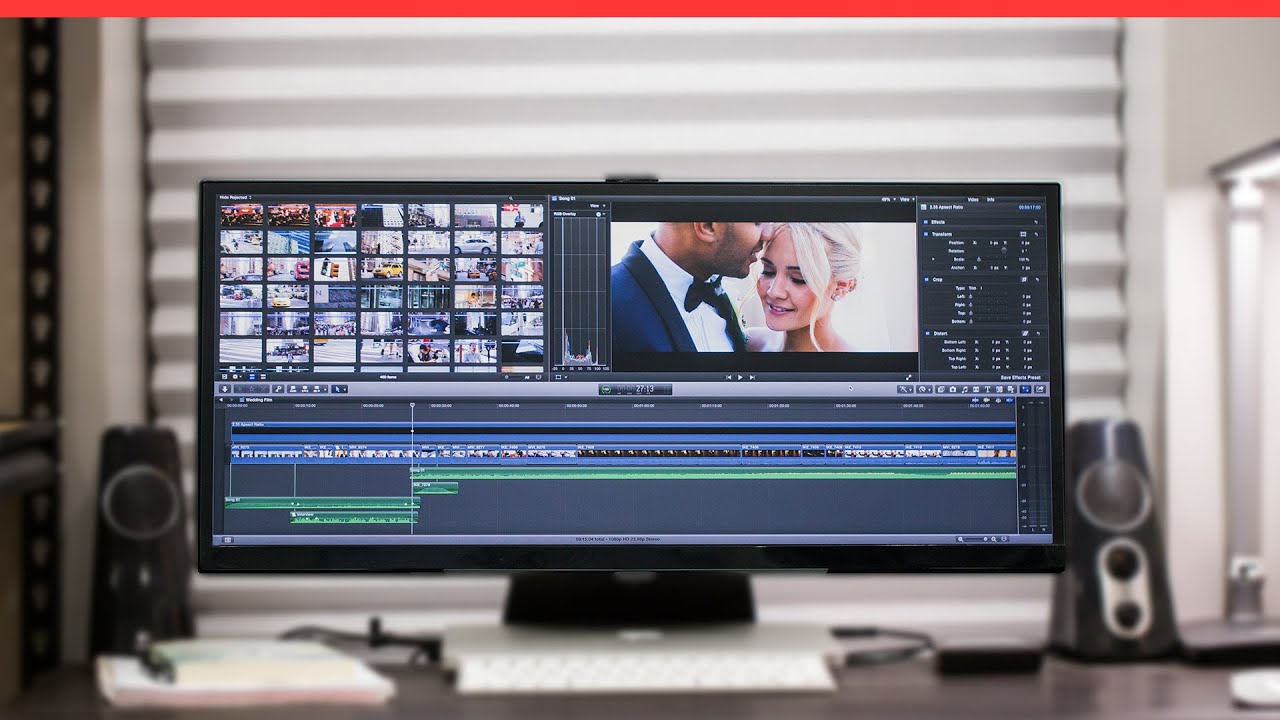

A video editing monitor has to do more than stretch your timeline across the desk. It needs enough vertical resolution to keep controls usable, colors that do not make every correction a guess, and connectivity that fits the way you actually work.
The Best best ultrawide monitor video editing picks below range from sensible 34-inch WQHD screens to enormous 49-inch canvases. Some prioritize IPS color, some offer a built-in webcam or KVM switch, and one gives you a particularly strong mix of workspace and creator-friendly features.
INNOCN 40C1R is our top pick for most editors. The list covers practical 21:9 monitors, super ultrawides for serious multitasking, and gaming-oriented models that still make sense for editing.
Comparison table
| # | Product | Award | Resolution | Refresh rate | Panel | Best for |
|---|---|---|---|---|---|---|
| 1 | INNOCN 40C1R | Best overall | 3440 x 1440 | 144Hz | IPS | Color-conscious editors who want a large 21:9 workspace |
| 2 | Sceptre C345B-QUT168 | Best for fast timelines | 3440 x 1440 | Up to 180Hz | Curved | Editors who also want smooth gaming |
| 3 | Philips 34E1C5600HE | Best office hybrid | 3440 x 1440 | 100Hz | VA | Editors working from a laptop |
| 4 | Deco Gear 49-inch 5K | Best clean workspace | 5120 x 1440 | 120Hz | Not specified | Creators who need two-monitor width without a bezel |
| 5 | INNOCN 40-inch WQHD | Best USB-C setup | 3440 x 1440 | 144Hz | IPS | Laptop editors who need one-cable connectivity |
| 6 | Deco Gear 49-inch DQHD | Best multitasking features | 5120 x 1440 | 120Hz | VA | Multi-device editing workstations |
| 7 | CRUA 34-inch UWQHD | Best compact IPS | 3440 x 1440 | 165Hz | IPS | Editors with limited desk space |
| 8 | KTC H49S66 | Best super ultrawide performance | 5120 x 1440 | 180Hz | Not specified | Editors who also play demanding games |
| 9 | INNOCN 34C1R | Best adjustable 34-inch | 3440 x 1440 | 180Hz | IPS | Editors who want a flexible stand |
| 10 | INNOCN 49C1G | Best dual-FHD workspace | 3840 x 1080 | 144Hz | VA | Editors who value width over vertical detail |
1. INNOCN 40C1R: Best Overall

Pros
- Large 40-inch IPS canvas
- 95% DCI-P3 coverage and a stated Delta E below 2
- USB-C, DisplayPort, and dual HDMI
- Height, tilt, swivel, and VESA mounting support
- Picture-by-picture and picture-in-picture modes
Cons
- HDMI is limited to 100Hz
- No built-in webcam or speakers listed
- A 40-inch panel needs substantial desk depth
Best for: editors who want a broad, color-focused 21:9 workspace without moving to a 49-inch super ultrawide.
The INNOCN 40C1R gets the important decision right: it makes an editing timeline feel spacious without turning the monitor into a desk-dominating wall. The 40-inch size gives the 3440 x 1440 canvas more physical room than a typical 34-inch display, so interface panels and timeline tracks are easier to read without shrinking the program window.
Its IPS panel is the main reason it leads this group. INNOCN specifies 95% DCI-P3 coverage, 500 nits of brightness, HDR400 support, and a contrast ratio of 1200:1. More important for a color workflow, the company says each display comes with a calibration report and a Delta E below 2. That is a much more relevant starting point for editing than a high refresh number alone. The wide gamut is useful for footage and design work, though a calibrated workflow remains important when the final delivery has strict color requirements.
The connectivity is well suited to a mixed desk. There is one DisplayPort, one USB-C port, two HDMI ports, and a 3.5mm audio jack. DisplayPort supports the full 144Hz refresh rate, while HDMI is specified at 100Hz. USB-C makes a laptop connection simpler, and PBP or PIP lets you view two sources at once. If you also edit photographs, the broader discussion of how color coverage affects creative monitor work is useful before choosing a display.
The weakness is not subtle. This is a large monitor, and its listed 40-inch size can overwhelm a shallow desk. It also does not list integrated speakers or a webcam, so a camera and audio setup remain separate. The INNOCN 40-inch WQHD offers similar headline resolution and refresh performance, but the 40C1R has the stronger stated color credentials. Choose this one if color and usable scale matter more than built-in office extras.
2. Sceptre C345B-QUT168: Best for Fast Timelines
Pros
- 3440 x 1440 resolution
- Refresh rate up to 180Hz
- 99% sRGB coverage
- Two DisplayPort inputs
- Built-in speakers
Cons
- Color information is less creator-specific than the INNOCN 40C1R
- Stand adjustment details are limited
- Curved screen is not ideal for every precision workflow
Best for: editors who want a responsive 34-inch monitor that can also handle high-refresh gaming.
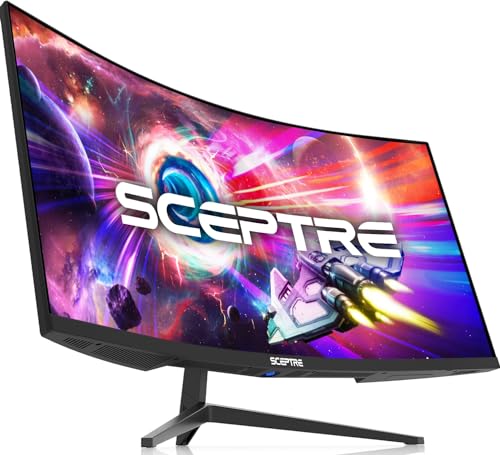
The Sceptre C345B-QUT168 is an easy monitor to understand. It gives you a conventional 34-inch 21:9 workspace, enough horizontal room for a longer timeline, and a refresh rate that feels lively outside the editing application. The 3440 x 1440 resolution is the right baseline here because it provides substantially more working width than a standard 16:9 1440p screen while retaining useful vertical space.
Sceptre lists 99% sRGB coverage and a 1ms MPRT response time. The color specification is relevant for editors delivering primarily to the web, where sRGB remains a practical target. It is not the same kind of creator-focused claim as the 40C1R's stated DCI-P3 coverage and calibration report, so users working with wider-gamut footage should be more cautious about treating this as a finishing reference.
The up-to-180Hz refresh rate is more useful for scrubbing and general interface motion than an editor strictly needs, but it makes the display more versatile. Two DisplayPort inputs are handy when a desktop and another source share the desk, and built-in speakers cover basic system audio or a meeting. The curved design adds immersion for games and movies, though straight lines near the edges can feel less neutral than on a flat panel.
The biggest compromise is its role. The INNOCN 34C1R offers IPS technology, HDR400, height adjustment, and broader ergonomic details, while the Sceptre's appeal is its high refresh capability and straightforward 34-inch format. Skip the Sceptre if you need a monitor with more explicit color-management credentials. It is a sensible pick for a hybrid editor who wants one display for timelines, everyday work, and fast-paced play.
3. Philips 34E1C5600HE: Best Office Hybrid

Pros
- 3440 x 1440 curved workspace
- Built-in 5MP Windows Hello webcam
- Noise-canceling microphone and speakers
- USB-C docking with up to 65W power delivery
- 123.24% sRGB and 99.25% NTSC coverage claims
Cons
- 100Hz is lower than most other picks here
- VA panel is not the first choice for every color-critical workflow
- The integrated camera adds height to the design
Best for: editors who spend as much time in video calls and laptop work as they do in a timeline.
The Philips 34E1C5600HE is less about chasing editing benchmarks and more about simplifying a whole workstation. Its built-in camera, microphone, speakers, and USB-C docking turn the monitor into a practical hub for an editor who alternates between cutting footage, reviewing with clients, and joining calls.
The 34-inch panel uses a 3440 x 1440 resolution and a 1500R curve. Philips identifies it as a VA panel and lists 123.24% sRGB and 99.25% NTSC color gamut area coverage. Those figures suggest a broad color range, but gamut size alone does not establish accuracy. For serious finishing work, the INNOCN 40C1R has more reassuring stated calibration information. The Philips is better understood as a capable production and office screen rather than a dedicated reference display.
Its built-in 5MP webcam supports Windows Hello facial recognition, while the microphone is designed to reduce background noise. The USB-C connection carries video and data and provides up to 65W of power delivery to a compatible laptop. That single-cable arrangement can make a major difference in a portable editing setup. Editors who work from a MacBook can also compare the practical considerations in choosing a display for a laptop-based desk.
The 100Hz refresh rate is perfectly serviceable for editing, but it trails the 144Hz, 165Hz, and 180Hz models in this roundup. The Philips also lacks the giant horizontal canvas of the 49-inch displays. Buy it when a webcam and clean laptop docking matter more than extreme timeline width. It is the most complete office companion here, even if it is not the most ambitious editing panel.
4. Deco Gear 49-inch 5K: Best Clean Workspace

Pros
- 5120 x 1440 dual-QHD resolution
- 49-inch 32:9 canvas
- 100% sRGB coverage
- USB-C with 65W charging
- 120Hz refresh rate
Cons
- Requires a very wide desk
- Large VA-style workspace may be excessive for simple edits
- Integrated feature information is less detailed than on the other Deco Gear model
Best for: editors who want the width of two QHD screens with no bezel between them.
The Deco Gear 49-inch 5K changes the shape of an editing desk. Its 32:9 layout is wide enough to keep a full timeline, bins, preview window, and secondary application visible at the same time. The 49-inch screen is effectively a single uninterrupted canvas rather than two monitors joined at the center, which is particularly useful when panels need to stretch across the workspace.
The 5120 x 1440 resolution is the key specification. It gives the screen two QHD-width work areas while retaining 1440 pixels of vertical resolution. That is a better editing arrangement than a 49-inch dual-FHD display when you need interface text and timeline controls to stay reasonably dense. Deco Gear also states 100% sRGB coverage and 101% NTSC, along with HDR support, so the display is aimed at creators as well as entertainment users.
USB-C supports video, data, and up to 65W charging. For a compatible laptop, that can reduce the desk to one main cable. The 120Hz refresh rate and 1ms MPRT claim keep motion smooth when scrubbing or switching between applications. Its 1500R curve is intended to keep the far edges within a comfortable viewing arc, though the width still demands careful placement.
This monitor's real drawback is physical rather than technical. At 46.7 inches wide and listed at 24.2 pounds, it needs a sturdy, spacious setup. The KTC H49S66 offers the same 5120 x 1440 class of workspace with a faster 180Hz refresh rate, while the Deco Gear has a simpler creator-oriented pitch and a white finish. Pick the Deco Gear when a clean, bezel-free editing surface matters most and your desk can accommodate it.
5. INNOCN 40-inch WQHD: Best USB-C Setup

Pros
- 40-inch 3440 x 1440 IPS display
- 95% DCI-P3 coverage
- 500 nits brightness and HDR400
- USB-C with 90W power delivery
- Height adjustment and VESA mounting
Cons
- No built-in webcam listed
- The large panel needs a deep, stable desk
- Color calibration details are less specific than the 40C1R
Best for: laptop-based editors who need a large IPS screen and substantial USB-C power delivery.
The INNOCN 40-inch WQHD is the cleanest choice in this list for someone who wants a large monitor to anchor a laptop workstation. The 40-inch 21:9 form gives editing applications room to breathe, while 3440 x 1440 keeps the interface sharper and more usable than a wide 1080p panel.
Its IPS panel is specified at 95% DCI-P3 and 500 nits, with HDR400 support. Those numbers point toward a display that can show a broad range of color and remain visible in a brighter room. The 1200:1 contrast ratio listed for the monitor is respectable for an IPS display, but it will not produce the deep blacks associated with stronger VA contrast. That matters when judging dark scenes.
The standout feature is USB-C power delivery up to 90W. A compatible laptop can receive video, data, and power through one cable, which is especially useful when the computer moves between a desk and a shooting location. The stand supports height and tilt adjustment, and VESA mounting adds flexibility. It also supports the 21:9 cinematic format that makes long timelines and wide previews comfortable side by side.
The INNOCN 40C1R is the more convincing pick if you care about the supplied Delta E below 2 calibration claim and PIP or PBP. This model counters with stronger USB-C power delivery. It is also worth checking how much desk space a second display arrangement needs before committing to a 40-inch screen. Choose the INNOCN 40-inch WQHD when one-cable laptop use is central to the setup.
6. Deco Gear 49-inch DQHD: Best Multitasking Features

Pros
- 5120 x 1440 resolution
- USB-C with 65W power delivery
- Built-in KVM switch
- PIP and PBP modes
- Height, tilt, and swivel adjustment
- Built-in speakers
Cons
- VA panel has narrower viewing characteristics than IPS
- HDMI adaptive-sync range is limited to 48 to 60Hz
- Very wide footprint
Best for: editors who switch between a desktop and laptop while keeping both sources visible.
The Deco Gear 49-inch DQHD is the practical super ultrawide for a multi-computer desk. Its 49-inch 32:9 panel gives you the width of two 27-inch 16:9 monitors without a center bezel, and its PIP and PBP modes make that width useful for more than one operating system or source.
The 5120 x 1440 resolution is excellent for editing layouts. A timeline can occupy the lower section while a preview, media browser, and audio tools remain open without forcing every panel into a narrow column. The VA panel is specified with a 3000:1 contrast ratio, HDR400 support, and 100% sRGB coverage. That contrast can help dark scenes look more substantial, while the sRGB coverage suits web-focused work.
The built-in KVM switch is the feature that separates this model from the otherwise similar super ultrawides. It lets one keyboard and mouse control two connected computers, reducing the clutter that usually comes with a desktop and laptop sharing one editing station. USB-C provides up to 65W power delivery, and the monitor includes two USB-A ports, HDMI, DisplayPort, USB-B, and audio out. The stand supports height, tilt, and swivel adjustment.
There is a connectivity caveat. The listed HDMI adaptive-sync range is 48 to 60Hz, while DisplayPort supports 48 to 120Hz, so the latter is the better route for a high-refresh desktop. The Deco Gear 49-inch 5K has a cleaner, simpler feature set and the same broad resolution class, while the KTC H49S66 moves to 180Hz and 90W USB-C. Select this Deco Gear when KVM and source management matter more than maximum refresh.
7. CRUA 34-inch UWQHD: Best Compact IPS

Pros
- 3440 x 1440 IPS panel
- 165Hz refresh rate
- 120% sRGB gamut claim
- PIP and PBP support
- Dual HDMI and dual DisplayPort
- Built-in speakers
Cons
- No USB-C connection listed
- Stand supports tilt but not height adjustment
- Color gamut coverage is not the same as calibration accuracy
Best for: editors who need a 34-inch IPS workspace and want to keep the setup relatively compact.
The CRUA 34-inch UWQHD makes a strong case for stopping at 34 inches. Its 21:9 ratio gives a timeline more breathing room than a conventional monitor, but it is easier to place than the 40-inch and 49-inch choices. The 3440 x 1440 resolution is the right fit for that size, preserving useful detail while allowing two substantial application areas side by side.
CRUA identifies the panel as IPS and lists a 120% sRGB gamut, 8-bit color depth, 380 nits peak brightness, and a 1000:1 contrast ratio. The wide gamut can make footage and graphics look vivid, but the specification does not tell us that the screen is factory calibrated. For final color decisions, that distinction matters. It is a capable general editing panel, not a replacement for a dedicated reference display.
The 165Hz refresh rate and AMD FreeSync support make the monitor particularly versatile for gaming. Its ports include two HDMI 2.0 inputs, two DisplayPort 1.4 inputs, and a 3.5mm audio jack. PIP and PBP allow two sources to share the screen, while the built-in speakers handle basic audio. The 178-degree viewing angle claim is useful when a collaborator is looking over your shoulder.
The stand is the weak point. CRUA lists tilt from 5 degrees forward to 15 degrees backward and 75mm by 75mm wall-mount compatibility, but not height adjustment. The INNOCN 34C1R adds height adjustment, HDR400, and G-SYNC compatibility, making it the more flexible choice. Choose CRUA when IPS, dual-source inputs, and a compact footprint matter more than a more adjustable stand or USB-C.
8. KTC H49S66: Best Super Ultrawide Performance

Pros
- 5120 x 1440 DQHD resolution
- 180Hz refresh rate
- USB-C with 90W power delivery
- Built-in KVM and dual 5W speakers
- Height, tilt, and swivel adjustment
- 1000R curve
Cons
- Large 49-inch footprint
- Strong curve may not suit every editing desk
- Editing benefits from the width more than the very high refresh rate
Best for: editors who want a huge timeline workspace and the fastest display in this roundup.
The KTC H49S66 is built for people who are tired of closing panels. Its 49-inch 32:9 layout is equivalent to two 27-inch 16:9 monitors, according to the product description, and the 5120 x 1440 resolution gives that width enough vertical detail for a serious editing interface. You can keep a broad timeline, preview, bins, and a second application on screen without a bezel interrupting the view.
The 180Hz refresh rate is excessive for much of editing, but it makes the monitor feel exceptionally fluid when scrubbing, navigating a desktop, or switching to games. KTC also lists 128% sRGB gamut area, 400 nits brightness, a 3000:1 contrast ratio, and HDR400 support. Those figures make the display attractive for colorful content and darker footage, though wide gamut and contrast do not eliminate the need to manage color properly.
Connectivity is unusually strong. USB-C supplies up to 90W, while HDMI and DisplayPort support other sources. The integrated KVM switch allows one keyboard and mouse to control a desktop and laptop, and the stand offers tilt from minus 5 to 20 degrees, swivel from minus 20 to 20 degrees, and 130mm of height adjustment. Dual 5W speakers are also built in, which helps keep a workstation tidy.
The 1000R curve is more aggressive than the 1500R curve used by both Deco Gear 49-inch models. That can help the far edges sit within your field of view, but it may take adjustment for editors who prefer a flatter presentation. The Deco Gear 49-inch DQHD offers similar resolution with strong PIP, PBP, and KVM features, while the KTC wins on refresh rate and USB-C power. It is the right pick for a hybrid editor and gamer with room for a very wide screen.
9. INNOCN 34C1R: Best Adjustable 34-inch

Pros
- 3440 x 1440 IPS display
- 180Hz refresh rate
- 100% sRGB coverage and HDR400
- G-SYNC Compatible and Adaptive-Sync support
- 130mm height adjustment
- PIP and PBP support
Cons
- No USB-C connection listed
- HDR support is not a substitute for professional grading hardware
- Built-in speaker details are limited
Best for: editors who want a 34-inch IPS screen with unusually flexible positioning and fast motion.
The INNOCN 34C1R is the most balanced small-format monitor in this roundup. At 34 inches, it gives you a useful 21:9 timeline without demanding the placement required by the 40-inch and 49-inch screens. Its 3440 x 1440 resolution provides enough horizontal room for editing controls while keeping text and interface elements crisp.
The IPS panel is specified at 100% sRGB coverage, HDR400 support, 178-degree viewing angles, and a 1ms MPRT response time. That makes it a credible option for web video, social content, and general creative work. The 180Hz refresh rate is far beyond the needs of a typical editing timeline, but it is welcome if the same display will handle games or fast-moving previews.
The stand is one of its strongest practical features. INNOCN lists 130mm of height adjustment, tilt from minus 5 to 15 degrees, and swivel adjustment. Dual HDMI 2.0 ports, DisplayPort 1.4, and a 3.5mm audio jack cover the main connections, while PIP and PBP allow two devices to share the panel. The absence of USB-C is the main reason a laptop editor might prefer the INNOCN 40-inch WQHD instead.
The CRUA 34-inch UWQHD is another compact IPS option, but the INNOCN has the more complete ergonomic setup and a faster refresh rate. The INNOCN 40C1R is more compelling for wider color work because it lists DCI-P3 coverage and a calibration report. Buy the 34C1R when desk fit, height adjustment, and responsive motion matter more than a larger physical canvas.
10. INNOCN 49C1G: Best Dual-FHD Workspace

Pros
- 49-inch 32:9 layout
- 144Hz refresh rate
- 99% sRGB coverage and HDR400
- USB-C with 65W power delivery
- PIP and PBP support
- Height and tilt adjustment
Cons
- 3840 x 1080 resolution has limited vertical detail
- VA panel is less suitable for every color-critical workflow
- Very wide desk footprint
Best for: editors who prioritize a broad, two-window workspace over higher vertical resolution.
The INNOCN 49C1G offers the most width per pixel in this group. Its 49-inch 32:9 panel is useful when the main goal is keeping several windows open, such as a timeline beside a browser, script, or client notes. It is closer to two full HD displays joined together than to the dual-QHD experience offered by the Deco Gear and KTC models.
That distinction matters for video editing. The 3840 x 1080 resolution leaves less vertical room for a preview and stacked interface panels than 3440 x 1440 or 5120 x 1440. On the positive side, INNOCN lists 99% sRGB coverage, HDR400, a 3000:1 contrast ratio, and a 144Hz refresh rate. The VA panel's higher stated contrast can make dark footage look more substantial, while the sRGB coverage suits web delivery.
USB-C, DisplayPort, HDMI 2.1, two USB-A ports, USB-B, RJ45, and a 3.5mm audio jack give the monitor a useful set of workstation connections. PIP and PBP can show two input sources at once, and the 1800R curve is less aggressive than the KTC H49S66's 1000R design. Height and tilt adjustment help make the wide panel more manageable.
The limitation is the resolution, not the width. The Deco Gear 49-inch DQHD and KTC H49S66 offer 5120 x 1440, which is much better suited to dense editing interfaces. Choose the 49C1G when your workflow rewards side-by-side windows and a broad timeline more than fine vertical detail. Editors working on text-heavy projects or complex color panels should move up to a dual-QHD model.
How to choose best ultrawide monitor video editing
The right editing monitor is defined by usable workspace, dependable color, and a connection layout that does not fight the rest of your desk.
Resolution and workspace
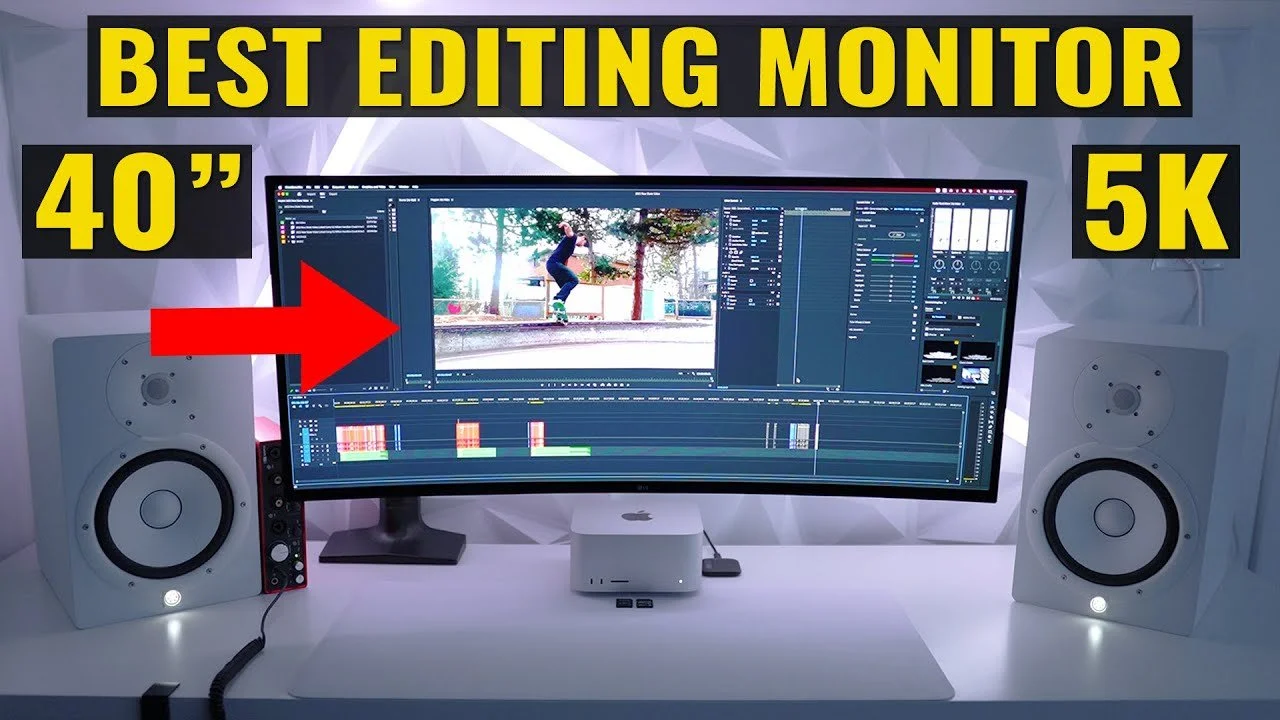
A 3440 x 1440 monitor is a strong starting point for a 34-inch or 40-inch display. It gives a timeline more width than a standard screen while preserving enough vertical pixels for bins, scopes, and controls. A 5120 x 1440 super ultrawide goes further by providing the width of two QHD screens without a center bezel.
The INNOCN 49C1G is the outlier at 3840 x 1080. Its width is impressive, but the lower vertical resolution makes dense editing interfaces feel more constrained. If your workflow uses a large preview and multiple stacked panels, prioritize 1440 vertical pixels.
Color coverage and accuracy
Color gamut tells you how broad a range of colors a monitor can display. sRGB is a sensible target for web video, while DCI-P3 coverage is more useful when your footage and delivery workflow use a wider gamut. The INNOCN 40C1R stands out because it lists 95% DCI-P3 and a calibration report with a Delta E below 2.
A broad gamut does not automatically mean accurate color. Look for calibration information, consistent viewing angles, and a workflow that allows calibration when the final result matters. IPS panels such as those in the INNOCN 40C1R, INNOCN 40-inch WQHD, CRUA, and INNOCN 34C1R are appealing for consistent color across the screen.
Panel type and contrast
IPS displays are generally strong for viewing-angle consistency and color work. VA panels can offer higher contrast, which helps dark scenes look deeper, but their characteristics may be less uniform across a very wide curved screen. The Philips 34E1C5600HE, Deco Gear 49-inch DQHD, and INNOCN 49C1G use VA panels according to their product information.
For editing, a wider screen is only useful if the preview, timeline, and controls remain readable at the same time.
Refresh rate and motion
Editing does not require 180Hz, but a higher refresh rate can make the pointer, interface, and timeline scrubbing feel smoother. It matters more if the monitor will also be used for gaming or fast-moving content review. The KTC H49S66 leads at 180Hz, followed by the Sceptre C345B-QUT168 and INNOCN 34C1R at up to 180Hz or 180Hz.
Check the input used to reach the advertised rate. The INNOCN 40C1R specifies 144Hz through DisplayPort and 100Hz through HDMI. The Deco Gear 49-inch DQHD also lists different adaptive-sync ranges for HDMI and DisplayPort.
USB-C, KVM, and source handling
USB-C can carry video, data, and power through one cable, but the power figure matters. The INNOCN 40-inch WQHD lists 90W, the KTC H49S66 lists 90W, and several other models list 65W. Match that figure to the laptop you intend to connect.
KVM, PIP, and PBP are valuable when a desktop and laptop share the workstation. KVM lets one keyboard and mouse control two systems, while PIP and PBP show multiple sources simultaneously. The Deco Gear 49-inch DQHD and KTC H49S66 are especially strong here.
Frequently asked questions
Is 3440 x 1440 enough for video editing?
Yes. On a 34-inch or 40-inch ultrawide, 3440 x 1440 provides useful timeline width and enough vertical space for editing controls. It is a better fit for dense interfaces than a 3840 x 1080 super ultrawide.
Is an ultrawide monitor better than two monitors for editing?
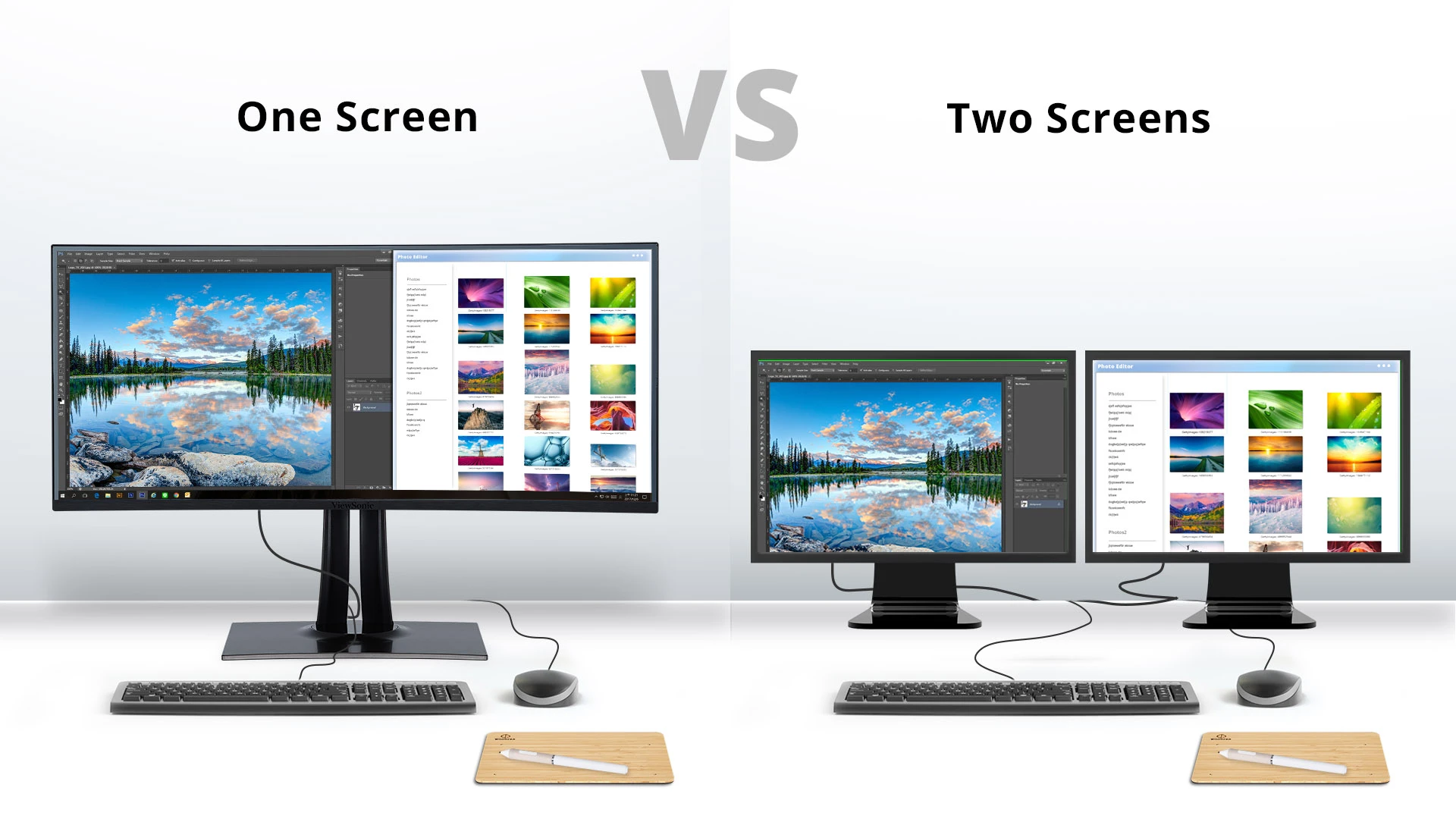
An ultrawide removes the bezel that interrupts a preview or timeline and can simplify window placement. Two separate monitors can offer more flexible angles and independent full-screen applications. The choice depends on whether uninterrupted width or modular placement matters more.
Do video editors need a 144Hz or 180Hz monitor?
No, not strictly. A higher refresh rate makes cursor movement and timeline scrubbing feel smoother, but it does not by itself improve color accuracy or export quality. It becomes more useful when the same monitor is also used for gaming.
Are IPS monitors better for video editing?
IPS monitors are often attractive for editing because they tend to offer consistent color across wide viewing angles. That does not make every IPS display accurate, and a VA panel can provide stronger contrast for dark scenes. Check gamut, calibration information, and the rest of the workflow rather than relying on panel type alone.
Does USB-C power delivery matter for editing?
It matters when a laptop is the main editing computer. A USB-C monitor with power delivery can carry the display signal and charge the laptop through one cable. The available wattage should match the laptop's requirements, with the INNOCN 40-inch WQHD and KTC H49S66 listing up to 90W.
Are 49-inch monitors too large for editing?
They can be if the desk is shallow or narrow. A 49-inch monitor needs substantial horizontal space and careful viewing distance, but it can keep a long timeline, preview, bins, and other applications visible at once. A 34-inch or 40-inch model is easier to place.
Can these monitors replace a professional reference display?
They can support editing and general color work, but the listed gamut, HDR, and calibration claims do not make any of them a dedicated mastering reference. Editors working on tightly controlled color deliverables should use an appropriate calibration workflow and verify the final image on additional screens.
The bottom line
The Best best ultrawide monitor video editing choice for most people is the INNOCN 40C1R. Its 40-inch IPS panel, 3440 x 1440 resolution, 95% DCI-P3 coverage, stated Delta E below 2 calibration, and broad stand adjustment give it the most convincing balance for serious editing. Its large footprint and limited HDMI refresh rate are real compromises, but neither undermines its central strengths.
For a much wider workstation, the KTC H49S66 is the more capable super ultrawide, with 5120 x 1440 resolution, 180Hz refresh, 90W USB-C, and a built-in KVM. The Philips 34E1C5600HE is the smarter office hybrid, while the INNOCN 34C1R is easier to fit when desk space is limited.
If you are undecided, choose 3440 x 1440 for a manageable single-screen setup and 5120 x 1440 when your editing workflow depends on keeping several full-size windows open.
As an Amazon Associate we earn from qualifying purchases.