
A monitor can look sharp and still show the wrong shade of blue, skin tone, or shadow detail. That is the real problem when shopping for a color accurate 4K screen, especially when photographs, video, design work, and print output need to agree.
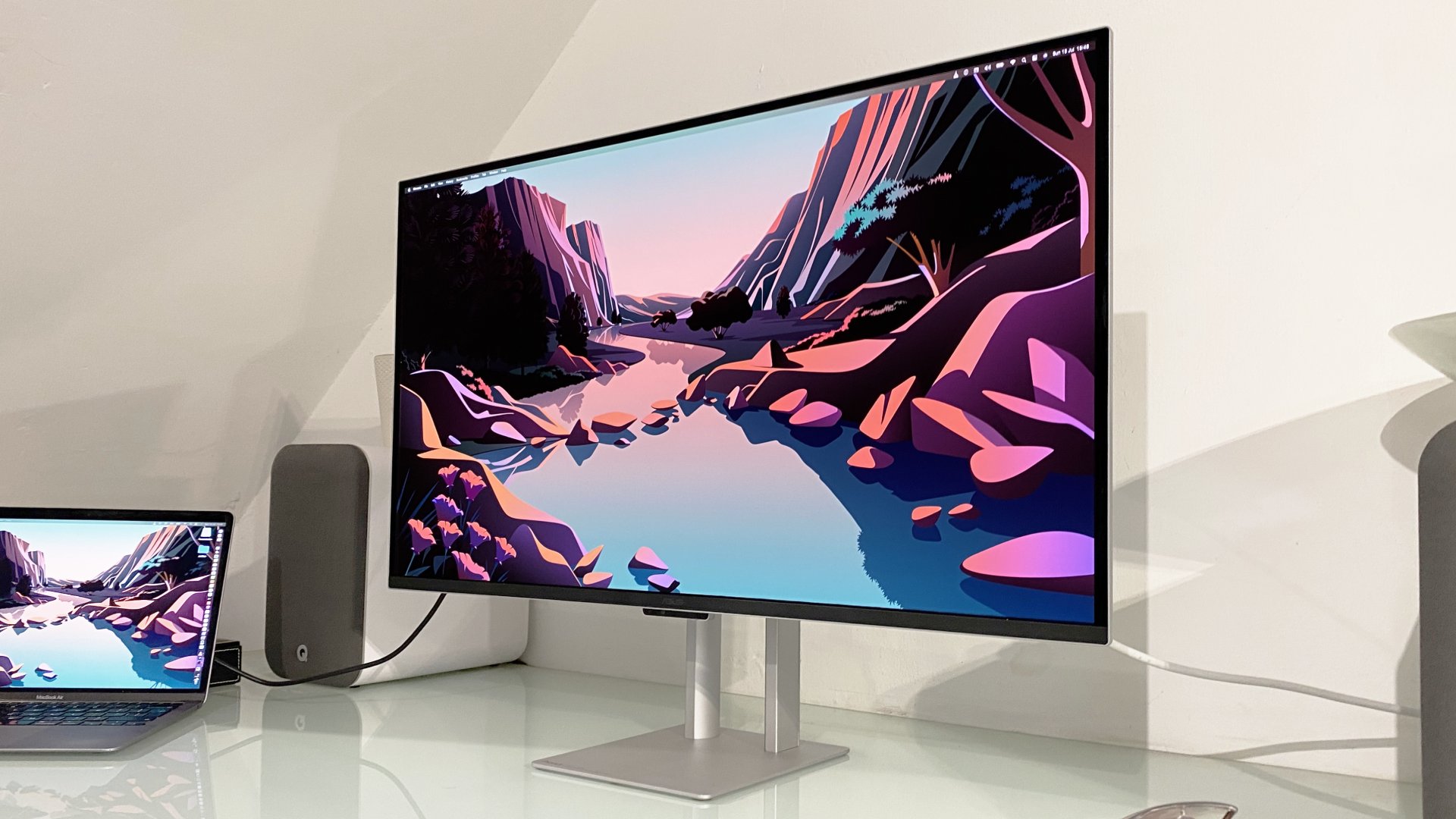
The Best best color accurate monitor 4k options here range from factory-calibrated professional displays to fast IPS screens and a genuinely portable 15.6-inch panel. Our top pick is the ASUS PA279CRV, with Dell's S2725QC close behind for mixed work and play.
Comparison table
| # | Product | Award | Panel and resolution | Color coverage | Best for |
|---|---|---|---|---|---|
| 1 | ASUS PA279CRV | Best overall | 27-inch IPS, 4K | 99% DCI-P3, 99% Adobe RGB | Serious photo and design work |
| 2 | Dell S2725QC | Best for mixed use | 27-inch IPS, 4K | 99% sRGB | Creative work, gaming, and laptops |
| 3 | Dell S2725QS | Best simple setup | 27-inch IPS, 4K | 99% sRGB | Everyday work and entertainment |
| 4 | ASUS PA329CRV | Best large professional display | 31.5-inch IPS, 4K | 98% DCI-P3 | Large-format creative work |
| 5 | LG 27UP650K-W | Best HDR-ready LG | 27-inch IPS, 4K | Up to 95% DCI-P3 | HDR content and flexible desks |
| 6 | Dell S3225QS | Best large all-rounder | 32-inch VA, 4K | 99% sRGB, 95% DCI-P3 | Immersive work and media |
| 7 | ASUS PA279CV | Best calibrated sRGB display | 27-inch 4K listed | 100% sRGB, 100% Rec. 709 | Standard-gamut creative work |
| 8 | LG 27US500-W | Best streamlined LG | 27-inch IPS, 4K | Up to 90% DCI-P3 | Office work and light creation |
| 9 | kksmart Portable 15.6-inch | Best portable display | 15.6-inch, 4K | 145% sRGB claimed | Travel and second-screen work |
| 10 | CUNPU 32-inch 4K | Best multitasking features | 32-inch VA, 4K | 100% sRGB | Split-screen office workflows |
1. ASUS PA279CRV: Best Overall

Pros
- Factory calibrated and Calman Verified
- 99% DCI-P3 and 99% Adobe RGB coverage
- USB-C with 96W power delivery
- Flexible ergonomic stand
- DisplayPort daisy chaining
Cons
- Professional features may be more than office users need
- HDR support is not its main reason to buy
- Larger color gamut requires careful color-managed software
Best for: photographers, designers, and Mac users who need a dependable professional display.
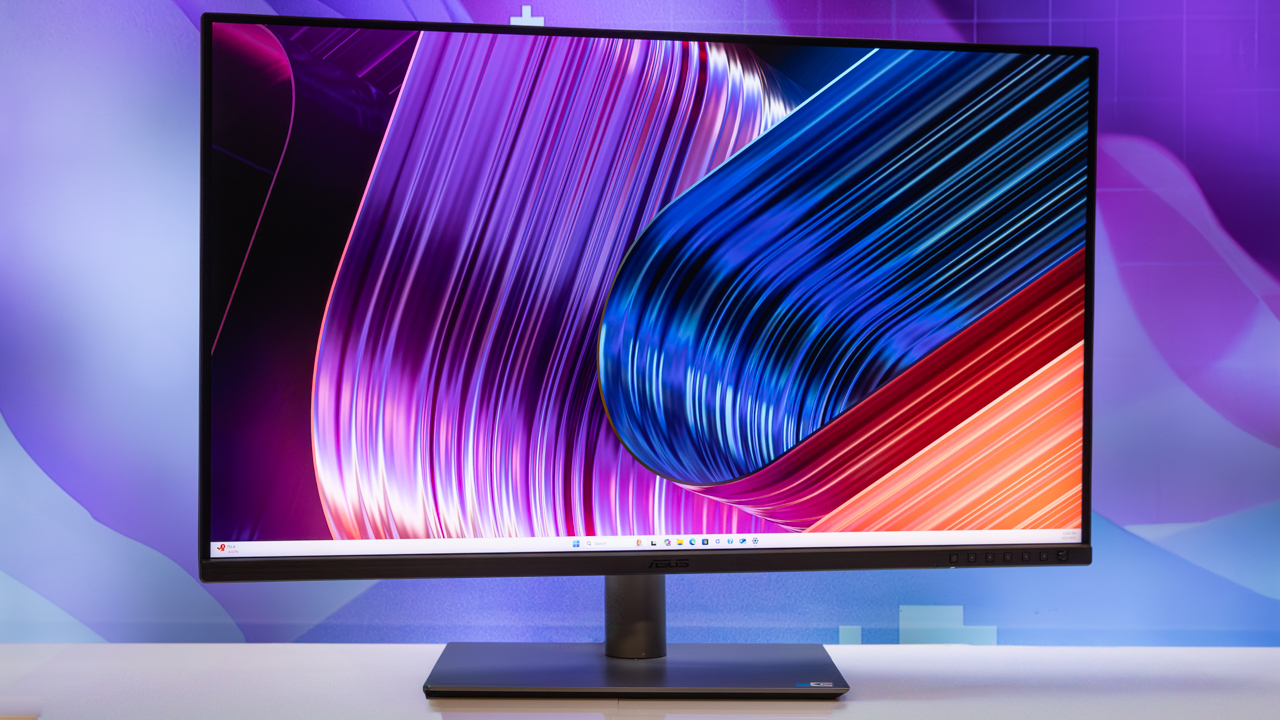
The ASUS PA279CRV is the pick that feels purpose-built for color work rather than adapted from a general office monitor. Its 27-inch 3840 x 2160 IPS panel gives text and fine image detail plenty of room, while the factory calibration and Calman Verified status provide a stronger starting point than a display that simply advertises vivid color.
The important coverage figures are 99% DCI-P3 and 99% Adobe RGB. That combination matters to photographers and designers working beyond ordinary sRGB content. It gives the screen a wider working palette, but the real advantage is that the color is specified alongside a factory Delta E of less than 2, rather than left entirely to the buyer's own calibration process.
Connectivity is unusually useful. USB-C carries DisplayPort video and up to 96W of power, so a compatible laptop can use one cable for display and charging. DisplayPort, HDMI, a USB hub, and daisy-chain support make the PA279CRV easier to build into a multi-display workstation than the Dell S2725QS. Its stand also tilts, swivels, pivots, and adjusts in height.
The weakness is focus. This is not the most exciting choice for someone who mainly wants fast gaming or a large cinematic image, and a wide-gamut screen can expose poor color management in older software. For people who want the most convincing evidence of color accuracy in this group, though, the PA279CRV is the one we would keep. Readers planning a photo-heavy workflow can also consider the screen features that matter for editing photographs.
2. Dell S2725QC: Best for Mixed Use

Pros
- 4K IPS panel with 99% sRGB
- 120Hz refresh rate
- USB-C with up to 65W power delivery
- FreeSync Premium
- ComfortView Plus low-blue-light feature
Cons
- Narrower color coverage than the ProArt PA279CRV
- Stand adjustment details are less extensive in the supplied data
- The 27-inch workspace may feel tight for complex timelines
Best for: laptop owners who want accurate everyday color without giving up smooth motion.
The Dell S2725QC makes more sense than a specialist display for a desk that has to handle spreadsheets, photo work, video, and games. Its 27-inch IPS panel has 4K resolution and 99% sRGB coverage, a sensible target for web graphics and ordinary content where consistency matters more than an especially wide gamut.
It also adds the feature that the ASUS PA279CRV does not emphasize: motion. The refresh rate reaches 120Hz, with AMD FreeSync Premium for smoother compatible gameplay and scrolling. Dell lists an extremely low 0.03ms response figure, though buyers should not treat that number as a guarantee of identical motion behavior in every mode. The practical point is that this is not a slow, strictly office-focused monitor.
USB-C video and up to 65W power delivery simplify a laptop setup. Connect a compatible computer with one cable and the display can handle the image while supplying power. ComfortView Plus reduces blue-light emissions to 35% or less without the company claiming a color sacrifice, which is more useful for long work sessions than a software tint that visibly warms the screen.
The S2725QC loses to the PA279CRV for Adobe RGB and DCI-P3 work, but it beats that ASUS for a more varied routine. It is also the more natural choice over the similar Dell S2725QS if a laptop connection matters. Skip it if your workflow requires factory-certified wide-gamut color, and choose it if you want one screen that does nearly everything well.
3. Dell S2725QS: Best Simple Setup

Pros
- 4K IPS panel
- 99% sRGB coverage
- 120Hz refresh rate and FreeSync Premium
- ComfortView Plus feature
- Built-in sound improvements
Cons
- No USB-C power delivery is listed
- Less suitable for wide-gamut professional work
- Limited connectivity detail in the supplied information
Best for: a straightforward 27-inch monitor for work, media, and occasional gaming.
The Dell S2725QS is the uncomplicated member of Dell's latest 27-inch pair. It combines 4K resolution, an IPS panel, and 99% sRGB coverage in a format that works for documents as well as detailed images. For web design, office graphics, and general content, that color target is more relevant than a dramatic but poorly controlled saturation boost.
The 120Hz refresh rate gives the S2725QS a surprisingly broad remit. Windows movement feels more fluid than it does on a conventional 60Hz panel, while FreeSync Premium supports smoother gaming with compatible hardware. Dell also cites a 1500:1 contrast ratio and HDR readiness, so the screen should have reasonable depth, though the supplied data does not describe a full local-dimming HDR system.
ComfortView Plus is designed to reduce harmful blue-light emissions to 35% or less without sacrificing color accuracy. That is a thoughtful feature for a monitor likely to stay on a desk all day. The thin bezels and ash-white finish also make it easy to place in a clean dual-screen arrangement. For guidance on arranging more than one display, the desk spacing and alignment issues in a dual-screen setup are worth considering.
The S2725QS gives up the S2725QC's USB-C convenience, so laptop users should check their cable and dock plans first. It also lacks the ProArt models' explicit factory calibration and wider gamut coverage. Buy it for a clean, responsive 4K desktop, not for print-critical work where measured color accuracy is central.
4. Dell S2725QC: Best USB-C Dell
Pros
- One-cable USB-C laptop connection
- Up to 65W power delivery
- 99% sRGB
- 120Hz refresh rate
- 1500:1 contrast ratio
Cons
- Not a wide-gamut professional monitor
- Similar core display format to the S2725QS
- No factory Delta E figure is listed
Best for: MacBook and Windows laptop users who want a tidy desk with strong everyday color.
The Dell S2725QC deserves a separate mention for its desk-friendly connection, even though its core display traits overlap with the earlier Dell pick. A compatible USB-C laptop can send video and receive up to 65W of power over one cable. That reduces dock clutter and makes the screen a more natural centerpiece for a home office.
Its 4K IPS panel covers 99% of sRGB, which keeps the focus on controlled, familiar color rather than an oversized gamut. The 1500:1 contrast ratio should help images retain separation between lighter and darker areas, while HDR readiness adds compatibility for supported content without turning this into a dedicated HDR reference monitor.
The 120Hz refresh rate and FreeSync Premium are useful bonuses. They make cursor movement, scrolling, and supported games feel smoother than on the 60Hz LG models below. Dell's ComfortView Plus feature reduces blue-light emissions to 35% or less, a useful consideration when the same display handles both creative tasks and long documents.
The PA279CRV remains the stronger technical choice for professional color work, and the S2725QS is the obvious alternative if USB-C is irrelevant. The S2725QC earns its place by combining 99% sRGB with the cleaner laptop workflow. It is the Dell to choose when the cable on your desk matters almost as much as the pixels.
5. Dell S3225QS: Best Large All-Rounder

Pros
- Spacious 31.5-inch 4K screen
- 99% sRGB and 95% DCI-P3
- VA panel with 1500:1 contrast ratio
- 120Hz refresh rate
- FreeSync Premium and ComfortView Plus
Cons
- Takes substantially more desk space than 27-inch models
- VA viewing behavior may not suit every color workflow
- No factory Delta E figure is listed
Best for: users who want a large canvas for documents, media, and general creative work.
The Dell S3225QS changes the experience more through size than through a radically different feature set. Its 31.5-inch 4K VA panel gives windows, timelines, and reference material more breathing room than a 27-inch display. That extra space is valuable when scaling 4K content for comfortable text without making the workspace feel cramped.
Color coverage is stronger on paper than the smaller Dell models, with 99% sRGB and 95% DCI-P3. The VA panel and 1500:1 contrast ratio are a sensible pairing for movies and darker scenes, where deeper separation can make the image feel more substantial. The screen is also HDR ready, though the supplied information does not specify the peak brightness or dimming hardware needed to judge HDR performance fully.
Motion remains a strength. The refresh rate reaches 120Hz, and FreeSync Premium is included for compatible systems. ComfortView Plus reduces blue-light emissions to 35% or less while aiming to preserve color accuracy, which suits a large screen that may be used for long workdays.
The catch is the panel choice and footprint. The ASUS PA329CRV provides explicit factory calibration and a more professional color workflow, while the Dell S2725QC is easier to fit on a smaller desk. Pick the S3225QS when the broad 32-inch canvas and stronger contrast matter more than formal calibration credentials.
6. kksmart Portable 15.6-inch: Best Portable Display

Pros
- 15.6-inch 4K resolution
- 145% sRGB coverage claimed
- 380 nits brightness
- Weighs 1.5 pounds
- HDMI, dual USB-C, kickstand, and VESA support
Cons
- 60Hz refresh rate
- Requires compatible USB-C video support
- Smaller workspace than every desktop pick here
Best for: travelers, mobile editors, and laptop users who need a second screen away from home.
The kksmart Portable 15.6-inch is the outlier because it solves a different problem. It is a second screen that can travel with a laptop, not a replacement for a full-size studio display. At 1.5 pounds and 0.3 inches thick according to the supplied dimensions, it is far easier to slip into a work bag than any of the desktop monitors here.
The panel provides 4K resolution on a 15.6-inch surface, which should make fine detail and small interface elements crisp. The listed 145% sRGB coverage is unusually broad, and the claimed 380 nits brightness should help in brighter rooms, though coverage alone does not establish factory accuracy. Buyers doing serious color work should still verify how their software and operating system manage that gamut.
Connectivity is flexible. There is one standard HDMI input and two USB-C ports, with single-cable use dependent on a host USB-C port supporting Thunderbolt 3, 4, 5, or DisplayPort Alt Mode. The built-in kickstand helps at a hotel or shared desk, and VESA compatibility allows a more permanent arm-mounted arrangement when the monitor returns home.
The trade-off is the 60Hz refresh rate and limited physical size. The Dell S2725QC is much more comfortable as a permanent primary display, while the kksmart wins whenever portability is the deciding factor. If a portable second screen changes your workspace, how far back you should sit from a panel this size is worth settling before you buy.
7. ASUS PA279CV: Best Calibrated sRGB Display
Pros
- 100% sRGB and 100% Rec. 709 coverage
- Calman Verified factory calibration
- USB-C with 65W power delivery
- DisplayPort, HDMI, and USB hub
- 5-year warranty with registration extension
Cons
- Supplied feature data conflicts with the product's 27-inch 4K title
- Narrower gamut than the PA279CRV
- No refresh-rate advantage is listed
Best for: editors working primarily in sRGB and Rec. 709.
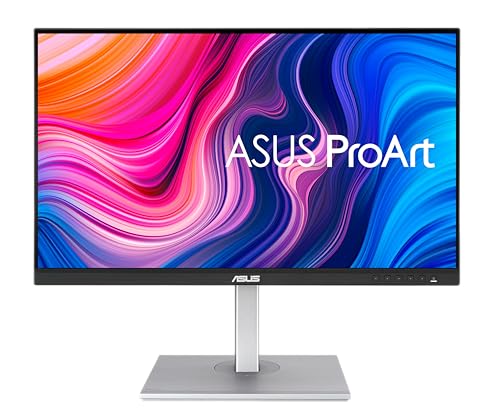
The ASUS PA279CV is built around a familiar, controlled color target. ASUS specifies 100% sRGB and 100% Rec. 709 coverage, which suits web images, standard video, and many office workflows. Its Calman Verified factory calibration and Delta E below 2 are more meaningful than a generic claim that colors are vivid.
There is an important listing inconsistency to acknowledge. The product title presents this as a 27-inch 4K UHD monitor, and the feature text calls it a professional 27-inch 4K display. A separate supplied display specification instead says 23.8 inches and 1920 x 1080. That conflict is too significant to ignore, so buyers should confirm the exact configuration before ordering.
The connectivity list is otherwise practical. USB-C carries DisplayPort video and up to 65W power delivery, with DisplayPort, HDMI, and a USB 3.1 hub for peripherals. ASUS also lists a five-year warranty arrangement with registration, plus temporary Adobe Creative Cloud access under the stated terms.
The PA279CRV is the clearer choice for wide-gamut photography and design because it reaches 99% DCI-P3 and Adobe RGB. The PA279CV is more focused for sRGB and Rec. 709, but the specification contradiction means it cannot rank higher. Choose it only after confirming the resolution and panel size you will receive.
8. ASUS PA329CRV: Best Large Professional Display

Pros
- Large 31.5-inch 4K IPS panel
- 98% DCI-P3 coverage
- Factory calibrated to Delta E below 2
- USB-C with 96W power delivery
- DisplayHDR 400 certification
Cons
- Requires a deep, spacious desk
- Less compact than the 27-inch ProArt model
- Large panel size may be excessive for simple office work
Best for: creators who want a large calibrated canvas for editing and design.
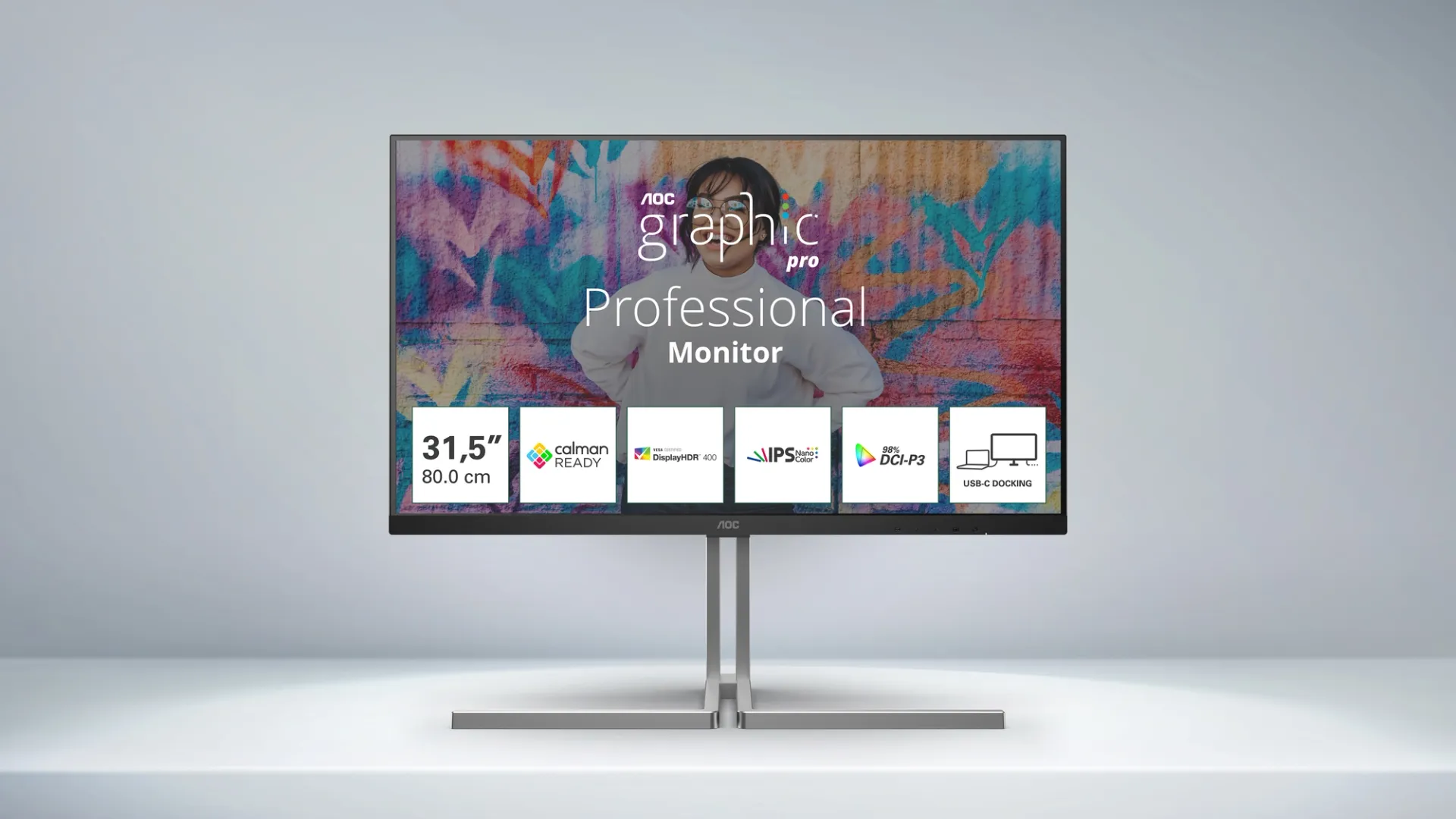
The ASUS PA329CRV is the display to consider when 27 inches starts to feel restrictive. Its 31.5-inch 3840 x 2160 IPS panel gives editing timelines, palettes, and reference windows more room without abandoning 4K detail. The 178-degree viewing angle specification also suits collaborative work around a large desk.
Its 98% DCI-P3 coverage is paired with factory calibration, Calman Verification, and Delta E below 2. That is the combination that makes this a professional tool rather than simply a big monitor with saturated colors. VESA DisplayHDR 400 certification adds a defined HDR baseline, although it should not be confused with the contrast control of a display using extensive local dimming.
USB-C provides DisplayPort video and up to 96W power delivery. DisplayPort with MST, HDMI, and a USB hub expand the workstation, while the included daisy-chain-friendly connectivity is more useful here than on a basic office screen. ASUS also lists a five-year warranty arrangement with registration.
The PA279CRV remains the sharper choice for a smaller desk and is easier to place at a comfortable viewing distance. The Dell S3225QS offers a similarly large format with a VA panel, but not the same explicit calibration credentials. Choose the PA329CRV when the physical canvas and color-controlled workflow justify its substantial footprint.
9. LG 27US500-W: Best Streamlined LG

Pros
- 27-inch 4K IPS panel
- HDR10 support
- Up to 90% DCI-P3 coverage
- Borderless design
- OnScreen Control workspace splitting
Cons
- Stand adjusts by tilt only
- No factory calibration figure is listed
- Narrower gamut than either ProArt model
Best for: office users who want sharp 4K detail and occasional creative work.
The LG 27US500-W keeps the physical design simple while giving everyday work plenty of resolution. Its 27-inch 3840 x 2160 IPS panel offers wide viewing angles, and the borderless design is particularly useful if a second display will sit beside it.
LG lists up to 90% DCI-P3 coverage and HDR10 support. Those figures make the screen more suitable for vivid media and light creative work than a narrow office panel, while the stated 1000:1 contrast ratio provides a clear expectation of ordinary IPS contrast rather than a deep-black VA experience.
OnScreen Control is a useful practical feature. It lets users split the workspace and adjust basic monitor settings with a few mouse clicks, which can reduce window juggling on a single 4K desktop. The supplied package also includes an HDMI cable, while connectivity lists HDMI and DisplayPort.
The stand is the main limitation. It supports tilt, but the LG 27UP650K-W adds height and pivot adjustment, and the ProArt displays go further still. The 27US500-W is a clean choice for a home office with occasional image work, but color-critical buyers should step up to the calibrated ASUS models.
10. CUNPU 32-inch 4K: Best Multitasking Features

Pros
- 32-inch 4K VA panel
- 100% sRGB coverage claimed
- Picture-in-picture and picture-by-picture
- Flicker-free and blue-light reduction features
- VESA 75 x 75mm support
Cons
- Tilt adjustment is limited to plus or minus 15 degrees
- No factory calibration claim is listed
- VA panel may be less suitable for demanding color-critical work
Best for: office users who regularly display two sources at once.
The CUNPU 32-inch 4K is less about professional calibration and more about managing a busy desk. Its 32-inch VA panel provides a large 4K workspace, while the advertised 100% sRGB coverage gives web and office content a sensible color target. CUNPU also says the display can show 1.07 billion colors.
PIP and PBP are the standout features. They allow two connected sources to appear in separate areas of the screen, which can be useful when comparing a laptop with a desktop or keeping a call visible beside a document. HDMI and DisplayPort cover the basic connection needs, though the supplied data does not list USB-C or a built-in hub.
For comfort, the monitor includes flicker-free blue-light reduction and a stand with plus or minus 15 degrees of tilt. VESA 75 x 75mm support gives owners another way to improve positioning or reclaim desk space. Those features are practical, but they do not replace a measured factory calibration specification.
The Dell S3225QS offers a more established large-screen all-round package, while the ASUS PA329CRV is the clear upgrade for professional color work. Choose the CUNPU when split-screen operation is central and your work is primarily office, streaming, or general content rather than print-critical design.
How to choose best color accurate monitor 4k
Color accuracy is not one number. Panel type, gamut, calibration, connection, and physical adjustment all affect whether a 4K monitor is useful for the work on your desk.
Color gamut
sRGB is the key target for web work, office graphics, and standard content. DCI-P3 and Adobe RGB cover wider ranges and are more useful for photography, video, and design, but only when your software manages color correctly. A claimed percentage describes coverage, not automatically the accuracy of every shade.
Factory calibration
A factory calibration report or Calman Verified designation gives you a more trustworthy starting point. Delta E below 2 is a particularly useful claim in this group because it describes color difference rather than simply brightness or saturation. The PA279CRV, PA329CRV, PA279CV, and the ASUS ProArt range stand out here.
A wide gamut is useful only when the display, operating system, and creative software agree on what the colors mean.
Panel type
IPS panels are common for color work because they provide broad viewing angles and consistent presentation across the screen. VA panels can offer stronger contrast, which helps movies and dark scenes, but their viewing behavior may be less appealing when several people inspect an image or when precise edge-to-edge consistency matters.
Resolution and screen size
4K resolution gives a large amount of workspace and crisp text, but screen size changes how comfortable that workspace is. A 27-inch panel is easier to fit on a typical desk, while a 31.5-inch or 32-inch model gives timelines and side-by-side windows more room. The portable kksmart display trades physical space for mobility.
Connectivity and ergonomics
USB-C with power delivery can make a laptop setup dramatically cleaner, but the wattage matters. The ASUS PA279CRV and PA329CRV list up to 96W, while the Dell S2725QC lists up to 65W. Height, pivot, swivel, and tilt adjustments help place the screen at a consistent viewing angle, while VESA support offers another route for positioning.
Frequently asked questions
Is 4K resolution enough for color accuracy?
No. 4K describes pixel resolution, not whether the colors are correct. Look for a suitable gamut, calibration information, and a panel designed for consistent viewing.
Is IPS better than VA for color work?
IPS is usually the safer choice for color-critical work because of its broad viewing angles and consistent image presentation. VA can produce stronger contrast, which may be preferable for movies and dark content. The Dell S3225QS and CUNPU 32-inch 4K use VA panels, while the ProArt and LG professional options use IPS.
Do I need a factory-calibrated monitor?
You do not need one for ordinary office work, web browsing, or casual image editing. Factory calibration becomes much more useful when your screen must agree closely with a print, another calibrated display, or a client-approved color reference.
Does USB-C charge a laptop?
Only if the monitor supports USB-C power delivery and the connected laptop accepts charging over USB-C. The Dell S2725QC lists up to 65W, while the ASUS PA279CRV and PA329CRV list up to 96W. A USB-C port that carries data or video alone does not necessarily charge the computer.
Is DisplayHDR 400 enough for professional HDR work?
DisplayHDR 400 establishes a baseline for HDR compatibility, but it does not describe the full HDR experience. Peak brightness, contrast, black level, and dimming behavior also matter. Treat it as a useful feature, not proof that a monitor is a reference HDR display.
Can a portable monitor replace a desktop monitor?
It can replace one for travel, temporary work, or a second-screen role. The kksmart Portable 15.6-inch offers 4K resolution and broad claimed sRGB coverage, but its smaller surface and 60Hz refresh rate make the desktop models more comfortable as primary displays.
The bottom line
The Best best color accurate monitor 4k pick is the ASUS PA279CRV because its 99% DCI-P3 and Adobe RGB coverage, factory calibration, Delta E below 2, USB-C power delivery, and flexible stand address the parts of creative work that matter most.
Choose the Dell S2725QC for a more mixed routine that includes laptop work, gaming, and everyday media. Its 99% sRGB coverage, 120Hz refresh rate, FreeSync Premium, and USB-C connection make it easier to live with than a specialist display.
If you are undecided, choose the PA279CRV for color-critical work and the S2725QC for everything else.
As an Amazon Associate we earn from qualifying purchases.