
A college tablet has to handle more than streaming lectures. It needs to stay readable in a library, keep enough files for several classes, support handwritten notes, and fit into a backpack without becoming another heavy device to manage. The wrong screen or cramped storage becomes frustrating quickly.
The Best tablets for college students in this roundup range from compact Android models to large-screen study machines and the dependable Apple iPad. Our top pick is the Lenovo Idea Tab 11 256GB, with the Samsung Galaxy Tab S10 FE, Apple iPad 11-inch, and Lenovo Idea Tab Pro covering different priorities.
| # | Product | Award | Display | Storage and memory | Battery claim | Best for |
|---|---|---|---|---|---|---|
| 1 | Lenovo Idea Tab 11 256GB | Best overall | 11-inch 2.5K IPS, 90Hz | 256GB, 8GB | Up to 12 hours of YouTube | Most students |
| 2 | Lenovo Idea Tab 11 128GB | Best simple study tablet | 11-inch 2.5K IPS, 90Hz | 128GB, 4GB | Up to 12 hours of YouTube | Notes and streaming |
| 3 | Samsung Galaxy Tab S10 Lite | Best Samsung all-rounder | 10.9-inch LCD | 128GB, 6GB | Up to 16 hours | Galaxy users |
| 4 | Lenovo Idea Tab Pro | Best large study screen | 12.7-inch 3K LCD, 90fps support | 128GB, 8GB | Up to 11 hours of video | Split-screen work |
| 5 | Lenovo Idea Tab Plus | Best lightweight large tablet | 12.1-inch 2.5K IPS, 90Hz | 128GB, 8GB | Up to 13 hours of YouTube | Reading and media |
| 6 | TCL NXTPAPER 14 | Best eye-comfort display | 14.3-inch 2.4K paper-like | 256GB, 8GB plus expandable memory | 10, 000mAh battery | Long reading sessions |
| 7 | Apple iPad 11-inch | Best iPad for most students | 11-inch Liquid Retina | 128GB | All-day battery life | Apple users |
| 8 | Samsung Galaxy Tab S10+ | Best premium Android tablet | 12.4-inch display | 512GB | Not specified | Heavy multitasking |
| 9 | Lenovo Tab One | Best compact tablet | 8.7-inch HD, 60Hz | 64GB, 4GB | Up to 12.5 hours of YouTube | Commuters |
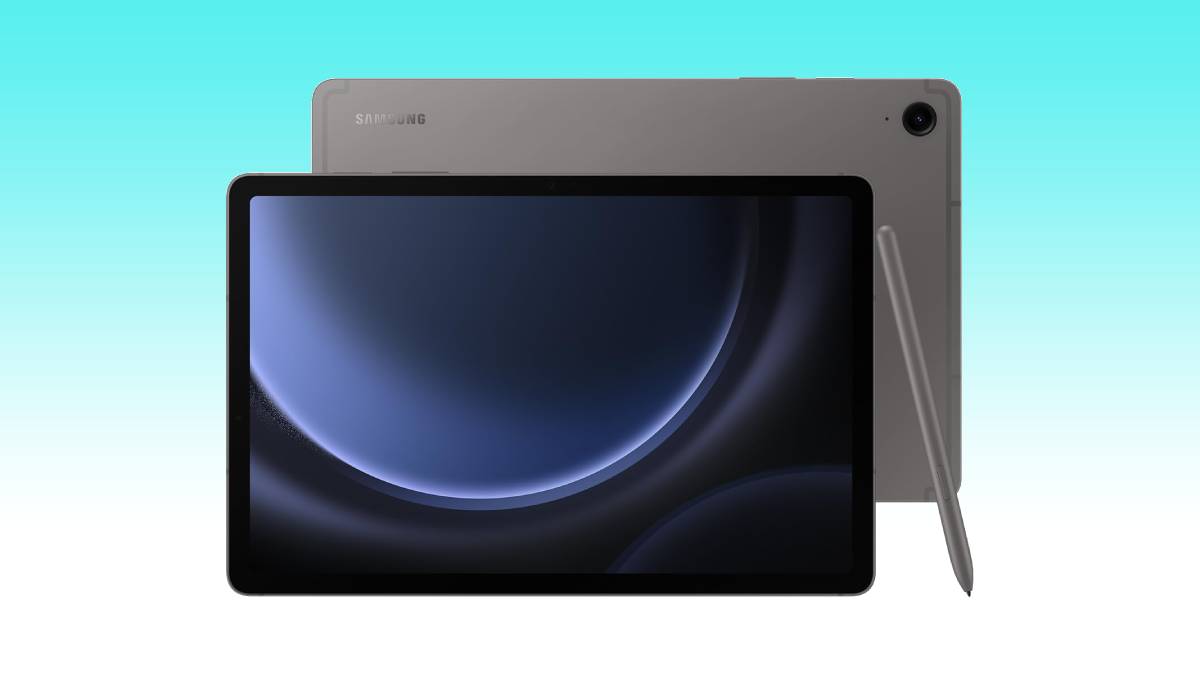
| 10 | Samsung Galaxy Tab S10 FE | Best rugged study tablet | 90Hz display | 128GB | Up to 20 hours | Note taking anywhere |
1. Lenovo Idea Tab 11 256GB: Best Overall

Pros
- Sharp 11-inch 2.5K display
- Smooth 90Hz refresh rate
- Pen and folio case included
- 8GB memory and 256GB storage
- Four learning apps included
Cons
- Smaller screen than the Idea Tab Pro
- Android app layout may not suit every course
- Battery claim is based on YouTube streaming
Best for: students who want one balanced tablet for notes, reading, media, and everyday campus work.
The Lenovo Idea Tab 11 256GB is the tablet we would hand to a student who has not yet decided exactly how they will use one. Its 11-inch body is easy to carry, while the 2.5K IPS touchscreen gives lecture slides, textbooks, and split-screen apps noticeably more room and clarity than a basic HD panel. The 90Hz refresh rate also makes scrolling through long documents and web pages feel more fluid.
Its MediaTek Dimensity 6300 processor and 8GB of memory give it a sensible foundation for switching between notes, a browser, a video call, and a reference document. The 256GB of storage is particularly useful for students who download readings, recorded lectures, offline media, and course apps. Lenovo includes a Tab Pen and folio case, so handwritten work and hands-free viewing are central to the package rather than afterthoughts.
The pen works with Circle to Search, and Lenovo includes AI Note, Squid, Nebo, and MyScript Calculator for writing, organizing, sketching, and calculations. Quad Dolby Atmos-tuned speakers make it more suitable for casual video and lecture playback than a tablet with a single small speaker. Lenovo claims up to 12 hours of YouTube streaming, and the included 20W charger supports quick top-ups.
The limitation is that this is still an Android tablet, not a laptop replacement for demanding desktop software. Students who need a keyboard-first workflow or specialized computer applications should look at a computer as their primary device, and our guide to handling heavier software across a full college workload is useful before choosing a tablet-only setup. For everyone else, this model has the strongest blend of screen quality, pen support, storage, and portability in the group.
2. Lenovo Idea Tab 11 128GB: Best Simple Study Tablet

Pros
- Sharp 2.5K screen
- 90Hz scrolling
- Pen and folio case included
- Up to 12 hours of YouTube streaming
- Useful note-taking software
Cons
- 4GB memory leaves less headroom for multitasking
- Half the listed storage of the top Lenovo
- Not designed for demanding desktop work
Best for: students who mainly need a bright note-taking and streaming tablet.
The Lenovo Idea Tab 11 128GB has the same basic shape as the top pick, and that is its appeal. It is a straightforward study companion with an 11-inch 2.5K IPS touchscreen, a 90Hz refresh rate, a Tab Pen, and a folio case. The screen is large enough for a PDF beside a note app without making the tablet awkward to carry between classes.
The MediaTek Dimensity 6300 processor is the same as in the 256GB version, and Lenovo quotes up to 12 hours of YouTube streaming. The 128GB storage can accommodate ordinary school documents and apps, but students who keep many downloaded videos or large creative files should plan their storage more carefully. The 4GB of memory is the bigger distinction. It should suit focused tasks, but frequent app switching will be less comfortable than on the 8GB model.
Lenovo's learning software gives the pen a useful role. AI Note, Squid, Nebo, and MyScript Calculator cover handwritten notes, sketches, organization, and math work. Circle to Search can identify or translate something on screen without forcing you to leave the current app. The display also has TÜV Rheinland Low Blue Light hardware support, which is a welcome feature during long reading sessions.
The Lenovo Idea Tab 11 256GB is the better pick for students who expect heavier multitasking or large downloads. This version makes more sense for a student whose tablet routine is mostly reading, handwriting, browsing, and streaming. If organizing handwritten lecture notes across several subjects is your central requirement, it has the right tools without unnecessary complexity.
3. Samsung Galaxy Tab S10 Lite: Best Samsung All-Rounder

Pros
- S Pen support
- Up to 16 hours of battery life
- Expandable storage up to 2TB
- Vision Booster adjusts brightness
- Strong Galaxy device integration
Cons
- 10.9-inch LCD is smaller than several alternatives
- Included storage is limited before expansion
- Some AI features depend on compatible software
Best for: students already using Samsung phones, laptops, or other Galaxy devices.
The Samsung Galaxy Tab S10 Lite is an appealing middle ground for students who want a mature Android ecosystem and a proper stylus experience. Its 10.9-inch LCD is a practical size for lecture notes and reading, and Vision Booster adjusts brightness to the surroundings. It will not provide the expansive workspace of the 12.7-inch Lenovo Idea Tab Pro, but it is easier to position on a small desk.
Samsung pairs the display with 6GB of memory and 128GB of storage in this configuration. The Exynos 1380 processor is intended for streaming, browsing, note taking, searching, and multitasking. Storage can be expanded with a microSD card up to 2TB, which changes the way students can manage downloaded course material, photos, and media.
The S Pen is the reason to choose this tablet over the Lenovo Idea Tab 11 128GB. Samsung highlights handwriting tools, Circle to Search, note cleanup, and equation solving, while the wider Galaxy ecosystem can let students answer calls on the tablet or continue notes started on another Galaxy device. Samsung claims up to 16 hours of battery life and says Super Fast Charging can fill the battery in about two hours under its stated conditions.
The weakness is that the tablet's strongest advantages are tied to Samsung's ecosystem. Students using an iPhone or a Windows setup will not get the same seamless handoff experience. The Apple iPad 11-inch has a broader accessory and app ecosystem, while the Galaxy Tab S10 Lite is the more natural choice for someone already invested in Galaxy devices.
4. Lenovo Idea Tab Pro: Best Large Study Screen

Pros
- Spacious 12.7-inch 3K display
- Fast Dimensity 8300 processor
- Pen and folio case included
- 360Hz touch sampling support
- Wi-Fi 6E support
Cons
- Heavier than the 11-inch Lenovo models
- Larger footprint is less comfortable for small desks
- Battery claim is lower than some smaller tablets
Best for: students who want room for split-screen notes, documents, and lectures.
The Lenovo Idea Tab Pro feels built around the moment a student stops treating a tablet as a large phone and starts using it as a study workspace. Its 12.7-inch 3K LCD gives a PDF, browser, and notes app enough breathing room to be genuinely useful side by side. The larger canvas is also better for diagrams, sheet music, and marking up long documents.
Performance is a clear step above the smaller Idea Tab models. The MediaTek Dimensity 8300 and 8GB of memory are suited to demanding multitasking, and Wi-Fi 6E support can help with fast downloads on a compatible network. Lenovo also lists a 360Hz touch sampling rate and support for 90 frames per second in games, though those features matter more to interactive use than ordinary note taking.
The included Tab Pen Plus supports Circle to Search, and Google Gemini is positioned as a study assistant. Lenovo also includes a folio case, while quad JBL Dolby Atmos speakers make recorded lectures and entertainment more enjoyable. Lenovo claims up to 11 hours of video streaming, with 45W quick charging for shorter waits when it is time to top up.
This tablet is not as effortless to carry as the Lenovo Idea Tab 11 256GB, and its 1.364-pound weight is more noticeable in a packed bag. It is the one to choose when screen area matters every day, not the one to choose simply because larger sounds better. Students who regularly work with two apps at once will appreciate it most.
5. Lenovo Idea Tab Plus: Best Lightweight Large Tablet
Pros
- Large 12.1-inch 2.5K display
- 90Hz refresh rate
- Brightness up to 800 nits
- Pen and folio case included
- Up to 13 hours of YouTube streaming
Cons
- 128GB storage may fill quickly
- Dimensity 6400 is less powerful than the Idea Tab Pro chip
- Large screen still takes up backpack space
Best for: students who want a large reading and media screen without moving to the heaviest option.
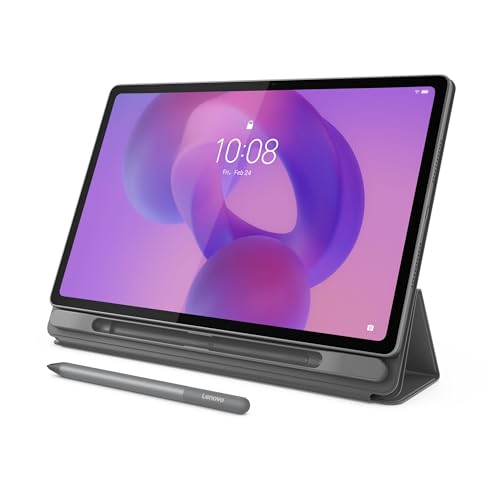
The Lenovo Idea Tab Plus is the practical alternative to the Idea Tab Pro. Its 12.1-inch 2.5K IPS touchscreen is large enough for comfortable reading and split-screen work, yet the tablet weighs 1.17 pounds. That puts it close to the smaller Idea Tab models in everyday carry weight, despite offering substantially more screen area.
The 90Hz refresh rate keeps scrolling smooth, while Lenovo lists brightness up to 800 nits. That extra brightness should help in rooms with plenty of ambient light, though it does not turn the tablet into a specialist outdoor display. The MediaTek Dimensity 6400 processor and 8GB of memory should handle ordinary college routines, from web research to note apps and streaming.
Lenovo claims up to 13 hours of YouTube streaming and includes a Tab Pen plus folio case. The learning apps cover note organization, handwriting, sketching, and calculations. Quad Dolby Atmos-tuned speakers give the larger display a suitable audio companion, and file sharing between devices is designed to work without cables or email attachments.
The 128GB storage is the main compromise. The Lenovo Idea Tab 11 256GB gives students twice the listed capacity, while the Lenovo Idea Tab Pro has a faster processor and a sharper 3K panel. The Idea Tab Plus earns its place by balancing a big, bright workspace with manageable weight, making it a strong pick for readers and commuters who do not want a tiny screen.
6. TCL NXTPAPER 14: Best Eye-Comfort Display

Pros
- Very large 14.3-inch display
- Paper-like viewing modes
- 8GB memory with expandable memory
- 10, 000mAh battery
- Included adjustable flip case
Cons
- Heaviest tablet in this group
- MicroSD is not supported
- Charger is not included
- Helio G99 is not a performance-focused processor
Best for: students who read extensively or write and draw for long sessions.
The TCL NXTPAPER 14 takes a different approach from the glossy tablet norm. Its 14.3-inch 2.4K display uses NXTPAPER 3.0 technology to reduce glare, filter blue light, and support DC dimming. Standard, Color Paper, and Ink Paper modes let students switch between ordinary tablet work, more vivid creative content, and a reading-focused presentation.
That huge screen is excellent for textbooks, sheet music, diagrams, and digital notebooks. TCL includes a 4096-level T-PEN stylus, and the tablet supports floating windows, split-screen use, and screen mirroring. With 8GB of memory, 256GB of built-in storage, and another 8GB of expandable memory, it has a generous workspace for study apps. Built-in storage cannot be expanded with a microSD card, however.
The 10, 000mAh battery supports 33W fast charging, with TCL saying a full recharge takes about two to three hours under optimal conditions. Reverse charging can power a phone or earbuds. The quad stereo speaker system is suitable for video calls and lectures, while the included flip case doubles as a stand.
At 1.67 pounds, the NXTPAPER 14 is much less portable than the Lenovo Idea Tab Plus or Apple iPad 11-inch. Its MediaTek Helio G99 is also aimed at ordinary Android use rather than demanding performance. Choose it for a comfortable reading surface and large creative canvas, not for the lightest possible campus companion. Students comparing displays for extended reading may also want to consider how screen comfort changes during long book sessions.
7. Apple iPad 11-inch: Best iPad for Most Students

Pros
- Fast A16 chip
- 11-inch Liquid Retina display
- Wi-Fi 6
- Strong app selection
- USB-C connector and Touch ID
Cons
- Pencil and keyboard accessories are separate options
- 128GB is the only listed storage in this configuration
- iPadOS may not replace a full computer
Best for: students who want a polished tablet platform with long software support and a broad app selection.
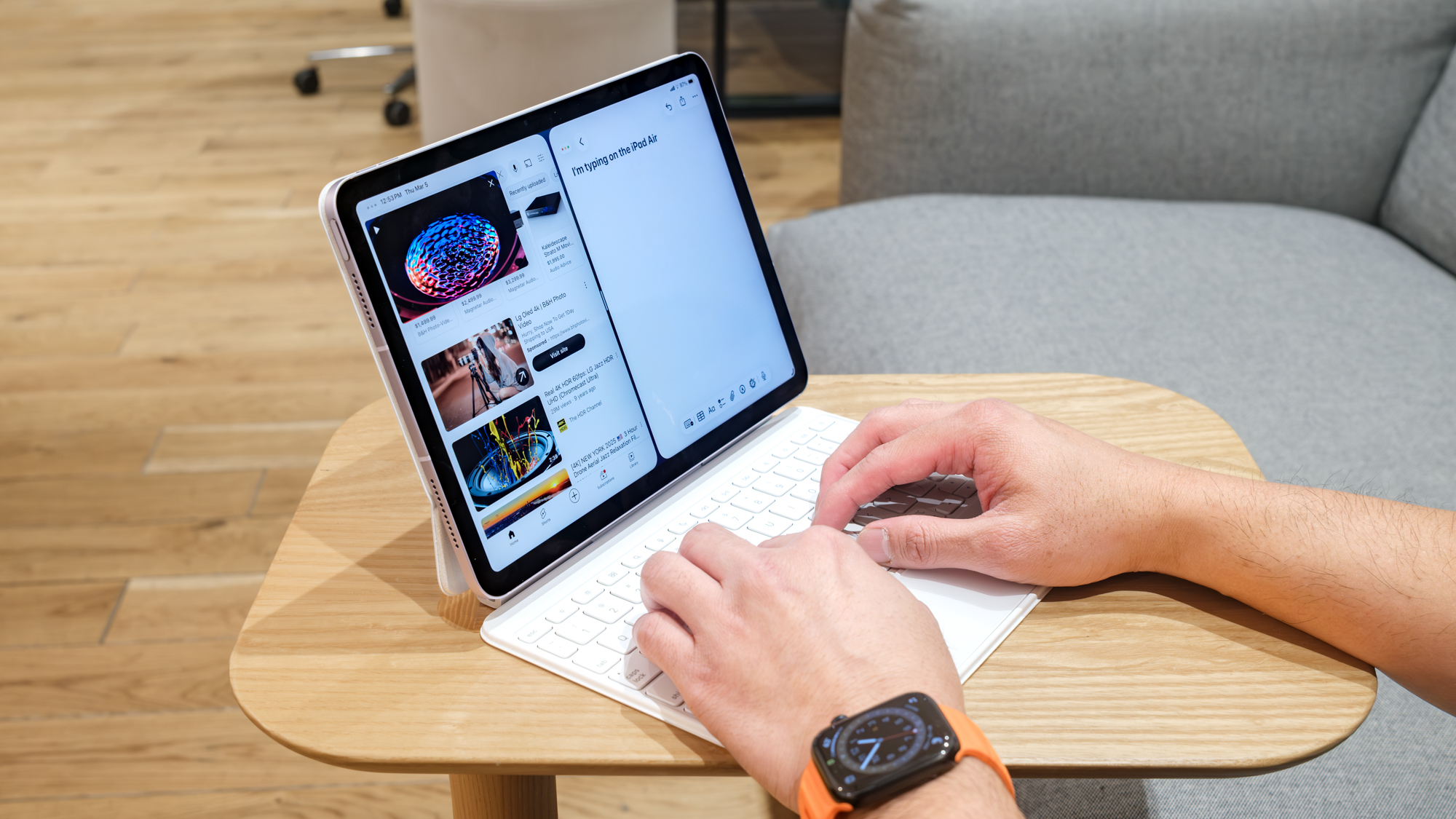
The Apple iPad 11-inch remains the easiest recommendation for students already using an iPhone or Mac. The A16 chip gives it substantial performance headroom for note apps, creative work, video calls, browsing, and games. Its 11-inch Liquid Retina display is a comfortable middle size, and True Tone adjusts the color temperature to the room for more natural viewing.
iPadOS is the reason this tablet feels more capable than its hardware list suggests. Students can run multiple apps at once, use Scribble with a compatible Apple Pencil, and choose from a large library of tablet-focused apps. Wi-Fi 6 supports fast access to files and streaming, while the USB-C connector makes the tablet easier to integrate into a modern collection of accessories.
The 12MP Center Stage front camera is designed to keep a video caller in frame, and the 12MP rear camera can scan documents or record 4K video. Touch ID handles unlocking, app sign-ins, and Apple Pay. Apple describes the battery as all-day, though the supplied details do not give a specific number of hours.
The key drawback is that the pen and keyboard are not part of the listed tablet package. A Samsung Galaxy Tab S10 FE includes S Pen support and is more ready for handwriting immediately, while the iPad has the stronger choice of dedicated apps. Students deciding between a tablet and a larger Apple setup should first consider how a separate computer changes a college workflow.
8. Samsung Galaxy Tab S10+: Best Premium Android Tablet

Pros
- Large 12.4-inch display
- 512GB storage
- Galaxy AI note organization
- Lecture transcription and summaries
- Relatively light for its screen size
Cons
- Premium hardware is more than many students need
- Supplied details do not specify battery life
- Large size is less convenient for one-handed use
Best for: students who want a high-end Android tablet for notes, multitasking, and media.
The Samsung Galaxy Tab S10+ is the specialist choice for students who want a large, powerful Android workspace and do not want to compromise on storage. Its 12.4-inch display is more comfortable for long documents and multi-window work than the 10.9-inch Galaxy Tab S10 Lite. The 512GB capacity also leaves much more room for lecture recordings, reference files, creative projects, and offline entertainment.
Samsung's Galaxy AI features are particularly relevant to college work. Note Assist can organize and summarize notes, while the tablet can create transcripts and summaries of recorded lectures and meetings. Circle to Search reduces the friction of looking up an unfamiliar term, and Sketch to Image can turn simple sketches into more finished artwork.
The tablet weighs 1.25 pounds and measures 0.22 inches in height, so it is relatively slim for its screen size. Samsung describes its processor as powerful enough for demanding tablet experiences, but the supplied product details do not identify the chip or give a battery-hour claim. That makes it harder to judge against the clearly specified Lenovo models when battery endurance is the deciding factor.
The Lenovo Idea Tab Pro offers a similarly large display with a more explicit student bundle and a lower stated weight, while the S10+ wins on storage and Samsung's note tools. Skip the S10+ if you mainly need a small reading tablet. Choose it when your tablet needs to serve as a large digital notebook, media screen, and serious Android multitasking device.
9. Lenovo Tab One: Best Compact Tablet

Pros
- Weighs less than a pound
- Easy-to-carry 8.7-inch display
- Folio case included
- Up to 12.5 hours of YouTube streaming
- Dual Dolby Atmos speakers
Cons
- HD display is less sharp than the other Lenovo models
- 4GB memory and 64GB storage limit heavier use
- 60Hz refresh rate is basic
Best for: commuters who want a small screen for reading, streaming, and quick reference work.
The Lenovo Tab One is the outlier in this roundup, and its small size is the reason to buy it. At 0.704 pounds, it can disappear into a small bag and remains comfortable to hold during a train ride or between classes. The 8.7-inch HD display is not a serious split-screen workspace, but it is convenient for reading short documents, checking a schedule, or watching a lecture.
Its MediaTek Helio G85 processor and 60Hz refresh rate are aimed at ordinary browsing, streaming, and light gaming. Lenovo claims up to 12.5 hours of unplugged YouTube streaming, and the 15W charging support is designed to reduce time near an outlet. Dual Dolby Atmos speakers and 480 nits of brightness give the compact tablet enough personality for entertainment.
The included folio case provides protection and a built-in stand, which is useful when watching content at a desk. Android 14 and two years of security patches are listed, while Google Kids Space makes the tablet more flexible for households where it may also be shared. The 4GB of memory and 64GB of storage, though, make it a poor candidate for a full digital textbook library or serious multitasking.
The Lenovo Idea Tab 11 128GB is a much better study surface, and the Lenovo Tab One should not be mistaken for a smaller version of it. This is a carry-everywhere companion for students who already have a computer and need a light secondary screen. If your priority is portability above handwriting and split-screen productivity, it is the clearest fit.
10. Samsung Galaxy Tab S10 FE: Best Rugged Study Tablet

Pros
- S Pen support
- 90Hz display
- Water-resistant design
- Up to 20 hours of battery life
- Expandable storage up to 1TB
Cons
- 128GB built-in storage may be limiting
- Larger than a compact commuter tablet
- Keyboard is an optional accessory
Best for: students who take handwritten notes in varied environments and want extra durability.
The Samsung Galaxy Tab S10 FE is the tablet to choose when campus life is rougher than a quiet desk suggests. Samsung describes the device as water resistant, including protection from splashes and immersion, which gives it an advantage over the more ordinary designs here. Its 90Hz display also keeps scrolling and handwriting movement smooth.
The S Pen is a meaningful part of the experience. Handwriting Assist can straighten and space out untidy notes, while Math Solver can turn handwritten equations into text. Circle to Search adds quick visual lookup, and the tablet's processor is described as capable of gaming, casual multitasking, and everyday work.
Samsung claims up to 20 hours of battery life and supports Super Fast Charging. The 128GB storage can be expanded by up to 1TB with a microSD card, so students can keep more course files and media without relying entirely on internal capacity. The tablet weighs 1.15 pounds, which is manageable for a full day but not as discreet as the Lenovo Tab One.
The Samsung Galaxy Tab S10 Lite offers a similar Galaxy experience with a smaller screen and a shorter stated battery claim, while the S10 FE is the better choice for outdoor use, handwritten work, and long days away from an outlet. Students who want the most polished app ecosystem should still consider the Apple iPad 11-inch, but the S10 FE is unusually well matched to messy, mobile student life.
How to choose best tablets for college students
The right student tablet depends less on a single headline feature than on how you take notes, read course material, carry the device, and connect it to the rest of your setup.
Display size and resolution
An 11-inch display is the most balanced size for carrying and reading. Larger screens such as the 12.1-inch Lenovo Idea Tab Plus, 12.7-inch Idea Tab Pro, and 14.3-inch TCL NXTPAPER 14 are better for split-screen work, diagrams, and textbooks, but they occupy more desk and bag space.
Resolution matters most when reading small text or detailed slides. A 2.5K or 3K panel should look crisper than an HD panel, while a 90Hz refresh rate makes scrolling and pen movement feel smoother.
Pen support and note apps
Students who handwrite equations, diagrams, or lecture notes should confirm that the stylus is included or budget for the correct accessory. Lenovo includes a pen with its Idea Tab models, Samsung highlights S Pen support on its Galaxy tablets, and the iPad supports Apple Pencil but does not list one in the tablet package.
The writing software matters as much as the pen. Look for handwriting cleanup, equation recognition, PDF markup, and easy organization across classes. A tablet that supports a stylus but has an awkward notes workflow will not be pleasant during a fast lecture.
A large screen helps most when it gives your notes and reference material room to stay visible at the same time.
Memory and storage
Memory affects how comfortably a tablet keeps several apps open. The 8GB models are better suited to switching between a browser, notes, video, and documents, while 4GB models are more appropriate for focused, lighter routines.
Storage determines how many apps, downloaded readings, recordings, and media files can remain on the device. Expandable storage is useful for Android students, but remember that microSD cards may not handle every app or file type exactly like internal storage.
Battery life and charging
Battery claims are usually tied to a particular activity, such as YouTube streaming, rather than a full day of mixed college work. A tablet claiming up to 12 hours may last longer during reading and less time during video calls or demanding apps.
Fast charging can matter just as much as the headline battery figure. The Lenovo Idea Tab Pro lists 45W quick charging, the TCL model lists 33W charging, and Samsung highlights Super Fast Charging on several Galaxy tablets.
Weight and durability
A tablet that stays in a dorm room does not need the same portability as one carried across campus. The Lenovo Tab One is the lightest option here, while the TCL NXTPAPER 14 is the heaviest. Large displays can be excellent for study but tiring to hold for long periods.
Durability also deserves attention. The Samsung Galaxy Tab S10 FE's water resistance gives it an advantage around travel, shared spaces, and unpredictable weather. A folio case or included stand can protect the tablet while making hands-free viewing more practical.

Frequently asked questions
Is an 11-inch tablet large enough for college notes?
Yes. An 11-inch screen is large enough for handwriting, reading, and many split-screen tasks while remaining easy to carry. Students who regularly work with two detailed documents at once may prefer the Lenovo Idea Tab Pro or TCL NXTPAPER 14.
Do college students need a tablet with a pen?
Not every student does, but a pen is valuable for handwritten notes, diagrams, equations, and PDF markup. The Lenovo Idea Tab models include a pen, and Samsung's Galaxy tablets in this roundup emphasize S Pen features. The Apple iPad supports Apple Pencil, but the listed tablet does not include one.
Can a tablet replace a college laptop?
A tablet can replace a laptop for reading, note taking, browsing, video calls, and many writing tasks. It is less suitable when a course requires desktop software, advanced coding tools, or extensive file management. Check the software requirements for your major before making it your only computer.
Which tablet is easiest to carry across campus?
The Lenovo Tab One is the easiest to carry because it weighs 0.704 pounds and has an 8.7-inch display. The Apple iPad 11-inch and Lenovo Idea Tab 11 models offer a larger workspace while remaining close to one pound.
Is expandable storage useful for students?
Yes, especially for students who download lectures, textbooks, videos, and large creative files. The Samsung Galaxy Tab S10 Lite supports a microSD card up to 2TB, the Galaxy Tab S10 FE supports up to 1TB more, and the TCL NXTPAPER 14 does not support microSD.
Are larger tablets better for studying?
A larger tablet is better for reading two documents side by side, viewing diagrams, and watching lectures while taking notes. It is less convenient to hold and carry. The 12.1-inch Lenovo Idea Tab Plus is a useful compromise, while the 14.3-inch TCL model prioritizes workspace and reading comfort.
The bottom line
The Best tablets for college students start with the Lenovo Idea Tab 11 256GB for its sharp 2.5K display, included pen and case, capable memory, and generous storage. It is the most balanced choice for students who want one tablet to cover notes, reading, browsing, and entertainment.
The Samsung Galaxy Tab S10 FE is the better fit for water resistance, S Pen tools, and long battery life, while the Apple iPad 11-inch is the stronger choice for students already using Apple devices and apps. Choose the Lenovo Idea Tab Pro instead when a large split-screen workspace matters more than compact portability.
If you are undecided, choose the Lenovo Idea Tab 11 256GB unless your ecosystem, screen size, or durability needs point clearly elsewhere.
As an Amazon Associate we earn from qualifying purchases.