

A home printer has to do more than produce a page when asked. It needs to wake quickly, stay connected to phones and laptops, handle double-sided documents without babysitting, and fit somewhere near a desk without taking over the room. Color laser models add crisp text and durable graphics, but the differences in speed, size, controls, and multifunction features matter.
The Best home color laser printer for most households is the Brother HL-L3220CDW, thanks to its useful paper capacity, automatic duplex printing, wireless support, and manageable footprint. The rest of this list covers faster single-function models, all-in-ones with scanners and feeders, and two monochrome printers for homes that rarely need color.
| # | Product | Award | Speed | Functions | Paper capacity | Best for |
|---|---|---|---|---|---|---|
| 1 | Brother HL-L3220CDW | Best overall | Up to 19 ppm | 250 sheets, manual feed | Home offices needing dependable color printing | |
| 2 | Canon imageCLASS LBP646Cdw | Best for fast printing | Up to 26 ppm | 250 sheets, multipurpose tray | Color documents with no scanning needs | |
| 3 | HP Color LaserJet Pro 3201dw | Best for wireless offices | Up to 26 ppm | 250 sheets | Shared wireless printing | |
| 4 | HP Color LaserJet Pro MFP 3301sdw | Best all-in-one | Up to 26 ppm | Print, scan, copy | 250 sheets, ADF | Home offices handling paperwork |
| 5 | Canon imageCLASS MF662Cdw | Best warranty | Up to 26 ppm | Print, scan, copy | 250 sheets, multipurpose tray | Long-term document work |
| 6 | Canon imageCLASS MF753Cdw II | Best for fax users | Not specified | Print, scan, copy, fax | Not specified | Homes needing a four-function machine |
| 7 | Brother MFC-L3720CDW | Best for document workflows | Up to 19 ppm | Print, scan, copy, fax | 250 sheets, 50-sheet ADF | Multi-user home offices |
| 8 | HP LaserJet MFP M234sdw | Best compact monochrome MFP | Up to 30 ppm | Print, scan, copy | Not specified, ADF | Black-and-white home documents |
| 9 | Brother DCP-L2640DW | Best monochrome speed | Up to 36 ppm | Print, scan, copy | Not specified, 50-sheet ADF | Fast black-and-white work |
| 10 | Brother HL-L3280CDW | Best compact color printer | Up to 27 ppm | Not specified | Color printing with cloud access |
1. Brother HL-L3220CDW: Best Overall

Pros
- Automatic duplex printing
- 250-sheet paper tray
- Wireless and mobile printing
- Manual feed slot for specialty media
Cons
- Slower than the 26 ppm color models
- Print-only design
- No stated automatic document feeder
Best for: home office users who want straightforward color printing without an all-in-one chassis.
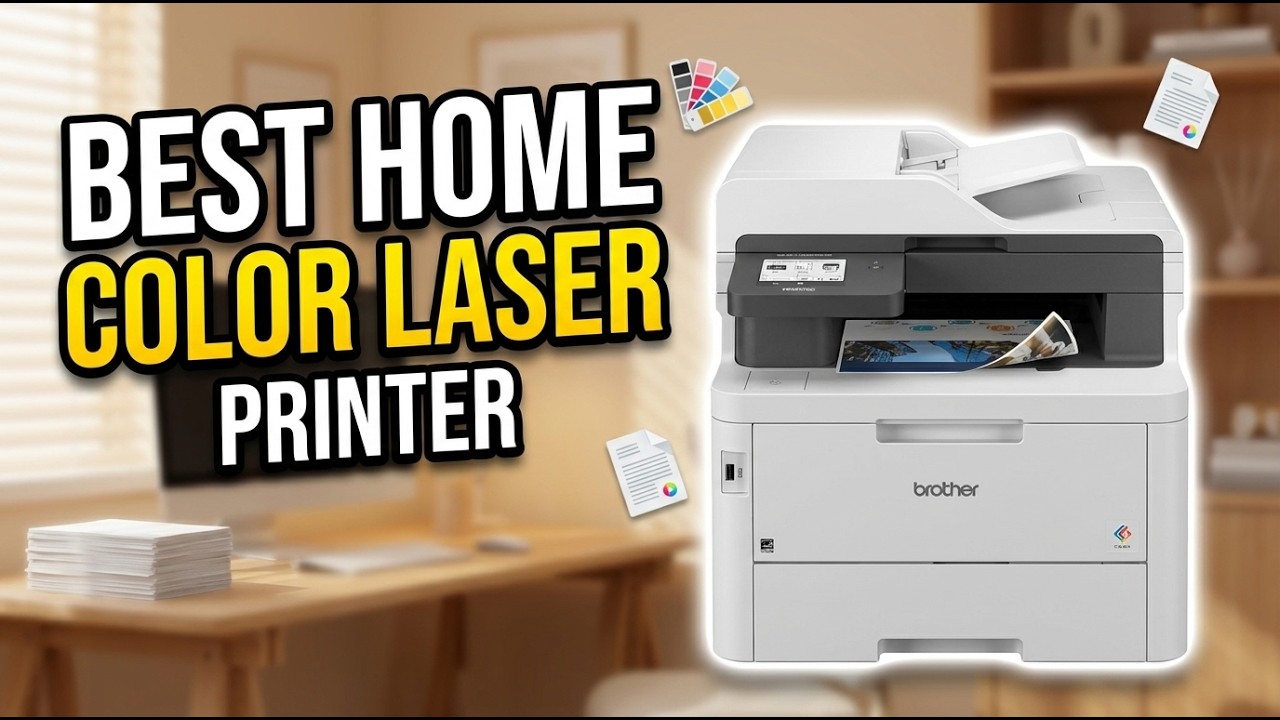
The Brother HL-L3220CDW is the printer we would put in the most ordinary home office because it avoids the two problems that make many home printers irritating: constant paper loading and a tangle of unnecessary functions. It prints crisp text and vivid graphics at up to 19 pages per minute, and its automatic duplex mode handles two-sided documents without requiring the user to turn pages around.
Its 250-sheet tray is large enough for regular work rather than occasional printing. A manual feed slot gives it a practical outlet for envelopes and specialty media, so users do not have to empty the main tray every time a different type of sheet is needed. Wireless support covers laptops, smartphones, and tablets, while compatibility with mobile printing platforms and cloud services makes it suitable for a household with several devices.
The Brother is not the fastest color printer here. The Canon imageCLASS LBP646Cdw, HP Color LaserJet Pro 3201dw, and Brother HL-L3280CDW all list higher print speeds, so they make more sense when long reports are a routine part of the day. The HL-L3220CDW wins on balance. It has the same useful duplex behavior and a more modest footprint than several multifunction machines, measuring 15.7 inches wide, 15.7 inches deep, and 9.4 inches high.
The limitation is clear: this is a print-only machine. There is no scanner, copier, or fax function, and the data does not specify an automatic document feeder. Anyone who regularly digitizes receipts or copies signed forms should move to the HP Color LaserJet Pro MFP 3301sdw or Brother MFC-L3720CDW. For someone who mainly prints schoolwork, forms, reports, and occasional color graphics, the HL-L3220CDW is the cleanest fit.
2. Canon imageCLASS LBP646Cdw: Best for Fast Printing

Pros
- Up to 26 pages per minute
- Automatic two-sided printing
- 250-sheet cassette
- Five-line LCD screen
Cons
- Print-only
- Heavy for a single-function printer
- One-year limited warranty
Best for: households that want quick color output and already have a separate scanner.
The Canon imageCLASS LBP646Cdw is refreshingly direct. It prints, and it does not pretend that every home user needs a scanner bolted onto the side. The listed speed reaches 26 pages per minute in both color and monochrome, with a first print time of approximately 10.3 seconds. That makes it a stronger choice than the Brother HL-L3220CDW when a queue of documents needs to move quickly.
Canon gives it a 250-sheet standard cassette and a one-sheet multipurpose tray. Automatic two-sided printing helps keep longer documents under control, while the wireless setup is designed to get a home network connection working in a few steps. The five-line LCD is not flashy, but it gives the printer a usable local control surface instead of forcing every task through a computer.
Mobile printing is well covered. The Canon PRINT app, Apple AirPrint, and Mopria Print Service support phones and tablets, and the printer is Chromebook compatible. Canon also lists ENERGY STAR and EPEAT Silver credentials. Its 16.5-inch length, 16.8-inch width, 10.5-inch height, and 39.4-pound weight are worth considering before placing it on a shallow desk.
The absence of scanning and copying is the reason it does not take the top spot. The Brother HL-L3220CDW is less ambitious but easier to place, while the HP Color LaserJet Pro 3201dw offers the same headline speed with dual-band Wi-Fi. Choose the Canon when print speed and a simple role matter more than a smaller footprint or multifunction flexibility.
3. HP Color LaserJet Pro 3201dw: Best for Wireless Offices

Pros
- Up to 26 pages per minute in color and black
- Automatic two-sided printing
- 250-sheet input tray
- Dual-band Wi-Fi with self-reset
Cons
- Print-only
- Intended to use cartridges with original HP chips
- Dimensions are not provided consistently
Best for: households and small teams sharing a wireless color printer.
The HP Color LaserJet Pro 3201dw feels aimed at a shared desk rather than a single person who prints once a month. It reaches up to 26 pages per minute in both black and color, adds automatic two-sided printing, and holds 250 sheets in its input tray. That combination reduces the interruptions that become noticeable when several people send work to one printer.
HP’s dual-band Wi-Fi is the standout feature. The self-reset system is designed to detect and resolve connection issues automatically, which is useful in homes where the printer sits away from the main computer or where phones and laptops regularly move between networks. HP also describes its TerraJet toner as producing more vivid colors, giving charts and business graphics a more assertive appearance than plain black text.
The 3201dw is a single-function printer, so it has less workflow range than the HP Color LaserJet Pro MFP 3301sdw. It also lacks the Canon imageCLASS LBP646Cdw’s listed 10.3-second first print time. Its strength is the shared wireless experience, not a long list of local controls. The listed weight is 33 pounds, and one product field gives the size as 15.35 by 16.5 by 10 inches, though the separate height, length, and width fields are not populated.
There is an important cartridge restriction. The product information says the printer is intended to work with cartridges containing original HP chips or circuitry and may block cartridges using non-HP chips or circuitry. That is a meaningful ownership constraint, especially for people who prefer broader supply options. Skip it if you need scanning or copying, but consider it if wireless reliability is more important than multifunction features. For broader office equipment decisions, the features that matter in a shared home office printer provide useful context.
4. HP Color LaserJet Pro MFP 3301sdw: Best All-in-One

Pros
- Print, scan, and copy functions
- Automatic document feeder
- Automatic two-sided printing
- 250-sheet input tray
- Up to 26 pages per minute
Cons
- Large and heavy
- Cartridge chip restrictions
- No fax function listed
Best for: home offices that scan and copy as often as they print.
The HP Color LaserJet Pro MFP 3301sdw is the practical upgrade for a household that has outgrown a print-only machine. It combines color printing with scanning and copying, adds an automatic document feeder, and still reaches up to 26 pages per minute in black and color. That makes it much better suited to forms, multipage paperwork, and documents that arrive on paper.
Its automatic two-sided printing and 250-sheet input tray keep the everyday process simple. The ADF is the feature that changes how the printer feels in use. Instead of placing every page on a scanner glass one at a time, users can feed a stack for scanning or copying. HP’s TerraJet toner is also described as producing more vivid colors, which should suit presentations, charts, and reports.
This is a substantial machine. It measures 16.5 inches high, 16.46 inches long, and 13.44 inches wide, with a listed weight of 37.7 pounds. It needs a stable surface with room around it, and the top-mounted feeder adds to the clearance required above the printer. The Brother HL-L3220CDW is easier to accommodate, but it cannot scan or copy at all.
The 3301sdw uses HP 218A standard and 218X high-yield LaserJet toner cartridges, and the product information says cartridges with non-HP chips or circuitry may be blocked. It also does not list fax capability, so the Canon imageCLASS MF753Cdw II is a better match for homes that still send faxes. Pick the HP when scanning and copying are central tasks and the desk can support a full-size multifunction printer.
5. Canon imageCLASS MF662Cdw: Best Warranty

Pros
- Print, scan, and copy functions
- Three-year limited warranty
- 26 pages per minute
- Five-inch color touchscreen
- 250-sheet cassette
Cons
- Very large and heavy
- No fax function listed
- Only one multipurpose tray sheet
Best for: home offices that want a full color multifunction printer with extended warranty coverage.
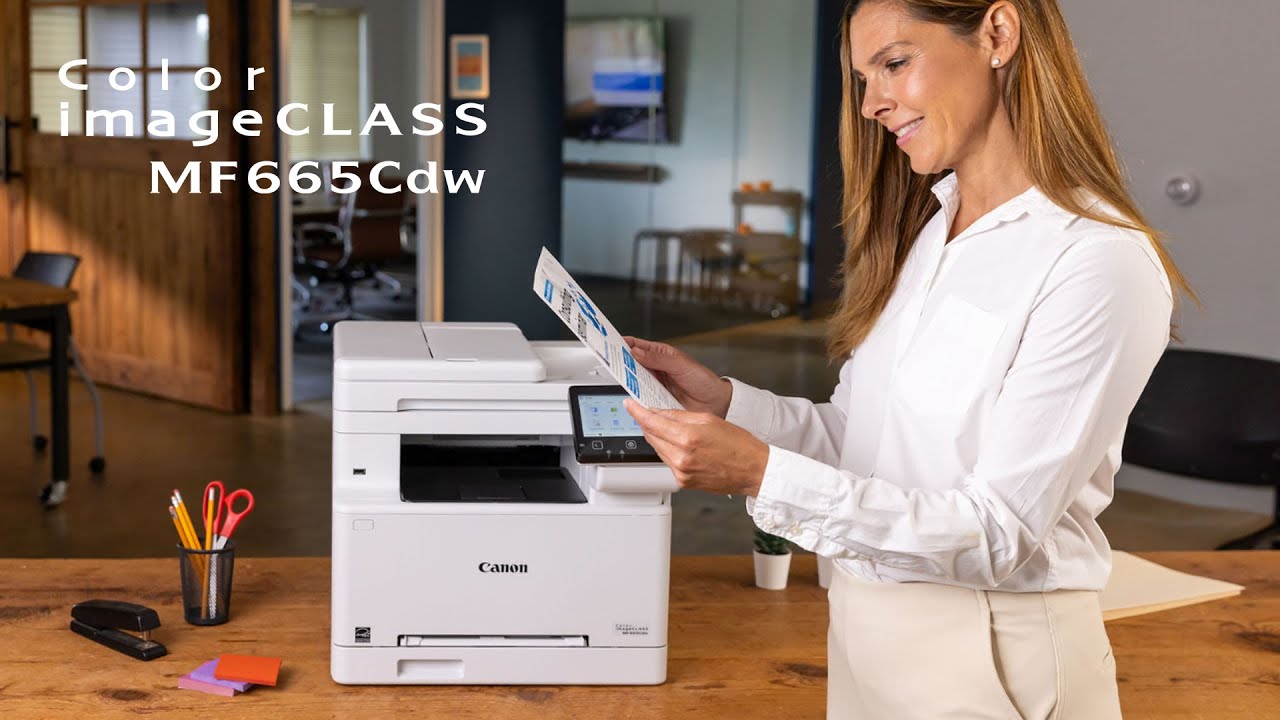
The Canon imageCLASS MF662Cdw brings the same basic print speed as the LBP646Cdw into a much broader machine. It prints, scans, and copies at up to 26 pages per minute, with a listed first print time of approximately 10.3 seconds. The result is a printer that feels equally comfortable with routine color documents and the occasional paper form that needs to be copied or archived.
A five-inch color touchscreen gives the MF662Cdw a more approachable control panel than the smaller LCD on Canon’s print-only model. Its Application Library can be customized for the functions used most often, so scanning or copying does not always require navigating through several screens. Wireless setup is intended to be simple, and mobile printing works through Canon PRINT, Apple AirPrint, and Mopria Print Service.
The 250-sheet cassette is joined by a one-sheet multipurpose tray. Automatic two-sided printing helps reduce manual work on longer documents, and the printer is Chromebook compatible. Canon lists ENERGY STAR and EPEAT Silver credentials. The physical size is the trade-off: it is 23.3 inches high, 21.5 inches long, and 19.3 inches wide, with a listed weight of 55.11 pounds. This is not a printer for a narrow shelf.
Its three-year limited warranty distinguishes it from the one-year coverage listed for the Canon imageCLASS LBP646Cdw. The Brother MFC-L3720CDW is more workflow-oriented because it includes a 50-sheet ADF, while the Canon has the stronger touchscreen experience and longer stated warranty. The MF662Cdw does not list fax capability, so skip it if faxing is required. It is a sensible choice for a permanent home office where scanning, copying, and service coverage matter more than compactness.
6. Canon imageCLASS MF753Cdw II: Best for Fax Users

Pros
- Four-in-one design
- Print, scan, copy, and fax
- Wireless connectivity
- Automatic two-sided printing
Cons
- Very large footprint
- Heaviest printer in this roundup
- Few product details are specified
Best for: home offices that need fax alongside color printing, scanning, and copying.
The Canon imageCLASS MF753Cdw II earns its place through function count. It is listed as a wireless, duplex, four-in-one color laser printer with print, scan, copy, and fax capabilities. For a home office that still deals with faxed forms or organizations that insist on fax transmission, that extra function can be more useful than a faster print specification.
The product data does not provide a print speed, paper capacity, touchscreen description, or feeder specification. That makes it harder to compare directly with the Canon MF662Cdw and Brother MFC-L3720CDW, both of which list concrete speed and paper-handling details. What is clear is the core capability: it handles color output and automatic two-sided work while adding the fax hardware missing from several other picks.
This is the largest printer in the roundup by the listed measurements. It measures 22 inches high, 21 inches long, and 21 inches wide, and weighs 60.55 pounds. That mass can help a full-size office machine stay planted, but it also makes placement and later relocation a serious commitment. The Brother HL-L3220CDW is dramatically easier to fit, though it cannot scan, copy, or fax.
The MF753Cdw II is therefore a specialized recommendation rather than the default pick. If fax is essential, its four-function design makes the decision straightforward. If fax is not part of the workflow, the HP Color LaserJet Pro MFP 3301sdw provides more documented detail around the feeder, paper tray, and print speed, while the Canon MF662Cdw offers a stated three-year limited warranty.
7. Brother MFC-L3720CDW: Best for Document Workflows

Pros
- Print, scan, copy, and fax
- 50-sheet automatic document feeder
- 250-sheet adjustable tray
- Dual-band Wi-Fi and Wi-Fi Direct
- 3.5-inch color touchscreen
Cons
- Slower than the fastest printers here
- Heavy at 44 pounds
- Larger than a print-only model
Best for: households managing frequent multipage documents across several users.
The Brother MFC-L3720CDW is built around the paperwork that accumulates in a real home office. It prints, scans, copies, and faxes, then adds a 50-sheet automatic document feeder for multipage jobs. Its color output reaches up to 19 pages per minute, which is not as quick as the Canon and HP 26 ppm models, but the feeder can save more hands-on time than a higher headline speed when the job involves many pages.
Connectivity is unusually well covered. The printer supports dual-band wireless networking on 2.4GHz and 5GHz, Wi-Fi Direct, and USB 2.0. Multiple users can connect without routing every task through one computer. Brother also includes direct access to cloud services such as Google Drive, Dropbox, and OneNote, with a 3.5-inch color touchscreen and 48 customizable shortcuts.
The 250-sheet adjustable tray is a good match for a shared printer, since users do not need to reload it after every modest batch. Automatic duplex printing handles two-sided pages, while the companion mobile app supports printing, remote management, and toner level monitoring. The printer measures 16.1 inches long, 17.5 inches wide, and 15.8 inches high, and weighs 44 pounds, so it needs more room than the HL-L3220CDW.
The HP Color LaserJet Pro MFP 3301sdw prints faster, while the Canon MF753Cdw II has the same four-function category and a larger chassis. The Brother’s advantage is the combination of feeder, cloud shortcuts, and connection options. If most jobs are single pages, the smaller print-only Brother is a better fit. If several people scan, copy, and fax stacks of paperwork, the MFC-L3720CDW is the more natural choice. For a wider look at home printing setups, how to match printer functions to everyday paperwork is a helpful next step.
8. HP LaserJet MFP M234sdw: Best Compact Monochrome MFP

Pros
- Up to 30 pages per minute
- Print, scan, and copy functions
- Automatic document feeder
- Dual-band Wi-Fi with self-reset
- Ethernet included
Cons
- Black-and-white only
- No fax function listed
- Not suitable for color documents
Best for: small teams and homes that mainly print black-and-white documents.
The HP LaserJet MFP M234sdw is the clearest reminder that color is not always the right requirement. It prints black-and-white pages at up to 30 pages per minute on one-sided jobs and up to 19 black-and-white images per minute when printing two-sided. It also scans and copies, making it a practical compact office machine for forms, invoices, schoolwork, and other text-heavy documents.
An automatic document feeder supports hands-free scanning and copying, while the HP Smart app can scan to the cloud and start print or copy jobs from a phone. Dual-band Wi-Fi with self-reset is intended to resolve connection problems automatically, and Ethernet is included for a more fixed setup. Compatibility extends across Windows, Mac, AirPrint, Android, Chromebook, and other devices listed by HP.
The dimensions are comparatively easy to live with at 16.46 inches long, 12.13 inches wide, and 11.59 inches high. It weighs 19 pounds, far less than the color multifunction printers above. That makes it easier to move between a shelf and a desk, though the product data does not state a paper tray capacity.
This printer cannot produce color, so it should not be the choice for family photos, color charts, or presentations. The Brother DCP-L2640DW prints faster and also includes a 50-page feeder, but the HP has a smaller listed weight and broad device compatibility. Readers who only need black-and-white output should also consider the features that separate dedicated monochrome laser printers. Everyone else should stay with a color model.
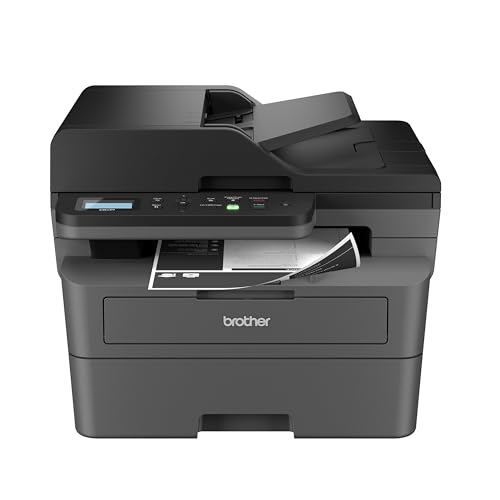
9. Brother DCP-L2640DW: Best Monochrome Speed
Pros
- Up to 36 pages per minute
- 50-page automatic document feeder
- Print, scan, and copy functions
- Dual-band wireless and Ethernet
- Compact footprint for its capabilities
Cons
- Black-and-white only
- No fax function listed
- Not suitable for color graphics
Best for: fast black-and-white printing and scanning in a home office.
The Brother DCP-L2640DW is the speed specialist in this group. It prints black-and-white documents at up to 36 pages per minute, with scanning speeds listed at up to 23.6 images per minute for black and 7.9 images per minute for color. A 50-page automatic document feeder makes it useful for copying or digitizing a stack rather than just a single sheet.
Its dual-band wireless connection supports both 2.4GHz and 5GHz networks, and Ethernet is available when a wired connection is preferable. USB provides a local connection to one computer. The Brother Mobile Connect app can start print and scan jobs, manage the printer, track toner usage, and order Brother Genuine TN830 or TN830XL replacement toner.
At 15.7 inches long, 16.1 inches wide, and 12.5 inches high, the DCP-L2640DW has a reasonably compact footprint. Its listed weight is 25 pounds, enough to keep it steady while still allowing one person to reposition it. Duplex printing is built in, so longer documents do not have to be printed on one side and manually reloaded.
The trade-off is absolute: there is no color output and no fax function listed. The HP LaserJet MFP M234sdw is lighter and also offers scanning and copying, but Brother gives this model the higher print speed and larger feeder. Choose it for dense black-and-white work, not as a substitute for a color printer. If you need both color and multifunction tools, the Brother MFC-L3720CDW is the more relevant step up.
10. Brother HL-L3280CDW: Best Compact Color Printer

Pros
- Up to 27 pages per minute
- Automatic duplex printing
- Wireless, mobile, and Ethernet connectivity
- 2.7-inch touchscreen
- Cloud app access
Cons
- Print-only
- Paper capacity is not specified
- Larger and heavier than the HL-L3220CDW
Best for: color-only printing with cloud access and a fast print engine.
The Brother HL-L3280CDW is the quickest color-only Brother in this roundup, with print speeds up to 27 pages per minute. It is designed to keep the workflow focused on printing while adding automatic duplex, mobile printing, Ethernet, and wireless connectivity. For a home office that does not need a scanner or copier, that is a useful set of capabilities.
A 2.7-inch touchscreen gives it more direct control than the HL-L3220CDW. The screen can access cloud-based apps including Google Drive, Dropbox, and Evernote, which is handy when a document lives online rather than on the computer closest to the printer. Ethernet provides a stable alternative to Wi-Fi for a permanent desk setup.
The listed dimensions are 15.7 inches long, 10.8 inches wide, and 15.7 inches high, with a weight of 33.9 pounds. The tall measurement deserves attention when planning shelf clearance. The product data does not state a paper capacity, so households printing large batches should not assume it matches the 250-sheet trays found on the Brother HL-L3220CDW and HP Color LaserJet Pro 3201dw.
Compared with the HL-L3220CDW, the HL-L3280CDW offers faster color printing and a touchscreen, but the older model has a clearly stated 250-sheet tray and a lower listed height. The Canon LBP646Cdw is another strong print-only alternative at 26 ppm with a five-line LCD and explicit paper handling. Pick the Brother when cloud access and speed matter more than a documented tray capacity.
How to choose best home color laser printer
The right model depends less on headline branding than on how much paper you handle, which documents need color, and whether scanning or copying is part of the routine.
Color output
Color laser printers are useful for charts, reports, labels, and documents where visual hierarchy matters. Look for a listed color print speed when the printer will handle frequent pages, and pay attention to claims about vivid graphics or laser-quality output. The Brother HL-L3220CDW and HP Color LaserJet Pro models clearly target professional-looking color documents, while the monochrome HP M234sdw and Brother DCP-L2640DW cannot print color at all.
Automatic duplex printing
Automatic duplex printing puts content on both sides of a sheet without manual reloading. It is especially useful for school packets, contracts, and long reports. Every color printer in this roundup lists duplex printing, but buyers should still check whether the feature is automatic rather than simply supported through a manual process.
Print speed
Print speed matters when several people share one printer or when documents are regularly more than a few pages long. The listed color models range from 19 to 27 pages per minute, while the monochrome Brother DCP-L2640DW reaches 36 pages per minute. A faster specification does not replace a scanner or feeder, so compare speed with the actual workflow.
A 50-sheet feeder can save more effort on a stack of forms than several extra pages per minute.
Paper handling
A 250-sheet tray means less frequent loading during ordinary home office work. A manual or multipurpose feed is useful for envelopes and specialty media, while an adjustable tray helps accommodate different paper sizes. The Canon LBP646Cdw, Canon MF662Cdw, HP Color LaserJet Pro 3201dw, and Brother color multifunction models list useful paper-handling details. The HL-L3280CDW and Canon MF753Cdw II have less capacity information in the supplied data, so plan conservatively.
Scanning and copying
A print-only model is simpler when every document starts as a digital file. An all-in-one becomes more useful when the household regularly copies IDs, scans receipts, or sends paperwork. An automatic document feeder is the key distinction for multipage work. The HP Color LaserJet Pro MFP 3301sdw and Brother MFC-L3720CDW include one, while the Canon MF662Cdw lists scanning and copying but does not list an ADF.
Frequently asked questions
Are color laser printers suitable for home use?
Yes. They are well suited to homes that print regular documents, forms, schoolwork, charts, and business paperwork. The main considerations are physical size, wireless setup, paper handling, and whether the household needs scanning or copying.
Do all of these printers scan and copy?
No. The Brother HL-L3220CDW, Canon imageCLASS LBP646Cdw, HP Color LaserJet Pro 3201dw, and Brother HL-L3280CDW are print-only models. The HP Color LaserJet Pro MFP 3301sdw, Canon imageCLASS MF662Cdw, Canon imageCLASS MF753Cdw II, Brother MFC-L3720CDW, HP LaserJet MFP M234sdw, and Brother DCP-L2640DW add scanning and copying, with fax listed on some models.
Which model is fastest for color printing?
The Brother HL-L3280CDW has the highest listed color speed at up to 27 pages per minute. The Canon imageCLASS LBP646Cdw, HP Color LaserJet Pro 3201dw, HP Color LaserJet Pro MFP 3301sdw, and Canon imageCLASS MF662Cdw list speeds up to 26 pages per minute.
Which printer is best for multipage scanning?
The Brother MFC-L3720CDW and HP Color LaserJet Pro MFP 3301sdw are strong choices because both list automatic document feeders. The Brother includes a 50-sheet ADF, while the HP includes an ADF without a stated sheet count in the supplied product information.
Can a monochrome laser printer print color documents?
No. The HP LaserJet MFP M234sdw and Brother DCP-L2640DW are black-and-white printers. They are suitable for text documents but cannot produce color charts, graphics, or images.
Which models support mobile printing?
The Brother HL-L3220CDW, Canon imageCLASS LBP646Cdw, HP Color LaserJet Pro 3201dw, Canon imageCLASS MF662Cdw, Brother MFC-L3720CDW, HP LaserJet MFP M234sdw, Brother DCP-L2640DW, and Brother HL-L3280CDW list wireless or mobile printing support. The supplied details specifically mention Canon PRINT, Apple AirPrint, Mopria, HP Smart, Brother Mobile Connect, cloud services, or mobile compatibility depending on the model.
The bottom line
The Best home color laser printer for most people is the Brother HL-L3220CDW. It combines automatic duplex printing, a 250-sheet tray, wireless and mobile support, and a more manageable design than the larger all-in-one models. It is the one we would keep for a home office that already has a separate scanner or rarely needs to copy paper documents.
Choose the HP Color LaserJet Pro MFP 3301sdw when scanning, copying, and multipage work are part of the daily routine. The Canon imageCLASS LBP646Cdw is the sharper alternative for fast, print-only color output, while the Brother DCP-L2640DW is the specialist pick for homes that only need quick black-and-white pages.
If you are undecided, choose the Brother HL-L3220CDW for color printing or the Brother DCP-L2640DW when color is not required.
As an Amazon Associate we earn from qualifying purchases.