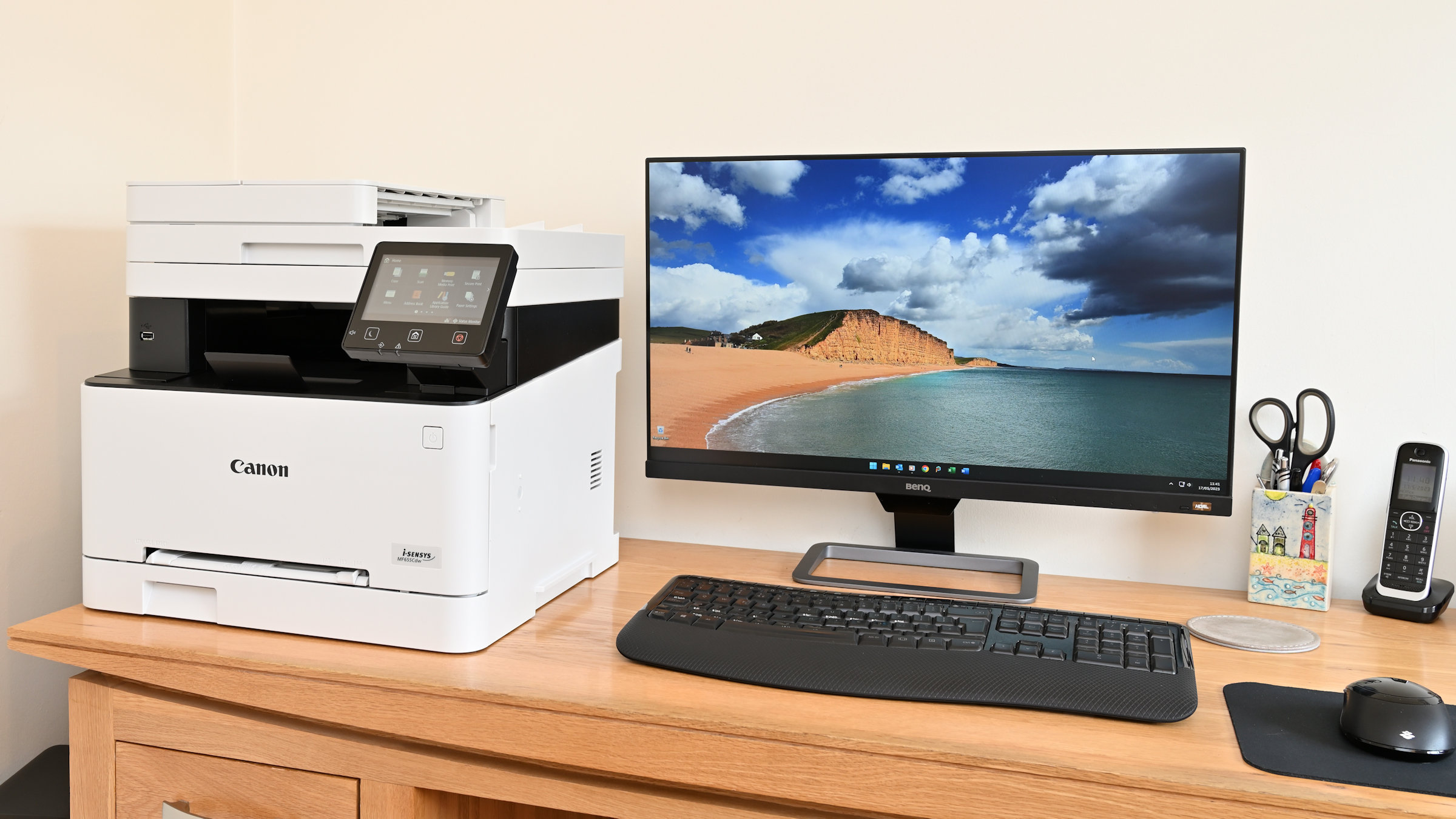

A home printer has to handle more than a test page. It may need to copy a signed form, scan a school worksheet, print a borderless photo, or produce a stack of documents without making setup feel like a technical project. The wrong model can also take over a desk while offering little beyond basic single-sided printing.
We compared ten current all-in-one inkjet printers, paying close attention to duplex printing, wireless compatibility, scanning features, ink system, speed, and physical size. The Canon PIXMA TS6520 is our top pick, with the HP OfficeJet Pro 8139, Epson EcoTank ET-2800, and several compact Canon and HP models covering different home workloads.
Comparison table
| # | Product | Award | Print system | Key features | Best for |
|---|---|---|---|---|---|
| 1 | Canon PIXMA TS6520 | Best overall | Two-cartridge color inkjet | Auto duplex, scanner, copier, dual-band Wi-Fi | Most homes |
| 2 | HP DeskJet 2955 | Best for basics | Color inkjet | 60-sheet tray, scan, copy, dual-band Wi-Fi | Occasional documents |
| 3 | HP DeskJet 4255e | Best with an ADF | Color inkjet | Auto document feeder, scan, copy | Multi-page copying |
| 4 | HP OfficeJet Pro 8139 | Best for home offices | Color inkjet | ADF, fax, auto duplex, 225-sheet tray | Frequent printing |
| 5 | Canon PIXMA TS4320 | Best for photos and documents | Two-cartridge color inkjet | Auto duplex, scanner, dual-band Wi-Fi | Mixed home use |
| 6 | HP Envy 6155 | Best touchscreen | Color inkjet | 2.4-inch touchscreen, auto duplex | Easy hands-on control |
| 7 | Canon PIXMA TR4720 | Best for faxing | Four-function inkjet | ADF, fax, auto duplex, 100-sheet tray | Forms and documents |
| 8 | Epson EcoTank ET-2800 | Best refillable tank | Cartridge-free ink tank | Up to 4, 500 black and 7, 500 color pages | High-volume households |
| 9 | HP Smart Tank 5101 | Best for long stretches between refills | Refillable ink tank | Up to 6, 000 black or color pages | Heavy home printing |
| 10 | Canon PIXMA TS3720 | Best basic Canon | Two-cartridge color inkjet | Scan, copy, dual-band Wi-Fi | Simple single-sided printing |
1. Canon PIXMA TS6520: Best Overall

Pros
- Automatic two-sided printing
- Dual-band Wi-Fi works on 2.4GHz and 5GHz networks
- Scanner and copier included
- Compact footprint with a useful OLED display
Cons
- Uses a two-cartridge system
- No automatic document feeder listed
- The monochrome display is small
Best for: households that need one compact printer for documents, copies, scans, and occasional photos.
The Canon PIXMA TS6520 is the easiest printer here to recommend without a long list of qualifications. It handles the home jobs people actually run into, including everyday documents, color pages, scans, copies, and photos, while automatic two-sided printing keeps routine paperwork from becoming a paper-consuming chore.
Its two-cartridge hybrid ink system is designed to keep text sharp while producing vivid color. Canon says it supports documents and photos up to 8.5 by 11 inches, including borderless output. That makes it more flexible than the basic Canon PIXMA TS3720, whose listed printing is single-sided, and more straightforward for mixed use than a refillable tank printer designed around larger workloads.
Wireless setup is a strong point. The TS6520 supports both 2.4GHz and 5GHz Wi-Fi, so it is not limited to the older band used by the HP DeskJet 4255e and HP Smart Tank 5101. The Canon PRINT app, Apple AirPrint, and Mopria Print Service cover the usual phone and tablet workflows. A 1.42-inch monochrome OLED display shows printer status and ink information without forcing every small task through an app.
The weakness is the absence of a listed automatic document feeder. If you regularly scan or copy a pile of pages, the HP DeskJet 4255e or Canon PIXMA TR4720 is a better fit. The TS6520 is also 15.3 pounds and measures 14 by 14.8 by 6.7 inches, so compact does not mean tiny. Choose it for a balanced family printer that gives you duplex printing, sensible wireless support, and enough control to avoid fighting with the device.
2. HP DeskJet 2955: Best for Basics

Pros
- Prints, scans, and copies
- Dual-band wireless connection
- 60-sheet input tray
- Compact design and simple icon LCD
Cons
- Slower listed print speeds
- No automatic document feeder listed
- Intended for basic printing rather than busy workloads
Best for: people who print recipes, letters, lists, and occasional color documents.
The HP DeskJet 2955 is a deliberately simple all-in-one. It is aimed at the household that prints when a form arrives, a child needs a worksheet, or a recipe needs to move from a screen to the kitchen. Print, copy, and scan functions are all present, but the design does not pretend to be a small office machine.
HP lists speeds up to 7.5 pages per minute in black and 5.5 pages per minute in color. Those figures make sense for short jobs, not a large document queue. The 60-sheet input tray is enough for intermittent use, though it requires more attention than the 100-sheet Canon PIXMA TR4720 or 225-sheet HP OfficeJet Pro 8139.
The printer supports mobile and wireless printing, with dual-band Wi-Fi that can automatically detect and resolve connection issues. HP’s app handles printing, scanning, copying, and faxing from a phone, while the icon LCD keeps basic controls on the printer itself. HP also highlights AI-assisted formatting for web pages and emails, which can help remove unwanted content before printing.
The DeskJet 2955 measures 16.73 inches wide, 11.97 inches long, and 6.06 inches high, and weighs 7.55 pounds. That low weight makes it one of the easier printers to move between a shelf and a desk. The tradeoff is capability: the Canon PIXMA TS6520 adds automatic duplex printing, while the HP DeskJet 4255e adds an ADF. Pick the 2955 when your printing is light and your priority is a straightforward all-in-one that does not consume much space.
3. HP DeskJet 4255e: Best with an ADF

Pros
- Automatic document feeder
- Prints, scans, and copies
- Mobile printing through the HP app
- 60-sheet input tray
Cons
- Wi-Fi is limited to 2.4GHz
- Cartridge restrictions may matter to some owners
- No automatic duplex printing listed
Best for: home users who copy or scan multi-page documents but print only modest volumes.
The HP DeskJet 4255e makes one important upgrade over the DeskJet 2955: an automatic document feeder. That single feature changes how useful the printer feels for school packets, signed forms, and several-page scans. You can still print, copy, and scan from the compact all-in-one body, but the ADF means you do not have to place every page on the glass yourself.
HP lists print speeds up to 8.5 pages per minute in black and 5.5 pages per minute in color. Its 60-sheet input tray suits short runs, and the icon LCD keeps the printer usable without a phone. The HP app extends control to a smartphone, computer, or tablet, including print, scan, copy, and fax functions through the app.
There is a meaningful wireless limitation. This model is only 2.4GHz capable, unlike the dual-band Canon PIXMA TS6520 and HP Envy 6155. That is not automatically a problem, but homes with a carefully separated 5GHz network should check their setup before choosing it. HP also says the printer is intended to work with cartridges containing HP chips or circuitry, and firmware updates maintain those measures.
The 4255e measures 16.85 inches wide, 13.07 inches long, and 7.87 inches high. It is a practical middle ground between the basic DeskJet 2955 and the office-oriented OfficeJet Pro 8139. It does not list automatic two-sided printing, so the Canon PIXMA TS4320 is the better choice for duplex-heavy work. For forms, copies, and occasional home printing, though, the ADF is the reason to choose this model.
4. HP OfficeJet Pro 8139: Best for Home Offices

Pros
- Fastest listed print speeds in the group
- 225-sheet input tray
- Automatic document feeder and duplex printing
- Fax, scan, and copy functions
- 2.7-inch color touchscreen
Cons
- Large and heavy
- Cartridge restrictions apply
- More machine than occasional users need
Best for: home offices that print reports, presentations, forms, and other multi-page documents regularly.
The HP OfficeJet Pro 8139 is the clear workhorse in this group. It is the printer to choose when a home printer has to act like office equipment, with print, scan, copy, fax, an automatic document feeder, automatic two-sided printing, and a 225-sheet input tray. That tray alone means fewer interruptions during a substantial print run.
Its listed speeds reach 20 pages per minute in black and 10 pages per minute in color, well ahead of the compact DeskJet models. The 2.7-inch color touchscreen should also make local setup and routine controls less frustrating than a basic icon panel. HP’s app provides mobile access, while dual-band Wi-Fi gives it broader network compatibility than the 2.4GHz-only HP DeskJet 4255e.
The ADF and auto duplex combination is the real differentiator. The Canon PIXMA TR4720 also includes an ADF, fax, and duplex printing, but its listed speeds are 8.8 images per minute for black documents and 4.4 images per minute for color documents. The 8139 is built for a busier desk, and HP adds Wolf Essential Security for network protection plus AI-assisted formatting for web pages and emails.
This is a large printer at 18.12 inches wide, 13.29 inches long, and 9.17 inches high. Its 17.6-pound weight also makes it a poor match for a narrow shelf that must be cleared frequently. HP says it works with cartridges containing original HP chips or circuitry, which is another constraint to consider. Choose it when speed, paper handling, and office functions matter more than a small footprint. For occasional family printing, the Canon PIXMA TS6520 is less cumbersome.
5. Canon PIXMA TS4320: Best for Photos and Documents

Pros
- Automatic two-sided printing
- Hybrid ink system for text and color
- Supports borderless output up to 8.5 by 11 inches
- Dual-band Wi-Fi and mobile printing
- Scanner and copier included
Cons
- Uses two ink cartridges
- No automatic document feeder listed
- Not designed for high-volume work
Best for: households that mix schoolwork and documents with occasional full-page color photos.
The Canon PIXMA TS4320 has the same basic appeal as the TS6520, but it is best understood as a compact mixed-use printer rather than a document specialist. It prints, scans, and copies, and automatic two-sided printing gives it an advantage over the Canon PIXMA TS3720 for homework, forms, and longer documents.
Canon describes the two-cartridge hybrid system as producing sharp text and vivid colors. It supports documents and photos up to 8.5 by 11 inches, with or without borders, so it can cover more than plain office paper. The Canon PRINT app, Apple AirPrint, and Mopria Print Service make phone printing simple, and dual-band Wi-Fi supports both 2.4GHz and 5GHz networks.
Its physical design is nearly square at 14 inches wide, 14.8 inches long, and 6.7 inches high. At 14.8 pounds, it is not featherweight, but it should fit comfortably on a normal home desk. The printer is also EPEAT Silver and ENERGY STAR certified, details that may matter to buyers trying to reduce equipment impact.
The TS4320 lacks a listed ADF, so it is not the right tool for scanning a stack of pages. The HP DeskJet 4255e handles that job better, and the OfficeJet Pro 8139 is far faster for repeated office work. The TS4320 makes more sense for someone who wants automatic duplex printing and photo support in a compact Canon body, especially if the household prints from phones as often as from computers.
6. HP Envy 6155: Best Touchscreen

Pros
- Responsive-style 2.4-inch color touchscreen
- Automatic two-sided printing
- 100-sheet input tray
- Dual-band Wi-Fi
- Designed for documents and borderless photos
Cons
- No automatic document feeder listed
- Cartridge restrictions apply
- Unusual listed dimensions may require careful placement
Best for: home users who want direct controls and regular photo or color document printing.
The HP Envy 6155 is the most pleasant fit for someone who dislikes managing a printer entirely through a phone. Its 2.4-inch color touchscreen gives local controls more room than the icon LCDs on the DeskJet models. That matters when you are making a copy, checking a setting, or starting a job from the printer itself.
HP lists speeds up to 10 pages per minute in black and 7 pages per minute in color. A 100-sheet input tray is a useful step up from the 60-sheet trays in the DeskJet 2955 and 4255e. Automatic two-sided printing also puts it closer to the Canon PIXMA TS6520 and TS4320 for routine documents.
The Envy 6155 is aimed at high-quality color documents, homework, and borderless photos. HP’s P3 technology is intended to keep printed documents and photos looking vibrant relative to what appears on screen. Dual-band Wi-Fi supports the common 2.4GHz and 5GHz bands, and the HP app handles printing, scanning, copying, and faxing from a phone.
There is no listed ADF, so it cannot match the DeskJet 4255e for multi-page scanning. HP also says the printer is intended for cartridges with original HP chips or circuitry, and firmware updates help enforce that restriction. The listed dimensions are 17.05 inches long, 14.21 inches high, and 5.35 inches wide, a shape that deserves a quick measurement before it goes on a shelf. Choose it for the touchscreen and color focus, not for a busy paperwork station.
7. Canon PIXMA TR4720: Best for Faxing

Pros
- Built-in fax
- Automatic document feeder
- Automatic two-sided printing
- 100-sheet capacity
- Mobile printing and borderless output
Cons
- Slower listed color speed
- Larger footprint than basic home printers
- Older model in this selection
Best for: households that still send faxes or handle multi-page forms.
The Canon PIXMA TR4720 earns its place by doing the office tasks that many compact home printers omit. It is a four-function wireless machine with printing, copying, scanning, and faxing, and its automatic document feeder makes multi-page paperwork much less tedious. Automatic two-sided printing adds a practical advantage for longer documents.
Canon lists a speed of approximately 8.8 images per minute for black letter documents and 4.4 images per minute for color documents. A 4 by 6-inch borderless photo takes approximately 65 seconds according to the supplied specifications. Those figures put it behind the HP OfficeJet Pro 8139 for speed, but the TR4720 is still suited to short forms, letters, and occasional photos.
The 100-sheet capacity is enough for a home office that prints in moderate bursts. The printer supports output up to 8.5 by 11 inches, including borderless prints, and it connects to mobile devices. Canon also lists Alexa notifications for low ink and optional smart reordering, with no subscription required for that feature.
At 17.2 inches wide, 11.7 inches long, and 7.5 inches high, the TR4720 needs more desk width than the HP DeskJet 2955. Its 12.7-pound weight is manageable, but this is not the smallest Canon here. If you do not need a fax or ADF, the Canon PIXMA TS6520 has a cleaner home-first feature set. If forms and faxing are part of your routine, the TR4720 remains one of the more practical picks.
8. Epson EcoTank ET-2800: Best Refillable Tank

Pros
- Cartridge-free refillable ink system
- Up to 4, 500 black and 7, 500 color pages listed
- Up to two years of ink included
- Scanner and copier included
- Heat-free Micro Piezo printing technology
Cons
- Slower than the HP OfficeJet Pro 8139
- No automatic document feeder listed
- Epson recommends genuine ink
Best for: households that print frequently and want to refill tanks rather than replace cartridges.
The Epson EcoTank ET-2800 is the major alternative to the cartridge printers in this roundup. Its refillable tank system changes the ownership routine: instead of swapping small cartridges, you monitor visible ink reservoirs and add bottled ink when needed. That makes it especially appealing to a household that prints often enough for interruptions to become annoying.
Epson lists enough ink in the box for up to two years and says the printer can produce up to 4, 500 black pages or 7, 500 color pages. Those are supplied yield claims, not a promise that every household will see the same result, but they explain why the ET-2800 stands apart from the Canon PIXMA TS4320 and HP Envy 6155. Epson also says its Micro Piezo Heat-Free technology produces vivid, detailed prints.
The printer handles color printing, scanning, and copying, and Epson lists a speed of 10 ISO pages per minute. That is respectable for household work, though well behind the OfficeJet Pro 8139’s listed 20 black pages per minute. The ET-2800 measures about 16 inches wide, 17 inches long, and 9.3 inches high, so the tank hardware does not make it especially small.
Refilling requires a little more attention than inserting a cartridge, and Epson strongly recommends genuine ink for print quality and warranty support. There is no listed ADF, so the HP DeskJet 4255e is more convenient for multi-page scans. If your household prints regularly and wants fewer cartridge changes, the ET-2800 is the tank printer to keep in mind. For occasional printing, its refillable design may be more machinery than you need.
For households comparing ink types, the difference between cartridge convenience and tank capacity matters more than a long feature list. If you mostly print photographs, how to handle color and borderless photo printing at home can help clarify which features deserve priority.
9. HP Smart Tank 5101: Best for Long Stretches Between Refills

Pros
- Refillable cartridge-free design
- Up to two years of ink included
- Up to 6, 000 black or color pages listed
- Mess-free refill system
- Scanner and copier included
Cons
- Wireless connection is limited to 2.4GHz
- No automatic document feeder listed
- High-volume design is less compelling for occasional users
Best for: families that print thousands of pages and want a large ink supply on hand.
The HP Smart Tank 5101 is built around one idea: refill less often. HP says it includes up to two years of ink and can produce up to 6, 000 black or color pages out of the box. That makes it a natural fit for a family with schoolwork, forms, activity sheets, and other recurring print jobs.
Its refill system is designed to reduce spills. HP says the bottles plug into the tanks and drain without squeezing, which should make maintenance less intimidating than the old process of transferring liquid ink by hand. The printer also prints, scans, copies, and uses HP’s AI-assisted formatting for web pages and emails.
The most important limitation is wireless. The Smart Tank 5101 is 2.4GHz only, so it does not have the dual-band flexibility of the Epson EcoTank ET-2800, Canon PIXMA TS6520, or HP OfficeJet Pro 8139. Check your home network before buying, especially if your router separates bands or gives priority to 5GHz devices.
The listed dimensions are 17.11 inches long, 14.23 inches wide, and 6.19 inches high, with an 11.09-pound weight. It lacks a listed ADF, so it is less useful for stacks of paperwork than the Canon PIXMA TR4720. The Epson ET-2800 is the better alternative if you prefer Epson’s tank ecosystem and higher listed color yield. Choose the Smart Tank 5101 when ink capacity and a straightforward refill process matter most.
10. Canon PIXMA TS3720: Best Basic Canon

Pros
- Prints, scans, and copies
- Dual-band Wi-Fi
- Simple 1.5-inch LCD
- Supports envelopes, photos, banners, and square prints
- Compact and light
Cons
- Single-sided printing only
- Slower color speed
- No automatic document feeder listed
Best for: occasional single-sided documents, small photos, and basic home copying.
The Canon PIXMA TS3720 is the least complicated printer in this roundup. It provides the core all-in-one functions, including printing, copying, and scanning, without adding an ADF, fax, or duplex mechanism. That makes it a sensible choice for a household that prints only a few pages at a time.
Canon lists speeds of approximately 7.7 images per minute for black and 4 images per minute for color. The printer uses two easy-to-replace cartridges and has a 1.5-inch segment LCD for basic controls. It supports dual-band Wi-Fi, so its wireless compatibility is better than the 2.4GHz-only HP DeskJet 4255e despite its simpler feature set.
Media support is broader than the basic label suggests. The TS3720 can print envelopes, photos, high-resolution paper, banners, 5 by 5-inch square photos, and borderless photos up to 5 by 7 inches. It also works with the Canon PRINT app, Apple AirPrint, Mopria Print Service, and Chromebook printing.
The limitation is decisive for many households: printing is single-sided only. The Canon PIXMA TS6520 and TS4320 are much better choices for two-sided schoolwork or documents, while the HP DeskJet 4255e is more useful for multi-page scanning because it has an ADF. At 12.9 inches wide, 17.2 inches long, and 5.8 inches high, and weighing 8.7 pounds, the TS3720 suits a light-duty desk where basic printing is all that is required.
How to choose best computer printers for home
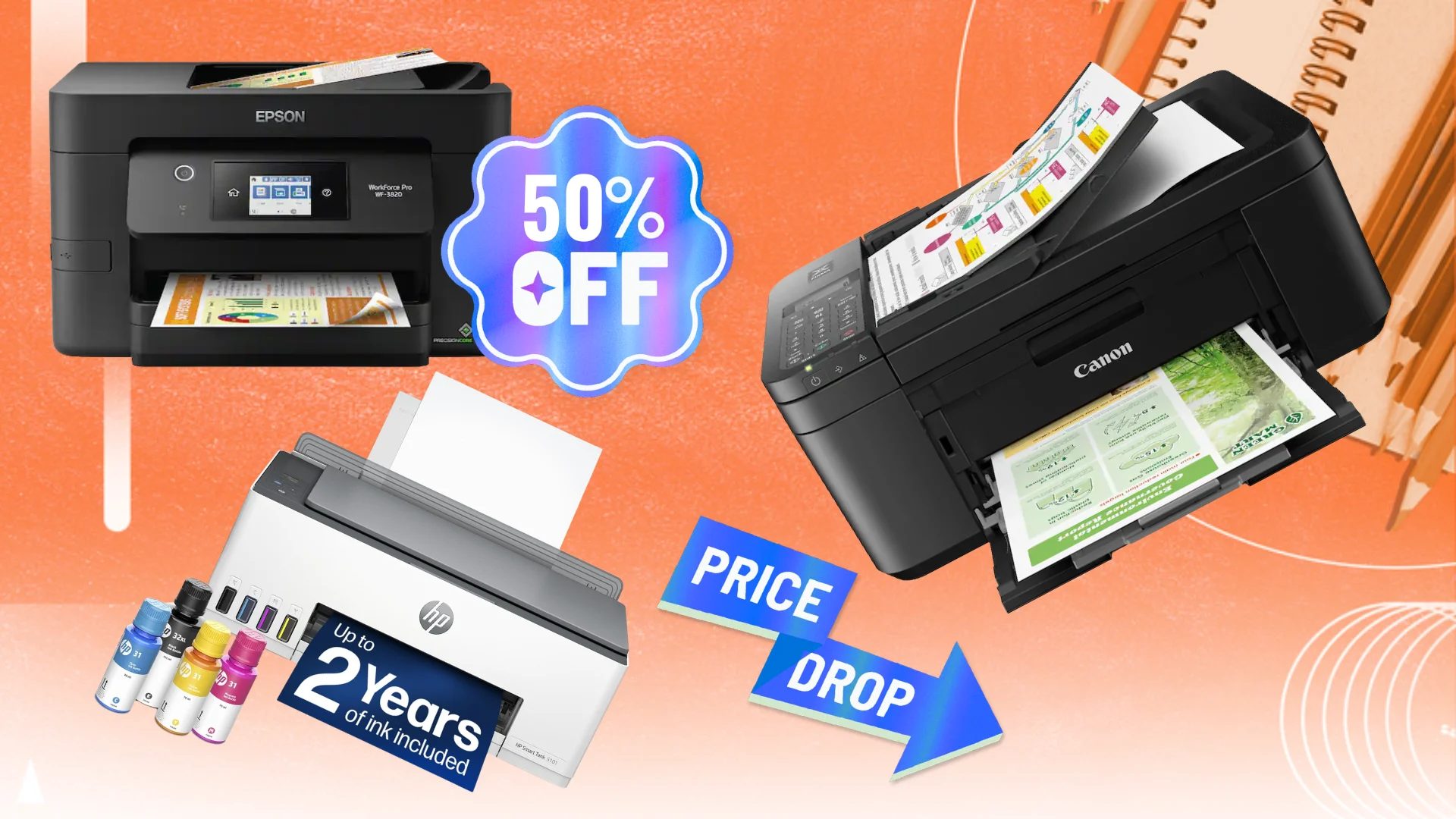
The right home printer depends on what you print repeatedly, not on how many features appear on the box. Start with paper handling, wireless compatibility, ink design, and the amount of scanning or copying you expect to do.
Duplex printing
Automatic duplex printing turns a two-sided document into a normal print job instead of a manual paper-flipping exercise. It is useful for schoolwork, forms, instructions, and household records. The Canon PIXMA TS6520, Canon PIXMA TS4320, HP OfficeJet Pro 8139, HP Envy 6155, and Canon PIXMA TR4720 list automatic two-sided printing, while the Canon PIXMA TS3720 is single-sided only.
Automatic document feeders
An ADF matters when you scan or copy several pages at once. Without one, every page must be placed on the scanner glass and repositioned manually. The HP DeskJet 4255e, HP OfficeJet Pro 8139, and Canon PIXMA TR4720 list ADFs, making them better choices for forms, paperwork, and multi-page copying.
If you regularly scan more than a few pages, an ADF changes the printer you need more than a larger display does.
Ink system
Cartridge printers are familiar and generally simple to maintain, while refillable tank printers are designed for long print runs and fewer ink changes. The Epson EcoTank ET-2800 and HP Smart Tank 5101 use refillable tanks. The remaining models use cartridge systems, with HP noting cartridge-chip restrictions on several of its printers.
Wireless compatibility
Dual-band Wi-Fi supports both 2.4GHz and 5GHz networks and gives a home network more flexibility. The Canon PIXMA TS6520, Canon PIXMA TS4320, Canon PIXMA TS3720, HP DeskJet 2955, HP OfficeJet Pro 8139, and HP Envy 6155 list dual-band support. The HP DeskJet 4255e and HP Smart Tank 5101 are limited to 2.4GHz, which should be checked against your router before purchase.
Speed and paper capacity
Speed matters when a printer handles repeated jobs, while tray capacity determines how often you need to reload paper. The HP OfficeJet Pro 8139 is the standout for throughput, with listed speeds up to 20 black pages per minute and a 225-sheet tray. Basic models such as the HP DeskJet 2955 and HP DeskJet 4255e have 60-sheet trays and are better suited to short print runs.
If desk space is tight, the dimensions that work best in a small home workspace are worth checking before choosing a model. A printer’s width, depth, and paper access can matter more than its listed height once it is placed beside a computer.
Frequently asked questions
Which printer is best for a typical home?
The Canon PIXMA TS6520 is the strongest all-purpose pick in this group. It combines printing, scanning, copying, automatic two-sided printing, dual-band Wi-Fi, and support for documents and photos up to 8.5 by 11 inches.
Which home printer is best for frequent printing?
The Epson EcoTank ET-2800 and HP Smart Tank 5101 are the strongest choices for frequent printing because they use refillable ink tanks. The Epson lists up to 4, 500 black and 7, 500 color pages, while HP lists up to 6, 000 black or color pages for the Smart Tank 5101.
Which printer has an automatic document feeder?
The HP DeskJet 4255e, HP OfficeJet Pro 8139, and Canon PIXMA TR4720 list automatic document feeders. They are better suited to scanning or copying multiple pages than the models that rely only on a flatbed scanner.
Do any of these printers support 5GHz Wi-Fi?
Yes. The Canon PIXMA TS6520, Canon PIXMA TS4320, Canon PIXMA TS3720, HP DeskJet 2955, HP OfficeJet Pro 8139, and HP Envy 6155 list dual-band Wi-Fi support. The HP DeskJet 4255e and HP Smart Tank 5101 are listed as 2.4GHz-only.
Which printer is best for two-sided documents?
The Canon PIXMA TS6520 is the best balanced choice for two-sided home documents. The Canon PIXMA TS4320, HP OfficeJet Pro 8139, HP Envy 6155, and Canon PIXMA TR4720 also list automatic duplex printing.
Which printer is best for faxing?
The Canon PIXMA TR4720 and HP OfficeJet Pro 8139 include fax functions. The Canon is a more home-focused option with an ADF and 100-sheet capacity, while the HP is better suited to a busier home office with faster listed printing and a 225-sheet tray.
Are refillable tank printers difficult to maintain?
They require a different routine from cartridge printers because ink is added from bottles rather than inserted as a cartridge. The Epson EcoTank ET-2800 and HP Smart Tank 5101 are designed for refilling, and HP specifically describes the Smart Tank system as mess-free. Epson recommends genuine ink to support print quality and warranty coverage.
The bottom line
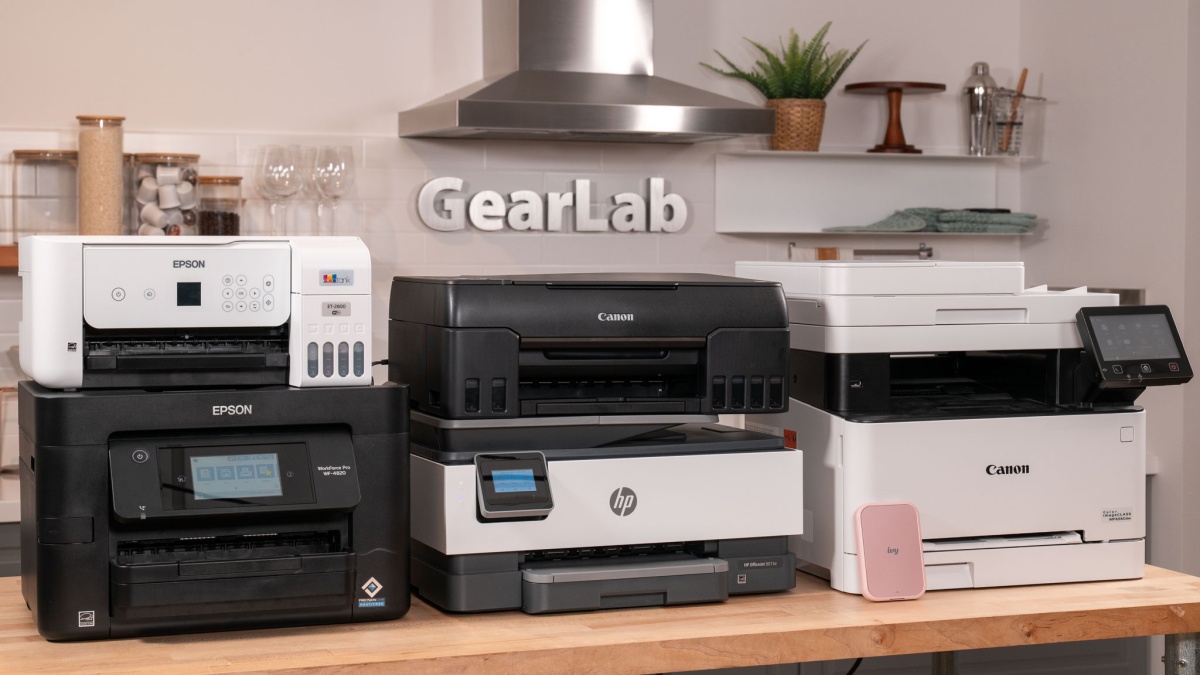
The Canon PIXMA TS6520 is our top pick among the Best computer printers for home because it covers the widest range of everyday jobs without becoming an office-sized machine. Automatic duplex printing, dual-band Wi-Fi, scanning, copying, and support for full-page photos give it a better balance than the simpler Canon PIXMA TS3720 or the 2.4GHz-only HP DeskJet 4255e.
For a home office, the HP OfficeJet Pro 8139 is the stronger choice thanks to its ADF, fax, 225-sheet tray, automatic duplexing, touchscreen, and faster listed print speeds. For frequent printing with refillable ink, choose the Epson EcoTank ET-2800 or HP Smart Tank 5101, with the network limitation of the HP worth checking first.
If you are undecided, choose the Canon PIXMA TS6520 for mixed home use, the HP OfficeJet Pro 8139 for paperwork, or a tank model when your household prints enough to justify refillable ink.
As an Amazon Associate we earn from qualifying purchases.