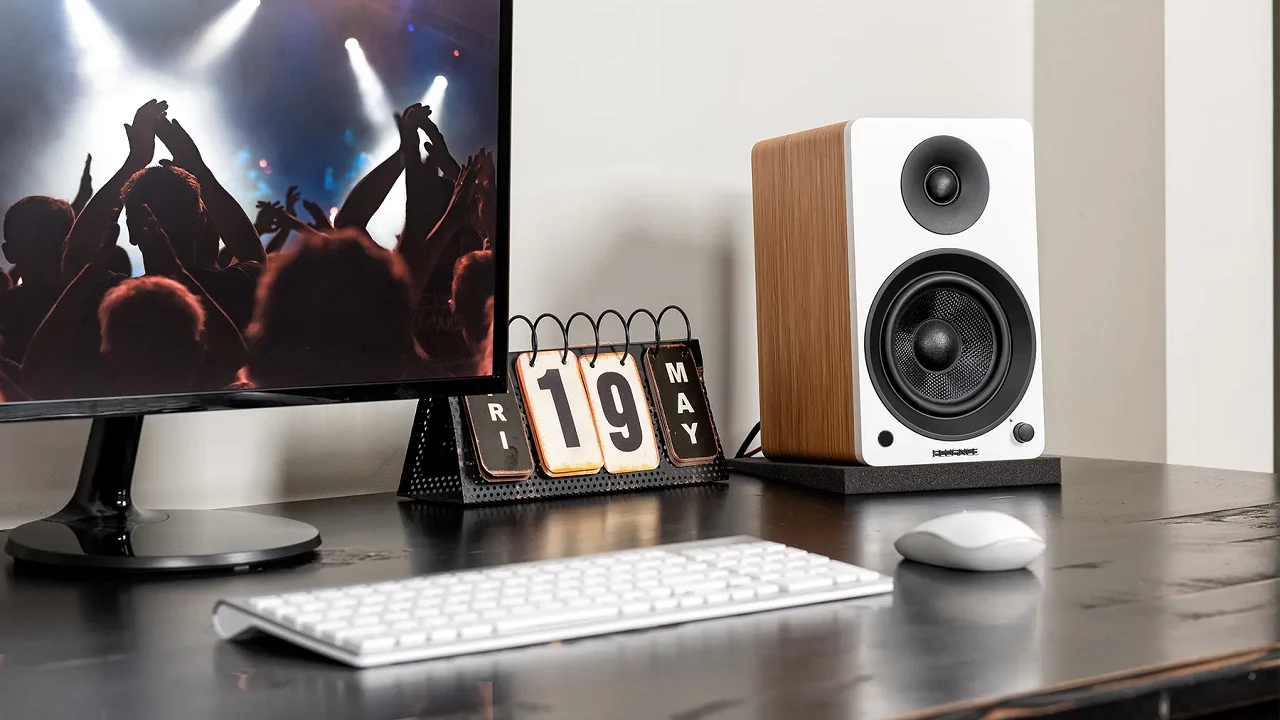

A laptop's built-in audio can make dialogue sound thin, while a desktop monitor often leaves no room for a proper stereo setup. The right pair of speakers adds scale, bass, and a wider soundstage without forcing you to wear headphones all day. Our Best PC Speakers picks include compact USB models, powerful 2.1 systems, and flexible Bluetooth speakers.
The Edifier M60 is the strongest all-rounder here. It combines substantial output, useful digital and analog inputs, high-resolution wireless audio, and a compact desktop-friendly design. The rest of the lineup ranges from the tiny Amazon Basics Stereo 2.0 to the room-filling Klipsch ProMedia 2.1 and Logitech G560.
Our top pick is the Edifier M60, with options below for gaming, movies, music, small desks, and added bass.
Comparison of the Best PC Speakers
| # | Product | Award | Power | Connectivity | Best for |
|---|---|---|---|---|---|
| 1 | Edifier M60 | Best overall | 66W RMS | Bluetooth 5.3, USB-C, AUX | Most desktop setups |
| 2 | Edifier G2000 | Best for gaming desks | 32W peak | Bluetooth, USB, AUX | Gaming and RGB setups |
| 3 | Logitech Z207 | Best for easy switching | Not stated | Bluetooth 4.2, 3.5mm | Computers and mobile devices |
| 4 | Logitech Z313 | Best compact 2.1 system | 25W RMS | 3.5mm | Simple bass-focused setups |
| 5 | Logitech G560 | Best for immersive gaming | 240W peak | Bluetooth, PC connection | Large gaming stations |
| 6 | Amazon Basics Stereo 2.0 | Best ultra-compact option | Not stated | USB power, 3.5mm | Basic laptop audio |
| 7 | Klipsch ProMedia 2.1 | Best for powerful bass | 200W peak | 3.5mm | Movies, music, and gaming |
| 8 | Creative Pebble V3 | Best USB-C speakers | 8W RMS | USB-C, Bluetooth 5.0, AUX | Small modern desks |
| 9 | OHAYO 60W | Best for input flexibility | 60W stated | Bluetooth 5.3, RCA, AUX, USB | Mixed audio systems |
| 10 | Sanyun SW208 | Best for tone controls | 30W x 2 stated | Bluetooth 5.0, USB DAC | Desktop music listening |
1. Edifier M60: Best Overall
Pros
- Strong 66W RMS output from a compact two-speaker design
- USB-C, AUX, and Bluetooth 5.3 inputs
- LDAC support for compatible Android devices
- Angled aluminum stands aim sound toward ear level
- Touch controls and app support
Cons
- Larger and heavier than basic desktop speakers
- The useful LDAC feature depends on a compatible source
- No separate subwoofer
Best for: someone who wants detailed, powerful desktop audio without adding a subwoofer.
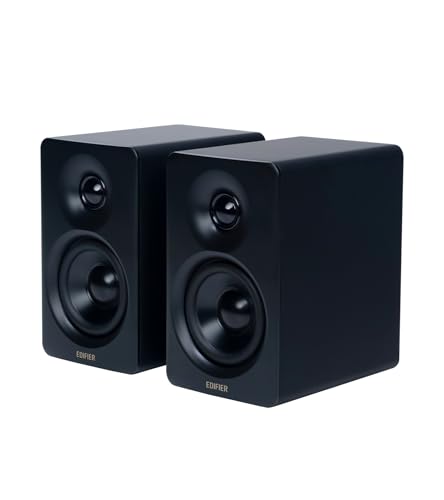
The Edifier M60 is the pair we would keep on a desk that needs to handle everything. It has enough physical presence to make games and films feel substantial, yet its compact cabinet does not dominate the space. The included aluminum stands angle each speaker upward by 15 degrees, which is a small but meaningful detail when the speakers sit below ear level.
Its 66W RMS output comes from separate mid-low and treble amplification, with 18W per side for the mid-low drivers and 15W per side for the treble. The hardware includes 3-inch long-throw aluminum diaphragm drivers and 1-inch silk dome tweeters. That two-way arrangement gives the M60 a better chance of keeping voices and cymbals distinct when the volume rises than a single full-range driver.
Connectivity is unusually well considered. USB-C provides a direct wired route from a computer, AUX covers standard analog sources, and Bluetooth 5.3 handles wireless listening. The receiver supports LDAC, with transmission up to 24-bit/96kHz from compatible Android devices. That will not matter to every PC owner, but it makes the M60 more useful as a general listening system rather than a speaker pair that stays permanently attached to one computer.
The touch panel is another pleasant refinement. Its backlight activates as a hand approaches, and the Edifier ConneX app adds extra control. The main limitation is the lack of a separate subwoofer. The M60 has more authority than the Edifier G2000 and sounds more mature than the Logitech Z207, but the Klipsch ProMedia 2.1 produces a much bigger low-end hit. Choose the M60 for clarity, flexibility, and a clean desktop, not for the physical rumble of a dedicated bass box.
The M60 is the right choice for a listener who wants one compact system for work, music, games, and video. It is the most complete set of Best PC Speakers here, provided your desk has room for its heavier cabinets and you do not specifically want a subwoofer.
2. Edifier G2000: Best for Gaming Desks

Pros
- Compact design with 32W total peak power
- Bluetooth, USB sound card, and AUX inputs
- Three sound modes for games, music, and movies
- Twelve RGB lighting effects
- Dedicated subwoofer output
Cons
- Smaller drivers cannot match larger 2.1 systems for bass
- RGB lighting will not suit every workspace
- Control and mode changes are less refined than on the M60
Best for: a gamer who wants compact speakers with lighting and several connection options.
The Edifier G2000 is shaped around a gaming desk rather than a traditional hi-fi setup. Its column-like cabinets take up less horizontal space than many larger pairs, and the 10-degree elevation points the drivers toward the listener. Anti-slip feet help keep the speakers planted, while the matte panels and engraved details give them more character than plain office speakers.
Each speaker uses a 2.75-inch full-range driver. Edifier states 16W RMS and 32W total peak power, with a rear bass port helping the small enclosures produce more low-end weight than their size suggests. The result should suit game effects and general desktop listening, although it does not have the headroom or deep bass of the Logitech G560 or Klipsch ProMedia 2.1.
The G2000 offers USB audio, 3.5mm AUX, and Bluetooth, so it can move between a PC, console, phone, and other sources without much fuss. Three sound modes are built in for games, music, and movies. There is also a subwoofer output if the compact pair eventually needs more low-end support. That gives it a useful upgrade route that the Creative Pebble V3 does not provide.
The defining feature is the RGB system. Twelve lighting effects can turn the rear and sides of the speakers into part of a gaming setup, though the lights are more about atmosphere than audio performance. This pair makes more sense for someone who enjoys a coordinated desk than for someone focused purely on neutral music playback. The Edifier M60 sounds more spacious and polished, while the G2000 is easier to place around a monitor and more visually expressive.
Skip the G2000 if you want a serious stereo music system or a large cinematic presentation. Pick it if you want a small pair that can switch between USB, Bluetooth, and AUX while adding some color to the desk. Among the Best PC Speakers for gaming spaces, it strikes a sensible balance between size, features, and energy.
3. Logitech Z207: Best for Easy Switching

Pros
- Bluetooth and 3.5mm wired connections
- Easy-Switch lets you move between audio devices
- Passive radiators add bass extension
- Headphone jack on the speaker
- Simple on-speaker controls
Cons
- Bluetooth 4.2 is older than several rivals here
- No USB audio input
- Not designed for deep bass or high-output listening
Best for: a shared desk where computer, phone, and tablet audio need to change quickly.
The Logitech Z207 is a practical pair for people who do not want to think about speakers after plugging them in. Each cabinet has one powered full-range driver and a passive radiator for bass extension. It is a straightforward 2.0 arrangement, with no separate subwoofer taking up space under the desk.
The useful trick is Logitech Easy-Switch. You can connect a computer through the 3.5mm input and pair another device over Bluetooth, then pause one source and start the other. That is more convenient than repeatedly opening Bluetooth settings, especially on a desk shared between work and personal devices. Bluetooth 4.2 is not the newest wireless standard in this group, but the feature remains useful.
Controls for power, volume, and Bluetooth pairing sit on the speaker, and there is a headphone jack for private listening. The cabinets measure about 9.5 by 3.5 by 4.9 inches according to the listed size, so they are tall but relatively narrow. They can sit beside a monitor without demanding the width of the Edifier M60 or OHAYO 60W.
The Z207 is not the speaker to choose for explosive game sound or bass-heavy music. The Logitech Z313 adds a subwoofer, the Creative Pebble V3 offers USB-C audio, and the Edifier G2000 adds sound modes and RGB. The Z207's advantage is its uncomplicated device switching, along with a useful headphone connection.
It is a good fit for an office, bedroom, or family desk where multiple people use different playback devices. Choose it over the smaller Amazon Basics Stereo 2.0 when Bluetooth matters, and over the Logitech Z313 when a separate subwoofer would create clutter.
4. Logitech Z313: Best Compact 2.1 System

Pros
- Separate subwoofer adds more low-end presence
- 25W RMS output
- Compact control pod
- Simple plug-and-play arrangement
- Familiar 3-piece layout
Cons
- Wired setup only
- Limited feature set
- The subwoofer needs space under or beside the desk
Best for: someone who wants a simple desktop subwoofer without extra audio controls.
The Logitech Z313 makes one clear argument: two small satellites sound more satisfying when a dedicated subwoofer handles the bottom end. It is a three-piece system with a compact subwoofer and a wired control pod, so setup is familiar and uncomplicated. Connect it, place the satellites on either side of the display, and use the pod for everyday volume changes.
Logitech lists 25W RMS output, enough for general desktop listening and casual movies without requiring a large amplifier. The subwoofer gives drums, effects, and bass lines more physical presence than the Logitech Z207's passive-radiator design. It does not offer the scale of the Klipsch ProMedia 2.1, but its smaller footprint makes more sense for a typical desk.
The control pod is the system's most convenient feature. It puts volume adjustment within reach instead of requiring a keyboard shortcut or a trip to the operating system's mixer. The trade-off is a sparse connection setup. Unlike the Edifier M60, Edifier G2000, and OHAYO 60W, the Z313 does not provide Bluetooth, USB audio, or multiple source inputs.
That simplicity can also be a limitation. The Z313 is not a flexible living-room speaker system, and anyone who regularly streams from a phone will likely prefer the Logitech Z207 or Creative Pebble V3. The subwoofer adds cable and placement work, too, even if the overall system remains compact.
The Z313 is for the buyer who wants more bass than a pair of small 2.0 speakers can provide and does not need wireless features. If that sounds like your setup, it remains one of the most direct routes to fuller desktop sound. Readers comparing more 2.1 designs can also consider how a separate bass enclosure changes desktop listening before choosing where the subwoofer should go.
5. Logitech G560: Best for Immersive Gaming

Pros
- 240W peak power for a large gaming setup
- DTS:X Ultra positional audio
- LIGHTSYNC RGB reacts to supported games and audio
- Four lighting zones with extensive color options
- Bluetooth support
Cons
- Large and heavy system
- DTS:X features do not support Mac OS X
- Excessive for quiet office listening
Best for: a Windows gaming setup with enough room for a substantial speaker system.
The Logitech G560 is the most theatrical system in this roundup. It is built for players who want game audio to occupy the room, not just sit beneath the monitor. The large cabinets and separate low-frequency hardware need considerably more space than the Edifier G2000 or Creative Pebble V3, but they create the scale that small desktop speakers cannot.
Logitech lists 240W peak power and a maximum sound pressure level of 97 decibels. Those figures point to a system with plenty of output for games, films, and parties. Its integrated DTS:X Ultra processing is designed to render three-dimensional positional audio, giving supported Windows games more directional information. The feature is not supported on Mac OS X, so Mac users should not buy this system for its surround processing.
LIGHTSYNC RGB is central to the G560's identity. The system has four customizable lighting zones, with Logitech software offering a wide range of colors and front and rear light projection. Supported games can drive the lighting from in-game activity, while audio-reactive effects provide a more general visual mode. It is entertaining, but it adds software dependence that the Edifier M60 and Klipsch ProMedia 2.1 avoid.
The G560 also supports Bluetooth for phones, tablets, and other compatible devices. Still, its strongest case is gaming on Windows. The Klipsch ProMedia 2.1 can produce powerful, room-filling sound with a more traditional speaker presentation, while the G560 adds positional processing and visual effects. The Edifier G2000 is easier to fit on a small desk and has a quieter visual presence.
Skip the G560 if you work in a small room, prefer understated equipment, or use a Mac and need DTS:X. It is the right pick for a Windows gamer who wants big sound, directional effects, and RGB that becomes part of the setup. This is one of the Best PC Speakers for immersion, but not the most sensible choice for every desk.
6. Amazon Basics Stereo 2.0: Best Ultra-Compact Option

Pros
- Very small pair for crowded desks
- USB-powered
- 3.5mm AUX input
- Inline volume control
- Padded bases and subtle blue LEDs
Cons
- Limited output information
- No Bluetooth
- Small cabinets cannot create deep bass
Best for: a laptop or office desk that needs a basic audio upgrade in minimal space.
The Amazon Basics Stereo 2.0 speakers are about as simple as a desktop upgrade can be. The pair is small enough to fit beside a laptop or a compact monitor, and USB power means there is no separate wall adapter to find. A 3.5mm AUX connection carries the audio signal, while an inline control handles volume.
Each speaker measures roughly 2.9 inches high, 3.9 inches long, and 2.6 inches wide according to the listed dimensions. That makes them dramatically easier to place than the Edifier M60, Logitech G560, or OHAYO 60W. The metal finish and padded base add a little protection for the desk, and the blue LED lights provide a modest visual accent.
The bottom radiator is intended to add a springy bass character, but these are still very small 2.0 speakers. They will make laptop audio clearer and more present, yet they cannot reproduce the depth of the Logitech Z313's subwoofer or the Klipsch ProMedia 2.1's 6.5-inch low-frequency driver. The absence of Bluetooth also makes them less useful as general-purpose speakers for a phone.
That limited feature set is the main weakness, not a surprise given the compact design. The Creative Pebble V3 is a better modern desktop companion if USB-C and Bluetooth are important, while the Logitech Z207 is more convenient for switching between sources. The Amazon Basics pair wins when every inch of desk space matters.
Choose these for spoken content, basic videos, system sounds, and casual music near a laptop. They are not an upgrade for someone chasing cinematic bass, but they are a practical way to get sound away from a laptop's small built-in drivers.
7. Klipsch ProMedia 2.1: Best for Powerful Bass

Pros
- 6.5-inch side-firing ported subwoofer
- THX certification
- Horn-loaded satellites emphasize clarity
- 200W peak power
- Separate volume and subwoofer controls
Cons
- Large subwoofer needs careful placement
- 3.5mm input is the only listed connection
- No Bluetooth or USB audio
Best for: listeners who want forceful bass and high output for games, films, and music.
The Klipsch ProMedia 2.1 remains the enthusiast's old-school answer to weak desktop audio. It uses two satellites and a dedicated subwoofer, but the system's character comes from its ability to play loudly while keeping voices and effects forward. The subwoofer is not a token accessory. Its 6.5-inch side-firing, ported driver gives explosions, kick drums, and bass guitar genuine weight.
Klipsch lists 200W peak power and 110 decibels in-room. Those are substantial figures, although a system this capable needs sensible volume levels in a small room. The satellites use 3-inch midrange drivers and Klipsch MicroTractrix horn technology, which is designed to control dispersion and send more sound toward the listener.
The control pod provides main volume and subwoofer gain adjustment. That separate bass control is useful because the best setting depends heavily on the room, desk position, and content. A movie may benefit from more low-end impact, while music or late-night gaming may call for a calmer balance.
There are compromises. The ProMedia relies on a 3.5mm input, so it lacks the M60's USB-C and Bluetooth flexibility, the G560's wireless option, and the OHAYO 60W's RCA and USB inputs. The subwoofer also occupies real floor or under-desk space. The Edifier M60 is cleaner and more adaptable, but it cannot reproduce the same physical bass without an added subwoofer.
This is the pick for someone who wants sound with attitude rather than the smallest possible footprint. If your desk has room and your listening includes action games, films, or bass-heavy music, the ProMedia has an immediacy that many compact 2.0 systems cannot match. For a closer look at the trade-off, the role a subwoofer plays in a desktop system is more important here than wireless convenience.
8. Creative Pebble V3: Best USB-C Speakers

Pros
- USB-C audio with a USB-A adapter included
- Bluetooth 5.0 and 3.5mm AUX
- 45-degree elevated drivers
- Clear Dialog processing
- Compact two-speaker design
Cons
- AUX cable is not included
- Requires a suitable 10W port for its gain switch
- Cannot match a 2.1 system's bass
Best for: a modern laptop or desktop user who wants simple USB-C audio and a tidy cable setup.
The Creative Pebble V3 is one of the easiest systems here to recommend for a small modern desk. A single USB-C cable carries power and audio, reducing cable clutter, and a USB-C to USB-A converter is included for older computers. The speakers are compact, and the longer cable between the left and right units gives you more freedom to spread them around a monitor.
Creative uses larger 2.25-inch full-range drivers than the earlier Pebble design, with 8W RMS output and peak power up to 16W. A gain switch can increase the output when the speakers are connected to a 10W USB-C or USB-A port. That requirement matters, since not every USB port provides the same power.
The 45-degree elevated drivers aim sound toward the listener instead of firing it across the desktop. Creative also includes Clear Dialog processing, which is intended to make speech easier to understand without removing the surrounding effects in films, television, and online video. That makes the V3 especially appealing for people who spend more time with spoken content than bass-heavy music.
Bluetooth 5.0 provides a wireless route for phones and tablets, and the 3.5mm AUX input adds compatibility with analog sources. The AUX cable is not included, which is an inconvenience if you plan to use that connection immediately. The Edifier M60 sounds more substantial and supports higher-end Bluetooth transmission, while the Creative pair takes up less space and keeps the setup simpler.
The Pebble V3 should be skipped by anyone who expects room-shaking bass or very high volume. For a laptop, home office, or compact workstation, it is one of the most balanced Best PC Speakers choices because USB-C audio, Bluetooth, and elevated drivers all solve practical desktop problems.
9. OHAYO 60W: Best for Input Flexibility

Pros
- 60W stated output
- Bluetooth 5.3, RCA, AUX, and USB inputs
- MDF enclosure helps address cabinet resonance
- 3-inch full-range drivers and 0.75-inch tweeters
- Front volume control
Cons
- Large cabinets need substantial desk space
- No separate subwoofer included
- Brand and long-term software support are less established than major rivals
Best for: a desktop listener who needs one pair to accept several kinds of audio sources.
The OHAYO 60W is a flexible stereo pair with the proportions of small bookshelf speakers. Its MDF enclosure is intended to reduce cabinet resonance, and the front volume knob is convenient when the speakers sit within arm's reach. It is not the discreet choice for a narrow desk, but it has the physical size to sound more relaxed than very small USB-powered pairs.
The system uses 3-inch carbon fiber full-range drivers with 0.75-inch carbon fiber silk dome tweeters. OHAYO states 30W per channel and describes the rear bass port as a way to add low-end depth. The separate tweeter and larger enclosure should help it present music and game audio with more scale than the Amazon Basics Stereo 2.0 or Creative Pebble V3.
Its real strength is the rear panel. Bluetooth 5.3, RCA, AUX, and USB inputs cover computers, phones, televisions, turntables, audio mixers, and other equipment. That is more flexible than the Edifier M60's input selection, especially if RCA sources are part of the setup. The Sanyun SW208 also works as a desktop music pair, but its built-in 24-bit DAC and tone controls serve a more specific listening style.
The OHAYO does not include a separate subwoofer, so the rear port cannot produce the same low-end impact as the Klipsch ProMedia 2.1 or Logitech Z313. Its cabinets are also listed at about 11.5 inches high, making placement beside a monitor something to plan rather than an afterthought. It is best suited to a desk with a little breathing room.
Choose the OHAYO when connection variety matters as much as desktop audio. It is a compelling alternative to the M60 for a mixed system with RCA equipment, though the Edifier has a more compact design and a clearer high-resolution wireless story. Listeners focused on music can also compare how speaker design affects music playback on a desk before deciding between these larger 2.0 models.
10. Sanyun SW208: Best for Tone Controls

Pros
- Built-in 24-bit DAC over USB
- Bluetooth 5.0
- Bass and treble adjustment
- Carbon fiber driver units
- Bookshelf-style enclosure with quiet standby design
Cons
- No separate subwoofer
- Tone controls are on the side
- Fewer input options than the OHAYO 60W
Best for: a desktop listener who wants hands-on control over bass and treble.
The Sanyun SW208 takes a more traditional bookshelf-speaker approach than most compact PC models here. Its cabinets are designed to create a fuller stereo image, and the pair can sit on a desk or shelf with more separation than tiny near-monitor speakers. The listed 3-inch size keeps the cabinets manageable without making them ultra-compact.
Sanyun describes the driver units as 30W by 2 carbon fiber designs with a multilayer voice coil. The company also highlights warm mids, deep low frequencies, and clear highs. Those descriptions are marketing language, but the underlying design is useful: the SW208 is aimed at a listener who wants conventional stereo presentation rather than gaming lights or a separate bass module.
The built-in 24-bit DAC is the most interesting technical feature. Over USB, it receives digital audio directly from the computer and handles the digital-to-analog conversion inside the speaker system. Bluetooth 5.0 is available for wireless playback, while side-mounted controls adjust volume, treble, and bass. Those controls let you tailor the sound for music, games, or spoken content without relying entirely on software EQ.
The SW208 is less versatile than the OHAYO 60W, which adds RCA and AUX inputs, and it lacks the Edifier M60's USB-C, LDAC support, and app controls. Its side controls are also less convenient if the speakers are tucked beneath a monitor. The absence of a dedicated subwoofer means bass remains limited compared with the Logitech Z313 and Klipsch ProMedia 2.1.
Pick the SW208 if you enjoy adjusting the presentation yourself and plan to use USB audio from a computer. It is a more focused music-listening option than the Amazon Basics pair, but it is not the right choice for a gaming setup built around RGB or simulated surround sound.
How to choose best pc speakers
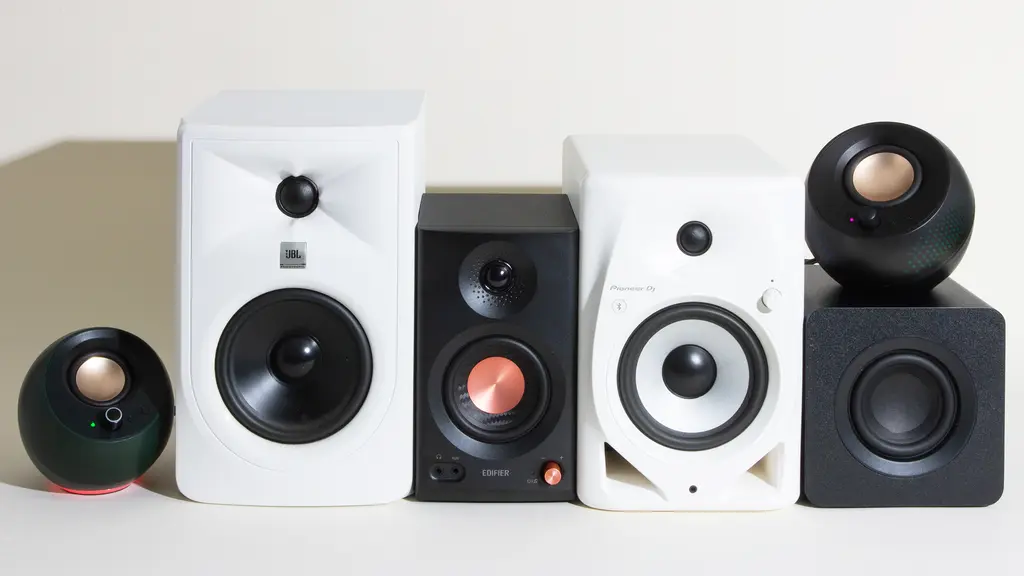
The Best PC Speakers are separated less by branding than by the way they fit your desk, your sources, and the kind of sound you actually use.
Speaker format
A 2.0 system places two full speaker cabinets on the desk and keeps the setup relatively simple. A 2.1 system adds a subwoofer, which can provide deeper bass but also creates another component and more cables. The Logitech Z313 is a compact 2.1 option, while the Klipsch ProMedia 2.1 is built for much higher output.
For a small desk, compact 2.0 models such as the Creative Pebble V3 or Amazon Basics Stereo 2.0 are easier to place. If music, action games, and films are central to your listening, a larger 2.0 pair such as the Edifier M60 or a 2.1 system will create a more substantial presentation.
Power and driver size
Power ratings are useful for understanding a speaker's intended scale, but they do not tell the entire story. The M60 lists 66W RMS, the OHAYO 60W describes 30W per channel, and the Creative Pebble V3 lists 8W RMS. Those systems are designed for very different listening spaces and volume levels.
Driver size matters because larger drivers and cabinets generally have an easier time producing fuller lower frequencies. A 2.25-inch driver in the Pebble V3 is suited to near-field desktop listening, while the ProMedia's 6.5-inch subwoofer is designed to move considerably more air.
A bigger power number cannot fix speakers that are pointed away from your ears or squeezed into the wrong part of the desk.
Wired and wireless inputs
Check every source you plan to use before choosing. USB audio is useful for a direct computer connection, AUX works with traditional analog devices, and Bluetooth makes phones and tablets easy to connect. The Edifier M60 combines USB-C, AUX, and Bluetooth 5.3, while the Logitech Z207 uses Bluetooth 4.2 and 3.5mm audio.
RCA is valuable if you plan to connect a turntable, receiver, television, or other home audio component. The OHAYO 60W is the most flexible in this group because it includes RCA, AUX, USB, and Bluetooth. The Klipsch ProMedia 2.1 is less adaptable because its listed connection is 3.5mm.
Desktop placement
Measure the available width, height, and depth around your monitor. Tall speakers such as the Logitech Z207 may fit in narrow spaces, while the Amazon Basics Stereo 2.0 takes very little room overall. The M60's included 15-degree stands and the Pebble V3's 45-degree driver angle can help when the speakers sit below ear level.
Do not forget the subwoofer. The Logitech G560 and Klipsch ProMedia 2.1 need space beneath or beside the desk, and bass response can change depending on how close the subwoofer sits to a wall or corner.
Gaming and dialogue features
Gaming-focused features are useful when they solve a specific problem. The Logitech G560's DTS:X Ultra processing is designed for positional audio on supported Windows games, while the Edifier G2000 includes game, music, and movie modes. RGB lighting is more about atmosphere, but it can be a deciding feature for a coordinated gaming desk.
For films, television, and online video, clear dialogue may matter more than simulated surround sound. The Creative Pebble V3 includes Clear Dialog processing, while a two-way system such as the Edifier M60 uses separate tweeters and mid-low drivers to divide the audio range.
Frequently asked questions
Do PC speakers need a subwoofer?
No. A good 2.0 pair can provide clear stereo sound without adding a separate bass unit. A subwoofer is useful when you want deeper effects in films, games, or bass-heavy music, but it needs extra desk or floor space.
Are USB speakers better than 3.5mm speakers?
USB speakers can receive digital audio directly from a computer, and some include their own DAC. A 3.5mm connection is more broadly compatible with computers, televisions, and older audio devices. The better choice depends on the devices you plan to connect.
Can these speakers connect to a phone?
The Edifier M60, Edifier G2000, Logitech Z207, Logitech G560, Creative Pebble V3, OHAYO 60W, and Sanyun SW208 support Bluetooth. The Logitech Z313, Amazon Basics Stereo 2.0, and Klipsch ProMedia 2.1 rely on wired connections listed in their product details.
Which PC speakers are best for gaming?
The Logitech G560 is the most gaming-focused option because it combines DTS:X Ultra positional audio with LIGHTSYNC RGB. The Edifier G2000 is easier to fit on a smaller desk and includes a game sound mode. For strong bass without RGB software, the Klipsch ProMedia 2.1 is the more traditional choice.
Can a PC speaker system replace headphones?
Speakers can replace headphones for casual gaming, music, video, and calls, but they do not provide privacy or the same close positioning. They may also allow sound to travel through a room. A system with a headphone jack, such as the Logitech Z207, makes switching between speakers and headphones easier.
How much desk space do PC speakers need?
Compact models such as the Amazon Basics Stereo 2.0 and Creative Pebble V3 fit on crowded desks. Larger models need room on both sides of the monitor, and 2.1 systems require an additional location for the subwoofer. Measure both the surface and the cable path before ordering.
The bottom line
The Best PC Speakers overall are the Edifier M60 because they combine strong 66W RMS output, two-way drivers, USB-C, AUX, Bluetooth 5.3, and a compact design with angled stands. They are the most convincing fit for a listener who wants one pair for work, games, music, and video.
Choose the Logitech G560 for a large Windows gaming setup with DTS:X Ultra and reactive lighting, or the Klipsch ProMedia 2.1 if deep bass and high output matter more than wireless connections. For a small desk, the Creative Pebble V3 keeps things tidy with USB-C and Bluetooth, while the Amazon Basics Stereo 2.0 is the simplest compact upgrade.
If you are undecided, choose the Edifier M60 unless you specifically need a subwoofer, gaming-focused lighting, or the smallest possible speakers.
As an Amazon Associate we earn from qualifying purchases.