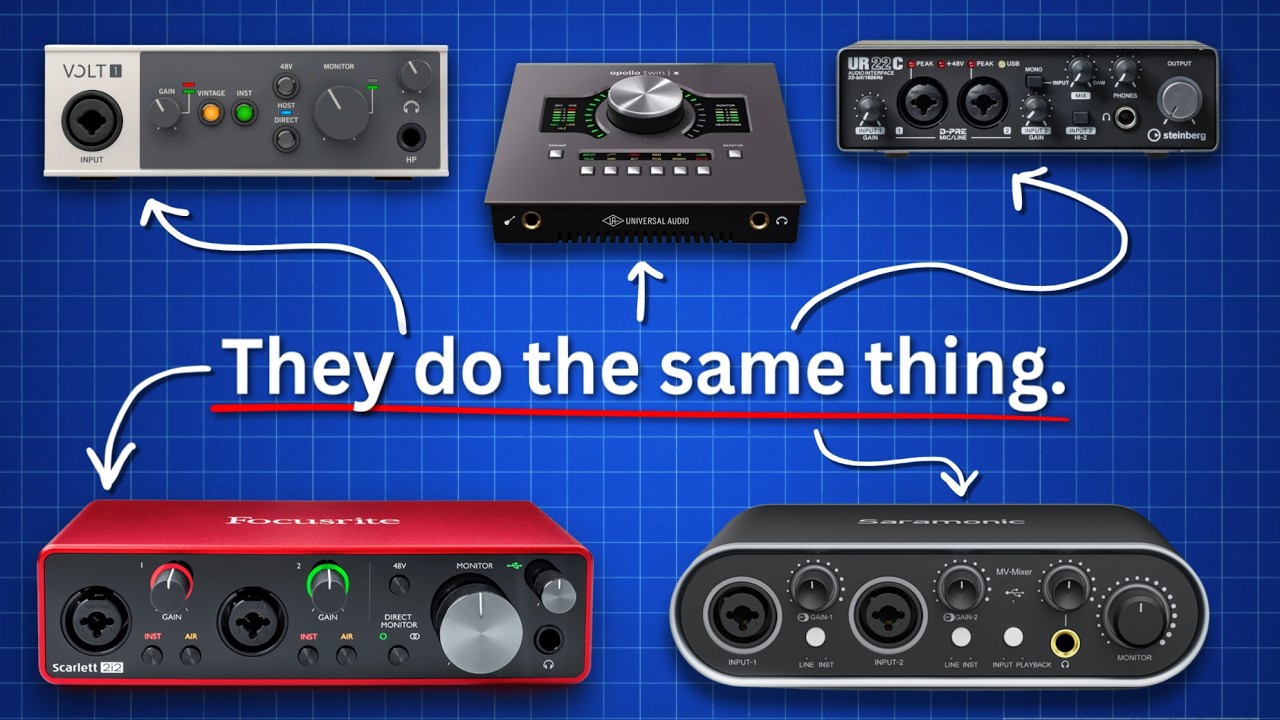

A good interface should make recording feel simpler, not turn every vocal take into a session of gain adjustments and troubleshooting. The right inputs, clean preamps, direct monitoring, and a sensible software bundle matter more than a crowded front panel.
Our Best audio interface picks cover compact one-person setups, two-microphone podcast rigs, mobile recording, and expandable home studios. Focusrite Scarlett 2i2 4th Gen is the single best pick for most people, while the list also includes smaller, simpler, and more expandable alternatives.
Comparison
| # | Product | Award | Inputs | Recording resolution | Best for |
|---|---|---|---|---|---|
| 1 | Focusrite Scarlett 2i2 4th Gen | Best overall | 2 mic, guitar, or line inputs | 120dB dynamic range | Home recording and podcasting |
| 2 | Focusrite Scarlett Solo 4th Gen | Best for solo creators | Mic and guitar input | 120dB dynamic range | One-person recording |
| 3 | Universal Audio Volt 2 | Best vintage-style sound | 2-channel interface | Up to 24-bit/192kHz | Vocalists and songwriters |
| 4 | Focusrite Scarlett 4i4 4th Gen | Best for expanding setups | 2 mic, 2 instrument, 4 line inputs | 120dB dynamic range | Synths and multi-instrument rigs |
| 5 | Focusrite Scarlett Solo 3rd Gen | Best proven compact design | Mic and instrument inputs | Up to 24-bit/192kHz | Guitar and vocal recording |
| 6 | PreSonus AudioBox 96 | Best with MIDI | 2 mic, instrument, and MIDI I/O | Up to 24-bit/96kHz | Small studios with MIDI gear |
| 7 | M-Audio M-Track Duo | Best for two inputs | 2 combo XLR/line/instrument inputs | 48kHz | Podcasts and live streams |
| 8 | MAONO PS22 Lite | Best for streaming controls | Mic and instrument input | 24-bit/192kHz | Streaming and content creation |
| 9 | M-Audio M-Track Solo | Best simple starter | Combo mic/line plus instrument input | 48kHz | Basic recording and streaming |
1. Focusrite Scarlett 2i2 4th Gen: Best Overall

Pros
- Two versatile inputs for microphones, guitars, or line sources
- 120dB dynamic range and clear 4th Gen converters
- Auto Gain and Clip Safe reduce recording mistakes
- Air mode adds presence to vocals and guitars
- Includes several recording and production tools
Cons
- Larger and heavier than the Solo models
- More interface than a single musician needs
- The included software takes time to sort through
Best for: home musicians, podcasters, and creators who need two useful inputs without moving to a larger studio hub.
The Scarlett 2i2 4th Gen is the interface we would put in the middle of the average desk. It has enough flexibility for a singer with a guitar, two podcast microphones, or a pair of line-level sources, yet it does not feel like a rack unit that demands a permanent studio setup. The front-panel layout keeps the important controls close, and the 4th Gen design makes the recording process less dependent on perfectly guessed input levels.
Its 120dB dynamic range gives recordings plenty of room for quiet detail and louder performances. That matters when a singer moves toward the microphone or a guitarist changes from a restrained verse to a forceful chorus. Auto Gain sets an appropriate level for a microphone or guitar, while Clip Safe helps prevent a good take from being ruined by an unexpected peak. Those are practical features, not decorations, especially for someone recording alone.
Air mode gives vocals and guitars extra presence and harmonic character. It is a useful way to make a dry input feel more forward before reaching for plug-ins, though it should be used with some restraint on already-bright microphones. The interface also includes Pro Tools Intro+, Ableton Live Lite, Cubase LE, and the Hitmaker Expansion bundle, so a new setup can move from hardware to recording software without immediately solving a second purchasing problem.
Compared with the Focusrite Scarlett Solo 4th Gen, the 2i2 earns its place through the second flexible input. Compared with the Universal Audio Volt 2, it has the more helpful level-management tools, while the Volt 2 has the more distinctive vintage-style recording mode. The weakness is simple: if you only ever record one microphone or guitar at once, the extra channel adds bulk without changing your workflow. For everyone else, this is the most balanced Best audio interface in the group.
2. Focusrite Scarlett Solo 4th Gen: Best for Solo Creators

Pros
- Compact design for a one-person recording desk
- 120dB dynamic range
- Improved Air mode for vocals and guitar
- Includes Pro Tools Intro+, Ableton Live Lite, and Cubase LE
- Straightforward setup for one mic and one instrument
Cons
- Less suitable for two microphones at once
- No Auto Gain or Clip Safe feature listed
- Limited room for a growing multi-input setup
Best for: a guitarist, vocalist, or producer who normally records one person at a time.
The Scarlett Solo 4th Gen makes a persuasive case for keeping a recording setup small. It is built around the common solo pattern of one microphone and one guitar, rather than asking a single creator to pay attention to unused channels and studio routing. At 5.63 inches wide, 3.78 inches high, and 1.79 inches deep, it takes little space beside a laptop or keyboard.
The main technical upgrade is the 120dB dynamic range and the use of converters shared with Focusrite's flagship interfaces. In practice, that gives a clean foundation for vocal takes, acoustic instruments, and direct guitar recording. Its improved Air mode is designed to lift vocals and guitars in a mix, adding presence and harmonic drive when the unprocessed input sounds too recessed.
The bundled software makes this a friendly starting point for someone who has not chosen a digital audio workstation. Pro Tools Intro+, Ableton Live Lite, Cubase LE, and Hitmaker Expansion cover recording, instruments, effects, and basic mastering work. The interface supports serious recording quality, but the limited input arrangement still encourages a simple workflow rather than a full-band session.
The Focusrite Scarlett 2i2 4th Gen is the better choice if two microphones or two simultaneous sources are likely. The Solo is smaller and easier to justify on a crowded desk, and it has the same generation's broad dynamic-range claim. Its weakness is future growth. Someone planning to add a second vocalist, stereo keyboard, or another microphone should skip this model and start with the 2i2. For a solo singer-songwriter, it is a clean, focused Best audio interface.
3. Universal Audio Volt 2: Best Vintage-Style Sound

Pros
- Vintage mode based on UA's classic 610 preamps
- Up to 24-bit/192kHz recording
- Includes LUNA and access to UAD plug-ins and instruments
- Supports Mac, Windows, iPad, and iPhone recording
- Portable desktop form factor
Cons
- Mobile recording requires extra power and, in some cases, an adapter
- Vintage coloration is not right for every source
- Less automatic level protection than the Scarlett 2i2 4th Gen
Best for: vocalists and songwriters who want a more characterful recording path and a strong software ecosystem.
The Volt 2 is the choice for someone who thinks the interface should contribute a little personality. Its Vintage mode is designed to evoke Universal Audio's classic 610 preamps, giving vocals, guitars, and other sources a richer character than a purely transparent input path. That does not make every recording better, but it gives the user a deliberate sound option before any plug-in is opened.
Recording runs up to 24-bit/192kHz, and the converters are described as crystal clear. The more important point is the choice between a clean capture and the Vintage mode. A songwriter can record a vocal with added warmth, then build around that tone, while a producer who wants maximum neutrality can leave the mode off. The two-channel format also fits a voice-and-instrument arrangement well.
The software side is unusually central here. LUNA is included for recording and mixing, and the product is designed around UAD plug-ins and instruments that aim to recreate familiar studio workflows. Tutorials for beginners through advanced users are included too. That ecosystem may be appealing to a new producer, although it also means the Volt 2 makes the most sense when the buyer wants to explore Universal Audio's broader approach.
The Focusrite Scarlett Solo 4th Gen is the simpler solo tool, and the Scarlett 2i2 4th Gen offers more useful automatic level controls. The Volt 2 answers with tone and mobile compatibility. It supports MacOS, Windows, iPad, and iPhone, but mobile use can require an external Volt power supply and an Apple Lightning to USB Camera Adapter, except with USB-C iPads. Anyone seeking the most neutral, least complicated path should look elsewhere. A songwriter who wants character and a guided production environment should choose the Volt 2.
4. Focusrite Scarlett 4i4 4th Gen: Best for Expanding Setups

Pros
- Two mic preamps and two Hi-Z instrument inputs
- Four line inputs and four line outputs
- MIDI input and output
- Auto Gain and Clip Safe
- 120dB dynamic range with Air mode
Cons
- Larger and heavier than the smaller Scarlett models
- More routing than a basic vocal setup needs
- The extra connections take time to learn
Best for: musicians with synthesizers, drum machines, MIDI hardware, or several sources that need to stay connected.
The Scarlett 4i4 4th Gen is not simply a bigger 2i2. It is a small studio hub for a musician whose setup has started to spread beyond one microphone and one guitar. Two mic preamps, two Hi-Z instrument inputs, four line inputs, four line outputs, and MIDI I/O give it the connections needed to leave more equipment plugged in and ready.
That layout changes how the interface works in a real room. A vocalist can use the microphone inputs while a synthesizer occupies line inputs, and external MIDI equipment can remain part of the arrangement rather than being connected only when needed. The four line outputs also give a more flexible path for routing, although the benefit depends on having equipment that can use those connections.
The 4th Gen converters provide a stated 120dB dynamic range. Air mode adds presence and harmonic drive to vocals and guitars, and Auto Gain helps set levels without a long manual adjustment. Clip Safe is particularly useful when a performer changes intensity during a take. The included Pro Tools Intro+, Ableton Live Lite, Cubase LE, and Hitmaker Expansion software round out the production setup.
The Focusrite Scarlett 2i2 4th Gen remains the better-shaped choice for a compact recording desk. The 4i4 earns its higher position here because its extra connections solve a different problem: keeping a growing collection of instruments under control. Its weakness is physical size and complexity. If you cannot name two line-level devices or a MIDI setup you expect to connect, skip it. If you want one interface to anchor a small hardware studio, this is the strongest choice.
For setups that also need hands-on level control, it helps to understand how a dedicated mixer changes an interface-based recording setup. The 4i4 has useful routing capacity, but a separate mixer serves a different kind of workflow.
5. Focusrite Scarlett Solo 3rd Gen: Best Proven Compact Design

Pros
- Air mode adds clarity to acoustic instruments
- Up to 24-bit/192kHz recording and playback
- Gain Halos make input levels easy to read
- Two low-noise balanced outputs
- Includes several recording and production applications
Cons
- Older generation than the Scarlett Solo 4th Gen
- No Auto Gain or Clip Safe listed
- Limited to a compact solo workflow
Best for: guitarists, vocalists, and podcasters who want a small interface with clear level feedback.
The Scarlett Solo 3rd Gen remains easy to understand. It gives a solo creator the familiar Focusrite layout, visible Gain Halos, a switchable Air mode, and a small red desktop enclosure that can sit beside a computer without taking over the workspace. Gain Halos are particularly useful for beginners because the ring gives an immediate visual cue when an input is approaching an unwanted level.
Focusrite specifies recording and mixing up to 24-bit/192kHz, while the two low-noise balanced outputs are intended to keep playback clean. That combination suits guitar, vocals, and spoken word. Air mode is aimed at adding clarity to acoustic instruments, so it can be useful when a direct recording needs more lift before mixing.
The software bundle is substantial for a first setup. Pro Tools Intro+, Ableton Live Lite, Cubase LE, and Hitmaker Expansion supply a range of recording tools, instruments, effects, and mastering utilities. There is also a three-year warranty for repairs or replacement caused by a manufacturing fault, which gives the hardware a reassuring support period.
The Focusrite Scarlett Solo 4th Gen is the more current option, with a 120dB dynamic-range claim and a newer Air mode. The 3rd Gen still makes sense when Gain Halos and the familiar compact layout matter more than the latest feature set. Its weakness is the lack of listed Auto Gain and Clip Safe controls, so users must watch levels more carefully. Choose it for a straightforward solo rig, but choose the 2i2 if two sources are part of the plan.
6. PreSonus AudioBox 96: Best With MIDI
Pros
- Two Class-A mic preamps
- MIDI input and output
- Two instrument inputs
- Up to 24-bit/96kHz recording and playback
- Zero-latency mixer control
- Includes Studio One Artist, Ableton Live Lite, and Studio Magic
Cons
- Heavier than the smaller M-Audio interfaces
- Global 48V phantom power rather than separate channel control
- Lower maximum sample rate than several picks here
Best for: a personal studio that needs microphones, instruments, and MIDI equipment in one uncomplicated box.
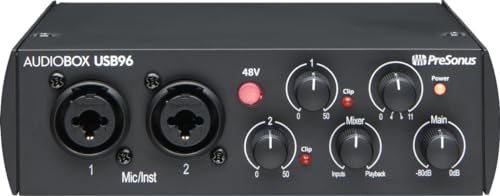
The AudioBox 96 has an old-school studio purpose. It is a two-channel interface with physical controls, a built-in mixer for balancing input and playback, and MIDI I/O that many small interfaces omit. That makes it a natural fit for someone recording guitar or vocals while also using a keyboard or other MIDI hardware.
Its two Class-A mic preamps are paired with two high-headroom instrument inputs. Recording and playback reach 24-bit/96kHz, which is more than enough for many music and spoken-word projects. The interface is USB bus-powered, so it does not need a separate power supply for ordinary computer use, and its balanced quarter-inch outputs are suited to powered monitors.
Monitoring is one of the AudioBox's better practical features. The mixer control lets a user create a custom blend between live inputs and computer playback, keeping latency from becoming distracting. A high-powered headphone output helps when recording privately, though the global 48V phantom power means condenser microphone users should think about which connected microphones receive power.
The included Studio One Artist, Ableton Live Lite, and Studio Magic plug-in suite make the AudioBox a capable starting point. The Focusrite Scarlett Solo 3rd Gen is smaller and offers a higher maximum sample rate, while the M-Audio M-Track Duo is lighter and also offers two combo inputs. The AudioBox's real weakness is its 2.01-pound body and dated-feeling simplicity. It is the better pick for MIDI-equipped home studios, not for someone who wants the smallest possible desk interface.
7. MAONO PS22 Lite: Best for Streaming Controls
Pros
- 24-bit/192kHz recording
- 106dB dynamic range
- Up to 56dB of preamp gain
- 48V phantom power for condenser microphones
- ProStudio routing software with virtual channels and loopbacks
- Mac, Windows, and iPad compatibility
Cons
- Streaming controls matter less for traditional music recording
- ASIO setup requires selecting the MAONO driver
- Smaller brand ecosystem than Focusrite or Universal Audio
Best for: a streamer or content creator who needs routing and loopback features alongside guitar and vocal inputs.
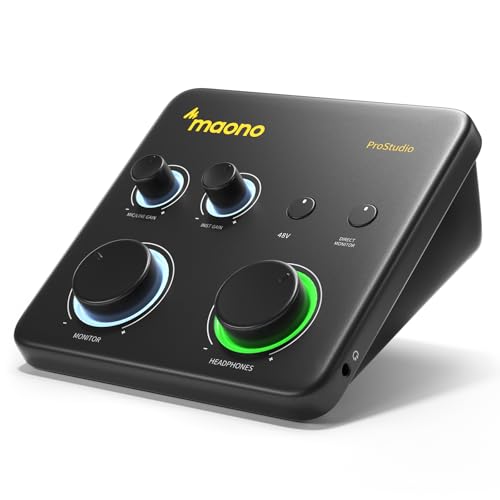
The PS22 Lite is aimed at creators who do more than record a clean microphone track. Its ProStudio Routing Software adds virtual channels and loopbacks, giving a streamer more control over voice, music, and computer audio. That is a meaningful distinction from the simpler interfaces in this list, where the focus is mainly on getting an input into a recording application.
The hardware records at 24-bit/192kHz and lists a 106dB dynamic range. Its preamp provides up to 56dB of gain, and 48V phantom power supports condenser microphones. A dedicated instrument input handles guitar, with impedance adjustment and quick access to guitar and vocal effects described in the product features. The direct-monitoring switch is useful when the computer adds distracting delay.
The PS22 Lite is compact, measuring 6.29 inches long, 5.19 inches wide, and 2 inches high, with a weight just under 1 pound. A dynamic light ring indicates input status, and the side headphone monitoring connection helps keep cables away from the main desk area. The package includes the interface, a USB-A or USB-C to USB-C cable, and a manual.
The M-Audio M-Track Duo is a cleaner fit for a two-microphone recording setup, while the Universal Audio Volt 2 has the more distinctive preamp character. The PS22 Lite wins when live routing is the main problem, but its software requires selecting the MAONO ASIO driver inside compatible applications. Someone who only wants to record a guitar and vocal should choose the Scarlett Solo or 2i2 instead.
Creators who record away from a desk should also consider the connection details that matter for recording with an iPhone. The PS22 Lite supports iPads, but mobile compatibility still depends on the right cable and power arrangement.
8. M-Audio M-Track Duo: Best for Two Inputs

Pros
- Two combo XLR, line, or instrument inputs
- Phantom power for condenser microphones
- Zero-latency USB or direct monitoring
- Headphone and stereo outputs
- Includes MPC Beats software
- Light, portable design
Cons
- Limited to 48kHz audio resolution
- Less recording protection than the Scarlett 2i2 4th Gen
- Software bundle is less extensive than several competitors
Best for: two-input recording, podcasting, and live streaming with simple direct monitoring.
The M-Track Duo gets the basic studio arrangement right: two inputs, a headphone output, stereo outputs, and a switch for blending computer audio with the direct signal. Both inputs accept XLR, line, or instrument sources, so the interface can handle two microphones, a microphone and guitar, or other combinations without a confusing collection of adapters.
Its Crystal preamps are designed for microphones including condenser models, and phantom power is available when needed. The stated 48kHz resolution is less ambitious than the 24-bit/192kHz figures on the Focusrite and Universal Audio models, but it matches the needs of common podcasting, streaming, and home recording sessions. The important advantage is ease of use rather than a long list of recording modes.
Monitoring is handled through a quarter-inch headphone output and stereo quarter-inch outputs. The USB/Direct switch provides zero-latency monitoring, which lets a performer hear the input without waiting for the computer to process it. At roughly 0.66 pounds, the Duo is also easy to move between a home desk and a temporary recording position.
The M-Audio M-Track Solo is smaller and simpler, but it cannot provide the same two-input arrangement. The PreSonus AudioBox 96 offers MIDI and a higher maximum recording resolution, while the Duo is lighter and more direct. Its weakness is limited headroom for a creator who wants to grow into more demanding production. Choose it for two straightforward sources and live monitoring, not as the center of a hardware-heavy studio.
9. M-Audio M-Track Solo: Best Simple Starter

Pros
- One combo microphone or line input plus an instrument input
- 48kHz recording for basic music and spoken word
- Direct monitoring switch
- Compact and light
- Includes MPC Beats software
Cons
- Only one XLR input
- Uses an eighth-inch headphone output
- Limited expansion for multiple microphones or instruments
Best for: a first recording setup built around one microphone, one guitar, or simple streaming.
The M-Track Solo is the least complicated interface here. One combo XLR/line input sits alongside a separate line or instrument input, so a user can connect a microphone and guitar without needing a larger control surface. It is a sensible shape for a small desk, a travel bag, or a first attempt at recording without a long setup routine.
The interface records at 48kHz and uses a Crystal preamp for microphone sources, including condenser microphones when phantom power is enabled. That resolution is appropriate for ordinary podcast, stream, and home music sessions. It will not offer the same room for ambitious studio workflows as the Scarlett 2i2 4th Gen or the Volt 2, but it covers the core path from microphone or instrument to computer.
The USB/Direct switch gives zero-latency monitoring, which is one of the features that matters most to new users. Headphones connect through an eighth-inch output, while stereo RCA outputs handle speaker connections. MPC Beats is included, providing production tools from Akai Professional for someone who needs software as well as hardware.
The M-Audio M-Track Duo is the obvious step up when two microphones are required. The Focusrite Scarlett Solo 3rd Gen offers higher-resolution recording and balanced outputs, while the M-Track Solo stays focused on simplicity and portability. Its weakness is the single XLR input and limited upgrade path. Pick it for one-person recording, basic streaming, and a setup where smaller size matters more than advanced routing.
How to choose best audio interface
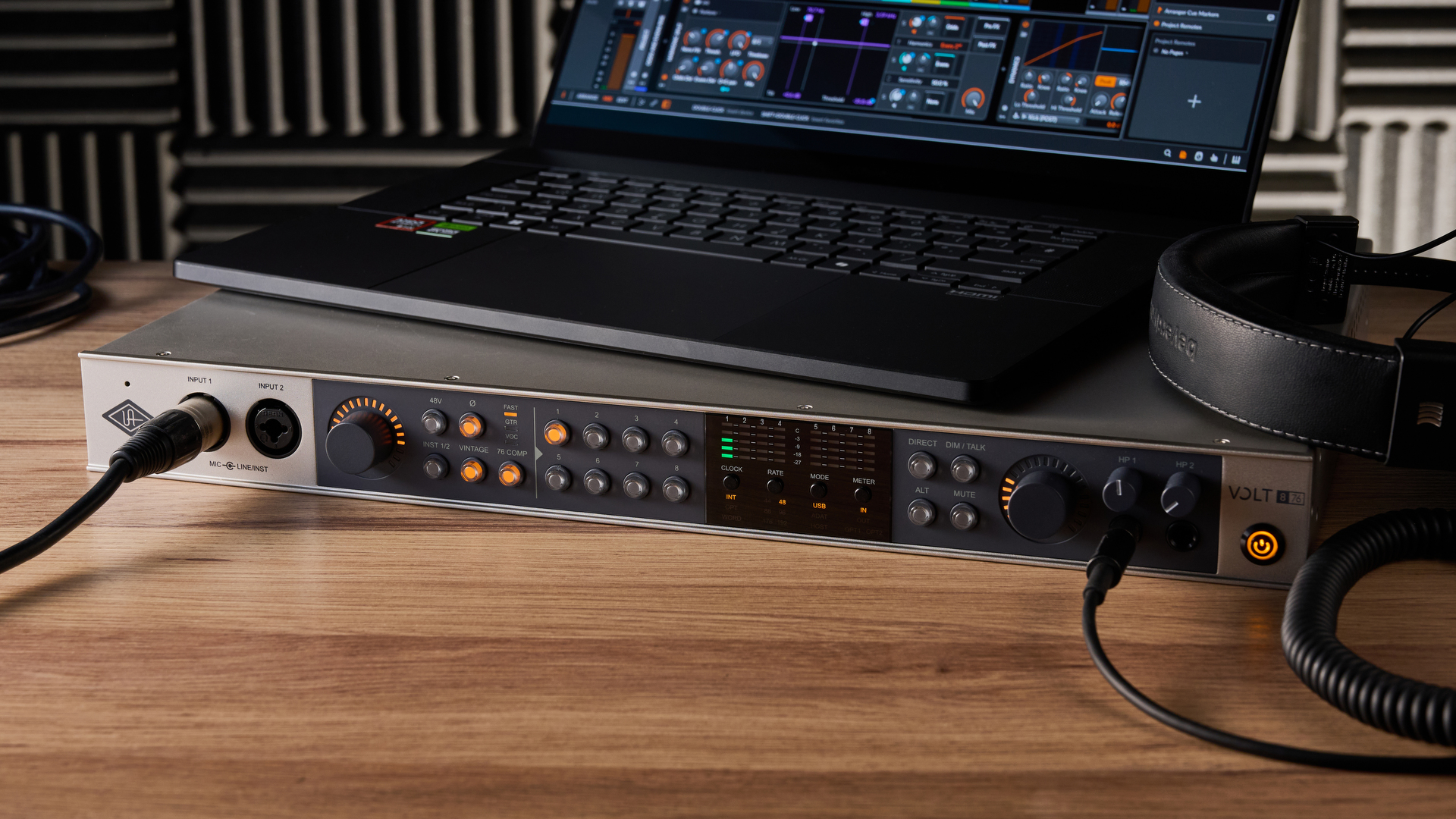
The right interface depends on the sources you record now, the workflow you want tomorrow, and how much monitoring or routing control you need between them.
Input count and connection types
Count simultaneous sources, not just instruments you own. A vocalist with one microphone can use a Solo-style interface, while two podcast microphones need two mic inputs. A guitarist who also records vocals needs an input for each source when both must be captured at once.
Combo inputs are flexible because they accept microphone, line, or instrument connections. Dedicated Hi-Z inputs are useful for guitars and basses, while line inputs suit synthesizers and other external equipment. The Scarlett 4i4 goes further with four line inputs, four line outputs, and MIDI I/O for a growing hardware setup.
Preamps and headroom
A microphone preamp raises a quiet microphone signal to a usable recording level. More available gain helps with quieter microphones, while clean headroom gives louder performances room before clipping. The MAONO PS22 Lite lists up to 56dB of preamp gain, and the Scarlett 4th Gen models list a 120dB dynamic range.
Do not treat the largest number as an automatic guarantee of better recordings. Gain control, sensible microphone placement, and monitoring still matter. Auto Gain and Clip Safe on the Scarlett 2i2 and Scarlett 4i4 are especially useful for solo creators who cannot adjust a level while performing.
Recording resolution
The interfaces here range from 48kHz on the M-Track models to 24-bit/192kHz on the Scarlett Solo 3rd Gen, MAONO PS22 Lite, and Universal Audio Volt 2. Higher resolution can provide more flexibility during production, but it does not fix a poor microphone position or a noisy room.
For spoken word and routine home recording, 48kHz can be perfectly workable. Musicians who want more headroom for detailed production may prefer the higher-resolution options. The PreSonus AudioBox 96 sits at up to 24-bit/96kHz, which is a useful middle ground.
Monitoring and outputs
Direct monitoring lets you hear the live input without waiting for software processing. This prevents distracting latency when singing, speaking, or playing guitar. Look for a dedicated headphone output and a way to blend the direct signal with playback from the computer.
Output type matters too. Balanced quarter-inch outputs, found on several larger models, are suited to powered studio monitors. The M-Track Solo uses stereo RCA outputs and an eighth-inch headphone connection, which is convenient for a basic desk but less flexible for a more permanent monitoring system.
The best interface is the one whose inputs match the session before the session starts.
Software and routing
Bundled software can shorten the path from opening the box to making a recording. Focusrite includes Pro Tools Intro+, Ableton Live Lite, Cubase LE, and Hitmaker Expansion with its Scarlett models. PreSonus includes Studio One Artist, Ableton Live Lite, and Studio Magic, while M-Audio includes MPC Beats.
Streaming calls for a different kind of software support. The MAONO PS22 Lite includes ProStudio Routing Software with virtual channels and loopbacks, which can help combine voice, music, and computer audio. For more advice on computer-based control, see how a dedicated audio controller can simplify PC playback.
Frequently asked questions
What does an audio interface do?
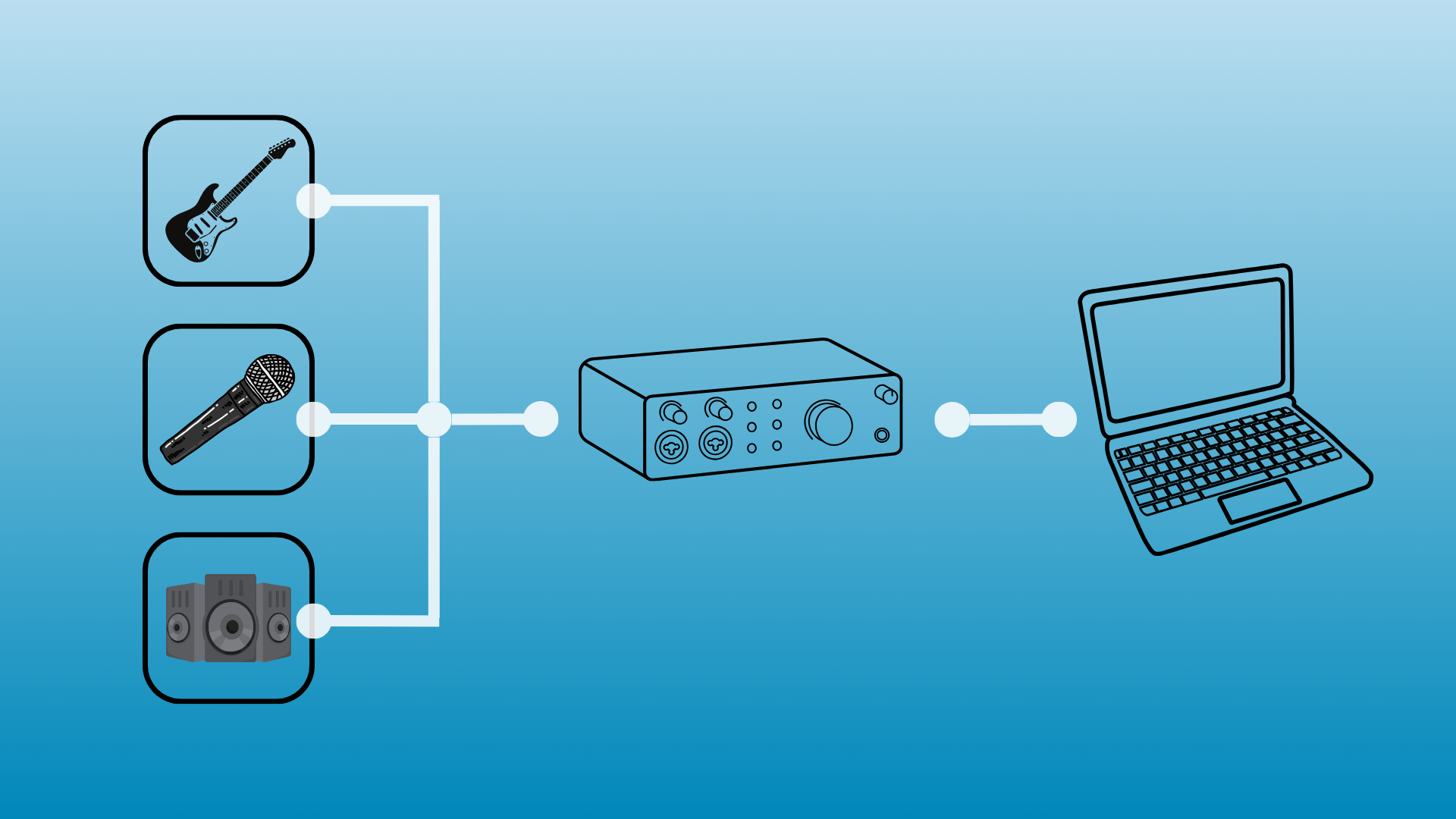
An audio interface connects microphones and instruments to a computer for recording. It converts incoming analog sound into digital audio and sends playback back to headphones or speakers. Most models also provide gain controls, monitoring, and outputs for a pair of studio monitors.
How many inputs do I need?
One microphone input is enough for a solo vocalist or podcaster who records alone. Choose two inputs for a guitar-and-vocal setup or two-person podcast. Four or more inputs make more sense when you use synthesizers, drum machines, multiple microphones, or other line-level gear.
Do I need phantom power?
You need phantom power for many condenser microphones. The AudioBox 96, M-Track Duo, M-Track Solo, and MAONO PS22 Lite include 48V phantom power, and the Focusrite interfaces support condenser microphone recording through their mic inputs. Dynamic microphones generally do not need it.
Is 192kHz necessary for music recording?
No. Interfaces offering 24-bit/192kHz provide a high-resolution option, but many home recording and podcast projects work well at lower sample rates. Room noise, microphone choice, gain setup, and performance usually have a larger audible effect than the maximum sample-rate specification.
What is direct monitoring?
Direct monitoring routes the incoming microphone or instrument signal to your headphones before it passes through recording software. This reduces the delay that can make singing or playing feel disconnected. The M-Track Duo, M-Track Solo, AudioBox 96, and MAONO PS22 Lite all include direct-monitoring controls or mixing functions.
Can these interfaces work with an iPad or iPhone?
Compatibility varies by model and connection setup. The Universal Audio Volt 2 supports MacOS, Windows, iPad, and iPhone, but mobile recording can require an external power supply and an Apple Lightning to USB Camera Adapter. The MAONO PS22 Lite lists Mac, Windows, and iPad compatibility, while the correct cable and power arrangement should still be checked before connecting.
The bottom line
The Focusrite Scarlett 2i2 4th Gen is the Best audio interface for most home musicians, podcasters, and creators because its two flexible inputs, 120dB dynamic range, Auto Gain, Clip Safe, and Air mode cover the widest range of everyday recording tasks. Choose the Focusrite Scarlett Solo 4th Gen instead when you know you will record one person or one main source at a time.
For a hardware-heavy studio, the Focusrite Scarlett 4i4 4th Gen is the stronger long-term fit, while the Universal Audio Volt 2 is the more distinctive option for vocalists who want Vintage mode and the LUNA workflow. The smaller M-Audio and MAONO models remain useful when direct monitoring, streaming routing, or portability matters most.
If you are undecided, buy the interface with enough simultaneous inputs for your next recording session, not just your last one.
As an Amazon Associate we earn from qualifying purchases.