

A voice that sounds thin, distant, or buried under keyboard noise can ruin an otherwise polished recording. The right microphone helps, but the best match depends on where you record, how close you can stay to the capsule, and whether you need USB simplicity, XLR flexibility, or wireless freedom.
We compared ten microphones across those use cases, from the versatile Logitech G Blue Yeti Blackout to the studio-oriented RØDE NT1 Signature and the mobile Mini Mic Pro. The Best microphones for recording for most desktop creators are the Logitech G Blue Yeti Blackout, while the RØDE is the stronger pick for a proper XLR studio setup.
Comparison table
| # | Product | Award | Type | Connection | Best for |
|---|---|---|---|---|---|
| 1 | Logitech G Blue Yeti Blackout | Best overall | Condenser, four pickup patterns | USB | Desktop recording and podcasting |
| 2 | FIFINE T669 | Best complete kit | Cardioid condenser | USB | First home recording setup |
| 3 | RØDE NT1 Signature | Best studio condenser | Large-diaphragm cardioid condenser | XLR | Vocal and music recording |
| 4 | Mini Mic Pro | Best mobile mic | Wireless lavalier | USB-C and Lightning adapters | Phone video and interviews |
| 5 | ZealSound K66 | Best for controls | Cardioid condenser | USB | Streaming and desk recording |
| 6 | Logitech G Blue Yeti Midnight Blue | Best alternate finish | Condenser, four pickup patterns | USB | Flexible desktop recording |
| 7 | FIFINE K669B | Best compact USB mic | Cardioid condenser | USB | Simple voice recording |
| 8 | FIFINE AmpliGame AM8 | Best USB/XLR dynamic | Cardioid dynamic | USB and XLR | Gaming and untreated rooms |
| 9 | TONOR TC-777 | Best simple starter | Cardioid condenser | USB | Basic PC recording |
| 10 | MAONO PD200W | Best wireless upgrade | Cardioid dynamic | Wireless, USB, and XLR | Portable podcasting |
1. Logitech G Blue Yeti Blackout: Best Overall

Pros
- Four pickup patterns cover solo and group recording
- Built-in gain, mute, pattern, and headphone controls
- Zero-latency monitoring
- Plug and play on Mac and PC
Cons
- Heavy desktop design takes up noticeable space
- USB connection does not provide an XLR upgrade path
- Condenser capsule hears more room sound than a dynamic mic
Best for: desktop creators who want one USB microphone for voice, podcasts, instruments, and streaming.
The Blue Yeti Blackout is the microphone we would hand to someone who wants to start recording without turning the desk into a small studio. Connect it to a Mac or PC, position the included stand, and the basic setup is finished. Its broad, substantial body feels more like a permanent piece of equipment than a travel accessory, and the 3.51-pound weight helps keep it planted when you adjust the angle.
The reason it ranks first is flexibility. Its custom three-capsule array supports cardioid, omnidirectional, bidirectional, and stereo pickup. Cardioid is the useful default for a solo voice because it concentrates on the speaker in front. Omnidirectional can capture a group around the microphone, bidirectional suits a conversation with people on opposite sides, and stereo can make an instrument or room recording feel wider. Most USB microphones here ask you to commit to one pickup pattern.
The physical controls are unusually practical. You can change mic gain, headphone volume, and pickup pattern without opening recording software, and the instant mute button is useful during live sessions. The headphone output supports no-latency monitoring, so you can hear your voice without the distracting delay that often appears when monitoring through a computer. Blue VO!CE software adds broadcast-style processing, effects, modulation, and audio samples for creators who want to shape the sound before it reaches an audience.
The weakness is the same feature that gives the Yeti its open, detailed sound. As a condenser microphone, it can pick up fans, room reflections, and nearby activity more readily than the FIFINE AmpliGame AM8 or MAONO PD200W dynamic microphones. It also occupies more desk space than the FIFINE K669B. Choose it for a fixed recording position, flexible pickup, and hands-on control, not for a quiet travel kit or an untreated room with lots of background noise.
2. FIFINE T669: Best Complete Kit

Pros
- Cardioid condenser capsule focuses on the speaker
- Includes boom arm, shock mount, and double pop filter
- Wide frequency response and high SPL handling
- Long 8.2-foot USB cable
Cons
- Not compatible with Xbox
- Boom arm needs suitable desk space
- USB only
Best for: a new podcaster or voice creator who needs the microphone and mounting hardware in one setup.
The T669 makes more sense as a complete recording station than as a microphone alone. Its steel scissor arm lifts the capsule off the desk, which reduces the handling and tapping noises that a small tripod can pass into a recording. The arm rotates 180 degrees up and down and extends 135 degrees forward and backward, giving you room to position the microphone close to your mouth without blocking your face.
Its cardioid condenser capsule is aimed at vocals, podcasts, voiceovers, and home studio work. That pattern favors sound from the front and helps reduce ambient sound behind the microphone, though it cannot make a noisy room disappear. The microphone is designed to handle high sound pressure levels, so it can accommodate a stronger speaking voice or louder source without immediately becoming a poor fit.
FIFINE includes a studio-grade shock mount, double pop filter, and an 8.2-foot USB-B to USB-A/C cable. The two filter layers help soften bursts of air from sounds such as p and b, while the shock mount separates the microphone from some desk vibration. The fixed 13-inch horizontal arm and stated 30-inch reach make the package suitable for a conventional desk, but you should check that your surface has enough clear space for its clamp.
The T669 lacks the Yeti Blackout's multiple pickup patterns, onboard pattern control, and software effects. It also cannot move into an XLR setup later, unlike the AM8 and NT1 Signature. Its advantage is that the accessories are not an afterthought. For a first home recording position where you want the mic near your mouth and off the desk, this is a more coherent starting point than buying a bare USB microphone and improvising the rest.
3. RØDE NT1 Signature: Best Studio Condenser

Pros
- One-inch HF6 true condenser capsule
- Very low stated self-noise of 4 dBA
- High SPL handling for vocals and instruments
- Shock mount, pop filter, and XLR cable included
- Ten-year warranty
Cons
- Requires an audio interface or mixer
- Cardioid pattern is less flexible than the Blue Yeti
- Less convenient for quick mobile recording
Best for: musicians, vocalists, and podcasters building around an XLR recording chain.
The NT1 Signature is the most serious studio microphone in this group, but it also asks the most from the rest of your setup. This is a large-diaphragm condenser with a one-inch HF6 true condenser capsule, so it belongs in front of an audio interface or mixer rather than directly in a computer USB port. Once connected properly, it is aimed at clean vocal, music, streaming, and podcast recordings where the microphone is part of a larger signal chain.
RØDE states a self-noise figure of 4 dBA, which matters when recording quieter vocals or leaving more room around an intimate performance. Low self-noise means the microphone contributes less hiss of its own, allowing the useful details of a voice or instrument to remain easier to work with later. Its high sensitivity and very high SPL handling also give it room for both soft delivery and louder sources.
The cardioid pattern focuses on the front and rejects more sound from the rear, but it is not a multi-pattern tool. That makes it less adaptable than the Blue Yeti Blackout for two-person conversations or stereo experiments. The included shock mount, pop filter, and premium XLR cable do make the transition into a studio setup cleaner, since the essential support pieces are already accounted for.
The real limitation is not the capsule. It is the need for an interface, suitable gain, and a room that does not throw harsh reflections back at the microphone. Someone seeking a quick plug-and-play setup should choose the Yeti or T669 instead. For vocalists who want a quieter, more conventional studio path, the NT1 Signature is the more appropriate long-term choice, and our guide to capturing a vocal without losing detail covers the placement decisions that matter around a microphone like this.
4. Mini Mic Pro: Best Mobile Mic

Pros
- USB-C and Lightning adapters included
- Wireless design clips to clothing
- Foam wind protection and dead cat cover included
- Up to six hours of recording per charge
- Phone can charge while the mic is in use
Cons
- Not designed for full studio recording
- Battery requires charging
- Lavalier placement is more sensitive to clothing noise
Best for: phone-based interviews, social video, and creators recording away from a desk.
The Mini Mic Pro solves a different recording problem from every desktop microphone here. Instead of asking you to sit in front of a stand, it clips to a shirt and sends voice to a phone, tablet, or laptop wirelessly. At just 3 inches long, 0.5 inches wide, and under an ounce according to the product information, it is easy to keep ready for interviews, walk-and-talk videos, and quick voiceovers.
Compatibility is unusually broad for a small wireless lavalier. The package includes both USB-C and Lightning adapters, and the connection is described as plug and play with no app or Bluetooth pairing required. That cuts out a common mobile recording annoyance. It can also charge the recording device while the microphone is being used, which is useful when a long interview would otherwise drain a phone.
The stated battery life is up to six hours per charge. Foam protection and a dead cat cover help manage breath noise and outdoor wind, while the wireless design keeps a cable from pulling at clothing. Noise reduction is part of the product's pitch, but placement still matters. A lavalier clipped against a collar, zipper, or loose fabric can create more trouble than a desktop mic positioned carefully.
This is not the right choice for recording a singer in a controlled room or for building an XLR studio chain. The Yeti has better physical controls, and the NT1 Signature is a much more appropriate music microphone. Pick the Mini Mic Pro when the phone is the camera, the subject is moving, and the main goal is intelligible speech in a small package.
5. ZealSound K66: Best for Controls

Pros
- Noise reduction mode targets common room sounds
- Gain, headphone volume, and echo knobs
- Zero-latency headphone monitoring
- USB-C and Lightning adapters included
- Weighted metal base
Cons
- Echo control can encourage artificial-sounding recordings
- USB only
- Top-addressed design requires attention to speaking angle
Best for: streamers and podcasters who want fast adjustments without software menus.
The ZealSound K66 is built around immediate control. Its three physical adjustments cover microphone volume, headphone monitoring volume, and echo, while a dedicated mute button gives you a quick way to cut the signal. That makes it a natural fit for live creators who do not want to reach into an application every time the room changes or a conversation needs to pause.
The cardioid condenser capsule is specified with a 40 Hz to 18 kHz frequency response, a 46 kHz sampling rate, and sensitivity of minus 45 dB plus or minus 3 dB. Those figures suggest a voice-focused USB microphone with room to capture low vocal body and clear upper detail. In practical use, the cardioid pattern still works best when you speak toward the top of the microphone and keep the unwanted sound behind it.
Noise Reduction Mode is intended to reduce keyboard clicks, computer fans, air conditioning, and background chatter. The default mode is meant to preserve a warmer, more natural tone, so the choice is not simply between on and off processing. A built-in 3.5 mm headphone jack provides real-time monitoring, helping you catch distortion or background noise before it reaches the final recording.
The K66 is more feature-heavy than the FIFINE K669B and more mobile-friendly than the older desktop USB models because USB-C and Lightning adapters are included. It cannot match the Yeti's four patterns or the NT1 Signature's XLR studio path, and echo is best used sparingly if you want natural speech. Choose it for a desk where quick, visible control matters more than future expansion.
6. Logitech G Blue Yeti Midnight Blue: Best Alternate Finish

Pros
- Same four pickup patterns as the Blackout model
- Onboard gain, mute, volume, and pattern controls
- Included adjustable desktop stand
- No-latency headphone monitoring
- Works with Mac and PC
Cons
- Heavy and desk-bound
- USB connection limits studio expansion
- Condenser design can hear room noise
Best for: anyone who wants the Blue Yeti feature set in the Midnight Blue finish.
The Midnight Blue Yeti is not a different recording platform from the Blackout model. Its useful distinction here is that it gives the same broad feature set in a different finish, making it an easy alternative when the visual character of a desk setup matters. The microphone measures about 11.6 inches high, 4.9 inches long, and 4.7 inches wide, so it needs more room than compact tripod microphones.
Its three-capsule array supports cardioid, omnidirectional, bidirectional, and stereo recording. That remains the strongest reason to pick a Yeti over a basic USB condenser. Cardioid handles solo narration, bidirectional can face two speakers, and omnidirectional or stereo modes open up group and instrument recording. The controls are directly on the microphone, not hidden in a control panel.
Blue VO!CE software provides processing, effects, modulation, and HD audio samples, while the headphone output allows no-latency monitoring. The setup is straightforward on Mac and PC, and the desktop stand can be replaced with a mic stand or boom arm. For someone recording regularly from one position, that combination is still more useful than a microphone with only a mute button and a volume knob.
The same compromises apply as with the Blackout version. This 3.2-pound condenser is not the best way to reject a loud room, and there is no XLR output for a later interface upgrade. The Blackout and Midnight Blue models should not be treated as different sound choices. Pick between them by finish, then choose the Midnight Blue if you want Yeti flexibility without changing the rest of the recording plan.
7. FIFINE K669B: Best Compact USB Mic

Pros
- Compact metal body with tripod stand
- Cardioid condenser pickup
- Built-in volume knob
- USB powered with no phantom power
- Compatible with PC, Mac, PS4, and PS5
Cons
- Not compatible with phones or Xbox
- Fewer controls than the ZealSound K66
- No headphone monitoring output listed
Best for: straightforward computer voice recording in a small desk setup.
The K669B is the uncomplicated option in the FIFINE lineup. It uses a compact metal body on a stable tripod and connects directly to a computer through USB. Its 0.35-pound weight makes it much easier to move than either Blue Yeti, while the small stand avoids the desk footprint and clamp installation required by the T669's arm.
The cardioid condenser capsule is designed to favor the primary sound source and reduce some background noise. A physical volume knob lets you raise or lower the microphone output and turn it down to zero for privacy. It is a useful control for meetings, voice chat, and simple voiceover work, though it does not provide the separate headphone monitoring, gain, and echo controls found on the ZealSound K66.
The microphone is USB powered, so it does not need a 48-volt phantom power supply. It works with desktop and laptop computers, as well as PS4 and PS5, and the included 5.9-foot USB cable gives reasonable placement freedom. The product information specifically excludes phones and Xbox, which is important if your recording setup moves between platforms.
The K669B is a better fit for a small, quiet desk than for a multi-person podcast or music production. It has one pickup pattern, no XLR route, and a relatively basic control set. The T669 provides more useful mounting hardware, while the K669B wins when a small footprint and direct USB connection matter most. For PC narration, calls, and casual recording, its restraint is the point.
8. FIFINE AmpliGame AM8: Best USB/XLR Dynamic

Pros
- USB and XLR outputs support future expansion
- Dynamic capsule helps manage room noise
- Tap-to-mute and headphone monitoring over USB
- Gain control and switchable RGB lighting
- Standard 3/8-inch and 5/8-inch threads
Cons
- XLR cable is not included
- USB features and RGB are inactive over XLR
- Best recording range is close, at 2 to 6 inches
Best for: gamers and streamers who want a forgiving dynamic mic now and an XLR path later.
The AM8 is the most convincing alternative to a condenser when your recording room is not quiet. Its cardioid dynamic capsule is intended to reject off-axis noise and keep a voice focused, and FIFINE suggests speaking from 2 to 6 inches away. That close working distance is not a minor detail. A dynamic microphone usually rewards consistent proximity, and the AM8 is not a mic to leave several inches away on the edge of a desk.
Its stated frequency response is 50 Hz to 16 kHz, a range centered on clear, intelligible speech rather than exaggerated room detail. Over USB, the microphone adds a tap-to-mute control, LED mute reminder, headphone output, monitoring volume, and a gain knob. The RGB ring offers three modes and more than ten colors, with memory for the selected lighting when used over USB.
The important upgrade is the XLR output. Connect it to an audio interface or mixer and the microphone can move into a more flexible recording chain. The XLR cable is not included, and RGB plus the function key are inactive in XLR mode, so the two connection types do not provide identical controls. Standard 3/8-inch and 5/8-inch threads help it fit common stands without an external adapter.
Compared with the Yeti, the AM8 gives up four pickup patterns and broad condenser detail but handles a less controlled room more sensibly. Compared with the K669B, it offers a more expandable connection and a dynamic capsule. Skip it if you want a distant, open room recording or do not want to stay close to the microphone. For gaming, streaming, and a gradual move toward an interface, it is the stronger architecture.
9. TONOR TC-777: Best Simple Starter

Pros
- Plug and play through USB
- Cardioid pickup for front-facing speech
- Foldable tripod stand
- Pop filter and mini shock mount included
- One-click mute and volume control
Cons
- Not compatible with Xbox
- Limited compared with multi-pattern microphones
- Basic stand offers less positioning range than a boom arm
Best for: a first PC microphone for calls, streaming, and uncomplicated voice recording.
The TC-777 keeps the setup short. The USB 2.0 connection is plug and play, the foldable tripod takes little desk space, and the microphone can be angled without assembling a boom arm. That simplicity makes it suitable for someone who needs clear speech for a podcast, a meeting, or a stream without learning an interface or installing drivers.
Its cardioid pickup pattern favors the speaker in front and suppresses some unwanted sound behind the microphone. The included pop filter helps control bursts of air, while the mini shock mount reduces some disturbance from the stand. A 1.9-meter power cable gives enough reach for a normal desk, and the angle of the microphone and filter can be adjusted to improve the speaking position.
A one-click mute and volume control provide the essentials for live use. The TC-777 works with Windows, Mac, PS4, and PS5, and it is recognized by software such as Zoom, Skype, and Discord. It does not work with Xbox, so console compatibility should be checked before choosing it for a shared gaming setup.
The TC-777 cannot match the K66's separate monitoring and echo controls or the Blue Yeti's four pickup patterns. Its foldable tripod is also less adjustable than the T669 boom arm. But fewer controls can be an advantage when the priority is getting a clear voice into a computer quickly. Choose it for basic speech recording, not for a studio chain or a multi-person session.
10. MAONO PD200W: Best Wireless Upgrade

Pros
- Wireless, USB, and XLR connection options
- Dynamic cardioid capsule with 30 mm size
- Up to 60 hours of battery life with RGB off
- Stated 60-meter wireless range
- Supports two wireless microphones on one receiver
Cons
- Larger and heavier desktop design
- Camera and Lightning accessories sold separately
- App features require MaonoLink
Best for: creators who want one dynamic microphone for desktop, wireless, and XLR recording.
The PD200W is the most adaptable connection system in this roundup. It can work wirelessly, connect by USB to a phone, tablet, or computer, or use XLR with an audio interface. That combination makes it more practical for a creator whose setup changes from a desk podcast to a mobile interview or a conventional studio chain.
The 30 mm dynamic capsule uses a cardioid pattern and is specified to handle up to 128 dB SPL without distortion. MAONO also states an 82 dB signal-to-noise ratio and a three-stage noise cancellation system intended to reduce room echo and background noise. Those features place the PD200W closer to the AM8's room-friendly approach than to the more open sound of the Blue Yeti or NT1 Signature.
Wireless operation is the main reason to choose it. The stated range is 60 meters, and battery life is up to 60 hours with RGB turned off. One receiver can connect two wireless microphones for a conversation or two-person podcast, with each mic recorded to its own track. The package includes a desktop stand, USB-C to USB-A and USB-C cable, Type-C receiver, adapter cable, and manual, though camera and Lightning accessories are separate.
The trade-off is complexity. You have more connection choices to manage, and the microphone weighs about 2.91 pounds according to the product information. MaonoLink adds four preset modes plus EQ and reverb adjustments, but that is another layer to learn. The AM8 is simpler for a USB gaming desk, while the PD200W is the better fit for creators who will genuinely use wireless mobility, dual-mic conversations, or an XLR fallback.

How to choose best microphones for recording
The right microphone is determined less by a headline feature than by the room, source, connection, and distance you can maintain while speaking.
Pickup pattern
A cardioid microphone favors sound from the front and reduces some sound from behind it. That is the useful default for one speaker at a desk. The Blue Yeti models add omnidirectional, bidirectional, and stereo modes, which help with group conversations, two-person interviews, and wider instrument recordings.
A single-pattern microphone is not automatically weaker. It can be easier to use because there is less to configure. Choose multiple patterns only when you expect to record more than one person or want to experiment with stereo capture.
Condenser and dynamic capsules
Condenser microphones such as the Blue Yeti, FIFINE T669, RØDE NT1 Signature, K669B, ZealSound K66, and TONOR TC-777 tend to capture a detailed, open voice. They can also hear more room reflections, fans, and keyboard noise.
Dynamic microphones such as the AM8 and PD200W are often more forgiving in ordinary rooms, especially when used close to the mouth. They can require more attention to distance and speaking level. For a singer or narrator in a treated room, a condenser can provide more room detail. For a streamer beside a computer, a dynamic model may be easier to control.
USB and XLR connections
USB is the straightforward route. The microphone connects directly to a computer or compatible mobile device, with no separate interface required. That is why the K669B, T669, and TC-777 work well for first-time computer recording.
XLR is the studio connection. It requires an audio interface or mixer, but it gives you a more expandable signal chain and makes it easier to change microphones without rebuilding the entire setup. The RØDE NT1 Signature is XLR only, while the AM8 and PD200W offer both USB and XLR. If you are choosing between a simple computer setup and a future studio, the connection trade-offs that shape a recording setup deserve attention before you buy.
Monitoring and controls
A headphone output with zero-latency monitoring lets you hear your voice before the recording reaches the computer software. This helps catch clipping, background noise, and an incorrect microphone angle. The Blue Yeti, ZealSound K66, and AM8 offer useful direct controls, while the K669B and TC-777 keep things simpler.
Physical mute and gain controls are particularly useful for streaming and meetings. Echo controls and software effects can be fun, but clean recordings usually benefit from restrained processing. If the microphone will be used for live speech, prioritize mute, headphone monitoring, and level control over decorative lighting.
Mounting and placement
A microphone sounds different when it is positioned correctly. The T669's boom arm keeps the capsule close to the speaker, while the Yeti and TC-777 use desktop stands. A shock mount can reduce some vibration from the desk, and a pop filter helps soften plosive bursts.
Mobile lavalier microphones have their own placement concerns. The Mini Mic Pro needs to clip securely to clothing without rubbing against fabric, while its wind protection becomes more important outdoors. For creator setups, how microphone placement changes spoken-word clarity is often more useful than another feature list.
A good microphone placed close to the speaker usually beats a more expensive microphone left too far away.
Frequently asked questions
What type of microphone is best for recording vocals?
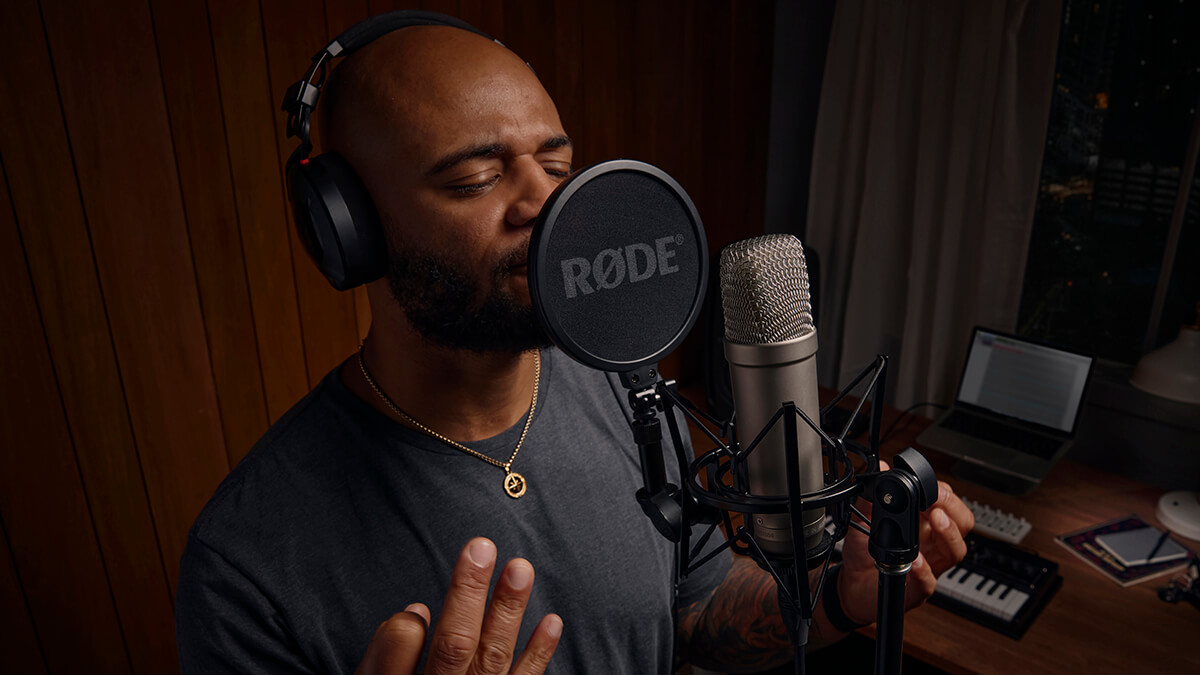
A large-diaphragm condenser such as the RØDE NT1 Signature is the most studio-focused choice here. It uses a one-inch true condenser capsule, a cardioid pattern, and stated 4 dBA self-noise. A USB condenser such as the Blue Yeti is easier for a computer setup, while a dynamic microphone can be more forgiving in a noisy room.
Do I need an audio interface for these microphones?
You need an audio interface or mixer for the XLR-only RØDE NT1 Signature. The FIFINE AM8 and MAONO PD200W can also use XLR, but both offer USB modes that work without a separate interface. USB-only models connect directly to compatible computers and devices.
Is a condenser or dynamic microphone better for a noisy room?
A dynamic microphone is usually easier to manage in a noisy or reflective room because it is intended for close speech and tends to reject more off-axis sound. The AM8 and PD200W are the dynamic options in this group. A cardioid condenser can still work well if you control the room and keep the microphone close.
Can these microphones record on a phone?
The Mini Mic Pro includes USB-C and Lightning adapters for mobile devices. The ZealSound K66 also includes USB-C and Lightning adapters, and its product information lists compatibility with iPhone, iPad, and modern USB-C devices. The FIFINE K669B specifically is not compatible with phones.
What is the difference between the two Blue Yeti models?
The Blue Yeti Blackout and Blue Yeti Midnight Blue have the same listed core features, including a three-capsule array, four pickup patterns, onboard controls, Blue VO!CE software support, and no-latency monitoring. Their main listed difference is the finish. Choose between them based on appearance and availability rather than recording capability.
Is wireless recording reliable for interviews?
The Mini Mic Pro is designed for portable phone recording and offers up to six hours per charge. The MAONO PD200W adds a stated 60-meter wireless range, up to 60 hours of battery life with RGB off, and support for two wireless microphones on one receiver. Wireless systems still need charged batteries and careful placement, but they remove cable movement from mobile interviews.
The bottom line
The Best microphones for recording for most desktop users is the Logitech G Blue Yeti Blackout. Its four pickup patterns, direct controls, headphone monitoring, and easy computer setup cover more recording situations than any other USB model here. The RØDE NT1 Signature is the better choice for a singer, musician, or podcaster who already has an XLR interface and wants a quieter studio condenser.
For untreated rooms and gaming desks, the FIFINE AmpliGame AM8 is the more practical dynamic alternative. Choose the Mini Mic Pro when the recording device is a phone and the subject is moving, or the MAONO PD200W when wireless, USB, and XLR connections all need to live in one microphone.
If you are undecided, choose the Blue Yeti for a flexible desktop setup, the NT1 Signature for a real XLR studio, and the AM8 for a noisy room.
As an Amazon Associate we earn from qualifying purchases.