

A laptop's built-in speakers can make dialogue sound thin, music feel flat, and every notification more irritating than it needs to be. The right pair of desktop speakers fixes that without taking over the workspace or turning setup into a wiring project.
Our Best best budget computer speakers picks cover simple USB models, Bluetooth-enabled pairs, a monitor-mounted soundbar, and fuller bookshelf-style speakers. Creative Pebble V3 is the one we'd choose for most desks, while the rest make stronger cases for specific setups.
Comparison table
| # | Product | Award | Power and connection | Audio features | Best for |
|---|---|---|---|---|---|
| 1 | Creative Pebble V3 | Best overall | USB-C, AUX, Bluetooth 5.0 | 2.25-inch drivers, 8W RMS | Most desktop users |
| 2 | Amazon Basics Stereo 2.0 | Best simple stereo pair | USB power, 3.5mm AUX | Bottom radiator | Basic PC audio |
| 3 | Creative Pebble | Best compact Creative pair | USB power, AUX | 45-degree drivers, passive radiators | Small workspaces |
| 4 | LENRUE G11 | Best under-monitor design | USB, USB-C adapter, AUX | Touch lighting, stereo sound | Clean desk setups |
| 5 | Logitech Z207 | Best Bluetooth flexibility | Bluetooth 4.2, 3.5mm | Passive radiator, headphone jack | Multiple devices |
| 6 | XKX Monitor Soundbar | Best monitor-mounted speaker | USB, USB-C adapter | Dual radiators, touch controls | Saving desk space |
| 7 | Logitech S150 | Best lightweight USB pair | USB-A | 1.2W RMS | Simple everyday sound |
| 8 | Sanyun SW208 | Best bookshelf-style sound | USB, Bluetooth 5.0 | 3-inch drivers, 24-bit DAC | Music and fuller stereo |
| 9 | Amazon Basics AC Speakers | Best AC-powered option | AC power, 3.5mm | 4.6W RMS, headphone jack | Desks near a wall outlet |
| 10 | Amazon Basics USB Speakers | Best portable USB pair | USB power, 3.5mm headphone jack | 2.2W RMS | Moveable setups |
1. Creative Pebble V3: Best Overall

Pros
- USB-C audio keeps the desk tidy
- Bluetooth 5.0 adds wireless flexibility
- 45-degree drivers aim sound toward the listener
- Clear Dialog processing helps spoken content
- Gain switch and 8W RMS output provide useful headroom
Cons
- AUX cable is not included
- The gain switch requires a suitable 10W USB port
- No headphone jack
Best for: someone who wants the most capable small desktop pair without adding a separate power adapter.
The Creative Pebble V3 is the easiest pair here to recommend because it avoids the usual compromise between tiny size and useful connectivity. It fits neatly beside a monitor, points its drivers upward at 45 degrees, and does not require a separate power brick. USB-C handles audio and power from a compatible computer, while the included USB-C to USB-A converter keeps older computers in the picture.
Its custom-tuned 2.25-inch full-range drivers are a meaningful step up from the basic Logitech S150 and Amazon Basics USB Speakers. Creative specifies 8W RMS and peak power up to 16W, giving the V3 more room to play dialogue, games, and music without sounding immediately strained. The built-in gain switch can push the speakers harder, although that mode requires a 10W USB-C or USB-A port. A weak port may limit what the switch can do.
Clear Dialog processing is the feature that makes the most sense for everyday computer use. It is designed to make spoken dialogue more intelligible without removing the surrounding effects, so videos and television shows do not need constant volume adjustments. Bluetooth 5.0 also lets the speakers serve as a casual music system for a phone, and the 3.5mm AUX input covers older analog devices.
The limitation is not subtle: there is no headphone output, and the AUX cable is not included. The V3 also remains a compact 2.0 pair, so it cannot create the low-end weight of the Sanyun SW208. Still, it beats the Creative Pebble on power and wireless connectivity, and it is more versatile than the Logitech Z207 because it uses Bluetooth 5.0 and USB-C.
For most people comparing the Best best budget computer speakers, this is the sensible starting point. Choose it for a compact desk, clearer spoken content, and the ability to switch between a computer and a phone without rearranging cables.
2. Amazon Basics Stereo 2.0: Best Simple Stereo Pair

Pros
- Straightforward USB-powered setup
- 3.5mm AUX input works with many devices
- In-line volume control is easy to reach
- Bottom radiator adds some bass presence
- Padded bases help protect the desk
Cons
- No Bluetooth connection
- Blue LEDs may not suit every workspace
- The compact cabinets have limited scale
Best for: a desktop user who wants a conventional left and right pair with simple controls.
The Amazon Basics Stereo 2.0 pair gets the fundamentals right. It uses USB for power and a 3.5mm AUX connection for audio, so setup is familiar and does not require drivers or a dedicated wall outlet. The in-line volume control is more convenient than reaching behind a monitor, particularly when the speakers sit at the far edges of a desk.
These are small speakers, measuring about 2.88 inches high, 3.94 inches long, and 2.6 inches wide each according to the listed dimensions. That makes them easier to place than the much larger Sanyun SW208, though the smaller enclosure naturally gives the Sanyun more room to create a broad, weighty presentation. A bottom radiator is included to add a springy bass quality, but it should be viewed as reinforcement rather than deep sub-bass.
The 3.5mm input is useful if the computer has a headphone output or if the speakers need to work with another analog source. There is no Bluetooth, so a phone or tablet must connect by cable. The metal finish, padded base, and blue LED lighting give the pair a little more visual character than the plain Logitech S150, although the lighting is always part of the look.
The biggest weakness is that the design offers no way to tune the sound or connect headphones. The speakers are also less space-efficient than the LENRUE G11 or XKX Monitor Soundbar, both of which can sit directly beneath or attach to a monitor. Skip this pair if wireless playback matters or if the desk is already crowded.
For a conventional two-speaker arrangement with a reachable volume control, the Amazon Basics Stereo 2.0 remains an uncomplicated pick. It is a better fit for someone who wants familiar analog audio than for anyone building a flexible multi-device system.
3. Creative Pebble: Best Compact Creative Pair

Pros
- 45-degree elevated drivers aim sound upward
- USB power avoids a separate adapter
- AUX input provides broad compatibility
- Front-facing volume control is convenient
- Passive radiators add bass support
Cons
- No Bluetooth
- Requires USB for power and AUX for audio
- Output is more limited than the Pebble V3
Best for: a small desk that needs better-directed sound from a compact wired pair.
The original Creative Pebble is a small pair with unusually sensible placement choices. Its 45-degree elevated drivers send sound toward the listener instead of straight across the desk, which helps when the speakers are tucked beneath a monitor. Front-facing volume control also keeps everyday adjustments simple.
Creative uses far-field drivers and rear-facing passive radiators to improve projection and bass reproduction. The listed frequency range is 100 Hz to 17 kHz, a useful reminder that this is intended for voice, casual music, and general computer audio rather than very low-frequency effects. The speakers measure about 5.12 inches high and wide, with a listed length of 9.45 inches for the set.
Connection is deliberately old-fashioned. USB supplies power, while the 3.5mm AUX input carries audio. That arrangement works with a broad range of computers and laptops, but it occupies two connections and does not provide the wireless option found on the Creative Pebble V3. If you want to understand the wider differences among small desktop pairs, the connection choices that shape a clean computer setup are a useful place to start.
The Pebble's weakness is its lack of Bluetooth and its more limited output compared with the V3. The unusual product dimensions also mean it may take more horizontal room than expected, even though the speakers themselves are compact in height. The Amazon Basics Stereo 2.0 is a better fit for someone who prefers smaller individual cabinets and an in-line control.
Choose the Creative Pebble when clear upward projection and front controls matter more than wireless playback. It is a tidy wired answer for a small office desk, especially when the computer has both a USB port and a 3.5mm audio output.
4. LENRUE G11: Best Under-Monitor Design

Pros
- Long, low profile fits beneath a monitor
- USB-C adapter is included
- Touch control handles lighting
- Top volume knob is easy to use
- Cables are joined to reduce desk clutter
Cons
- No Bluetooth
- No headphone port or microphone
- Requires both USB power and 3.5mm audio
Best for: someone who wants stereo sound under a monitor without two separate speaker cabinets.
The LENRUE G11 takes a different approach from nearly every other product here. Instead of placing two speakers at the sides of the display, it uses a long, low enclosure designed to sit beneath a monitor. Its listed width is 14.96 inches, while its height is 2.55 inches, so it uses horizontal space but leaves the areas beside the screen open.
The connection arrangement is USB-powered with 3.5mm audio, and a Type-C adapter is included for newer devices. It is plug and play with no driver installation, according to the listed features. A top volume knob makes the most important adjustment quick, while touch controls operate the angular game lighting. The lighting is a visual extra rather than an audio feature, but it can suit a gaming desk.
LENRUE describes the G11 as using four amplifier IC horns for stereo sound and a noiseless presentation. Those claims do not make it a substitute for the separate left and right imaging of the Creative Pebble V3 or Sanyun SW208. The single-bar format is mainly about keeping the display area uncluttered. It is closer in spirit to the XKX Monitor Soundbar, though the XKX adds monitor-clipping flexibility and adaptive channel switching.
The compromises are clear. There is no Bluetooth, headphone output, or microphone, and the speakers cannot connect to TVs or headphones according to the product information. The USB and AUX cables also mean it is not a single-cable digital setup like the Pebble V3. People who frequently switch between a computer and a phone should choose the Logitech Z207 instead.
The G11 makes sense when the space beneath the monitor is available and the space beside it is not. It is a practical fit for a compact workstation that prioritizes a clear footprint and quick physical controls over wireless features.
5. Logitech Z207: Best Bluetooth Flexibility

Pros
- Bluetooth and 3.5mm wired inputs
- Easy-Switch supports two connected audio devices
- Headphone jack is built into a speaker
- Passive radiators extend bass
- On-speaker controls are convenient
Cons
- Uses older Bluetooth 4.2
- Cabinets are taller than most compact picks
- Takes more desk depth and height
Best for: a desk shared by a computer and another Bluetooth-enabled device.
The Logitech Z207 is the most useful choice when the speakers need to serve more than one device. It connects to a computer through a 3.5mm cable or pairs wirelessly over Bluetooth 4.2. Logitech's Easy-Switch feature lets users move between audio devices by pausing one source and playing the other, which is much less annoying than swapping cables.
Each speaker has one active full-range driver and one passive radiator. That arrangement gives the Z207 more low-frequency support than a very basic USB pair, while keeping the system a straightforward 2.0 design. It also has a headphone jack on the speaker, an important convenience missing from the Creative Pebble V3 and LENRUE G11.
The physical design is less desk-friendly than the smaller picks. The listed size is approximately 9.5 by 3.5 by 4.9 inches, and the pair weighs 2.88 pounds. That extra height can help keep the speakers audible beside a large display, but it may block part of a compact workspace. The Amazon Basics Stereo 2.0 is easier to tuck into a tight corner.
Bluetooth 4.2 is functional, but it is not as current as the Bluetooth 5.0 connection in the Creative Pebble V3 or Sanyun SW208. The Z207 also lacks USB audio, so a computer must provide analog audio through its 3.5mm output. Anyone seeking a fully digital USB setup should look at the Logitech S150 or Pebble line instead.
The Z207 is the right call for homes where a computer, tablet, or phone regularly shares the same speakers. It is less appealing for a minimalist desk, but its Easy-Switch behavior and headphone jack make it the most flexible wired and wireless hybrid here.
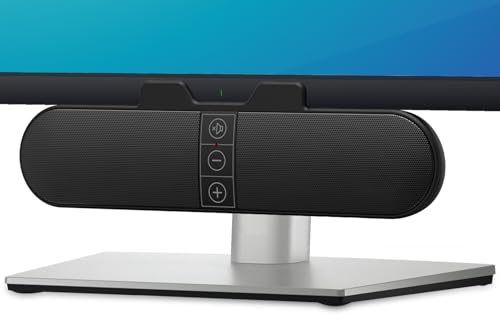
6. XKX Monitor Soundbar: Best Monitor-Mounted Speaker
Pros
- Clips to the top, side, or bottom of a monitor
- Adaptive channel switching keeps stereo sides correct
- USB-C adapter supports newer devices
- Touch buttons control mute and volume
- Dual passive radiators support bass
Cons
- Not compatible with monitors, TVs, or projectors as audio sources
- No Bluetooth
- Requires current computer audio settings
Best for: a monitor-focused workstation where desk space is more valuable than traditional speaker placement.
The XKX Monitor Soundbar solves a physical problem rather than chasing a conventional stereo layout. Its clamp can attach to the top, side, or bottom of a monitor, and it can also sit on a desk. The listed width is 9.17 inches, with a height of 2.83 inches, making it far less intrusive than two separate speakers flanking a display.
Its adaptive channel switching is the standout feature. A G-sensor changes the left and right channels depending on whether the speaker is mounted above or below the screen, so the stereo image does not become reversed when the mounting position changes. That is a thoughtful detail the LENRUE G11 does not offer.
The soundbar uses USB power and includes a USB-C adapter for newer devices. Two ultra-magnetic drivers and two passive radiators are intended to provide louder sound and deeper bass than a very thin monitor speaker. Three touch buttons on the front handle muting and volume adjustments. The product information also stresses that the computer's audio driver and playback device settings may need checking, so the setup is not quite as foolproof as the simplest USB pairs.
There are important compatibility limits. The product is listed as incompatible with monitors, TVs, and projectors as source devices, despite its ability to mount on a monitor. It is designed for a computer, laptop, or desktop USB connection. There is also no Bluetooth or headphone jack, making the Logitech Z207 a stronger choice for mixed-device use.
If your main frustration is lost desk space, the XKX has a sharper reason to exist than most small speakers. It is one of the Best best budget computer speakers for a monitor-centered setup, provided you are comfortable with USB computer audio and do not need wireless playback.
7. Logitech S150: Best Lightweight USB Pair

Pros
- Simple USB-A connection
- Front volume and mute controls
- Slim, lightweight cabinets
- Orange power LED shows active status
- 1.2W RMS output suits basic listening
Cons
- USB-A only
- No AUX or Bluetooth
- Limited output and bass extension
Best for: a simple desktop setup that needs clear everyday audio from one USB-A connection.
The Logitech S150 is intentionally uncomplicated. Plug its USB-A cable into a computer, and the pair receives power and audio without a separate analog cable. Front controls handle volume and mute, while an orange LED remains lit when the speakers are on. For a work computer that mainly plays calls, alerts, and occasional video, that simplicity is the appeal.
The pair produces 1.2W RMS, with 2W peak power listed in the product features. That is considerably less headroom than the Creative Pebble V3's 8W RMS, so the S150 is not the pick for filling a room or giving music much authority. Its slim cabinets are better suited to a desk where the speakers need to move around or sit close to a laptop.
Unlike the Amazon Basics USB Speakers, the S150 does not include a 3.5mm headphone jack. It also has no AUX input and no Bluetooth, so all audio must come through the USB-A connection. That makes it less adaptable, but it also eliminates the possibility of connecting the audio cable incorrectly or forgetting which input is active.
The main weakness is its narrow use case. USB-A may also require an adapter on a newer USB-C-only laptop, and the low power limits volume and bass. The Amazon Basics AC Speakers are a better choice if a wall outlet is available and stronger output matters, while the Creative Pebble offers a more spacious presentation.
The S150 is a good answer when the question is simply how to add basic audio to a computer. Pick it for portability around a USB-A workstation, not for music-first listening or a multi-device entertainment setup.
8. Sanyun SW208: Best Bookshelf-Style Sound

Pros
- 3-inch speaker units create a fuller presentation
- USB connection uses a built-in 24-bit DAC
- Bluetooth 5.0 supports wireless playback
- Bass and treble controls allow sound adjustment
- Noise elimination system quiets standby operation
Cons
- Much larger and heavier than desktop pairs
- Requires more room around the monitor
- Less convenient for a highly portable setup
Best for: listeners who want computer speakers that can also handle music in a more traditional stereo arrangement.
The Sanyun SW208 is the outlier in this group. These are active bookshelf speakers rather than tiny desktop satellites, with 3-inch carbon fiber speaker units and a wood-structure enclosure. They occupy more space, but that larger format is exactly why they can produce a more substantial stereo presentation than the Logitech S150 or Amazon Basics USB Speakers.
USB audio passes through a built-in 24-bit DAC, which receives the digital signal directly from the device. Bluetooth 5.0 adds wireless playback, so the SW208 can move between computer listening and music from a phone without relying only on a 3.5mm cable. The combination is more capable than the Logitech Z207, especially for anyone who wants a dedicated USB connection and newer Bluetooth.
Side-mounted controls adjust total volume, bass, and treble. Those controls matter because a speaker that sounds balanced for spoken content may need a different emphasis for music. Sanyun also includes a noise elimination system and a standby design intended to keep the speakers quiet when no audio is playing. The listed weight is 5.22 pounds, and the speakers measure about 5.35 inches high by 7.48 inches long by 4.68 inches wide.
The physical size is the real cost of choosing the SW208. It needs proper space on both sides of a display, and its weight makes it a poor choice for a desk that is constantly rearranged. The compact Creative Pebble V3 is easier to live with in a small office, while the XKX Monitor Soundbar uses far less desk depth.
People comparing the traits that matter for computer music listening should put this model near the top of their list. The SW208 is the right pick for someone willing to give up desk space in exchange for adjustable, fuller stereo sound and flexible digital and wireless connections.
9. Amazon Basics AC Speakers: Best AC-Powered Option

Pros
- Wall power provides more output headroom
- 4.6W RMS total power
- Front headphone jack is convenient
- One front control handles power and volume
- Plug-and-play 3.5mm connection
Cons
- Requires a wall outlet
- No USB audio or Bluetooth
- Less portable than USB-powered options
Best for: a permanent desk with an accessible outlet and a need for stronger output than basic USB pairs.
The Amazon Basics AC Speakers are built around a simple advantage: they draw power from the wall rather than from a computer's USB port. Their 10W AC input and 4.6W total RMS output give them more breathing room than the 2.2W RMS Amazon Basics USB Speakers and the 1.2W RMS Logitech S150.
The speakers connect to an audio device with a 3.5mm jack. A front control turns them on, places them in standby, and adjusts the volume. The front headphone jack is particularly useful on a desktop, since it allows private listening without reaching behind the computer or changing the operating system's output setting.
The listed frequency range is 68 Hz to 20 kHz, and the cabinets measure approximately 3 by 5.3 by 3.2 inches. Those figures place the pair between the compact USB models and the much larger Sanyun SW208. They should fit beside most monitors, though the power cable adds another connection to manage.
There is no USB audio, Bluetooth, or wireless switching. The Creative Pebble V3 is a cleaner match for a modern USB-C laptop, and the Logitech Z207 is better when several devices need to share the speakers. The AC model also makes little sense for someone who carries speakers between rooms.
Choose it for a fixed workstation where an outlet is already close and output matters more than portability. It is a practical alternative to USB-powered models, especially for users who want a headphone jack on the speaker itself.
10. Amazon Basics USB Speakers: Best Portable USB Pair

Pros
- USB-powered design is easy to move
- Front power and volume control
- Built-in headphone jack
- No drivers required
- Compact cabinets suit temporary setups
Cons
- Lower power than the AC version
- No Bluetooth
- USB-A power limits newer laptop compatibility
Best for: a portable or secondary workstation that needs simple stereo audio and headphone access.
The Amazon Basics USB Speakers are the portable counterpart to the AC-powered model. They draw 5V power directly from a computer, use a simple plug-and-play setup, and include a 3.5mm headphone jack. That combination works well for a spare desk, a laptop station, or anyone who does not want to find a wall outlet.
The pair produces 2.2W total RMS, or 1.1W per speaker. That is enough for personal listening at a desk, but it leaves much less headroom than the AC-powered Amazon Basics pair at 4.6W RMS. The listed frequency range of 103 Hz to 20 kHz also suggests less low-end extension than the AC model's 68 Hz starting point.
Each speaker measures about 2.76 inches long, 3.55 inches wide, and 5.3 inches high, with a listed weight of approximately 1.4 pounds for the set. The compact design is easy to reposition, though it is not dramatically smaller than the Logitech S150. The front control combines power and volume, and the headphone jack avoids the need to reach behind the computer.
USB-A is the main compatibility concern. Newer laptops may need an adapter, while the Creative Pebble V3 includes a USB-C to USB-A converter and can handle Bluetooth 5.0. The Amazon Basics pair also has no AUX input, so it cannot accept analog audio independently of the computer's USB connection.
This is a sensible pick for straightforward computer audio that may need to move from one desk to another. Choose the Amazon Basics USB Speakers over the Logitech S150 when the front headphone jack matters, and choose the AC model when stronger bass and louder playback matter more than portability.
How to choose best budget computer speakers
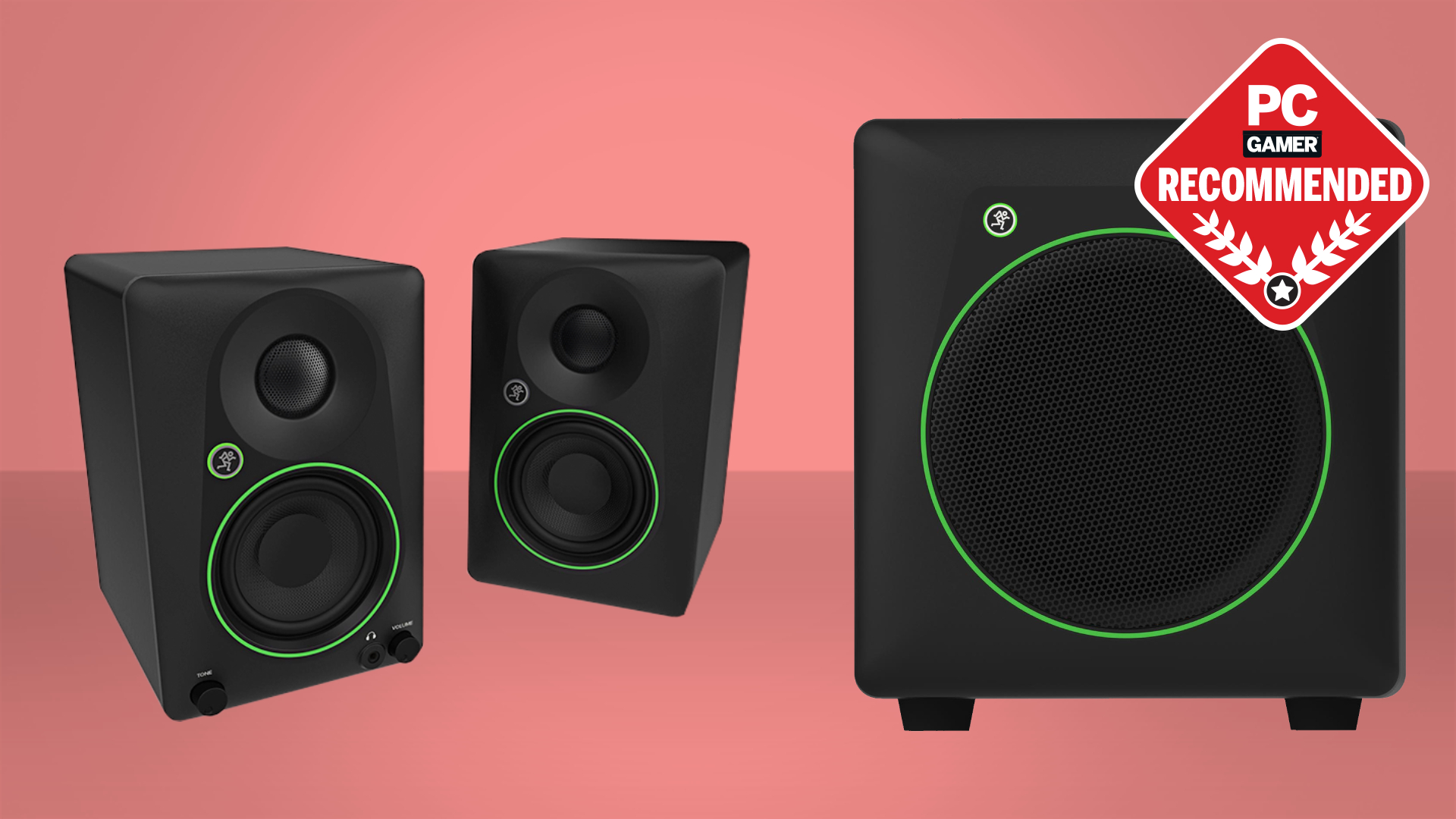
The Best best budget computer speakers are not defined by one specification. Connection type, power, placement, and control layout matter more when the speakers will live beside a real monitor on a real desk.
Connection type
USB-powered speakers are convenient because the computer supplies power, but some models still need a separate 3.5mm cable for audio. USB audio models such as the Creative Pebble V3 and Sanyun SW208 can reduce that cable count. Bluetooth is useful for phones and tablets, while AUX remains the most broadly compatible wired input.
Check the ports on the computer before choosing. USB-A-only speakers may need an adapter on a newer laptop, while a model with an included USB-C adapter is easier to move between machines.
Output and driver size
Power affects how easily speakers maintain clarity as volume rises. The Logitech S150 has 1.2W RMS, while the Creative Pebble V3 lists 8W RMS. The larger difference is not just loudness. More headroom can make dialogue and music sound less compressed.
Driver size and cabinet volume also matter. The 3-inch units in the Sanyun SW208 have more physical room to produce bass than the slim drivers in a compact USB pair. Do not confuse a passive radiator with a subwoofer. It can support bass, but it does not create the same low-frequency reach as a dedicated bass enclosure.
Placement and desk space
Separate speakers create a more convincing left and right image when they can sit apart at ear level. Elevated drivers, such as those in the Creative Pebble and Creative Pebble V3, help aim sound toward the listener. A soundbar or monitor-mounted unit saves desk space but generally gives up some separation.
Measure the space below and beside the monitor before buying. The LENRUE G11 is long and low, while the XKX Monitor Soundbar can clip to the display. The Sanyun SW208 needs the most room and is the least suitable for a narrow desk.
The best speaker placement is usually the one that keeps both drivers aimed at your ears, not the one with the most impressive feature list.
Controls and headphone access
Front or top controls are easier to use than controls hidden behind a cabinet. A headphone jack on the speaker is useful when the computer sits under a desk or when switching output devices in software is inconvenient.
The Logitech Z207, Logitech S150, and both Amazon Basics designs include accessible controls, but they do not offer the same connection options. The LENRUE G11 adds touch lighting controls, while the Sanyun SW208 adds bass and treble adjustment.
Power arrangement
USB power keeps a setup portable and avoids a wall outlet, but the computer's port may limit available output. AC-powered speakers can provide more consistent power, though the adapter and wall connection add clutter.
A permanent workstation can benefit from the Amazon Basics AC Speakers. A laptop desk that moves between rooms is better served by the Creative Pebble V3, Logitech S150, or Amazon Basics USB Speakers.

Frequently asked questions
Do computer speakers need both USB and AUX cables?
Some do. USB may supply power while the 3.5mm AUX cable carries the audio signal, as with the Creative Pebble and Amazon Basics Stereo 2.0. Other models, including the Creative Pebble V3 and Sanyun SW208, can use USB for digital audio and power.
Are Bluetooth computer speakers better than wired speakers?
Bluetooth is more flexible, especially when a phone or tablet will share the speakers. Wired USB or AUX connections generally make computer setup more direct and avoid pairing steps. The Logitech Z207 and Creative Pebble V3 offer the strongest balance of wired computer use and wireless playback in this group.
Can monitor-mounted speakers connect directly to a monitor?
The XKX Monitor Soundbar can mount on a monitor, but its product information says it is not compatible with monitors, TVs, or projectors as source devices. It is intended to receive audio from a computer through USB. Check whether the computer recognizes the speaker as the active playback device.
Are small USB speakers good for music?
They can be perfectly suitable for casual listening, but small cabinets have limited bass and volume headroom. The Sanyun SW208 is the strongest music-oriented option here because it uses larger 3-inch units, a built-in 24-bit DAC, Bluetooth 5.0, and bass and treble controls.
Do computer speakers work with USB-C laptops?
They can, but the connection depends on the speaker. The Creative Pebble V3 uses USB-C and includes a USB-C to USB-A converter, while the LENRUE G11 and XKX Monitor Soundbar include USB-C adapters. USB-A-only models may require a separate adapter.
Do these speakers include a headphone jack?
The Logitech Z207, Logitech S150, Amazon Basics AC Speakers, and Amazon Basics USB Speakers include headphone access in their listed features. The Creative Pebble V3, Creative Pebble, LENRUE G11, XKX Monitor Soundbar, and Sanyun SW208 do not list a headphone jack.
The bottom line
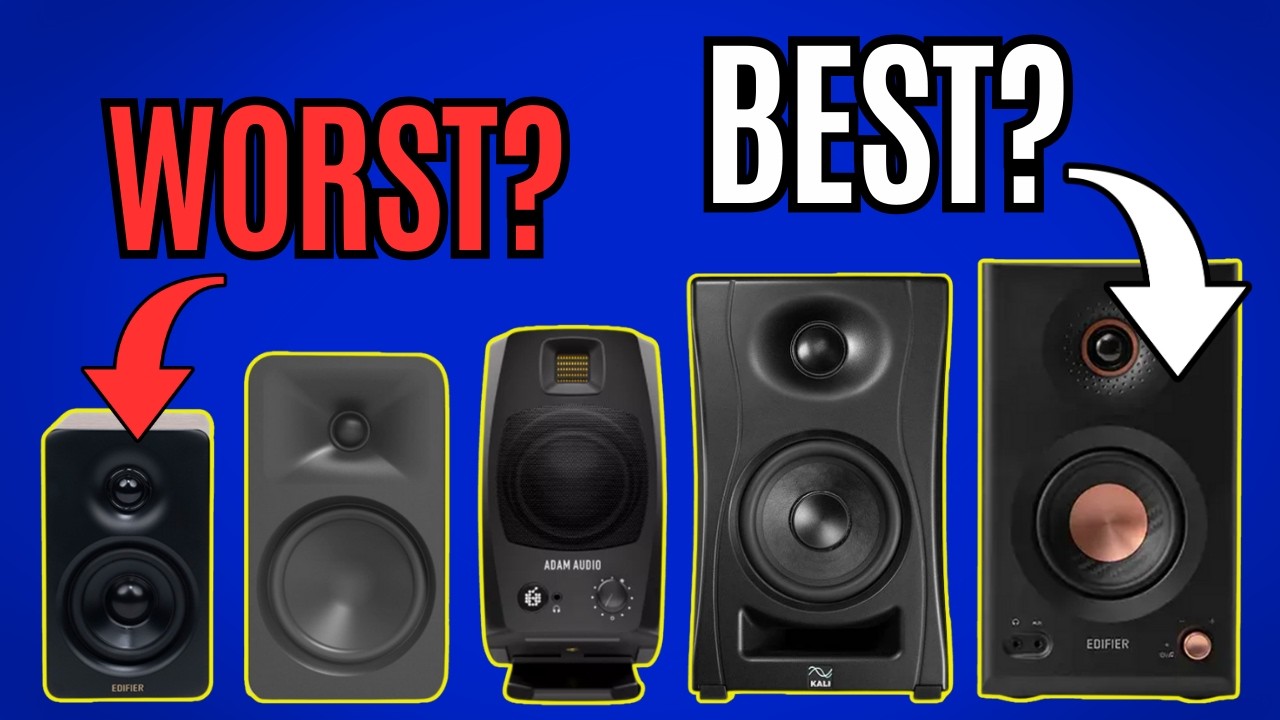
The Best best budget computer speakers for most people are the Creative Pebble V3. Its USB-C audio, Bluetooth 5.0, 45-degree drivers, 2.25-inch drivers, and Clear Dialog processing give it the most complete desktop setup, though the lack of a headphone jack is a real omission.
Choose the Sanyun SW208 when music and fuller stereo sound matter more than compact dimensions. For a tight desk, the XKX Monitor Soundbar and LENRUE G11 make more sense, while the Logitech Z207 is the flexible pick for switching between a computer and other wireless devices.
If you are undecided, choose the Creative Pebble V3 unless you specifically need a headphone jack, a monitor mount, or larger bookshelf-style speakers.
As an Amazon Associate we earn from qualifying purchases.