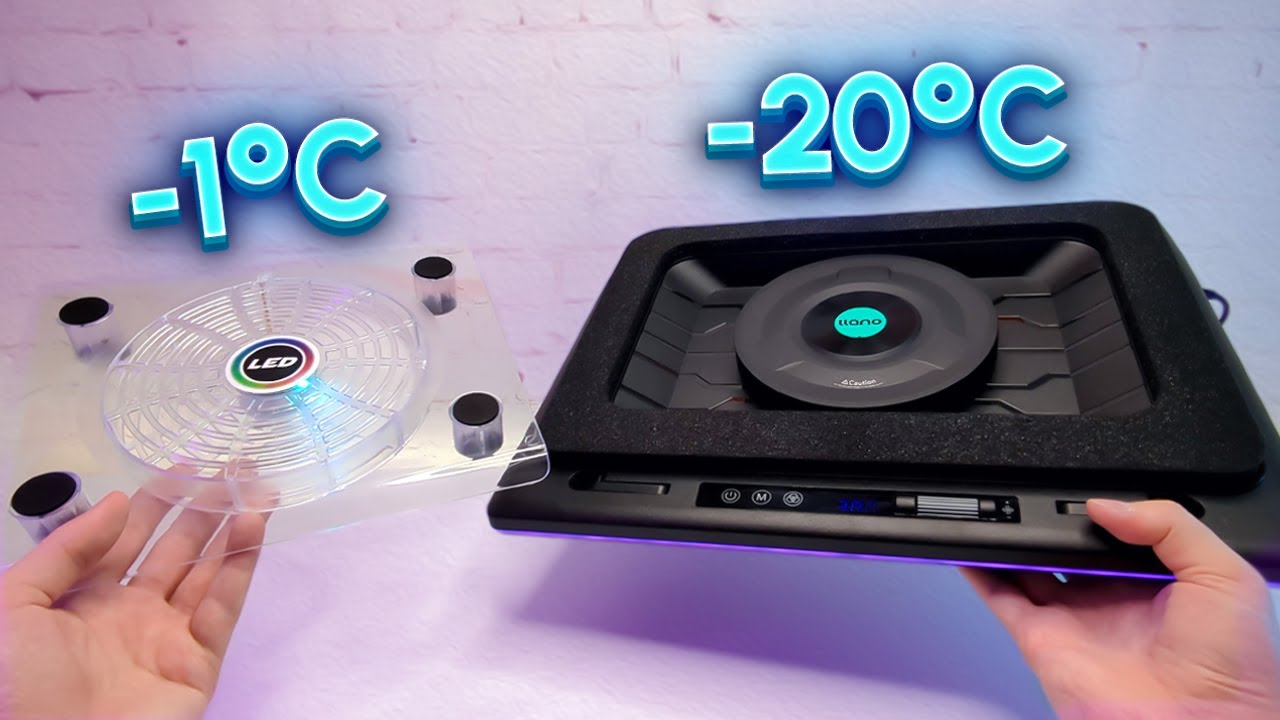

A laptop that becomes hot enough to slow down is not just uncomfortable. It can make fans roar, reduce sustained performance, and turn a comfortable desk into a warm patch of plastic. The right cooling pad improves airflow while also giving the laptop a more usable angle.
Our Best laptop cooling pad picks range from thin three-fan stands to sealed turbo coolers with dust filters, USB hubs, and automatic fan control. The best option for most people is the havit HV-F2056, while Razer and llano offer more ambitious designs for demanding gaming and creative workloads.
The havit HV-F2056 is our top pick, but the other nine cover more specific needs, including lap use, large gaming laptops, phone storage, and hands-off temperature management.
Comparison table
| # | Product | Award | Fans | Fit or height adjustment | Best for |
|---|---|---|---|---|---|
| 1 | havit HV-F2056 | Best overall | 3 | 12 to 17 inch class, 2 settings | Portable everyday cooling |
| 2 | Razer Adaptive Cooling Pad | Best smart control | 140 mm brushless fan | Magnetic frames for 14 to 18 inch laptops | Automatic thermal management |
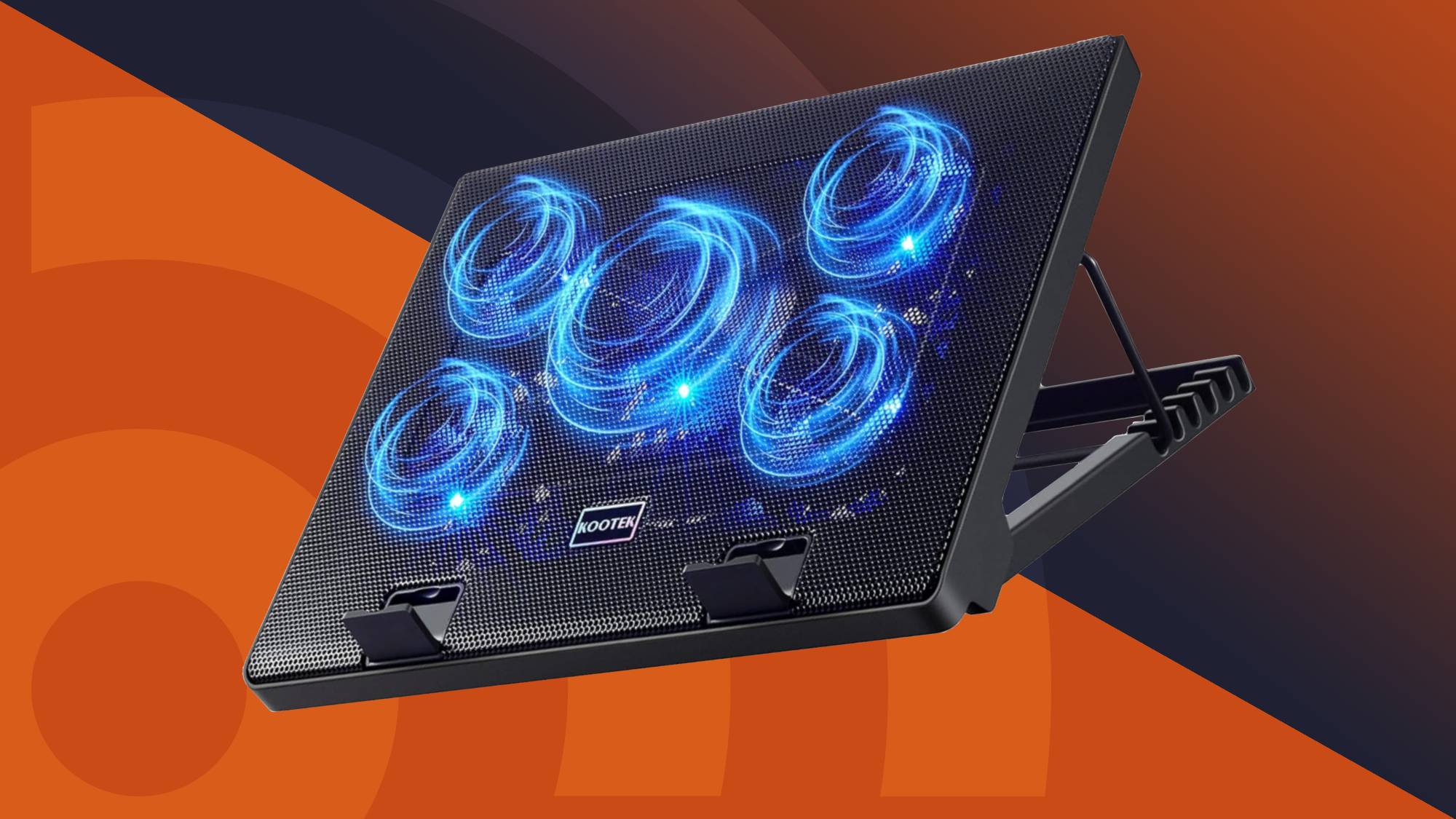
| 3 | Kootek 5 Fan Cooling Pad | Best adjustable stand | 5 | 6 height settings, 12 to 17 inch fit | Flexible desk positioning |
| 4 | TECKNET Slim Cooling Pad | Best slim design | 3 at 1200 RPM | 2 settings, 12 to 17 inch fit | Simple USB cooling |
| 5 | ChillCore A21 | Best for large laptops | 9 | 8 height settings, 15.6 to 19.3 inch fit | Large gaming laptops |
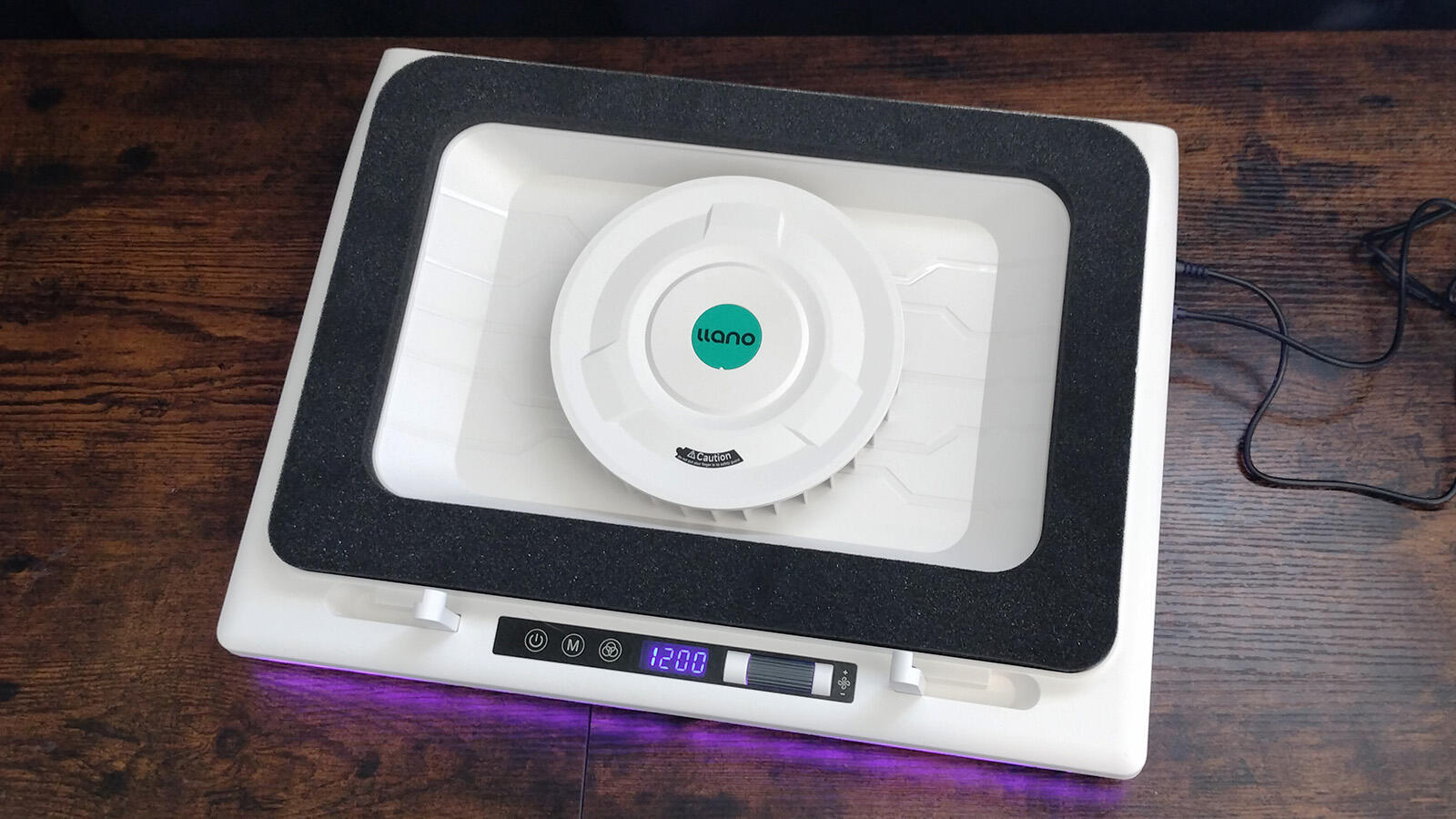
| 6 | llano V12 Turbo Cooler | Best dust protection | 5.5 inch turbo fan | 3 tilt angles, 15.6 to 19 inch fit | High-load gaming |
| 7 | TECKNET Phone Stand Cooler | Best compact feature set | 9 at up to 2600 RPM | 5 settings, 12 to 15.6 inch fit | Smaller laptops and phones |
| 8 | llano V12 Cooler Stand | Best for 21 inch laptops | 5.5 inch turbo fan | Adjustable stand, 15 to 21 inch fit | Extra-large laptops |
| 9 | Targus Chill Mat | Best for lap use | 2 | Fixed ergonomic tilt, up to 17 inches | Sofas and lap work |
| 10 | KLIM Wind | Best lightweight four-fan pad | 4 at up to 1200 RPM | Rear legs and front pegs | Lightweight desk cooling |
1. havit HV-F2056: Best Overall

Pros
- Slim and portable
- Three quiet fans
- Two adjustable height settings
- Extra USB port and power switch
- Metal mesh laptop surface
Cons
- Only two height positions
- USB to USB connection may need an adapter for Type C devices
- Cooling is less specialized than a sealed turbo design
Best for: anyone who wants a light, uncomplicated cooling stand for a 12 to 17 inch laptop.
The havit HV-F2056 is the cooling pad we would put on the desk of someone who wants fewer complications, not a gaming accessory covered in controls. It is slim, light, and easy to carry, yet it still gives a laptop a stable metal mesh surface and three fans underneath. That combination makes sense for a work laptop, an older notebook, or a gaming machine that needs more airflow without adding a bulky enclosure.
Its fit is broad enough for laptops from 12 to 17 inches, and the two adjustable height settings are useful for raising the screen and changing the typing angle. Two positions are not as flexible as the six on the Kootek 5 Fan Cooling Pad, but they keep the design simple and easier to fold into a bag. The front surface is intended to keep the laptop steady, while the mesh gives air a direct path toward the underside.
The three fans are described as ultra-quiet, so this is better suited to a shared office or study space than a pad that depends on a large high-speed blower. A physical power switch means you do not have to unplug the unit every time you stop using it. The second USB port also helps replace the port used to power the pad, although the included connection is USB to USB. Devices that rely on Type C may need a Type C to USB adapter.
The weakness is its limited adjustment and conventional cooling layout. It does not have the sealed pressure chamber of the Razer Adaptive Cooling Pad or the turbo fan approach of the llano models. It also lacks a display, automatic fan curves, and RGB controls. Those omissions are sensible if you want a quiet everyday stand, but demanding gamers should look at the more forceful designs below. For travel, school, office work, and moderate gaming, the havit is the cleanest all-round answer.
2. Razer Adaptive Cooling Pad: Best Smart Control

Pros
- Automatic fan speed management
- 140 mm brushless fan reaching up to 3000 RPM
- Foam seals create an airtight pressure chamber
- Three magnetic frames for different laptop sizes
- Three-port USB Type A hub
Cons
- Heavy at about 5.75 pounds
- Razer Synapse is needed for custom curves and remapping
- More hardware than many everyday laptops need
Best for: demanding users who want software-controlled cooling for compatible 14 to 18 inch laptops.
The Razer Adaptive Cooling Pad is the most sophisticated product here, and it is aimed at people who want the cooler to respond to the laptop rather than run at one fixed speed. From idle to full load, its smart cooling system changes fan speeds according to settings. That is a meaningful difference when a laptop alternates between quiet office work and demanding games.
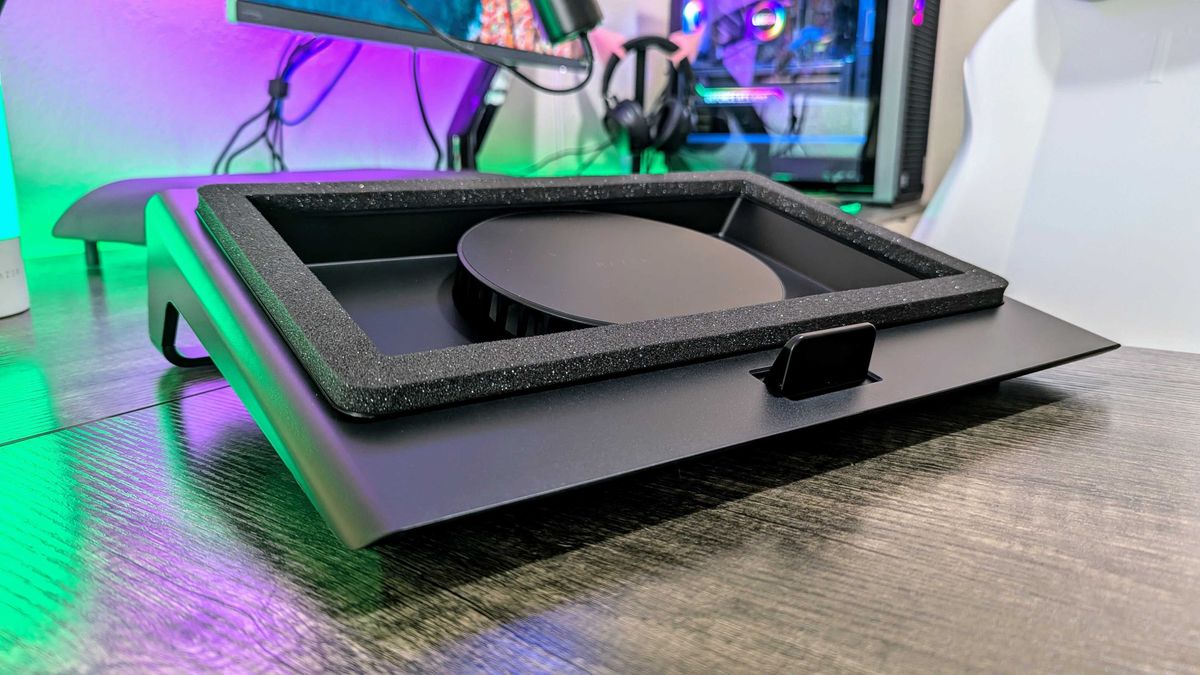
The hardware is unusual among these picks. A 140 mm brushless fan can spin up to 3000 RPM, while included foam seals help form an airtight pressure chamber. The idea is to push cool air toward the laptop instead of allowing much of it to escape around the edges. Three magnetic frames support laptops from 14 to 18 inches, so the fit can be tailored more closely than with a generic flat pad.
Razer Synapse provides recommended presets and custom fan curves. A user can tune the balance between noise and the desired internal temperature, while the remappable buttons can change fan speed, lighting, volume, or launch apps. There is also a three-port USB Type A hub for peripherals such as webcams, controllers, and drawing tablets. Razer HyperBoost is designed to improve thermal performance on compatible Blade laptops, so owners of those machines have the clearest reason to choose it.
The compromise is physical size and weight. At about 5.75 pounds, it is not a casual travel accessory, and the software layer adds setup that the havit HV-F2056 avoids entirely. Someone using a thin office notebook may gain little from its adaptive controls. The Razer is a better match for a powerful laptop that regularly runs hot and for an owner willing to use Synapse to tune it. A two-year manufacturer warranty adds some reassurance for a more complex device.
3. Kootek 5 Fan Cooling Pad: Best Adjustable Stand

Pros
- Five quiet fans with selectable fan groups
- Six adjustable height settings
- Dual USB hub
- Front stoppers help hold laptops securely
- Fits 12 to 17 inch laptops
Cons
- Heavier than the thinnest pads
- USB to USB connection may need an adapter for Type C devices
- Blue fan lighting cannot be mistaken for neutral office styling
Best for: desk users who care as much about screen height and posture as airflow.
The Kootek 5 Fan Cooling Pad is the most flexible conventional stand in this group. It does not try to seal itself around a laptop or automate every decision. Instead, it gives the user five fans, two switches, and six height settings. That makes it easy to choose a quieter single-fan arrangement for light work or run all five when the laptop needs more airflow.
The fan layout combines one large 4.72 inch fan with four smaller 2.76 inch fans. All five have blue LEDs, and the switches can select one fan, four fans, or the complete group. This is more controllable than the fixed three-fan approach in the TECKNET Slim Cooling Pad, though it is also a more visibly styled product. Two USB ports help preserve connectivity for a mouse or another peripheral.
Six height settings are the standout feature. The range lets the user adjust the viewing angle for gaming, films, or long work sessions, and front stoppers help prevent a 12 to 17 inch laptop from sliding. The combination of a raised screen and stable front edge is more useful than fan count alone. If you spend long periods at a desk, how to keep a laptop setup comfortable during long work sessions is a broader question, but this stand addresses the screen angle directly.
The Kootek is not as portable as the havit, and its 2.56 pound weight is noticeable in a bag. Its USB to USB cable also means Type C-only laptops may need an adapter. The six-step stand is a stronger reason to choose it than the extra two fans. Pick the Kootek when flexible positioning, selectable airflow, and support for a wide range of laptop sizes matter more than a minimal travel footprint.
4. TECKNET Slim Cooling Pad: Best Slim Design

Pros
- Three 110 mm fans
- 1200 RPM operation
- Two USB ports
- Two height settings
- Rubber pads help hold the laptop in place
Cons
- Only two height positions
- Included cable is USB-A to USB-A
- Less suitable for extra-large gaming laptops
Best for: users who want a thin, direct USB cooling pad with no software to manage.
The TECKNET Slim Cooling Pad is a practical middle ground between a bare laptop stand and a feature-heavy gaming cooler. Its three 110 mm fans run at 1200 RPM, drawing cool air through the underside of the laptop. A dedicated on and off switch keeps operation straightforward, and the fans are designed to work quietly enough for ordinary work or study.
The pad supports laptops from 12 to 17 inches, with rubber pads on both the surface and base. Those small contact points matter because a cooler is frustrating if the laptop shifts whenever you type. Two height settings lift the display and change the wrist angle, although they do not provide the range of the Kootek 5 Fan Cooling Pad or the ChillCore A21.
The USB arrangement is sensible. One port powers the cooler and the other remains available for a keyboard, mouse, or audio device. Blue LED indicators show that the fans are running. The included cable is USB-A to USB-A, so a laptop with only Type C ports will need an adapter. It can also be used with a tablet, router, or game console, though the main design is clearly aimed at laptops.
Its limitation is that the cooling system is conventional and the stand offers only two positions. The havit HV-F2056 is lighter and similarly simple, while the Kootek provides more adjustment and fan selection. TECKNET makes more sense when its slim shape and modest control layout are the priorities. It is a good fit for a student desk, an office notebook, or anyone who wants airflow without a large gaming stand.
5. ChillCore A21: Best for Large Laptops

Pros
- Nine fans with selectable modes
- Fits laptops from 15.6 to 19.3 inches
- Eight height adjustments
- LCD fan-speed display
- Ten RGB lighting modes and two USB ports
Cons
- Large footprint
- Its feature set is more gaming-focused than office-focused
- The product data does not specify an exact fan speed
Best for: owners of large gaming laptops who want broad airflow coverage and extensive stand adjustment.
The ChillCore A21 is built for laptops that overwhelm smaller cooling pads. Its nine fans cover a large platform, and the stated compatibility range runs from 15.6 to 19.3 inches. That makes it one of the more natural choices for a large gaming notebook, especially when a 17 inch model leaves little room on a compact stand.
The cooling system has vents at the top and bottom of the case, with different fan modes available. ChillCore does not give an exact fan speed in the supplied product details, so the meaningful point is coverage and control rather than a claimed RPM figure. An LCD shows the current fan speed, and touch buttons control both the fan operation and the lighting.
Eight height settings give the A21 more positioning flexibility than the havit or TECKNET Slim Cooling Pad. The stand can be set to suit gaming, writing, or video watching, and the broad surface is intended to support heavier laptops. Ten RGB modes add a strong gaming identity. That is useful for someone building a coordinated setup, but less appealing if the cooler will sit in a quiet professional office.
The main drawback is its size. At 16.1 inches long and 11.9 inches wide, it takes real desk space, and the supplied data does not establish that its nine fans will outperform a sealed turbo cooler in every laptop. The llano V12 Turbo Cooler has a more focused airflow design and dust filtration, while the ChillCore offers more height settings and a wider lighting interface. Choose the ChillCore when large-laptop coverage and adjustable presentation matter most.
6. llano V12 Turbo Cooler: Best Dust Protection

Pros
- 5.5 inch turbo booster fan
- Sealed foam airflow design
- Removable high-density dust filter
- Three-port USB hub
- Three tilt angles and a 36W power adapter
Cons
- About 3.97 pounds
- Listed operating noise is up to 70 dB
- Designed for 15.6 to 19 inch laptops, not smaller notebooks
Best for: heavy gaming or rendering workloads where focused airflow and dust control matter.
The llano V12 Turbo Cooler is not a thin pad that happens to have fans. It is a dedicated cooling appliance with a 5.5 inch turbo booster fan, sealed foam, a separate power adapter, and a reinforced chassis. The design is aimed at sustained loads such as AAA gaming and 4K rendering, where broad low-power airflow may not be enough.
llano states that the V12 can reduce combined CPU and GPU temperature by 44 degrees Celsius in 90 seconds, while the listed operating noise is no more than 70 dB. That claim is a manufacturer figure rather than a result we can independently confirm here, but it explains the design choice. The large fan and sealed airflow path are intended to move much more air than the three-fan pads near the top of this list.
A removable high-density dust filter is one of the V12's most useful features. It captures hair and debris before they enter the laptop vents, and the filter can be removed for cleaning. The cooler also includes three USB 2.0 ports for peripherals, though they are intended for peripherals rather than charging devices. A scroll wheel gives precise airflow adjustment, while the RGB light bar has ten modes and four light colors.
The V12 supports heavy laptops from 15.6 to 19 inches and offers three tilt angles: 3, 12, and 15 degrees. It is much less convenient for a small laptop than the havit HV-F2056, and its weight and noise make it a poor choice for a quiet office. For a machine that regularly runs hot, the dust filter and focused cooling are compelling. Readers comparing active cooling with internal upgrades may also want to consider how sealed airflow helps protect a laptop from dust buildup, though that article addresses a different class of cooling hardware.
7. TECKNET Phone Stand Cooler: Best Compact Feature Set

Pros
- Nine fans with stepless control up to 2600 RPM
- Five height settings
- Integrated phone holder
- Two USB ports
- Listed noise level below 40 dB
Cons
- Fits only up to 15.6 inch laptops
- Smaller platform is not suited to very large gaming laptops
- Fan speed and LED brightness are linked
Best for: owners of 12 to 15.6 inch laptops who want a phone holder and broad cooling control.
The TECKNET Phone Stand Cooler is the most feature-dense compact option here. Its nine fans offer stepless speed control up to 2600 RPM, and the airflow is described as a 360 degree surround arrangement. That is a lot of cooling hardware for a platform sized around 12 to 15.6 inch laptops, but the smaller fit keeps it from becoming a stand for oversized gaming machines.
The five height settings raise the pad as much as six inches and tilt it up to 34 degrees. That range is more substantial than the two-position designs from havit and TECKNET's Slim Cooling Pad. The alloy mesh surface helps airflow, while an anti-slip baffle keeps the laptop from sliding. The integrated phone holder is a practical extra for notifications, reference notes, or a second stream of information.
TECKNET lists operating noise below 40 dB, making this a more appealing choice for a bedroom or shared workspace than a high-output turbo cooler. Two USB ports mean one can power the pad while the other stays available for a mouse or keyboard. Fan speed and LED brightness are linked, so the lighting also gives a quick indication of how hard the cooler is running.
The fit is the deciding limitation. A 15.6 inch laptop is the upper end of its stated range, and larger gaming notebooks should move to the ChillCore A21 or one of the llano models. Its five height positions also do not reach the Kootek's six, but the phone holder and higher fan count make the TECKNET more useful for a compact multitasking setup. Choose it for a smaller laptop, not for maximum platform coverage.
8. llano V12 Cooler Stand: Best for 21 Inch Laptops

Pros
- 5.5 inch turbo external fan
- Supports laptops from 15 to 21 inches
- Dust filter included
- Real-time LED fan-speed display
- Includes a 31 by 14 inch mouse pad and 36W adapter
Cons
- Heavier than the other llano model
- Large desk footprint
- The supplied details do not specify the number of fan speed levels
Best for: owners of 17 to 21 inch laptops who need a wide, sturdy cooling platform.
The second llano V12 is the specialist pick for truly large laptops. Its stated compatibility reaches from 15 to 21 inches, which gives it the widest laptop range in this roundup. That matters for oversized gaming machines and mobile workstations that can hang over the edges of ordinary cooling pads.
Like the other llano V12, this model uses a 5.5 inch turbo external fan and a dust filter. llano claims a 44 degree Celsius reduction across CPU and GPU temperatures in 90 seconds, but that remains a manufacturer claim rather than an independent test result. The important hardware difference for buyers is the platform size and reinforced support, not simply the repeated V12 name.
A real-time LED display shows fan speed, and touch controls let the user adjust the cooling response. The double non-slip baffles are designed to keep a large laptop secure while the adjustable height helps reduce neck strain. The package includes a 36W power adapter, a spare dust filter, a USB-A to C cable, and a 31 by 14 inch mouse pad, making it more of a complete station than a thin desk accessory.
At about 4.74 pounds, this is not the llano to carry between rooms. The llano V12 Turbo Cooler is lighter and fits up to 19 inches, while the ChillCore A21 offers eight height positions and RGB controls. The V12 Cooler Stand wins when a 20 or 21 inch laptop needs a broad, stable base. Smaller laptop owners should skip it because its size is unnecessary.
9. Targus Chill Mat: Best for Lap Use

Pros
- Soft neoprene underside
- Two USB-powered fans
- Open mesh top
- Ergonomic tilt for typing
- Fits most 17 inch laptops and smaller
Cons
- Fixed tilt rather than adjustable height
- No USB hub or fan-speed control
- Cooling is less configurable than desk stands
Best for: people who use a laptop on a sofa, bed, or lap and want a cushioned cooling surface.
The Targus Chill Mat solves a different problem from the rest of this list. It is designed to make lap use more comfortable while keeping the laptop raised above a soft surface. The underside uses soft neoprene, so the pad does not feel like a rigid metal stand against your legs. Its fixed ergonomic tilt also puts the keyboard at a more natural angle for typing.
Two fans draw power through a standard USB-A connection, and an open mesh top lets air move away from the laptop. Four rubber stops on the face help keep the computer in place. It fits most laptops up to 17 inches, so it covers a common range without trying to support the extra-large machines suited to the llano V12 Cooler Stand.
The simplicity is intentional. There is no fan-speed display, lighting system, height adjustment, or extra USB hub. That makes the Targus less useful as a desk workstation than the Kootek or TECKNET Phone Stand Cooler, but it also means there are fewer controls to bump while sitting on a sofa. The USB-A connection is familiar, though a Type C-only laptop may need an adapter.
The main weakness is that its cooling performance and angle cannot be tuned. A desk user should choose the havit HV-F2056 or TECKNET Slim Cooling Pad instead, both of which provide adjustable height. The Targus is the right answer when the laptop is regularly used on a lap and comfort matters as much as airflow. It is a laptop cushion with active cooling, not a high-output gaming cooler.
10. KLIM Wind: Best Lightweight Four-Fan Pad

Pros
- Four fans reaching up to 1200 RPM
- Supports laptops from 11 to 16 inches directly
- Two USB ports
- Rear legs and front pegs
- Five-year warranty stated by the manufacturer
Cons
- Larger laptops can extend over the edges
- No fan-speed display or automatic control
- The supplied dimensions are inconsistent with a typical full-size stand
Best for: users who want a light four-fan stand for small and medium laptops.
The KLIM Wind keeps the basic cooling-pad formula uncomplicated: four fans, a tilted tray, front pegs, and two USB ports. The fans run at up to 1200 RPM and are intended to cool different areas of the laptop rather than concentrate airflow in one spot. For an older machine or a medium-size notebook, that broad arrangement is easy to understand and easy to use.
KLIM lists direct coverage for laptops from 11 to 16 inches. It also says 17.3, 18, and 19 inch laptops can remain stable while extending beyond the pad's edges. That is a useful distinction, but buyers with larger machines should prefer a platform designed specifically for them. The ChillCore A21 and llano V12 Cooler Stand provide more appropriate surface area for large gaming laptops.
The rear legs create the inclination, and front pegs keep the computer still. Two USB ports leave one available after the pad is connected. The manufacturer also states a five-year warranty, which is unusually long among these products. The pad can be used with a PS4 or Xbox One as well as a laptop, though the cooling needs and fit of those devices will vary.
The KLIM Wind lacks the adjustability of the Kootek and the smart control of the Razer Adaptive Cooling Pad. The supplied product dimensions also appear unusual, so buyers should check the physical layout carefully before placing it on a crowded desk. It remains a sensible lightweight option for smaller machines, especially when four fans and a free USB port matter more than advanced controls.
How to choose best laptop cooling pad
A cooling pad should match the laptop's underside vents, physical size, workload, and where you use it. Fan count is only one part of the decision.
Laptop fit and platform size
Start with the laptop's actual screen size and chassis footprint. A pad rated for 12 to 17 inches may support most everyday notebooks, but a large gaming laptop can still overhang the edges or miss the most useful airflow areas. The havit HV-F2056, Kootek, and TECKNET Slim Cooling Pad cover a broad 12 to 17 inch range, while the llano V12 Cooler Stand reaches up to 21 inches.
A smaller laptop can sit on a large pad, but that usually adds unnecessary desk bulk. For a 12 to 15.6 inch machine, the TECKNET Phone Stand Cooler has a more appropriate platform and includes a phone holder. For a 17 inch or larger gaming laptop, prioritize a wide stable surface over portability.
Fan design and airflow
Three quiet fans, nine small fans, and one large turbo fan do not move air in the same way. Conventional pads such as the havit and TECKNET models spread airflow across the base. The llano V12 products use a 5.5 inch turbo fan and sealed foam to create a more focused pressure chamber.
Look for airflow that can reach the laptop's intake vents. A high fan count is useful when the fans cover a broad underside, but it does not automatically indicate stronger cooling. The Razer combines a 140 mm brushless fan with foam seals, while the ChillCore uses nine fans and top and bottom vents.
Match the cooler to the laptop's intake vents first, then worry about how many fans are printed on the box.
Fan controls and noise
A physical switch is enough for many office laptops. The havit and TECKNET Slim Cooling Pad let you start or stop the fans without software. The Kootek adds selectable fan groups, while the Razer offers presets and custom fan curves through Razer Synapse.
Noise claims need context. The TECKNET Phone Stand Cooler lists operation below 40 dB, while the llano V12 Turbo Cooler lists operating noise up to 70 dB. A powerful cooler may be appropriate for rendering or gaming but distracting during writing or video calls. Automatic control can help, though it adds software and setup.
Height adjustment and stability
Raising the screen can improve posture, but a steep angle is not useful if the laptop slides. Front stoppers, rubber pads, and non-slip baffles help keep the computer secure. The Kootek offers six height settings, the ChillCore has eight, and the TECKNET Phone Stand Cooler has five settings with a tilt up to 34 degrees.
Fixed designs can still work. The Targus Chill Mat uses a fixed ergonomic tilt because it is designed for lap use. The right choice depends on location. A desk setup benefits from multiple positions, while a lap pad needs a soft base and a stable tilt.
USB ports and power
Most conventional pads draw power from the laptop through USB. Check the connector before buying, especially if the laptop has only Type C ports. The havit, Kootek, and TECKNET Slim models use USB to USB connections, while the llano models include a USB-A to C cable and a separate 36W power adapter.
Extra ports are useful for a mouse or keyboard, but a USB hub may not charge devices. The llano V12 Turbo Cooler specifically describes its three USB 2.0 ports as being for peripherals. The Razer has a three-port USB Type A hub, and several smaller pads provide one spare port after powering the fans.
Frequently asked questions
Do laptop cooling pads really help?
A cooling pad can improve airflow beneath a laptop and keep the intake area from sitting directly on a desk or soft surface. The result depends on the laptop's vent layout, the pad's fit, and how much heat the computer produces. A pad cannot replace internal cleaning or repair when blocked vents or failing fans are the real problem.
How many fans should a laptop cooling pad have?
There is no universal ideal number. Three or four fans can provide broad airflow for an ordinary notebook, while nine small fans spread coverage across a larger platform. A single large turbo fan with sealed foam, as used by the llano V12 models, takes a more focused approach.
Is a cooling pad useful for a gaming laptop?
It can be useful when the laptop's underside vents line up with the pad and the machine regularly runs demanding games. Large gaming laptops may need a wide platform or a high-output design such as the llano V12 Cooler Stand. A small flat pad may provide less benefit if its fans do not reach the laptop's intake openings.
Can a cooling pad damage a laptop?
A standard USB cooling pad is not normally harmful when the laptop is supported securely and the vents remain clear. Avoid blocking the pad's own intake openings, and clean removable filters when the design includes them. The laptop should not slide into a fan opening or rest unevenly on a narrow edge.
Can a laptop cooling pad replace a laptop stand?
Many cooling pads also act as laptop stands. The havit HV-F2056 has two height settings, the Kootek has six, and the ChillCore A21 has eight. A cooling pad is usually more useful than a passive stand when the laptop needs extra airflow, but a passive stand may be lighter and quieter.
Are laptop cooling pads noisy?
Noise varies by fan size, speed, and control system. The TECKNET Phone Stand Cooler lists noise below 40 dB, while the llano V12 Turbo Cooler lists operation up to 70 dB. A pad with selectable speeds or automatic fan curves lets you reduce noise during light work.
Should a laptop cooling pad have a USB hub?
A spare USB port is useful because many pads consume one port for power. The Razer provides three USB Type A ports, while several smaller models provide one additional port. Check whether the ports are intended only for peripherals, since a hub on a cooling pad may not provide enough power for charging.
The bottom line
The Best laptop cooling pad for most people is the havit HV-F2056. It is slim, light, quiet, compatible with a broad range of laptops, and simple enough for daily use. Choose the Razer Adaptive Cooling Pad instead if automatic fan control, magnetic sizing frames, and software tuning matter more than portability.
For large gaming laptops, the llano V12 Cooler Stand and llano V12 Turbo Cooler provide the most specialized airflow, while the Targus Chill Mat is the clear choice for comfortable lap use. The Kootek remains the better pick for adjustable desk positioning, and the TECKNET Phone Stand Cooler suits smaller laptops with a phone nearby.
If you are undecided, measure the laptop's footprint and locate its underside intake vents before choosing the fan count.
As an Amazon Associate we earn from qualifying purchases.