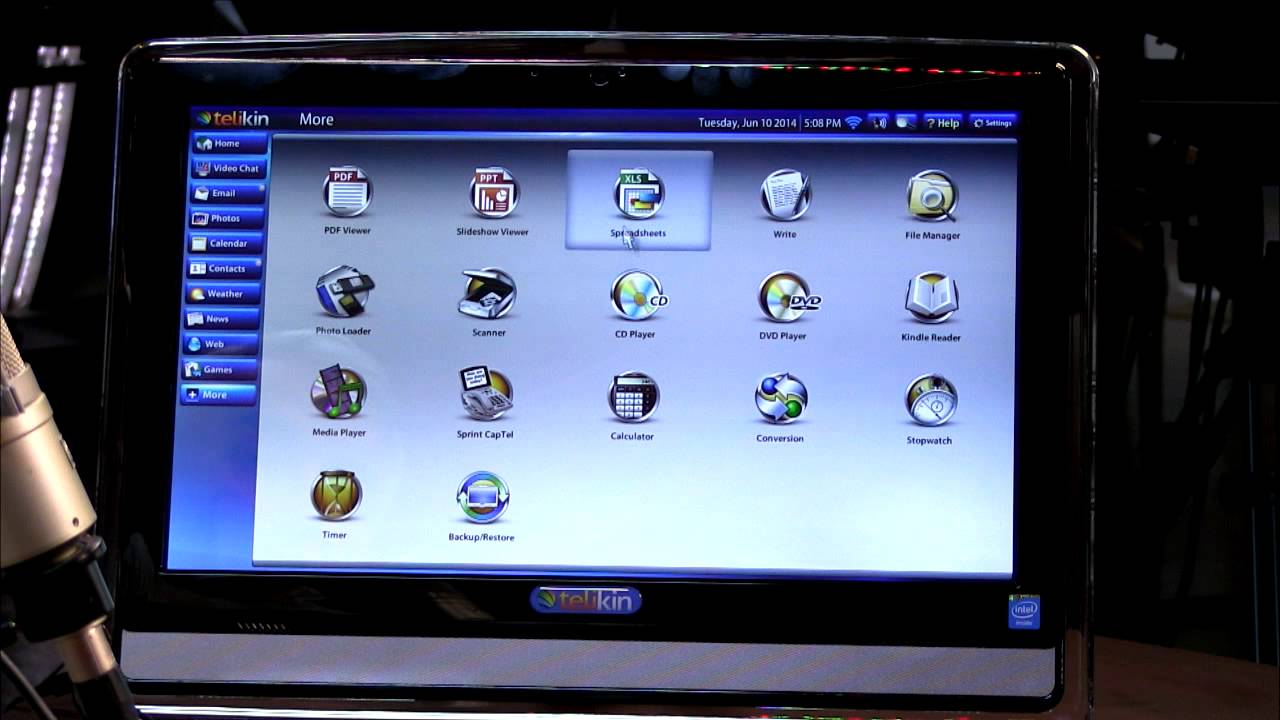

A computer can be difficult to live with when the screen is cramped, the keyboard is unfamiliar, or the setup arrives as a pile of separate parts. For many older users, a large readable display and a straightforward first boot matter more than headline performance.
Our Best computer for seniors picks include all-in-one desktops, refurbished business PCs, and laptops that can move from a desk to the kitchen table. The HP 22-inch All-in-One is the easiest choice for most home users, while the Dell OptiPlex 3060 is the stronger desktop option for people who want more storage and memory.
Comparison table
| # | Product | Award | Type | Display | Memory | Storage | Best for |
|---|---|---|---|---|---|---|---|
| 1 | HP 22-inch All-in-One | Best overall | All-in-one desktop | 21.5-inch, 1920 x 1080, anti-glare | 8GB DDR5 | 128GB SSD | A simple home workstation |
| 2 | Dell OptiPlex 3060 | Best desktop performance | Desktop tower | External display required | 32GB DDR4 | 1TB SSD | Multitasking and long-term use |
| 3 | HP 17.3-inch Core 5 Laptop | Best large-screen laptop | Laptop | 17.3-inch, 1600 x 900, anti-glare | 16GB | 512GB SSD | A portable computer with a roomy screen |
| 4 | SAGAWHALE 15.6-inch Laptop | Best portable work laptop | Laptop | 15.6-inch, 1920 x 1080 IPS | 16GB | 256GB SSD | Everyday browsing and documents |
| 5 | HP EliteDesk 800 G1 | Best dual-monitor desktop | Small-form-factor desktop | External display required | 16GB | 256GB SSD and 1TB HDD | A fixed desk with two screens |
| 6 | Dell OptiPlex 9020 Bundle | Best complete desktop bundle | Desktop with monitor | 20-inch monitor included | 8GB DDR3 | 500GB HDD | A ready-to-use desk setup |
| 7 | HP 14-inch N150 Laptop | Best compact laptop | Laptop | 14-inch display | 4GB | 128GB SSD | Light travel and basic tasks |
1. HP 22-inch All-in-One: Best Overall

Pros
- Large 21.5-inch Full HD screen
- Anti-glare coating helps in bright rooms
- Webcam has a physical privacy shutter
- Wi-Fi 6 and Bluetooth 5.3 are built in
- HDMI, USB, Ethernet, and USB Type-C connectivity
Cons
- 128GB of storage fills quickly with large photo libraries
- It cannot move around the house like a laptop
- 8GB of memory is adequate rather than generous
Best for: someone who wants a tidy, approachable home computer with a large screen.
The first thing to understand about the HP 22-inch All-in-One is that it removes much of the setup anxiety. The computer is built into the display, so there is no separate tower taking up floor space and no need to work out which display cable belongs where. It is the kind of computer we would choose for a relative who mainly browses the web, reads email, joins video calls, and keeps documents in one familiar place.
Its 21.5-inch screen runs at 1920 x 1080 and has an anti-glare coating. That combination gives text and web pages a sensible amount of room while cutting down some of the distracting reflections that can make a screen tiring near a window. The built-in stereo speakers and HD webcam make it ready for calls, and the webcam's privacy shutter is a useful physical control rather than a software setting someone has to remember.
The Intel N100 processor has four cores and can reach 3.4GHz. It is designed for everyday computing, not demanding editing or heavy creative work, but that is a sensible match for email, browser tabs, word processing, streaming, and video meetings. The 8GB of DDR5 memory should handle those tasks comfortably when the computer is not overloaded with large programs.
Connectivity is one of this HP's strongest practical points. It includes Wi-Fi 6, Bluetooth 5.3, Ethernet, HDMI-out, two USB Type-A ports, a faster USB Type-A port, USB Type-C, and a combined headphone and microphone jack. That gives a senior user several easy ways to connect a printer, wired network, headphones, or a second display. Windows 11 Pro is installed, though the number of settings can still feel busy at first.
The weakness is the 128GB SSD. It makes startup and file access quick, but photos, downloaded videos, and large applications can consume that space sooner than expected. The Dell OptiPlex 3060 has far more room and memory, while the HP 17.3-inch Core 5 Laptop offers a larger screen that can be moved. Pick the HP 22-inch All-in-One when simplicity, a clean desk, and an easy-to-see screen matter most.
2. Dell OptiPlex 3060: Best Desktop Performance

Pros
- 32GB of DDR4 memory for extensive multitasking
- 1TB solid-state storage
- Built-in Wi-Fi and Bluetooth
- Compact desktop footprint
- Windows 11 Pro installed
Cons
- A monitor, keyboard, and mouse are not described as included
- Refurbished condition may mean a less predictable cosmetic finish
- RGB lighting is unnecessary for a simple home setup
Best for: someone who wants a capable fixed desktop for many browser tabs, photos, and office work.
The Dell OptiPlex 3060 is the sensible choice when a senior user's computer needs to stay useful as their habits grow. It is a desktop tower rather than an all-in-one, so it needs a separate monitor and peripherals, but that separation also makes the setup easier to adapt. A larger display, different keyboard, or more comfortable mouse can be changed without replacing the computer itself.
The standout specification is 32GB of DDR4 RAM. That is considerably more headroom than the 8GB in the HP 22-inch All-in-One or Dell OptiPlex 9020 Bundle. It helps when a user keeps email, several browser windows, photo folders, and a document open at the same time. It will not make every task instantly faster, but it reduces the chance that ordinary multitasking becomes cramped.
The 1TB SSD is another major advantage. Solid-state storage makes Windows and applications responsive, while the capacity leaves much more space for pictures and personal files than the 128GB SSD in the HP all-in-one. The listed Intel Core i5-8500 runs at 3.2GHz, giving this refurbished business desktop a stronger everyday foundation than the older i5-4590 in the HP EliteDesk 800 G1.
Dell includes built-in Wi-Fi and Bluetooth, so the tower does not need to be tied to a router by an Ethernet cable. The listing also mentions an RGB side-panel lighting kit with 13 modes. That feature will not help with email or video calls, and some users may prefer to leave it off, but it can make the otherwise plain enclosure feel less institutional.
The main drawback is the missing screen. A first-time desktop buyer must choose a compatible monitor and peripherals separately, and the article does not specify what connections the chosen display should use. The HP 22-inch All-in-One is easier for a single-box setup, but the Dell is the stronger pick for someone who already has a monitor or wants to choose a larger one. It suits a senior who expects to store years of photos and keep many everyday applications open.
For advice on setting up a familiar desk rather than a portable machine, the features that make a computer comfortable at home are a useful place to start.
3. HP 17.3-inch Core 5 Laptop: Best Large-Screen Laptop

Pros
- Spacious 17.3-inch anti-glare screen
- 16GB memory and 512GB SSD
- Numeric keypad simplifies number entry
- Webcam privacy shutter
- Wi-Fi 6 and useful physical ports
Cons
- 1600 x 900 resolution is lower than Full HD
- Larger chassis is less convenient for travel
- Windows 11 Home rather than Pro
Best for: someone who wants laptop flexibility without giving up a large keyboard and screen.
The HP 17.3-inch Core 5 Laptop is the laptop to consider when a 14-inch or 15.6-inch display feels too confined. Its large panel leaves more room for documents and browser pages, and the full-size keyboard includes a numeric keypad. That is especially useful for spreadsheets, online banking, household records, and anyone who finds compact laptop keyboards difficult to navigate.
The display uses a 1600 x 900 resolution with an anti-glare finish. It is not as sharp as the 1920 x 1080 screens on the HP all-in-one and SAGAWHALE laptop, but the larger physical size can make controls and text easier to distinguish at a comfortable viewing distance. The anti-glare surface should also be less distracting under overhead lights.
Inside, the Intel Core 5 120U is listed with 10 cores, 12 threads, and a maximum turbo speed of 5.0GHz. Those figures give it plenty of room for web browsing, video calls, office applications, and more involved multitasking. The 16GB of RAM is a good middle ground, and the 512GB SSD provides enough working space for documents, applications, and a growing collection of photos without immediately forcing storage management.
The webcam has a physical shutter, which is a straightforward way to block the camera after a call. Wi-Fi 6 supports a modern wireless connection, and the laptop includes USB Type-C, two USB Type-A ports, HDMI 1.4b, and a power connector. It comes with a PCO laptop cooler, and the listing says the computer weighs 4.6 pounds with a 0.81-inch chassis.
That size is both its appeal and its limitation. It is portable between rooms, but it is not the laptop we would choose for frequent travel. The HP 22-inch All-in-One is easier to read at a fixed desk, while the SAGAWHALE 15.6-inch Laptop has a sharper Full HD IPS screen and a lighter 3.5-pound design. Choose this HP when screen and keyboard space matter more than compactness, and skip it if the user needs a laptop that travels often.
4. SAGAWHALE 15.6-inch Laptop: Best Portable Work Laptop

Pros
- 15.6-inch Full HD IPS display
- 16GB RAM for everyday multitasking
- Fast 256GB SSD
- Lightweight 3.5-pound design
- Windows 11 Pro and Office 365 included
Cons
- Listed battery life is up to four hours
- 256GB is modest for a large photo collection
- The 4425Y processor is intended for basic computing
Best for: someone who needs a light laptop for email, documents, browsing, and moving around the home.
The SAGAWHALE 15.6-inch Laptop has a familiar laptop shape and a screen size that remains comfortable for ordinary home tasks. It is light enough to carry from a desk to a sofa or dining table, but the display is much larger than those on compact travel laptops. For a senior who does not want a permanent workstation, that flexibility is the central reason to consider it.
The 15.6-inch display uses 1920 x 1080 resolution and an IPS panel. Full HD keeps text, photographs, and web pages clear, while IPS technology is associated with wider viewing angles than basic narrow-angle panels. That matters when the screen is not perfectly positioned or when two people are looking at a family photo together.
Its 16GB of RAM lets the laptop keep several everyday programs and browser tabs active. The 256GB SSD should make startup and file access feel responsive, though users with a substantial photo library may need to organize files on external storage or in a cloud service. The 4425Y processor is described as suitable for daily computing, work, study, and entertainment. That means it is a better fit for email, browsing, documents, and streaming than for demanding video work.
Windows 11 Pro and Office 365 are pre-installed according to the listing, which reduces the number of setup steps for someone who needs to write documents or work with spreadsheets. The laptop weighs 3.5 pounds, and the listed dimensions are 17 inches long by 12 inches wide. Battery life is described as up to four hours, so it is portable but still best treated as a computer that spends most of its time near an outlet.
The included two-year warranty and six-month return policy are notable support details, although warranty terms should always be checked before ordering. Compared with the HP 17.3-inch Core 5 Laptop, this model is easier to carry and has a sharper display, but it gives up screen size and processing headroom. The HP 14-inch N150 Laptop is smaller still, yet has less memory listed. Pick the SAGAWHALE for a straightforward portable work computer, and skip it if all-day unplugged use is essential.
When a laptop will also serve a student or family member, the practical features that help with schoolwork and video calls can help clarify which compromises matter.
5. HP EliteDesk 800 G1: Best Dual-Monitor Desktop

Pros
- 16GB RAM
- SSD boot storage plus a 1TB hard drive
- Supports two 4K displays
- Small-form-factor enclosure
- USB keyboard and mouse included
Cons
- Older fourth-generation Intel processor
- Separate display is required
- Refurbished hardware can vary cosmetically
Best for: a fixed desk where two screens or lots of local file storage are useful.
The HP EliteDesk 800 G1 is an older business desktop with one particularly useful trick: it supports two 4K displays. For a senior who likes email open on one screen and a browser or document on the other, that can reduce the constant window switching that makes a computer feel confusing. It is a small-form-factor machine, measuring 3.9 inches high, 14.9 inches long, and 13.3 inches wide.
Its Intel Core i5-4590 processor can reach 3.7GHz and has four cores. This is not a modern processor, so it should be viewed as a machine for ordinary web, office, and media tasks rather than demanding modern software. The 16GB of RAM gives it a more comfortable multitasking base than the Dell OptiPlex 9020 Bundle, and Windows 11 Pro is installed in a 64-bit version with English, Spanish, and French support.
Storage is split between a 256GB SSD used for booting and a 1TB hard drive. Windows should benefit from the quicker SSD, while the hard drive provides room for documents, music, and photographs. That arrangement is more practical than relying on one small drive, though a hard drive is generally slower and has moving parts compared with solid-state storage.
The listing includes a USB keyboard and mouse, which removes two more items from the setup list. It also describes the computer as Certified Refurbished, with functionality testing, cleaning, inspection, repackaging, relevant accessories, and a minimum 90-day warranty. A monitor is not included, so the dual-display capability only matters if the buyer already has screens or is prepared to select them.
The Dell OptiPlex 3060 is the better choice for newer hardware, more memory, and a large SSD. The HP EliteDesk makes more sense for a desk-based user who specifically wants two monitors and appreciates having both fast boot storage and a large secondary drive. Users who want one uncomplicated box should choose the HP 22-inch All-in-One instead.
6. Dell OptiPlex 9020 Bundle: Best Complete Desktop Bundle

Pros
- 20-inch monitor included
- Wi-Fi and network connectivity built in
- Windows 11 Pro installed
- Compact 3.7-inch-wide desktop design
- 90-day warranty and technical support
Cons
- 8GB DDR3 RAM is limited for heavier multitasking
- 500GB hard drive is slower than an SSD
- Older hardware and refurbished condition
Best for: someone who wants the basic computer, screen, and desk setup in one package.
The Dell OptiPlex 9020 Bundle addresses a problem that is easy to overlook: a desktop computer is not useful until it has a screen and input devices. This package includes a 20-inch monitor and is therefore more approachable than a bare tower for someone starting from nothing. It also has built-in wireless capability and a network card, so it can connect to a home network without relying on an added adapter.
The included 20-inch display is a sensible size for email, web pages, and documents. The computer has an Intel quad-core i5 processor, 8GB of DDR3 RAM, and a 500GB hard drive. Those components are enough for basic Windows tasks, but the older memory standard and mechanical storage make this a slower, less flexible platform than the Dell OptiPlex 3060 with 32GB of RAM and a 1TB SSD.
Windows 11 Pro is installed as a fresh 64-bit operating system, and the listing says it is free of commonly installed bloatware. The computer can connect to large and multiple monitors through its onboard video connections, though the package's primary appeal is the supplied 20-inch screen. The tower measures 11.4 inches high, 12.3 inches long, and 3.7 inches wide, making it relatively easy to place on or beside a desk.
The bundle also includes an RGB productivity feature, though colored lighting is a cosmetic extra rather than a reason to buy. More useful is the stated 90-day warranty and technical support for Amazon Renewed computers. Refurbished products can vary in appearance, so a buyer should be comfortable with a machine that may not look factory fresh.
The HP EliteDesk 800 G1 has more memory and a faster SSD boot drive, while the HP 22-inch All-in-One is newer and cleaner to set up because the computer is built into its display. The Dell OptiPlex 9020 Bundle wins for completeness. Choose it for simple email, browsing, and documents when having a monitor included matters more than speed or expansion room.
7. HP 14-inch N150 Laptop: Best Compact Laptop

Pros
- Compact 3.52-pound design
- 128GB SSD
- USB Type-C, USB Type-A, HDMI, and audio jack
- Wi-Fi and Bluetooth
- One-year Microsoft 365 subscription
Cons
- 4GB RAM leaves little room for multitasking
- 128GB storage is limited
- The listing provides few performance details beyond the processor
Best for: someone who wants a small laptop for light browsing, email, and basic documents.
The HP 14-inch N150 Laptop is the most compact option here and the easiest to carry between rooms or take on a trip. Its 14-inch format avoids the bulk of the 17.3-inch HP, while its 3.52-pound listed weight keeps it close to the portable feel of the SAGAWHALE. It is a basic laptop, so its appeal depends on doing a small number of common tasks without demanding much from the hardware.
The listing identifies an Intel N150 processor, 4GB of RAM, and a 128GB SSD. The solid-state drive should help with startup and everyday file access, but 4GB of memory is a clear constraint. It is suitable for lighter browsing, email, and simple documents, but a user who opens many tabs or switches between several programs may encounter more sluggish behavior than with the 16GB laptops in this group.
Physical connectivity is well covered. The laptop includes USB 3.0 Type-C, USB 3.0 Type-A, HDMI, and a combined headphone and microphone jack, along with Wi-Fi and Bluetooth. That makes it straightforward to add a wired mouse, connect headphones, or send the display to a larger television or monitor.
The computer includes a one-year Microsoft 365 subscription. That can make document and spreadsheet work easier during the included period, but the buyer should check the subscription terms and decide how those applications will be handled afterward. The listed dimensions are 12.76 inches long, 8.86 inches wide, and 0.71 inches high.
The HP 14-inch N150 Laptop is easier to carry than every larger-screen choice, but the SAGAWHALE offers twice the listed memory and a sharper, larger Full HD IPS display. The HP 17.3-inch Core 5 Laptop is much stronger for multitasking and reading large documents. Choose this HP for portability and uncomplicated light use, and skip it if the computer will become the household's main machine.
How to choose the best computer for seniors
The right computer depends less on a single impressive component than on how comfortably the user can see, control, and maintain it.
Screen size and readability
A larger screen gives text, buttons, and documents more room, which can reduce the need for constant zooming. The HP 22-inch All-in-One has a 21.5-inch Full HD display, while the HP 17.3-inch Core 5 Laptop offers the largest laptop panel. Resolution matters too. Full HD is sharper, but a physically larger screen can still be easier to read when viewing distance is the priority.
Anti-glare coatings can help in rooms with windows or overhead lighting. Before choosing, consider where the computer will sit and whether the user will look at it straight on or from an angle.
Desktop or laptop format
An all-in-one keeps the computer and screen together and creates a tidy setup. A tower can be easier to repair or change, but it requires a separate monitor and input devices. A laptop offers the most flexibility, though its keyboard, touchpad, and battery introduce more variables.
Choose the format that removes the most daily decisions, not the one with the longest specification list.
Memory and processor
Memory affects how comfortably a computer handles several applications and browser tabs at once. The 4GB in the HP 14-inch N150 Laptop is suited to light use, while 8GB is a reasonable baseline for email and browsing. Models with 16GB or 32GB provide more breathing room for photos, documents, video calls, and multitasking.
A modern entry-level processor is fine for everyday tasks, but processor names alone do not tell the whole story. Match the computer to the work. Email and web browsing need much less capability than large spreadsheets, creative software, or frequent multitasking.
Storage type and capacity
An SSD generally makes Windows start and applications open more quickly than a traditional hard drive. Capacity determines how many photos, documents, and applications can remain on the computer. The 128GB drives in the HP all-in-one and HP 14-inch laptop need more careful file management, while the Dell OptiPlex 3060's 1TB SSD leaves substantially more space.
The HP EliteDesk 800 G1 uses both a 256GB SSD and a 1TB HDD. That gives it a fast boot drive and a larger secondary location, though the hard drive will not feel as quick as an SSD.
Webcam, ports, and wireless connections
A physical webcam shutter is a useful privacy feature because it works without navigating Windows settings. Wi-Fi 6 can help a newer home network, while Bluetooth is convenient for wireless keyboards, mice, and headphones. HDMI and USB ports matter when the user needs a larger display, printer, external drive, or other accessory.
Check the included equipment carefully. The Dell OptiPlex 9020 Bundle includes a 20-inch monitor, but the Dell OptiPlex 3060 and HP EliteDesk 800 G1 require the buyer to provide or select a display.

Frequently asked questions
Is an all-in-one computer easier for seniors?
An all-in-one can be easier because the computer and screen are combined in one unit. It also reduces cable clutter and avoids choosing a separate monitor. The HP 22-inch All-in-One is the clearest example in this group.
Is a laptop or desktop better for an older user?
A laptop is better when the computer needs to move between rooms or travel. A desktop is usually more comfortable for a permanent desk because it can use a larger monitor and full-size peripherals. The user's routine should decide the format.
How much RAM should a senior's computer have?
For email, browsing, and documents, 8GB is a practical starting point. Sixteen gigabytes gives more room for multiple browser tabs, video calls, photos, and office applications. Four gigabytes, as listed for the HP 14-inch N150 Laptop, is better reserved for light use.
Is 128GB of storage enough?
It can be enough for Windows, basic applications, email, and documents if files are managed carefully. It is less comfortable for years of photographs or downloaded videos. A 256GB or larger SSD gives the user more room before storage housekeeping becomes necessary.
Do refurbished desktop computers make sense?
A refurbished desktop can be a sensible choice when the buyer is comfortable with older hardware and a variable cosmetic finish. Look for clear information about testing, included accessories, warranty coverage, and the computer's storage type. The HP EliteDesk 800 G1, Dell OptiPlex 3060, and Dell OptiPlex 9020 Bundle are all refurbished listings in this selection.
Can these computers connect to a larger screen?
The desktops require a display to function, and the HP EliteDesk 800 G1 is specifically listed as supporting two 4K displays. The laptops include HDMI, so they can connect to a compatible external monitor or television. The HP all-in-one also includes HDMI-out for an additional display.
The bottom line
The Best computer for seniors in this group is the HP 22-inch All-in-One because it combines a readable anti-glare Full HD screen, built-in webcam, useful ports, and a tidy single-unit setup. It is the easiest recommendation for email, browsing, documents, video calls, and general home use.
Choose the Dell OptiPlex 3060 instead when the user needs extensive multitasking, a large local photo library, or a desktop that can grow with changing needs. Its 32GB of memory and 1TB SSD give it a stronger foundation, but the separate monitor means more setup work.
If you are undecided, choose the HP for the simplest desk or the Dell when capacity and multitasking matter more.
As an Amazon Associate we earn from qualifying purchases.