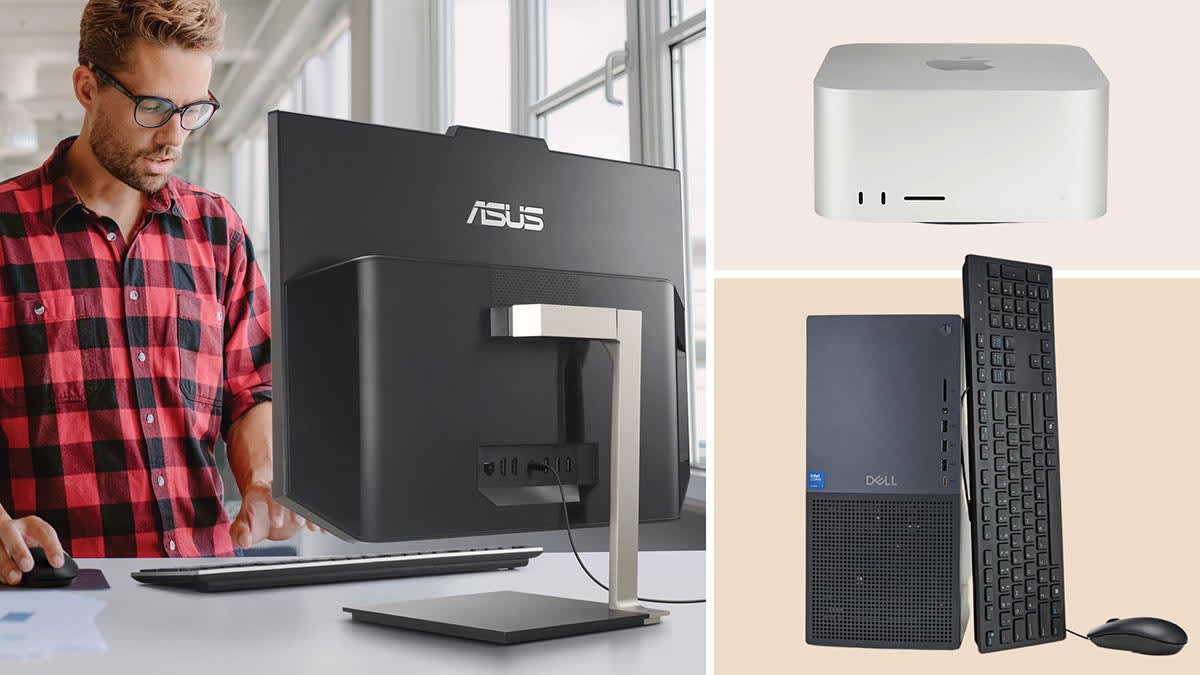

A home computer has to handle more than a browser tab. It may become the family file cabinet, a video call station, a homework machine, and the place where photos and documents stay for years. The wrong desktop feels slow almost immediately, while the right one disappears into the routine.
The Best Home Computer for most households is the Dell Slim Desktop, thanks to its current Intel Core Ultra 5 processor, compact shape, modern display support, and straightforward upgrade access. The nine picks here range from small everyday mini PCs to full-size Dell desktops built for heavier multitasking.
Comparison table
| # | Product | Award | Processor | Memory and storage | Best for |
|---|---|---|---|---|---|
| 1 | Dell Slim Desktop | Best overall | Intel Core Ultra 5-225 | 512GB SSD | Most home offices |
| 2 | Dell OptiPlex 5060 | Best dual-storage tower | Intel Core i5-8500 | 16GB, 500GB SSD plus 1TB HDD | Files and everyday work |
| 3 | Dell OptiPlex 3060 | Best refurbished capacity | Intel Core i5-8500 | 32GB, 1TB SSD | Heavy multitasking |
| 4 | Dell OptiPlex 7050 SFF | Best compact office tower | Intel Core i7-7700 | 32GB, 1TB SSD | Multi-monitor desks |
| 5 | Dell Tower Desktop | Best high-end tower | Intel Core Ultra 7-265 | 32GB, 1TB storage | Demanding home workloads |
| 6 | Lenovo M720Q ThinkCentre | Best tiny business PC | Intel Core i5-8500T | 16GB, 500GB NVMe | Small desks |
| 7 | KAMRUI AK1PLUS | Best expandable mini PC | Intel Celeron N5095 | 16GB, 256GB SSD | Basic work and media |
| 8 | GMKtec G10 | Best triple-display mini PC | Ryzen 5 3500U | 16GB, 1TB SSD | Multiple screens |
| 9 | BOSGAME E5 | Best home lab mini PC | Ryzen 5300U | 16GB, 1TB NVMe | Networking and small servers |
1. Dell Slim Desktop: Best Overall
Pros
- Current Intel Core Ultra 5-225 processor
- Compact 3.74-inch-wide design
- Supports up to four FHD displays
- Tool-less access for upgrades
- Includes one year of onsite service
Cons
- Only 512GB of listed SSD storage
- Less internal room than the Dell Tower Desktop
- No dedicated graphics listed
Best for: households that want a modern desktop for work, study, browsing, and general home use.
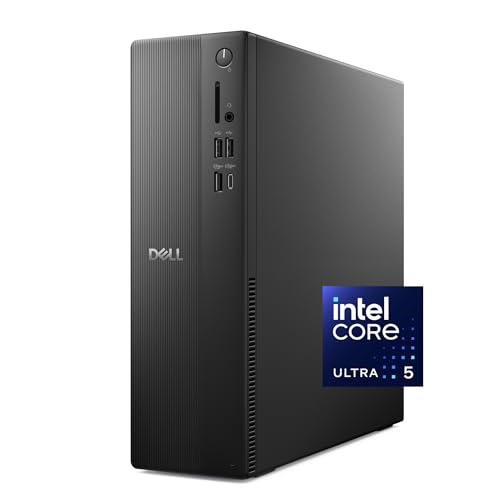
The Dell Slim Desktop is the easiest computer here to recommend without a long list of qualifications. It is narrow enough for a crowded desk, yet it does not feel like a compromise in the way many small desktops do. Its 3.74-inch width gives it a clean footprint, and the 7.69-pound weight makes it relatively easy to move when a home office changes rooms.
The Intel Core Ultra 5-225 is the key reason it leads this group. Dell highlights built-in AI capabilities in the Core Ultra platform, which gives this machine a more current foundation than the older Core i5 and Core i7 systems elsewhere in the list. The included 512GB SSD should keep Windows and everyday applications responsive, though households with large photo or video libraries may eventually want more storage.
Display support is unusually strong for a slim general-purpose desktop. Dell says it can connect to up to four FHD monitors through DisplayPort 1.4a and daisy chaining, or two 4K displays using HDMI 2.1 and DisplayPort 1.4a. Most home users will never need four screens, but support for two high-resolution displays gives this computer room to grow into a serious work station.
The removable side panel and tool-less entry matter more than they sound. Adding or replacing components is less intimidating when access does not require a complicated teardown. A hardware TPM, lock slot, and padlock loop add useful office-oriented security, while the recycled-material design keeps the exterior restrained. Dell also lists one year of onsite service and six months of Dell Migrate for moving files and personal records.
The weakness is expansion space. The slim enclosure cannot offer the same internal flexibility as the Dell Tower Desktop, and the product data does not list dedicated graphics. Buyers planning demanding 3D work or a large internal drive collection should choose the tower instead. For everyone else, this is the most balanced modern desktop in the group.
2. Dell OptiPlex 5060: Best Dual-Storage Tower

Pros
- Six-core Intel Core i5-8500
- 500GB SSD and 1TB HDD combination
- WiFi, Bluetooth, and LAN connectivity
- Integrated Intel UHD Graphics 630
- Compact tower profile
Cons
- Older eighth-generation platform
- Hard drive is slower than the SSD
- Less memory than the OptiPlex 3060 and 7050
Best for: families that want fast system storage alongside a separate drive for documents, photos, and media.
The Dell OptiPlex 5060 makes a sensible case for keeping two kinds of storage in one desktop. Windows and frequently used applications can live on the 500GB SSD, while the 1TB hard drive provides a separate place for files that do not need the same quick access. That arrangement is more useful in a family computer than a single small drive, especially when several people share the system.
Its Intel Core i5-8500 is an older processor, but the six-core design remains appropriate for web browsing, office applications, video calls, streaming, and ordinary photo management. The 16GB of DDR4 memory gives the system a comfortable multitasking base. It should handle several browser windows and productivity programs at once, although the 32GB configurations of the Dell OptiPlex 3060 and Dell OptiPlex 7050 SFF are better suited to heavier simultaneous workloads.
Connectivity covers the basics without requiring a separate adapter. The listing specifies WiFi, Bluetooth, and LAN, so it can work with wireless peripherals while retaining a wired network option. Integrated Intel UHD Graphics 630 is intended for regular desktop visuals and video playback, not demanding modern games or graphics-heavy production.
The 11.4-inch height, 3.6-inch length, and 11.5-inch width make this a relatively easy tower to place beside a monitor or under a desk. Its black slim-profile design is plain, which is exactly what many home offices need. There is no decorative lighting or aggressive gaming styling competing with the rest of the room.
The age of the platform is the central drawback. The Dell Slim Desktop has a much newer processor and stronger display options, while the OptiPlex 5060 answers with its useful split-storage layout. Choose the 5060 when local file capacity matters more than having the newest platform, and skip it if you expect to keep the computer for demanding creative work.
3. Dell OptiPlex 3060: Best Refurbished Capacity

Pros
- 32GB of DDR4 memory
- 1TB SSD
- Six-core Intel Core i5-8500
- Built-in WiFi and Bluetooth
- Windows 11 Professional
Cons
- Older processor generation
- Product details provide limited port information
- Renewed listing needs more condition scrutiny than a new Dell
Best for: home users who keep many applications and browser tabs open at the same time.
The Dell OptiPlex 3060 is the practical multitasker of the group. Its 32GB of DDR4 memory is twice what the OptiPlex 5060 and Lenovo M720Q ThinkCentre provide, and that difference is easy to understand in daily use. Large browser sessions, office applications, communication tools, and background utilities have more room to remain open without forcing the system to juggle memory as aggressively.
The six-core Intel Core i5-8500 is shared with the OptiPlex 5060, but the 3060 pairs it with a cleaner 1TB SSD setup. There is no listed mechanical hard drive, so application launches and file access should feel more consistent. The extra capacity also gives a home office more breathing room for documents, downloaded media, and local projects.
Windows 11 Professional makes this more suitable for someone who wants business-oriented features at home. The listing also identifies built-in WiFi and Bluetooth, which keeps the desk free of at least two common add-on adapters. An RGB side-panel lighting kit with 13 modes is included in the feature description, giving this otherwise conservative desktop a small visual twist.
At 6 inches high, 13.8 inches long, and 10.8 inches wide, the chassis is not as narrow as the OptiPlex 7050 SFF, but it remains manageable beside a desk. The main question is not everyday capability. It is how much the older platform and renewed status matter to the buyer. The listing references a quality guarantee and free technical support from a Microsoft Authorized Refurbisher, but the purchase page should still be checked for the exact supplied configuration.
Compared with the Dell OptiPlex 7050 SFF, the 3060 offers the same memory and SSD capacity with a newer i5 platform, while the 7050 has the stronger i7 label and clearer port information. The Dell Slim Desktop is the better long-term modern choice. Pick this one when 32GB of memory and a full 1TB SSD are more important than the latest processor generation.
4. Dell OptiPlex 7050 SFF: Best Compact Office Tower

Pros
- Intel Core i7-7700 processor
- 32GB DDR4 memory
- 1TB SSD
- HDMI and DisplayPort outputs
- Supports two monitors
- WiFi and Bluetooth included
Cons
- Oldest processor platform among the Dell towers
- Small-form-factor limits internal expansion
- Seller warranty is listed as 90 days
Best for: a compact office setup that needs two displays and substantial memory.
The Dell OptiPlex 7050 SFF is a small-form-factor desktop with an unusually clear office role. It combines 32GB of DDR4 memory and a 1TB SSD with HDMI and DisplayPort outputs, and the listing specifically calls out dual-monitor support. That makes it a natural fit for spreadsheets, research, scheduling, trading dashboards, or any home workspace where switching between windows becomes tiring.
The Intel Core i7-7700 runs at 3.60GHz and has four cores. The i7 branding does not make it newer than the six-core i5-8500 in the OptiPlex 5060 and 3060, so buyers should not assume the model number tells the whole story. Still, the generous memory and SSD give it a responsive day-to-day setup for ordinary home and office tasks.
Port selection is one of its strongest documented features. The feature list includes USB 3.0 and USB 2.0, HDMI, DisplayPort, Ethernet, and audio I/O, along with a wireless USB adapter. Wired keyboard and mouse accessories are also listed. The result is a computer that can be set up as a complete office station with fewer missing pieces.
Its 3.6-inch width and 11.4-inch height suit a narrow desk or a workspace where a larger tower would get in the way. The trade-off is expansion. Small-form-factor systems generally leave less room for major internal changes, and the data here does not promise the kind of upgrade path offered by the new Dell Slim Desktop with its removable side panel.
The renewed condition is another point to weigh carefully. The listing says it is tested and certified and includes a 90-day seller warranty. That is useful information, but it is not the same support arrangement Dell lists for its new desktops. Choose the 7050 SFF when two monitors, compact dimensions, and a ready-made office setup matter most. Skip it if processor age or future internal expansion is your main concern.
5. Dell Tower Desktop: Best High-End Tower

Pros
- Intel Core Ultra 7-265 processor
- 32GB of memory
- 1TB of listed storage
- Supports two 4K displays
- Tool-less internal access
- One year of onsite service
Cons
- Larger than the Dell Slim Desktop
- No dedicated graphics listed
- More capability than light users may need
Best for: demanding home productivity, creative applications, and users who want a substantial modern desktop.
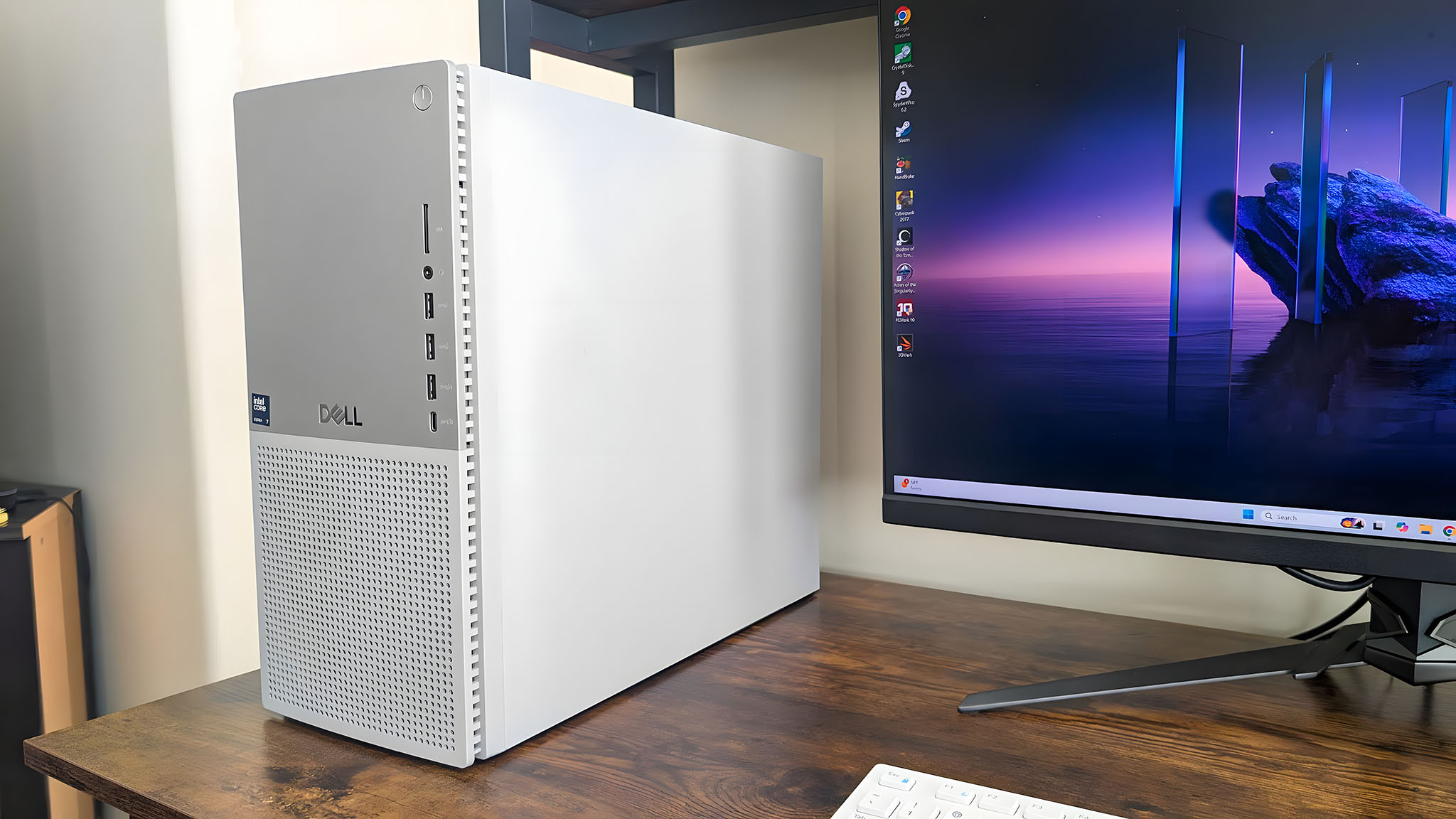
The Dell Tower Desktop is the choice for someone who wants modern desktop hardware without moving to a laptop. It uses the Intel Core Ultra 7-265 and includes 32GB of memory, giving it a much more current starting point than the refurbished OptiPlex systems. For large office documents, many open applications, and more demanding home projects, it has the strongest conventional desktop platform in this list.
Dell lists 1TB of storage and the same useful monitor flexibility found on the Slim Desktop. The tower can connect up to four FHD monitors through DisplayPort and daisy chaining, or two 4K displays using HDMI 2.1 and DisplayPort. That is excessive for a simple family PC, but it is valuable for a home office that uses a broad spreadsheet, reference material, and communication tools simultaneously.
The full tower design measures about 12.77 inches high, 11.54 inches long, and 6.06 inches wide. It takes more room than the Dell Slim Desktop, but the extra width gives the system a more substantial enclosure. Tool-less entry and a removable side panel make upgrades less frustrating, while a hardware TPM, lock slot, and padlock loop address the security needs of a home office.
Dell also lists a recycled-material exterior and one year of onsite service. The service arrangement is a meaningful advantage over the renewed desktops, especially for a household that does not want to diagnose every hardware problem alone. There is no dedicated graphics processor listed, so the Core Ultra platform should not be mistaken for a gaming tower or a workstation with professional graphics.
The obvious weakness is size. It is the wrong fit for a desk where every inch matters, and light users will not necessarily benefit from all its headroom. The Dell Slim Desktop is easier to place and better balanced for ordinary home use. Choose the Tower Desktop when modern processing, 32GB memory, two 4K displays, and a larger upgrade-friendly enclosure are the priorities.
6. Lenovo M720Q ThinkCentre: Best Tiny Business PC

Pros
- Compact micro desktop design
- Intel Core i5-8500T processor
- 16GB DDR4 memory
- 500GB NVMe storage
- Windows 11 Professional
- WiFi and Bluetooth
Cons
- Product dimensions are listed inconsistently with its micro form
- Less memory and storage than several larger picks
- Renewed platform
Best for: a small desk, mounted workstation, or quiet home office focused on everyday productivity.
The Lenovo M720Q ThinkCentre is built around the idea that a home computer does not need to dominate the desk. The listing describes it as an ultra-small micro desktop with low power usage, quiet operation, and several placement or mounting options. Those traits are more important than raw specification chasing when the computer has to fit behind a monitor or into a shallow workspace.
Its Intel Core i5-8500T is a six-core processor aimed at everyday multitasking, web browsing, and business productivity. The 16GB of DDR4 memory is enough for a typical home office, and the 500GB NVMe drive should make Windows and applications feel quick to open. It does not provide the storage cushion of the Dell OptiPlex 3060, but it keeps the operating system and common files on fast solid-state storage.
Windows 11 Professional gives it a business-oriented software foundation. WiFi and Bluetooth are included, so a wireless keyboard, mouse, or headset can be used without immediately filling the desk with adapters. The product description emphasizes energy efficiency and quiet operation, though it does not provide a measured noise figure.
The dimensions in the product data are unusual for a micro desktop, listing 4 inches in height, 19 inches in length, and 15 inches in width. Since those figures do not resemble the compact footprint described in the features, buyers should confirm the physical configuration and mounting arrangement on the product page before planning a tight installation.
For a broader look at choosing a machine for shared household tasks, the trade-offs between a family workstation and a personal computer can help clarify what matters. Compared with the KAMRUI AK1PLUS, the Lenovo has a stronger Core i5 processor and NVMe storage, while the KAMRUI offers more explicit display and expansion details. The Lenovo is the better fit for a quiet, conventional office setup, provided its physical dimensions are verified first.
7. KAMRUI AK1PLUS: Best Expandable Mini PC

Pros
- Very small 5.04-inch square footprint
- 16GB LPDDR4X memory
- Dual 4K display support
- Two storage expansion paths
- Four USB 3.2 ports
- Gigabit Ethernet and Bluetooth
Cons
- Intel Celeron N5095 is suited to basic workloads
- Starts with only a 256GB SSD
- Not intended for demanding creative work
Best for: basic home computing, streaming, online classes, and a compact two-screen setup.
The KAMRUI AK1PLUS is small enough to make a traditional desktop tower look excessive. Its listed dimensions are 5.04 inches long, 5.04 inches wide, and 2.05 inches high, so it can sit behind a monitor, beside a router, or in a small media area. The compact design does not come at the expense of basic connectivity.
The Intel Celeron N5095 has four cores and can reach up to 2.9GHz. That places it below the Intel Core and Ryzen processors in this roundup, but the intended workload is clear: browsing, email, video conferencing, online classes, streaming, and light multitasking. The 16GB of LPDDR4X memory helps keep those activities comfortable, while the 256GB M.2 SSD provides quick starts but limited room for a large media collection.
Display support is a standout feature. Two HDMI 2.0 outputs can drive two 4K displays at 60Hz simultaneously, which is useful for office work even when the processor is modest. Four USB 3.2 ports, Gigabit Ethernet, a 3.5mm audio jack, WiFi, and Bluetooth make it easy to connect the usual home peripherals.
Storage expansion is more flexible than the initial SSD capacity suggests. The feature list says the system supports an M.2 SATA or NVMe drive and an additional 2.5-inch SATA SSD or HDD, with up to 4TB total storage described by the manufacturer. That gives the AK1PLUS a clear advantage over a mini PC that is effectively fixed once its internal drive fills.
The limitation is processing headroom. The GMKtec G10 and BOSGAME E5 are better choices for heavier multitasking, video work, or a small server project. The KAMRUI is the more sensible pick for a quiet, uncomplicated desk computer that may later need extra storage. It is also the one to choose when two 4K screens matter more than processor speed.
8. GMKtec G10: Best Triple-Display Mini PC

Pros
- Ryzen 5 3500U processor
- 16GB dual-channel DDR4 memory
- 1TB SSD
- Triple-display support
- 2.5GbE Ethernet
- Two M.2 storage slots
Cons
- Older Ryzen mobile platform
- Integrated Radeon Vega 8 graphics only
- Small chassis may limit sustained heavy workloads
Best for: a multi-screen workspace, light gaming, media work, and fast wired networking.
The GMKtec G10 is one of the more capable mini PCs here because it combines a real storage allowance with unusually broad display and networking support. Its 4.1-inch length, 3.8-inch width, and 1.7-inch height make it easy to hide, but the feature set is aimed at someone who wants a small computer to act like a full workstation.
The Ryzen 5 3500U has four cores, a 2.1GHz base frequency, and a boost frequency up to 3.7GHz. Its integrated Radeon Vega 8 graphics can handle video playback and casual gaming according to the listing, but this is not a replacement for a desktop with dedicated graphics. The 16GB of dual-channel DDR4 memory supports expansion to 64GB, which gives the G10 more useful headroom than the basic Celeron mini PC.
A 1TB SSD is included, and the two M.2 2280 PCIe 3.0 slots support the possibility of adding more solid-state storage. The system can connect three displays at once through HDMI 2.1 TMDS, DisplayPort 1.4, and full-function USB-C. For a home office, that means a main document, reference material, and communication window can stay visible without constant switching.
Networking is another reason to consider it. The 2.5GbE port is faster than standard Gigabit Ethernet when the rest of the home network supports it, and WiFi 5 and Bluetooth 5.0 cover wireless use. The port selection includes dual USB 3.2, USB 2.0, USB-C, DisplayPort, HDMI, and audio. GMKtec lists a one-year limited warranty.
The BOSGAME E5 offers a newer Ryzen 5300U, triple-display support, dual 2.5GbE, and a second M.2 slot, so it is the stronger networking choice. The G10 counters with clearly stated dual-channel memory, two M.2 slots, and a 1TB SSD. Choose the G10 for a compact multi-display office or media machine, but skip it if you need dedicated graphics or the newest mobile processor.
9. BOSGAME E5: Best Home Lab Mini PC

Pros
- Ryzen 5300U with four cores and eight threads
- Triple-display support
- 1TB NVMe SSD
- Second M.2 slot
- Dual 2.5Gb Ethernet
- VESA mount included
Cons
- Memory is listed as a single 16GB module
- Product details do not give physical dimensions
- Newer processor than the G10, but still an integrated-graphics mini PC
Best for: a compact office computer, home lab, soft router, NAS, or multi-monitor desk.
The BOSGAME E5 is aimed at people who see a mini PC as more than a small web browser. Its Ryzen 5300U has four cores and eight threads, with speeds up to 3.8GHz, and the feature list specifically positions it for office work, design work, video conferences, and multitasking. That gives it a broader role than the Celeron-based KAMRUI AK1PLUS.
It includes 16GB of DDR4 memory and a 1TB M.2 2280 NVMe PCIe 3.0 SSD. The memory is listed as one 16GB module and can be upgraded to 64GB. A second internal M.2 slot supports an additional SSD of up to 2TB, which is a useful foundation for a local file store or small home lab.
Three monitors can be connected through HDMI, DisplayPort, and USB-C, with 4K playback supported through the Radeon graphics. The port list also includes two USB 3.2 ports, two USB 2.0 ports, and two 2.5 Gigabit Ethernet ports. Dual high-speed Ethernet is the feature that sets this machine apart, making it suitable for a soft router, NAS, or networking experiment as well as normal desktop work.
The included VESA mount gives the E5 an easy way to disappear behind a compatible display. BOSGAME lists WiFi 5 and Bluetooth 5.0, along with a one-year worry-free warranty, three-year parts warranty, lifetime technical support, and 24-hour customer service. Those support terms are unusually detailed in the product information, though buyers should confirm how they apply to their order.
Compared with the GMKtec G10, the E5 has the Ryzen 5300U, dual 2.5GbE, and a second M.2 slot, while the G10 offers similarly strong display support and a clearly documented dual-channel memory setup. The E5 is not the simplest choice for a family computer, but it is the most interesting mini PC here for someone who wants networking flexibility and room to build beyond basic office use.

How to choose the best home computer
Start with the tasks that will stay open every day, then match processor, memory, storage, display support, and enclosure design to those needs.
Processor capability
The processor determines how comfortably a desktop handles simultaneous work. Intel Core Ultra chips in the Dell Slim Desktop and Dell Tower Desktop provide the newest platforms in this group, while the older Core i5 and i7 processors in the OptiPlex models remain suited to ordinary office tasks.
For basic browsing and streaming, a Celeron N5095 can be sufficient. Heavy multitasking, design applications, and longer ownership favor a current Core Ultra or Ryzen processor. Do not judge the older OptiPlex systems by the Core i7 label alone, since the six-core i5-8500 models can be more suitable for parallel everyday workloads.
Memory capacity
Memory affects how many applications and browser tabs can remain open without slowdowns. 16GB is a sensible starting point for a home office, while 32GB in the Dell OptiPlex 3060, Dell OptiPlex 7050 SFF, and Dell Tower Desktop gives demanding users more room.
The BOSGAME E5 and GMKtec G10 have upgrade paths, which matters if the computer will become a server, workstation, or long-term family machine. A system with fixed memory deserves more careful workload planning.
SSD storage
An SSD makes Windows startup, application launches, and routine file access feel faster than a mechanical hard drive. The 1TB SSDs in the Dell OptiPlex 3060, Dell OptiPlex 7050 SFF, GMKtec G10, and BOSGAME E5 offer comfortable space for many users.
The Dell OptiPlex 5060 takes a different approach with a 500GB SSD plus a 1TB HDD. That gives it separate fast and high-capacity storage, while the KAMRUI AK1PLUS starts with a smaller 256GB SSD but supports two expansion routes.
Display outputs
Two displays can make office work much easier, but the number and type of outputs determine what is actually possible. The Dell Slim Desktop and Dell Tower Desktop support two 4K displays, the KAMRUI AK1PLUS supports two 4K screens, and the GMKtec G10 and BOSGAME E5 support three displays.
A small computer becomes a serious work machine when its display outputs, memory, and storage all match the desk you plan to build.
Size and upgrade access
Mini PCs save desk space, while towers usually offer easier access and more room for changes. The Dell Slim Desktop combines a narrow enclosure with tool-less entry, making it a strong middle ground.
The Lenovo M720Q ThinkCentre and KAMRUI AK1PLUS are better for tight spaces. Full towers such as the Dell Tower Desktop make more sense when internal upgrades, larger storage, or a less constrained cooling design matter more than a minimal footprint. For more comparisons between conventional towers, the differences between office towers and compact desktops are useful to keep in mind.
Frequently asked questions
What type of computer is best for a typical home?
A desktop with a modern processor, 16GB or more memory, and an SSD is a strong fit for browsing, documents, streaming, and video calls. The Dell Slim Desktop covers those needs while remaining compact. A mini PC is also suitable when desk space matters more than expansion.
Is 16GB of memory enough for home use?
Yes, 16GB is enough for common browsing, office work, streaming, and video calls. Choose 32GB if you regularly keep many demanding applications open, work with large files, or plan to use the computer as a small server. The Dell OptiPlex 3060 and Dell OptiPlex 7050 SFF both start with 32GB.
Are mini PCs suitable for a home office?
Mini PCs are well suited to home offices when the work involves browsers, documents, video calls, and cloud applications. The KAMRUI AK1PLUS and Lenovo M720Q ThinkCentre are particularly space-conscious options. Check display outputs and storage expansion before choosing one.
Can these computers run two or more monitors?
Several can. The Dell Slim Desktop and Dell Tower Desktop support two 4K displays, while the KAMRUI AK1PLUS supports two 4K displays through dual HDMI. The GMKtec G10 and BOSGAME E5 support three displays through their listed video outputs.
Is a renewed desktop a sensible choice?
A renewed desktop can make sense when its processor, memory, and storage match the workload. Pay close attention to the listed warranty, included accessories, physical condition, and exact configuration. The Dell OptiPlex 7050 SFF lists a 90-day seller warranty, while the OptiPlex 3060 listing mentions a quality guarantee and technical support.
Which desktop is best for storing photos and documents?
The Dell OptiPlex 5060 is distinctive because it combines a 500GB SSD with a 1TB HDD. The SSD can hold Windows and frequently used applications, while the HDD provides a separate place for files. The Dell OptiPlex 3060, GMKtec G10, and BOSGAME E5 offer 1TB solid-state storage instead.
The bottom line
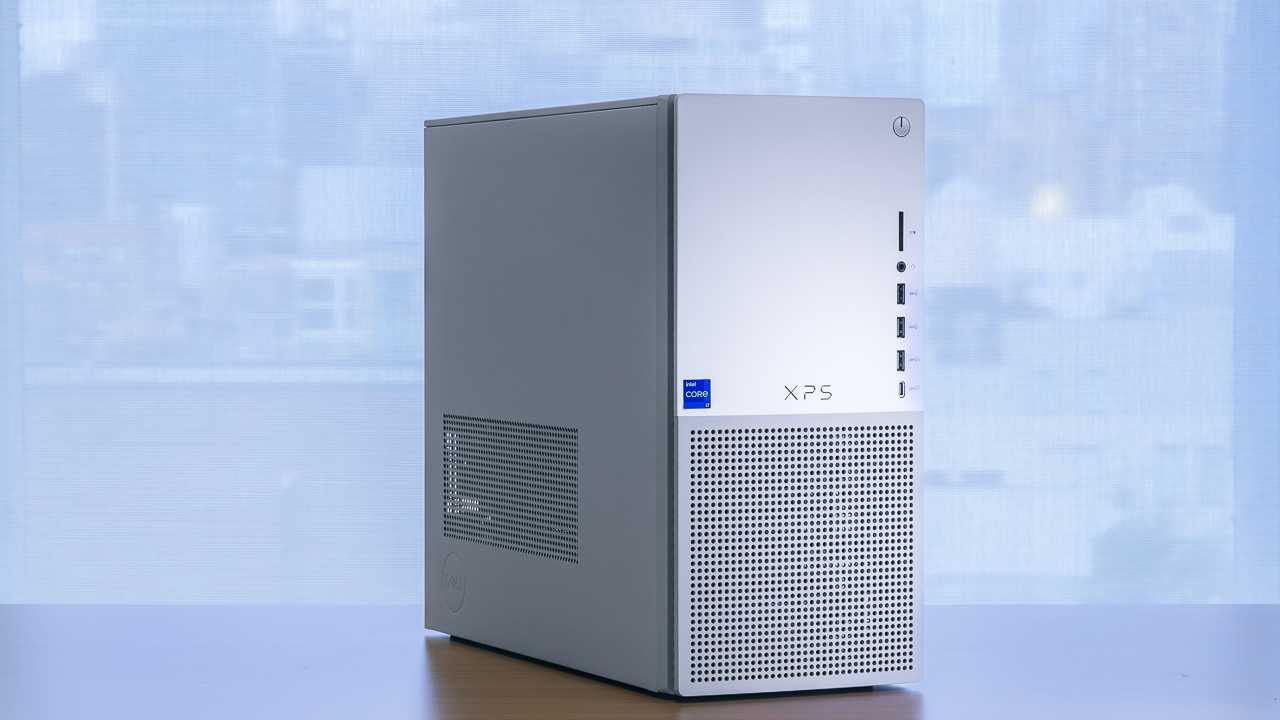
The Best Home Computer in this group is the Dell Slim Desktop. Its Intel Core Ultra 5-225 processor, compact enclosure, two 4K display support, tool-less access, and onsite service create the strongest balance for ordinary households and home offices. It is not the right choice for dedicated graphics work, but the product data does not promise that role.
Choose the Dell Tower Desktop when you want the more powerful Core Ultra 7-265 platform, 32GB of memory, and a roomier desktop form. For a small workspace, the Lenovo M720Q ThinkCentre is easier to place, while the BOSGAME E5 is the specialist pick for multi-monitor work and home networking projects.
If you are undecided, choose the Dell Slim Desktop for the broadest range of home tasks and the Dell Tower Desktop only when you know you need its extra headroom.
As an Amazon Associate we earn from qualifying purchases.