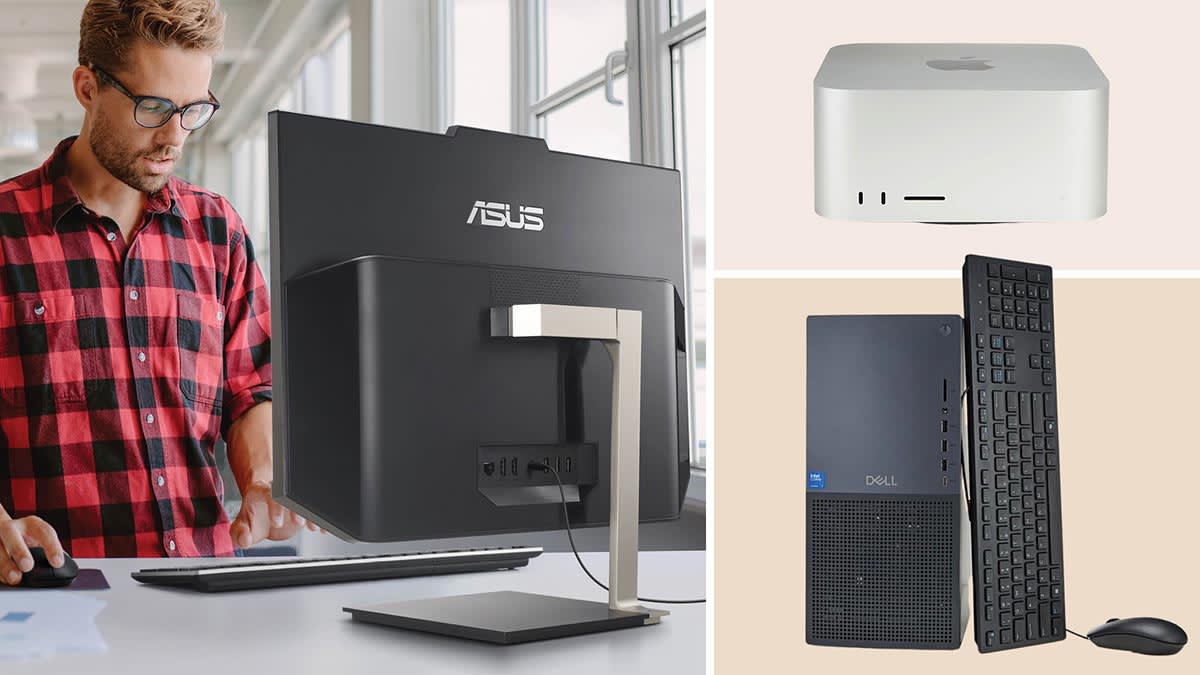

A desktop can be the calm center of a home office, or it can become an awkward box that dominates the desk and still leaves you wanting more ports. The right choice depends on whether you need serious multitasking, a built-in screen, quiet compact hardware, or simply a dependable Windows machine.
Our Best desktop computers picks cover new Dell and HP systems alongside renewed OptiPlex models and two all-in-one PCs. Dell Tower Desktop is our top pick, while the rest of the list covers the strongest alternatives for small desks, office work, dual displays, storage, and screen-first setups.
Comparison table
| # | Product | Award | Processor | Memory and storage | Best for |
|---|---|---|---|---|---|
| 1 | Dell Tower Desktop | Best overall | Intel Core Ultra 7-265 | 32GB, 1TB | Multitasking and upgrades |
| 2 | Dell 27-inch All-in-One | Best all-in-one | Intel Core 7 150U | 16GB, UHD Graphics | A clean home office |
| 3 | Dell Slim Desktop | Best compact new desktop | Intel Core Ultra 5-225 | 512GB SSD | Small workspaces |
| 4 | Dell OptiPlex 3050 SFF | Best basic refurbished PC | Intel Core i5-6500 | 16GB, 256GB SSD | Basic office tasks |
| 5 | HP OmniDesk | Best AMD desktop | Ryzen 7 8700G | 32GB, 1TB NVMe SSD | Heavy everyday multitasking |
| 6 | Dell OptiPlex 7050 SFF | Best refurbished storage | Intel Core i7-7700 | 32GB, 1TB SSD | Office storage and multitasking |
| 7 | Dell OptiPlex 7070 SFF | Best refurbished performance | Intel Core i7-9700 | 32GB, 1TB NVMe SSD | Fast business computing |
| 8 | HP ProDesk G7 SFF | Best expandable office PC | Intel CPU | 16GB, 2TB HDD plus 128GB SSD | Files and dual displays |
| 9 | Dell OptiPlex 5060 | Best hybrid storage | Intel Core i5-8500 | 16GB, 500GB SSD plus 1TB HDD | Home and office storage |
| 10 | Lenovo 24-inch All-in-One | Best simple all-in-one | Intel Processor N100 | 16GB, 256GB PCIe SSD | School and light office work |
1. Dell Tower Desktop: Best Overall

Pros
- Intel Core Ultra 7-265 processor
- 32GB of memory and 1TB of storage
- Supports two 4K displays or four FHD displays
- Tool-less access makes upgrades easier
Cons
- Larger than the slim and small form factor picks
- Integrated display connectivity is more useful for work than high-end gaming
- It does not include a built-in screen
Best for: someone who wants a capable Windows desktop with room to grow.
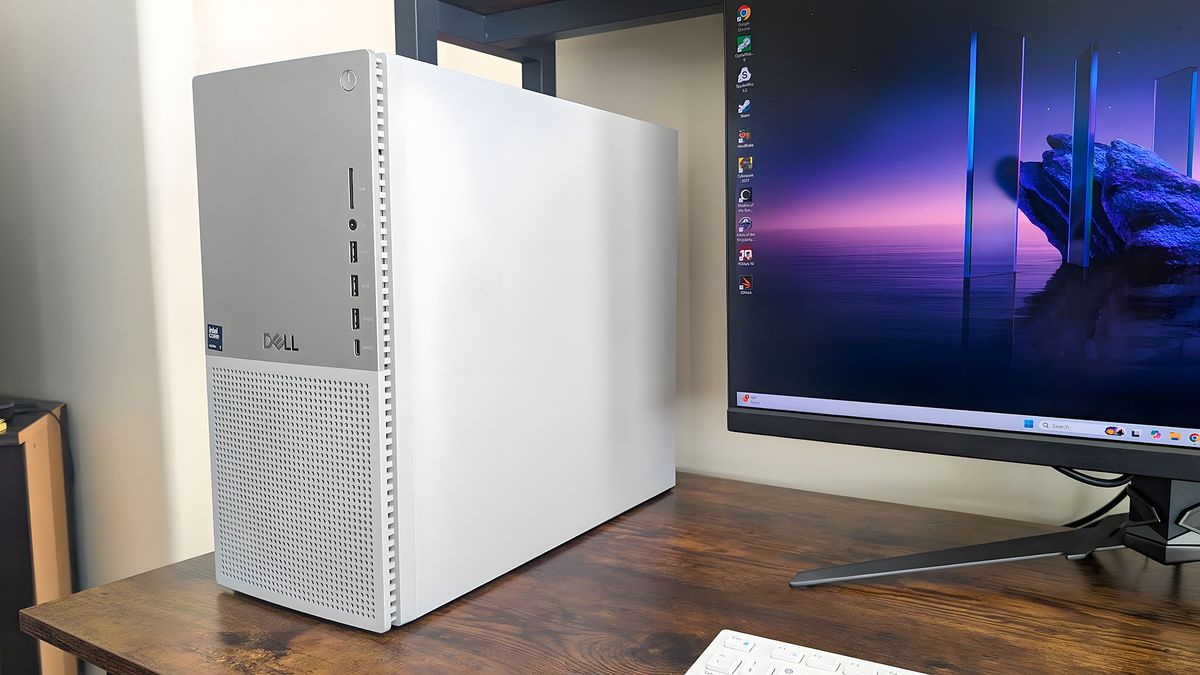
The Dell Tower Desktop is the one we would keep for a mixed home and office setup. It has the physical presence of a conventional tower, but the appeal is practical rather than flashy. The tool-less entry and removable side panel mean you can reach the internal components without turning a routine upgrade into a project.
Its Intel Core Ultra 7-265 processor is the strongest general-purpose chip in this group, and the 32GB of memory gives it a comfortable margin for large browser sessions, office applications, creative work, and other demanding multitasking. The built-in AI capability is part of the Core Ultra platform, though the real day-to-day advantage here is the combination of modern processing hardware and generous memory.
Display support is unusually useful for a desktop aimed at work. Dell says it can connect to four FHD monitors through DisplayPort and daisy chaining, or to two 4K displays using HDMI 2.1 and DisplayPort. That makes it a better command center than the Dell Slim Desktop if you need several screens, while the HP OmniDesk offers more integrated graphics detail but less of a traditional upgrade-friendly story.
The weakness is size. The Dell Slim Desktop takes up less desk depth, and the two all-in-one options eliminate the need for a separate monitor entirely. This tower also does not include a display, so the complete setup requires one. Its hardware TPM, lock slot, padlock loop, and one-year onsite service add useful office-oriented reassurance, but users who want a tidy single-cable screen setup should look at the Dell 27-inch All-in-One instead.
For a household that wants one desktop to handle work, school, storage, multiple displays, and future tinkering, this is the broadest fit. It is also the clearest choice for readers who would rather buy a capable base system than replace a cramped desktop later.
2. Dell 27-inch All-in-One: Best All-in-One

Pros
- 27-inch FHD IPS display
- 99% sRGB coverage
- Pop-up 5MP plus IR camera
- Built-in Bluetooth speakers with Dolby Atmos
- Keyboard storage under the display
Cons
- Less flexible to upgrade than a tower
- FHD resolution is not as sharp as a higher-resolution monitor
- Large footprint across the desk
Best for: home offices and family rooms where a clean setup matters as much as the computer.
The Dell 27-inch All-in-One solves the usual desktop problem by putting the computer, display, camera, and speakers into one coordinated unit. There is less cable clutter to hide, and the stand includes space to tuck the keyboard underneath the display when the desk needs to switch from work mode to open space.
The 27-inch FHD IPS panel is built for documents, web pages, streaming, and video calls. Its 99% sRGB coverage should keep everyday colors looking lively and consistent, while Dell says the screen has 50% higher contrast than the previous generation. ComfortView Plus is intended to reduce blue light emissions, and the refresh rate is 66% higher than the previous generation, which should make scrolling feel smoother than a basic office panel.
Dell gives the webcam more attention than most desktop manufacturers. The 5MP plus IR camera uses HDR to help in difficult lighting, tilts from zero to 20 degrees, and physically pops down for privacy. The dual Bluetooth speakers and Dolby Atmos spatial sound make the computer more self-contained than the Lenovo 24-inch All-in-One, whose main advantage is its smaller display and simpler office footprint.
The catch is the all-in-one design itself. You cannot treat the display and computer as separate upgrade paths, and the 27-inch body is wide at 24.2 inches. The Dell Tower Desktop is much more adaptable for multi-monitor work, while the Dell Slim Desktop is easier to place in a tight nook. This Dell is best when the built-in screen is a central part of the purchase, not an afterthought.
For video calls, schoolwork, browsing, and streaming in a shared home space, it is the most polished all-in-one here. Readers who are also comparing screen-integrated systems may want to consider how a single-screen computer changes a home office before choosing between the two all-in-ones.
3. Dell Slim Desktop: Best Compact New Desktop
Pros
- Modern Intel Core Ultra 5-225 processor
- Compact 3.74-inch width
- Supports two 4K displays
- Tool-less access and removable side panel
- Hardware TPM security
Cons
- 512GB SSD is less generous than the tower's 1TB drive
- Requires a separate monitor
- Slim chassis gives less physical room than a full tower
Best for: a new Windows desktop that must fit beside a monitor or under a narrow desk.
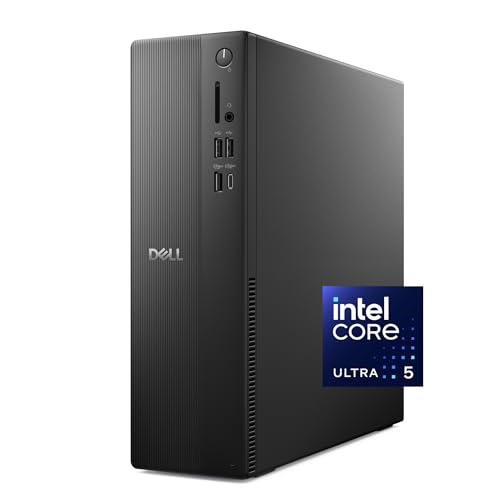
The Dell Slim Desktop is a sensible answer for people who want current hardware without giving half the desk to a tower. At 3.74 inches wide and 7.69 pounds, it is considerably easier to position than the full-size Dell Tower Desktop, yet it retains the features that make a desktop more useful over time.
The Intel Core Ultra 5-225 brings the newer Core Ultra platform and its built-in AI capability to a smaller chassis. The included 512GB SSD is enough for ordinary documents, applications, and a moderate media library, though the 1TB drive in the Dell Tower Desktop gives that model more breathing room. For office work, browsing, school software, and everyday creative tasks, the Slim Desktop has the right shape and specification balance.
Its display support is a real strength. Dell lists support for four FHD monitors using DisplayPort 1.4a and daisy chaining, or two 4K displays through HDMI 2.1 and DisplayPort 1.4a. That is far more flexible than the all-in-one designs, and it gives this compact machine a clear advantage for a two-screen workspace. The removable side panel and tool-less access also make it less intimidating to maintain.
The trade-off is expansion room. A slim desktop cannot offer the same internal flexibility as a conventional tower, and the machine does not include a screen. The renewed Dell OptiPlex 7070 SFF offers more memory and storage on paper, but this Dell is the cleaner choice for someone who wants a new system with current processor hardware and manufacturer support.
Choose it when space is limited but a separate monitor is already part of the plan. It is especially appealing for a home office where a narrow chassis and dual-display capability matter more than maximum internal expansion.
4. Dell OptiPlex 3050 SFF: Best Basic Refurbished PC

Pros
- 16GB DDR4 memory
- 256GB SSD
- HDMI and DisplayPort
- Dual 4K display support
- Keyboard, mouse, and USB Wi-Fi adapter included
Cons
- Older Intel Core i5-6500 platform
- Smaller SSD than most other picks
- Refurbished condition requires realistic expectations
Best for: basic browsing, documents, email, and a two-monitor office station.
The Dell OptiPlex 3050 SFF is a straightforward refurbished office PC. Its small form factor case measures 3.75 inches wide, so it can sit beneath a monitor or slide onto a shelf without the bulk of the full tower choices. The included USB keyboard, mouse, and Wi-Fi adapter make it a practical starting point for a basic workstation.
The Intel Core i5-6500 is an older quad-core processor, and that matters when several demanding applications are open at once. Still, 16GB of DDR4 memory is a useful amount for documents, web work, online learning, email, and video playback. The 256GB SSD should keep Windows and frequently used applications responsive, but it leaves less room for a large photo or video collection than the Dell OptiPlex 5060.
The port selection is unusually helpful for a compact refurbished machine. It has two front USB 3.0 ports, two front USB 2.0 ports, rear USB connections, RJ-45 networking, HDMI, and DisplayPort. Dell lists support for dual 4K displays, so it can serve as a two-screen productivity machine rather than being limited to a single basic monitor.
This is not the pick for demanding modern software, heavy creative workloads, or someone who wants the newest platform. The Dell OptiPlex 7070 SFF has a substantially newer eight-core processor, while the Dell OptiPlex 7050 SFF doubles the memory and storage. The 3050 makes more sense when the workload is light and the small chassis is the priority.
It is a good fit for a home office, classroom desk, or family computer that mainly needs to run Windows applications reliably. Before ordering a renewed PC, check the included warranty and condition details carefully, since those are part of the ownership experience.
5. HP OmniDesk: Best AMD Desktop

Pros
- Ryzen 7 8700G processor
- 32GB DDR5-5200 memory
- 1TB PCIe Gen4 NVMe SSD
- Radeon 780M integrated graphics
- Wi-Fi 6 and Bluetooth 5.4
- Wireless keyboard and mouse included
Cons
- No dedicated graphics card listed
- Larger than the small form factor office machines
- Windows 11 Home rather than Windows 11 Pro
Best for: demanding everyday work and users who want a strong integrated AMD platform.
The HP OmniDesk is the most interesting alternative to Dell's current desktop models. It uses AMD's Ryzen 7 8700G with 32GB of DDR5-5200 memory, giving it a modern foundation for large office workloads, editing applications, many browser tabs, and general multitasking.
The 1TB PCIe Gen4 NVMe M.2 SSD is fast storage with enough capacity for a substantial collection of applications and files. That is a better starting point than the 512GB drive in the Dell Slim Desktop, and the 32GB memory matches the Dell Tower Desktop. HP also lists Ryzen AI with 16 NPU TOPS, though the more immediately useful detail is the combination of the Ryzen processor, fast DDR5 memory, and integrated Radeon 780M graphics.
The Radeon 780M is the main reason to consider this model over a conventional office PC with basic integrated graphics. It is still not a substitute for a desktop with a dedicated graphics card, but it gives the OmniDesk more flexibility for graphics-heavy everyday work and casual use. Wireless connectivity is current too, with Wi-Fi 6, Bluetooth 5.4, and integrated gigabit Ethernet.
The HP is not as compact as the Dell OptiPlex 7050 SFF or the HP ProDesk G7 SFF, measuring 6.10 inches wide and 13.27 inches high. It also runs Windows 11 Home, while several refurbished business systems include Windows 11 Pro. Buyers who need a small corporate-style box or enterprise-oriented configuration should look elsewhere.
HP includes a black wireless keyboard and mouse, which helps create a clean setup quickly. Pick the OmniDesk when processor headroom, DDR5 memory, fast storage, and stronger integrated graphics matter more than the smallest chassis.
6. Dell OptiPlex 7050 SFF: Best Refurbished Storage

Pros
- 32GB DDR4 memory
- 1TB SSD
- Intel Core i7-7700 processor
- HDMI and DisplayPort
- Dual-monitor support
- Wired keyboard and mouse included
Cons
- Older seventh-generation processor
- Professionally renewed condition
- Wi-Fi is supplied through a wireless USB adapter
Best for: a compact office desktop with ample memory and solid local storage.
The Dell OptiPlex 7050 SFF is an appealing middle ground among the renewed business desktops. Its 3.6-inch width makes it easy to place in a crowded office, but its 32GB of DDR4 memory and 1TB SSD are much more generous than the entry-level OptiPlex 3050 SFF.
The Intel Core i7-7700 runs at 3.60GHz, and that older four-core design is still suited to office applications, browsing, communication tools, and ordinary multitasking. It will not match the newer eight-core Dell OptiPlex 7070 SFF, particularly when heavier applications are involved, but the extra memory means the 7050 is not immediately constrained by a small workload.
Connectivity covers the basics well. The system includes USB 3.0 and USB 2.0 ports, HDMI, DisplayPort, Ethernet, and audio input and output. Its dual-monitor support makes it useful for spreadsheets, reference material, and communication windows. A wired keyboard and mouse are included, along with wireless USB and a power cord.
The primary limitation is age. The platform is older than the current Dell Slim Desktop and HP OmniDesk, and the wireless connection comes through a USB adapter rather than a newer built-in wireless card. The renewed Dell OptiPlex 5060 has a newer six-core processor but less memory and less SSD capacity, so the choice depends on whether processing or storage is more important.
This is a good fit for a small office or home workstation that needs a lot of local storage and plenty of memory without a large tower. It is less suitable for buyers who want the quiet confidence of current-generation hardware.
7. Dell OptiPlex 7070 SFF: Best Refurbished Performance
Pros
- Eight-core Intel Core i7-9700
- Up to 4.70GHz turbo frequency
- 32GB DDR4 memory
- 1TB NVMe M.2 SSD
- Built-in Wi-Fi 6E
- Supports two displays
Cons
- Renewed system
- Older platform than the current-generation choices
- The case is not as narrow as some small form factor models
Best for: fast office multitasking from a renewed business desktop.
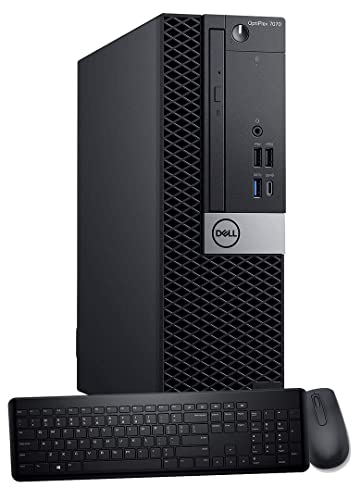
The Dell OptiPlex 7070 SFF is the strongest renewed business desktop in this group for processor-heavy multitasking. Its Intel Core i7-9700 has eight cores, a 3.0GHz base frequency, and speeds up to 4.70GHz. That gives it a clear advantage over the four-core i7-7700 in the OptiPlex 7050 SFF.
Memory and storage are equally well judged. The 32GB of DDR4 RAM is appropriate for large spreadsheets, many browser tabs, office applications, and heavier background workloads. The 1TB NVMe M.2 SSD should provide faster application launches and file access than the older SATA-style storage found in some refurbished alternatives.
It also has a useful port arrangement, with five USB 3.1 ports, four USB 2.0 ports, and two display outputs for a dual-screen setup. Built-in Wi-Fi 6E is a meaningful improvement over the USB wireless adapter bundled with the OptiPlex 7050 SFF. A wireless keyboard and mouse are included, so it can be installed without adding those accessories separately.
The drawback is that this is still a renewed machine built around an older generation of hardware. The Dell Tower Desktop and HP OmniDesk offer newer processor platforms, while the Dell Slim Desktop has a more compact profile. The 7070 is also 14 inches wide according to the listed dimensions, so it is not the smallest box despite the SFF label.
Choose it when you want the most capable refurbished business PC here and do not need the newest platform. It is especially well suited to office users who care about eight-core processing, fast NVMe storage, dual displays, and modern wireless connectivity.
8. HP ProDesk G7 SFF: Best Expandable Office PC

Pros
- Dual 4K display support
- 2TB HDD plus 128GB SSD
- Supports up to 64GB DDR4 memory
- Supports up to 3TB of storage
- HDMI and DisplayPort
- Wired keyboard and mouse included
Cons
- SSD capacity is limited
- Processor is not identified beyond Intel CPU
- Hard drive storage is slower than an all-SSD setup
Best for: office users who need a compact system with room for future storage and memory expansion.
The HP ProDesk G7 SFF is built around expandability rather than headline processor detail. Its listed configuration combines 16GB of DDR4 memory with a 128GB SSD and 2TB hard drive. That split gives Windows and frequently used applications a solid-state home while leaving plenty of room for documents, media, and archived files.
HP says the system can support up to 64GB of DDR4 memory and up to 3TB of storage. Those upgrade limits make it more flexible than the Dell OptiPlex 3050 SFF, whose supplied 256GB SSD leaves less room for a large local library. The trade-off is that the HP's hard drive will not feel as quick as the all-NVMe storage in the Dell OptiPlex 7070 SFF.
For desk work, the port selection is strong. There are two front USB 3.2 Gen 2 ports, two front USB 2.0 ports, a headphone and microphone combo jack, rear USB connections, HDMI 1.4, DisplayPort 1.4, and Ethernet. HP lists support for two 4K displays, making this a good candidate for a productivity setup with separate documents and communication windows.
The vague processor description is the main concern. The listing identifies an Intel CPU but does not provide a model, core count, or clock speed, so buyers should not choose this system based on processor performance. It is also supplied with a wired keyboard and mouse, which is practical but less tidy than the wireless bundle included with the Dell OptiPlex 7070 SFF.
The ProDesk makes sense for an office that expects its storage needs to grow. It is also a reasonable choice when dual 4K displays and upgrade access matter more than having the fastest processor in the room.
9. Dell OptiPlex 5060: Best Hybrid Storage

Pros
- Six-core Intel Core i5-8500
- 500GB SSD plus 1TB HDD
- 16GB DDR4 memory
- Wi-Fi and Bluetooth
- Suitable for home or office use
Cons
- Renewed system
- Less memory than the OptiPlex 7050 and 7070
- Hybrid storage is slower for large files on the hard drive
Best for: a home or office PC that needs both responsive system storage and a larger file archive.
The Dell OptiPlex 5060 is the most balanced of the older hybrid-storage machines. It pairs an Intel Core i5-8500 six-core processor with 16GB of DDR4 memory, giving it a stronger multitasking foundation than the quad-core OptiPlex 3050 SFF.
Its storage arrangement is the reason to choose it. A 500GB SSD provides room for Windows and frequently used applications, while the 1TB HDD adds a separate place for photos, documents, downloads, and media. That is more versatile than the 256GB SSD in the 3050, though files stored on the hard drive will not open as quickly as files kept on the NVMe drive in the Dell OptiPlex 7070 SFF.
The machine includes Wi-Fi, Bluetooth, and LAN, so it can work in a wireless home setup or connect directly to a router. Integrated Intel UHD Graphics 630 is suited to ordinary display work and video playback. This is a sensible office computer, but it is not described as a graphics-focused system and should not be treated as one.
The 16GB memory is adequate for everyday use, but the Dell OptiPlex 7050 SFF gives you 32GB and a full 1TB SSD. The newer Dell Slim Desktop is a better choice for current platform features, while the OptiPlex 5060 remains attractive for buyers who specifically want a two-drive arrangement in a compact chassis.
Pick it for home administration, office documents, browsing, communication, and a mixed collection of applications and files. It is particularly useful when you want more archive space without giving up the quicker startup behavior of an SSD.
10. Lenovo 24-inch All-in-One: Best Simple All-in-One

Pros
- 23.8-inch FHD IPS anti-glare display
- 99% sRGB coverage
- 16GB DDR4 memory
- 256GB PCIe SSD
- Wi-Fi 6 and Bluetooth 5.2
- Wireless keyboard and mouse included
Cons
- Intel Processor N100 is entry-level
- Smaller SSD than the Dell all-in-one
- Display is limited to FHD resolution
Best for: schoolwork, web browsing, and a tidy home or office desk.
The Lenovo 24-inch All-in-One keeps the desktop experience uncomplicated. Its 23.8-inch screen, built-in computer, wireless keyboard, and wireless mouse arrive as one cohesive setup, which is useful for a student desk, reception area, or home office where a separate tower is not welcome.
The display is a 1920 by 1080 IPS panel with an anti-glare coating, 250 nits of brightness, and 99% sRGB coverage. Those figures point to a screen suited to documents, web pages, video calls, and general entertainment. The Dell 27-inch All-in-One offers a larger panel, a more advanced camera, and built-in Dolby Atmos speakers, but the Lenovo's smaller footprint can be easier to manage.
The Intel Processor N100 has four cores, four threads, a 3.40GHz maximum turbo frequency, and a 6MB cache. It is intended for light workloads rather than intensive content creation. The 16GB of DDR4 memory helps keep ordinary multitasking comfortable, while the 256GB PCIe SSD should make startup and application loading feel much quicker than a hard-drive-only system.
Connectivity includes Wi-Fi 6, Bluetooth 5.2, HDMI out, Ethernet, two USB-A 2.0 ports, two USB-A 10Gbps ports, and a headphone and microphone combo jack. That is enough for common peripherals and a second display, although the Dell Tower Desktop is the better option for a genuinely multi-monitor workstation. Lenovo lists Windows 11 Pro and includes a wireless keyboard and mouse.
The main reason to skip it is demanding work. The N100 is not in the same class as the Ryzen 7 8700G in the HP OmniDesk or the Core Ultra processors in Dell's newer desktops. For light office tasks and a clean screen-first setup, though, it is a sensible choice. If most of the workload is documents, browsing, and online learning, the practical trade-offs of a compact student computer can help settle whether an all-in-one is the right shape.
How to choose best desktop computers
Start with the work the computer must handle every day, then decide how much space and screen flexibility the setup requires. A tower, small form factor PC, and all-in-one can all run Windows 11, but they differ sharply in upgrade access, display options, and long-term usefulness.
Processor class
The processor affects how quickly a desktop handles demanding applications and how gracefully it manages many tasks at once. Modern chips such as the Intel Core Ultra 7-265, Intel Core Ultra 5-225, and Ryzen 7 8700G are the strongest current platforms in this group.
Older Core i5 and Core i7 processors can still handle office work well, especially when paired with enough memory and an SSD. The Intel Processor N100 is better reserved for light tasks. Treat an unspecified “Intel CPU” listing with caution because the model and core count determine far more than the brand name.
Memory capacity
Memory determines how many applications and browser tabs can remain active without constant slowdowns. For a current home or office desktop, 16GB is a practical starting point, while 32GB gives heavier multitasking more room.
The Dell Tower Desktop, HP OmniDesk, Dell OptiPlex 7050 SFF, and Dell OptiPlex 7070 SFF all list 32GB. The HP ProDesk G7 SFF is notable because its stated upgrade support reaches 64GB, which may matter for a growing office workload.
Choose the processor for today's workload, but choose the memory and case with tomorrow's multitasking in mind.
Storage type and capacity
An SSD makes Windows startup, application launches, and routine file access feel much quicker than a hard drive. NVMe SSDs, such as the 1TB drive in the Dell OptiPlex 7070 SFF, are especially well suited to a responsive system drive.
Capacity still matters. A 256GB SSD can fill quickly once applications, photos, and downloads accumulate. Hybrid systems such as the Dell OptiPlex 5060 and HP ProDesk G7 SFF provide larger hard-drive archives, but files stored on those drives will not feel as immediate as files on the SSD.
Display setup
An all-in-one includes a screen, while a tower or small form factor desktop requires a separate monitor. Dell's current tower and slim systems support two 4K displays, and several OptiPlex models support dual displays as well.
For a single-screen desk, an all-in-one reduces cable clutter. For spreadsheets, reference material, editing timelines, or communication tools, two displays are often more useful than a larger single panel.
Size and upgrade access
Measure the desk before choosing a desktop. The Dell Slim Desktop is only 3.74 inches wide, and the small form factor OptiPlex models are similarly suited to narrow spaces. Full towers offer more room to work inside, while all-in-ones place the computer behind the display.
Tool-less access and a removable side panel make the Dell Tower Desktop and Dell Slim Desktop easier to maintain. Renewed business PCs can also be serviceable, but inspect the listing for the exact condition, included accessories, and warranty information.
Frequently asked questions
Should I choose a tower or an all-in-one desktop?
Choose a tower if you want flexible monitor choices, easier component access, or support for several displays. Choose an all-in-one if reducing cables and saving setup space matter more than internal upgrades. The Dell 27-inch All-in-One is the more feature-rich screen-first option, while the Lenovo 24-inch All-in-One is aimed at lighter work.
Is 16GB of RAM enough for a desktop computer?
Yes, 16GB is enough for browsing, office applications, schoolwork, email, and video calls. Move to 32GB if you regularly keep many applications open, work with large files, or want more headroom for heavier multitasking.
Are renewed OptiPlex computers suitable for home use?
They can be. Business desktops such as the Dell OptiPlex 5060, 7050 SFF, and 7070 SFF are well suited to documents, browsing, communication, and general administration. Check the exact condition, warranty, wireless hardware, and included accessories before ordering.
How much storage should a desktop have?
A 256GB SSD is workable for a light setup, but it can become restrictive if you store many photos, videos, and applications locally. A 512GB or 1TB SSD is easier to live with, while a hybrid SSD and hard-drive arrangement can provide a larger archive.
Can these desktops support two monitors?
Several can. The Dell Tower Desktop and Dell Slim Desktop support two 4K displays, while the Dell OptiPlex 3050 SFF, Dell OptiPlex 7070 SFF, and HP ProDesk G7 SFF list dual-display support. Check the available video outputs on the exact model and make sure your monitors use compatible connections.
Do all-in-one computers include a keyboard and mouse?
The Lenovo 24-inch All-in-One includes a wireless keyboard and mouse, and the HP OmniDesk includes a wireless keyboard and mouse even though it is not an all-in-one. Check the bundle details for other models because accessories vary between listings.
The bottom line
The Best desktop computers list has one clear all-purpose winner: the Dell Tower Desktop. Its Core Ultra 7-265 processor, 32GB of memory, 1TB of storage, multi-monitor support, and tool-less access make it the strongest choice for a household that wants performance and flexibility. The Dell 27-inch All-in-One is the better choice when the display, camera, speakers, and tidy setup should arrive as one unit.
For a compact current system, choose the Dell Slim Desktop. For renewed business hardware, the Dell OptiPlex 7070 SFF offers the most compelling combination of an eight-core processor, 32GB of memory, 1TB NVMe storage, and Wi-Fi 6E. The HP OmniDesk is the alternative for buyers who prefer AMD hardware and stronger integrated Radeon graphics.
If you are undecided, choose the tower for flexibility, the 27-inch Dell for simplicity, and the Slim Desktop when desk space is the deciding factor.
As an Amazon Associate we earn from qualifying purchases.